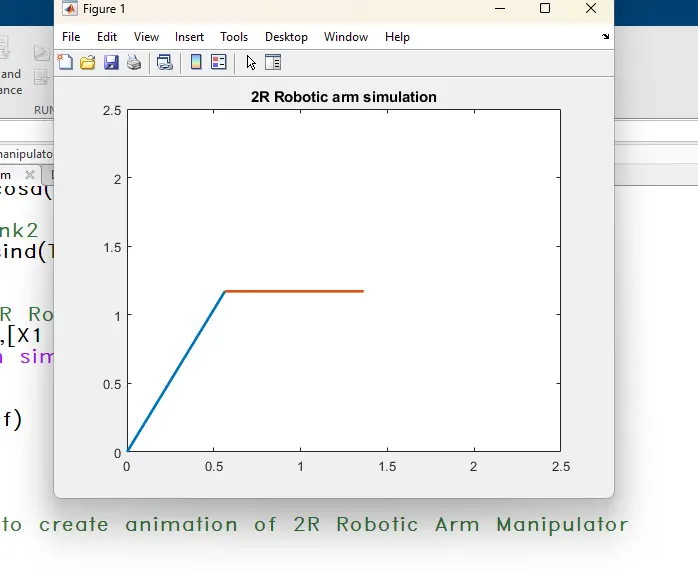
Week 2- 2R Robotic Arm Challenge
2R Robotic Arm Challenge
Aim: To write a program in Matlab to simulate the forward kinematics of a 2R Robotic Arm
- To write a program for forward kinematics of 2R robotic arm
- To create.avi video file for the same
Robotic arm
2R Robotic Arm
A robotic arm is a type of mechanical arm, usually programmable, with similar functions to a human arm; the arm may be the sum total of the mechanism or may be part of a more complex robot. The links of such a manipulator are connected by joints allowing either rotational motion (such as in an articulated robot) or translational (linear) displacement. The links of the manipulator can be considered to form a kinematic chain. The terminus of the kinematic chain of the manipulator is called the end effector and it is analogous to the human hand. However, the term "robotic hand" as a synonym of the robotic arm is often proscribed.
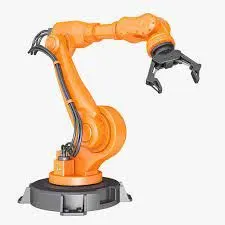
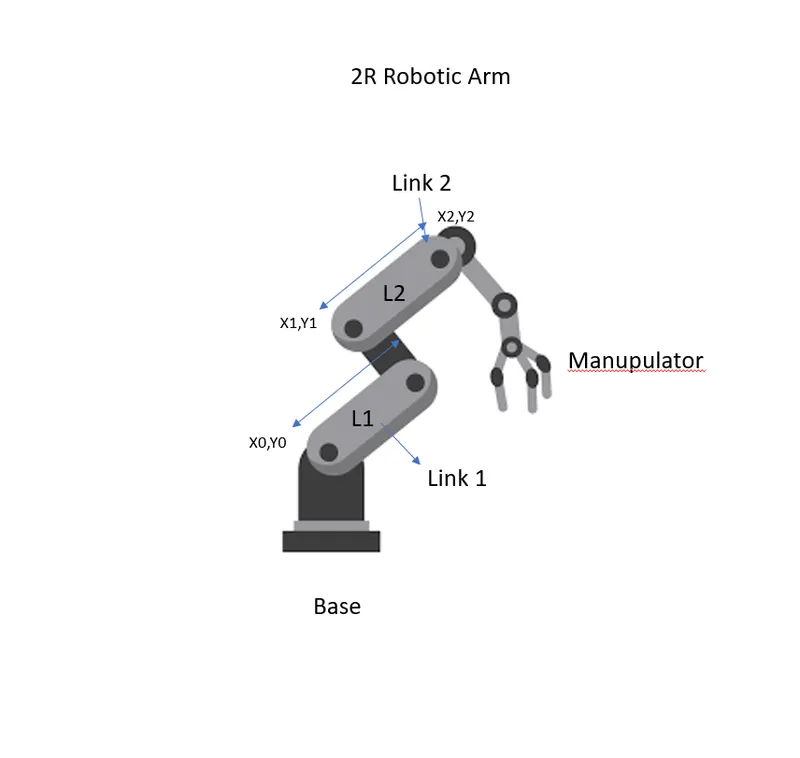
In the image shown above, the robotic arm consists of 4 components,
- The Base, which is clamped to the surface, and all other links are joined through linkages.
- Link 1 (L1) making theta angle (θ1) with horizontal.
- Link 2 (L2) making theta angle (θ2) with horizontal.
- The device manipulator attached to 2nd linkage will perform the specific work he has to do.
MATLAB CODE:
% Forward Kinematics of a 2R Robotic arm manipulator and simulation

clear all
close all
clc

% Inputs Value
% Length_of_Link1
L1 = 1.30;

% Length_of_Link2
L2 = 0.80;

% create 8 row vector in 0 to 90 (8 evenly spaced points)
theta1 = linspace(0,90,8);

% create 8 row vector in 0 to 90 (8 evenly spaced points)
theta2 = linspace(0,90,8);

% add counter for loop
ct=1;

% for Loop
% iterated values of theta1 is stored in T1
for i = 1:length(theta1)
   THETA1 = theta1(i);

% iterated values of theta2 is stored in T2
for  j = 1:length(theta2)
   THETA2 = theta2(j);

% Co_ordinates
% Link 1 is fixed to Base Origin
   X0 = 0;
   Y0 = 0;

% Finding X1 for Link1 final coordinate
   X1 = L1*cosd(THETA1);

% Finding Y1 for Link1 final coordinate
   Y1 = L1*sind(THETA1);

% Finding X2 for Link2 final coordinate
   X2 = X1 + L2*cosd(THETA2);

% Finding X2 for Link2 final coordinate
   Y2 = Y1 + L2*sind(THETA2);


% Plotting line of 2R Robotic Arm
plot([X0 X1],[Y0 Y1],[X1 X2],[Y1 Y2],'linewidth',2);
title('2R Robotic arm simulation')
axis([0,2.5,0,2.5]);
pause(0.02);
M(ct) = getframe(gcf)
ct = ct+1;
end
end

% Inserting Frames to create animation of 2R Robotic Arm Manipulator

movie(M)
title('2R Robotic arm simulation')
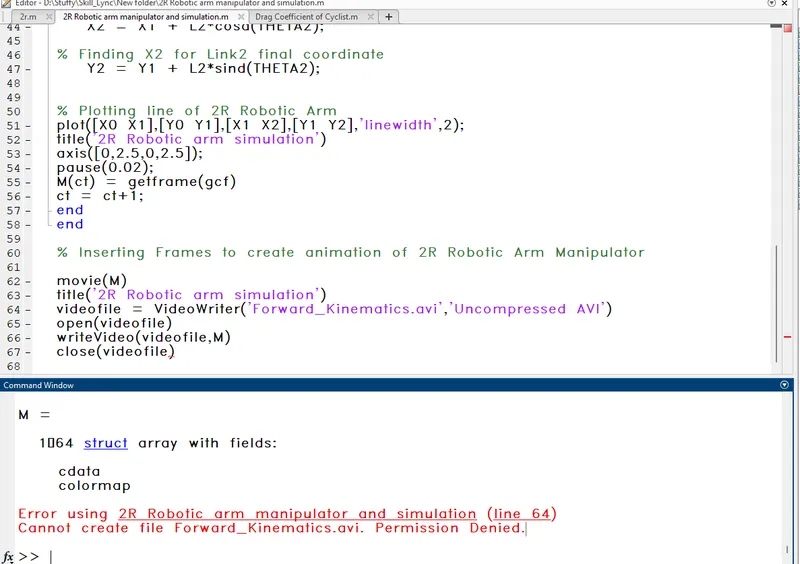
videofile = VideoWriter('Forward_Kinematics.avi','Uncompressed AVI')
open(videofile)
writeVideo(videofile,M)
close(videofile)
INPUTS :
- Before starting every program in MATLAB with these three commands all the previous calculations are erased.
- clear: This command clears all the data stored in the workspace previously.
- close all: This command closes all the previous figures and plots.
- clc: This command clears the command window.
Use {;} to supress unwanted results:
Use % and add comments for a better understanding of Programming and easy to read
- For 2R Robotic Arm forward kinematics motion program we have assumed the length of link 1 and link 2 to be 1.30 m and 0.80 m.
- For different vector values, we divide random numbers (0,90,8) with evenly spaced 8 points. In order to simulate the robotic arm, it is necessary to vary theta 1 (θ1) and theta 2 (θ2) values to obtain the desired animation and it cannot be possible if we manually enter the respective data every time. So we have created a row vector from 0°−90°.[theta1 = linspace(0,90,8)]
- The coordinates of the base fixed at the base (X0,Y0)
- For finding X1 and Y1 for Link1 final coordinate The coordinates of the endpoints of link 1 (L1) can be found by using the trigonometry formula
x1=L1⋅cos(θ1) and y1=L1⋅sin(θ1)
- Similarly, the coordinates of the endpoint of link 2 (L2) can also be found from trigonometry as,
x2=x1+L2⋅cos(θ2) and y2=y1+L2⋅sin(θ2)
- Providing the eqn for the X1, Y1, X2, Y2 or say Defining the coordinates of both the robotic arms.
- For Plotting coordinate values add the coordinates value as well as axis points. plot([X0 X1],[Y0 Y1],[X1 X2],[Y1 Y2],'linewidth',2)
- Using the pause command to make the plot moves smoothly. pause(0.02)
- Incrementing the ct or compression ratio value by +1 each time it executes for a loop. ct = ct+1
- All figures are assigned to a variable M, one at a time using
- In the end, saving the movie in .avi format.
movie(M)
title('2R Robotic arm simulation')
videofile = VideoWriter('Forward_Kinematics.avi','Uncompressed AVI')
open(videofile)
writeVideo(videofile,M)
close(videofile)
Errors and Commands while Exicution of Programs:
- At the first there are some typo error occurs because practicing the matlab and creating matlab.
- For compliting loop forgot to add end for completing the program.
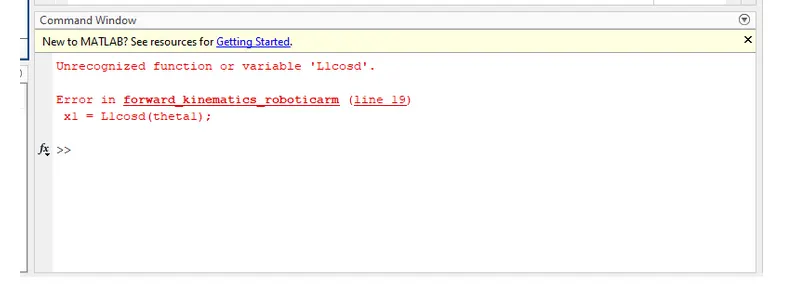
- Then while exicuting programs due to current folder location there are some erro occure while creating movie of plotting.
Youtue Link for Avi:-
Result:- We have succesfylly simulated 2R Robotic Arm and manipulator porogramming and execute and created avi file for the same