Advanced Sheet Metal Design Using NX Cad Challenge_5_Odd Shaped Enclosure
Odd Shaped Enclosure using Sheet Metal in NX cad
Objective: To design and create an odd-shaped enclosure in NX cad and learn to use convert non sheet metal parts to sheet metal or solid to sheet metal.
Introduction: Sheet metal is metal formed by an industrial process into thin, flat pieces. Sheet metal is one of the fundamental forms used in metalworking, and it can be cut and bent into a variety of shapes. Countless everyday objects are fabricated from sheet metal. Thicknesses can vary significantly; extremely thin sheets are considered foil or leaf, and pieces thicker than 6 mm (0.25 in) are considered plate steel or "structural steel".
Design Methodology:
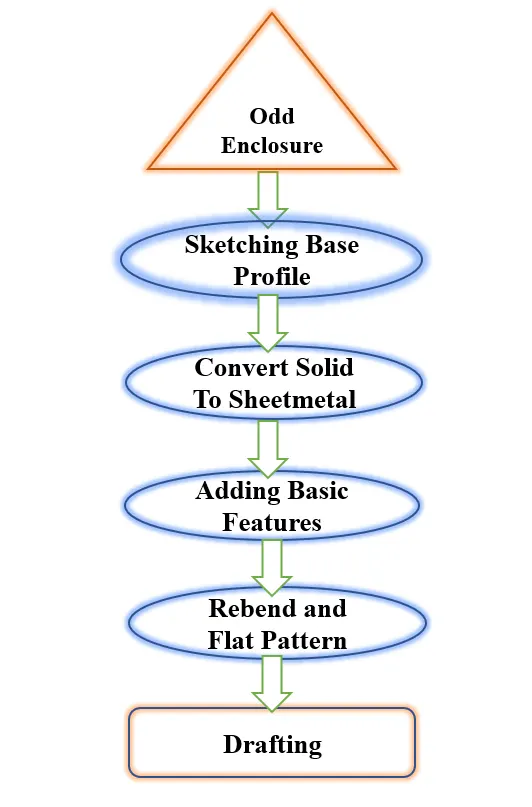
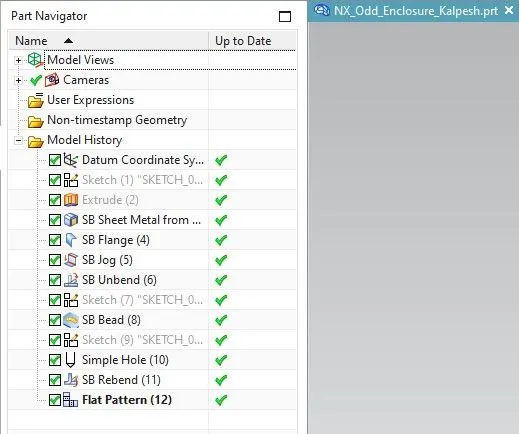
Features we used in Odd Shaped Enclosure:
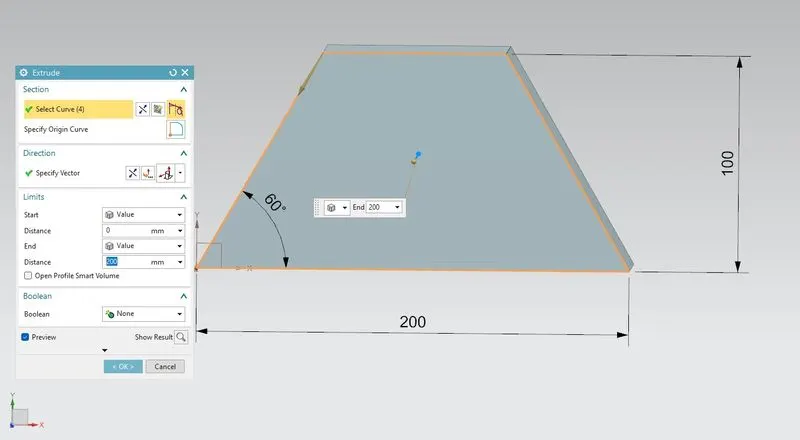
1. Extrude Feature: For our Odd shaped enclosure first, we have to create a base profile with having 200mmx150mm dimensions of a triangle with a 60-degree angle.
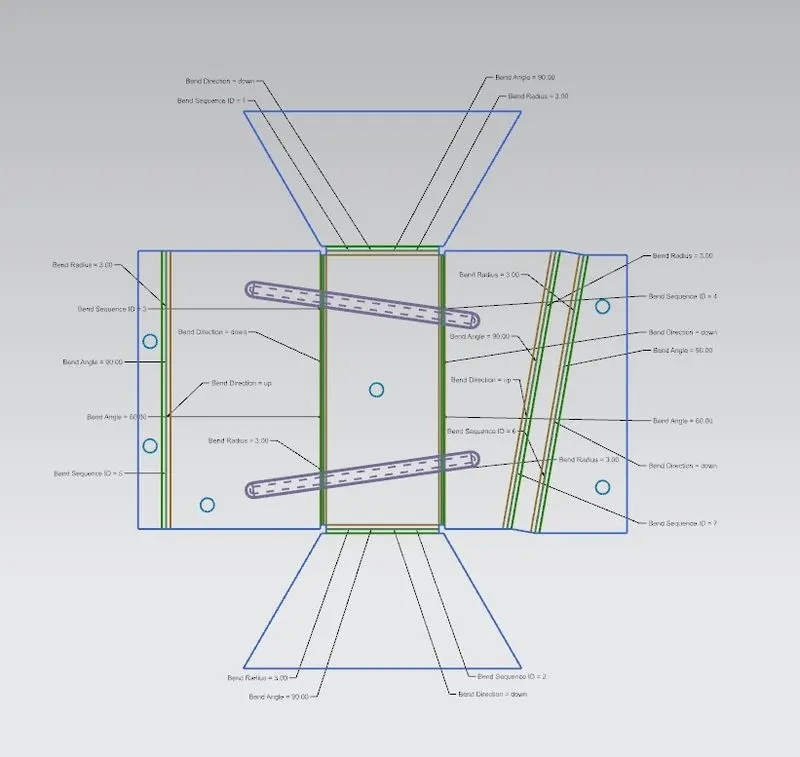
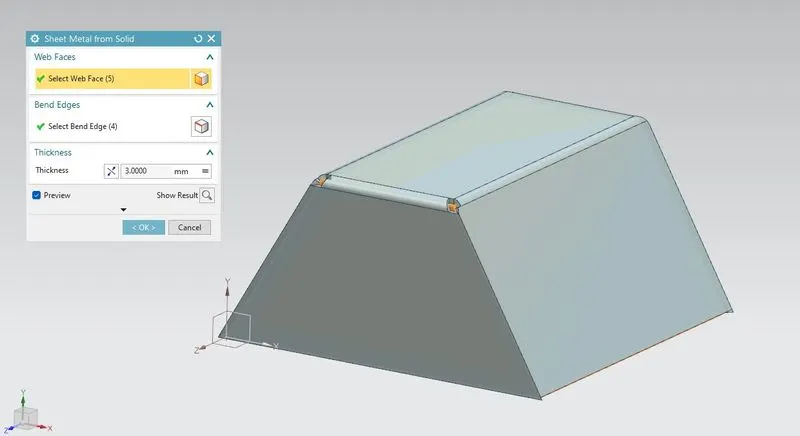
2.Sheet metal from solid: To wrap or convert this solid body into sheet metal we use Sheet metal from Solid feature but while selecting faces and edges we have to be very careful while doing this to overcome the error of selecting wrong edges and after wrapping use flat pattern and check if your sketch pattern looks perfect or not.
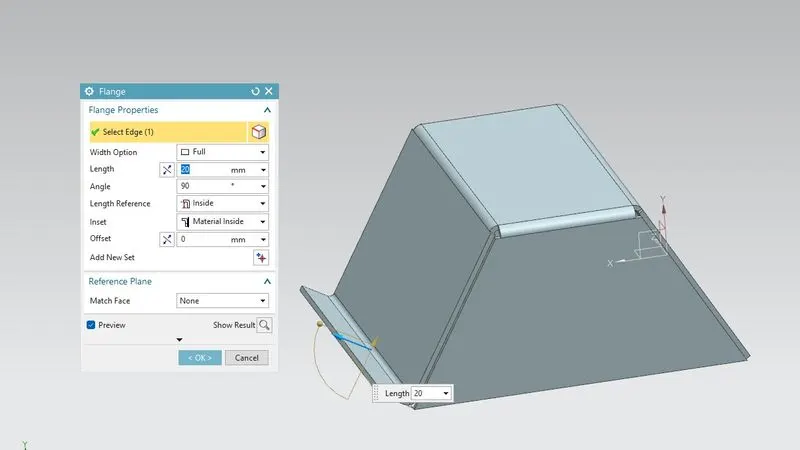
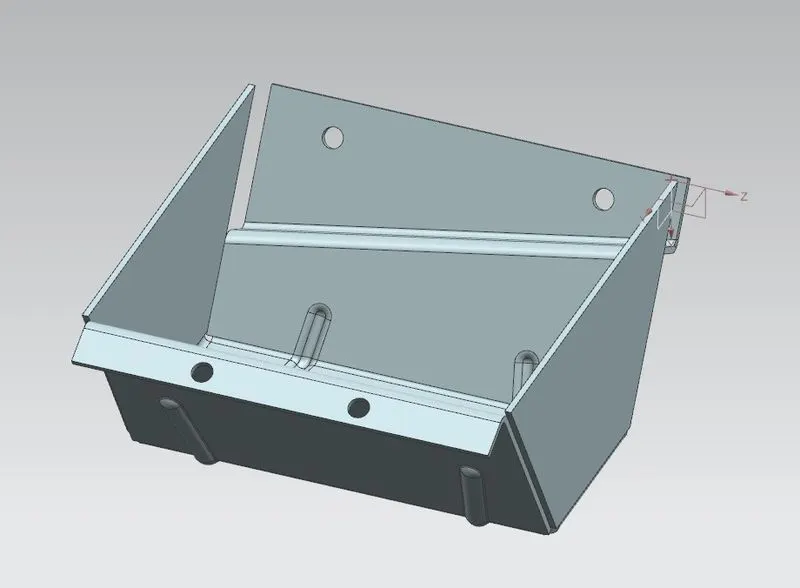
3. Flange: This feature is used to get flanged at the planer face we have to select the edge where we want flange we can control bend radius, Length, Angle of flange direction where we want also we can choose where we want to flange outside or inside of the material to proper use of sheet metal in Industries. We create a 20mm length of the flange on one edge with Metal Inisde.
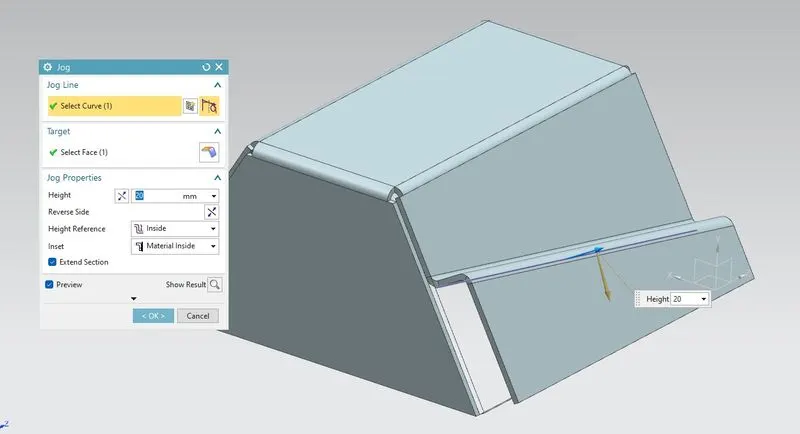
4. Jog Feature: Lifts one side of the sheet metal part through a defined line. Ads flange between the stationary side and the lifted side. create a jog feature on a sheet metal part: Sketch a line on the face of a sheet metal part where you want to create the jog. Alternatively, you can select the jog feature before you create a sketch (but after you select a plane). We create a sketch on another side of the enclosure where we want a jog with a height of 20mm.
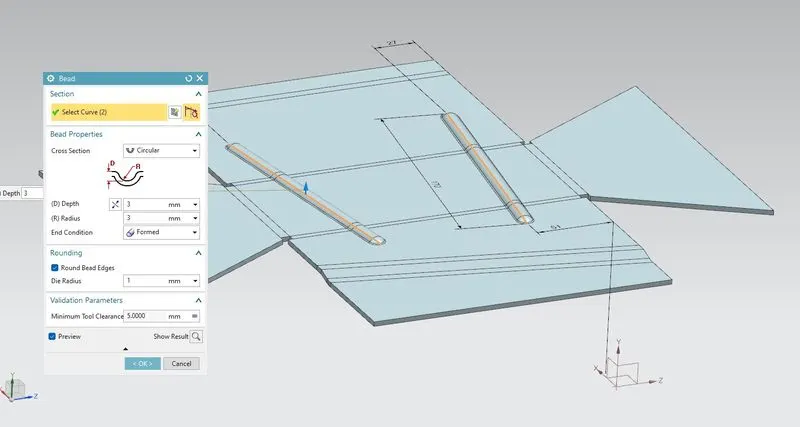
5.Bead: This feature stimulates stamping tools this feature lifts or embosses the sketch or profile we have drawn as per our requirement. This feature gives a curvy radius or rounded radius as per our requirement and setting we can also manage the depth, the radius of the sketch profile. For Create Bead first, we have to unbend our Enclosure then we draw a required sketch and add some beads of 3mm of depth.
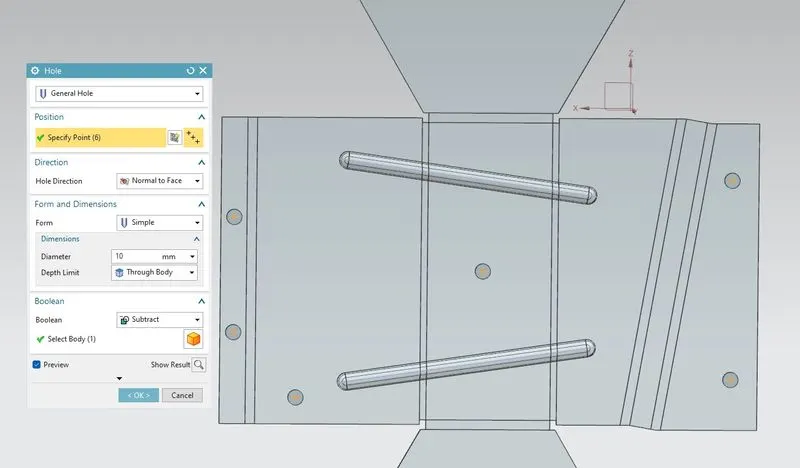
6. Hole: To create a hole in our feature we keep the enclosure unbend and for making a hole we sketch some profiles on it to where we want to create a hole in the enclosure. we create a general hole of 10mmm in diameter and rebend and flatten the pattern.
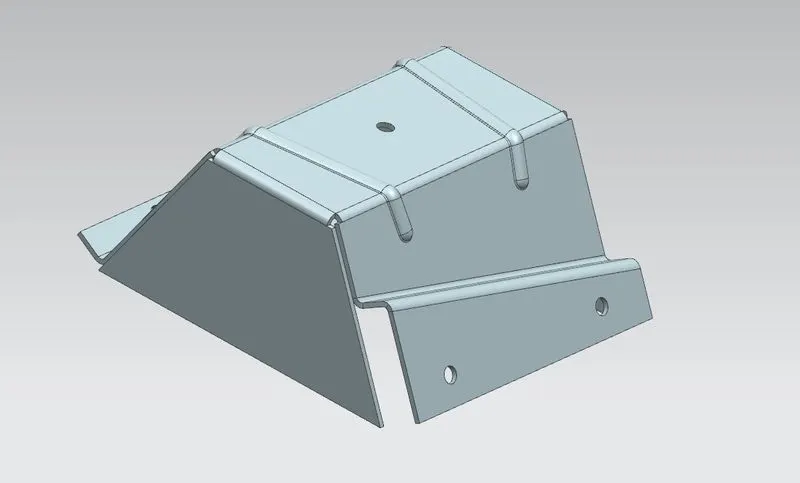
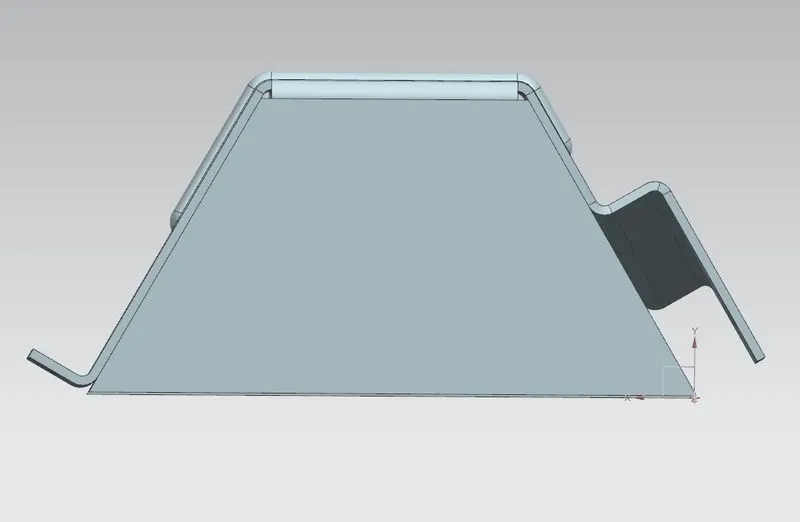
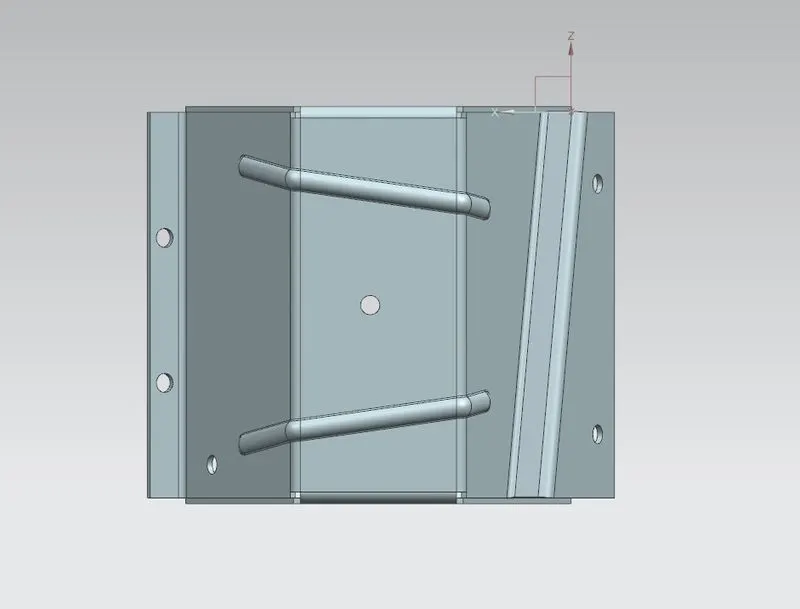
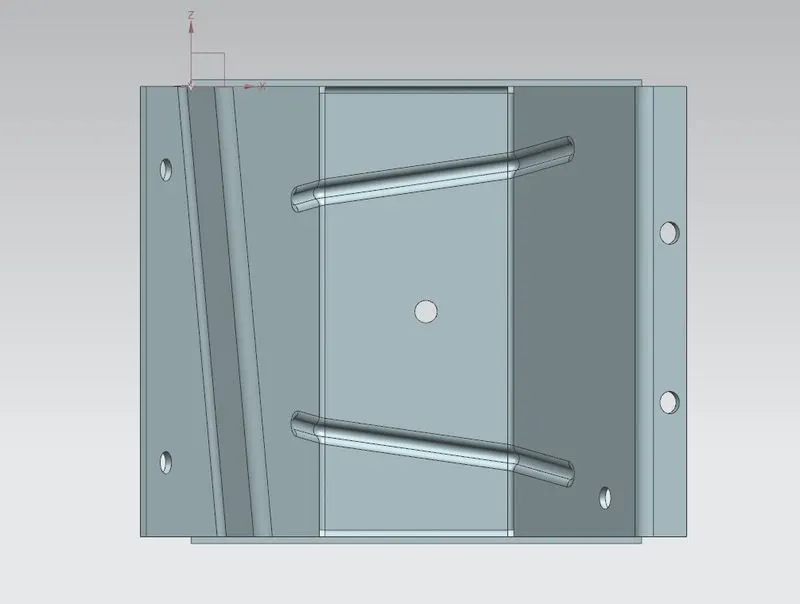
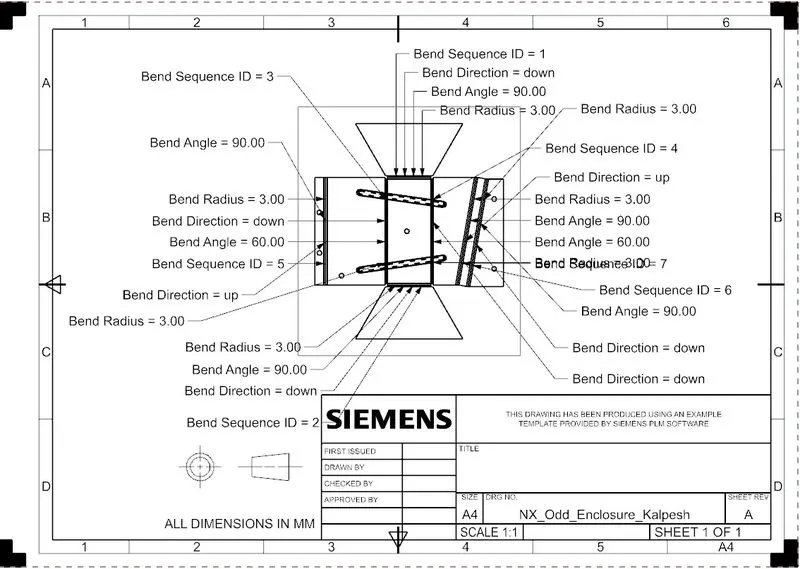
Flat Pattern View