Week 2- 2R Robotic Arm Challenge
Program:Forward Kinematics of a 2R Robotic Arm
Aim: To write a program in matlab to simulate the forward kinematics of a 2R robotic arm and create it's animation.
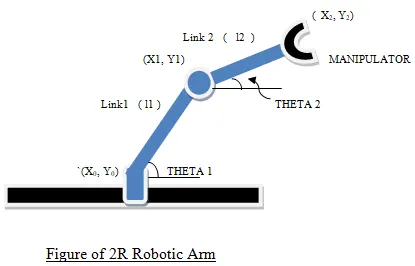
Theory: For this program we are considering a 2R robotic arm consisting of two links: L1 and L2 with the former being longer than the latter. At the end of the second link(L2) an end effector/manipulator is provided.The coordinates and the angle turned by the two links are named as shown in the figure below.
Code:
clear all
close all
clc

%Forward kinematics of a 2R robotic arm

%inputs
L1=1;
L2=0.5;
theta1=linspace(0,90,20);
theta2=linspace(0,90,20);

%for loop for theta
ct=1;
for i=1:length(theta1);
    THETA1=theta1(i);
    for j=1:length(theta2);
        THETA2=theta2(j);
%coordinates
x0=0;
y0=0;
x1=L1*cosd(THETA1);
y1=L1*sind(THETA1);
x2=x1+L2*cosd(THETA2);
y2=y1+L2*sind(THETA2);

%plotting
plot([x0 x1],[y0 y1],[x1 x2],[y1 y2],'linewidth',2)
xlabel('x axis')
ylabel('y axis')
axis([-0.1 2 0 2])
pause(0.02)

    M(ct)=getframe(gcf);
    ct=ct+1;
    end
end

%creating the animation
movie(M);
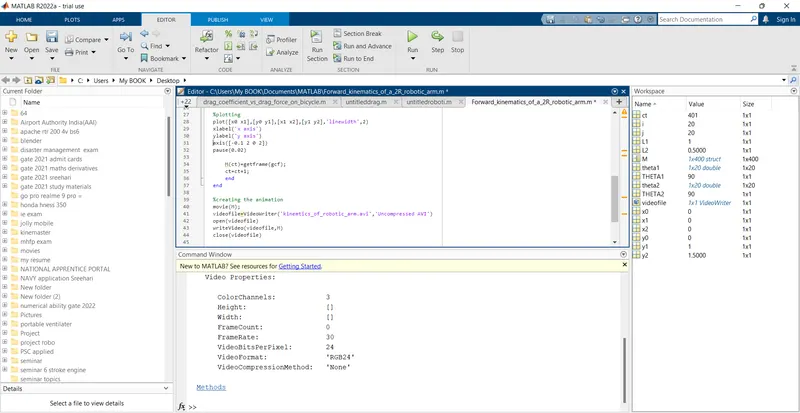
videofile=VideoWriter('kinemtics_of_robotic_arm.avi','Uncompressed AVI')
open(videofile)
writeVideo(videofile,M)
close(videofile)
Explanation:
- Firstly, I used the commands clear all, clc and close all to clear the workspace,command window and to close all the current plots.
- Then the inputs are given such as the lengths of the links L1,L2 and the angle through which both these links can be rotated. theta1 refers to the angles through which link1 can be rotated and theta2 refers to that of link2. Here, 20 values are specified between 0 and 90 degrees for both theta1 and theta2 using linspace() command.
- Since theta1 and theta2 are defined for a range and not a single value, we will have to use for loop.
- But as theta1 aquires its first value, theta 2 can have 20 values. Therefore, we have to use another for loop for theta2 within for loop of theta1.Here, I have used a 1x1 array THETA1 to store the values of theta1(i).Similarly, THETA2 represents theta2(j).
- Then I have specified the coordinates as follows:x0=0;y0=0;x1=L1*cosd(THETA1);y1=L1*sind(THETA1);x2=x1+L2*cosd(THETA2);y2=y1+L2*sind(THETA2);Here care should be taken not to use lowercase theta1 and theta2. If we take theta1 instead of THETA1, we will be getting 1x20 array for x1 as well as y1 for each value of THETA1 and THETA2.
- plot() command is used to plot the movement of L1 and L2. For links 1 and 2 to have different colours, we have to use plot command as plot([x coordintes of L1],[y coordinates of L1],[x coordinates of L2],[y coordinates of L2],'linewidth',2). Here I have taken a linewidth of 2. Then xlabel(), ylabel() is given and the axes limits are specified. A pause of 0.02seconds is given.
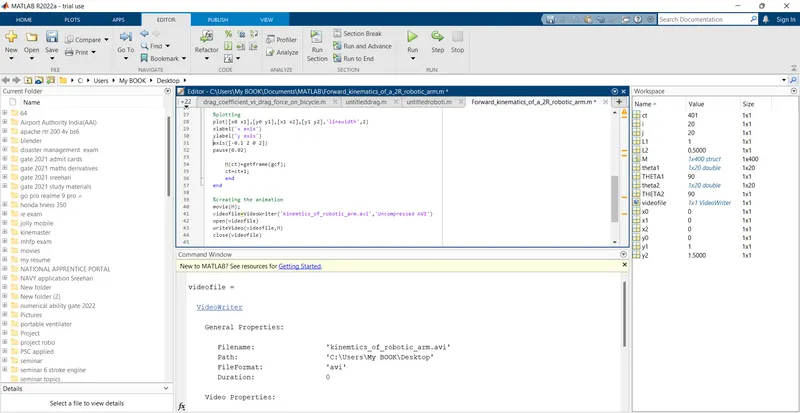
- To make an animation of the plot, we make an array to store the frames made during looping M(ct)=getframe(gcf) ; where ct is the counter for repeating each and every frame for every iteration. Initially it is set to 1 and for every further iteration, it is incremented by 1. An animated file is then made by using the following commands:
movie(M);
videofile=VideoWriter('kinemtics_of_robotic_arm.avi','Uncompressed AVI')
open(videofile)
writeVideo(videofile,M)
close(videofile)
Errors:
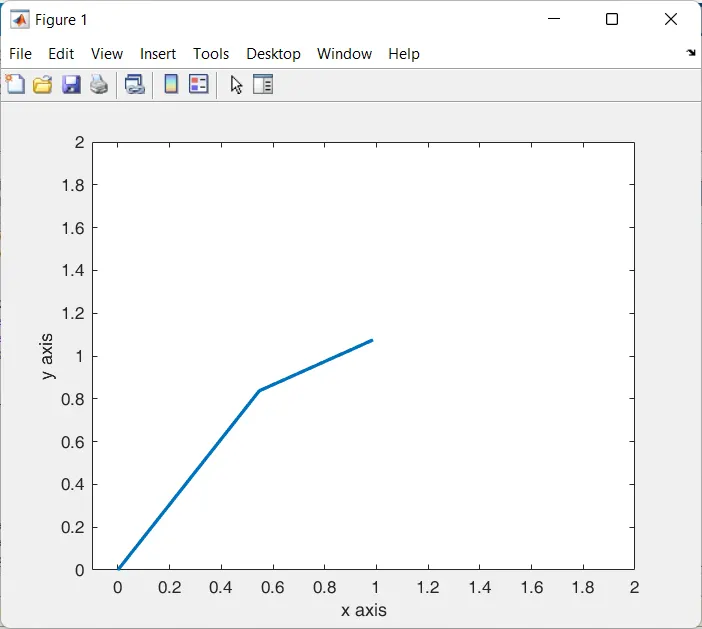
- Instead of plot([x0 x1],[y0 y1],[x1 x2],[y1 y2],'linewidth',2), I used plot([x0 x1 x2],[y0 y1 y2],'linewidth',2) which resulted in both the links being the same colour.
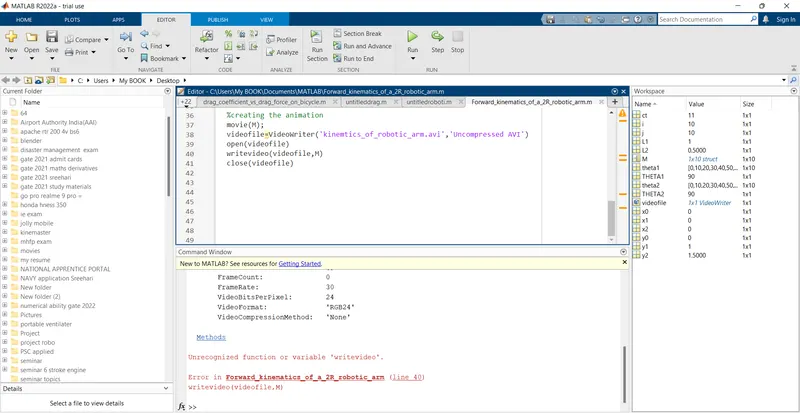
2.Since the commands are case sensitive a small error occured as I typed in writevideo instead of writeVideo.
Output Window:
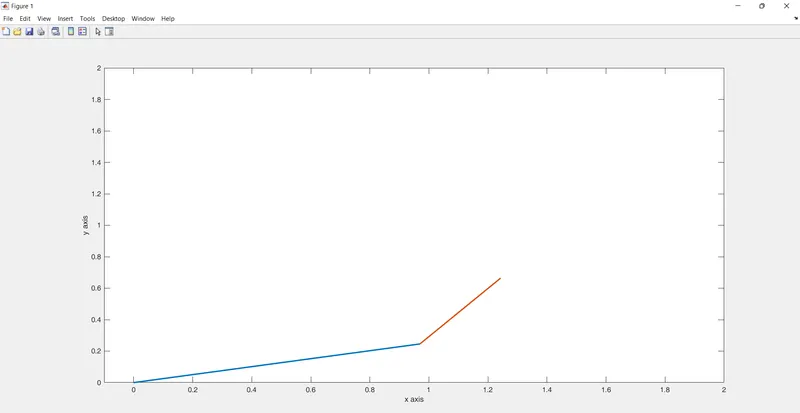
Youtube video link: https://youtu.be/ibDF5govYB8
Result:
The movement of 2R Robotic Arm is programmed using Matlab codes and the result is displayed as a video,the link of which is shared above.