Week 2- 2R Robotic Arm Challenge
AIM - TO WRITE A PROGRAM IN MATLAB TO STIMULATE THE FORWARD KINEMATICS OF A 2R ROBOTIC ARM
I have explained the entire program in 2 parts : In the first part we will understand how to calculate the parameters of a robotic arm at a particular angles and in the second part we will learn how to calculate and animate the 2R robotic arm.
FIRST PART
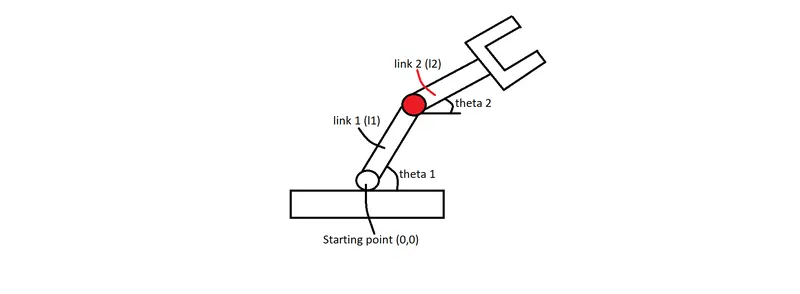
EXPLAINATION :
1.From the above figure first lets consider the angle made by link 1 (l1) with respect to the base is theta 1.Now consider the co-ordinates at the starting point (0,0) be x0 & y0. By basic trignometry we have the equations - x1 = l1*cosd(theta1) & y1 = l1*sind(theta2).
2.We have to know that the starting point of the second link is the ending point of first 1.
3.Now for the second link from red circle to U-shaped object(manipulator) let consider the co-ordinates x1 & y1 at the starting point of link 2 and co-ordinates x2 & y2 at the ending point of link 2 make an angle theta 2 .
4. By basic trignometry we have the equations - x2 = x1 + l1cosdtheta2 & y2 = x2 + l1sindtheta2.
PROGRAM DATA-
link 1 (l1) = 1
link 2 (l2) = 0.5
theta1 = 45
theta2 = 30
Above data is assumed.
PROGRAM
_________________________________________________________________________________________
%Forward kinematics of a robotic arm

%length of the arms
l1 = 1;
l2 = 0.5;

%Angles between the links
theta1 = 45;
theta2 = 30;

%Co-ordinates
x0 = 0;
y0 = 0;

x1 = l1*cosd(theta1);
y1 = l1*sind(theta1);

x2 =  x1 + l2*cosd(theta2);
y2 =  y1 + l2*sind(theta2);

%plotting
line([x0 x1],[y0 y1],'linewidth',3,'color','b')
line([x1 x2],[y1 y2],'linewidth',3,'color','r')
_________________________________________________________________________________________
BELOW IMAGE SHOWS THE OUTPUT OF THE ABOVE CODED PROGRAM.
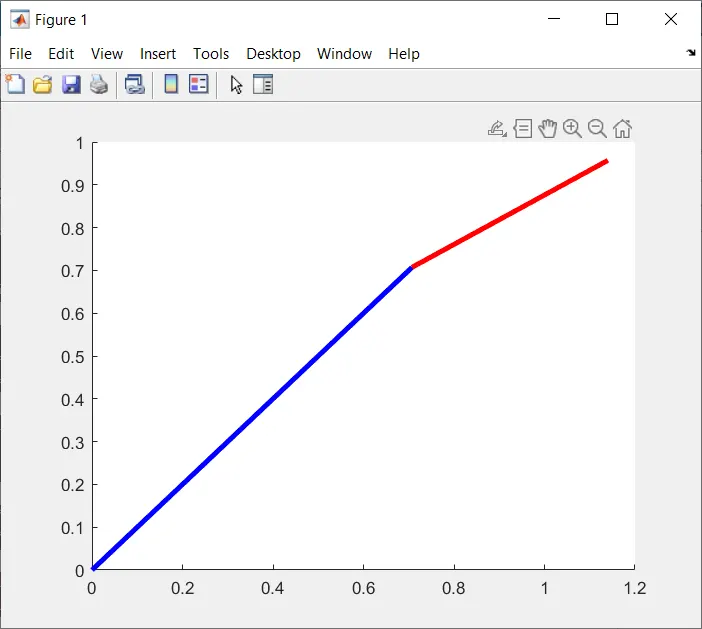
We can consider that the above plotted graph is like a robotic arm,we can get the robotic arm at different positions by changing the angles of theta1 and theta2.
##########################################################################################################################################################
PART 2
Now in this part we are going to learn how to animate the robotic arm so it looks more interesting.
PROGRAM DATA :
l1 = 1
l2 = 0.5
The above values are assumed
For theta1 & theta2 we will be using different values for better demonstration of the considered robotic arm at different positions.
PROGRAM

_______________________________________________________________________________________
l1 = 1;
l2 = 0.5;
theta1 = linspace(0,90,10);
theta2 = linspace(0,90,10);

ct=1

for i = 1:length(theta1);
    THETA1 = theta1(i);
    for j = 1:length(theta2);
    THETA2 = theta2(j);
    x0 = 0;
    y0 = 0;

x1 = l1*cosd(THETA1);
y1 = l1*sind(THETA1);

x2 =  x1 + l2*cosd(THETA2);
y2 =  y1 + l2*sind(THETA2);

%plotting

plot([x0 x1],[y0 y1],[x1 x2],[y1 y2],'linewidth',3)
axis([-0.1 1.5 0 1.5])
pause(0.03)
M(ct) = getframe(gcf);
ct=ct+1;
    end
end

movie(M)
videofile = VideoWriter('forward_kinematics.avi','Uncompressed AVI');
open(videofile)
writeVideo(videofile,M)
close(videofile)
_______________________________________________________________________________________
EXPLAINATION OF THE PROGRAM :
1. We have used the linspace command so we can have many different values for the robotic arm making different angles.In the program we have used 0 degree to 90 degree angles in which 10 different values will be displayed in the command window.
2. Then we have used 'ct' which mean counter command for our output to be displayed in the required frames. So for example for 10 different values we will gave 10 different frames displaying the robotic arm at 10 different positions.Why we have initialised the 'ct' at 1 will be explained below.
3. Now for us to have a better visualization of our robotic arm we need to observe it at different angles and to have a continuation for better understanding we have to use 'For loop'. So in the program we have a loop counter variable named 'i' which is will be carrying different values of theta1 whenever the loop is being executed. Then we have a UPPERCASE THETA1 variable which has a single value to give whenever the loop is being executed for theta1(i).
4. We have to understand that for every value of theta1 our theta2 value will differ. For every different angle made by link1 our link2 will also differ.
5. For this purpose we will have to show the varying values of theta2 so we have to bring in one more For loop which will also bring another loop counter variable 'j' carrying different values of theta2. Now to store a single value of theta2 everytime the loop is executed we have to store a single value of theta2 in UPPERCASE THETA2 for displaying.
6. We have to make sure that for every For loop we should have a different loop counter variable. So now for our robotic arm to be seen moving at different angles our loop will have be executed as many times as the number mentioned in the linspace command.(In our program 10, so 10*10=100).
7. Now with the same code as the Part 1 program we have to plot all our co-ordinates in a single plot command because if there are 2 plot commands, the most preceding plot command in executed.
8. To make the plotting look more clear we have to run and set the axis appropriately. For us to notice the difference between different values of theta1 and theta2 in every frame we have created an array 'M' for us to get all different values displayed in different frames.
9. Now finally to get show our animation it won't be easy to run the program everytime therefore we have created a movie(M). MATLAB will combine all the frames and display it . For this we also have to create a videofile with a program name and to dump all frames we have to use uncompressed command,write the videofile and close the videofile.
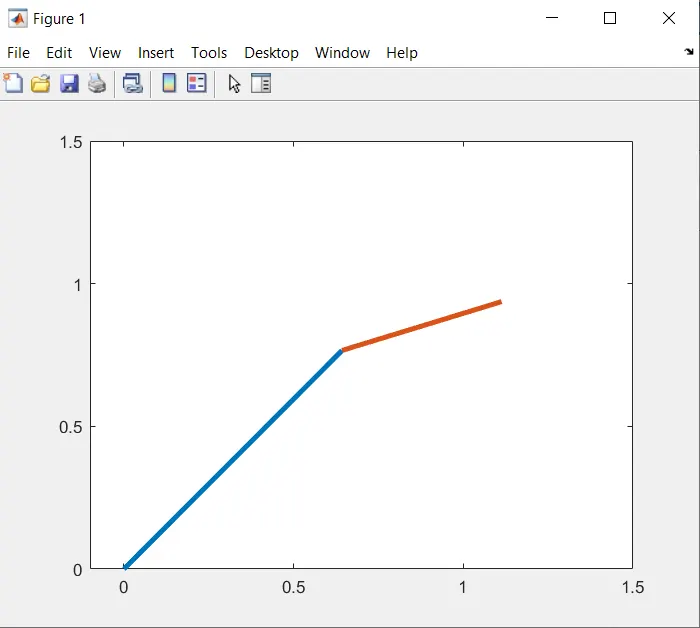
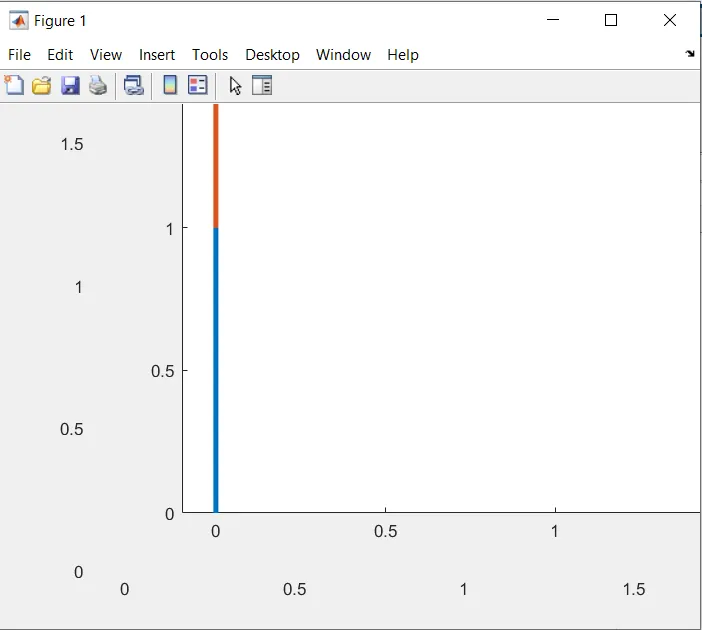
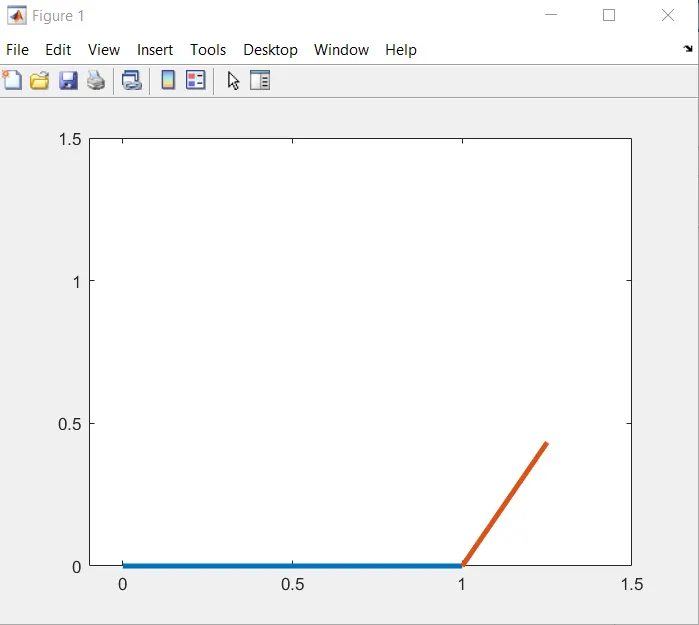
BELOW ARE A FEW SCREENSHOTS OF MY PROGRAM OUTPUT.
=============================================================================
WHILE CODING THE PROGRAM I HAD A FEW ERRORS. I am sharing the screenshot of the command windows where the error was displayed and will explain in words how I resolved it.
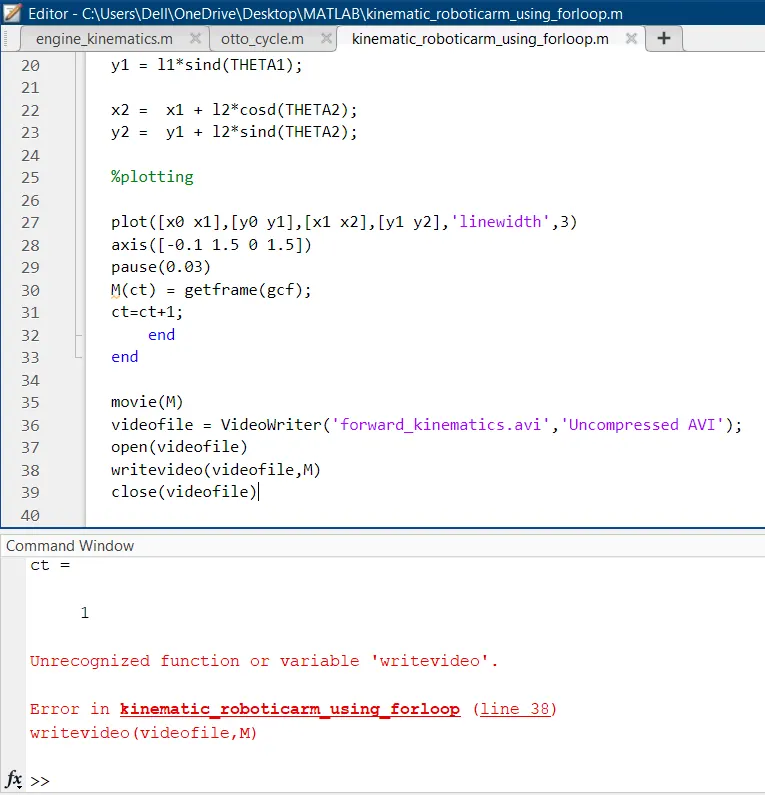
This error occured when I used a lower case letter 'v' in the word 'writevideo' on the 38th line as shown above in the image.It was resolved by using an upper case letter 'V'.
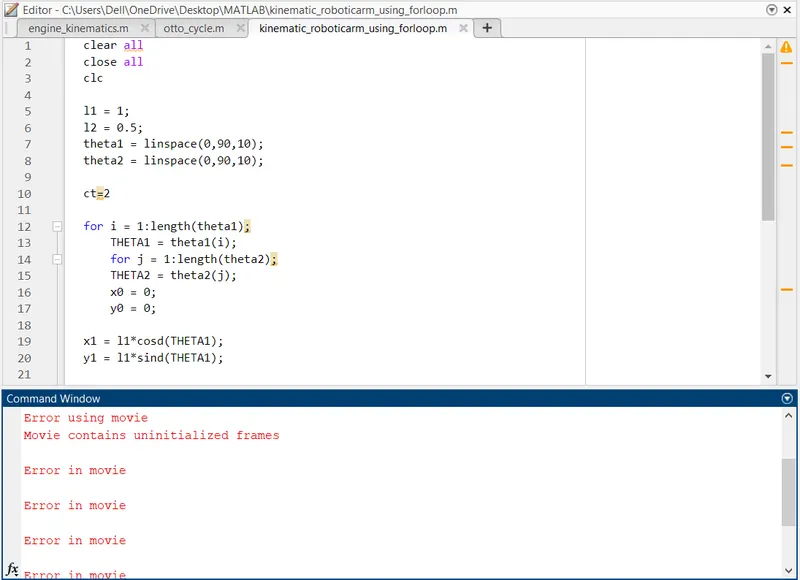
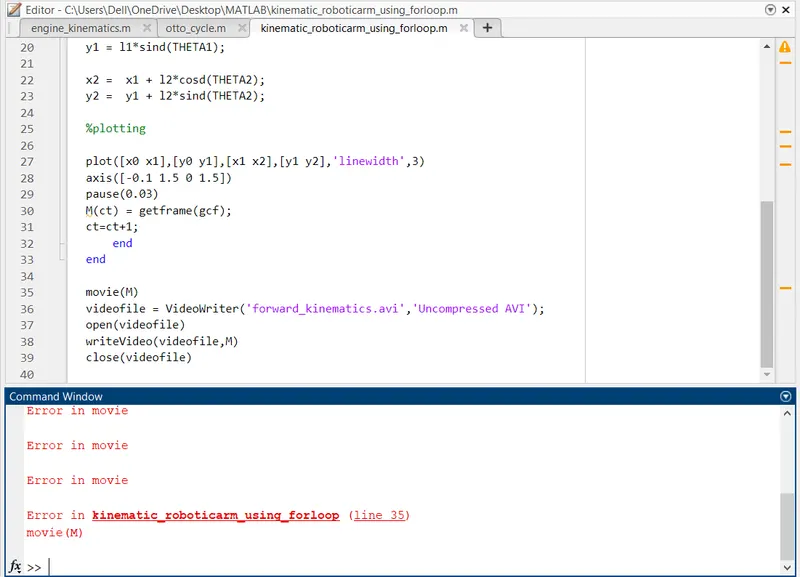
Both the above images are of a single error. This error had occured because I had already initialised the 'ct' command from the 2 frame. I needed to save it first for the first frame and then increamented it.
***************************************************************************************************
Now I am just sharing a google drive link of a youtube video link as mentioned in the challenge .
https://drive.google.com/file/d/1ykis4fpw3OD4WYbADPyKZngUDlY-nU2Q/view?usp=sharing