Week 2- 2R Robotic Arm Challenge
% program to simulate forward kinemattic of a 2R Robotic Arm
clear all
close all
clc
% Input the length of Both the Links
l1= 1;
l2=0.3;
% Input of a counter variable
ct=1;
% Input 15 values of Both the Angles that the links are making with the X-axis
phi1= linspace(0,90,15);
phi2= linspace(0,90,15);
% starting a nested for loop
for i=1 : length(phi1)
  theta1=phi1(i);
  for j=1: length(phi2)
      theta2=phi2(j);
      x0=0;
      y0=0;
      % Calculating the value of x1,x2,y1,y2
      x1=l1*cosd(theta1);
      y1=l1*sind(theta1);
      x2=x1+l2*cosd(theta2);
      y2=y1+l2*sind(theta2);
      % Plotting the coordinates on the graph
      plot([x0,x1],[y0,y1],[x1,x2],[y1,y2],'LineWidth',3)
      axis([-0.1 1.5 0 1.5])
      pause(0.03)
      % Initializing an array to store each frame of graphs
      M(ct)=getframe(gcf);
      ct=ct+1;
  end
end
% Generate a movie with all the frames saved in array M
movie(M)
% Create an Object to write video files
videofile = VideoWriter ('Robotic Arm.avi', 'Uncompressed AVI');
%function to open the videofile
open(videofile);
%function to write video data to file
writeVideo(videofile,M);
% function to close the videofile
close(videofile);
Explanation:
Step 1: Take Inputs of the length of both the links and store in variables l1 and l2 respectively.
step 2: Take 2 arrays named phi1 and phi2 to store 15 values of different angles that they are making with the X-axis.
step 3: start a for loop starting from 1 upto the size of the array phi1 i.e 15.
step 4: Start a nested for loop inside a for loop starting from 1 upto the phi2 i.e 15
step 5: Inside the nested for loop each time the value of x1,y1,x2 and y2 is calculated and the graph is plotted
step 6: Everytime when the graph is plotted each figure is stored in an array M.
step 7: After storing all the figures we need to create a movie from all the figures.
step 8: create an object named videofile and give a name to that videofile
step 9: Call function to open the videofile and write the videofile from the array M.
Step 10: Call a function to close the videofile after completion.
Errors found while writing the Code:
1.
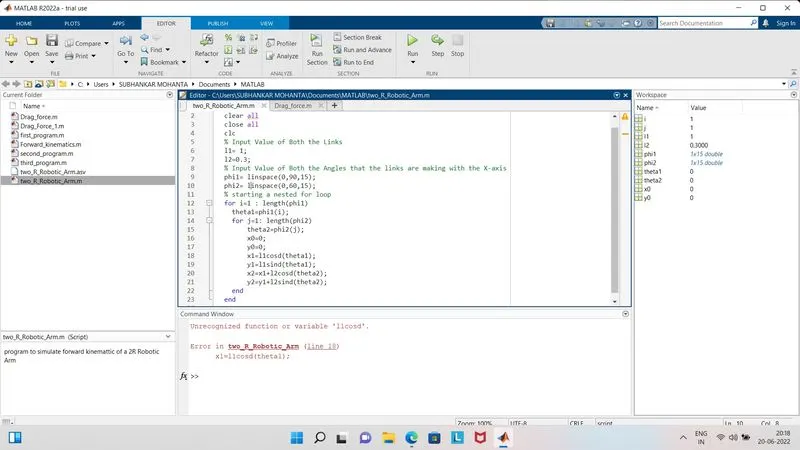
Error: Wrong Formula was written. While multiplying '*' symbol was missing
Soln: Added the asterisk symbol to multiply.
2.
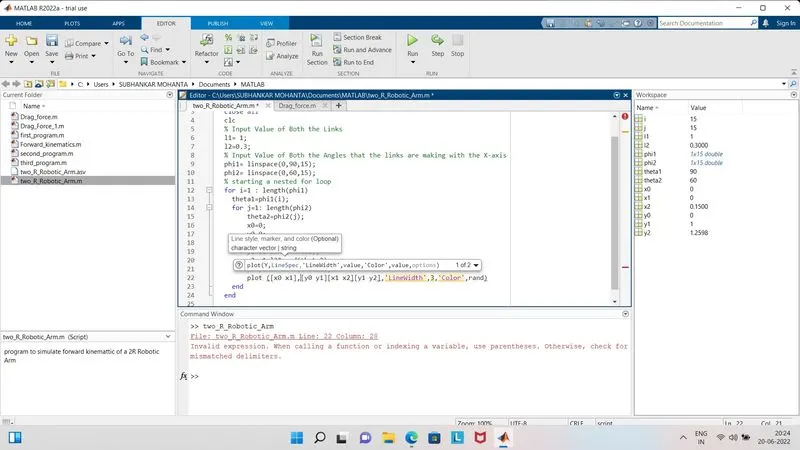
Error: Syntax Error
Soln: Add the Commas
3.
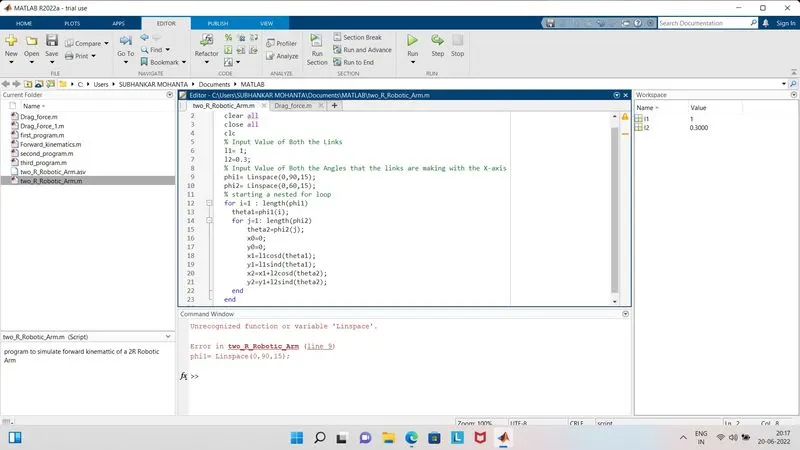
Error: Wrong Command
Soln: Proper use of Command.
4.
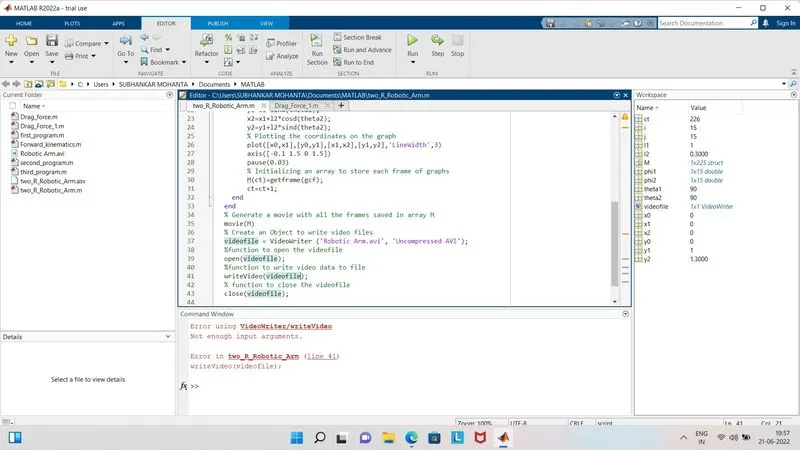
Error: Forgot to mention the array from which it wil create a video.
Soln: Add the array from which it will copy.
Output:
https://drive.google.com/file/d/1SQzxCVZvSh_eP6tLBkfZYlBS2I11lra7/view?usp=sharing