Week 2- 2R Robotic Arm Challenge
OBJECTIVE:- 1. Write a program in Matlab to simulate the forward kinematics of a 2R Robotic Arm.
2. Create an animation file of the plot
Introduction:-Forward kinematics refers to use of kinematics equation of a robot to compute the position of end effector from specified values for the joint parameters. If we know the geometry of the robot and all its joint points, we can do the math and figure out the position and orientation of any point on the robot.
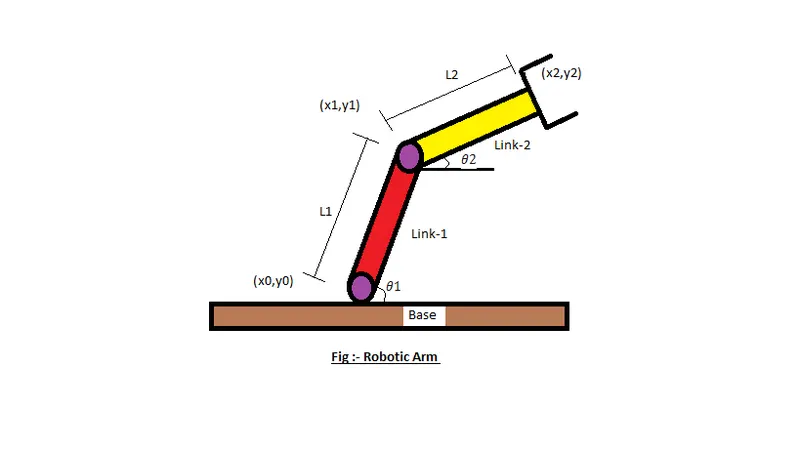
Mechanical Linkage:- A mechanical linkage is an assembly of systems connected to manage forces and movement. The movement of a body, or link, is studied using geometry so the link is considered to be rigid. The connections between links are modeled as providing ideal movement, pure rotation or sliding for example, and are called joints
Code Explanation with Procedure :-
Steps -
1. Before starting coding ,start with close all,clear all and clc command
clear all - removed all data from workspace
close all - removed all current figure
clc - clear all codes(input & output) in command window
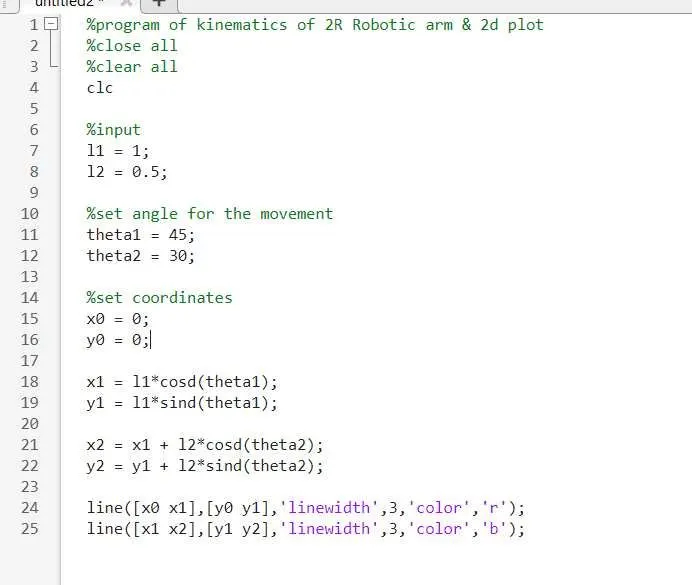
2. Code for Position of Link-1
From the hinged Support, the initial value of X and Y is (x0, x0)
%coordinates
x0 = 0;
y0 = 0;
%set angle for movement
theta1 = 45;
theta2= 30;
x1 = l1*cosd(theta1);
y1 = l1*sind(theta1);
3. Code for Position of the Link-2
Link-2 starting point is the Ending point if the Link-1 (x1, y1) and Ending point is (x2, y2)
x2 = x1+l2*cosd(theta2);
y2 = y1+l2*sind(theta2);
Program where we get 2D plot without animation:-
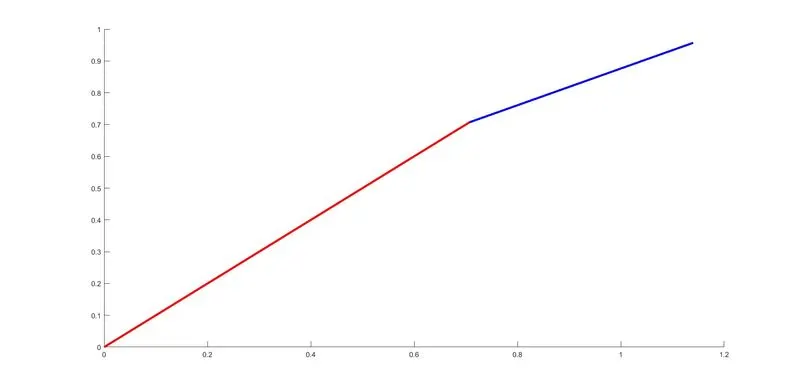
output of the program
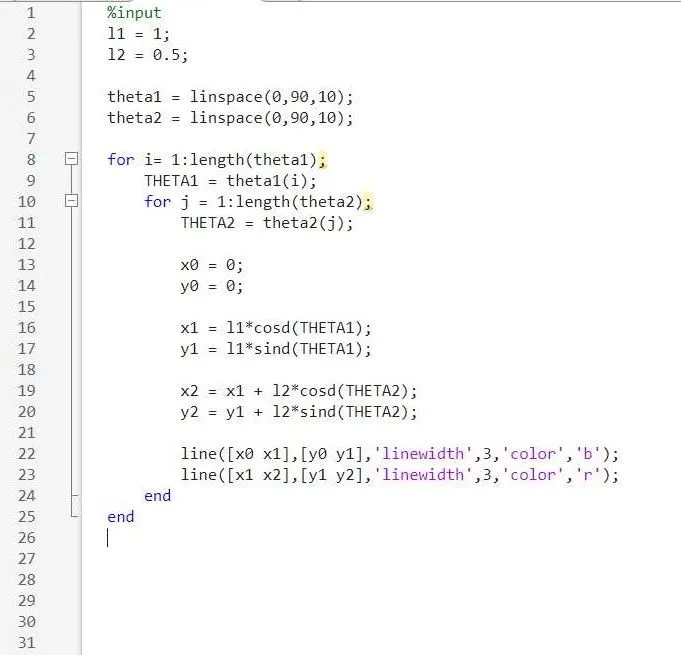
ERROR found :-
output
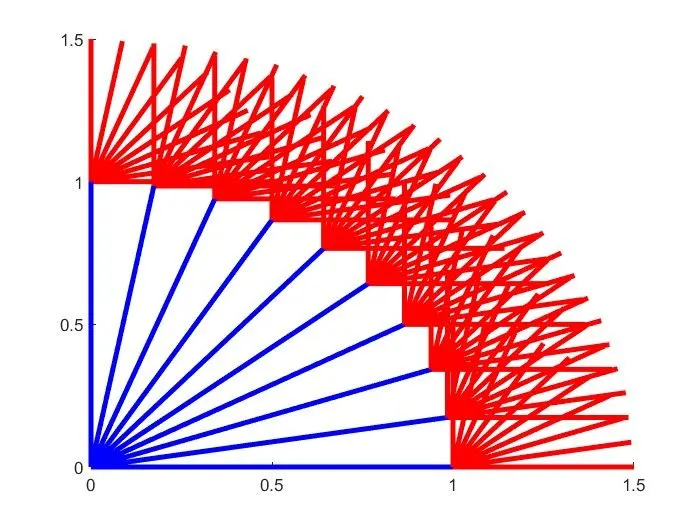
SOLUTION :-To Eliminate this type of error use command ct before plotting and outside for loop
ct = 1 i.e when we apply ct = ct+1 it means that we increment the value of time because our theta1 & theta2 is 10.
4.Code for plotting:-
plot([x0 x1],[y0 y1],[x1 x2],[y1 y2],'linewidth',3);
axis([-0.1 1.5 0 1.5])
pause (0.03)
M(ct) = getframe(gcf);
ct = ct+1;
NOTE :- ct = represent current figure
getframe = reprsent command of getting the current figure in gcf window
5. To Create movie
This is sensitive case
Make sure all command are properly mentioned for creating movie
NOTE = include for loop:-The for loop simplifies the complex problems into simple ones. It enables us to adjust the flow of the program so that instead of writing the same code over and over, we can repeat similar code a limited number of times.
AFTER ELIMINATING ALL THE ERROR WE GET FINAL CODE :-
FINAL Code:-
FINAL OUTPUT:-
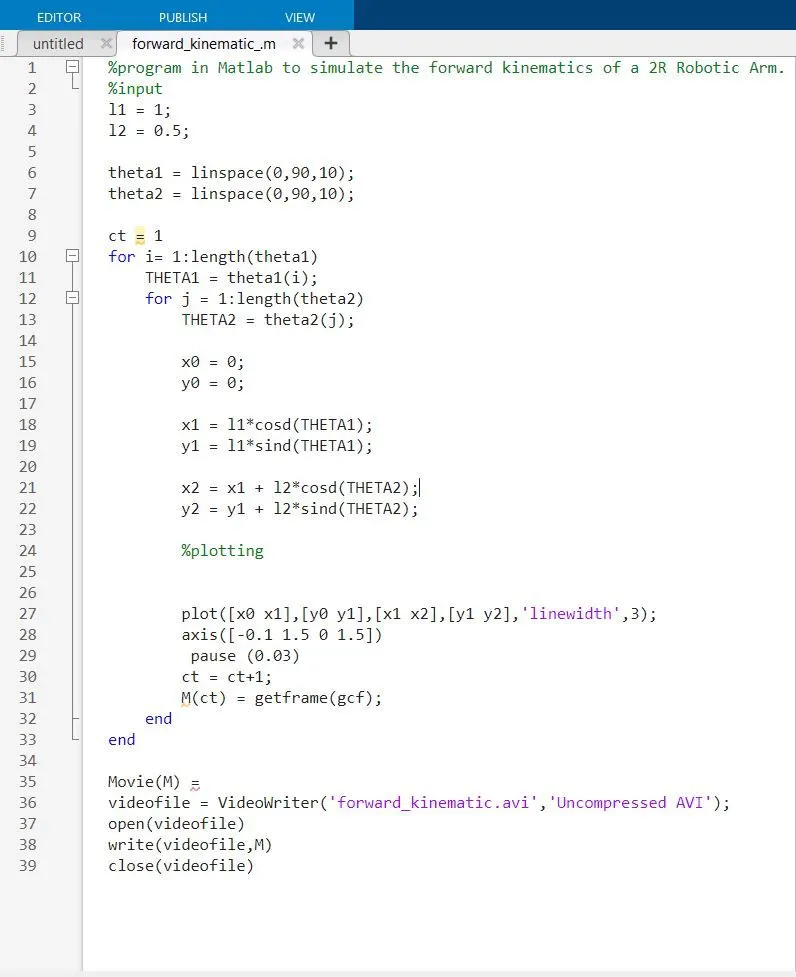
Result:- The final animation
Conclusion:- with the help of this program we can do multiple operation by changing the values
i.e. theta1 = linspace(0,90,60)
theta2 = linspace(0,90,90)