Week 2- 2R Robotic Arm Challenge
clear all
close all
clc

%inputes are
l1 = 1;
l2 = 0.5;
x0 = 0;
y0 = 0;

theta1 = linspace(0,90,40);
theta2 = linspace(0,90,40);

ct = 1;
for i=1:length(theta1)
    THETA1 = theta1(i);
    for j = 1:length(theta2)
        THETA2 = theta2(j);
x0 = 0;
y0 = 0;
x1 = l1*cosd(THETA1);
y1 = l1*sind(THETA1);

x2 = x1+l2*cosd(THETA2);
y2 = y1+l2*sind(THETA2);

%plotting
plot([x0 x1],[y0 y1],[x1 x2],[y1 y2],'LineWidth',3);
axis([-1 1.5 0 1.5])
pause(0.03)
M(ct) = getframe(gcf);
ct=ct+1;

    end
end
movie(M)
videofile = VideoWriter('f_k.avi','Uncompressed AVI');
open(videofile);
writeVideo(videofile,M);
close(videofile)
Explanation of code:
Consider a 2R robotic arm with angle theta1, theta2 and length 1, length2 respectively. we need to find the coordinates of 1st and 2nd link. We know the coordinate of x0 and y0 as (0,0) because it’s fixed to the base. Consider length 1 (l1) as 1000mm or 1m and length 2 (l2) as 500mm 0.5m. We are going to find x1,x2,y1,y2 and we are taking ct=1.
Close all, clear all, clc are used to close all figures, clean workspace, clean command window [1-3]. Ans as we mentioned in the program, we are going to create all the inputs for the program . using linspace we are creating 40 values in between 0,90 degrees[4-14]. In the line 19-20 we are defining the value for x0 and y0 as zero. Using for loop we are going to create the file. For loop will execute the command up to the condition is going to fail. And from the figure
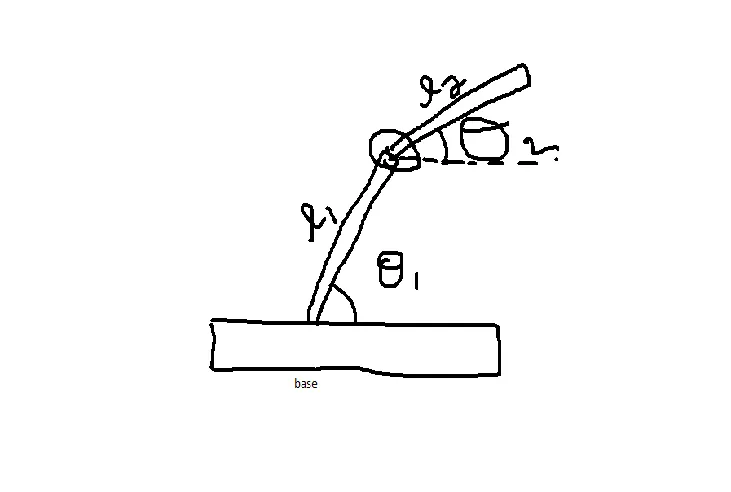
We can find that x1 = 1 to length(THETA1) and also y2 = 1 to length(THETA1) the for finding x2,y2 we need to add the values of x1 to find x2 and for y2 adding y1 value . we are going to plot the graph using plot command in the for loop and we are not using hold on command and creating frames using get frame command . if we runs the code we can see the graph plotted
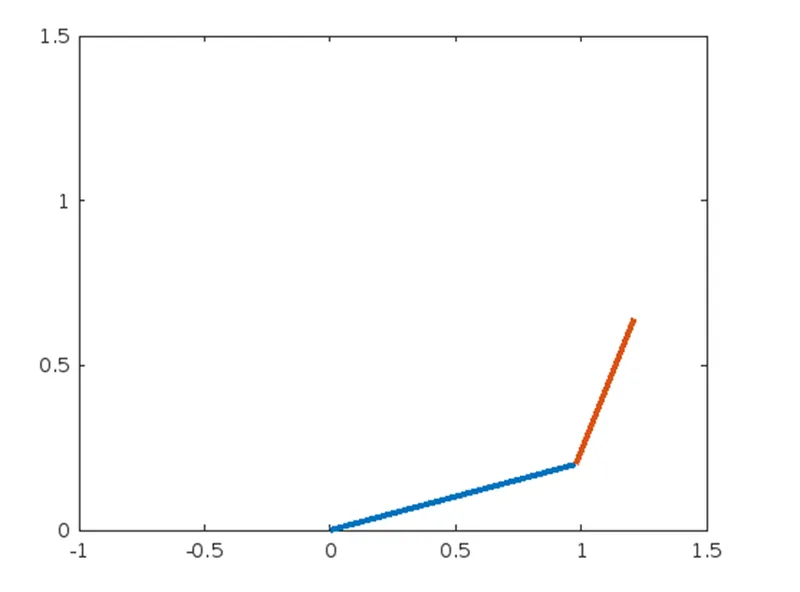
This way it will go to all the values .
Now we are going to create the video file using these codes
movie(M)
videofile = VideoWriter('f_k.avi','Uncompressed AVI');
open(videofile)
writeVideo(videofile,M)
close(videofile
in this f_k.avi is the file format
errors faced while programming
there is not such error faced only basic errors
- graph is repeating
- movie not coming and saving
Steps taken to overcome those errors
from matlab help center only solved all the problems
- graph repeating is solved through removing hold on option
- move shown after putting value for ct but movie is not saving
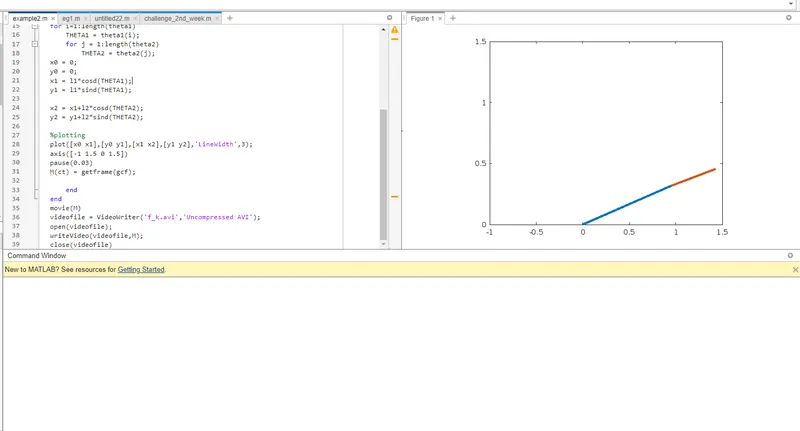
output
https://drive.google.com/file/d/1ZsvbqV5qijuRwS3Ck_RuCPCS-3aIu6P2/view?usp=sharing
using above link to see the resultes