Week 2- 2R Robotic Arm Challenge
AIM: To simulate the forward kinematics of a 2R Robotic Arm
OBJECTIVE:
Write a problem for forward kinematics of a 2R robotic arm
Create an animation file of the plot
THEORY:
Forward kinematics is simple to calculate since the change in direction caused by shifting each joint is calculated using simple trigonometry. If there are several links, the final location is determined by adding up the equations for each joint.In this case we are studying on 2R robotic arm which consist of two links, two joints and an end effector.
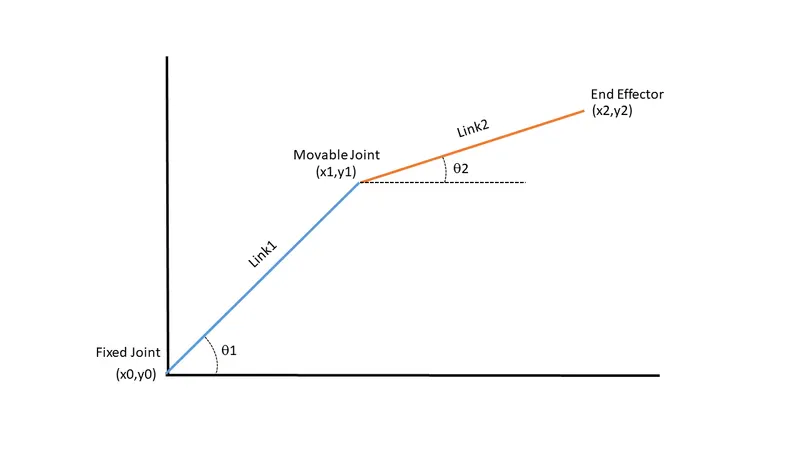
The links have length l1 and l2 respectively with a 2D coordinated system assigned to the whole manipulator.
The base or the first joint is coordinated at (0,0) while the gripper has coordinates (x0,y0). And that is fixed one. The second joint which is a movable one with coordinates (x1,y1) that changes with respect to a trigonometric equation. And the last one is an end effector that have a coordinates of (x2,y2) which is also depend on trigonometric equation.
Coordinates of initial point or the fixed joint.
x0 = 0
y0 = 0
Using trigonometric calculations, we project x1 and y1 on the x-axis and the y-axis respectively.
x1 = l1*cos(theta1)
y1 = l1*sin(theta1)
Now (x1,y1) becomes the origin of a new coordinate system on which (x0,y0) is projected to derive (x2,y2). This is now the position of the end effector with respect to the new coordinate system.
x2 = x1 + l2*cos(theta2)
y2 = y1 + l2*sin(theta2)
Example for forward kinematics:
Let l1=15, l2=10, theta1=10, theta2=60
Then, x0 = 0
y0 = 0
x1= 14.77
y1 = 2.60
x2 = 19.77
y2 = 11.26
CODE WITH COMMENTS FOR MATLAB:
clear all                           %clear the workspace if there any previus data exist.
close all                           %close all figures and plots
clc                                 %clear the command window if there any previus data exist.

 % A program to simulate the forward kinematics of a 2R Robotic Arm.
 l1 = 15;                           %l1(length of link1)=15
 l2 = 10;                           %12(length of link2)=10
 theta1 = linspace(0,90,10);        %theta1 value take from 0 to 90. And it generates 10 points
 theta2 = linspace(0,90,10);        %theta1 value take from 0 to 90. And it generates 10 points

% Position
 x0 = 0;                            %Intial postion in x axis is zero
 y0 = 0;                            %Intial postion in y axis is zero

 ct = 1;                            %ct value is equal to 1. And it used for frame iteration purpose.
 for i=1:length(theta1);            %for loop is used for repeating specified number of times.
                                    %Loop created with i value 1 to 10(length of theta1)
       THETA1 = theta1(i);          %THETA1 value taken 0 in the first loop, then 10 in second loop,then 20,30...,90.
     for j=1:length(theta2);        %for loop is used for repeating specified number of times.
                                    %Loop created with j value 1 to 10(length of theta2)
         THETA2 = theta2(j);        %THETA2 value taken 0 in the first loop, then 10 in second loop,then 20,30...,90.

          x1 = l1*cosd(THETA1);     %x1 is the second joint x coordinate which is given by trignometric relation.
                                    %The cosd, 'd' indicates the THETA1 value should take in degrees.
          y1 = l1*sind(THETA1);     %y1 is the second joint y coordinate which is given by trignometric relation.
                                    %The sind, 'd' indicates the THETA1 value should take in degrees.

          x2 = x1 + l2*cosd(THETA2);    %x2 is the end effector x coordinate which is given by a trignometric relation.
                                        %'d' in cosd is represent degrees
          y2 = y1 + l2*sind(THETA2);    %y2 is the end effector y coordinate which is given by a trignometric relation.
                                        %'d' in cosd is represent degrees


plot([x0 x1],[y0 y1],'*-',[x1 x2],[y1 y2],'*-','linewidth',3)   %plot command with first line joining (x0,y0) point
                                                                %and (x1,y1) point.And second line joining (x1,y1)
                                                                %and (x2,y2).'*-' indicates the line with points marked.
grid on                             %turn ON the grids
xlabel('X axis');                   %named x axis as 'X axis'
ylabel('Y axis');                   %named y axis as 'Y axis'
title('Forward kinematics of a 2R robotic arm - 2D manipulator');   %named the graph as
                                                                    %'Forward kinematics of a 2R robotic arm - 2D manipulator'.
axis([-1 26 0 26])                  %Change the axis limits so that the x-axis ranges from -1 to 26 and
                                    %the y-axis ranges from 0 to 26.
pause(.1)                           %pause playback with time 0.1
M(ct) = getframe(gcf);              %captures the frame in loop manner
ct = ct+1;                          %give a increment of +1 for ct value for next loop.
     end                            %first loop ended
 end                                %second loop ended

 movie(M)                           %this command plays this as a movie with help of frames saved in M.
 v = VideoWriter('Forward kinematics of a 2R Robotic Arm.avi','Uncompressed AVI')   %creates objects for the video with filename
                                                                                    %in first place,& specified format in the
                                                                                    %second place this is assigned to v.
 open(v)                            %open the file that saved in v.
 writeVideo(v,M)                    %writes objects into video with frame function M.
 close(v)                           %close the file v.
YOUTUBE LINK:
ERRORS FACED AND THEIR SOLUTION:
1. Error in line 42, that is instead of typing the command VideoWriter I wrote videowriter.
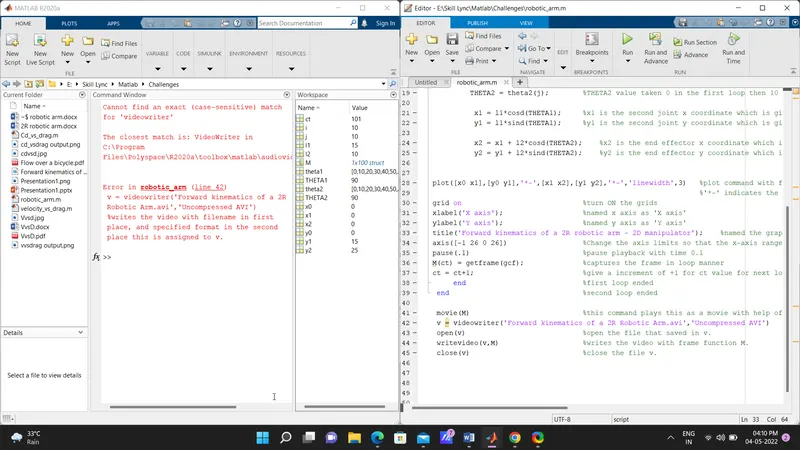
Solved screenshot:
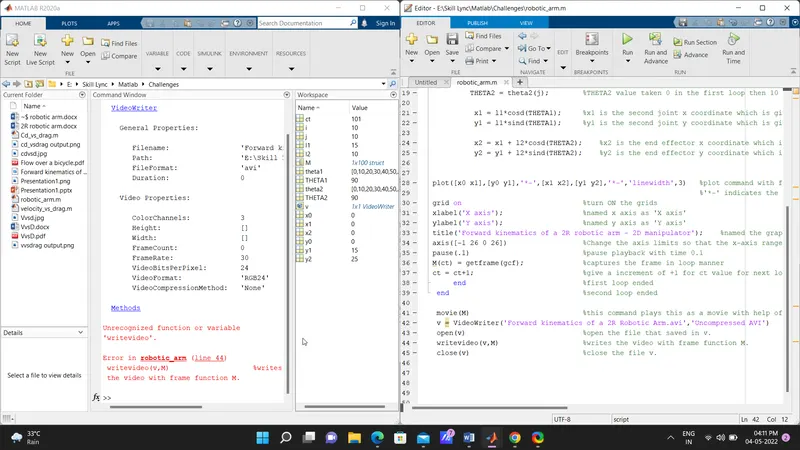
2. Error in line 44, which is same kind of mistake, instead of typing the command writeVideo I wrote writevideo
Solved Screenshot:
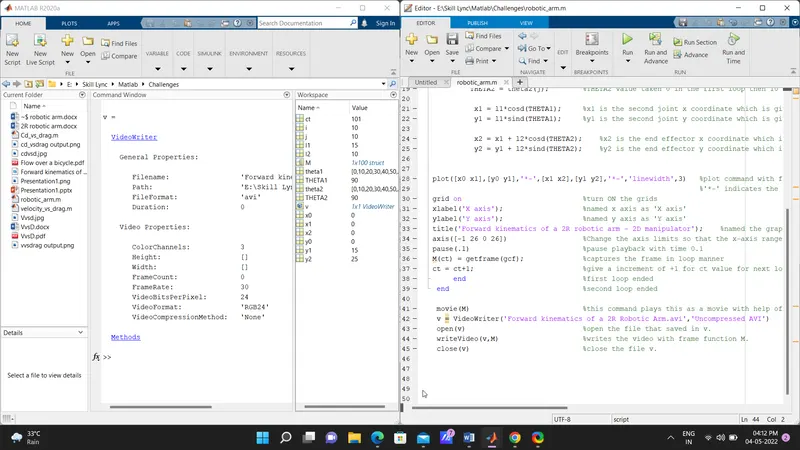
STEP TAKEN:
To overcome these kind of errors start to use 'Tab key' in keyboard that shows similar kind of command with what we type, that makes less error in coding.
Note: the line numbers may be changed when compared to the final coding, but theses are only errors occured to me.
OUTPUT
A simulation graph is generated for ‘Forward kinematics of 2R robotic arm’ with 10 degree increment movement for both link 1 and 2. And a animation file is created in AVI format.
Commands used for program and their uses:
linspace – it is used create a row vector 10 values from 0 to 90.
ct – help record the frames one by one.
for loop – This command help to iterate the values from 0 to 90 with 10 increment. ‘i’ is taken as outer loop and ‘j’ is taken as inner loop. The operation taken place for one value in single loop.
cosd and sind – the additional 'd' with cos and sin used to take values in degrees.
plot - help to plot x and y coordinates in a graph.
grid – turn on the grid in the graph.
getframe - helps to record frames as a movie
pause – this command help to play the frames that capture in smooth manner with respect to the input time.
movie – used to play recorded frames in movie manner.
VideoWriter - this command used to create objects for the video file with name and specific format.
open - used for open a saved file
writeVideo- saved video into a video file
close - used for close the file that previously opened.