Week 2- 2R Robotic Arm Challenge
Detail Report of Forward Kinematics of 2R Robotic Arm Matlab program to obtain simulation
Forward Kinematics
Forward kinematics refers to the process of obtaining the position and velocity of the end effector, given the known joint angles and angular velocities. For example, if shoulder and elbow joint angles are given for the arm in the sagittal plane, the goal is to find Cartesian coordinates of wrist/fist.
2R Robotic Arm
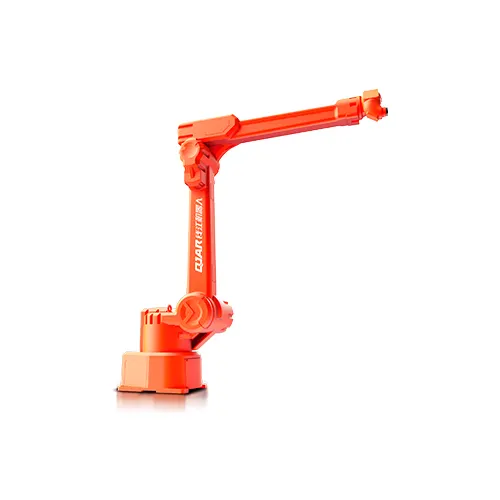
A 2R Robotic arm has two links and two joints and each has DOF two. So, the DOF of the 2R robotic arm is 2 and R stands for Revolute joint. There are many examples of 2R robotic arms considering the human arm being restricted in one plane.
Aim of this Project
Write a program in Matlab to simulate the forward kinematics of a 2R Robotic Arm and store animation also find the workspace and Cartesian coordinates at different positions.
Governing Equations
We are going to find out Cartesian coordinates of joints at different positions i.e.angle of the link.
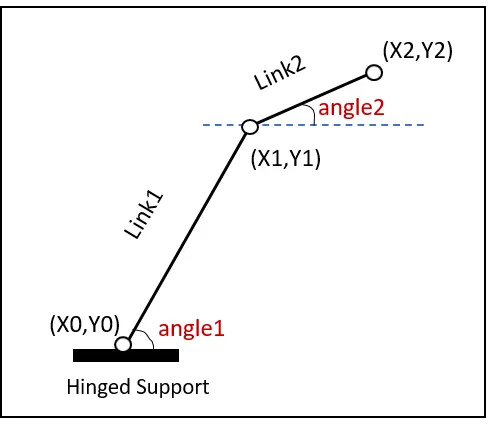
Equations for the coordinates are,
x = l.cos`theta` & y = l.sin`theta`
where l is the length of the link
is the angle made by link with the x-axis
Objective
We have to find forward kinematics of the 2R robotic arm i.e. Cartesian coordinates of the links for different angles in a plane, by plotting those coordinates in the graph we will extract animation of the robotic arm moving in workspace using MatLab.
Matlab Program
Using Matlab Program we obtain results. The program is as follows:
% forward kinematic of Robotic Arm
clear all
close all
clc

% Inputs
l1 = 1;                       %length of first link
l2 = 0.5;                     %length of secound link
theta1 = linspace(0,90,15);   %Angle made by first link with horizontal i.e. x-axis
theta2 = linspace(0,90,15);   % Angle made by secound link with horozontal i.e. x-axis

ct=1;                         %counter for plots display
for i = 1:length(theta1)      % loop for the link1 positions
    THETA1 = theta1(i);       % Assigning value of theta1 for calculation
    for j = 1:length(theta2)   % loop for the link1 positions
        THETA2 = theta2(j);

        x0 = 0;               %coordinates of link1 fix joint i.e. origin
        y0 = 0;

        x1 = l1*cosd(THETA1);  %coordinates of link1 end joint i.e. link1 and    link2 joint
        y1 = l1*sind(THETA1);

        x2 = x1 + l2*cosd(THETA2); %coordinates of link2 end joint i.e. end manipultor
        y2 = y1 + l2*sind(THETA2);

        plot([x0 x1], [y0 y1], [x1 x2], [y1 y2], 'LineWidth',3)       %plot
        axis([-0.1 2 0 2])                   %to set the axis limits in figure
        grid on
        M(ct)= getframe(gcf);                %Collecting all the figures in one array
        ct = ct + 1;

    end
end

movie(M);                         % Stiching all the figures stored in M array to create animation
videofile = VideoWriter("forward_kinematics_of_robotic_arm","Uncompressed AVI");   %assigning video name and format
open(videofile);                 %open videofile
writeVideo(videofile,M);         % convert images into video
close(videofile);                %close video
Explanation:
- Firstly clearing all the data in the command window and workspace.
- Then we provided inputs of lengths of link1 and link2.
- Using the linspace() command we are giving different fifteen values of angle between 0 to 90 made by links with x-axis which is stored in arrays i.e. theta1 and theta2.
- As we need to display each position of link2 for different each position of link1 we are using for loop.
- Initializing loop:
- For i goes from 1 to length of matrix theta1 i.e. 15 it will calculate all the values of x1 and y1.
- As we want each position of link2 for each position of link1 we are again initializing a loop inside loop for link2 calculations.
- For j goes from 1 to length of matrix theta2 i.e. 15 it will calculate all the values of x2 and y2.
- We are provided with all the equations inside the loop also the values of origin which is joint1.
- Then we plot the coordinates using plot([x0 x1], [y0 y1], [x1 x2], [y1 y2]) using single command so multiple plot windows should not get ceated.
- Then provided axis limit using axis() command and made grid visible using ‘grid on’ command.
- Using getframe() we stored all the plot figures in array M.
- The new plot figure gets stored after every loop iteration in array M as ct incremented by one.
- Loop ends
- Loop ends
- Using movie(M) all the figures get stitched inline to create an animation movie.
- Assigning name and format to the videofile or movie using the videowriter() function.
- Open the videofile by the open() function.
- Write a video from the stored array of images to the video file using the writeVideo() command.
- Close the video using the close() function.
Results
We got an animated video for every different angle of the link1 starts from 0, link2 starts from 0 to 90 for fifteen positions of `theta`2, and ends on 90 for `theta`1.
The video link is as follows:
Error Faced and their solutions
- Error 1: Forget to provide range operator while assigning a value of I & j for both loops.
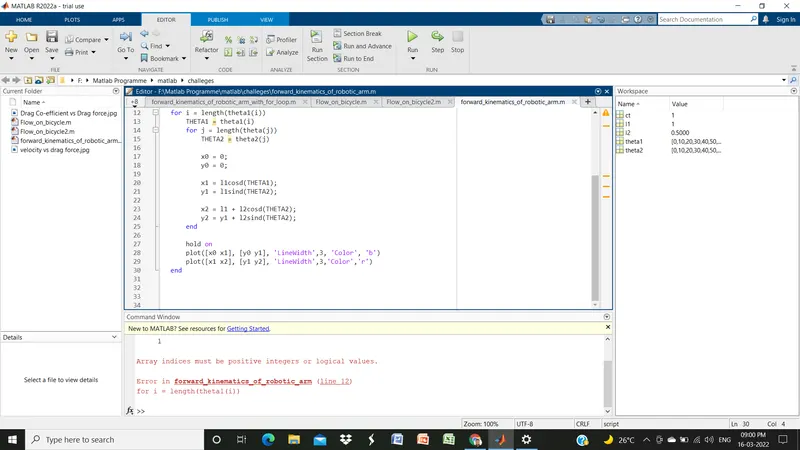
Solution: The assigned appropriate value of using range operator.
- Error 2: Written wrong equation asterisk sign was not provided for multiplication.
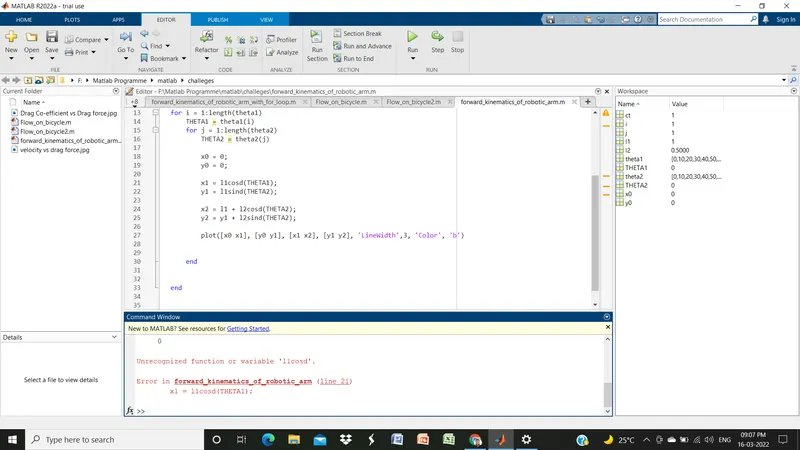
Solution: Equation provided with an asterisk sign.
- Error 3: Use of the wrong function
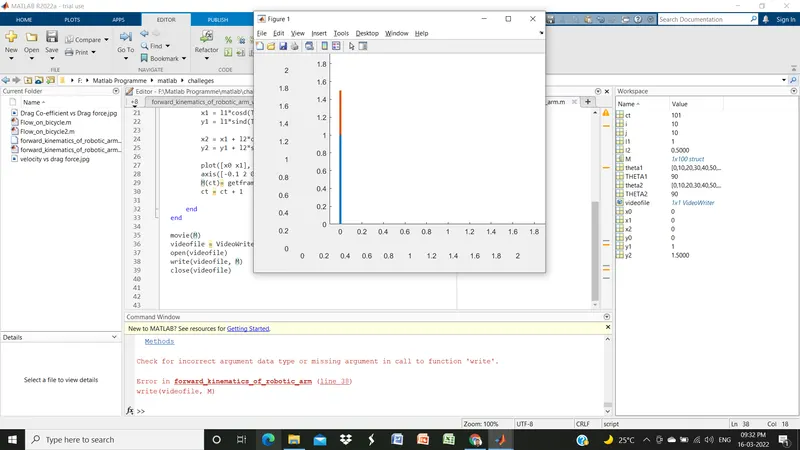
Solution: Used right function i.e. writeVideo() to write videofile.