Week 2- 2R Robotic Arm Challenge
Matlab program to simulate forward kinematics of s 2R Robotic arm.
Below is the program written in matlab.
%Writting a program to simulate 2R robotic arm
clear all
close all
clc

%length of first arm in meter
L1= 3;
%angle range for first arm in degree
theta1= [0:4:80];

%length of second arm in meter
L2= 2;
%angle range for second arm in degree
theta2= [0:2:45];

%initial co-ordinates for first arm are x0, y0
%end co-ordinates of first arm and start co-ordinates of second arm x1, y1
%end co-ordinates of second arm x2, y2

ct= 1;
for i= 1:length(theta1)
    THETA1= theta1(i);
    for j= 1:length(theta2)
        THETA2= theta2(j);
        x0= 0;
        y0= 0;

        x1= L1*cosd(THETA1);
        y1= L1*sind(THETA1);

        x2= x1+ L2*cosd(THETA2)
        y2= y1+ L2*sind(THETA2)

        plot([x0 x1],[y0 y1],[x1 x2],[y1 y2],'linewidth',3)
        axis([-1 6 0 5])
        pause(0.3)
        M(ct)= getframe(gcf);
        ct= ct+1;
    end
end

movie(M)
videofile= VideoWriter('2R arm.avi','Uncompressed AVI');
open(videofile)
writeVideo(videofile,M)
close(videofile)
Output of program written above in the form of screen shot.
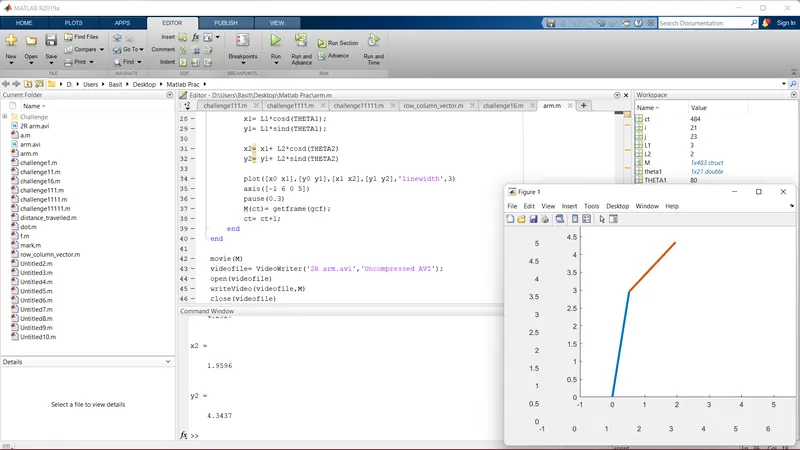
Youtube link for video animation of 2R Robotic arm: https://youtu.be/bKLf8iAMfjY
Step wise explanation of code.
Starting program with a comment then with basic commands like close all, clear all, clc.
Then declaring values of arms length and range of angle by variable L1, theta1(starting from 0 it will take every 4th value with respest to previous value), L2, theta2(starting from 0 it will take 2nd value with respect to previous value) respectively.
In the next 3 comments positional co-ordinates variables of arms have been commented, its values have been declared further in this code.
variable "ct" for current figure/frame is been declared, keeping its value 1 so it will capture 1 figure at a time.
Next by making us of for loop in which new variable "i" for first arm whose value will range from 1st value to each value of theta1 i.e. an array.
Variable "THETA1" will have single value from "i" so that its easy to plot an arm at different theta1 values.
In another for loop variable "j" for second arm whose value will range from 1st value to each value of theta2 again i.e. an array.
Variable "THETA2" will take a single value from "j" so that its easy to plot an arm at different theta2 values.
Next initial co-ordinates of first arm are being declared, similarly end and start co-ordinate of first and second arm respectively being declared by appropriate formulas.
After getting the values plotting is been done by using "plot()" command keeping linewidth of 3.
"axis" command declares span of x and y axis respectively.
"pause" command pauses the output animation for given value of 0.3.
To create a movie variable "M(ct)" that will take a current figure by command "getframe(gcf)" in the next line ct value is getting increased by 1 i.e. every next figure will be sumup to create a movie.
Then ending both for loops by command "end".
Outside the for loop command "movie()" is used to get all figures from "M(ct)"
command "VideoWriter()" is used to give name and extension to a movie by the variable "videofile".
"open()" command is given so that movie is played on opening it in a media player.
"writeVideo()" will combine information from videofile, M and run it as a animation/movie.
"close()" command is given so that movie is stoped.
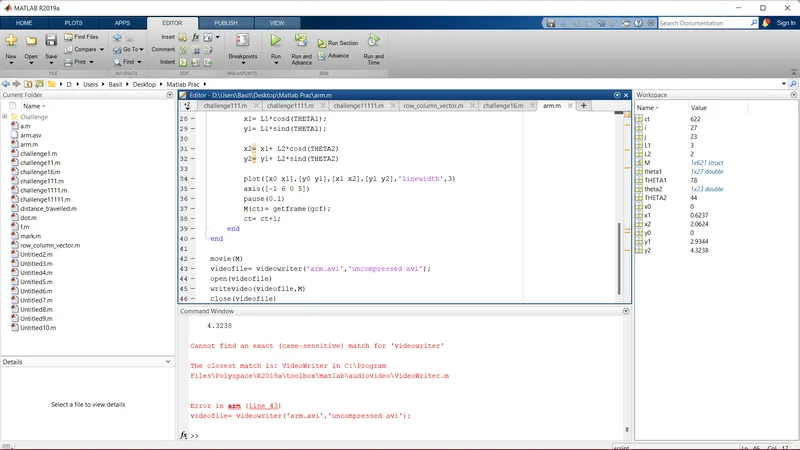
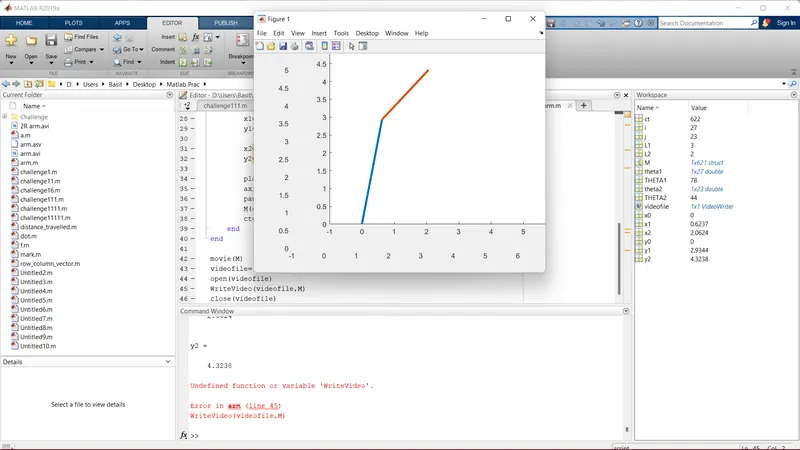
Errors occured while executing code were typo in commands like "VideoWriter()" and "writeVideo", that were corrected by reading warning in command window. Screenshots of the same are attached below.