Week 2- 2R Robotic Arm Challenge
Writing program for the forward kinematics of 2R robot,
Step by step explanation of program,
Commands used while writing the program,
- Linspace
- Counter
- For loops
- Plot, label and axis defining
- Movie, video, open, video writer & write video
Given Date,
Theta1 =ꬾ
Theta2 = ꬾ
- Counter is used for getting the no. of frames and counter value is given as ct = ct+1,
- For loop is used to run the program again and again for different values of theta,
- 2R Robot having 3 joints, 2 lengths
- Fixed Link (X0 Y0)
- Link 1 (X1 Y1)
- link 2 (X2 Y2)
- Length of Link 1 = L1
- Length of Link 2 = L2
- Defining the length of links of the robots,
- For Fixed Link there are two points as below
X0 = 0
Y0 = 0
- For Link 1 there are two points as below
X1 = L1*cosd(theta1)
Y1 = L1*sind(theta1)
- For Link 2 there are two points as below
X2 = X1+ L2*cosd(theta2)
Y2 = Y1+ L2*sind(theta2)
- Plotting has done in single line to configure the motion of robot
- For creating the AVI of robotic configuration current figure handle (gcf)
- Some other function are written to create an video as per the MATLAB required,
Error faced while writing the program,
- Got non correct plotting when run the program, used the theta in lower case in for loop, correction done by changing the ‘theta’ to ‘THETA’
- While running the program got error in ‘write video’ command due to the command not have enough inputs to meet the code, correction by giving the command correctly
- Some minor error faced like:- spelling mistakes and ‘, : ; etc, all correction done,
link of youtube for animation of forward kinematics of 2R robot,
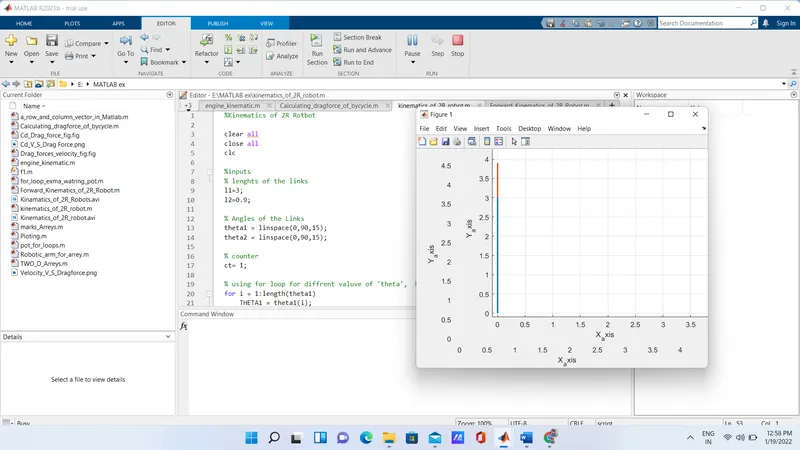
Errors faced as show in screenshots as below,
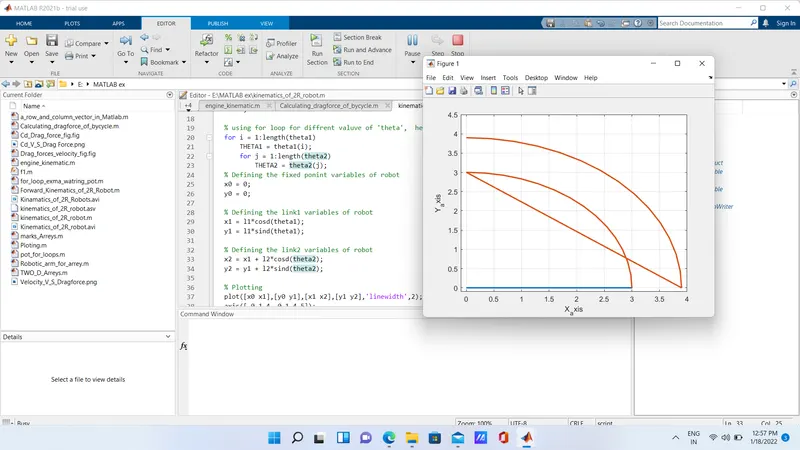
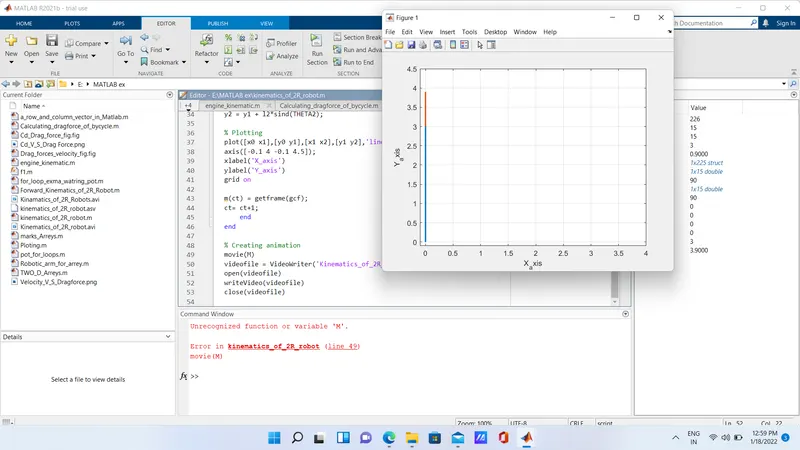
result
%Kinematics of 2R Rotbot

clear all
close all
clc

%inputs
% lenghts of the links
l1=3;
l2=0.9;

% Angles of the Links
theta1 = linspace(0,90,15);
theta2 = linspace(0,90,15);

% counter
ct= 1;

% using for loop for diffrent valuve of 'theta',  here i and j are variables
for i = 1:length(theta1)
    THETA1 = theta1(i);
    for j = 1:length(theta2)
        THETA2 = theta2(j);

% Defining the fixed ponint variables of robot
x0 = 0;
y0 = 0;

% Defining the link1 variables of robot
x1 = l1*cosd(THETA1);
y1 = l1*sind(THETA1);

% Defining the link2 variables of robot
x2 = x1 + l2*cosd(THETA2);
y2 = y1 + l2*sind(THETA2);

% Plotting
plot([x0 x1],[y0 y1],[x1 x2],[y1 y2],'linewidth',2);
axis([-0.1 4 -0.1 4.5]);
xlabel('X_axis')
ylabel('Y_axis')
grid on

m(ct) = getframe(gcf);
ct= ct+1;
    end
end

% Creating animation
movie(m)
videofile = VideoWriter('Kinematics_of_2R_robot','Uncompressed AVI');
open(videofile)
writeVideo(videofile,m)
close(videofile)