Week 2- 2R Robotic Arm Challenge
Aim
Write a program in Matlab to simulate the forward kinematics of a 2R Robotic Arm.
Objective
- Create an animation file of the plot.
- Upload an animation on You tube and provide the You tube link for an animation in your report.
- You can also provide the google drive link
Methodology
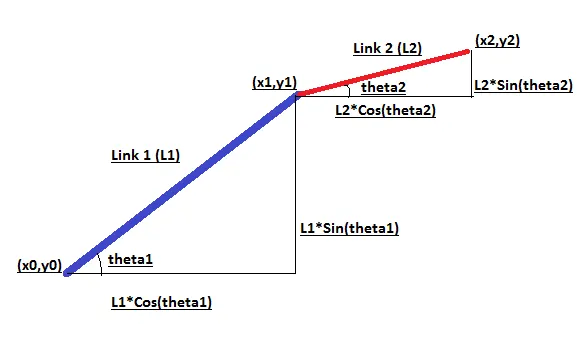
(x0,y0) - Starting point of Link 1(taken as origin (0,0))
(x1,y1) - Ending point of Link 1 and Starting point of Link 2
(x2,y2) - Ending point of link 2
theta1 - Angle of link 1 with x-axis
theta2 - Angle of link 2 with x-axis
x1=L1*Cos(theta1)
y1=L1*Sin(theta1)
x2=x1+(L2*Cos(theta2))
y2=y1+(L2*Sin(theta2))
Program
% forword kinmatics of robotic arm
% Write a program in Matlab to simulate the forward kinematics of a 2R Robotic Arm
%Create an animation file of the plot

close all
clear all
clc

% Inputs
% Length of Link 1 in (mtr)
l1=1;
% Length of Link 2 (Manipulator) in (mtr)
l2=0.5;

% Starting Coordinates of link 1
x0=0;
y0=0;

% Angles of link 1 and link 2 w.r.t horizontal
theta1=linspace(0,90,10);
theta2=linspace(0,90,10);
ct=1;

% inorder to find different values of theta2 w.r.t theta 1,
% inorder to find different positions of link 1 w.r.t theta1, 1st "for" loop
% is provided

for i=1:length(theta1)
    THETA1=theta1(i);

 % Ending coordinates of link 1 & Starting coordinates of link 2
    x1=l1*cosd(THETA1);
    y1=l1*sind(THETA1);

% inorder to find different values of theta2 w.r.t theta 1,
% inorder to find different positions of link 2 w.r.t theta2, 2nd "for" loop
% is provided

    for j=1:length(theta2)
        THETA2=theta2(j);

 % Ending coordinates of link 2
        x2=x1+l2*cosd(THETA2);
        y2=y1+l2*sind(THETA2);

 % Ploting the coordinates of link 1
        plot([x0 x1],[y0 y1],'LineWidth',6,'Color','b')
        grid on
 % Providing the axis limits
        axis([-1 2 0 2])
 % labeling the X and Y axis
        xlabel('X-Axis','color','k')
        ylabel('Y-Axis','color','g')

 % holding the link 1 to display link 2
 % to avoid overwriting the links and to avoid displaying only one link
 % hold on is used
        hold on

 % ploting the link 2
        plot([x1 x2],[y1 y2],'linewidth',3,'Color','r')
        grid on
        xlabel('X-Axis','color','k')
        ylabel('Y-Axis','color','g')

 % To avoid displaying the links all the time
        hold off
        axis([-1 2 0 2])
 % pause the exicution for some time to display the plot like an animation
        pause(0.1)

 % to capture and store the each frame to M
        M(ct)=getframe(gcf);
        ct=ct+1;
    end
end

% to form a movie from the captured frames
movie(M)

% creating a video file named Robotic_arm.avi to write the formed movie in it.
% assignin it to Roboticarm array
Roboticarm=VideoWriter('Robotic_arm.avi','Uncompressed AVI');

% open the video file
open(Roboticarm)

% write the formed movie to it.
writeVideo(Roboticarm,M)

% close the video file.
close(Roboticarm)
Errors faced while programming and Steps taken to overcome those errors
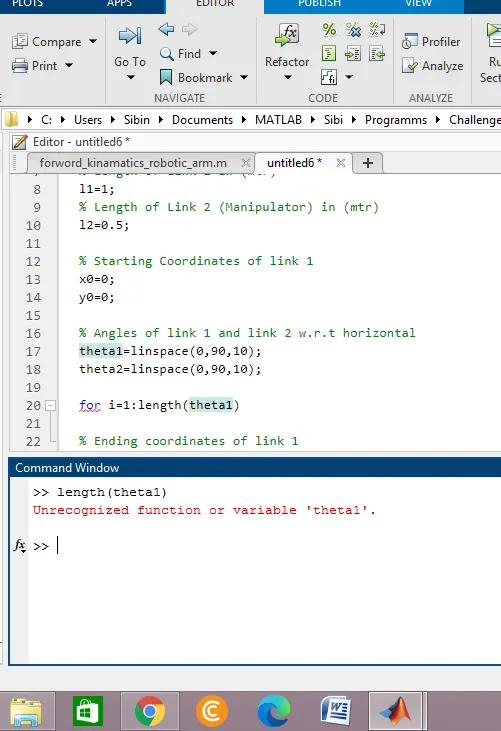
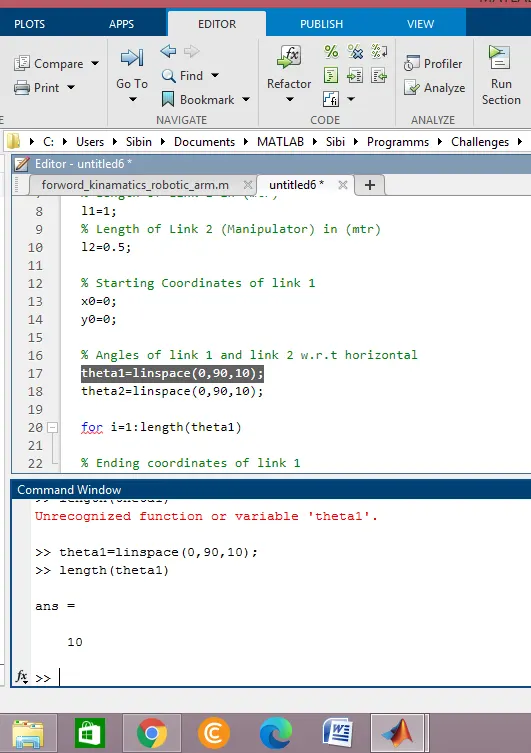
- While checking the code “length(theta1);” values by typing it in command window, error occurred due to not defining the variable theta1. Corrected by defining the variable theta1 as “theta1=linspace(0,90,10);”.
Error Error Corrected
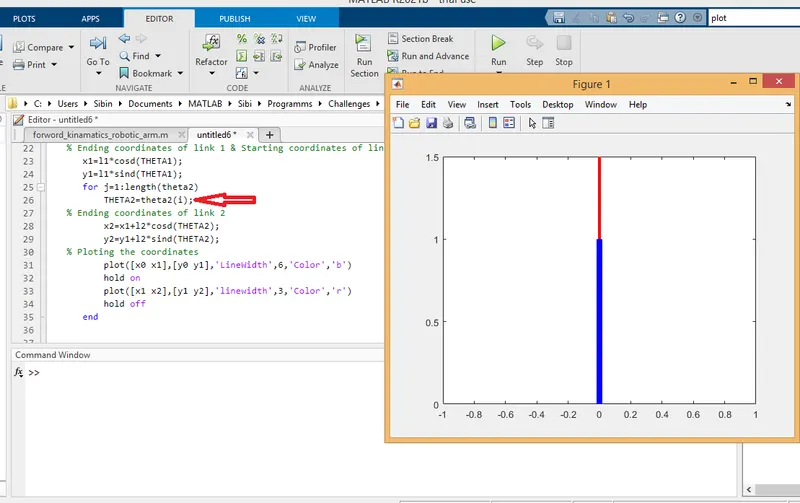
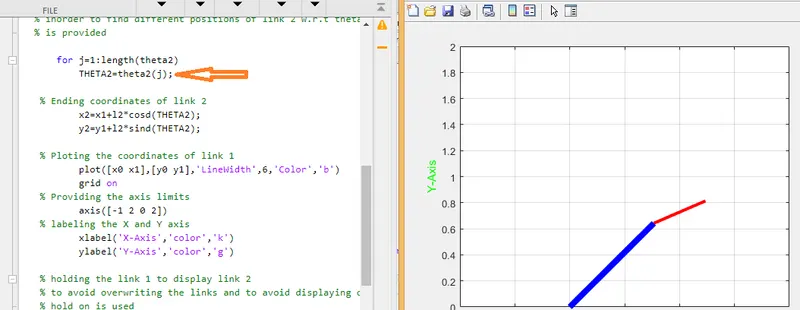
- The angle of 2nd link remains same all the time with respect to angle of 1st link due to the placing of “i” (THETA2=theta2(i)) instead of “j” in the 2nd “for” loop. Corrected by placing “j”.
Error
Error Corrected
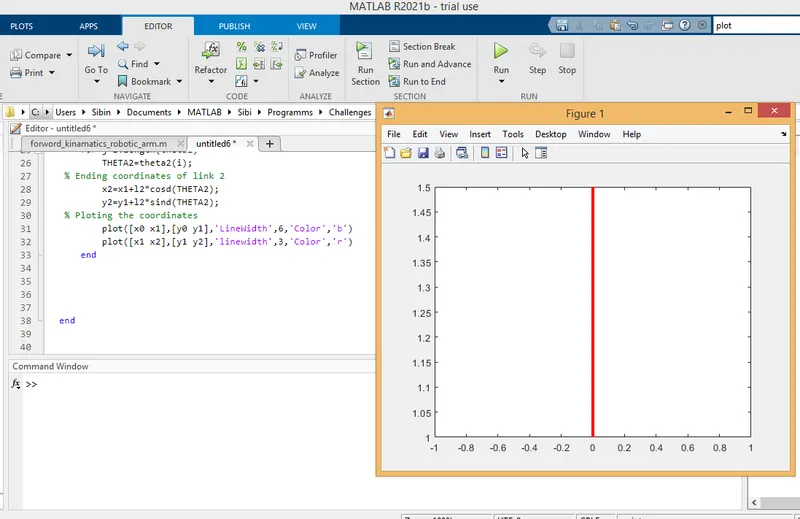
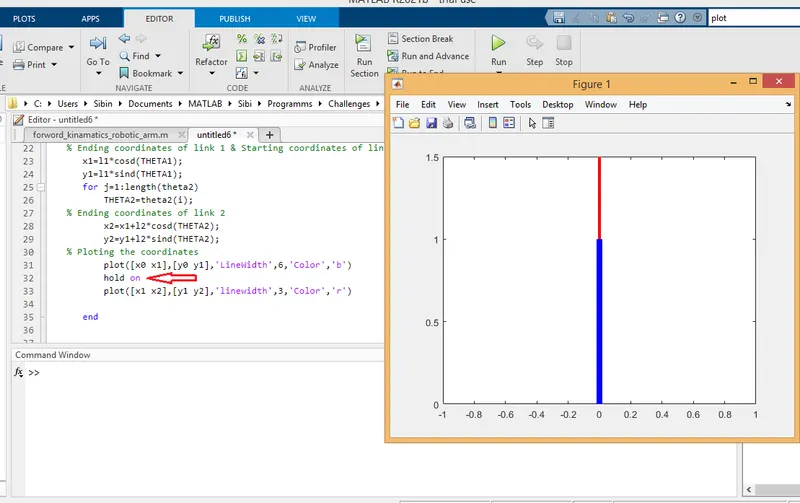
- Only one link is displaying in the plot due to the overwriting of 2nd plot command. For plot command only the last plot command will execute. Corrected by providing “hold on” command in between 2 plot commands.
Error Error Corrected
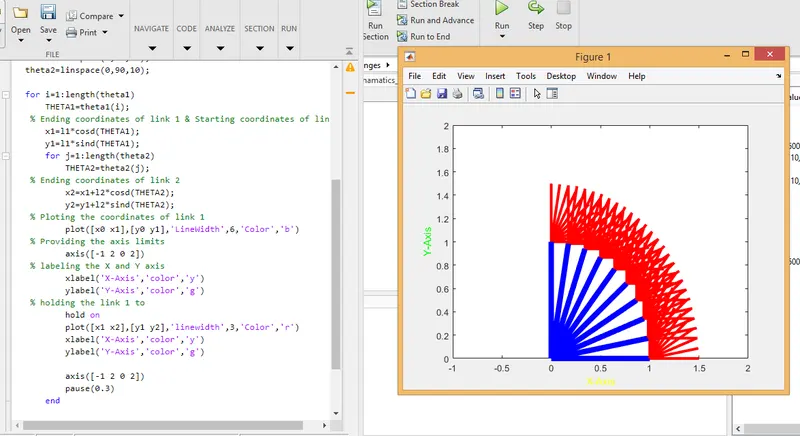
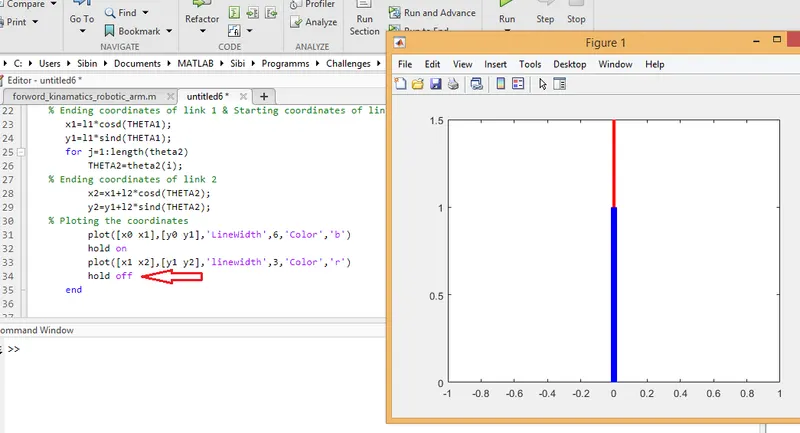
- The plot not form like an animation, instead the position of 2 links at different angles was visible in the plot due to the lack of “hold off” command after the 2nd plot command. Corrected by providing it.
Error Error Corrected
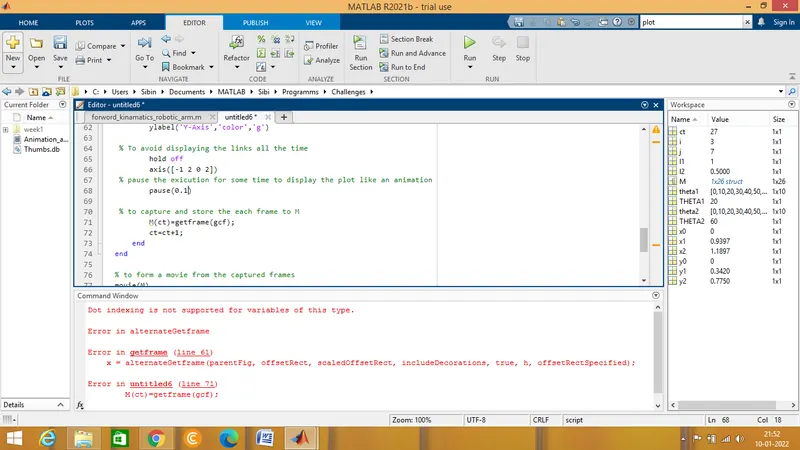
- An error message appeared in the command window after the final execution of the program. Don’t know what happened. Running the program one more time rectified the error.
Error
Error Corrected
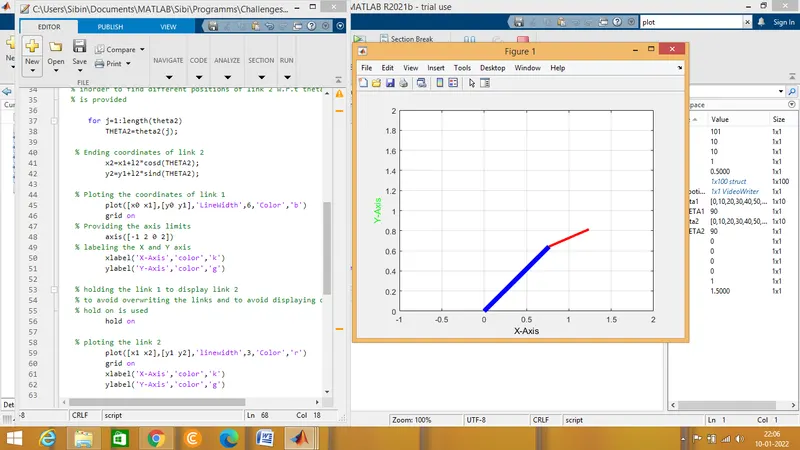
Final Output
Conclusion
The program to simulate the forward kinematics of a 2R Robotic Arm created in Matlab successfully and an animation file of the plot named Robotic_arm.avi is created.
Links are attached along with this report.
Youtube Link : https://youtu.be/wbKtKrjJmlE
Google drive Link :https://drive.google.com/file/d/1_UedWYzEyE0CQ9OCz5ehB1O6kdoACpzm/view? usp=sharing