Week -2
Aim :
- Make a Simulink model of Doorbell using solenoid block with the following details.
- Use a thermistor to sense the temperature of a heater & turn on or turn off the fan as per the below conditions.
1st Task :
conditions :
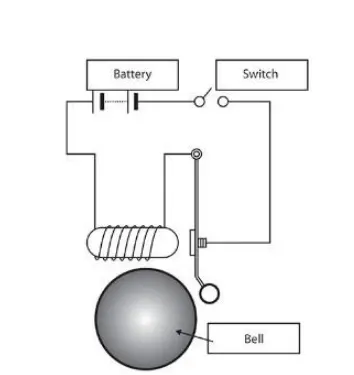
In the below arrangement, when the switch is closed the electromagnet receives electrical power from the battery and pulls the metal arm to hit the bell producing sound.
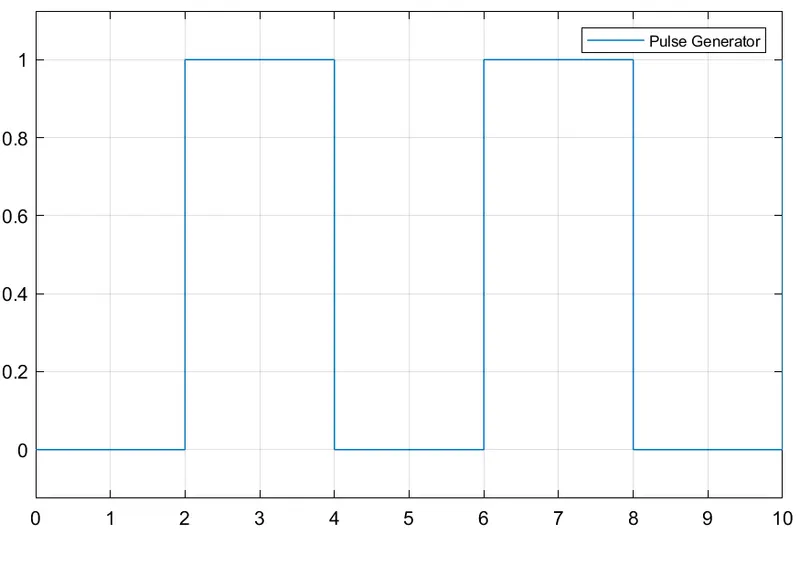
Create a situation where the switch is closed for 2 seconds and then released. Observe the physical movement of the plunger.
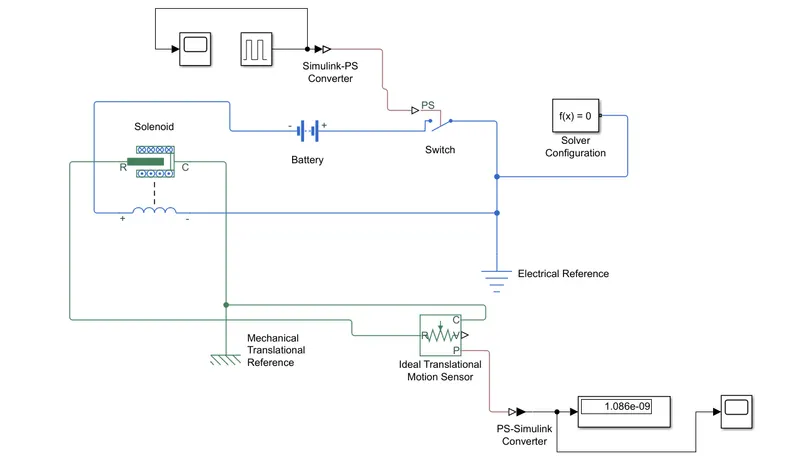
Simulink Model :
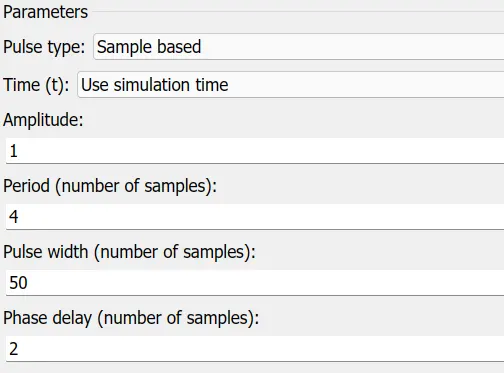
Fundamental Parameters Need To Assign :
Some of the pulse generator parameters are assigned to above smulink model to meet their requirements.
Input Signal:
Output Signal:
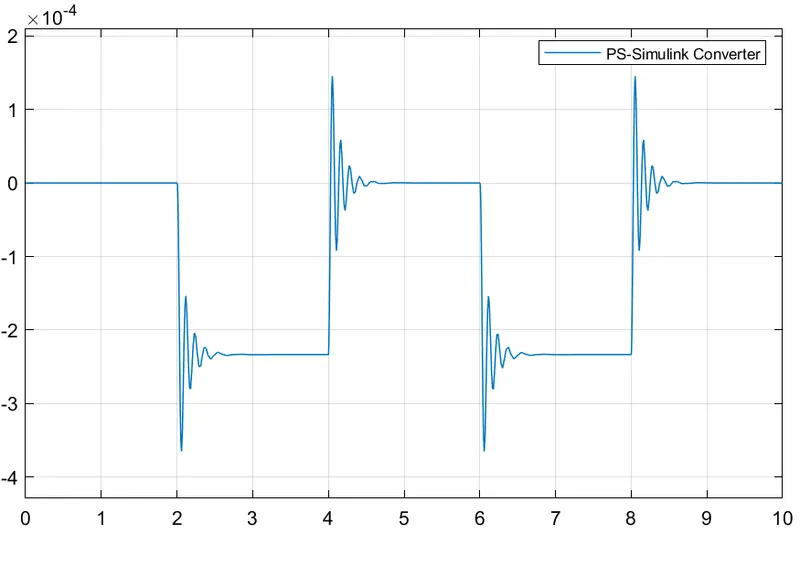
Explanation :
1.Taking the battery, solinoid, switch connect together.
2.Taking the input signal connect with pulse genarator & then.
3.Connect pulse generator to switch via simulink-ps converter.
4.Take Electrical References & Solver configuration & Connect With Switch line.
5.Take mechical translation sensor & ideal translation motion sensor connect via solinod to output signal by using ps-simulink coverter.
2nd Task :
Condition :
Thermistor to sense the temperature of a heater & turn on or turn off the fan as per the below conditions.
Temperature source: 20 °C from 0 to 10 seconds, 27 °C from 10 to 30 seconds, 23 °C from 30 to 50 seconds
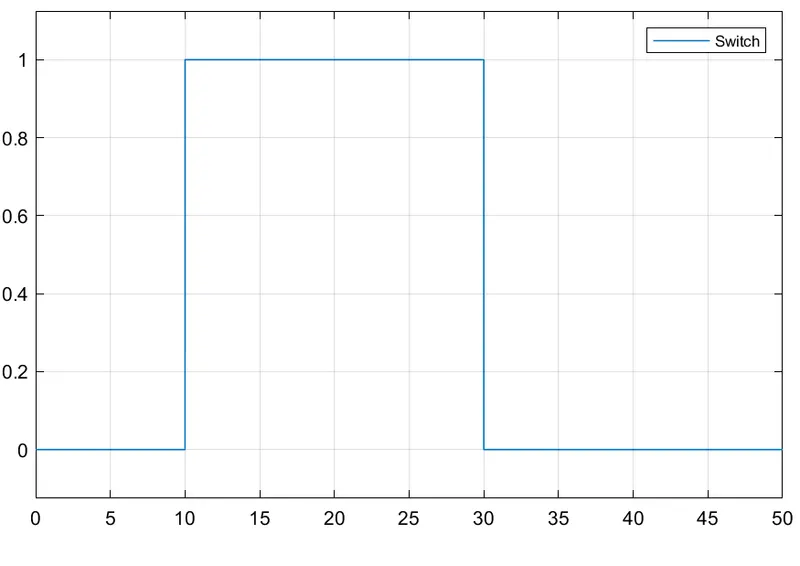
Fan conditions: ON if the temperature above 25 °C, OFF otherwise.
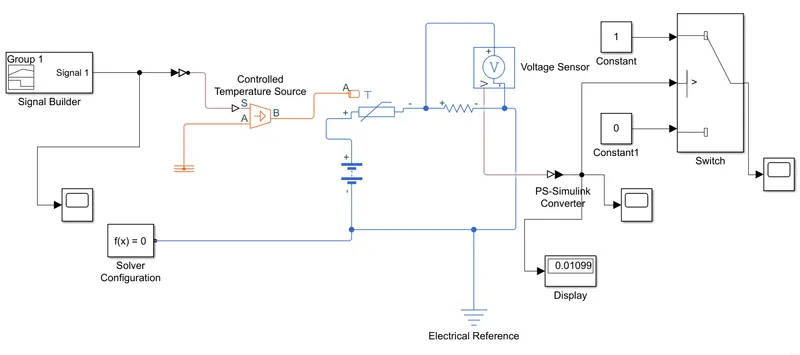
Simulink Model :
Signal Builder Parameters :
Based on temparature and time values we can build the signal ie.., Signal Builder.
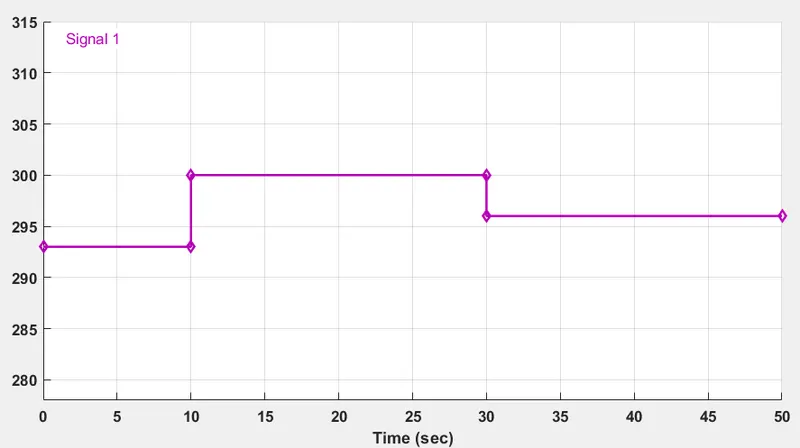
Input signals :
Temparature & time variation :
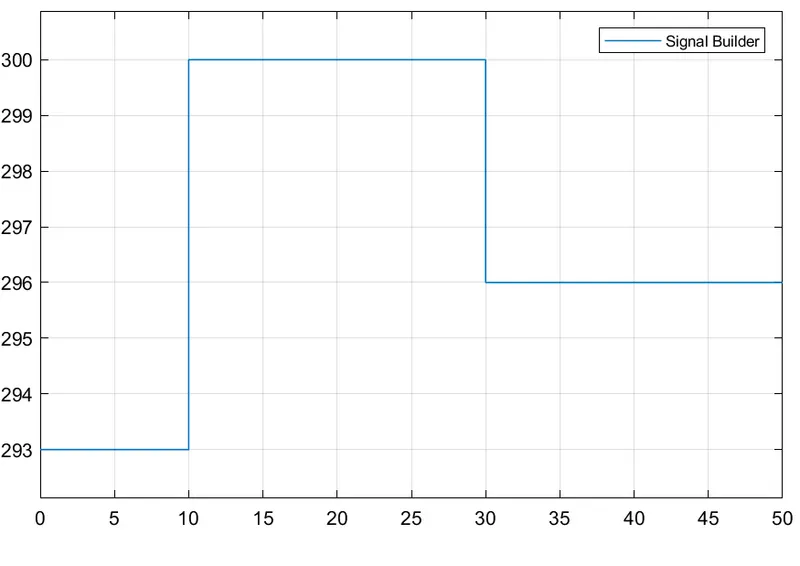
Output signals :
Voltage/Current to time variation :
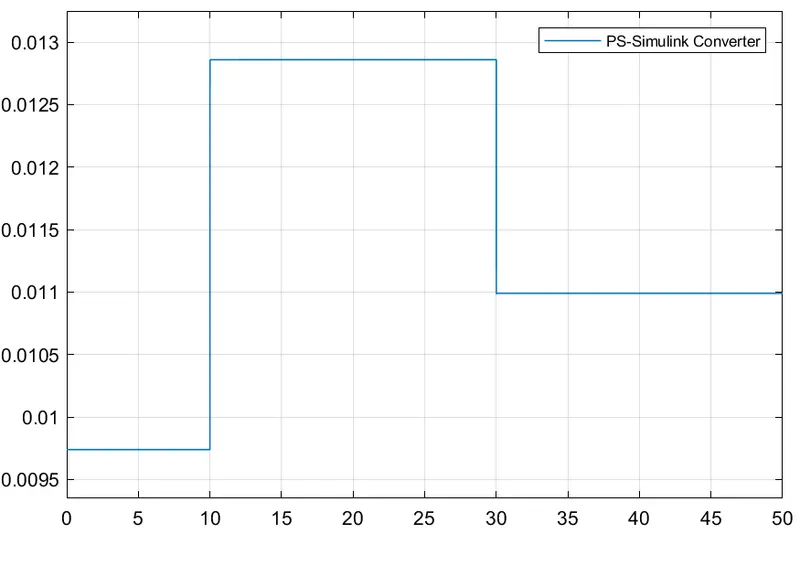
Switch controlling with on & off conditions :
Explanation:
1.Taking the signal builder, battery, controlled temp source, switch, Thermister connect together.
2.Taking the input signal connect with solver configutration & then.
3.Take Voltage sensor &connect with battery & Then connect via simulink-ps converter to switch.
4.Take Electrical References & connect With Switch line.
5.Run The code & observe the results While Switching The fan On & Off Conditions.