Simulink model of a Doorbell and fan connected to a thermistor
Simulink model of a doorbell using solenoid block.
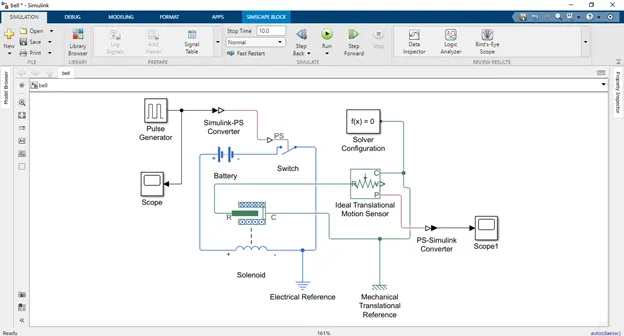
Explanation:
- All the required blocks are dragged onto the Simulink canvas including solenoid block, since a solenoid block will be used to create a Simulink doorbell model.
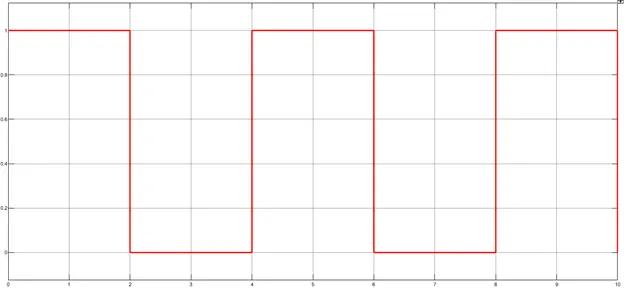
- A pulse generator is used an input since a 2 second signal is required for the bell to ring. This pulse generator is connected to a switch via Simulink-PS converter.
- This switch is connected to a solenoid and a battery.
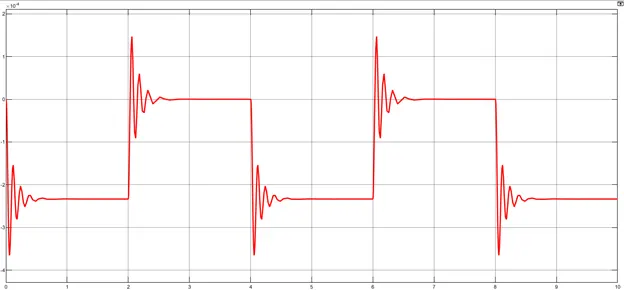
- The solenoid provides input for the translational motion sensor to resemble a hammer striking the bell and produce a ringing sound.
Results:
Input
Output
Simulink model of a fan connected to a thermistor to sense the temperature and operate under the following conditions:
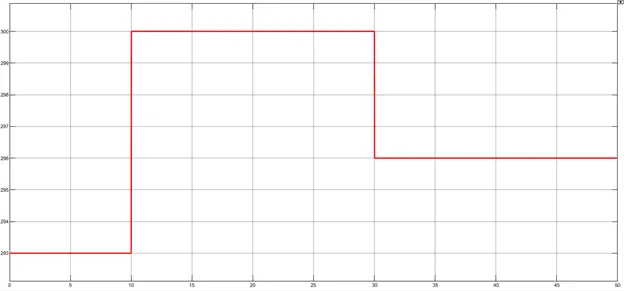
Temperature source:
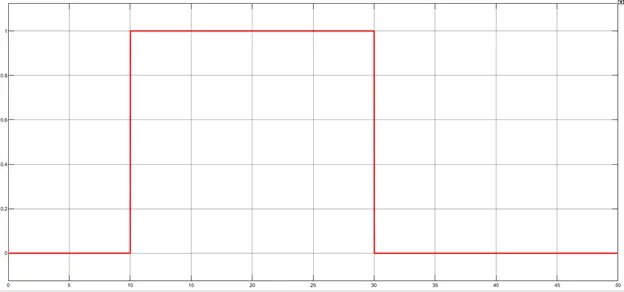
0 - 10 seconds = 20 °C
10 - 30 seconds = 27 °C
30 - 50 seconds = 23 °C
Fan conditions:
temperature >25 °C = Fan ON
temperature <25 °C = Fan OFF
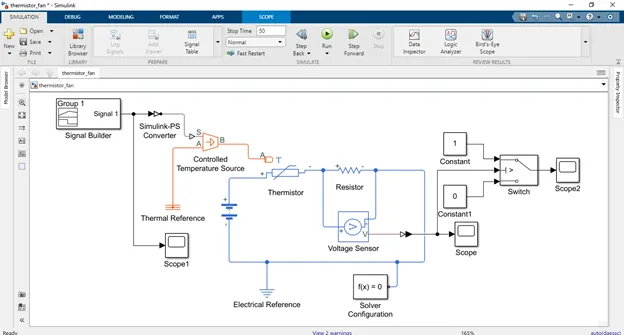
Explanation:
- All the required blocks are dragged onto the Simulink canvas to create the Simulink model.
- Signal builder is used to generate the temperature signal according to the given conditions and then is used as input for controlled temperature source and then to the thermistor.
- The thermistor is connected to a battery, a resistor and a voltmeter to calculate the voltage across the resistor.
- This voltage is then used as a threshold in the switch which is connected to the fan. Therefore, when the voltage is greater than 0.012V, current passes through the switch and the fan is turned on.
Results:
Input
Output
Voltage
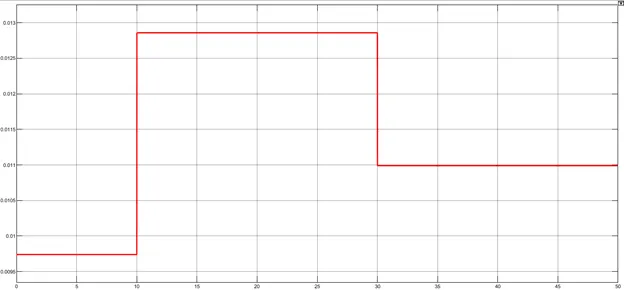
Time duration during which the fan was ON.