Week 14 challenge
ASSEMBLY OF BUTTERFLY VALVE AND APPLY GD&T TO ASSEMBLY DRAWING
Objective: Create the assembly of butterfly valve in NX Siemens and apply GD&T to assembly drawing.
Software Used: NX 12.0
Command Used: Following commands used for creating sketch, Part and Assembly.
1. Following are the command used for creating 2D Sketches.
- Line
- Circle
- Pattern
- Trim
- Rectangle
- Elipse
- Polygon
- Arc
- Fillet
2. Following are the command used for creating Parts.
- Extrude
- Unite
- Counterbored Hole
- Revolve
3. Following are the command used for Assembly.
- Align
- Touch
ASSEMBLY OF BUTTERFLY VALVE
Isometric View
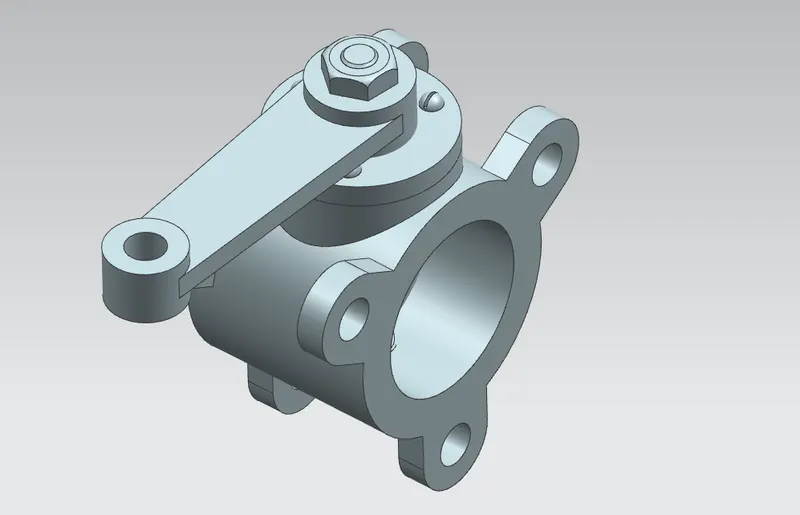
Front View
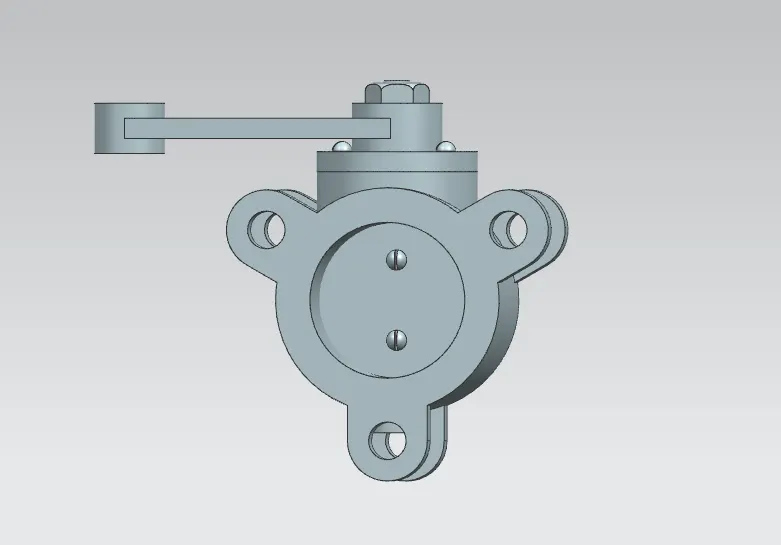
Top View
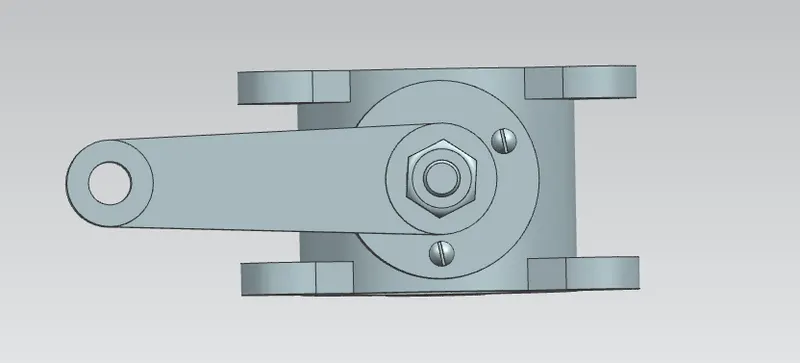
Side View
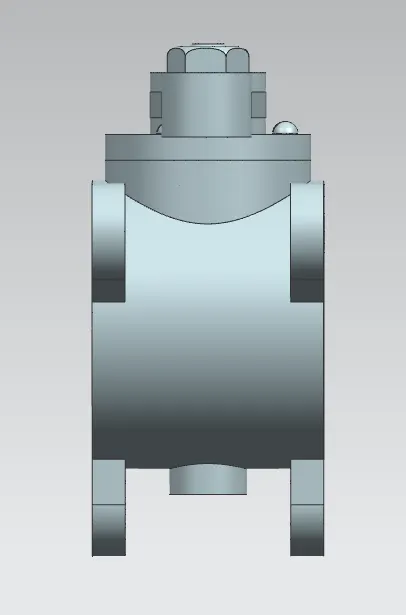
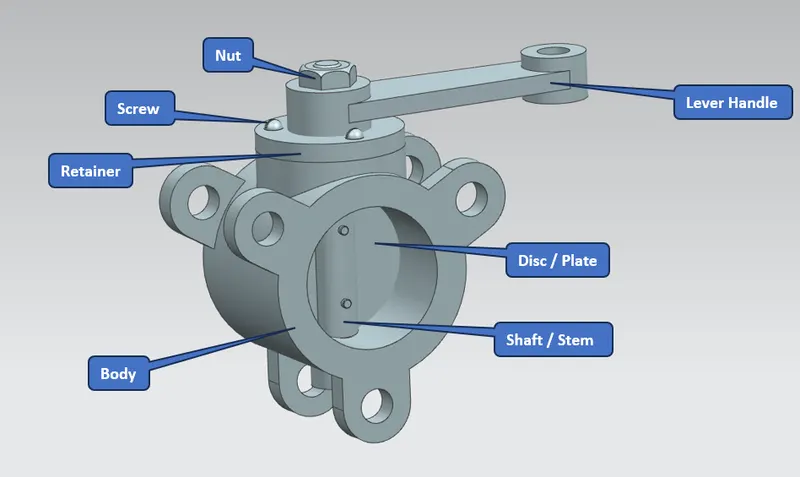
PARTS OF BUTTERFLY VALVE
- Body
- Shaft / Stem
- Disc / Plate
- Screw
- Retainer
- Lever Handle
- Nut
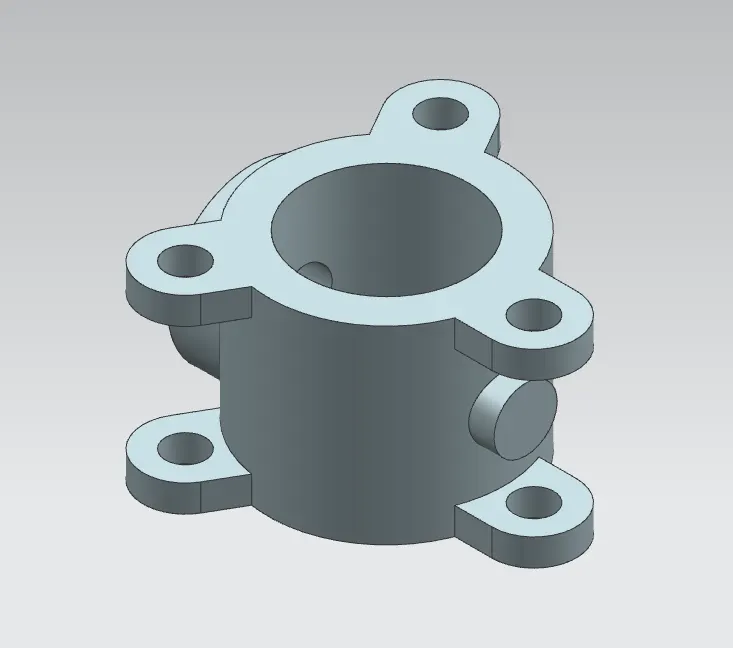
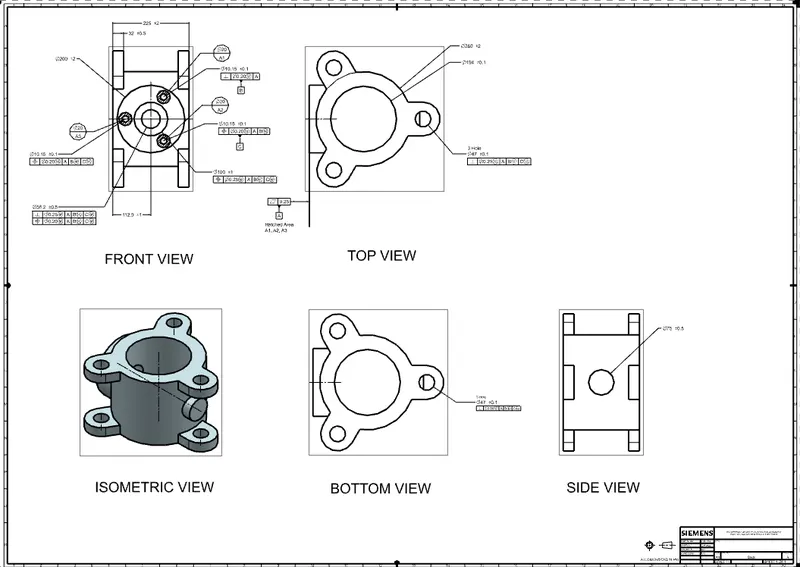
MODEL & DRAWING OF PARTS
Body
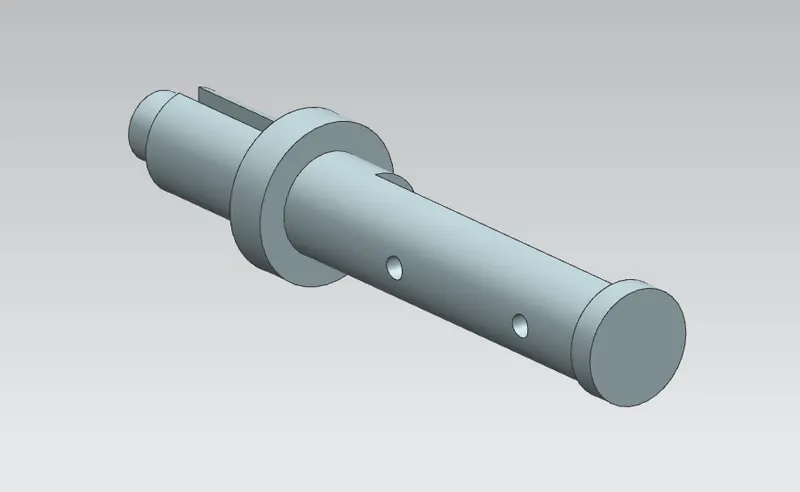
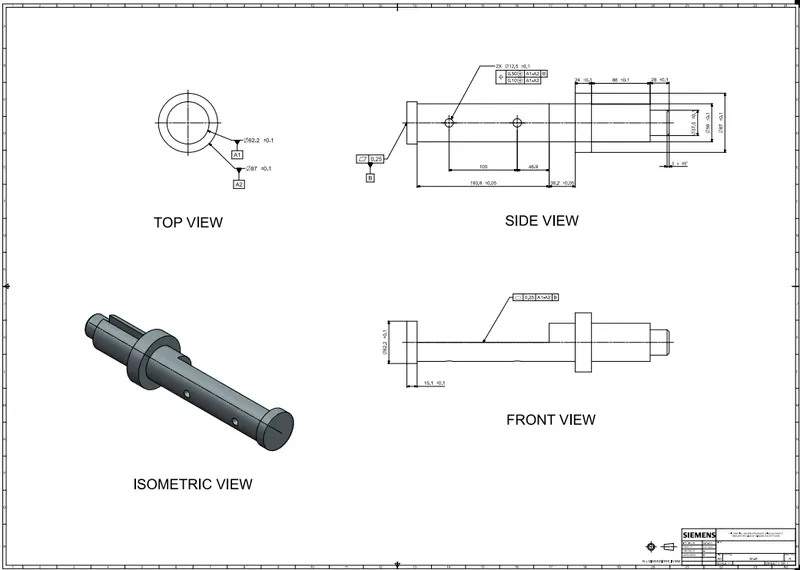
Shaft / Stem
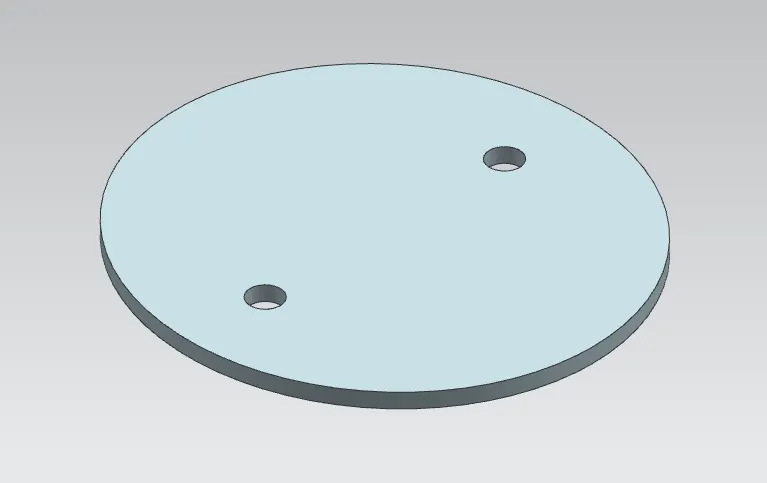
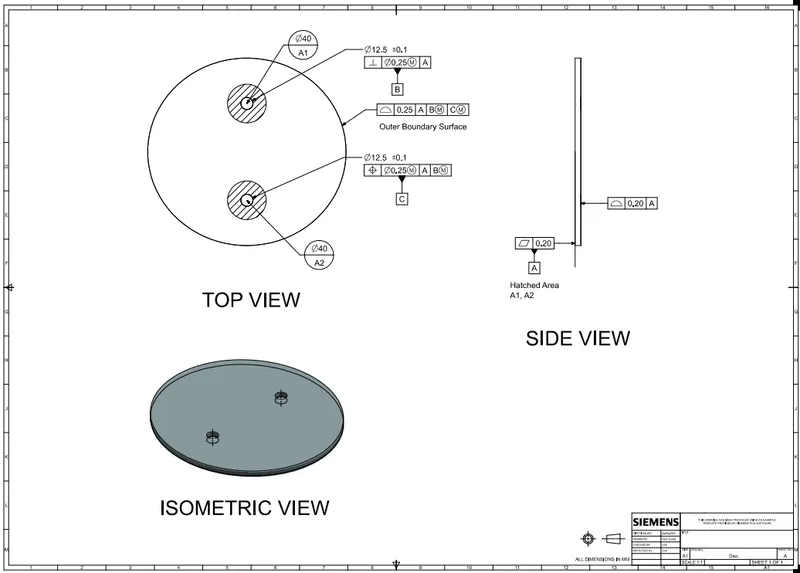
Disc / Plate
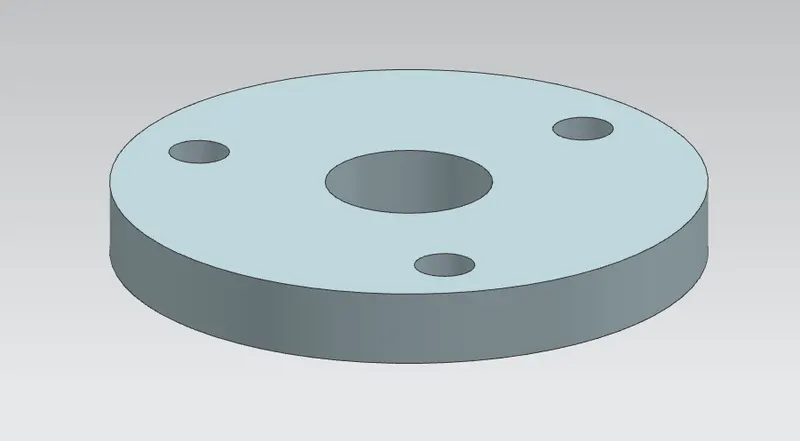
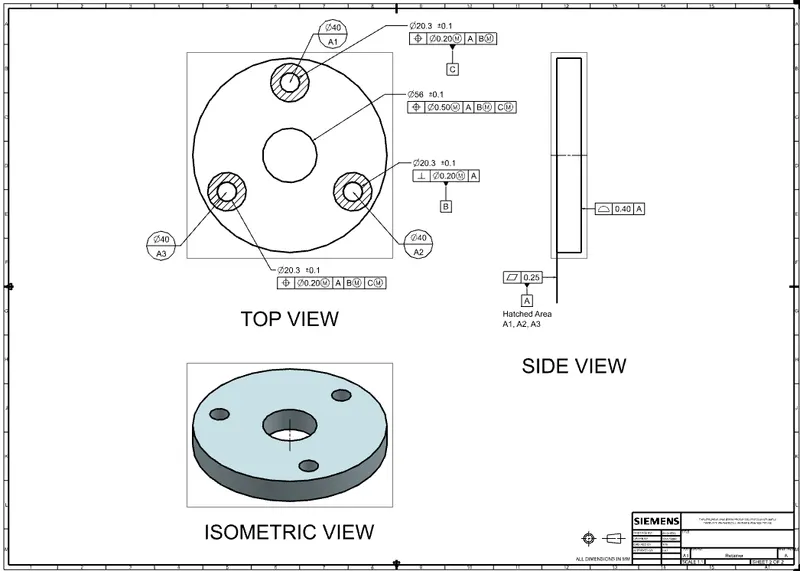
Retainer
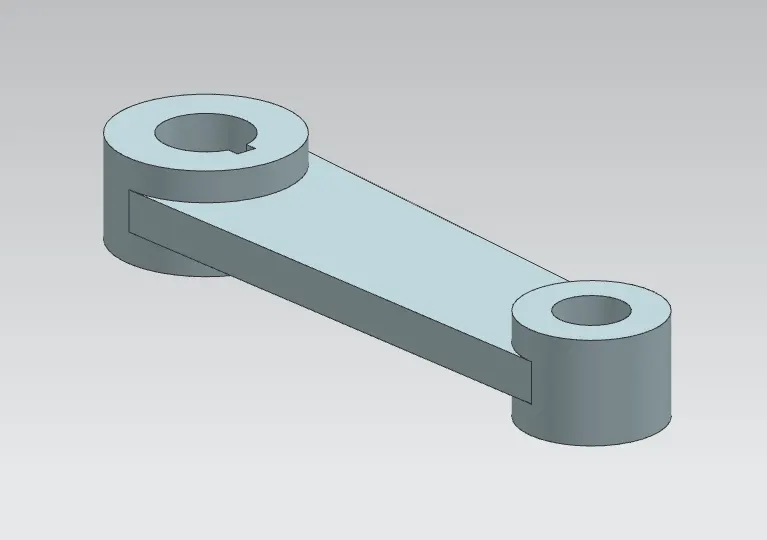
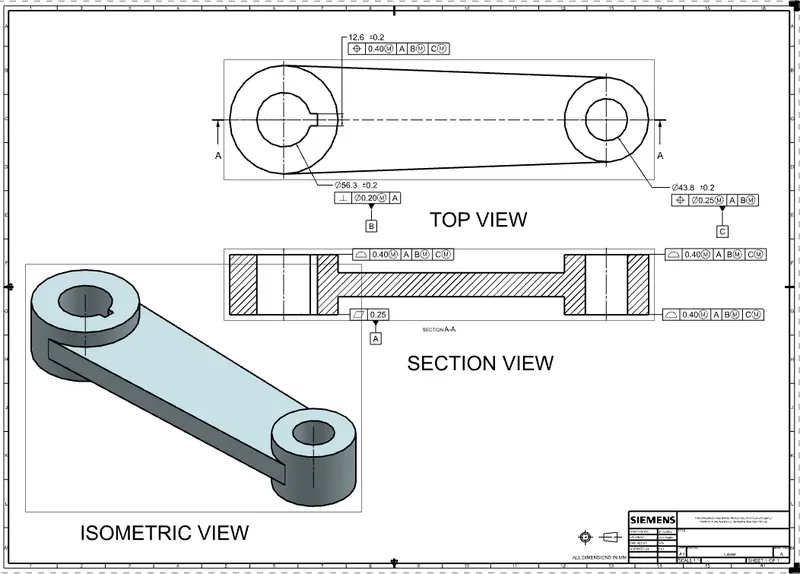
Lever Handle
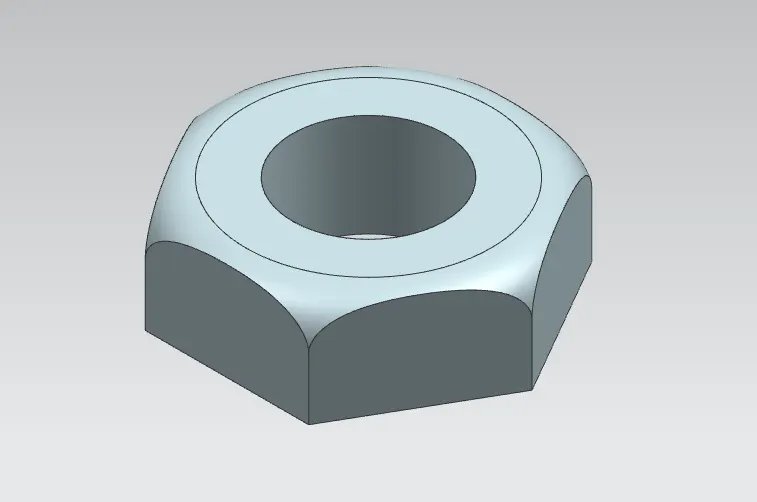
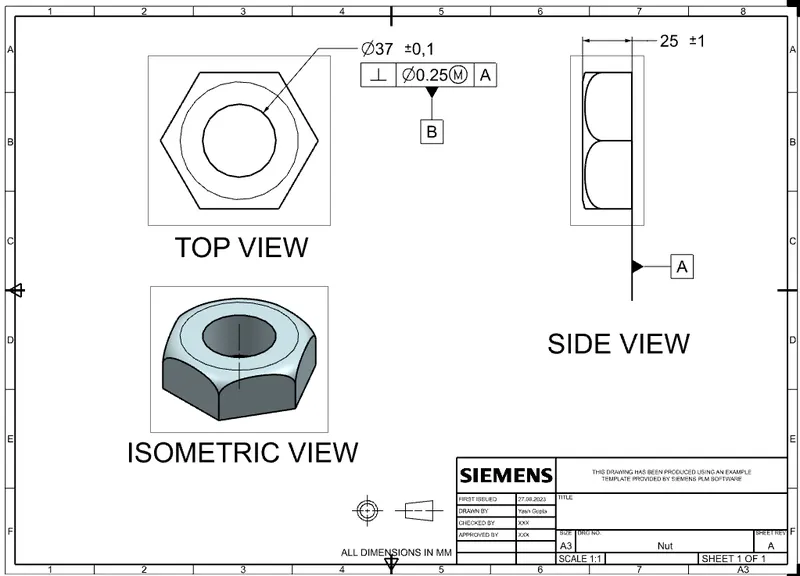
Nut
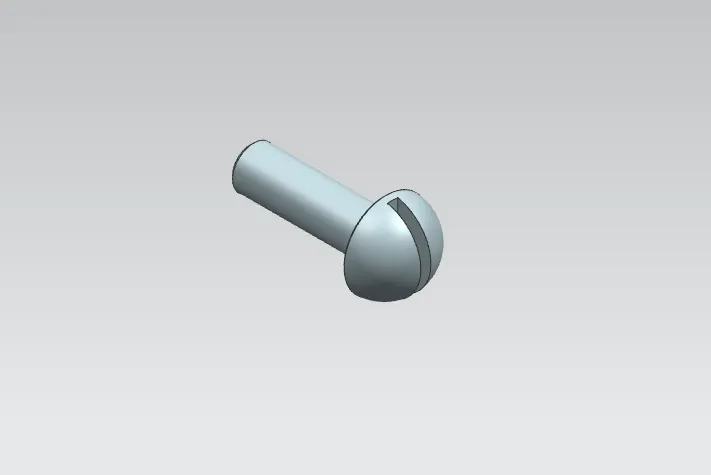
Screw
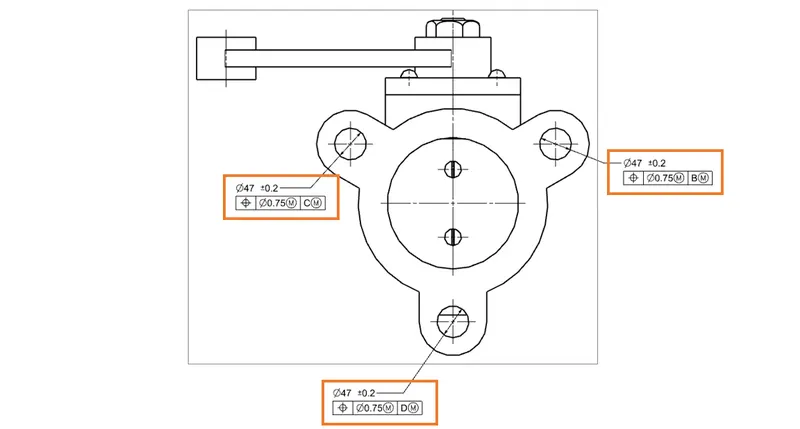
GD & T DRAWING OF BUTTERFLY VALVE ASSEMBLY
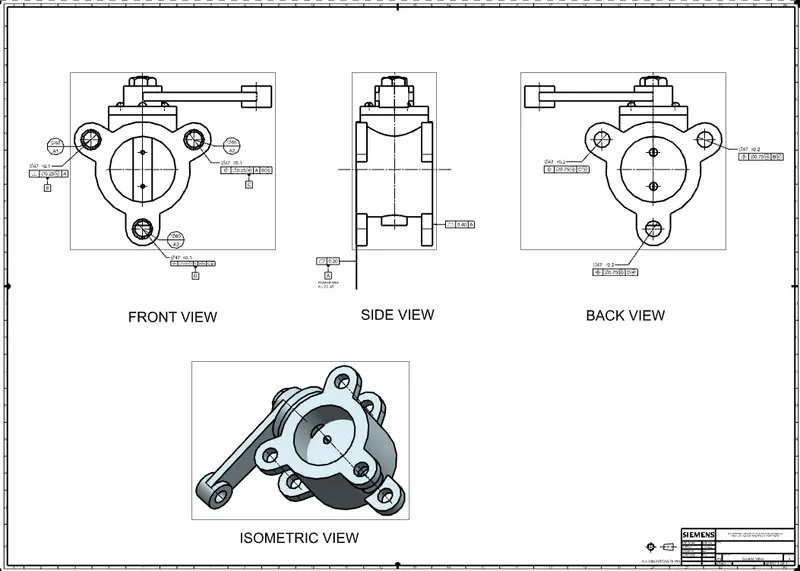
Geomterical Dimensions and Tolerance Used: GD & T symbol used are
- Flatness
- Positional
- Perpendicuarity
- Profile of a surface
- Modifier
- Datums A, B, C, D
- Target Datum
DATUMS
Datum is a theoretical exact plane, axis, or point that GD & T or geometrical tolerances use to reference dimensions. So datum acts as a reference point or an anchor for almost all geometrical tolerances and dimensions.
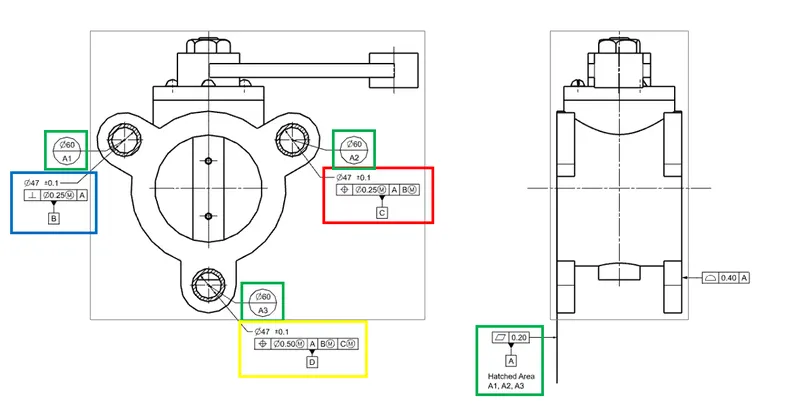
Primary Datum
The primary datum should make three-point contact with the datum feature simulator and lock three degrees of freedom.
The primary datum is usually shown as Datum A.
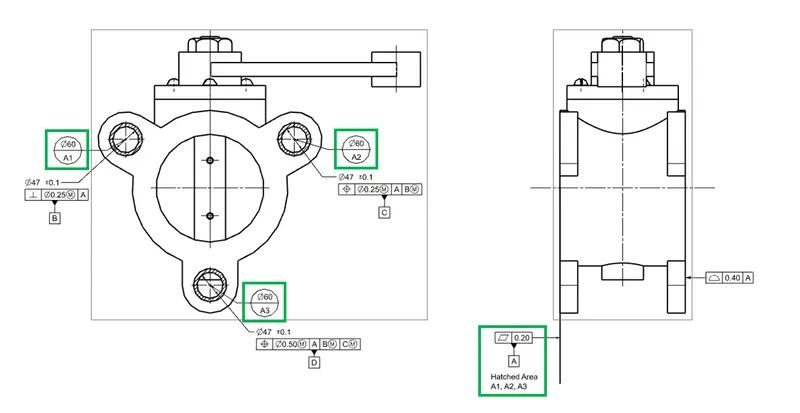
Flatness tolerance is applied to the hateched area as shown above as this surface come first in contact with mating plate of first pipe on assembly with one pipe and restrict 3 degree of freedom.
Secondary Datum
Secondary data should make two points of contact with the data feature simulator and should lock two degrees of freedom.
Secondary datum is usually shown as Datum B.
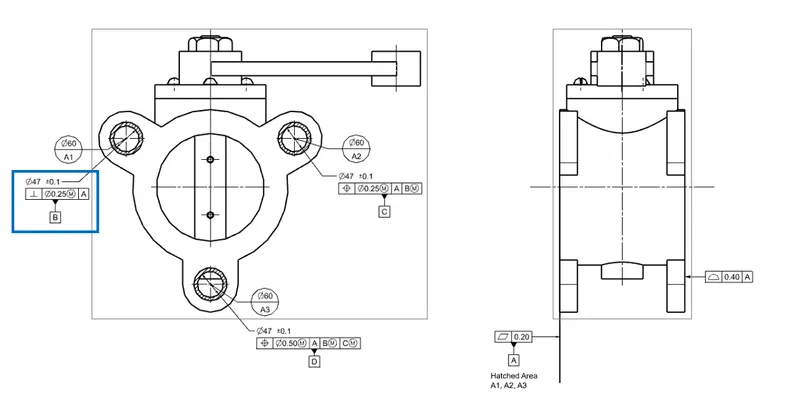
Perpendicularity tolerance is applied to the hole as show above to restrict 2 degree of freedom as its come in contact with bolt on assembly with mating plate of first pipe on assembly with first pipe in reference to datum A.
Tertiary Datum
Tertiary datum should make one point of contact with the datum feature simulator and should lock one degree of freedom.
Tertiary datum is usually shown as Datum C.
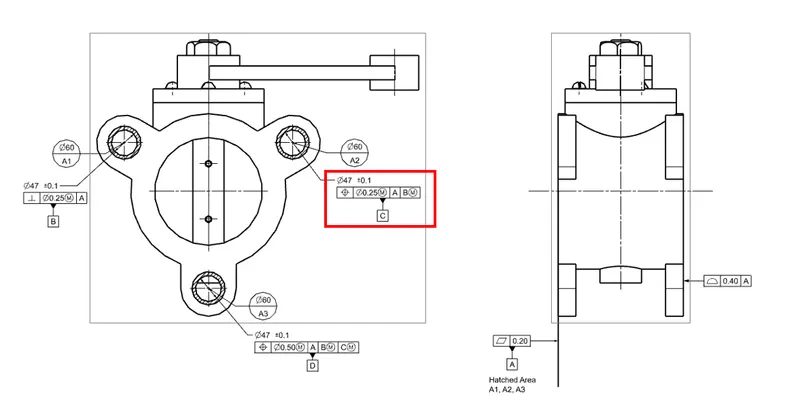
Positional tolerance is applied to second hole as shown above to restrict rest one degree of freedom as come in contact with bolt on assembly with mating plate of first pipe on assembly with first pipe in reference to datum A & B.
Note:
Datum D is applied to third hole as shown below to position the opposite hole in reference to the datum D.
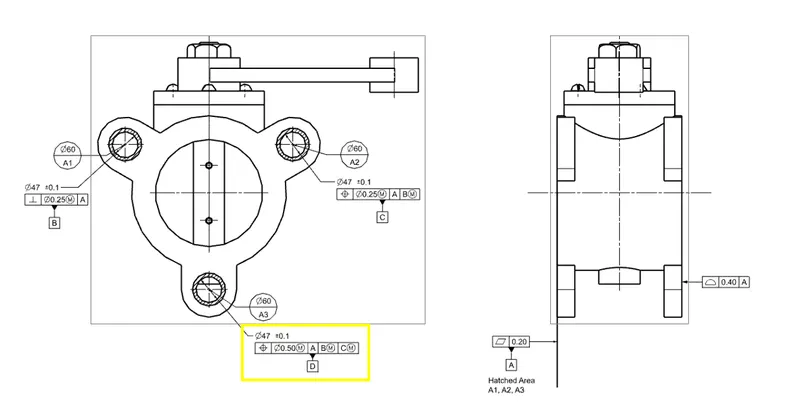
Positional Toleranace is applied to second mounting base of butterfly body as shown below as it come in contact with mounting plate of second pipe on assembly with second pipe.