Week 14 challenge
Assemble and apply GD&T to the butterfly valve assembly drawing
Operations:
1. Move components
2. Assembly constraints
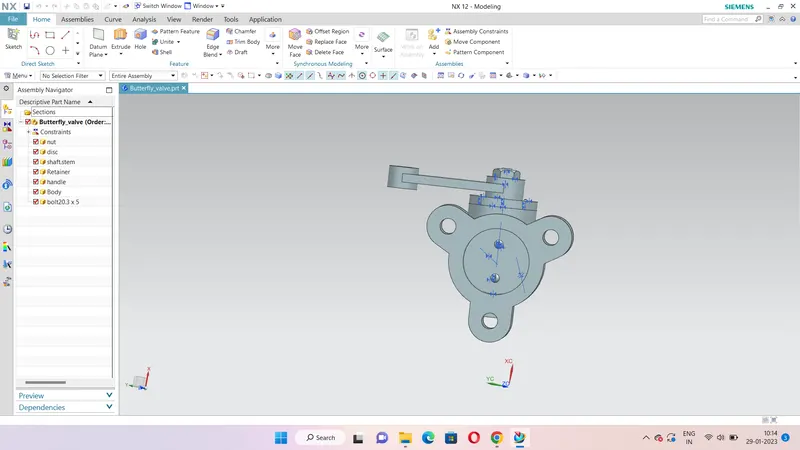
MODEL OF THE BUTTERFLY VALVE
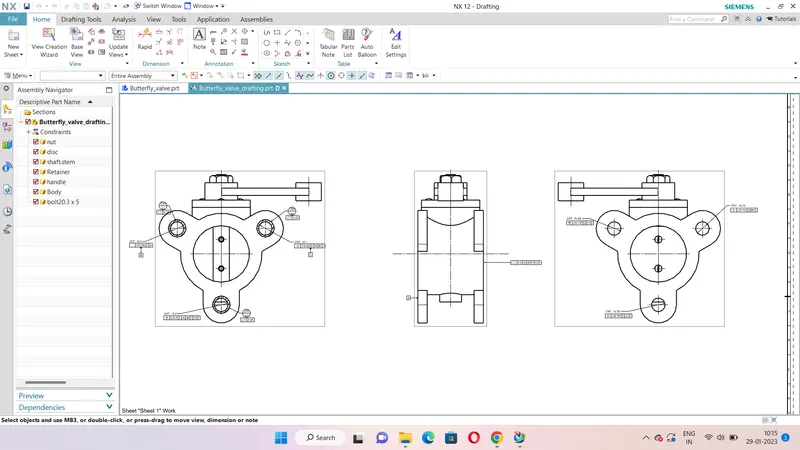
2D DRAWING OF THE BUTTERFLY VALVE
- Create a new assembly file and name it as butterfly_valve.prt
- Add all the parts required to assemble the butterfly valve.
- Body, Disc, Nut, Shaft, Retainer, Handle, Bolt.
- Using the assembly constrain command assemble the parts.
- First assemble the shaft and body using the infer centre/ axis and touch orientation options.
- Then assemble the shaft and the disc using the infer centre/ axis and touch orientation options.
- Next assemble the retainer in the top of the body using the same infer centre/ axis and touch orientation options.
- Now insert the handle top of the retainer and put the nut.
- Then put three bolts in the retainer and two bolts in the disc.
- In the menu command select the application and select drafting to draft 2D drawing of the butterfly valve.
- Give the dimensions and apply the GD&T
- After completeing save the file.
The model and the drafting file is attached as a Zip file.