Meshing of Rear Wheel Holder
AIM:
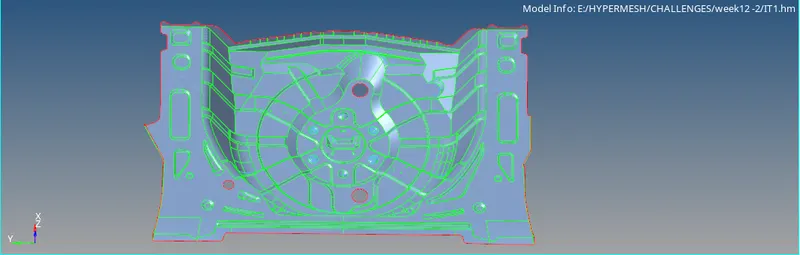
- To extract midsurface for the floor panel and to mesh the panel with the provided quality criteria and assign thickness for the meshed component.
OBJECTIVES OF THE PROJECT:
- To extract mid-surface for the floor panel.
- To defeature the ribs by removing surface fillets.
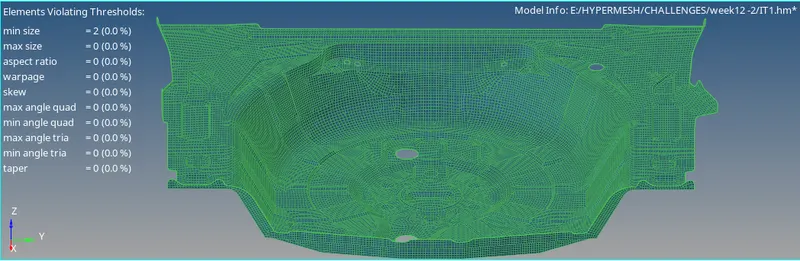
- To deploy mesh on the extracted mid-surface with the provided quality criteria.
- To check the elements for quality failure and clear them.
- To assign material and thickness for the meshed elements.
PROCEDURE:
- First step is to import the model in HYPERMESH.
- Go to FILE > IMPORT > MODEL > OPEN > BROWSE > IMPORT.
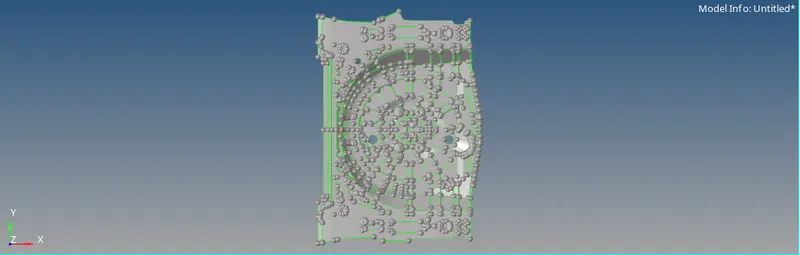
- Then, check the model for any missing surfaces.
- Go to GEOM > AUTOCLEANUP > SURFS > DISPLAYED > CLEANUP.
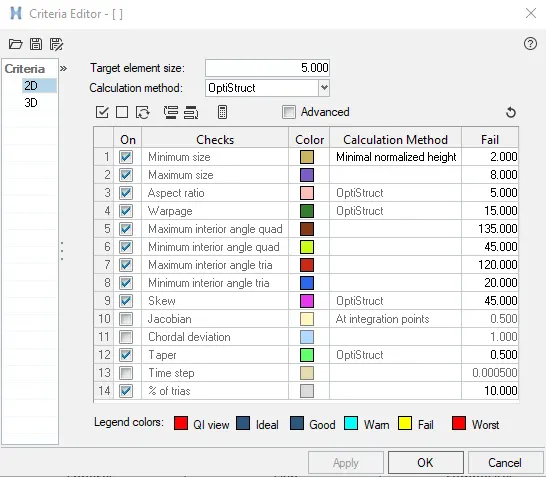
- Go to PREFERENCES > CRITERIA SETTINGS > 2D and enter the following values for quality –
Target Element Length = 5
Aspect ratio = 5
Skewness = 45
Warping = 15
Taper = 0.5
Min length = 2
Max length = 8
Min angle Quad = 45
Max angle Quad = 135
Min angle tria = 20
Max angle tria = 120
Tria % = 10
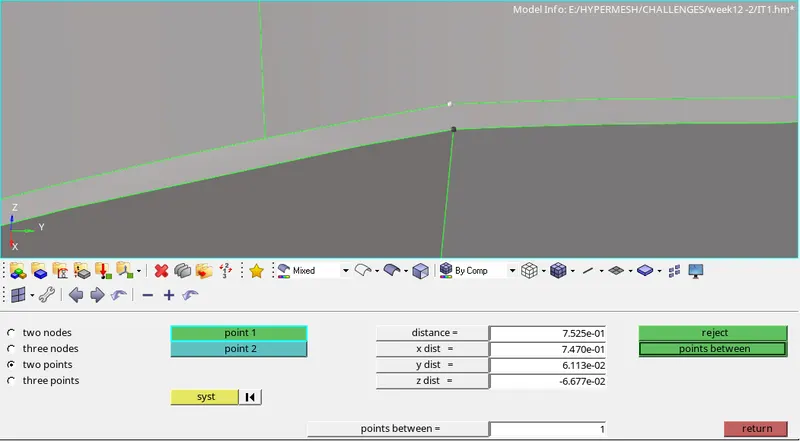
- Now, go to GEOM > DISTANCE > BY POINTS and measure the thickness of the panel.
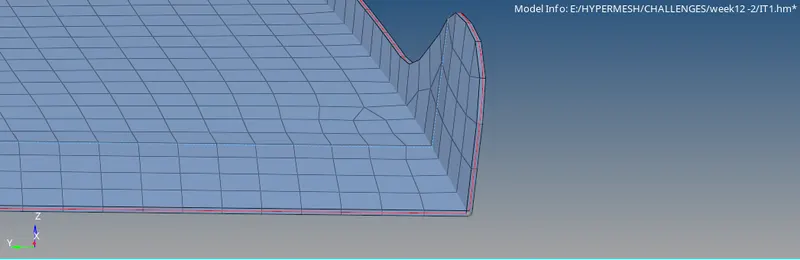
- Go to GEOM > SURFACE EDIT > OFFSET > SURFS > SELECT > DUPLICATE > CONTINOUS OFFSET > OFFSET DIST BY > OFFSET, to manually offset the surface and create a mid-surface.

- Similarly, offset all the surfaces to create mid-surface. Then, go to GEOM > QUICK EDIT PANEL > TOGGLE > EDGES FOR JOINING THEM.
- Similarly, join all the surfaces using toggle and extend option.
- Now, the mid-surface extraction is complete.
- Go to 2D > AUTOMESH > SURFS > ELEMENT SIZE = 5 > MESH TYPE = MIXED > MESH.

- Start meshing with each surface manually with the provided quality criteria.
- Check for the quality of the elements. To clear the elements failing for quality go to 2D > QUALITY INDEX > CLEANUP TOOLS and use the cleanup tools for improving the mesh flow.
- Avoid opposite trias, trias touching each other, reduce no of trias in a small region to get a better mesh flow.
- Now, after the meshing is complete, CREATE > COMPONENT for mid-surface.
- CREATE > PROPERTY for elements with different thickness. Assign thickness in the property card as 0.75mm.
- CREATE > MATERIAL > STEEL > MAT1 .
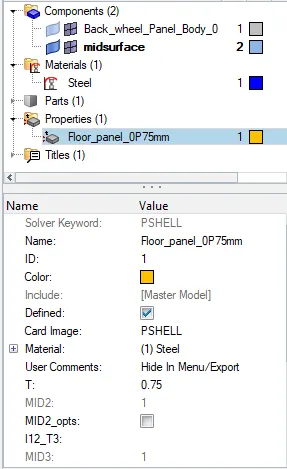
- Assign Material and Property to the respective components.
LEARNING OUTCOMES:
- To extract mid-surface for the floor panel.
- To use offset option for extracting mid-surface.
- To de-feature the surface fillets.
- To mesh the extracted mid-surface with the provided quality criteria.
- To clear the elements failing for quality.
- To improvise the mesh flow using the cleanup tools.
- To assign property and thickness to the component.
RESULTS:
CONCLUSION:
- Hence, by completing this project we conclude that the floor panel is mid-surface, meshed and by assigning thickness the model is ready for processing.