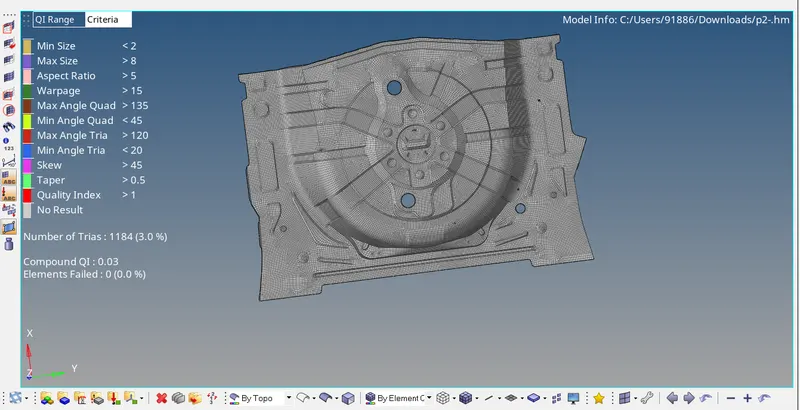
Week 12:Project 2-Meshing of Rear Wheel Holder challenge
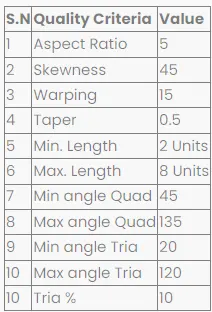
AIM:Follow the Quality Criteria and mesh the following component and assign thickness
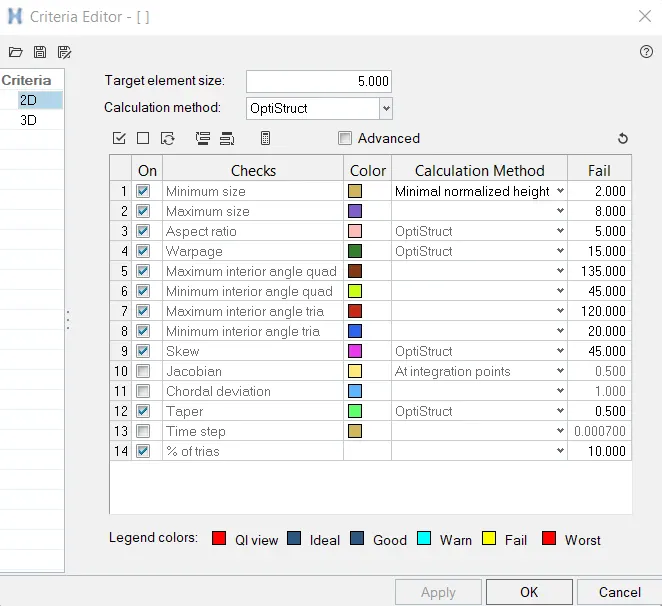
Target Element Length = 5 Units
Procedure:
Load the component into the hypermesh software.
Since the file is in the STP format.Select the STP in the import column
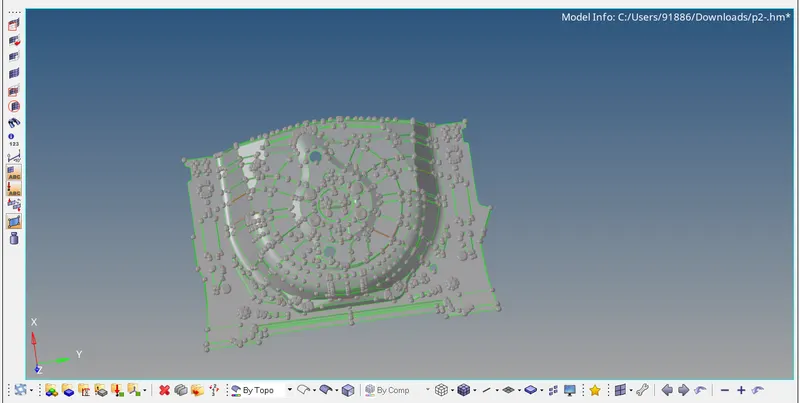
The model is checked for any geometrical error before midsurfacing is done
Once the model is free from geometrical error Midsurfacing is done using the mid-surface option
Geo>Midsurf>Surf>Displayed>Extract
Since the model have same thickness auto mid surface can be used
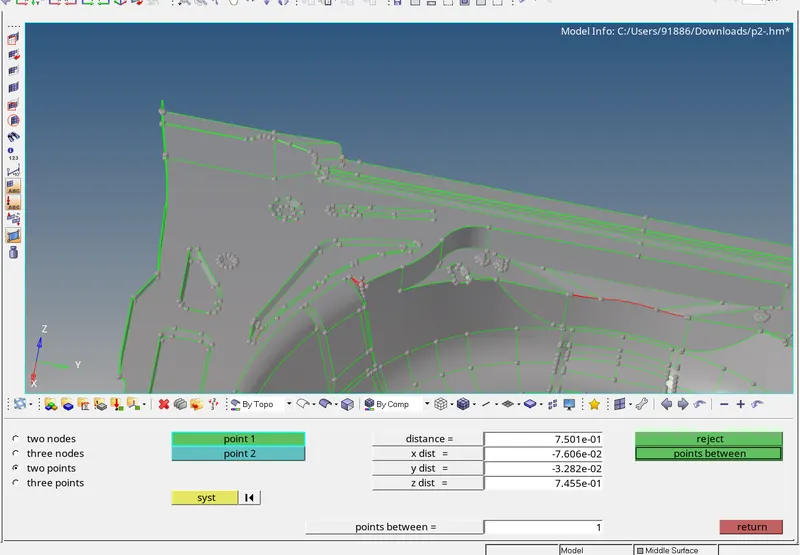
Thickness is 0.75mm by checking at several places
After the Midsurface is obtained auto cleanup is done on the component
The auto clean-up option suppresses the unnecessary lines or lines which lead bad quality mesh
However, some lines have to be suppressed manually
After Mid surface and auto cleanup is done, Meshing can be done
Since Automidsurface does not provide a suitable result Manual mid surface is preferred as it provide better results
Offset of the model is taken using options like offset method
Geo>Surface edit>Offset
Mid surface can also be taken using final edit tools

After the Midsurface is obtained auto cleanup is done on the component
The auto clean-up option suppresses the unnecessary lines or lines which lead bad quality mesh
However, some lines have to be suppressed manually
After Mid surface and auto cleanup is done, Meshing can be done
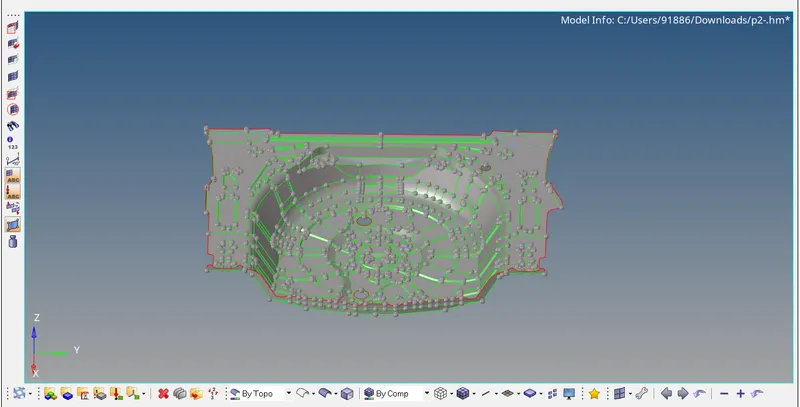
Final Mid surface
Quality Criteria are entered
The model is divided into smaller sections to obtain a better Mesh flow
Meshing is done using the Automesh option
2D>Automesh>element size 4>Element type mixed>Mesh
Meshing is improved using the rebuild option and cleanup tools in the quality index to rectify the failed elements
Once the model is free from failed elements. Assign the thickness using auto thickness option
Final component