Week 12:Project 2-Meshing of Rear Wheel Holder challenge
project -2 report
objective: mesh the given component and assign thickness for the component.
procedure:
- first imported the geometry of the given challenge.
- after importing component checked for free edges and those edges are fixed in midsurface.
- in the given component small button are present and those buttons are removed.
- button removing process is that first deleted the all surface in the button area and created the surface on those empty region or filled surface .
- after removing buttons and manual clean up done on geometry.
- then we need create midsurface for this component. we have two methods to create midsurface
- i created midsurface by using option called auto midsurface(offset+plane sweeps) and tool for this geom>midsurface>auto extraction>surf>return.
- then after completion of the midsurface work and component is ready for the meshing.
- before mesh need set parameter and quality creteria file for meshing.
- for this components batch meshing is done by setting parameter file and quality. and save the those files.
- for the batch mesh tool is automesh>batch mesh>browse param file and quality file(given challenge)>mesh.
- after completing the batch mesh and we need fix some mesh flow and mantain the quality criteria. this done by rebulid mesh and quality index.
- once the components is passed quality criteria and then need assign the thickness to meshed model.
- for that first we need create the property and assign thickness to property.
- then assign the property to the component.
- checked for the thickness is assgined or not by option called 2d detailed element.
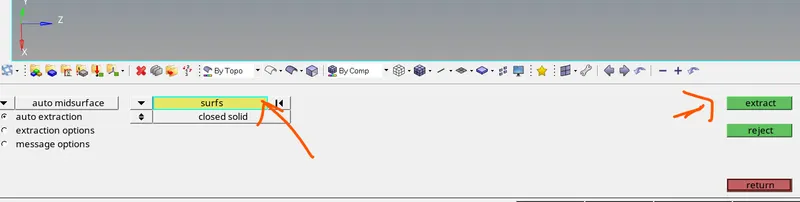
above fig 1 is that tool for the auto midsurface extraction.

above fig 2 is that tool for batch meshing.
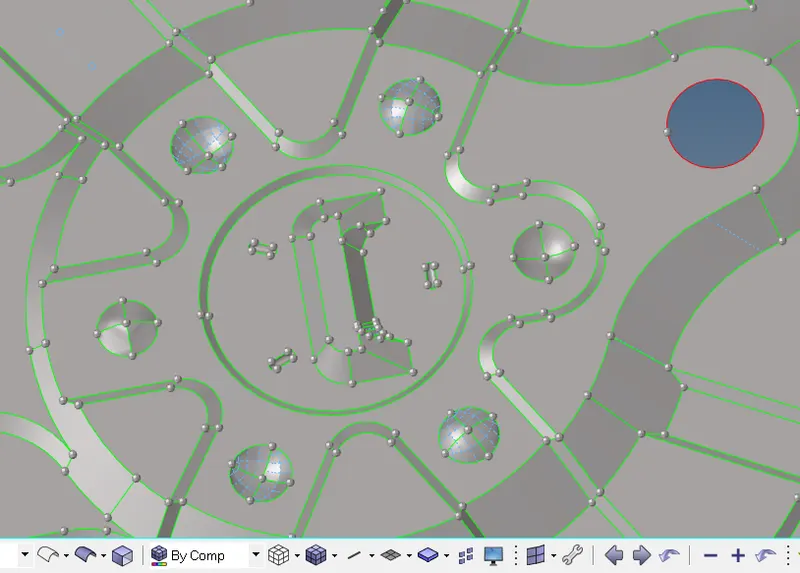
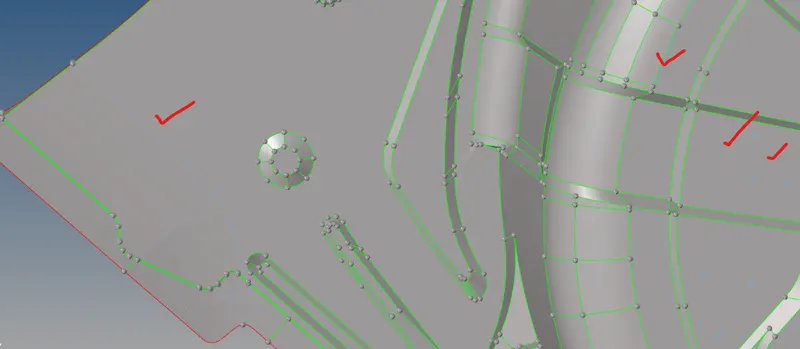
above fig 3and 4 is some geomerty clean up is done on the midsurface.
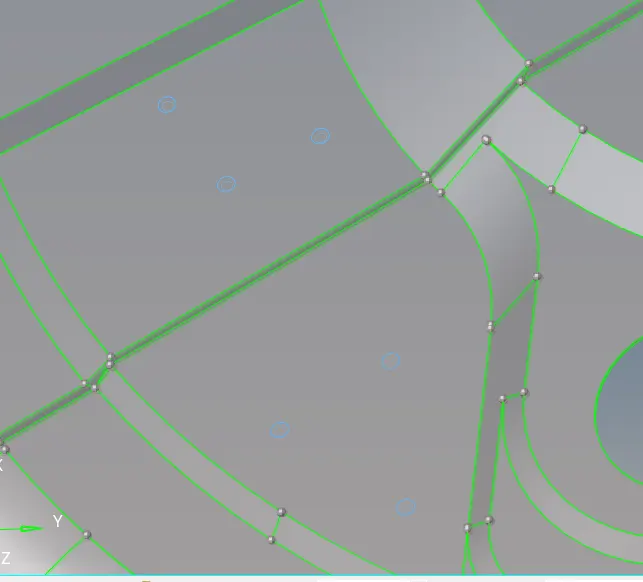
above fig 5 is that buttons are removed and fixed those region.
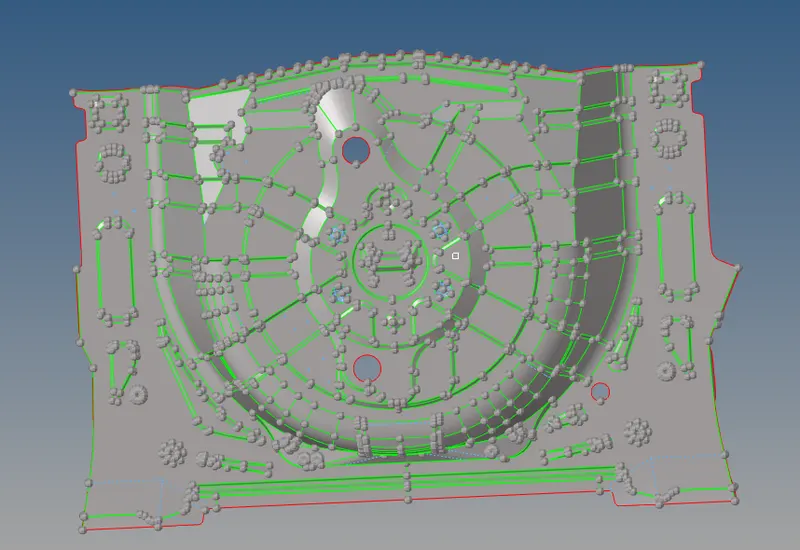
above fig shown is midsurface of the component.
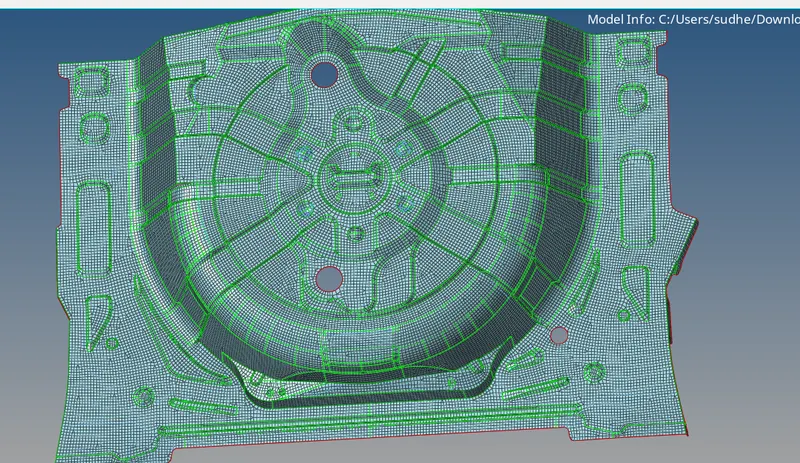
above fig shown is meshing done and thickness is assigned.
Conclusion: the given model is meshed and assigned the thickness.