Week 12:Project-1-Meshing of Door Inner Panel Challenge
AIM:
To extract mid surface and create 2d mesh elements based on the given quality criteria with better mesh flow.
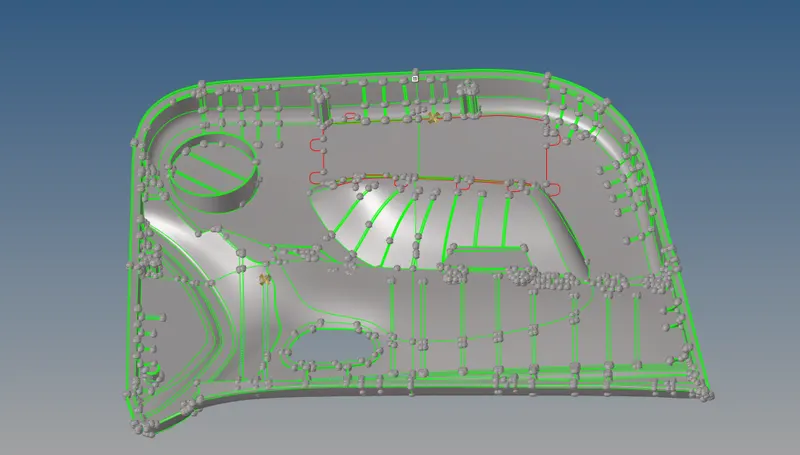
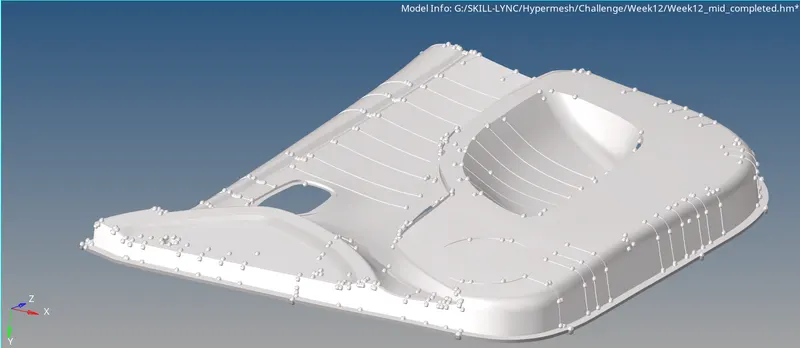
GIVEN CAD COMPONENT:
PROCEDURE:
- Divide the given component into four sub components as it is very big. Now select only one component and hide the remaining components.
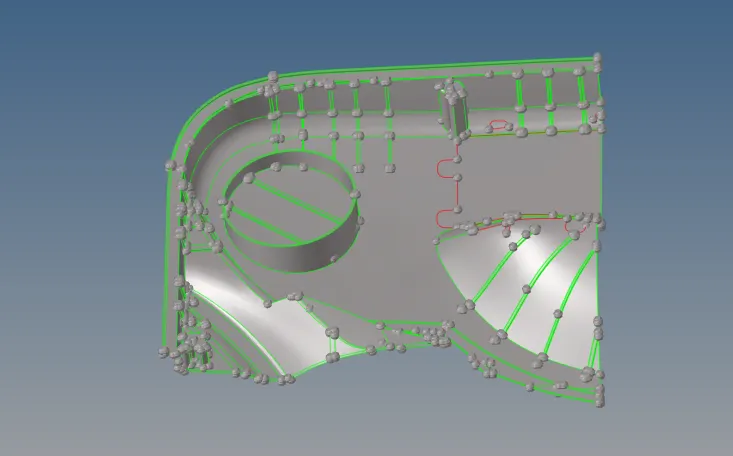
- Now go to wireframe mode to check the free edges and to find the surface errors. Use the surface edit option to rectify the surface errors.
- Once the geometry errors are cleared go to Geometry>midsurface>auto extraction>Select offset as extraction option>Create new component for this mid surface, and make it as current and select "result in current component".
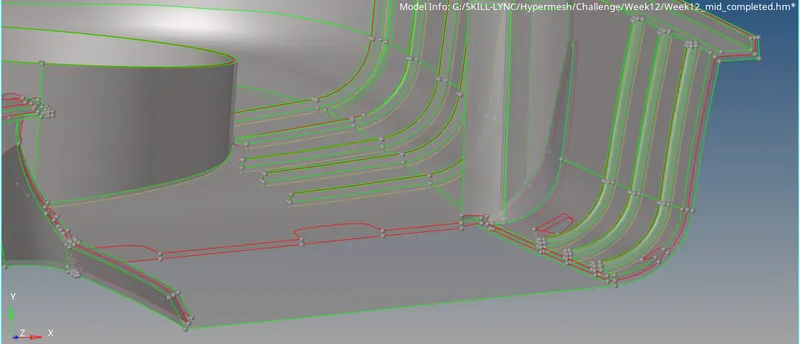
- Now turn on the respective parent component, and check the extracted mid surface. From the above we may find that the top surface is not present and the bottom surface is present at one particular area. At that area we have to considered as the top surface is present and offset option is used to create middle and join it with the neighbour surface.
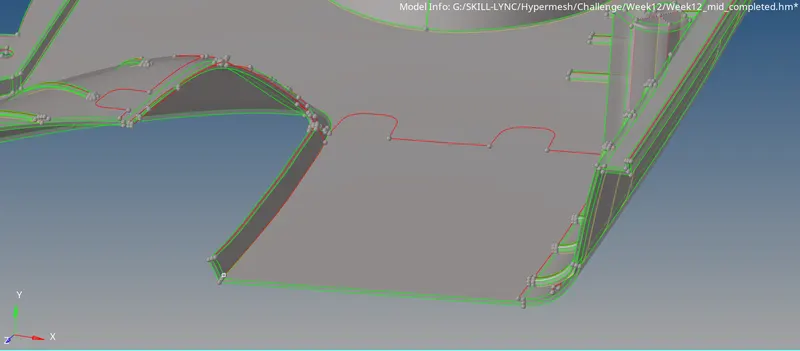
- Similarly complete the mid surface extraction for the remaining components.
- Another method of creating the mid surface is go to surface edit>offset>select the bottom surface of the parent geometry and click by face>make sure that all the bottom surface are select and enter the offset distance>click offset.
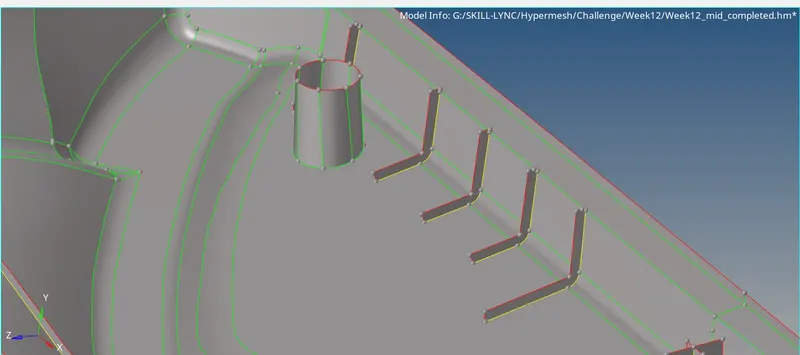
- Now for capuring features in the top surfaces of the parent geometry. Use offset option and extend to attach the offsetted surface to the child surface.
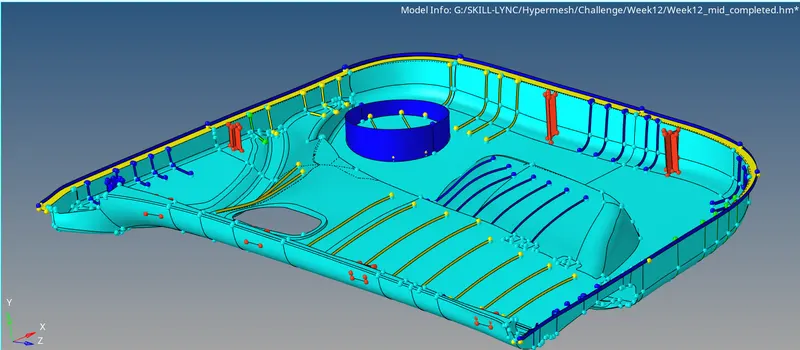
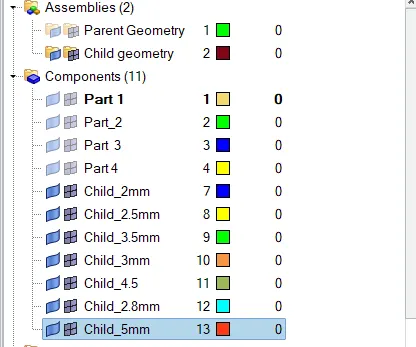
- Once the mid surface extraction is completed, thickness assignment need to be done. For that create components named as thickness value and use tools>organize option to assign the surfaces to the respective components.
- Now create property and materials based on the thickness of the components and assign properties to the respective component.
- Now Automesh option>batchmesh>select the parameter file and criteria file which is user defined based on the given criteria>click mesh.
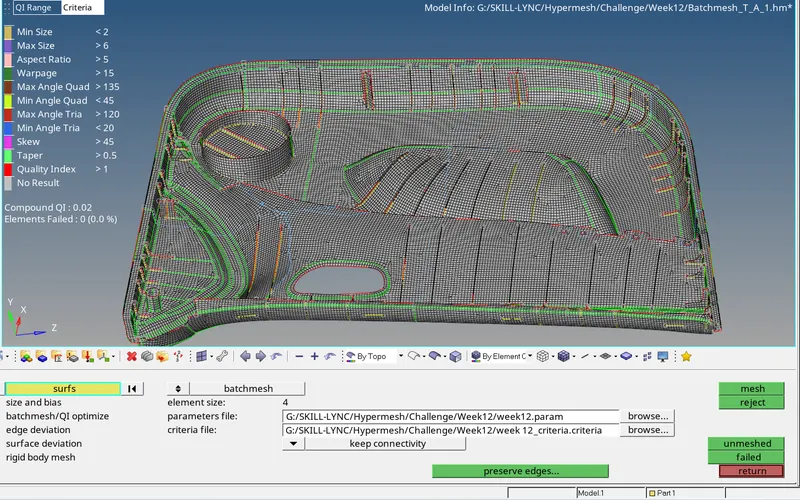
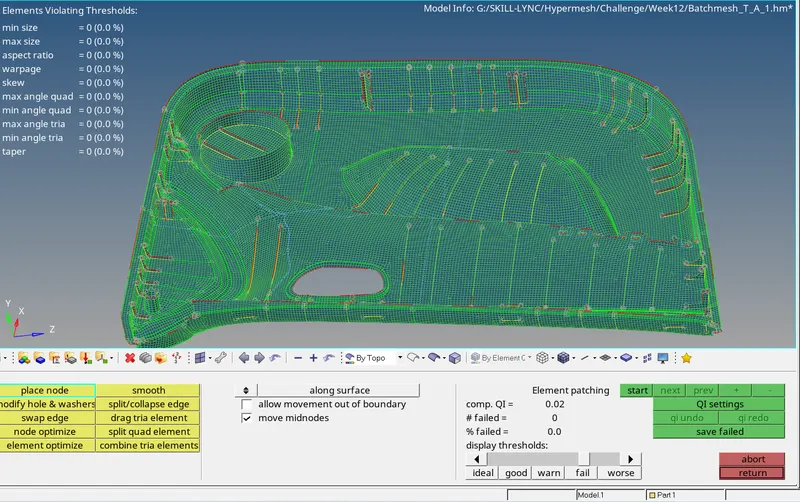
- Use Element edit option and cleanup tools in quality index option to clear the mesh which are failed for the given quality criteria.
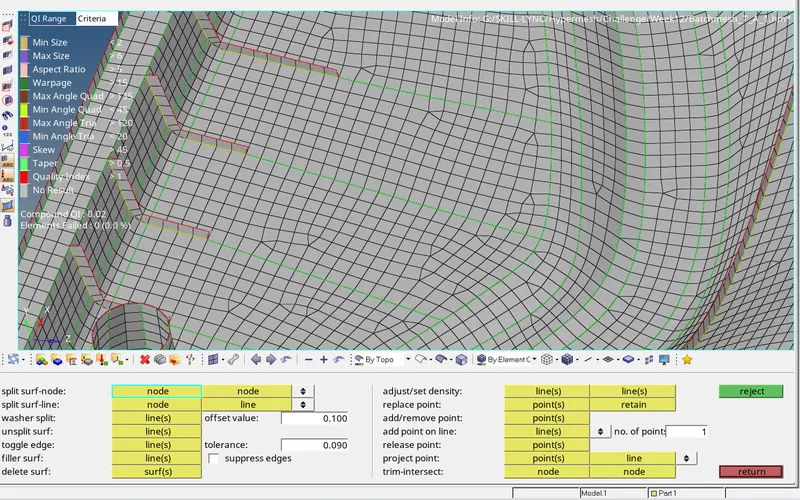
- For correcting the mesh flow use quick edit>node to node split surface option as shown below.
COMPLETED MODEL:
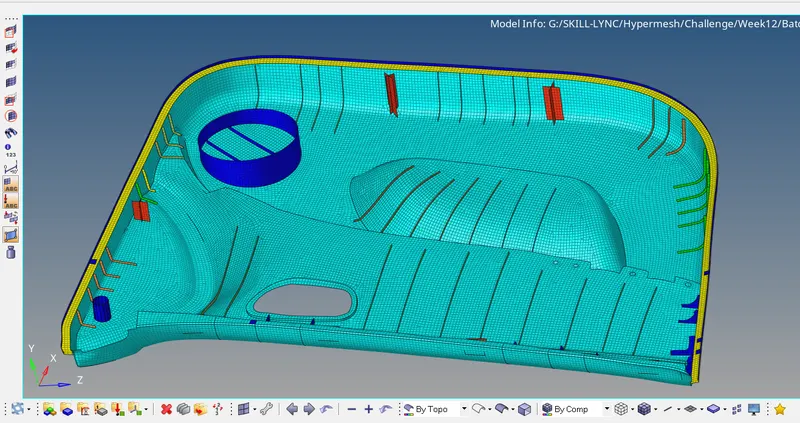
RESULT:
Thus for the given CAD model mid surface is extracted and 2d mesh elements are created based on the given quality criteria