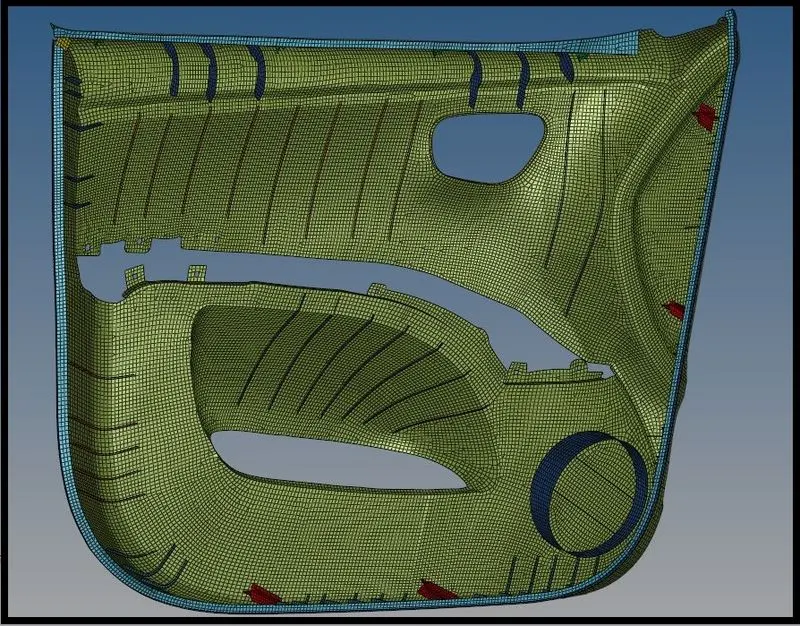
Week 12:Project-1-Meshing of Door Inner Panel Challenge
AIM:- To extract the mid surface and generate the mesh on the Door Inner Panel in Hypermesh.
Objective:-
- To extract the mid surface and mesh it with the low trias concentration having proper mesh flow.
- To ensure the mesh should follow all the given Quality Criteria.
- To assign the thickness to all the components of the model
Procedure:-
Step 1- Importing and Geometry Cleanup
- Import the Model .igs file as geometry.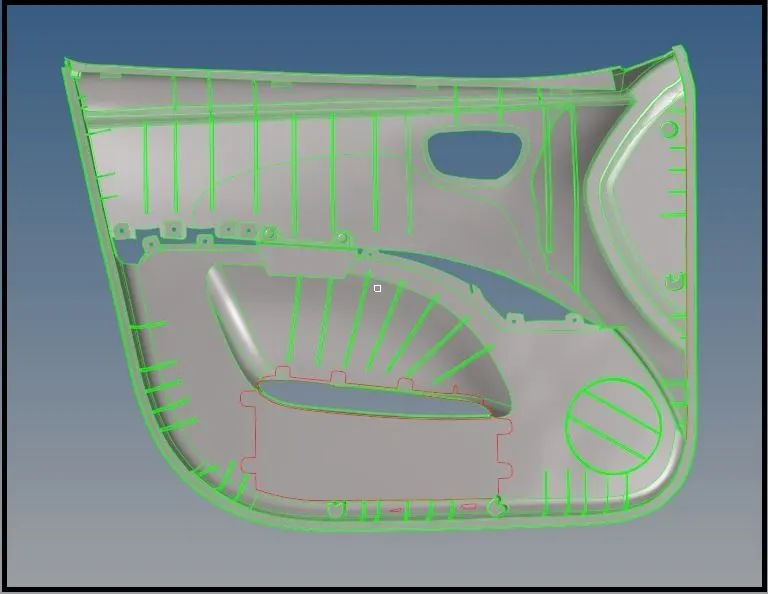
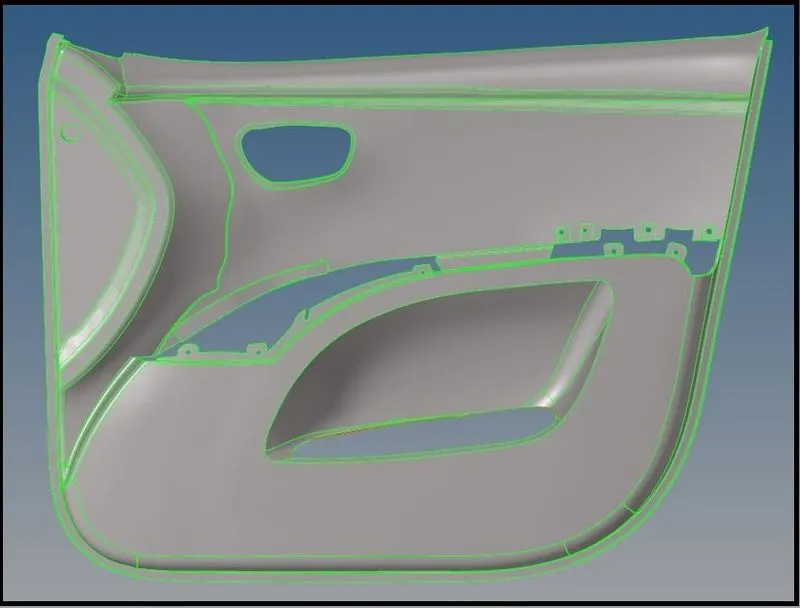
- Visualize the model if it has any deformities in its surface or free edges, which can be visualized in wireframe mode & By Topo mode and repaired.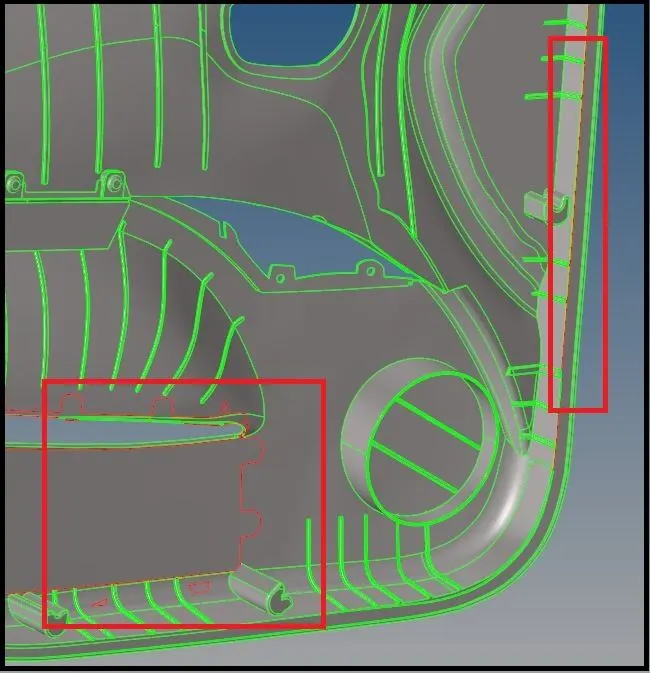
- After importing, change the Geometry color mode to By Topo, if the model consists of solids, which are not required for our further process we will delete it.
- Now we need to defeature all the surface fillets from DogHouse, & Ribs. To remove them, we go to Geom → Defeature → Surf Fillets and select all the Fillet surfaces which to be removed and hit remove, by setting the minimum and maximum radius as 0.1 and 10. All the highlighted fillets are removed.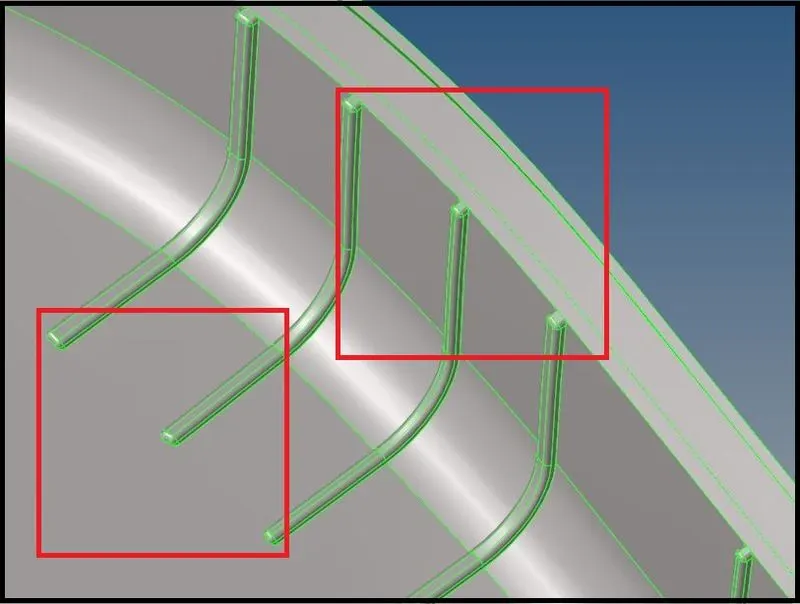
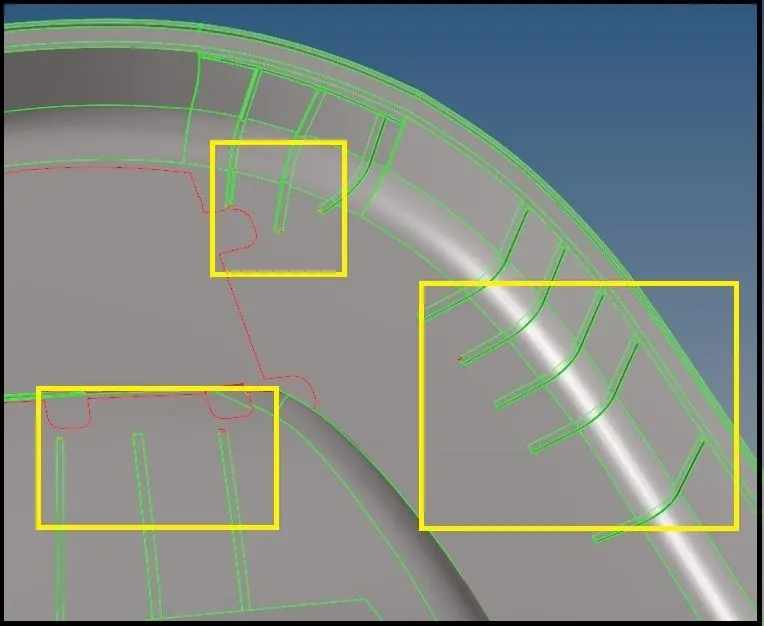
Step 2- Extracting Mid-Surface
- Plastic components present in the cars are different from sheet metal parts in terms of thickness. In most sheet metal parts, the thickness remains constant throughout the body, but it varies in plastic components from location to location.
- Due to this, it creates difficulty in the extraction of the mid surface for the component. Automatic extraction does not provide satisfactory results hence we need to perform it manually.
- Hence the user needs to perform it manually.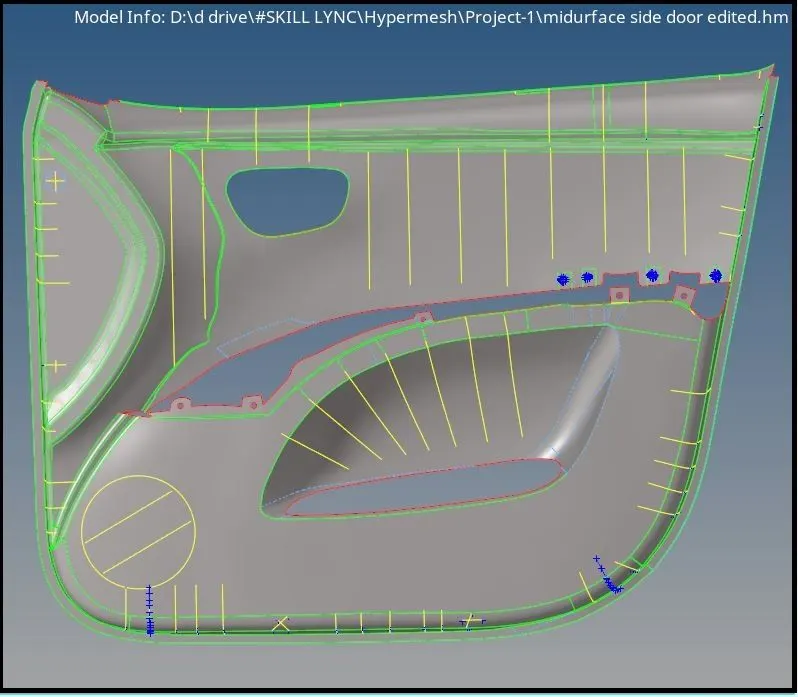
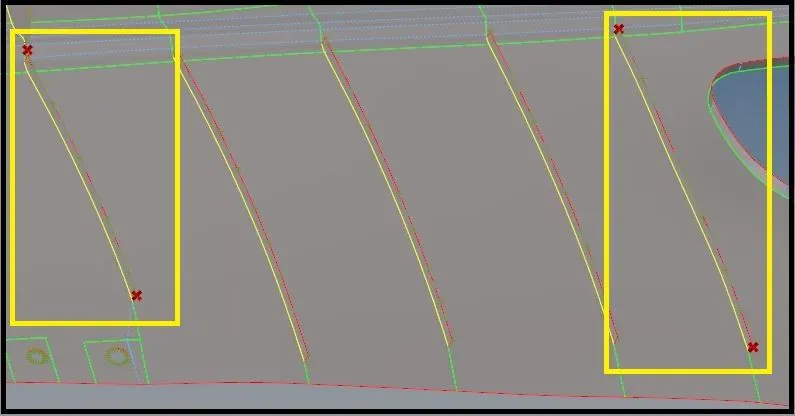
- The model contained a lot of ribs which are having varying thicknesses, the face offset surfaces option will not give a satisfactory result for mid-surface.
- Mid-surface extraction for these features was done by taking midpoints of ribs and creating lines through them, then extracting the surface.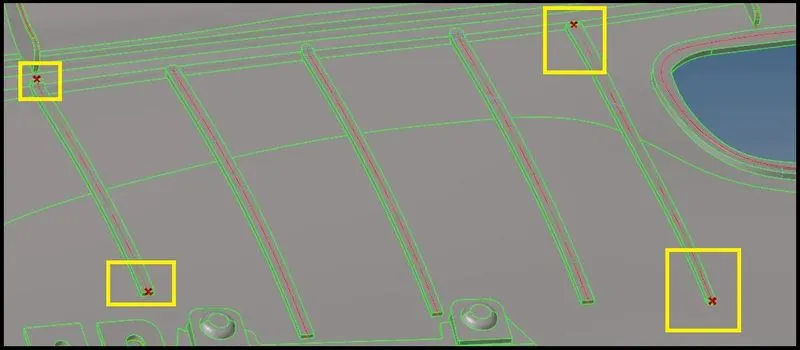
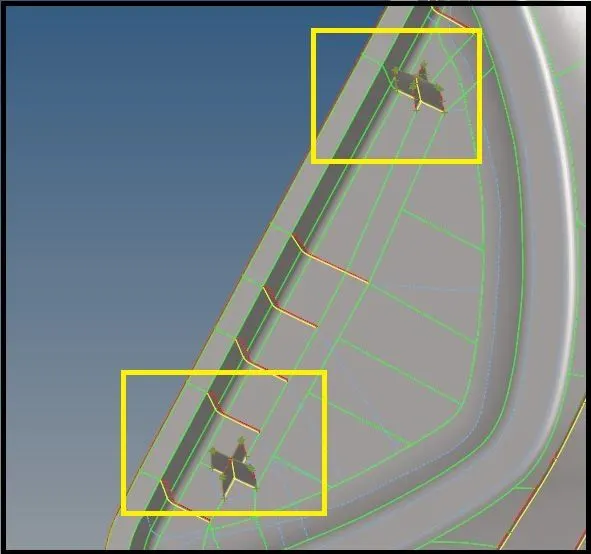
For Extracting mid-surface for DogHouse, I am creating mid-surface through its circumference in a manner so that it will satisfy its objective. 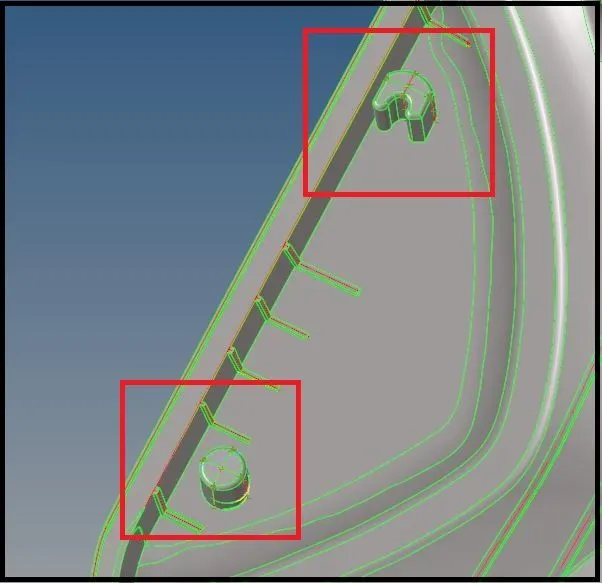
Step 3- Generate Mesh & Optimize the Mesh quality
- After extracting the mid-surface and do all the processes required for the proper mesh, We need to provide all the required criteria for the meshing.
- The meshing will automatically generate according to the criteria provided.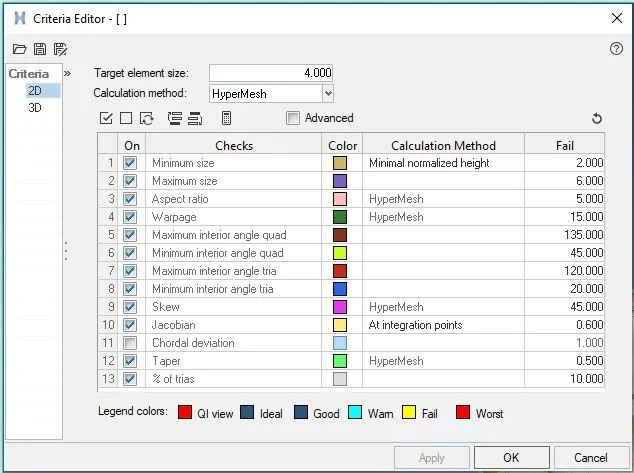
- Now, automesh is done, keeping the element size to be 4mm and mesh type-mixed in auto mesh option.
- After meshing, there are so many back-to-back trias and quad elements that will be formed, So, we need to improve the quality of the element by removing or minimizing trias and quad elements.
- To optimize the element quality, we can use tools as element optimize, drag tria, smooth, edit-element (split/combine/create).
- To optimize the elements we can use the Rebuild option and also remesh the element of a particular place.
- This will remove all the element failure from the mesh, as it is necessary to have a proper mesh for the analysis, if our mesh flow or mesh element is not properly made, we cannot calculate the accurate analysis
- Meshing on Rib, DogHouse, and other features is to be done in such a manner that it should follow the mesh from the base of the door panel.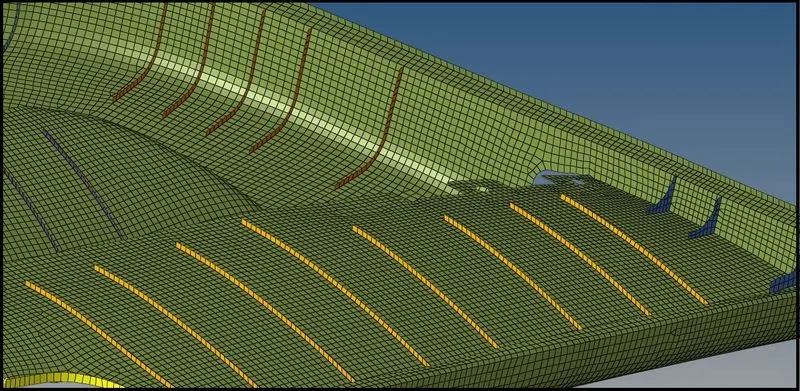
- After the complete meshing and enhancing the mesh quality, we need to check if it is violating the element quality criteria.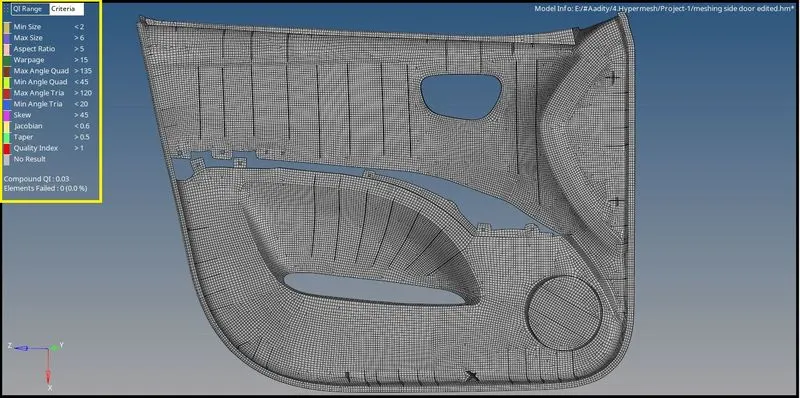
Step 3- Assigning Material And Property
- In This step, we assign material and property to the Model. For this, we use Plastic material with the property of ABS and thicknesses Property is created. These properties are then assigned to the respective component in the model.
Acrylonitrile Butadiene Styrene (ABS)
ABS sheet is similar to PVC in that the final product offers a sleek finish. Steering wheel covers, dashboards, Inner door pannel are often made of ABS plastic. It's also well-suited for heavy-duty applications, so it can be used for automotive body parts. The plastic used in cars, like ABS, helps the body absorb and redistribute energy during an impact, keeping passengers safe.
- All the components with different thickness are assigned to their respective properties.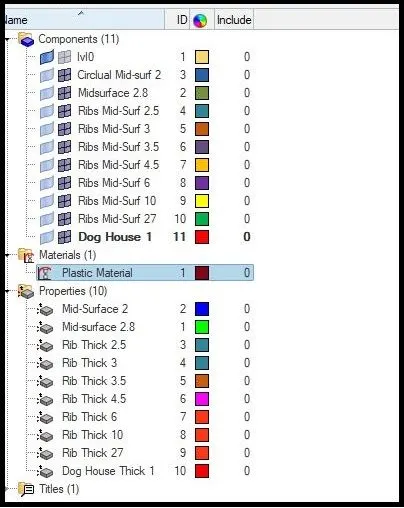
Result:-
- After doing all the processes & creating a proper mesh on all the components of the model, are underneath
- The Element Failed is zero.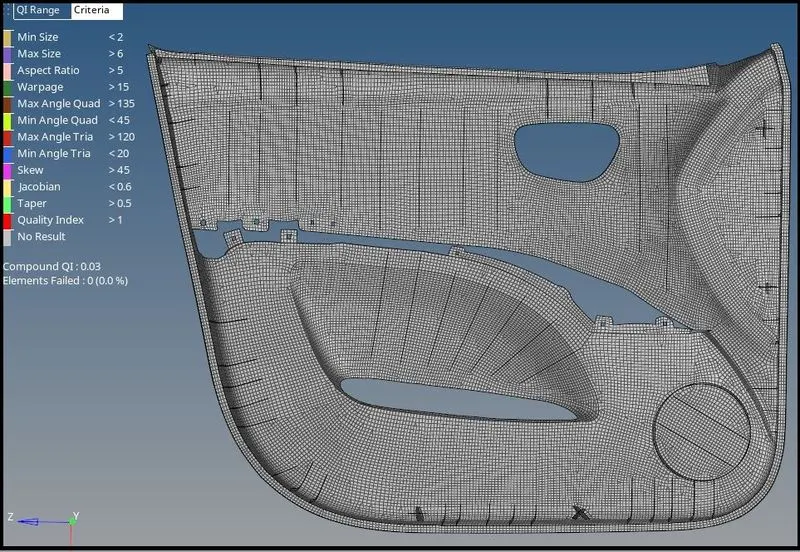
Learning Outcome
- Plastic components used in automobiles have varying thicknesses and they are often feature-rich which needs to carefully extract mid-surface and mesh generation.
- Features like DogHouse which used to connect the body to another component, for such feature mid-surface can be generated in such manner so that fulfil its objective instead of making a same profile
- Separate collectors should be used for different thickness components with the suitable name so that, the property can be with different thicknesses.