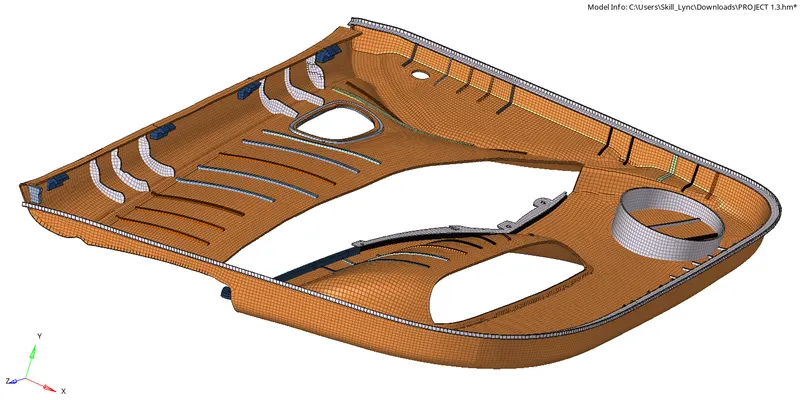
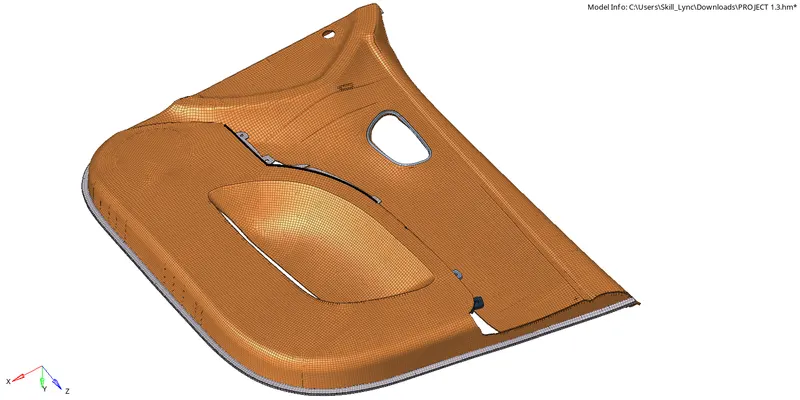
Preprocessing of plastic component of Side Door using Hypermesh.
AIM:-
To extract the mid surface of the side door body, then meshing and assigning different thickness to the different part of the side door body.
SOFTWARE:-
Hyperworks.
PROCEDURE:-
Firstly, import the CAD model to the hyperworks software by using the “import” option.
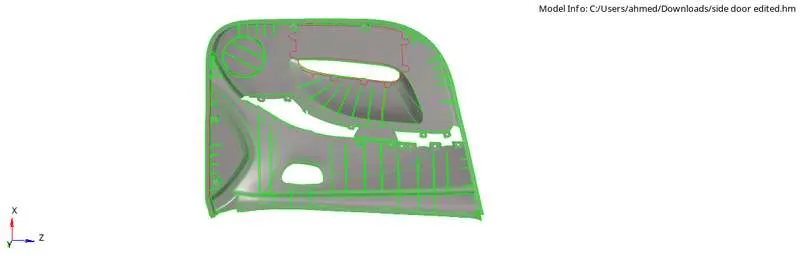
After the model is imported, check the surface thickness before extracting the middle surface.
Goto > geom > distance or F4.

Select two points and check the distance.
The model has different surface thickness so assign different components as per the thickness.
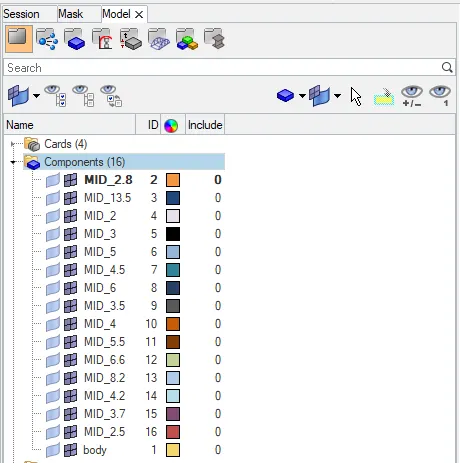
Now goto > geom > surface edit > offset or shift+F9.

Select the surface and duplicate it, enter the offset value, check for the vector normal and offset.
Before offsetting the surface make the component as current as per thickness.
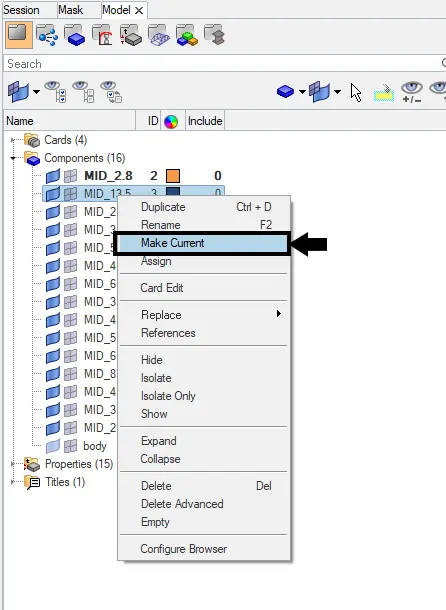
After offsetting the components connect the ribs as well as the surface to the main body.
Goto > geom > surface edit > extend or shift+F9.

Select the line of ribs/surfaces which needs to attach with the other surface, then select the target surface.
After attaching all the ribs/ surfaces mesh the surface.
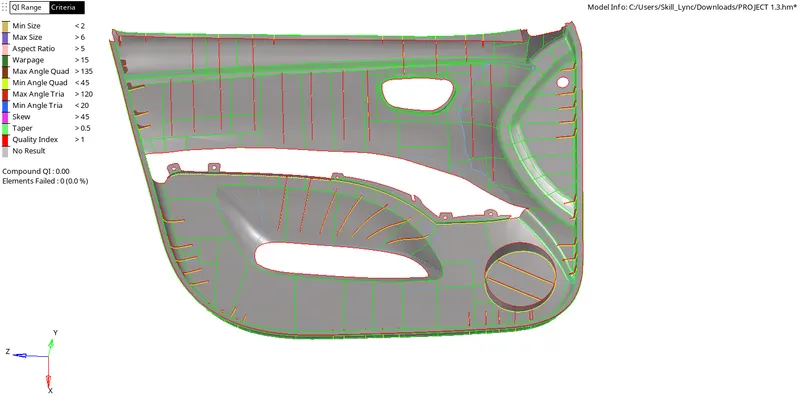
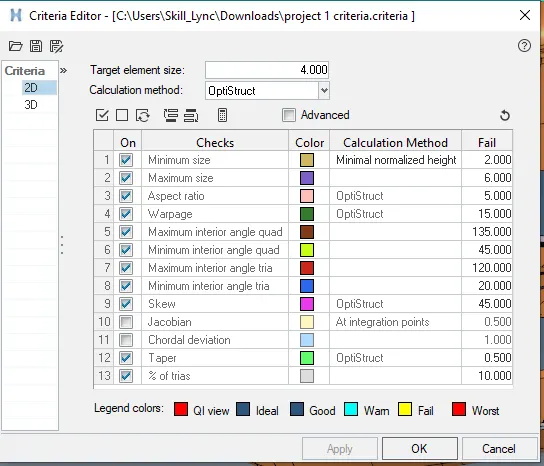
Before meshing, set the criteria file and save it.
Goto > preference > criteria file settings.
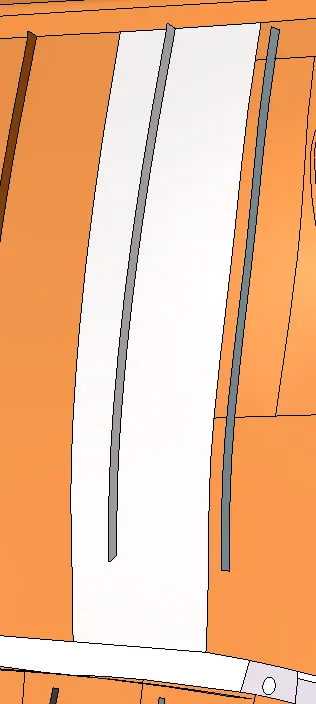
While meshing make sure that when selecting the ‘T’ joint i.e the rib portion selects the rib too.
Goto > 2D > Automesh or F12.

Select the surface, enter the mesh size and mesh the surface.
After meshing the surfaces/ribs check the element quality, mesh flow, trias align in proper way, surface capturing, edges and rotational quads.
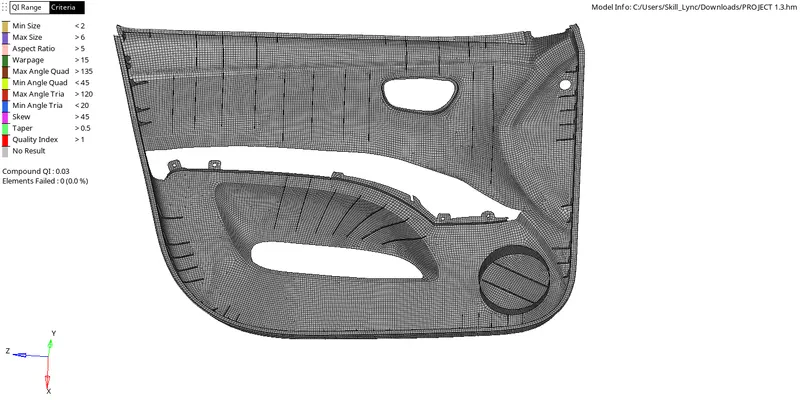
After checking the quality, assign the thickness to the different components by creating different properties for each.
Goto > model bar > Right click > select create > select property.
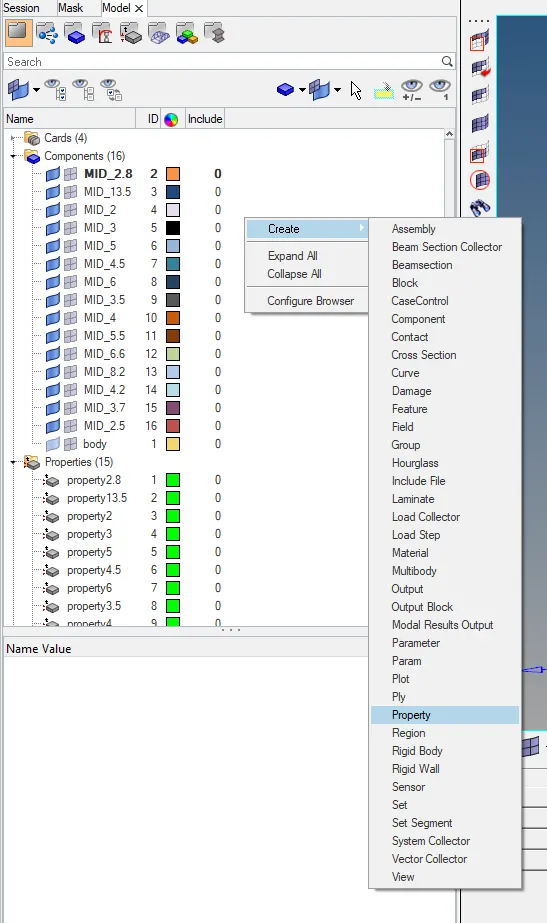
Select the property will open a tab below the model bar. Goto that bar, select T and enter the thickness value.
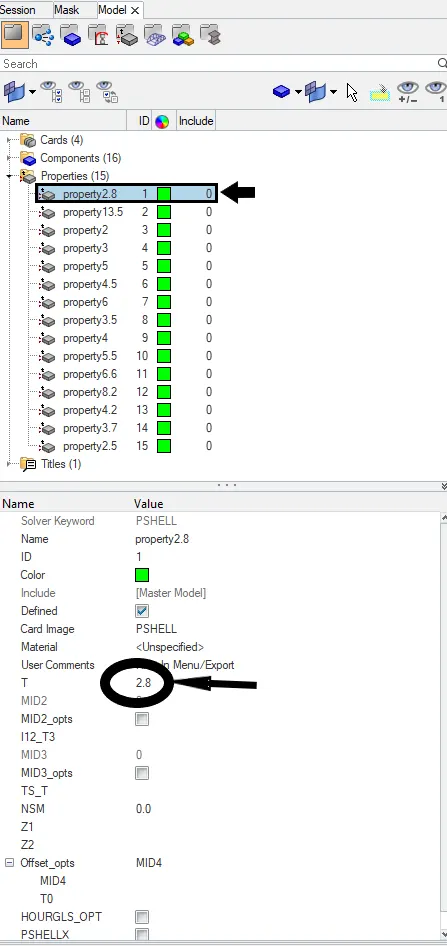
Similarly create property for all the components and assign their thickness.
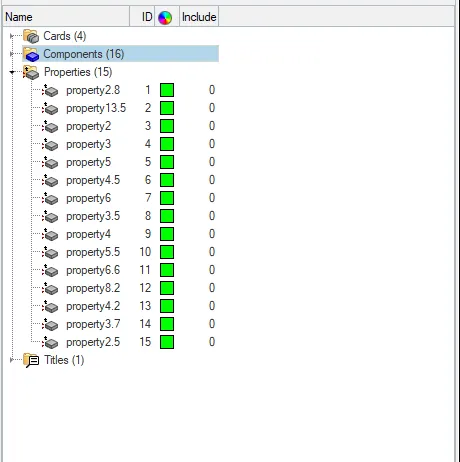
After assigning the properties for every components save the model.
RESULT:-
The model midsurface has been extracted, meshed with the given criteria and assigned with the given thickness.