Preprocessing of sheet-metal spare wheel holder using Hypermesh.
AIM:-
To clean up the geometry, extract a mid surface and generate mesh with the given quality criteria.
SOFTWARE:-
HYPERWORKS
PROCEDURE:-
Firstly, import the CAD model to the graphical window.
Goto > File > Import > Model.
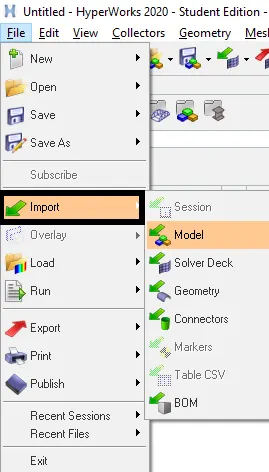
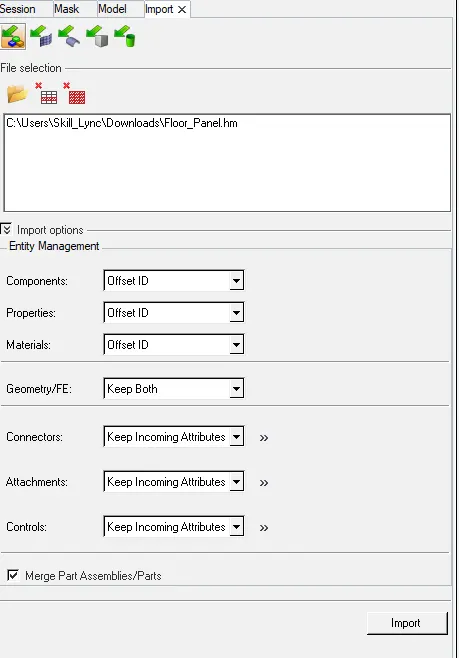
Select the model and import it.
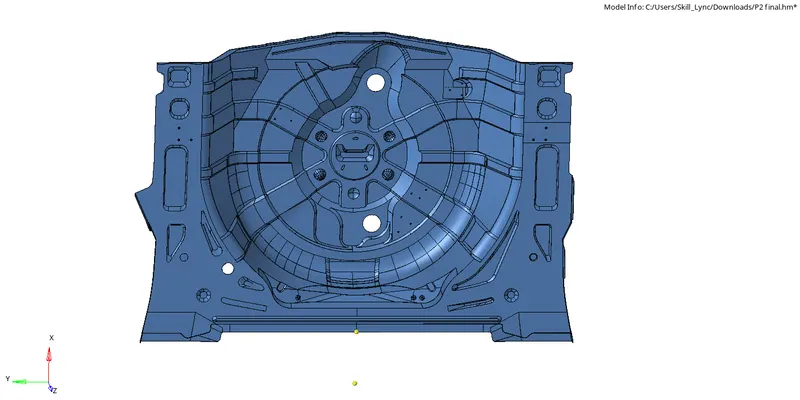
After the model is imported to the graphical screen check for the geometry.
If the geometry is clean proceed to extract the mid surface or else clean the geometry by using Quick Edit panel.
Goto > Geom > Quick Edit or F11.

After cleaning up the whole geometry extract the mid surface by using auto mid surface extraction.
Goto > Geom > Midsurface > Auto midsurface.

Select the surface and click on extract.
After the mid surface is extracted, generate mesh on the mid surface.
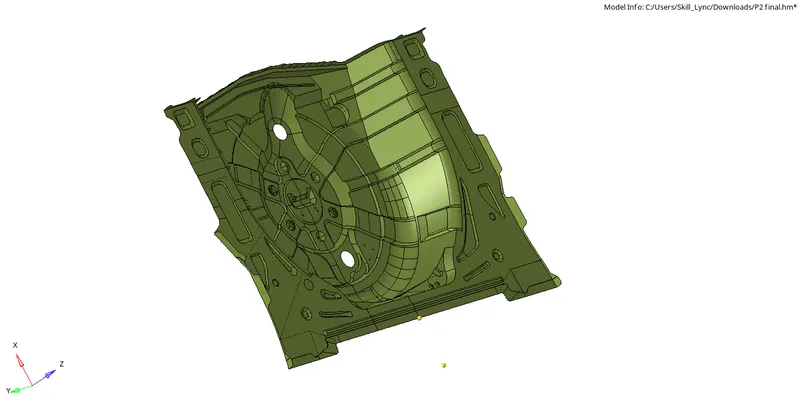
Before meshing the surface set the quality criteria.
Goto > Preference > Criteria file setting.
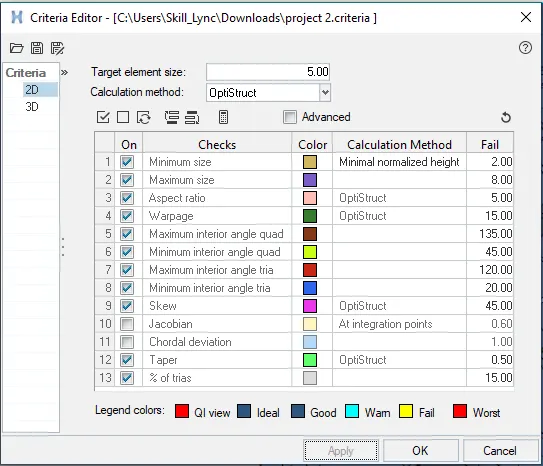
Enter the value as per given and save the file.
Goto > 2D > Automesh or F12.

Enter the element size as 5mm, select the surfaces and mesh.
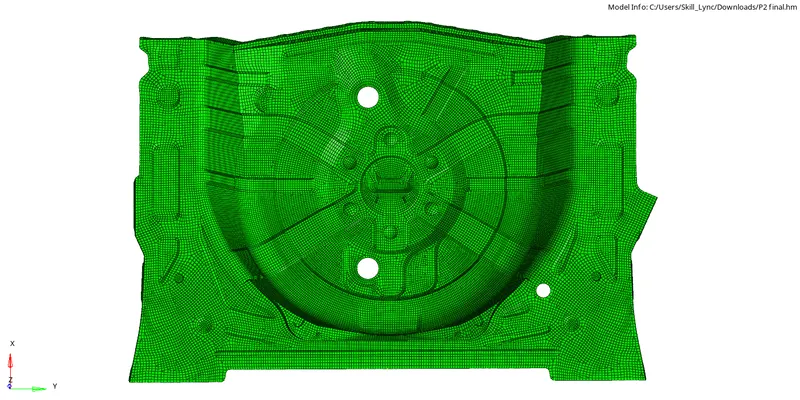
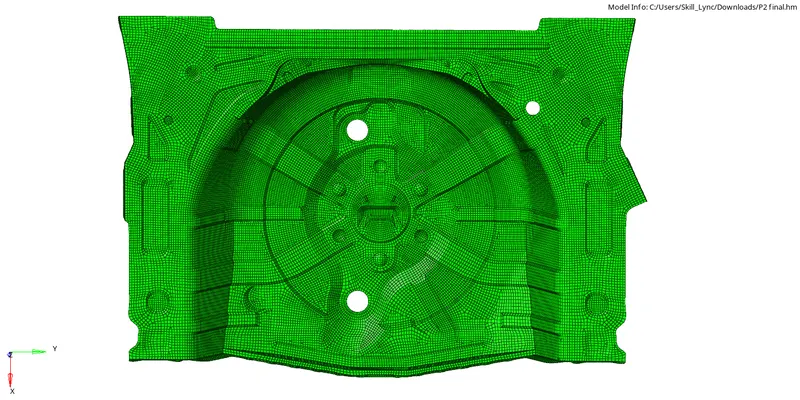
After meshing, check for the element's failure and correct it by using a cleanup tool.
Goto > 2D > Quality index > Cleanup tool.

After the element cleanup is completed check for the free edges.
Goto > Tools > Edges or Shift + F3.

Select all the elements by displayed and find edges.
If there are any edges use equivalence and remove the free edges.
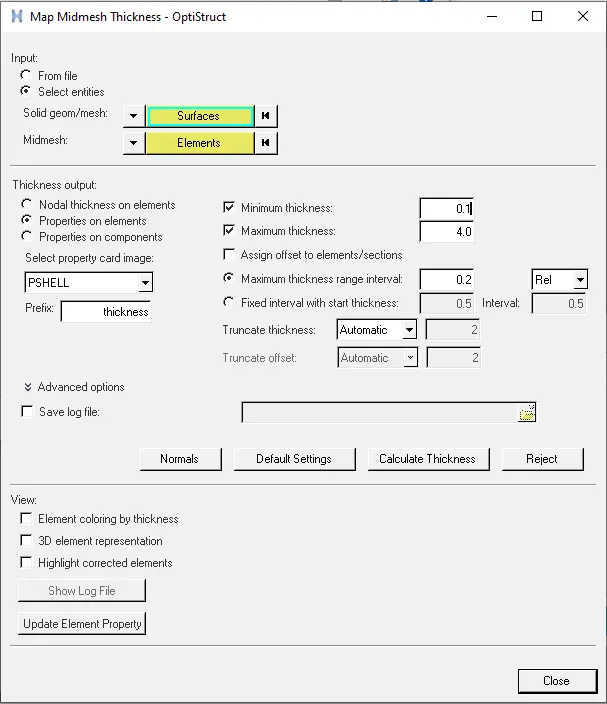
After this assign the thickness by using mid mesh thickness.
Goto > Mesh > Assign > Mid mesh Thickness.
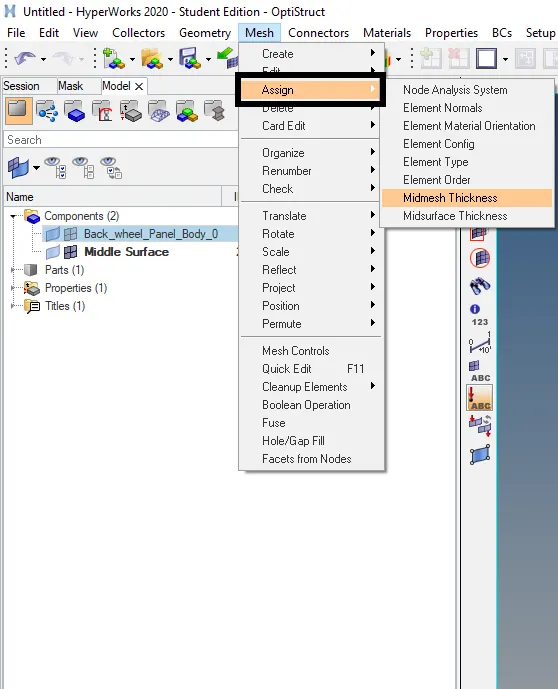
Select the surfaces, elements, enter the min & max value and Calculate the thickness.
After the thickness is assigned, save the model.
RESULT:-
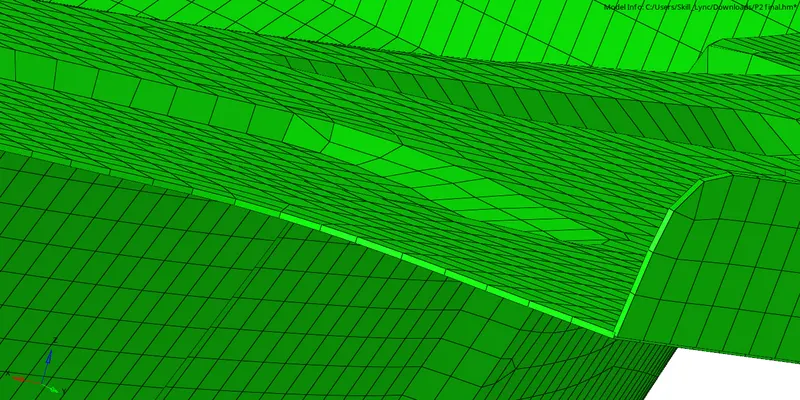
The given model has been successfully extracted the mid surface, generates mesh as per given quality criteria and assigns the mid mesh thickness.