Week 12 - Project-1
Aim and Objective:
To mesh the given model with given quality parameters and assigning thickness
Target Element Length = 4mm
| S.N | Quality Criteria | Value |
| 1 | Aspect Ratio | 5 |
| 2 | Skewness | 45 |
| 3 | Warping | 15 |
| 4 | Taper | 0.5 |
| 5 | Min. Length | 2mm |
| 6 | Max. Length | 6mm |
| 7 | Min angle Quad | 45 |
| 8 | Max angle Quad | 135 |
| 9 | Min angle Tria | 20 |
| 10 | Max angle Tria | 120 |
| 10 | Tria % | 10 |
Given model
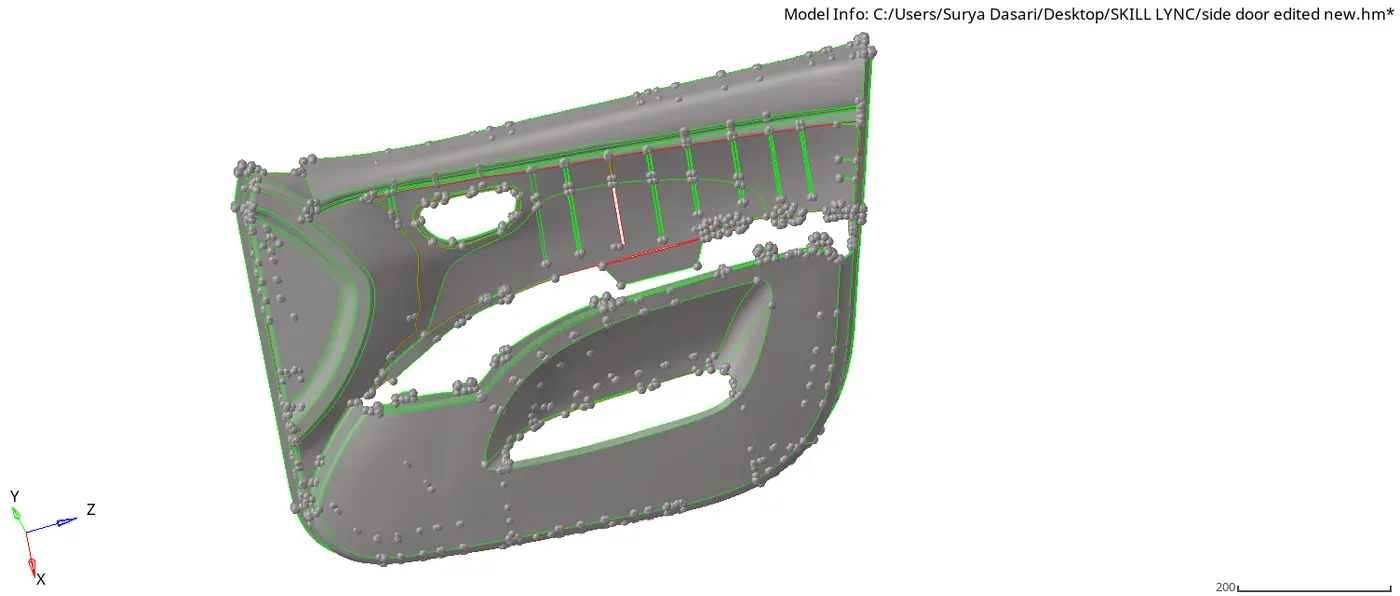
Steps to be followed:
- Open the .hm file of the model, by topo mode visuals, do the geometry cleanup and take the midsurface manually using offset method as it is a varying thickness component
- Defeature the fillets which fail for the minimum element size(i.e 0.1 to 5mm), from surface edit in the panel go to offset-select the surfaces-offset value-color normal-offset
- make sure all the ribs must touch the surface fo this go to surface edit-extend

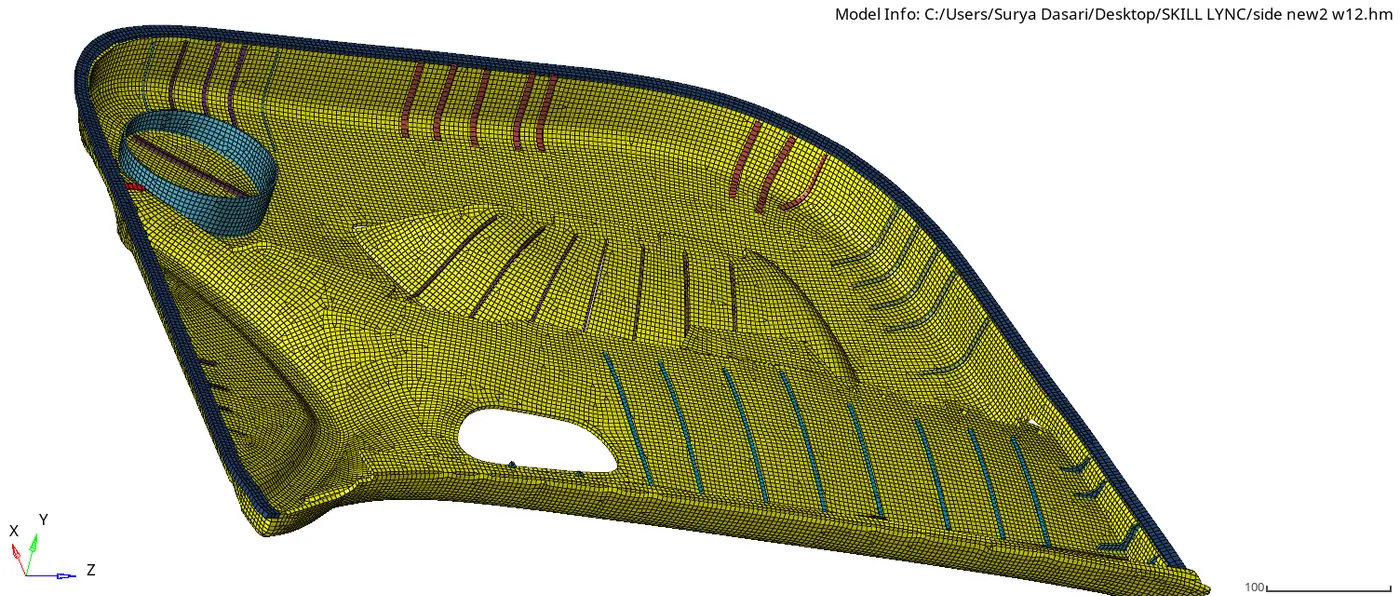
- Given quality parameters perform the 2d mesh using the mixed type elements, and make sure to do the corrections using remeshing the elemental area, edit element, replace for connectivity, project for feature lines, arc center edits for measuring radius etc.,
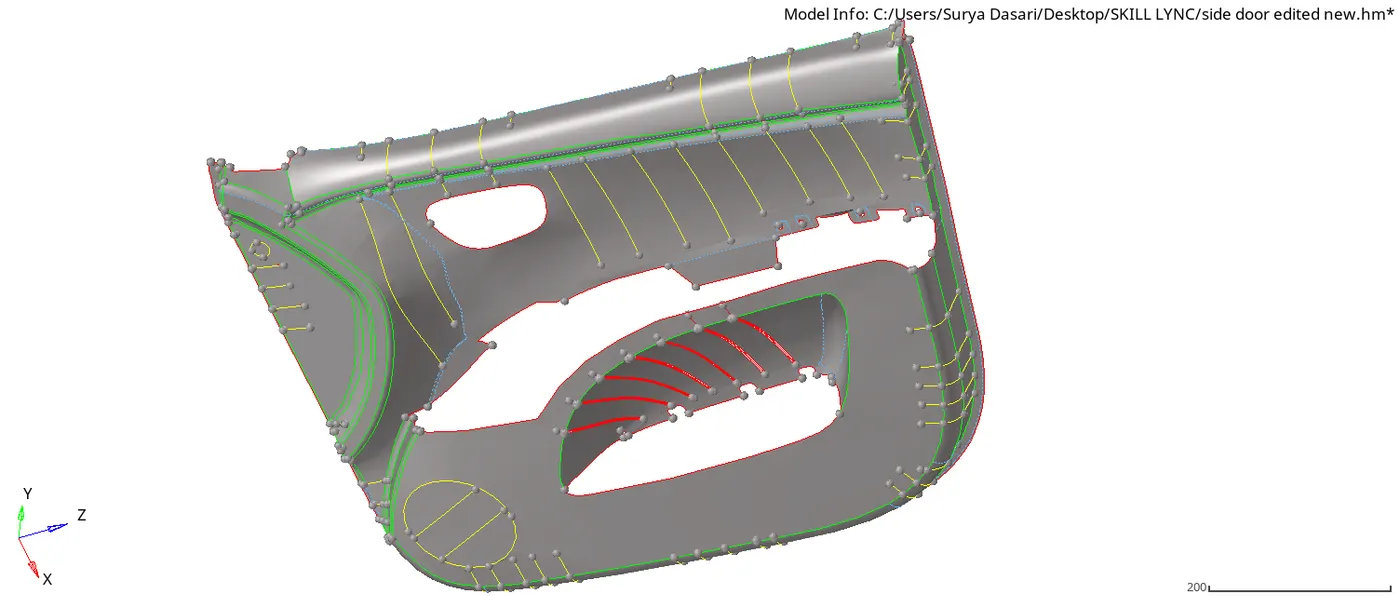
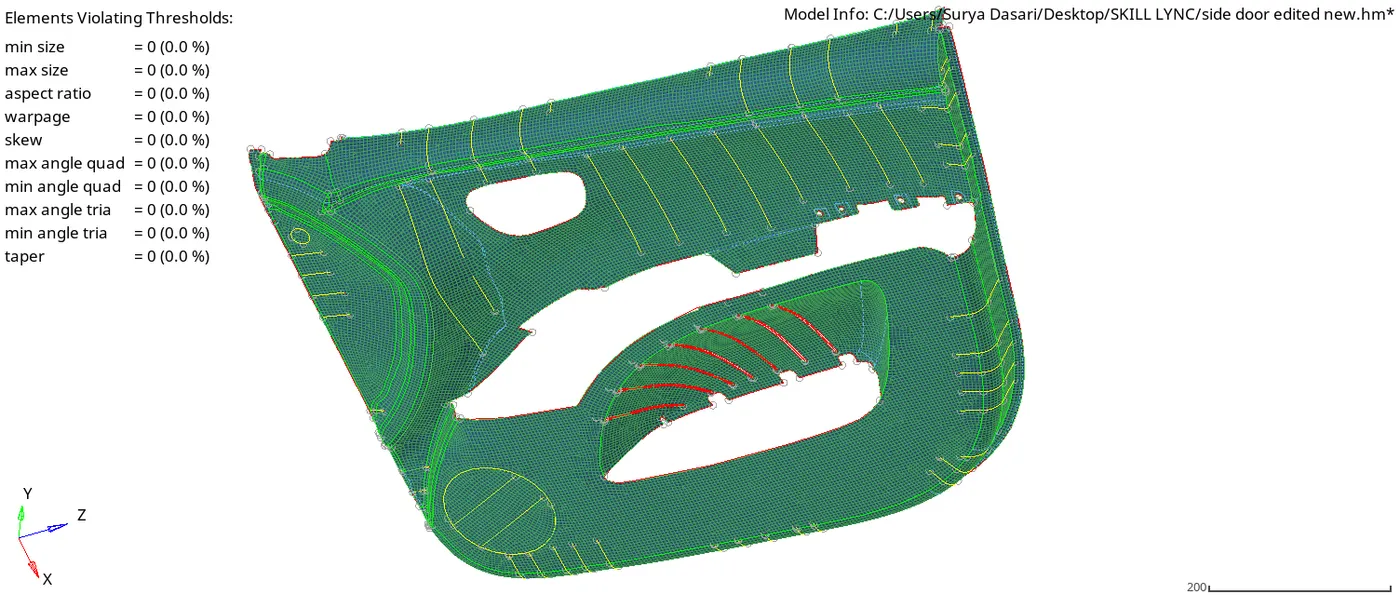
- Above are the images for the mid surface and quality parameters
- Find the thickness of each sub-components by finding the distance between the points and assign the thickness by segregating into the different collectors with the organize option as shown in the below image, duplicate the main midsurface component, assign the property with the thickness and then organize as told earlier
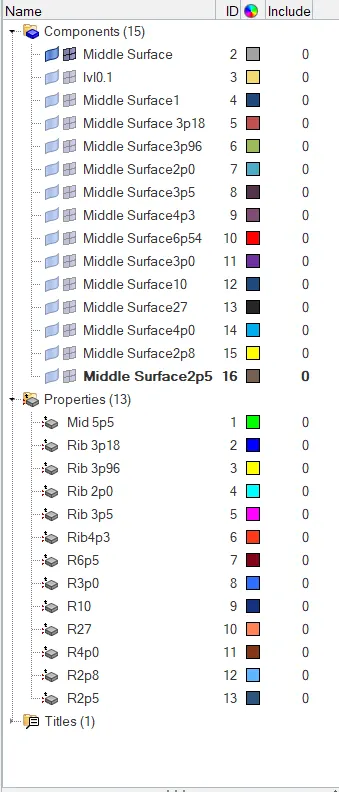
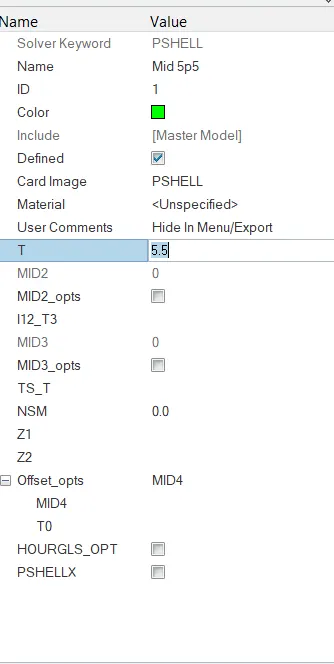
- Final model will be as shown below with all assigned thickness
- Mesh edit
- Mid-mesh tool
- Automatic Thickness in Hypermesh
- creation-of-mid-surface-for-varying-thickness-rib-surfaces
- Above are the links for further detailed study, refer for any addtional information
Conclusion:
- With the given challenge I have learnt how take midsurface and assigning thickness for varying thickness of a plastic model
- .hm file is attached in the attachment below