Week 11- Challenge
Objective:
To achieve morphing for a given component regarding side body to the desired shape
Procedure: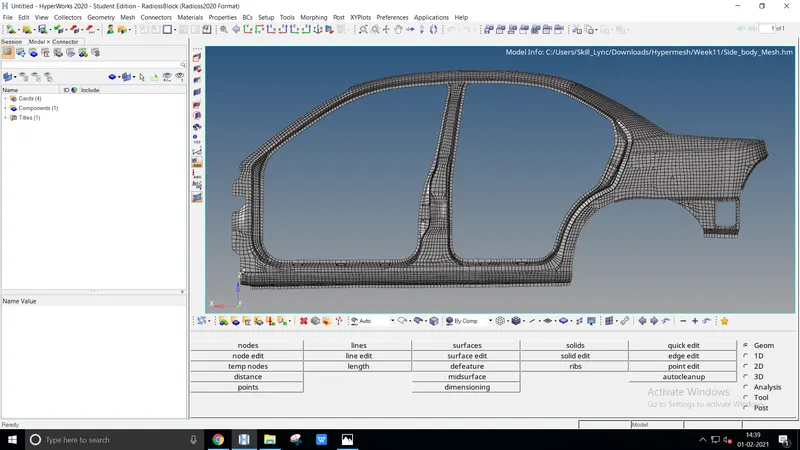
- Import the model from the existing file location to achieve the morphing method, File `rarr` Open `rarr` Model (existing location)
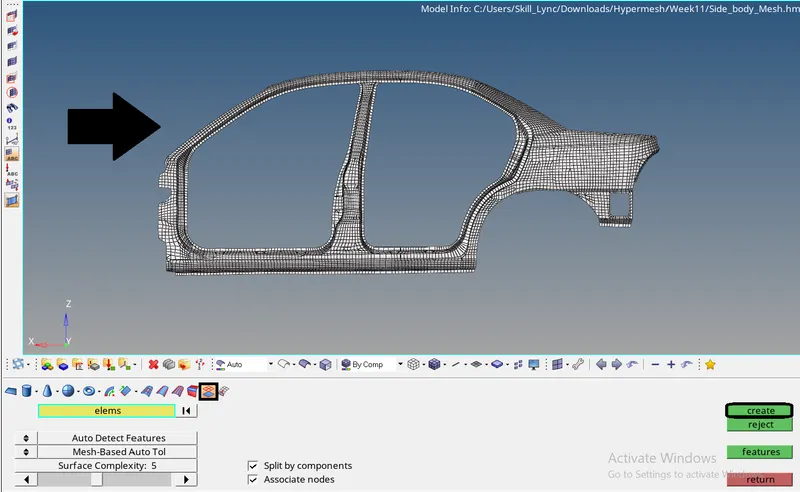
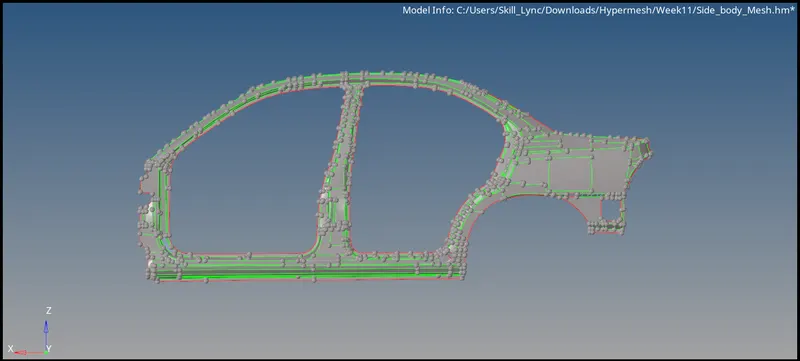
- Morphing can be done by tracing the surface component. The given model doesn't present with the surface
- The surface could be performed by Geom `rarr` Surfaces `rarr` From FE. Select the elems and create
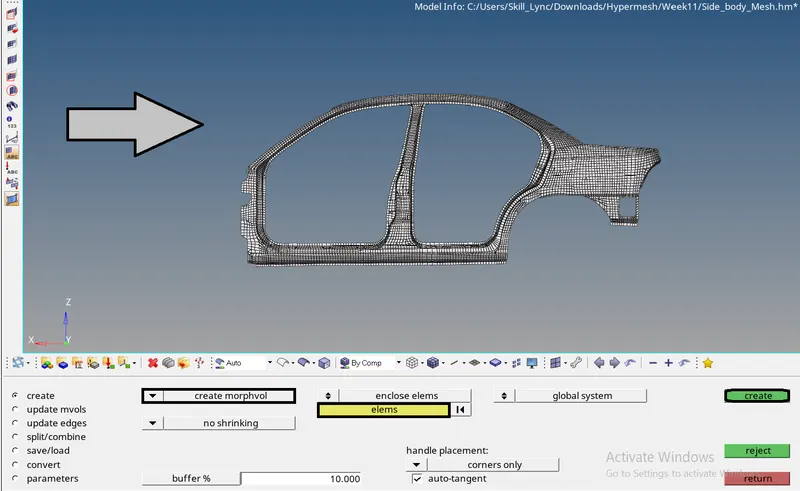
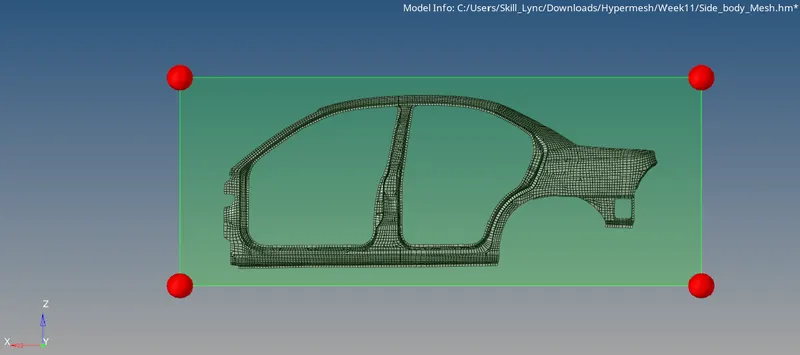
- To perform morphing we need to create volume morphing,
Tool `rarr` Hypermorph `rarr` Morph volumes `rarr` Create. Select the elems and hit create
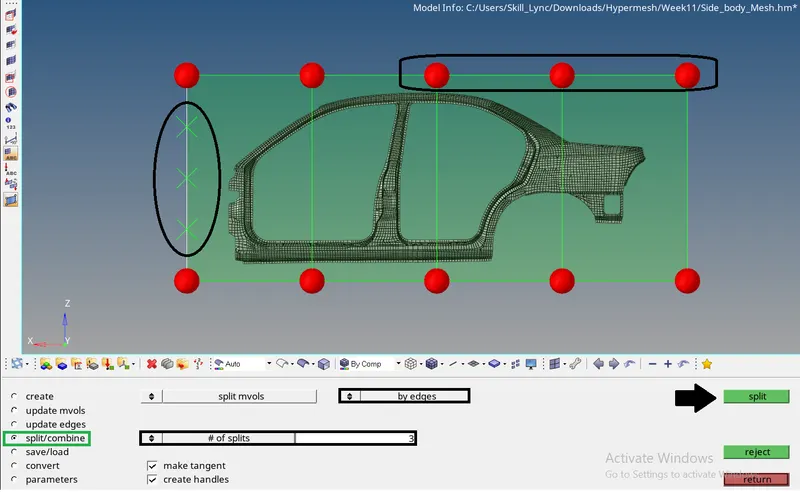
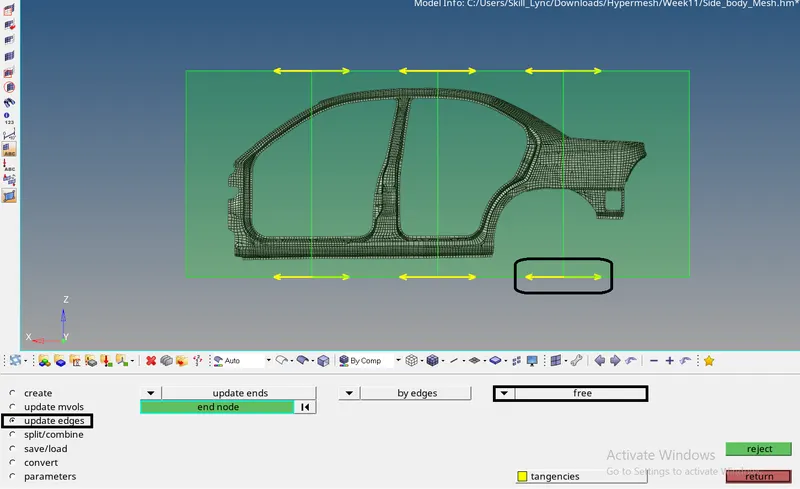
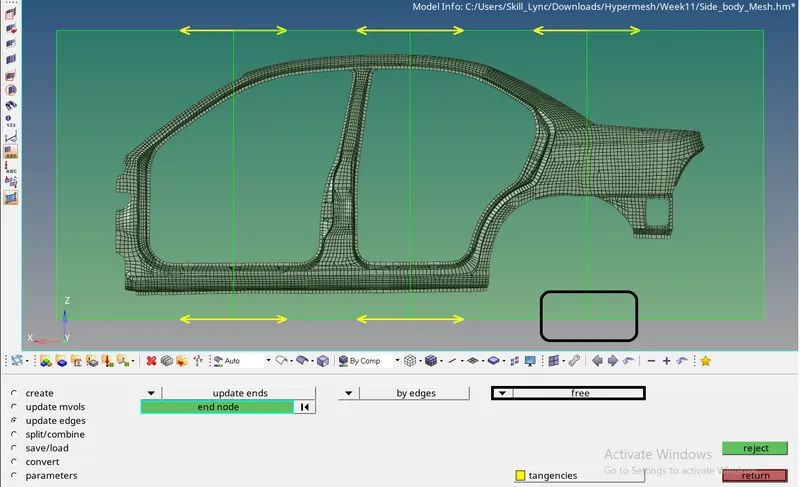
- Split the volume into multiple sections to perform easy morphing,
Tool `rarr` Hypermorph `rarr` Morph volumes `rarr` Split/Combine. Enter values to split - Remove the edges from master to free to modify the particular volume easily,
Tool `rarr` Hypermorph `rarr` Morph volumes `rarr` Update edges. Switch to free and select the flow direction
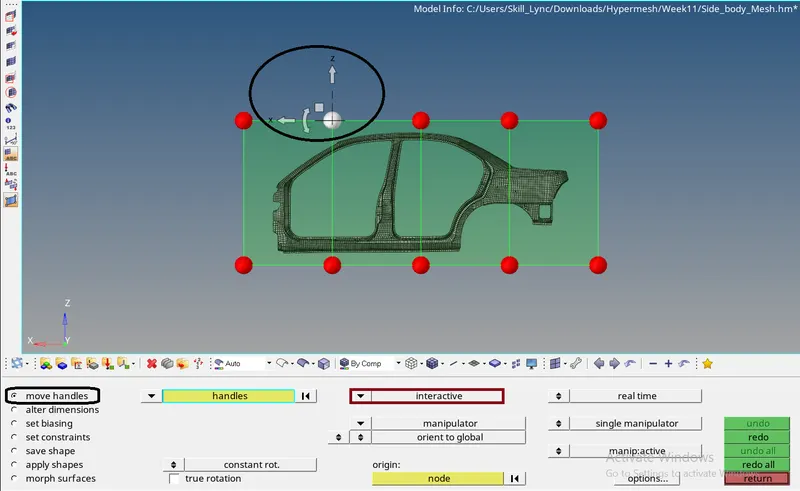
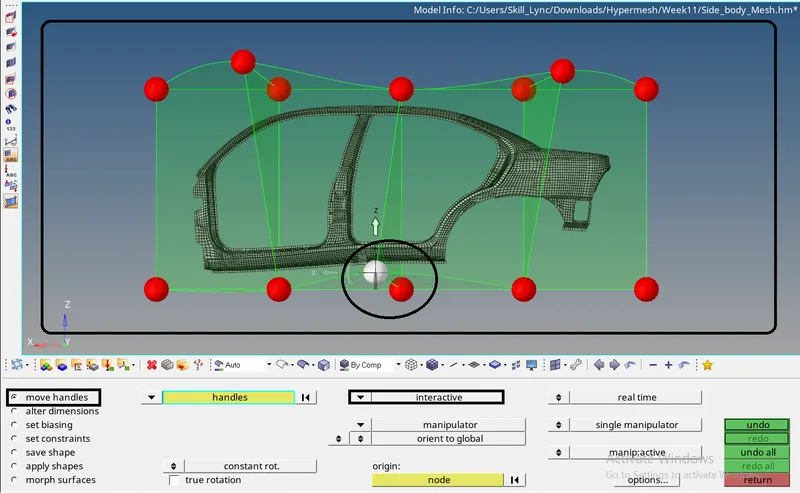
- Finally, morph the components of the side body to the desired shape by
Tool `rarr` Hypermorph `rarr` Morph `rarr` Move handles. Select the handles concerning and modify it
Conclusion
Morphing is agreed and executed to the desired shape