Week 11- Assembly Workbench
Aim: To create part models from the given 2D drawings for the Quick Return Mechanism and CV Joint, assemble them together appropriately, and create 2D drawings from the 3D part design.
Creating the Quick Return Mechanism Assembly:
The quick return mechanism assembly is divided into 5 different bodies whose 2D drawings are given.
Creating Quick Return Mechanism- Body 1:
- In the horizontal plane, create a sketch using the ‘Offset Sketch’ command as shown below. The circular parts in the sketch with radius 138mm and 152mm should be placed equidistant from the center as shown. ‘Pad’ this sketch for 4mm. ‘Add’ this body to the main body.
- Create another sketch on the horizontal plane, and ‘Pad’ it for 4mm.
- ‘Add’ this body to the main body. The ‘Body-1’ is created as shown below.
- The drawing views of the part are shown below.
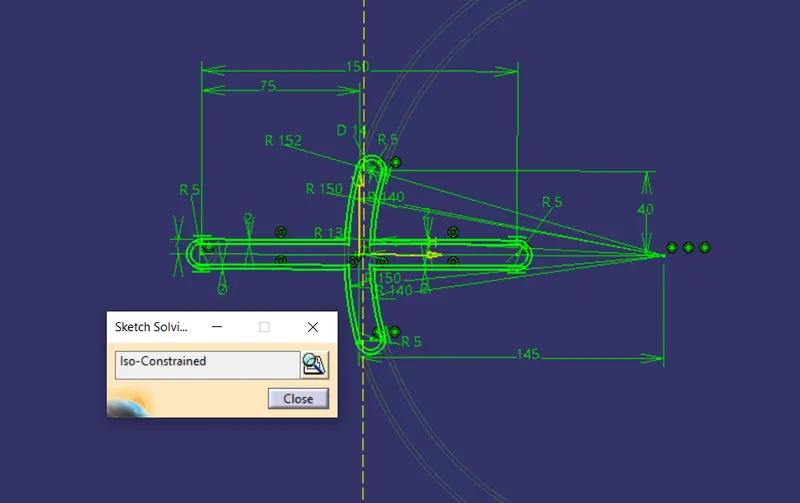
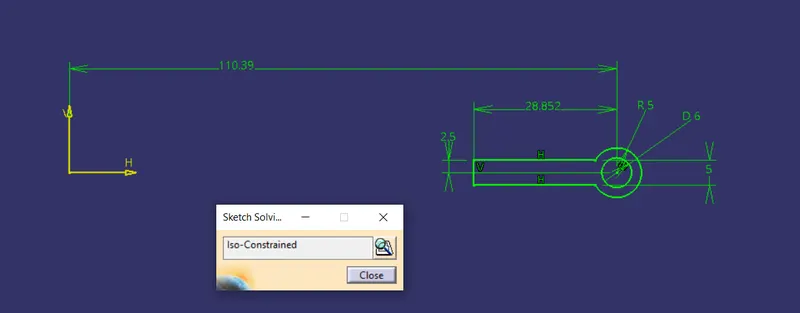
Fig. 1: Sketches used to make Body 1
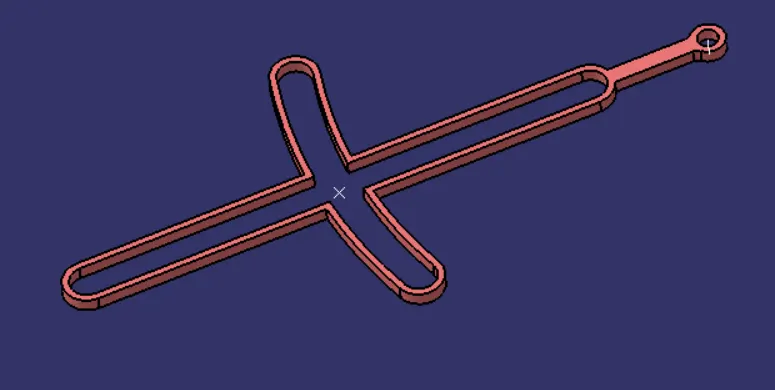
Fig. 2: Isometric view of Body 1
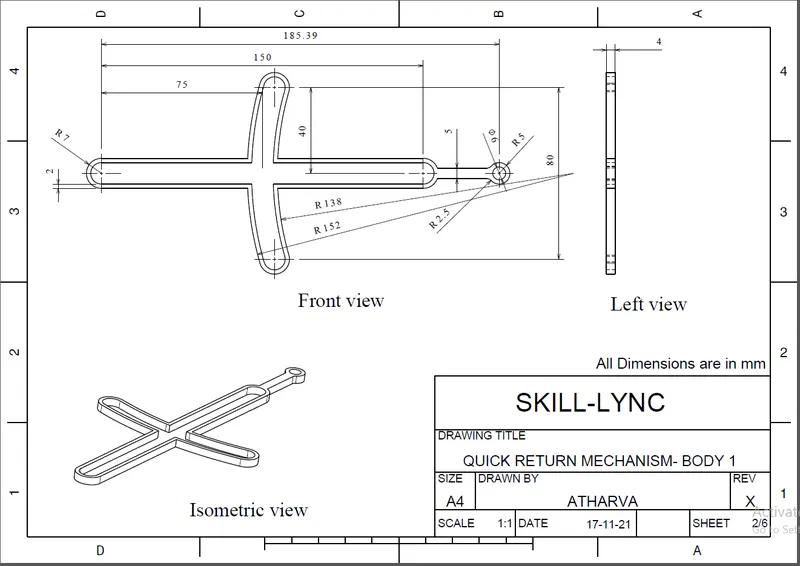
Fig. 3: Drawing showing the dimensions of Body 1.
Creating Quick Return Mechanism- Body 2:
- On the horizontal plane, draw a sketch of circle of diameter 6mm and ‘Pad’ it for 28mm. ‘Add’ this body to the main ‘Part Body’.
- On the same plane, draw another sketch of circle of diameter 25mm and ‘Pad’ it for 20mm. ‘Add’ this body to the main body again to get the Body-2 of quick return mechanism.
- The sketches and the drawing views are shown below.
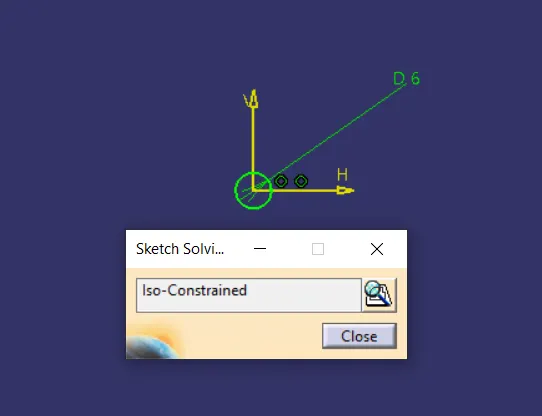
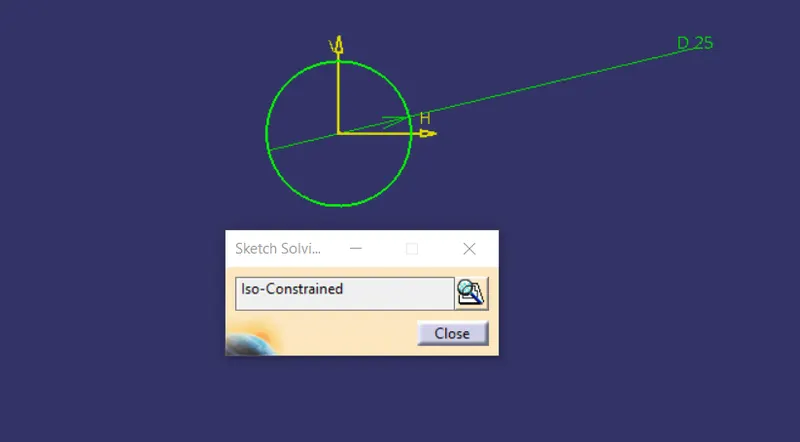
Fig. 4: Sketches used to make Body 2
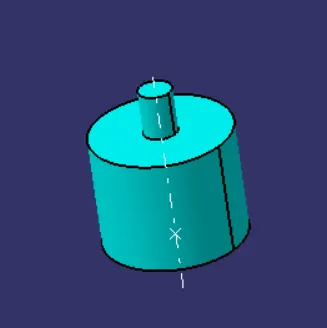
Fig. 5: Isometric View of Body 2
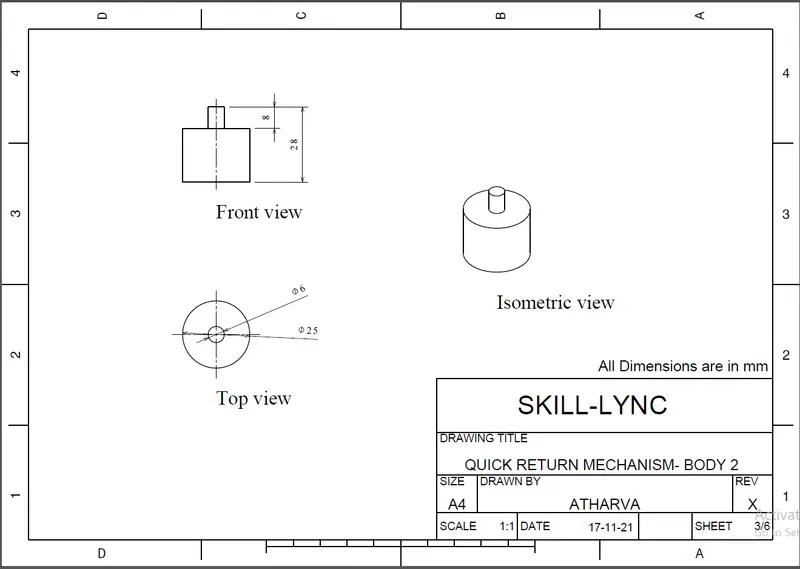
Fig. 6: Drawing showing the dimensions of Body 2.
Creating Quick Return Mechanism- Body 3:
- On the horizontal plane, draw a circle of diameter 6mm and ‘Pad; it for 47.5mm normal to the sketch plane.
- Draw another sketch of a center rectangle as shown below, and ‘Pad’ it such that the limits of the cuboid are achieved as shown in the drawings.
- The above mentioned bodies should be different and then ‘Add’ these to the main body.
- The sketches and the drawing views are shown below.
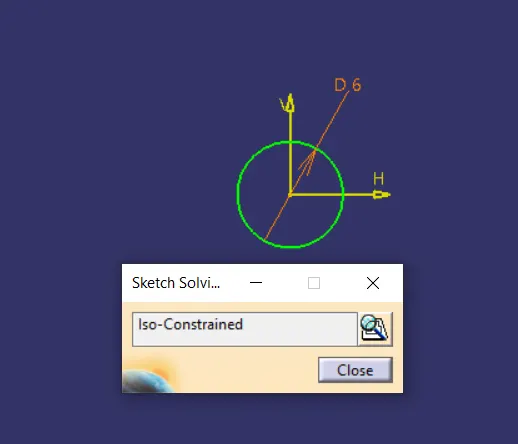
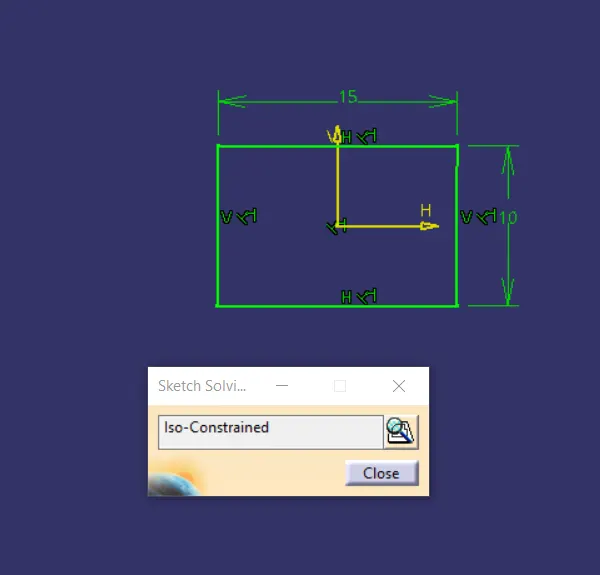
Fig. 7: Sketches used to make Body 3
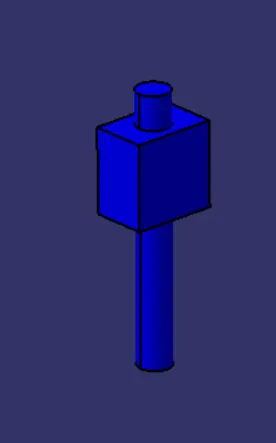
Fig. 8: Isometric View of Body 3
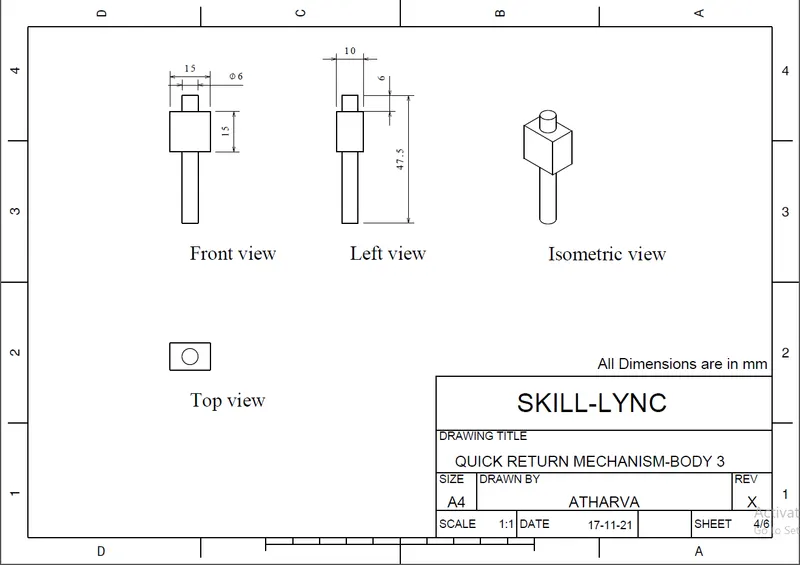
Fig. 9: Drawing showing the dimensions of Body 3.
Creating Quick Return Mechanism- Body 4:
- Similar to the above mentioned process, draw the sketch on the horizontal plane and ‘Pad’ it for 6mm. ‘Add’ this to the main body.
- Draw another sketch for the small projection and ‘Pad’ it for 16mm.
- ‘Add’ these bodies to the main body.
- The sketches and the drawing views are shown below.
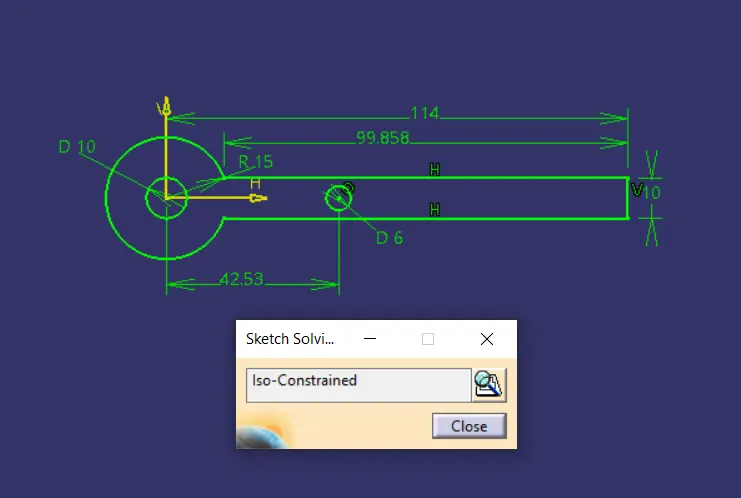
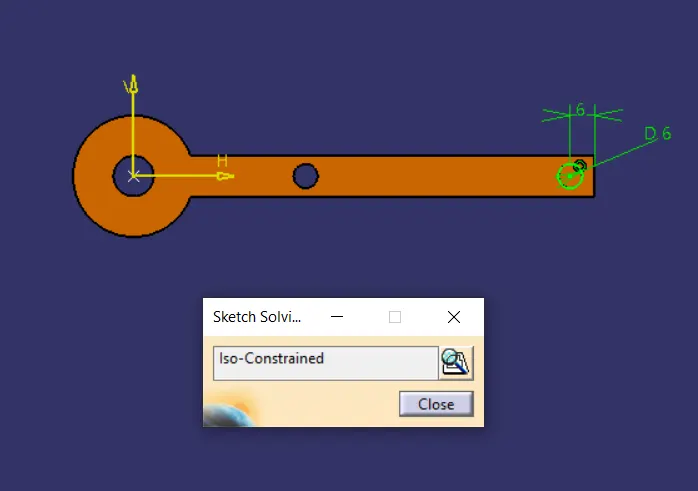
Fig. 10: Sketches used to make Body 4
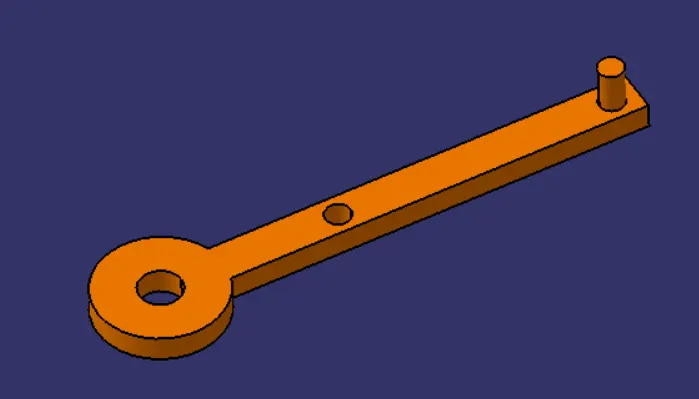
Fig. 11: Isometric View of Body 4
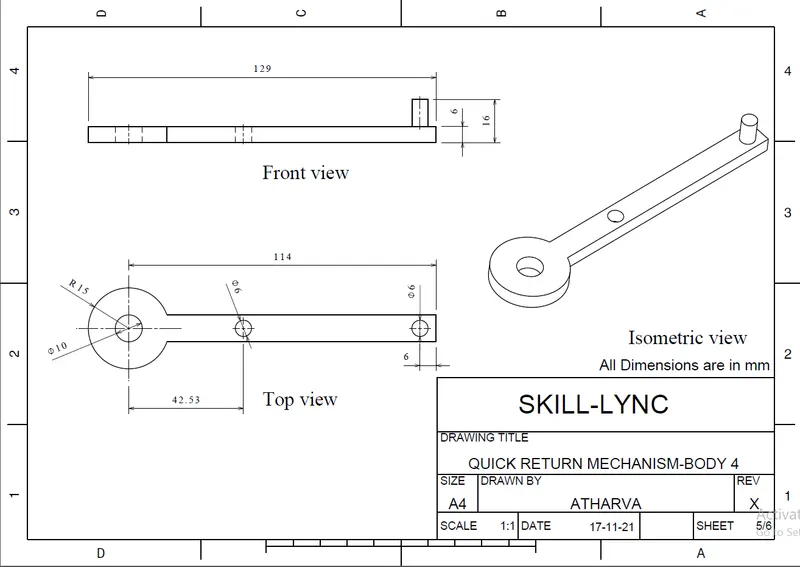
Fig. 12: Drawing showing the dimensions of Body 4.
Creating Quick Return Mechanism- Body 5:
- On the horizontal plane, sketch a circle of dia. 10mm and extrude it for 25mm and check the ‘Mirror Definition’ so that the total length is 50mm.
- The sketches and the drawing views are shown below.
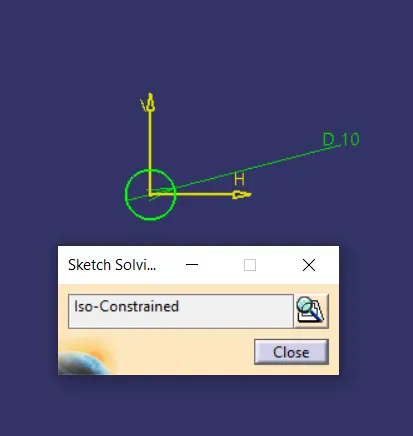
Fig. 13: Sketch used to make Body 5
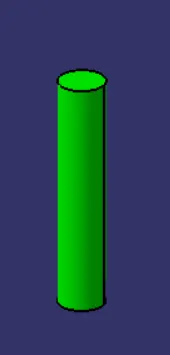
Fig. 14: Isometric View of Body 5
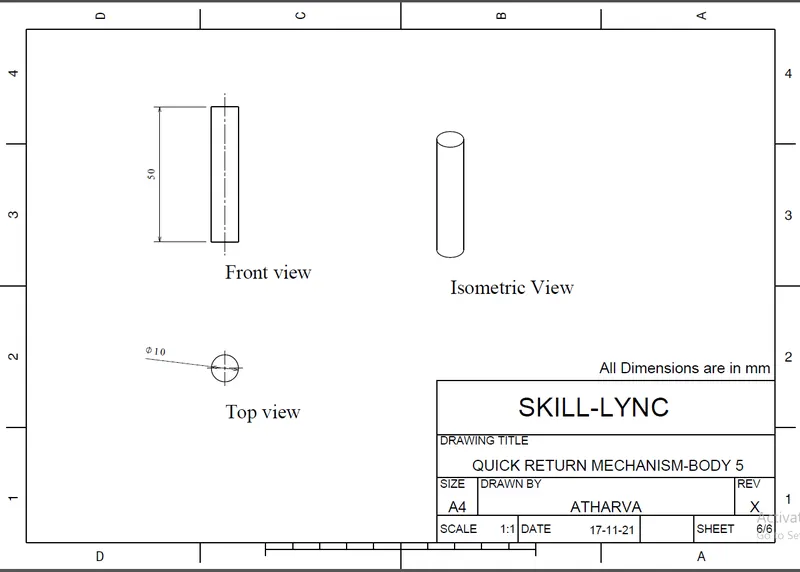
Fig. 15: Drawing showing the dimensions of Body 5.
Assembling the Quick Return Mechanism:
- In the Assembly Design Workbench, use ‘Existing Component’ command to import the parts.
- Import ‘Body 2’ and Fix it.
- Import ‘Body 1’ and Coincide the axis of the extreme right of Body 1 with the axis of Body 2. Use ‘Offset’ constraint to offset the horizontal planes such the base surface of Body 1 rests on the stepped surface of Body 2.
- Import ‘Body 3’ and coincide the middle planes. Give a surface contact between the inner surface of the Body 1 and Outer surface of Body 2. Constraint the planes such that the body moves along the Y axis only in the linear slot in Body 1.
- Import Body 5 and give surface contact with Body 1 such that it moves along the circular slot in Body 1.
- Import Body 4 and coincide the axis with Body 5 and the other axis with Body 3. Rest the bottom surface of the Body 4 with the stepped surface of Body 5. The Isometric view of the assembly is shown below:
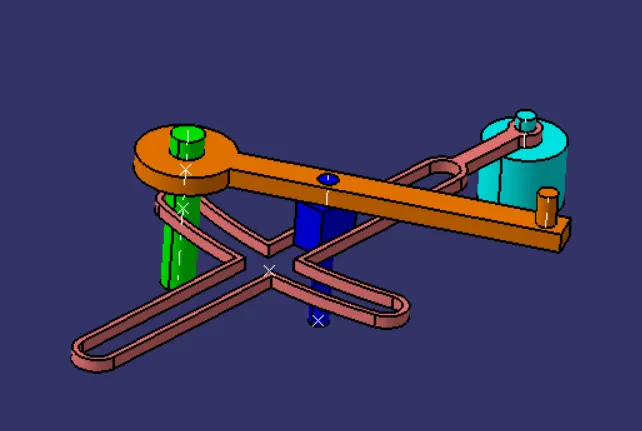
Fig. 16: Isometric View of Quick Return Mechanism Assembly
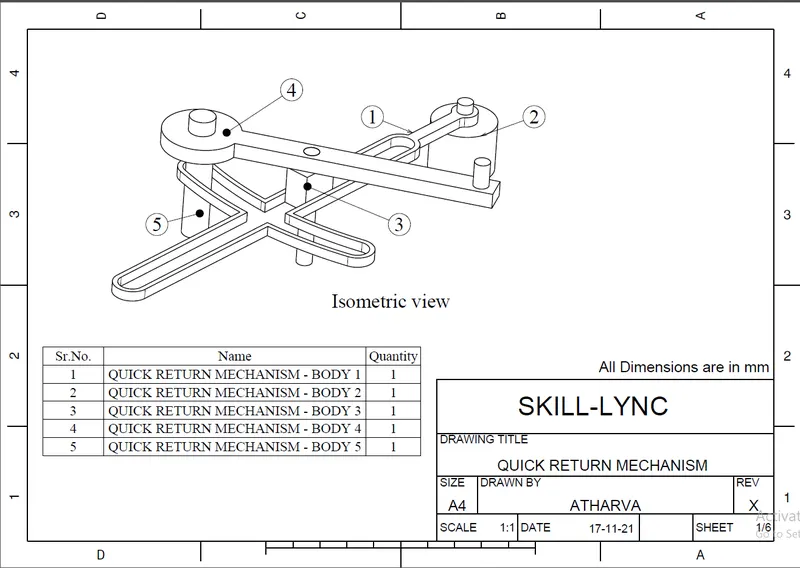
Fig. 17: Drawing of Quick Return Mechanism Assembly
Creating the CV Joint Assembly:
The CV Joint assembly is divided into 3 parts whose 2D drawings are given.
Creating the CV Joint Pin:
- On the Middle plane, draw a circle of dia. 50mm and ‘Pad’ it for 135mm symmetric about the sketch plane.
- ‘Add’ this body to the main body.
- On the horizontal plane, draw a similar circle and ‘Pad’ it for 100mm symmetric about its sketch plane.
- ‘Add’ this to the main body.
- Give fillets of radius 5mm on the edges. The sketches and drawings are shown below
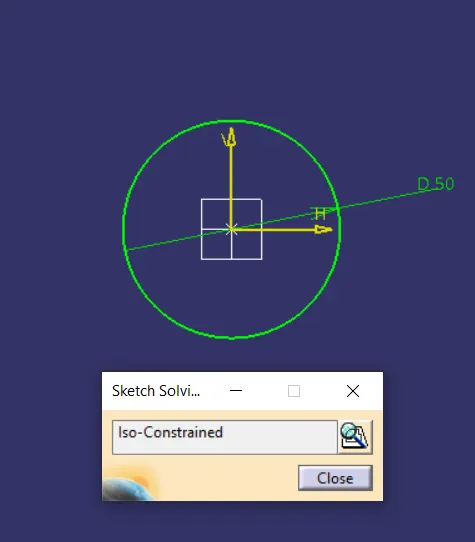
Fig. 18: Sketch used to make CV Joint Pin
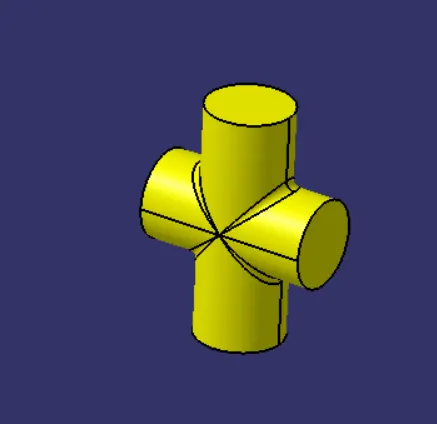
Fig. 19: Isometric View of the CV Joint Pin
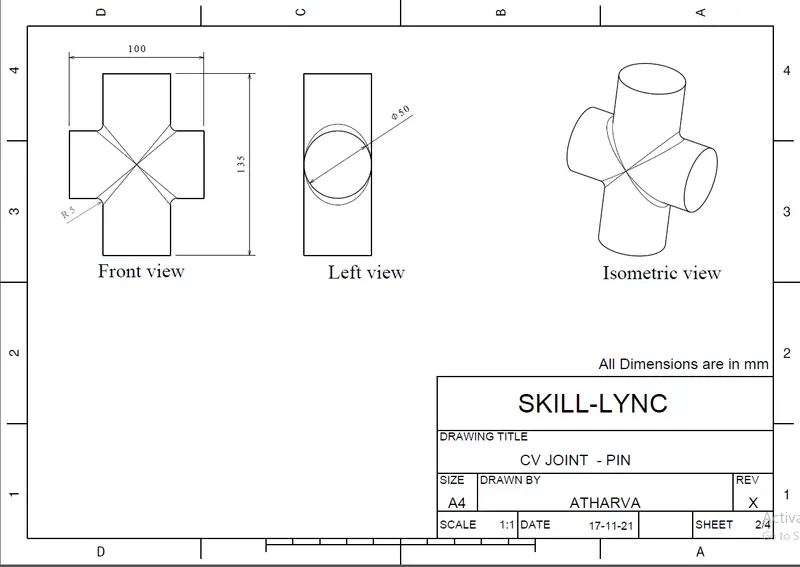
Fig. 20: Drawings showing the dimensions of the CV Joint Pin
Creating the CV Joint Pin Holder:
- On the right plane, create a sketch using 2 circles placed apart as shown. ‘Pad’ them for 10mm on each side of the sketch plane. ‘Shell’ the circles for 2.5mm thick cavity. ‘Add’ this body to a body named ‘Pin cavity’.
- On the same plane, draw another sketch as shown below to join the cavities. ‘Pad’ it in another body. ‘Add’ this body to the ‘Pin Cavity’ Body.
- Put a plane 60mm apart from the above sketch plane.
- Copy and ‘Paste Special’ the Pin Cavity Body in the tree structure. Use ‘Symmetry’ command to move the 2nd Pin Cavity body symmetric about the new plane. ‘Add’ these bodies to the main body.
- Create another sketch on the top plane as shown and ‘Pad’ the rectangle to make a connection between the cavities. ‘Union Trim’ this body to complete the CV Joint Pin Holder.
- Give fillets at appropriate edges. The sketches and drawings are shown below.
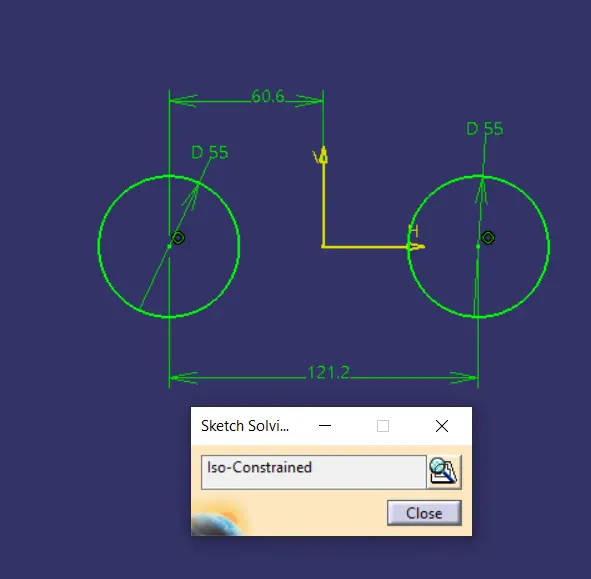
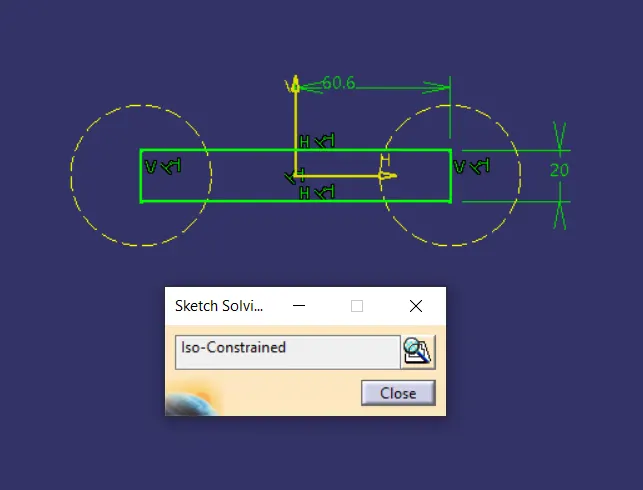
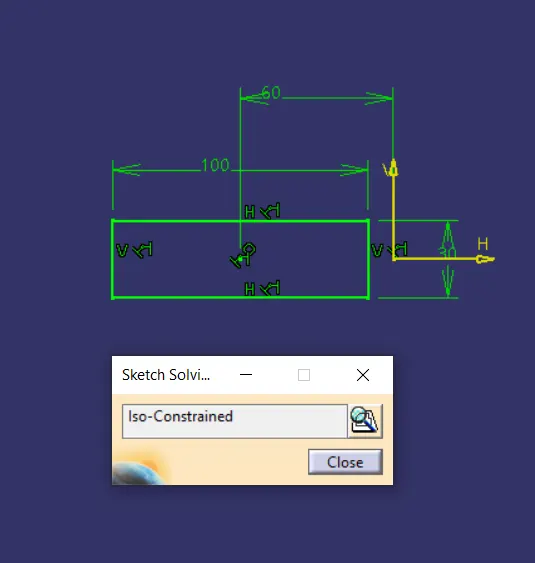
Fig. 21: Sketches used to make Pin Holder
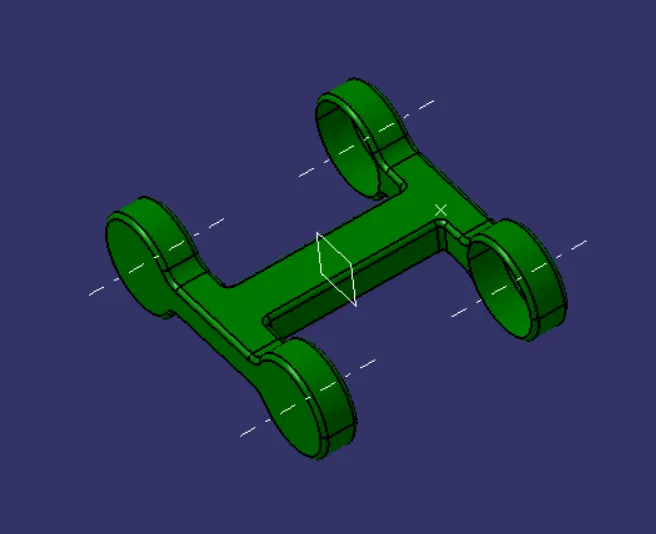
Fig. 22: Isometric View of the Pin Holder
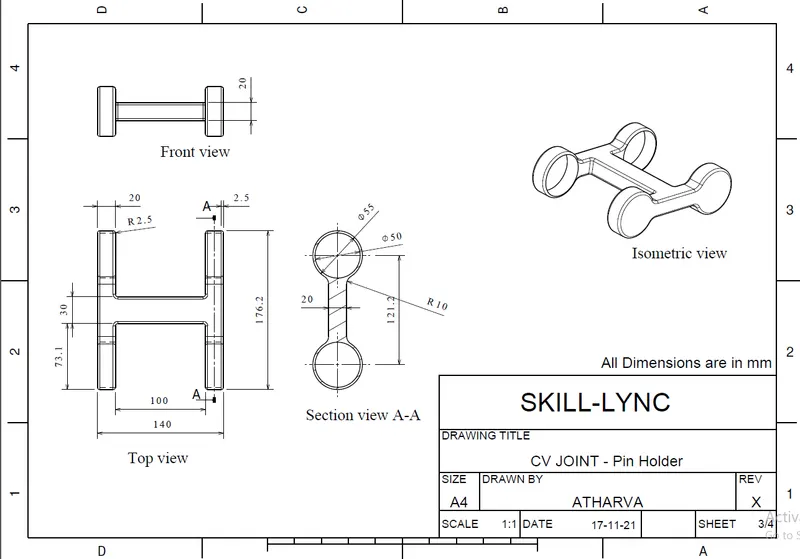
Fig. 23: Drawings showing the dimensions of the Pin Holder
Creating the CV Joint Rotary Cup:
- On the right plane, draw a sketch of the circle and two extensions as shown below. ‘Pad’ this normal to the sketch plane for 20mm and symmetric about the sketch plane. ‘Add’ this to the main body.
- Put a plane 10mm away from the vertical face of the flange and towards the center of the circle. On this plane, draw a sketch of the circle and a single flange towards the initial body. ‘Pad’ it for 20mm and keep it symmetric about the sketch plane. Draw another circle on the inside surface of the circle and ‘Pocket’ it for 7mm. ‘Add’ it to a new body.
- Copy and ‘Paste Special’ this body. Use ‘Symmetry’ command to take it to the other side of the YZ plane and change its orientation. ‘Add’ both the bodies to the main body to get the part. The sketches and drawings are shown below.
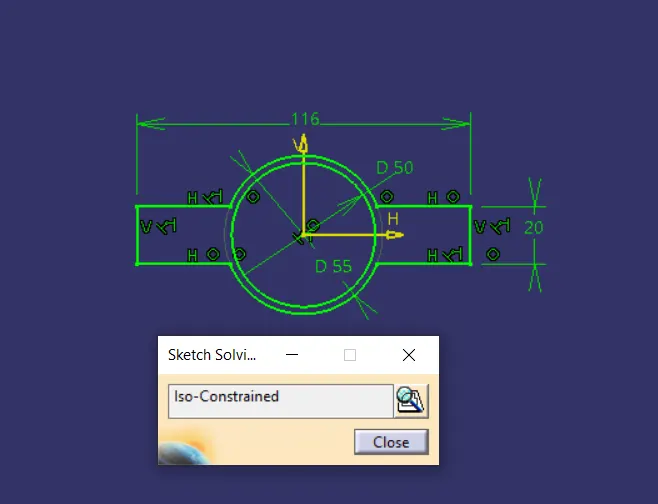
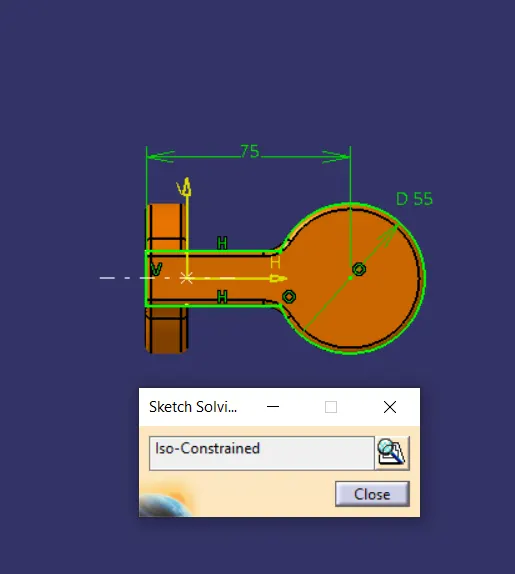
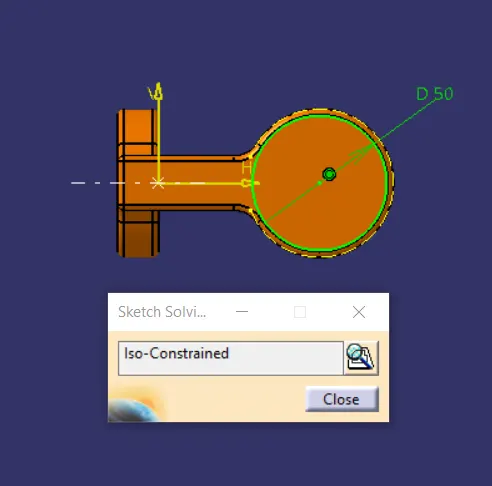
Fig. 24: Sketches used to make Rotary Cup
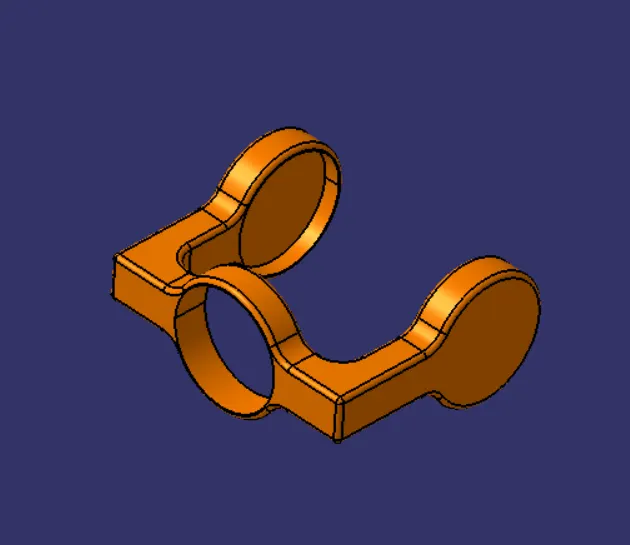
Fig. 25: Isometric View of the Rotary Cup
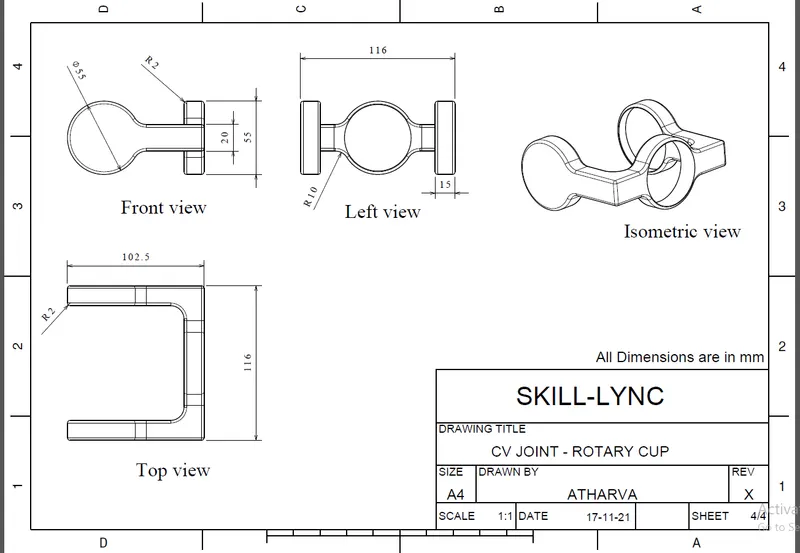
Fig. 26: Drawings showing the dimensions of the Rotary Cup
Assembling the CV Joint
- Import the Pin Holder using the ‘Existing Component’ command in the Assembly design.
- Import the CV Joint Pin and coincide the longer axis with the axis of the cavity. Coincide the top face of the pin and the internal face of the cavity to put the pin in place.
- Import the pin once again and place it in the other cavity.
- Import the Rotary Cup and coincide the axis of the Pocketed face with the shorter axis of the pin. Again, coincide the outer face of the pin with the internal face of the pocket on the rotary cup.
- Import the rotary cup once again and place it on the other pin.
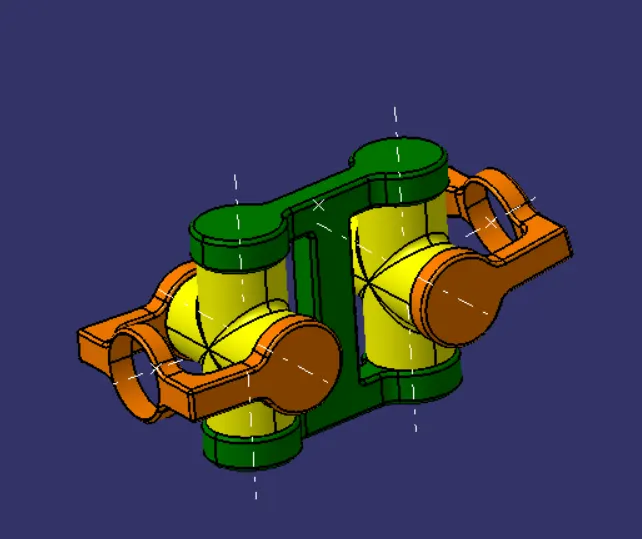
Fig. 27: Isometric View of the CV Joint Assembly
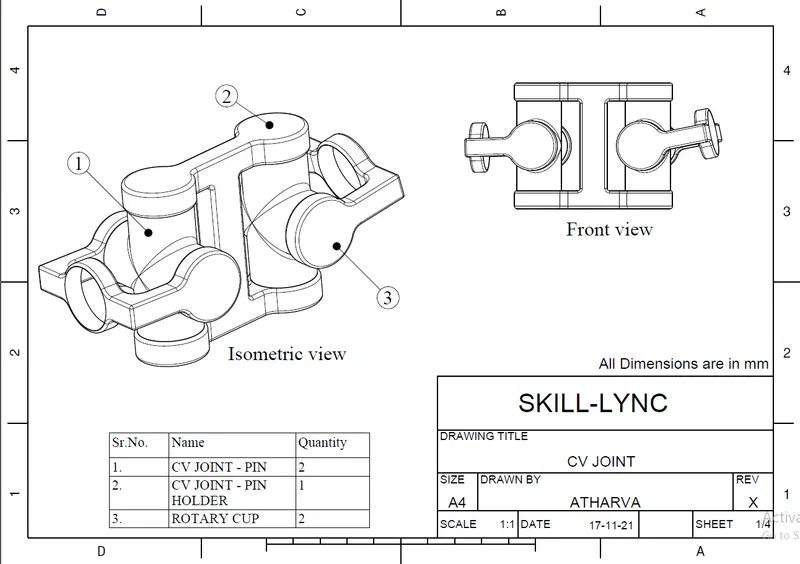
Fig. 28: Drawings showing the CV Joint Assembly
Conclusion: The parts of the Quick Return Mechanism and CV Joint were created successfully and assembled together. Also, the 2D drawings were made for every part.