Week 11-3D Tetra Meshing Challenge
AIM:
- Create a Tetramesh for given component with the given quality criteria.
OBJECTIVES:
- The main objective of the challenge is to perform the 3D mesh on the given 3 models with the required element size and Tet collapse in hypermesh.
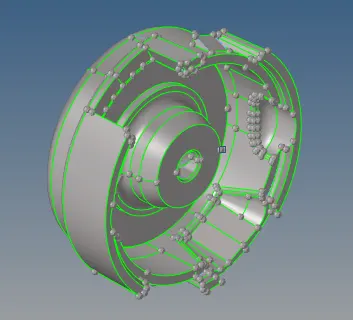
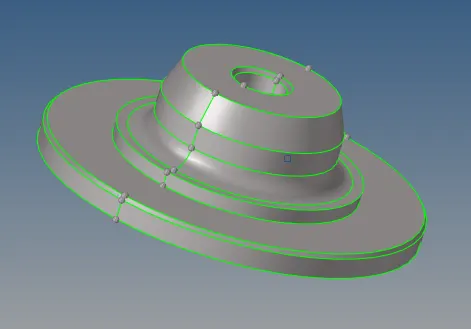
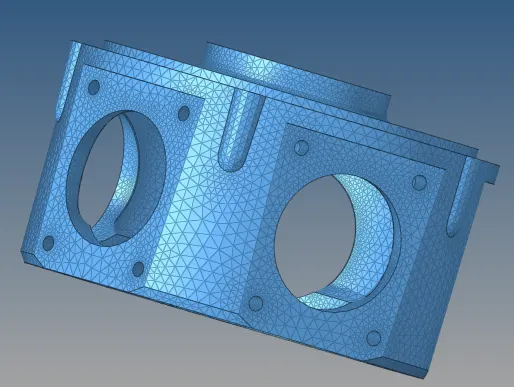
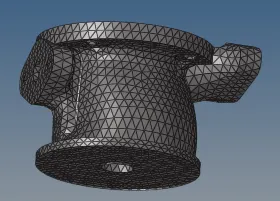
MODEL 1 :- HOUSING COMPONENT
CAD IMAGE:-
PROCEDURE:-
- For the given first component there are two parts available I seperately cleanedup and created mesh for the given component.
CLEANUP:-
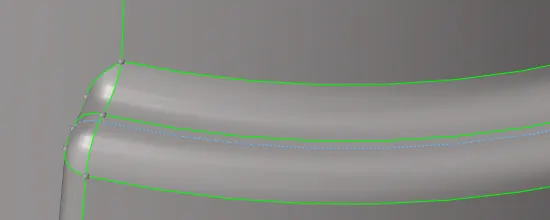
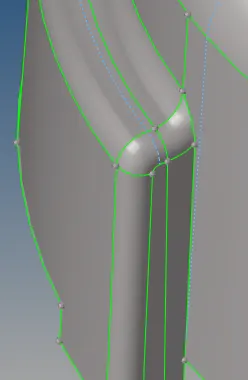
- Cleanup is the process of toggeling unwanted geometry lines and repairing surfaces so as to eliminate elemental failure, while component is meshed.
- Element size as Min-2, max-7,
- Target-5
- Tet collapse - 0.150
For this Model,I'm using 2D tria to 3D tetra method.
- With the surface geometry,automesh the component from 2D panel.
- While meshing the component,Change element size to 5,In the mesh type drop down menu,switch to the trias and mesh the component.
- 2D-->AUTOMESH-->TARGET ELEMENT SIZE(5)-->ELEMENT TYPE(TRIA)-->SURFACES MESH.

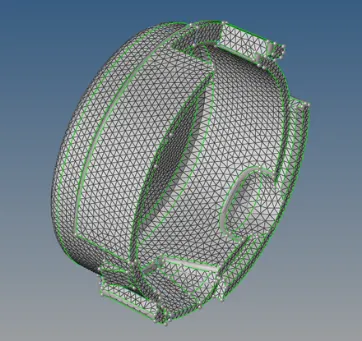
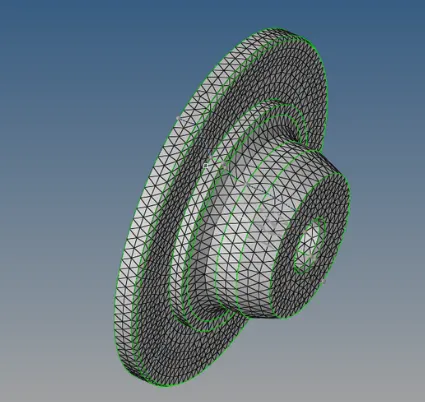
- Now I have made 2D Shell element's,Check for the element quality and eliminate the element's failing for min and max length.
- To check the element's failing for max length.
- Go to the Tool's⇒Check elems or (F10)⇒Max length⇒It will show elements failing.
- To clear the element's failing for max length.
- Go to the Tool's⇒Check elems⇒Max length⇒Save failed.
- Tool's⇒Mask or (F5)⇒Elements⇒Right click⇒Retrieve⇒Mask⇒Reverse⇒
Mask adjacent.


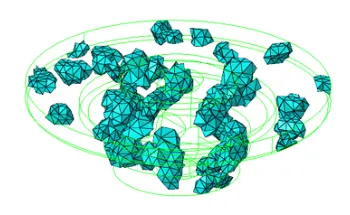
- Now select element and click on the retrieve option after that click on the Mask and reverse so that failed save elements will be showing on the screen.
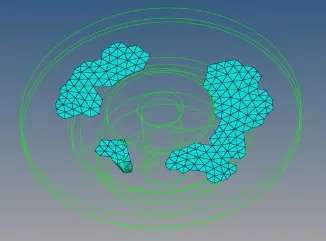
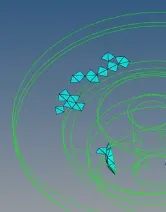
- Failed Element's will be displayed like this.
- Make it unmask adjacent.
- For this particular region,Element's will be failing for max length,Remesh that particular region with element size as 4,Before it was 5.Change it.So the element size will be applied for that particular region only.
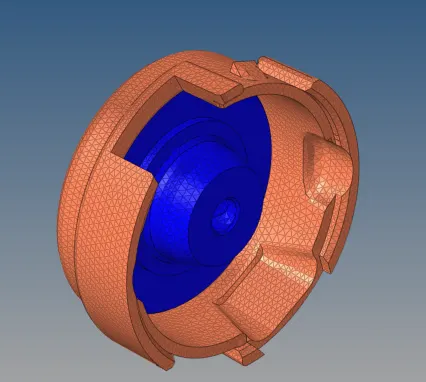


Start Tetra Meshing
3D Panel⇒Tetramesh⇒Element's⇒
Tetrameshing: Standard Tetrameshing
Standard tetrameshing: 3D > tetramesh panel > Tetra Mesh sub-panel
Process:-
Generate a surface mesh of shell elements
- Check quality and connectivity of the plate elements.
- Generate the tetrahedral mesh.
- Delete the original surface mesh.
- Edit if necessary to obtain good quality.

Tetramesh Subpanel.
- Requirements for the shell mesh:
- Enclose one, and only one, continuous volume..
- There can be no free edges. (Otherwise not a solid geometry)
- There can be no T-connected edges.
- There can be no duplicates in the mesh.
- Elements should not fold over and overlap each other.
- Avoid very low minimum tria angles.
- Avoid a large difference in size between adjacent elements.
- Avoid a large difference is size between two sides of a wall thickness.
For quad elements in the shell mesh:
- Can split quads into 2 trias and create tetra elements under
- them.
– OR – - Can keep the quad element and create pyramids under them.
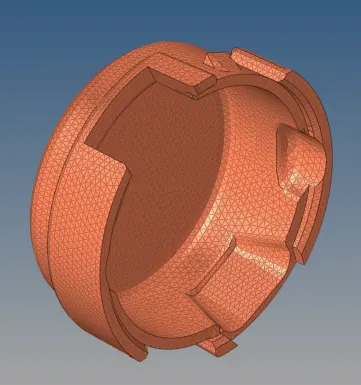
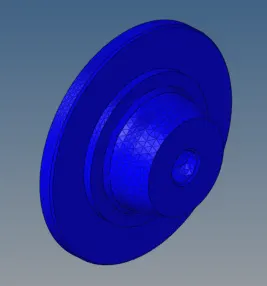
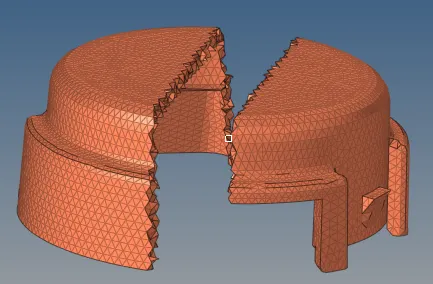
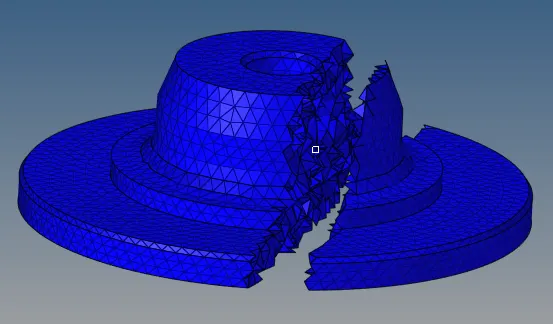
After Tetrameshing,Mask the elements in a particular region and see,whether the tetra element's are created as 3D(Solid).
Check whether the element's are failing for Tet Collapse
- In 2D Tetramesh,We will be checking whether element's are failing for only min and max length.
- In 3D Tetramesh,We will be checking whether element's are failing for only tetcollapse.
Other Checks for Tetra Meshes.
- Quality checks for 2D tria elements: Before converting trias to tetras, all the quality checks as discussed for shell elements should be applied.
- Free edges: Conversion from tria to tetra is possible only when there are no free edges.No free edges indicate the mesh is enclosing a volume.
What is Tet Collapse ?
Tet Collapse can be calculated by measuring the distance of a node from the opposite face, then each of the four values will be divided by the Square root of the opposite face's area. The minimum of four resulting values is then normalized by dividing it by 1.24.
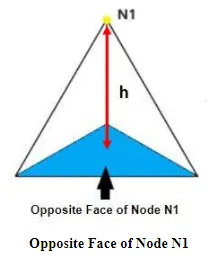
- Tetra elements whose collapse value falls below the value specified are highlighted when the tetra collapse function is selected.These elements remain highlighted until the Check Elems panel is exited.
- Tetra collapse calculation: At each of the four nodes of the tetra, the distance from the node to the opposite side of the element is divided by the square root of the area of the opposite side. The minimum value found is normalized by dividing it by 1.24, and then reported. As the tetra collapses, this value approaches 0.0. For a perfect tetra, this value is 1.0.
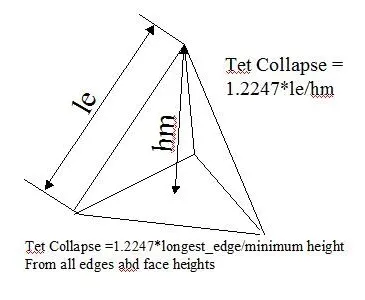
- To check the 3D element's mask the element's.
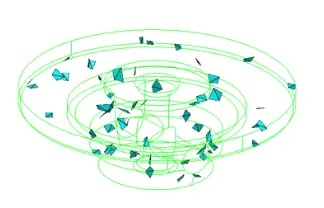
- Element's have been masked and reversed.
Tetra Remeshing to clear the element's failing for tetcollapse
Before Tetra remeshing,Go to Tetramesh parameter's⇒Tick all Check Boxes Fill Voids⇒Fix midnodes⇒Smoothing to get better quality.
In Tetramesh panel,In boundry faces drop down menu change it to remeshable and mesh.


Why ticking the checkbox of Fill Voids ?
Mesh all volumes, if your geometry includes volumes inside of another volume. For example if you had a sphere inside of a larger sphere, checking this option would cause the volume of the inner sphere as well as the volume between the two spheres to be meshed.
Why ticking the checkbox of Fix Midnodes ?
In case of 2nd order tetras, this option fixes the mid edge node of surface mesh while volume meshing.
Why ticking the checkbox of Smoothening ?
Apply an extra stage of calculation to improve overall mesh quality. Additional smoothing and swapping steps will be performed and tetra elements will be split to achieve a smoother mesh transition. If tetra elements are used in the boundary layer those elements will be excluded from smoothing to maintain the original distribution.
Unmask Adjacent to Tetra Remesh
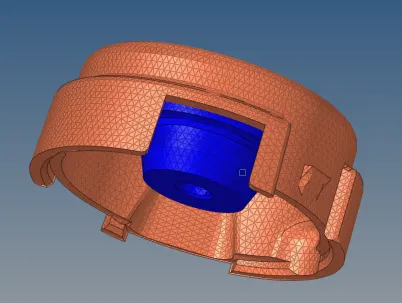

After Tetramesh,Make sure to delete the 2D shell elements.
Similarly as i did for the above component,Do the same thing for this component also.
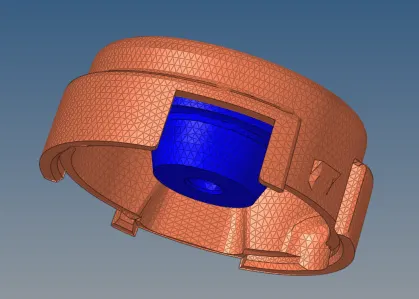
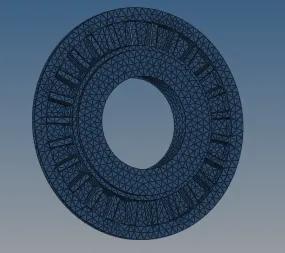
MODEL-2:-
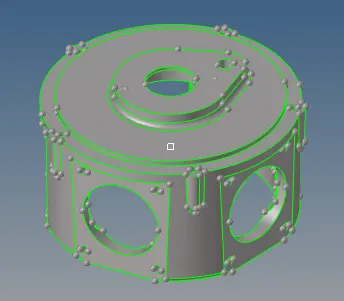
For this component,Make quick tetramesh or Volume tetramesh.
Quick Tetramesh
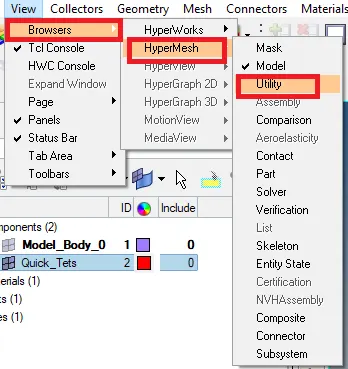
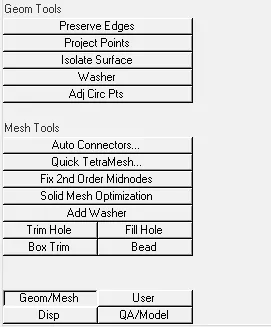
- Quick tetra mesh tool is accessed by going to View>Browsers>Hypermesh>
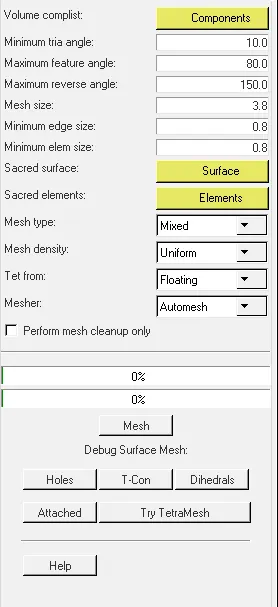
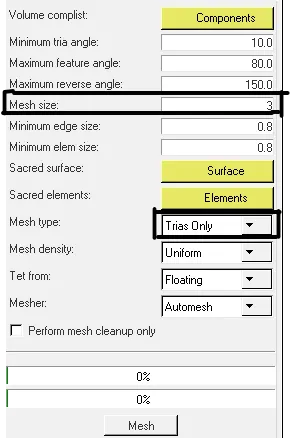
Utility>Geom/Mesh>Quick tetramesh. - In the Quick tetra mesh tool, the component & surfaces are selected, mesh size is set to 3 unit's, and mesh type is set to Trias only. After clicking on mesh, a new component will be generated with the tetra mesh.
- Geom/Mesh page of the Utility menu.
- Provides a quick method of generating a tetramesh.
- Maintains specified minimum element quality criteria.
- Resulting tetramesh may deviate from the geometry to maintain good element quality.
- User can select “sacred elements” or “sacred surfaces” to force the tetramesh to closely follow the original elements/surfaces.
- Click Help on the Quick Tetramesh panel for a description of the inputs.
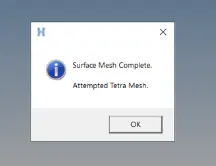
- Now the component has been meshed with Quick Tetramesh Method.
- After meshing Quick Tet's component will be created individually.
- Now rename that Quick Tet's Component or Organize it to the Crank Casing Component.
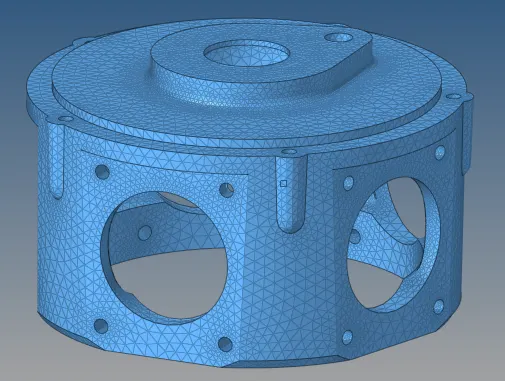
- Make Sure to delete the 2D Shell Element's.
- Similarly what you did to the Housing Model.
- Check for the element's failing for the Tet collapse.
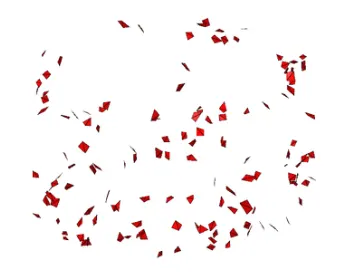

- Try to clear them using Tetraremesh.
- We can also try to clear them using Solid Mesh Optimization.
- If one or two element's are failing,We can clear them manually using Translate and Distance Tool.
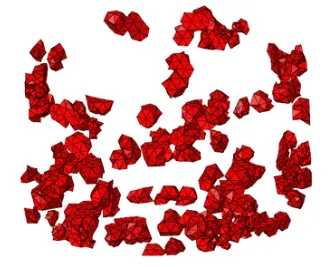
- Unmask Adjacent and tetraremesh the element's.
- Element's will be cleared.

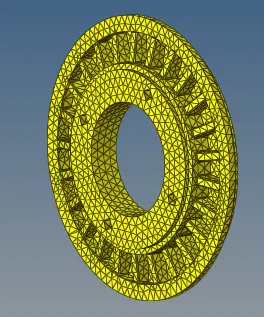
MODEL 3:-
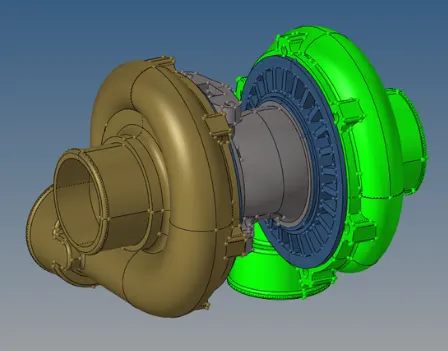
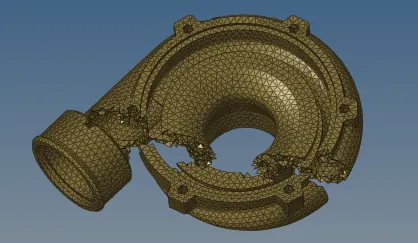
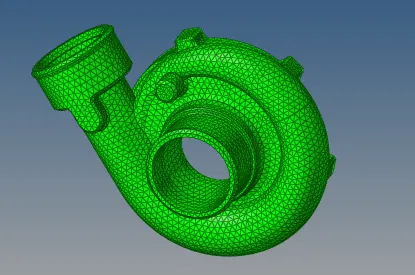
- For this Model,I'm using Volume Tetramesh method.
- Volume tetrameshing: tetramesh panel > Volume tetra sub-panel Mesh > Create > Tetra Mesh.
Has some specialized options:
- Use Proximity – Creates smaller elements next to small features to make a smooth transition from small to large.
- Use Curvature – Will place more elements along curved surfaces based on user specified settings.

- Check whether the element's have been meshed as 3D tetra or not.
FINAL MODEL:-
MODEL 1:-
MODEL 2:-
MODEL 3:-
RESULTS:-
- Hence TetraMesh Generation Method-2D to 3D Conversion for Housing component with the following quality criteria has been done.
- Hence TetraMesh Generation Method-Quick Tetra Mesh/ Volume Tetra Mesh for the given model with the following quality criteria has been done.
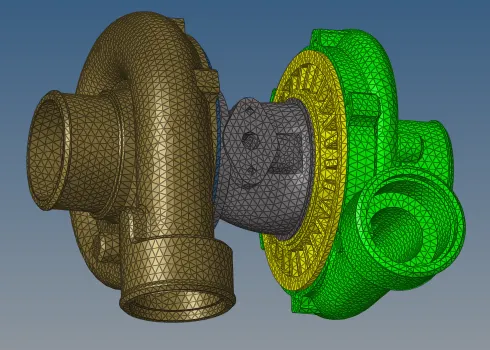
- Hence TetraMesh Generation Method-Quick Tetra Mesh/ Volume Tetra Mesh for the given assembly model with the following quality criteria has been done.
CONCLUSION & LEARNING OUTCOME:-
- In this Week 8 Challenge,I came to know how to 3D mesha component properly without dent's and kink's.
- Get to know how to 3D Mesh with different three methods and advantages of those methods.
- How to do Quick Tetramesh,Volume Tetramesh.
- How to do Solid Mesh Optimization.