Week 10 Challenge
- Based on the analysis design RC column and beam.
ANS
AIM: To design RC column and beam based on the analysis.
Tools Used:
- Review
- Check Member
- Interactive Design
Procedure:
Step1: First of all, open the previously completed file.
Step2: Validate the model and check for errors. If any errors occurred rectify them.
Step3: Later we have to analyze the structure and create a report.
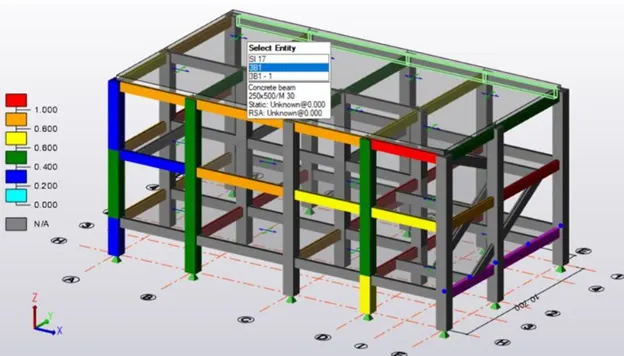
Step4: Go to review view of a 3D model and check the model for each and every member separately.
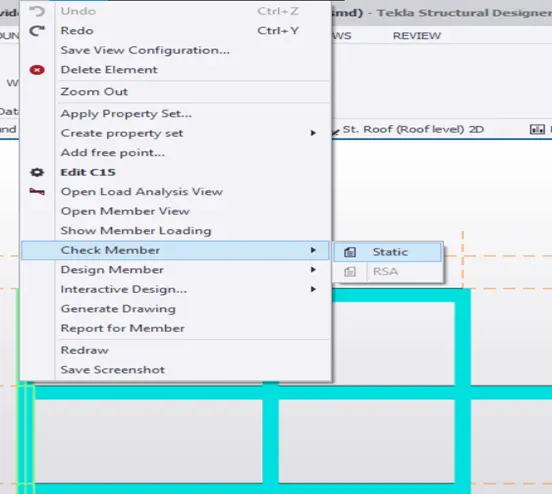
Step5: For that, we have to right-click on the member and click on check member static.
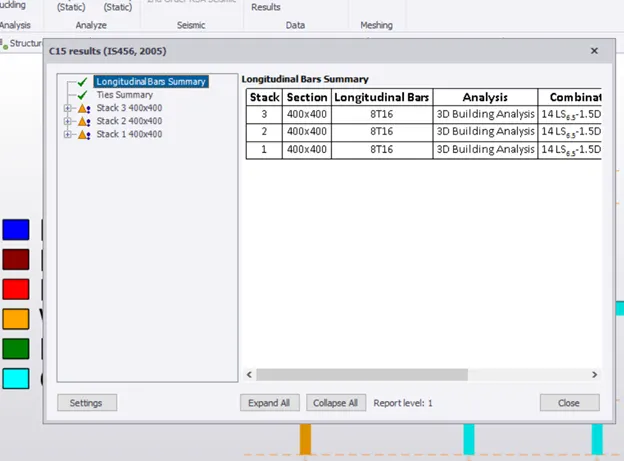
Step6: Then a result dialogue box will appear and show the status of the member. If the member Fails, we have to correct it by changing the cross-section and grade of concrete. We have to repeat the same process until we find no errors by changing the cross-section and grade of concrete.
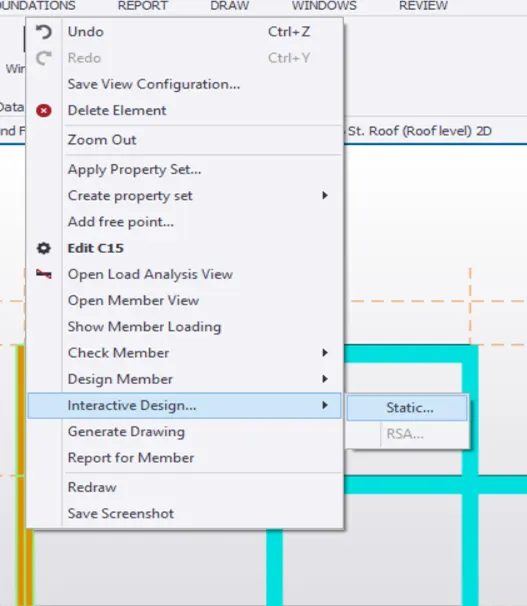
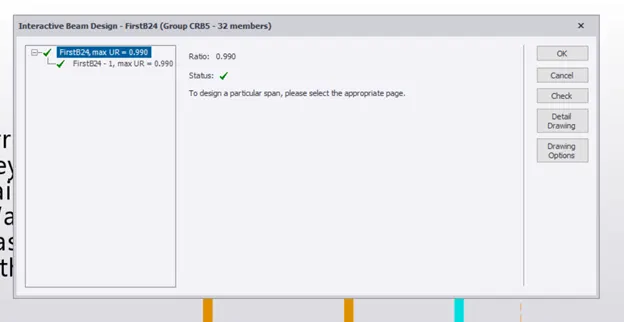
Step7: Next we have to do interactive design for the members.
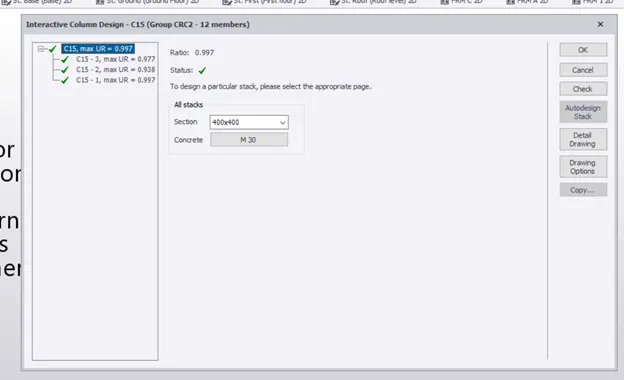
Step8: Then a dialogue box will open an interactive design of column or beam. If the member is passed, then it means the design is sufficient if not passed then we have to re-design that member by changing reinforcement details like the size of the bar or cross-section or no of bars. Then we have to do the analysis again to check the member passed or not. We have to repeat the same process until the member had passed.
Result: With the above process we will be able to design columns and beams based on analysis.