Week 10 Challenge
1. Based on the analysis design RC column and beam
AIM : To design RC column and beam based on the analysis
TOOLS REQUIRE : Beams, columns, interactive design, static, validate, design, settings, property browser, etc.
PROCEDURE :
- Firstly open the previous project file
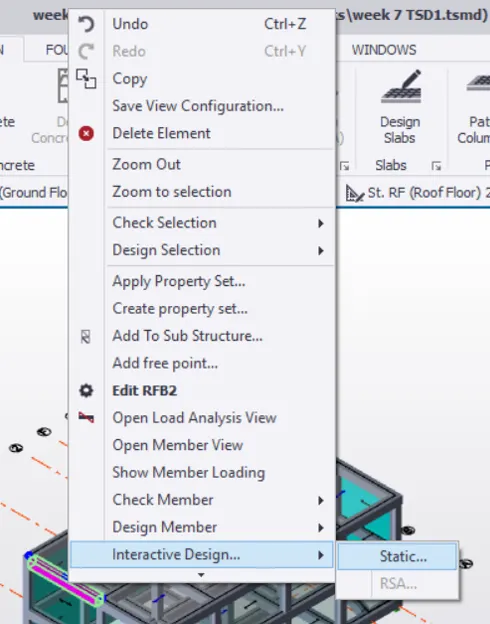
- Now select a particular column and right click then a pop up box appears
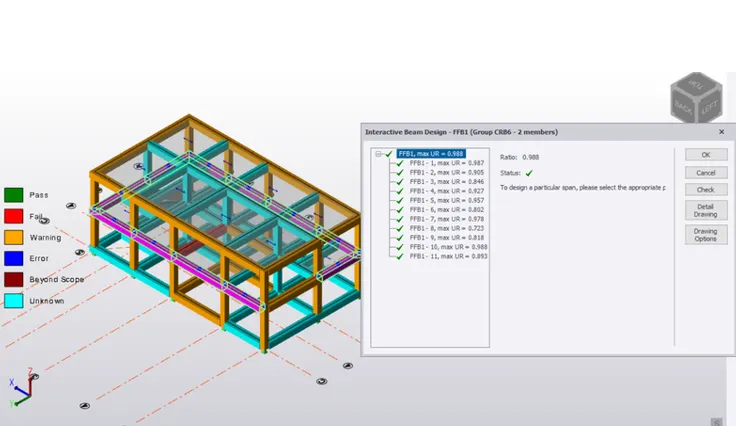
- Now in the pop up box select the interactive design and then select the static option from it
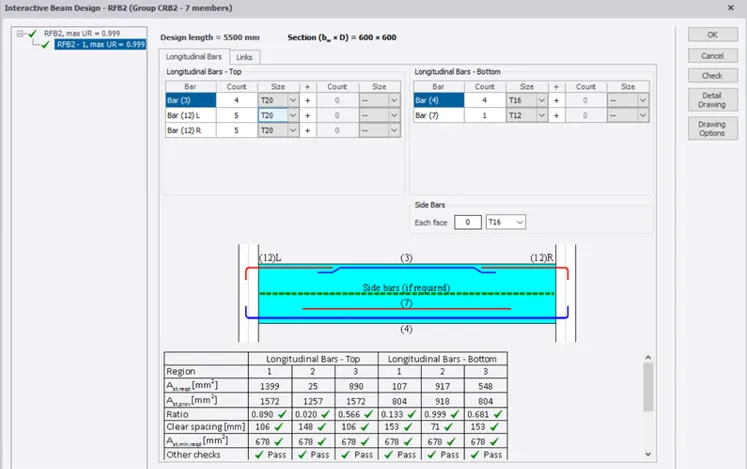
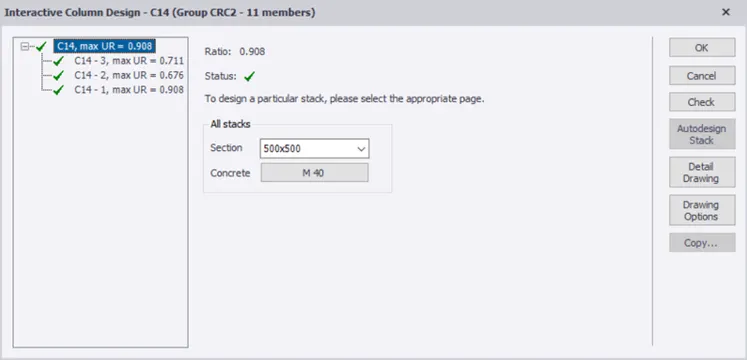
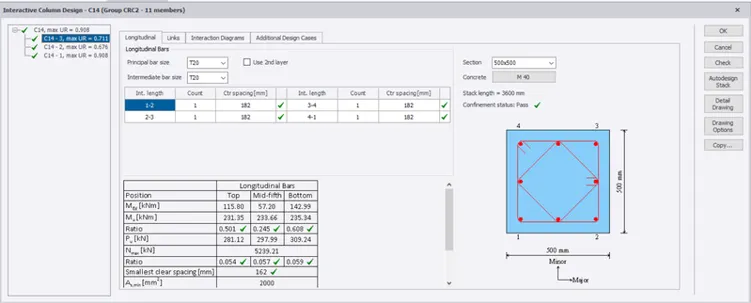
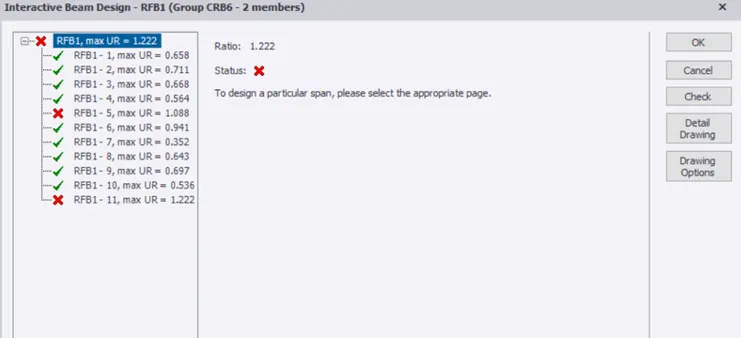
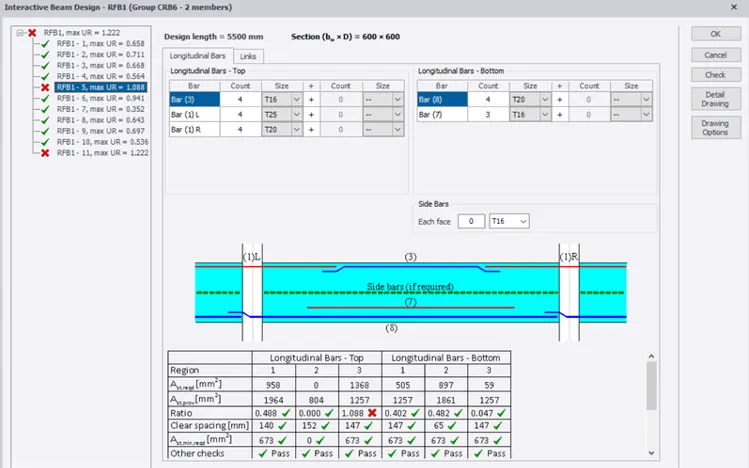
- Now a new pop up box appears with the detailed properties of the column we had selected before
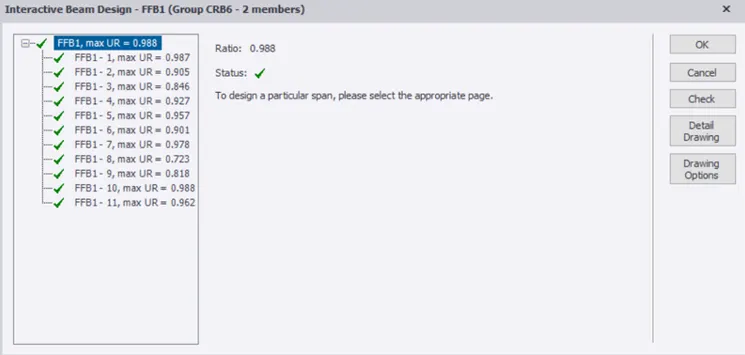
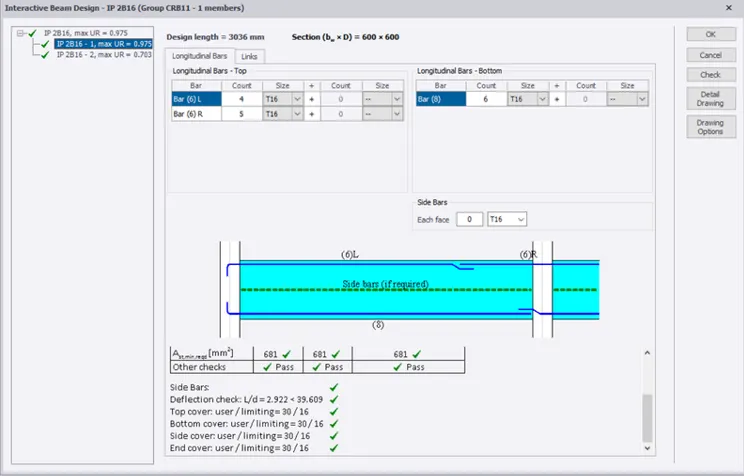
- Now check the status of the column and check weather it is a red cross mark or a green tick mark
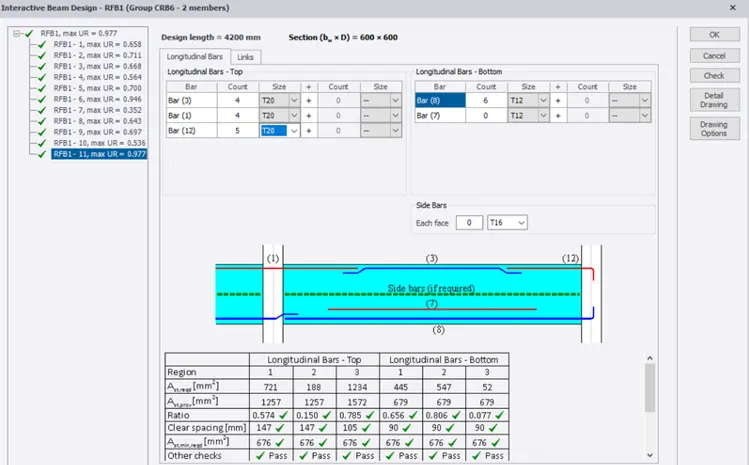
- Now if it is a green tick mark it mean that the column requirements for the structure has been satisfied
- Now if it is red cross mark change the properties either by increasing or decreasing the size of the column and this can surely change the red cross mark into green tick mark
- Now select the design tool that is present on the top tool bar
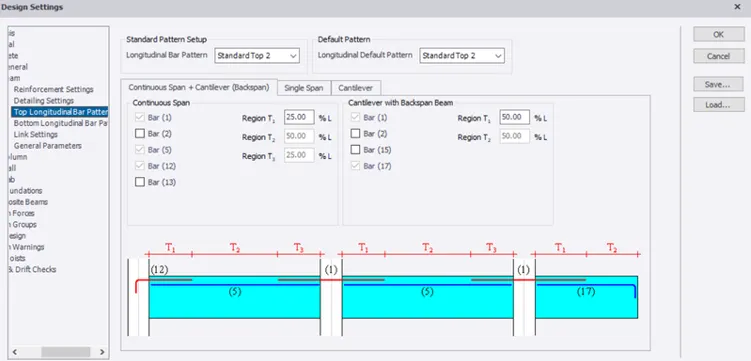
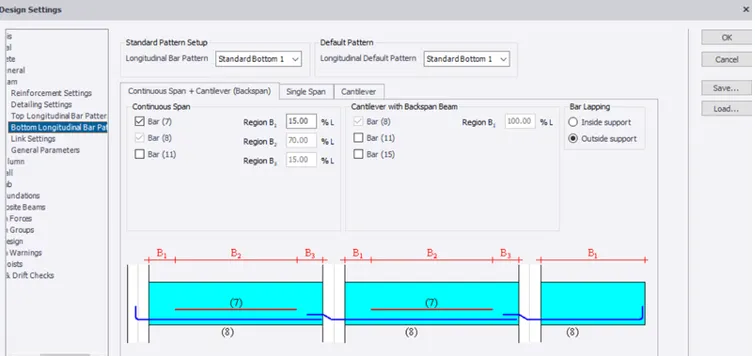
- Now under that select the settings option then under that select concrete and then under that select the top longitudinal and bottom longitudinal values that are to be changed
- Now make changes as per requirements
- Now we should open the review view
- Now we can see the present status of the structure
- Now follow the same procedure for few RC beams and RC columns
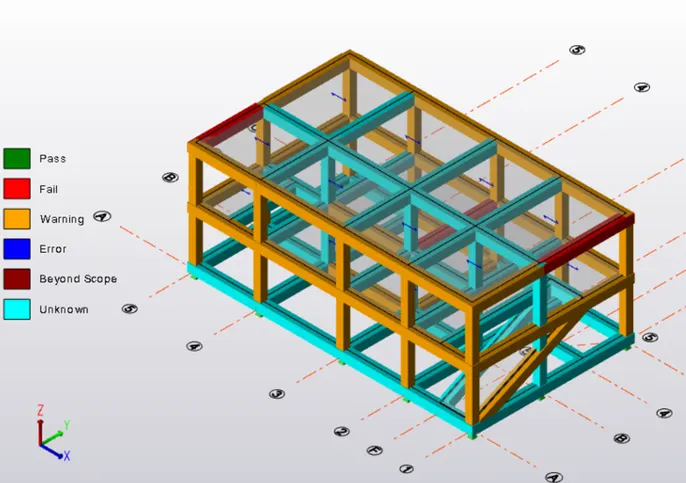
RESULT : Therefore by above procedure we can design RC column and RC beam based on the analysis