Week 10- Assembly Workbench
OBJECTIVE
Assembly Workbench of Drawing 1 and Drawing 2.
REQUIREMENTS:
Software Knowledge about CATIA V5.
DRAWING 1
PART - 1
MASTER SECTION
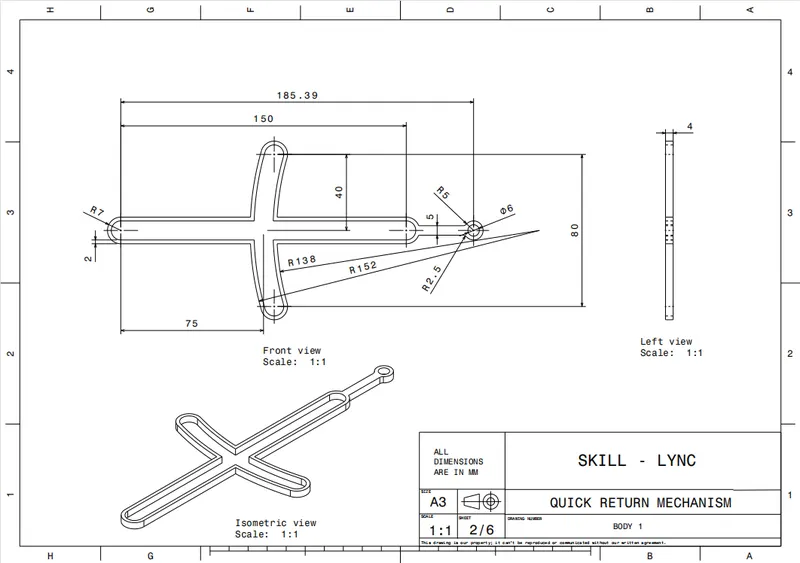
PROCEDURE
- From the above drawing create sketch and construct model using existing commands from catia.
- The possible commands used are Sketch, Point, Line, Plane, Pad, part work bench, generative shape design work bench and boolean algebra operations.
- By using all the above options and features the part is constructed.
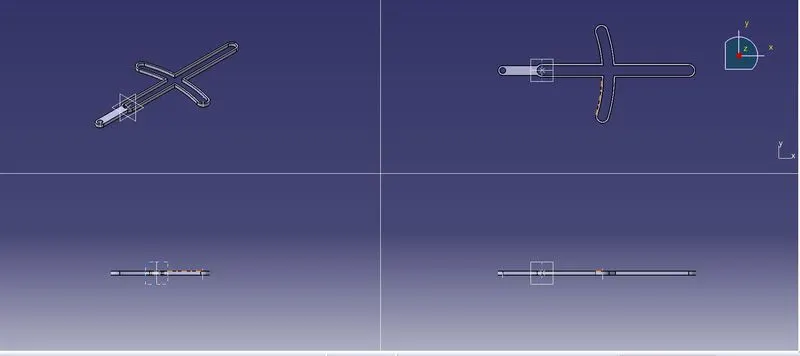
- The Part Model Image is attached below.
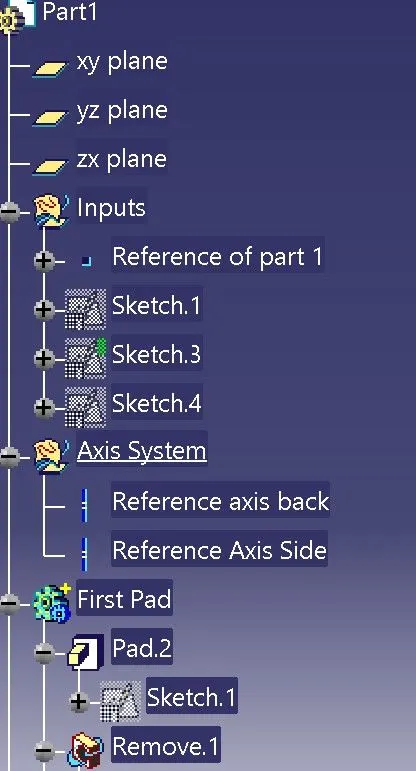
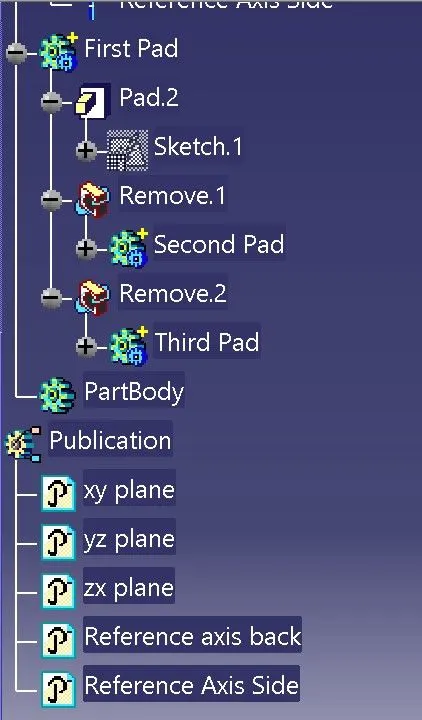
FEATURE TREE OF PART 1
PART -2
MASTER SECTION
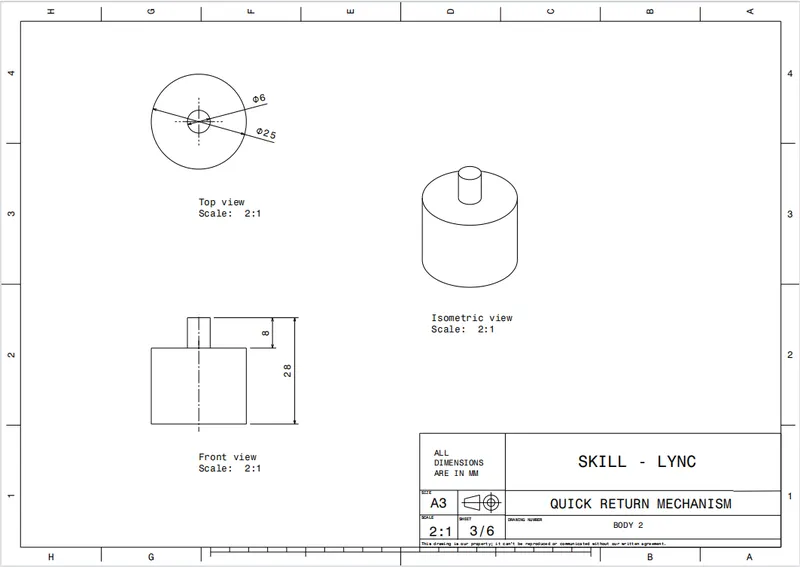
PROCEDURE
- From the above drawing create sketch and construct model using existing commands from catia.
- The possible commands used are Sketch, Point, Line, Plane, Pad, part work bench, generative shape design work bench and boolean algebra operations.
- By using all the above options and features the part is constructed.
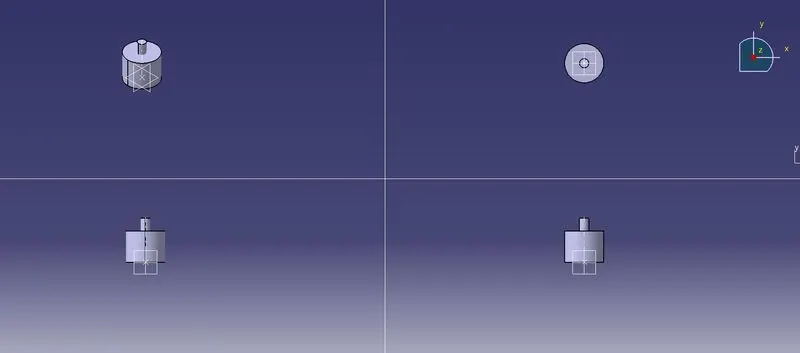
- The Part Model Image is attached below.
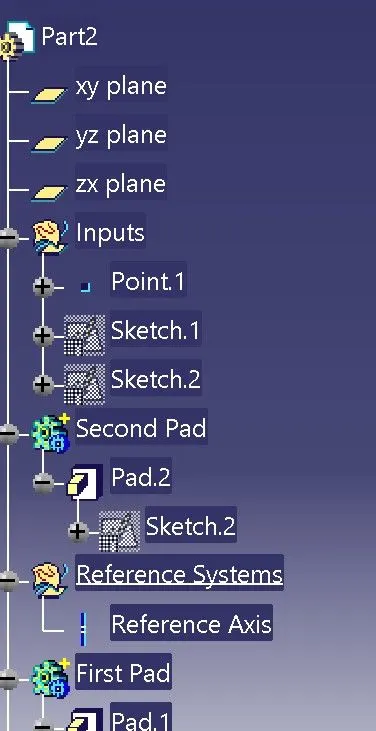
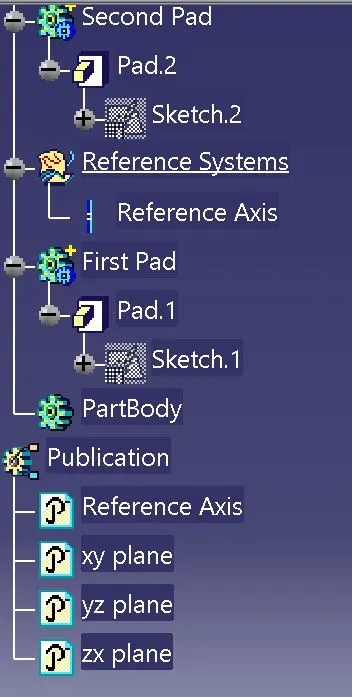
FEATURE TREE OF PART 2
PART -3
MASTER SECTION
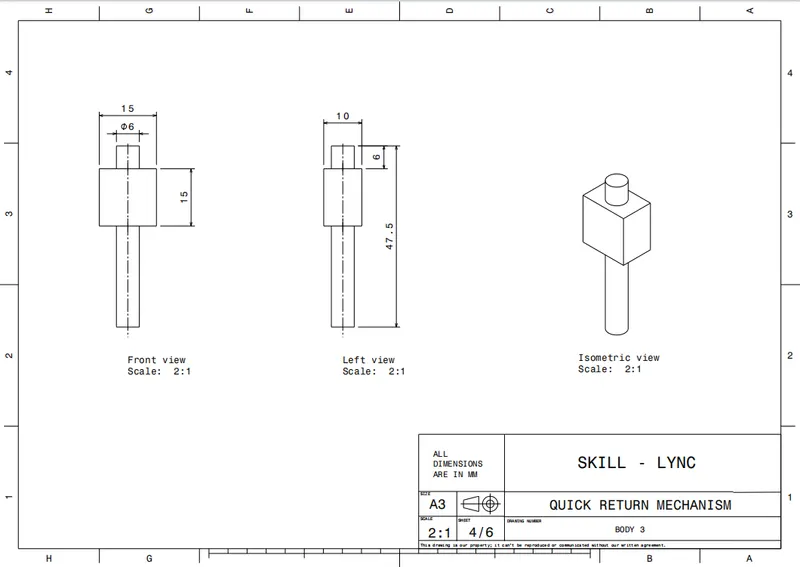
PROCEDURE
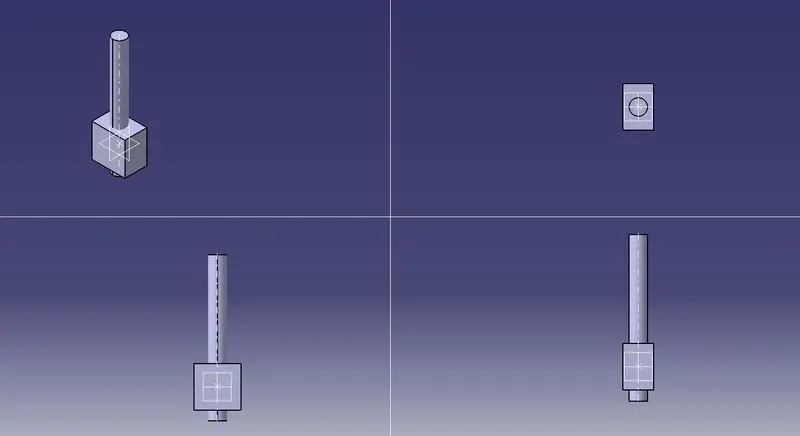
- From the above drawing create sketch and construct model using existing commands from catia.
- The possible commands used are Sketch, Point, Line, Plane, Pad, part work bench, generative shape design work bench and boolean algebra operations.
- By using all the above options and features the part is constructed.
- The Part Model Image is attached below.
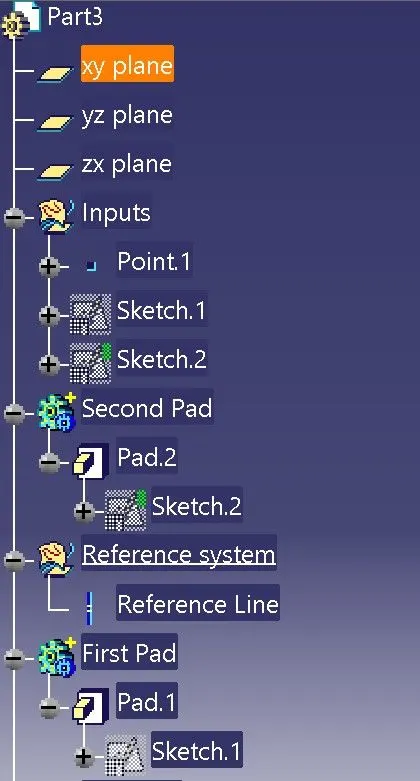
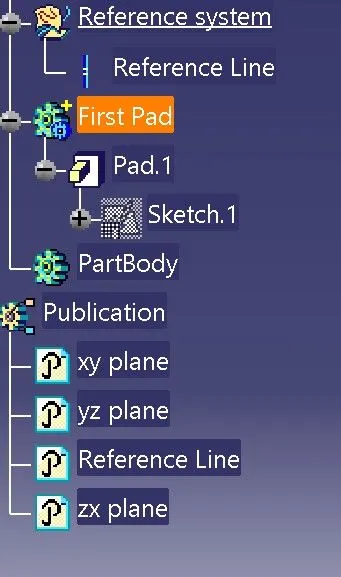
FEATURE TREE OF PART 3
PART - 4
MASTER SECTION
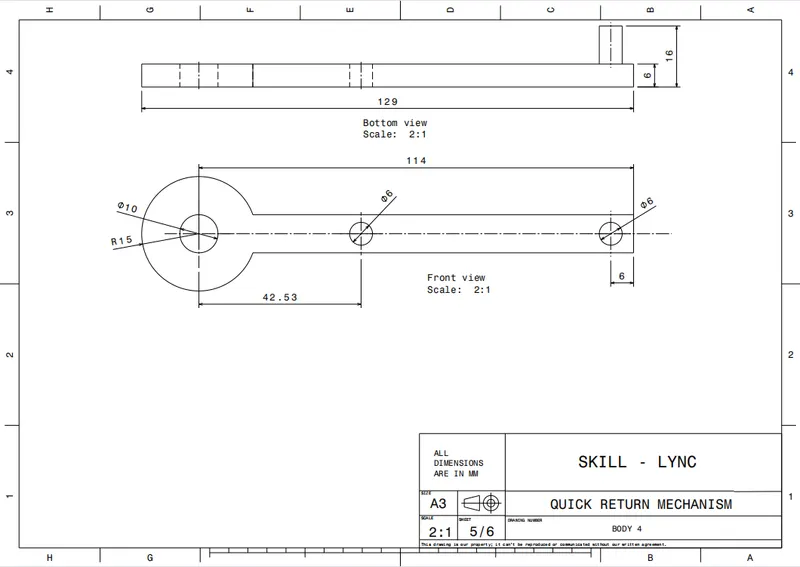
PROCEDURE
- From the above drawing create sketch and construct model using existing commands from catia.
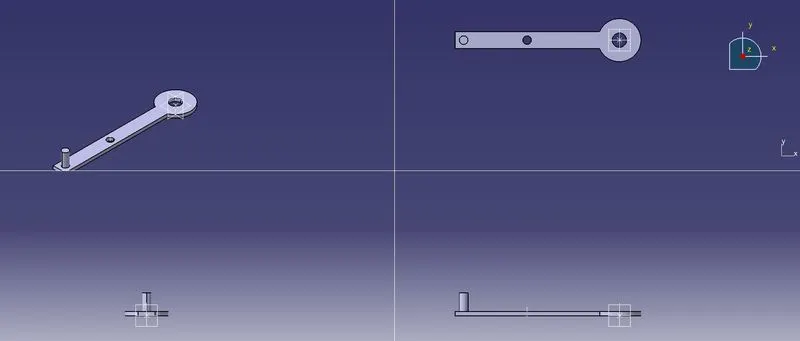
- The possible commands used are Sketch, Point, Line, Plane, Pad, part work bench, generative shape design work bench and boolean algebra operations.
- By using all the above options and features the part is constructed.
- The Part Model Image is attached below.
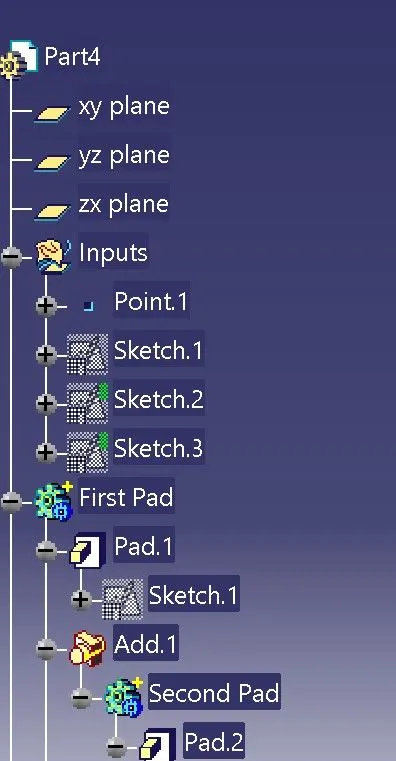
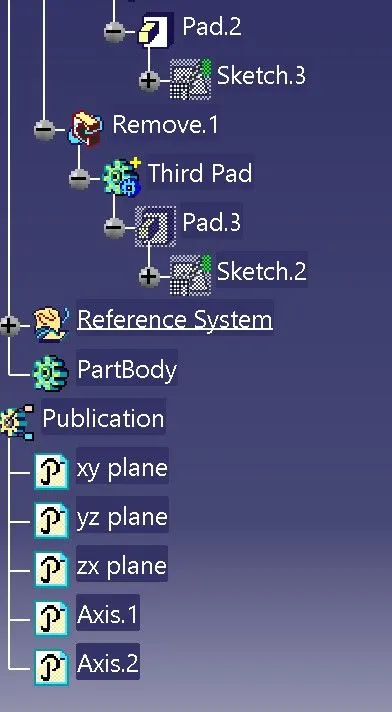
FEATURE TREE OF PART 4
PART - 5
MASTER SECTION
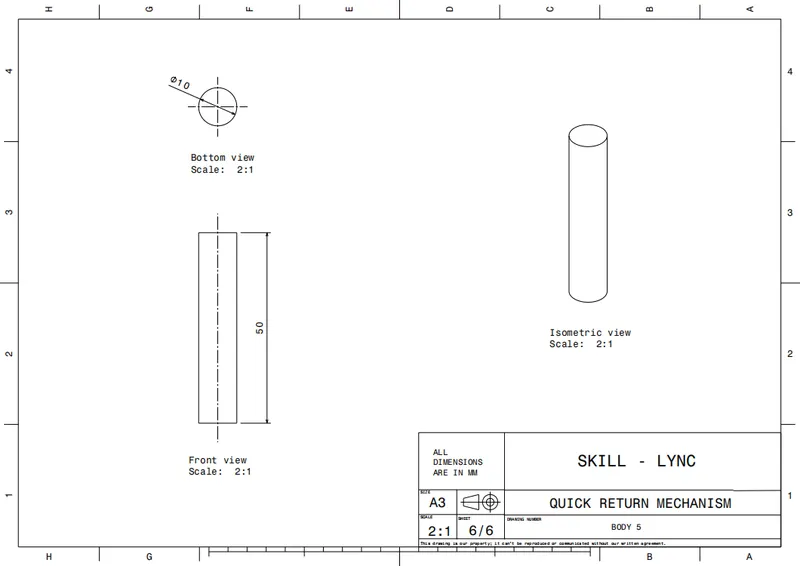
PROCEDURE
- From the above drawing create sketch and construct model using existing commands from catia.
- The possible commands used are Sketch, Point, Line, Plane, Pad, part work bench, generative shape design work bench and boolean algebra operations.
- By using all the above options and features the part is constructed.
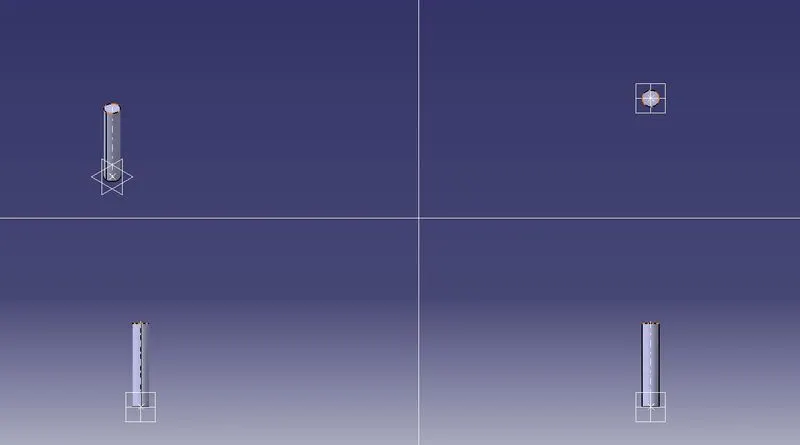
- The Part Model Image is attached below.
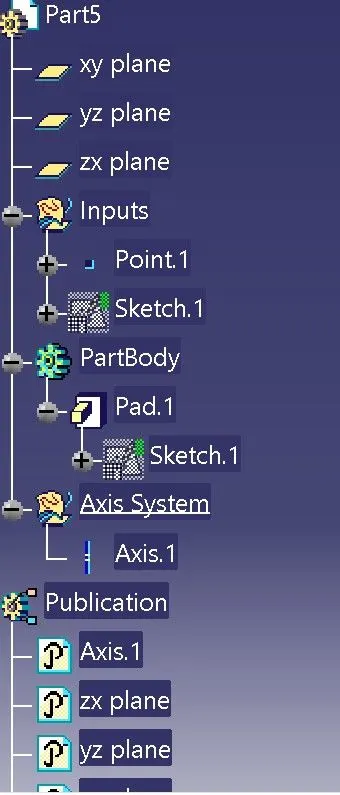
FEATURE TREE OF PART 5
ASSEMBLY OF DRAWING 1
MASTER SECTION
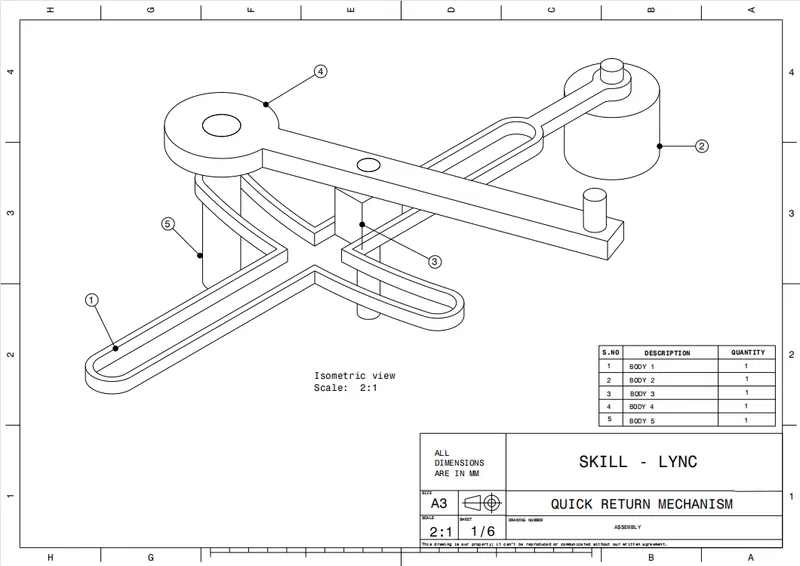
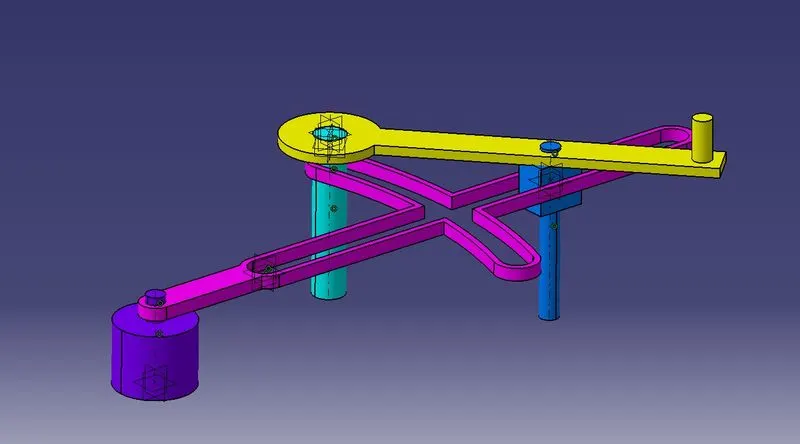
PROCEDURE
- First open product file in catia software
- rename the file as desired.
- select the rename filed name and go to tool box and choose 'existing component' command to import the parts that has been created already.
- do the same for every component.
- Make sure to give different colours for each parts it would be easy to differentiate.
- After it is done choose 'Part' command and a seperate file gets created and rename it accordingly.
- activate that particular file and expand the tree.
- here we have to double on the file after expanding and then it takes to part workbench.
- now go generative shape design and created a seperate geometric set and rename accordingly.
- create axis line using Axis command, and choose spherical or round surface on each parts accordingly.
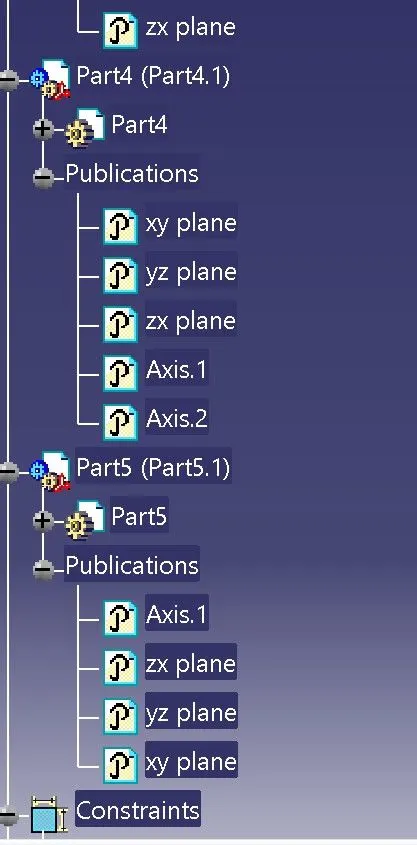
- So for each part it has to be repeated and make sure the axis created on each part and its planes are published so that it will be easy for further process.
- now activate the assembly file by double click on it.
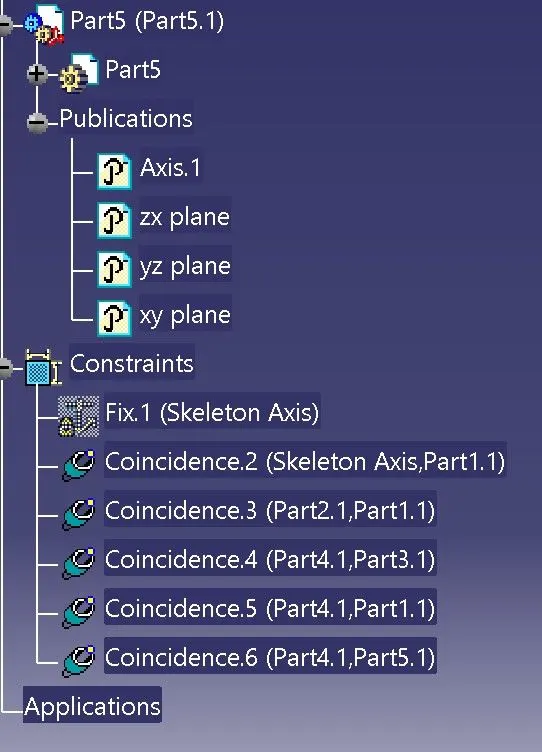
- now use fix the skeleton or parent axis which it has created by part command.
- use manupilation command to place the parts accordingly.
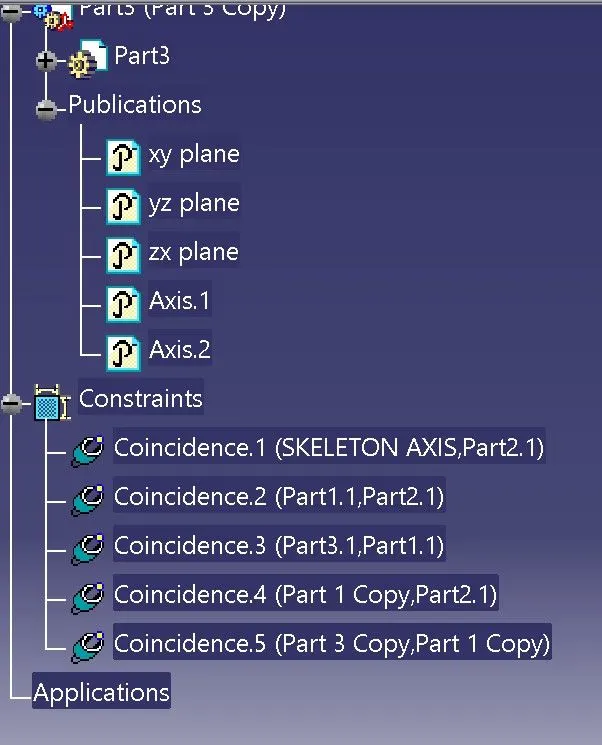
- use coincidence contrain respectively for assembling them.
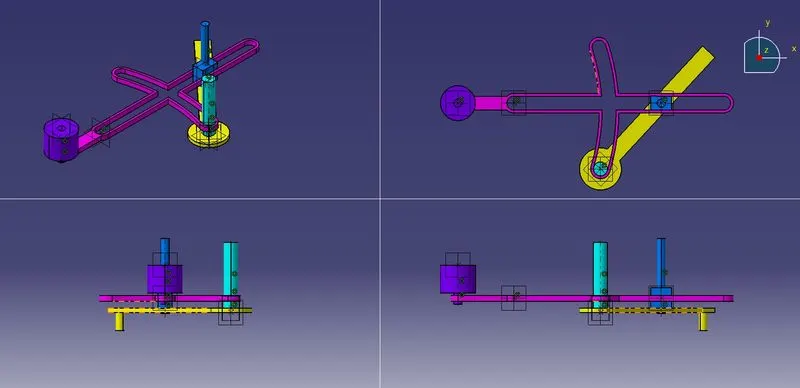
FEATURE TREE OF DRAWING 1 ASSEMBLY
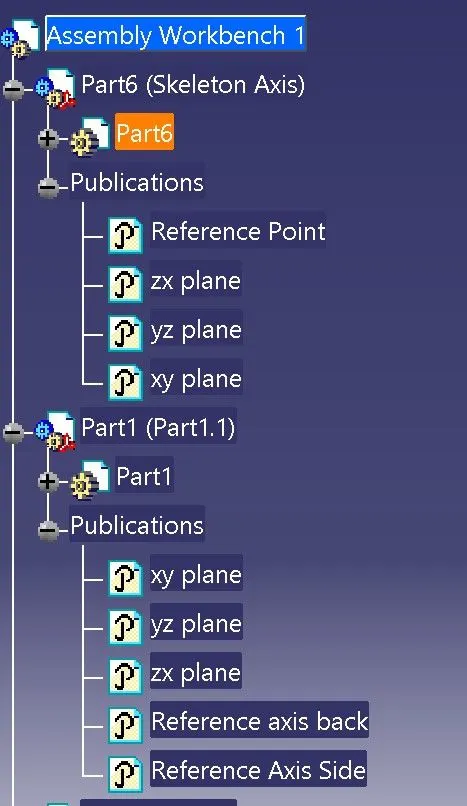
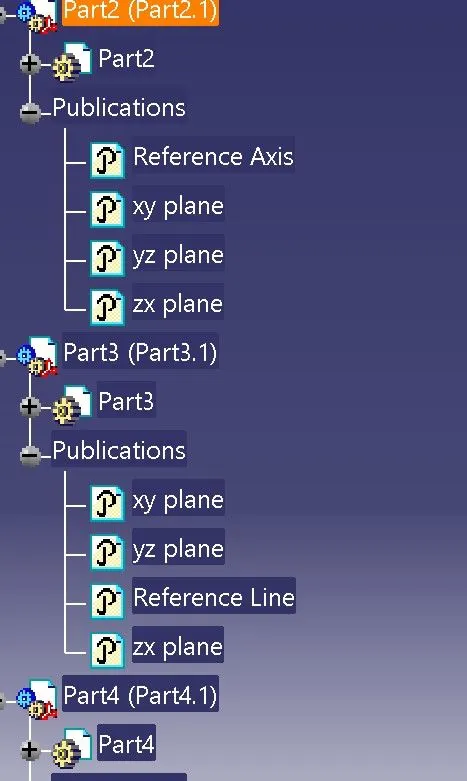
DRAWING 2
PART - 1
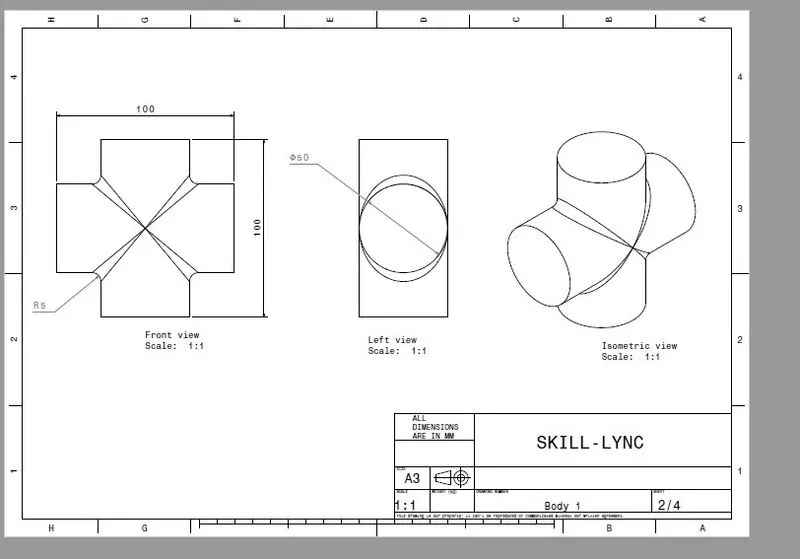
MASTER SECTION
PROCEDURE
- From the above drawing create sketch and construct model using existing commands from catia.
- The possible commands used are Sketch, Point, Line, Plane, Pad, part work bench, generative shape design work bench and boolean algebra operations.
- By using all the above options and features the part is constructed.
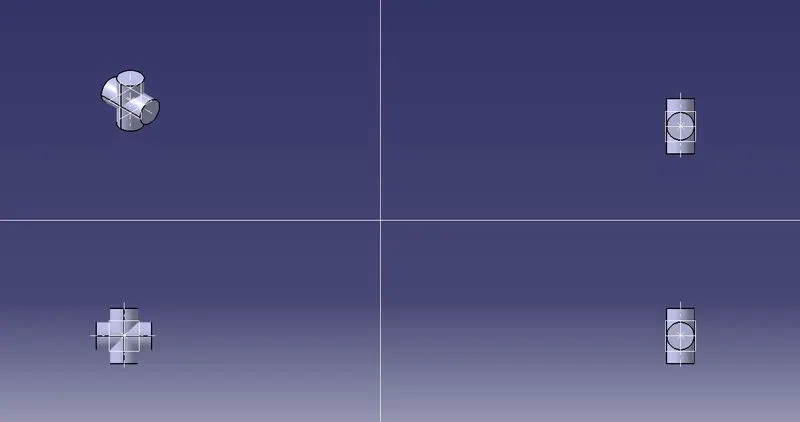
- The Part Model Image is attached below.
FEATURE TREE FOR PART 1
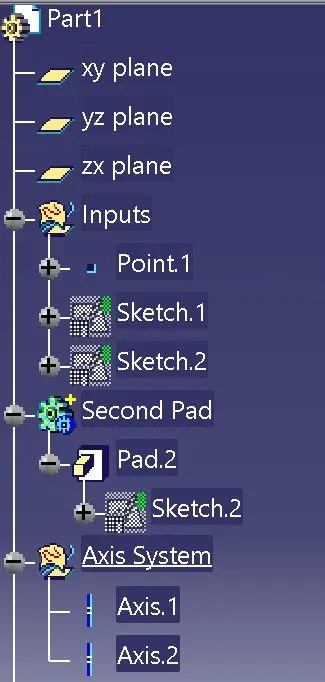
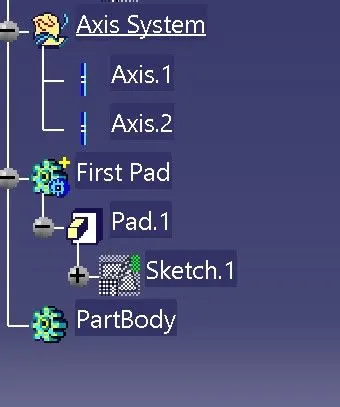
PART - 2
MASTER SECTION
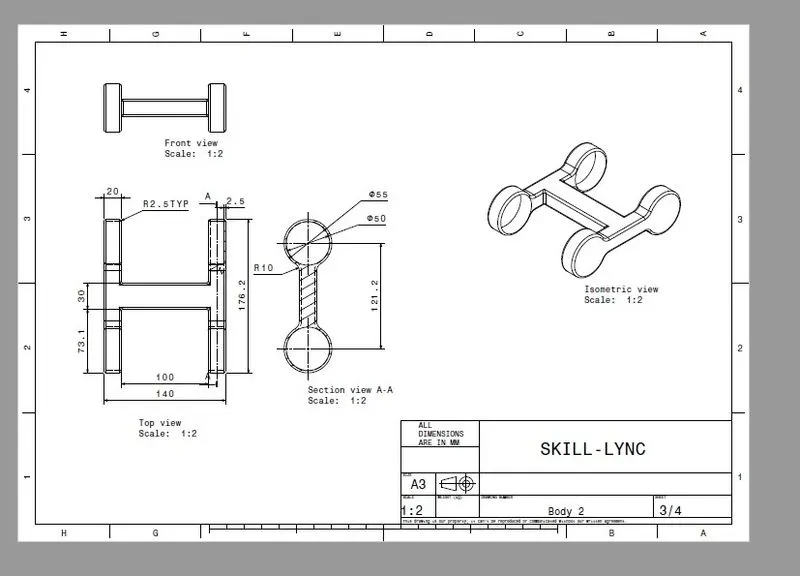
PROCEDURE
- From the above drawing create sketch and construct model using existing commands from catia.
- The possible commands used are Sketch, Point, Line, Plane, Pad, part work bench, generative shape design work bench and boolean algebra operations.
- By using all the above options and features the part is constructed.
- The Part Model Image is attached below.
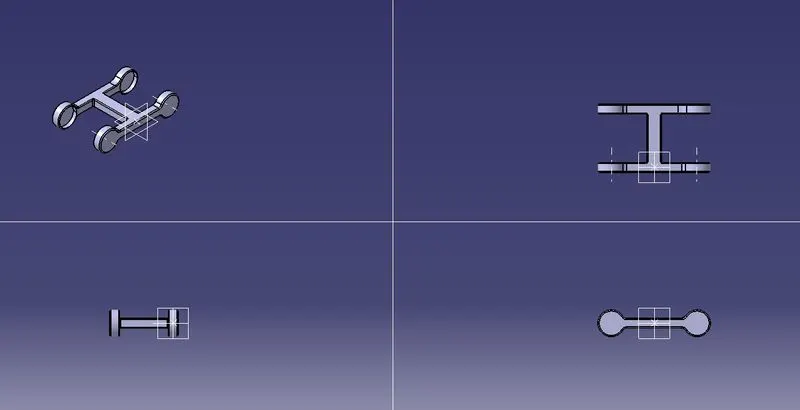
FEATURE TREE FOR PART 2
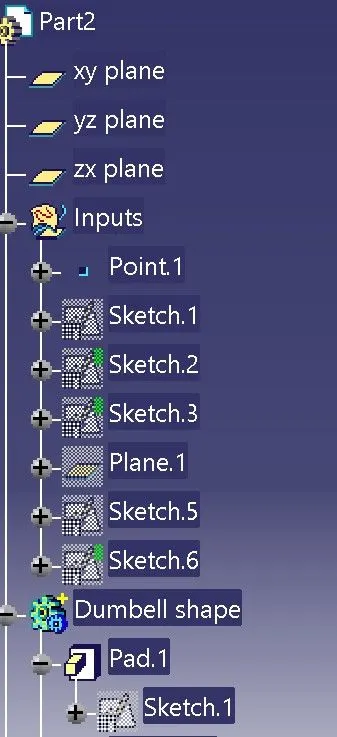
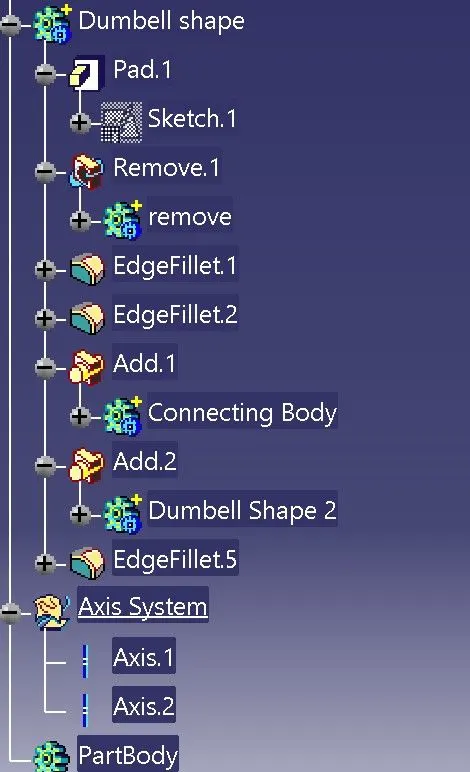
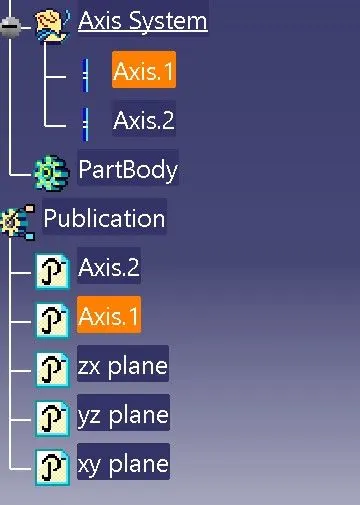
PART - 3
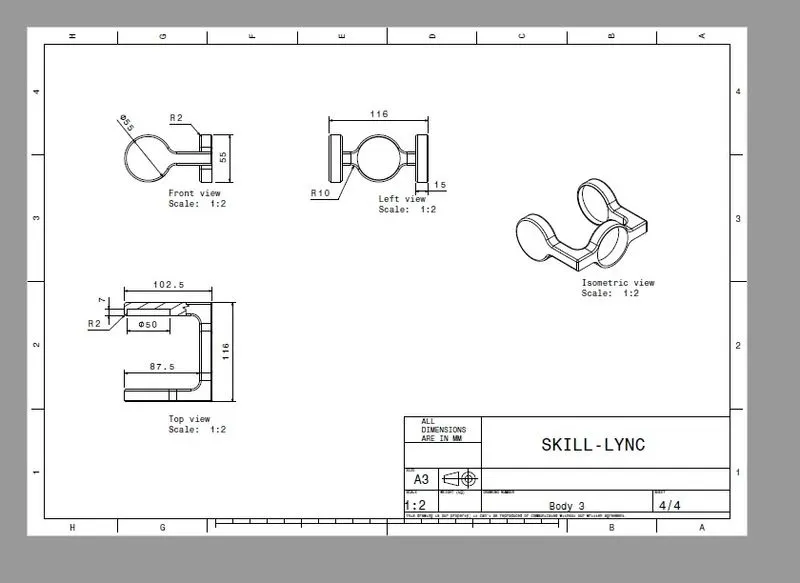
MASTER SECTION
PROCEDURE
- From the above drawing create sketch and construct model using existing commands from catia.
- The possible commands used are Sketch, Point, Line, Plane, Pad, part work bench, generative shape design work bench and boolean algebra operations.
- By using all the above options and features the part is constructed.
- The Part Model Image is attached below.
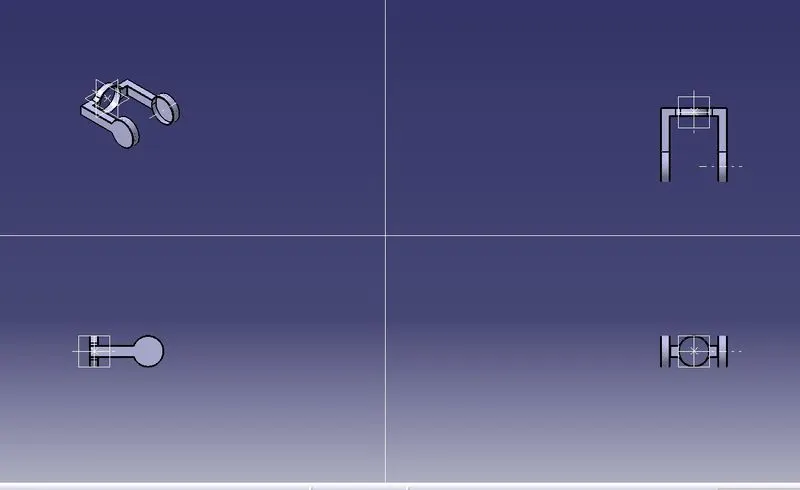
FEATURE TREE FOR PART 2
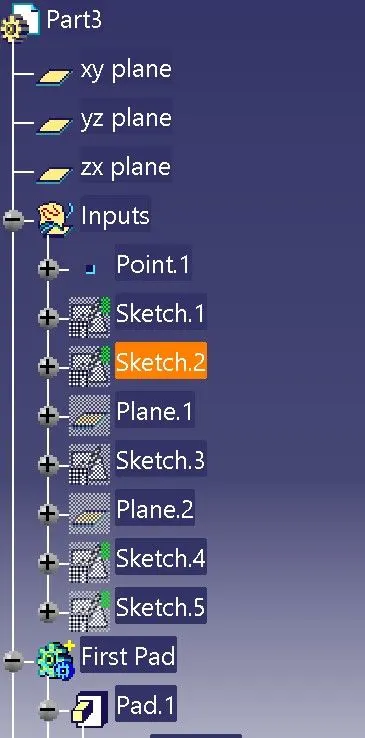
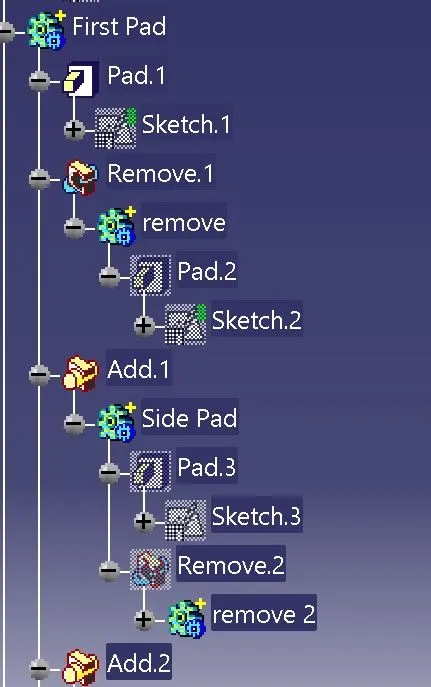
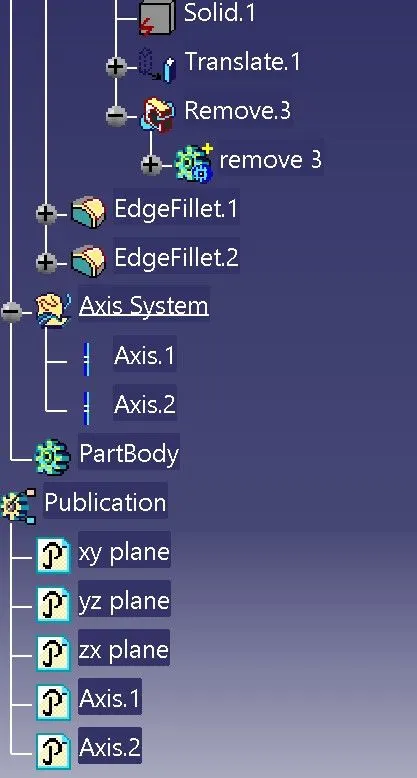
ASSEMBLY OF DRAWING 2
MASTER SECTION
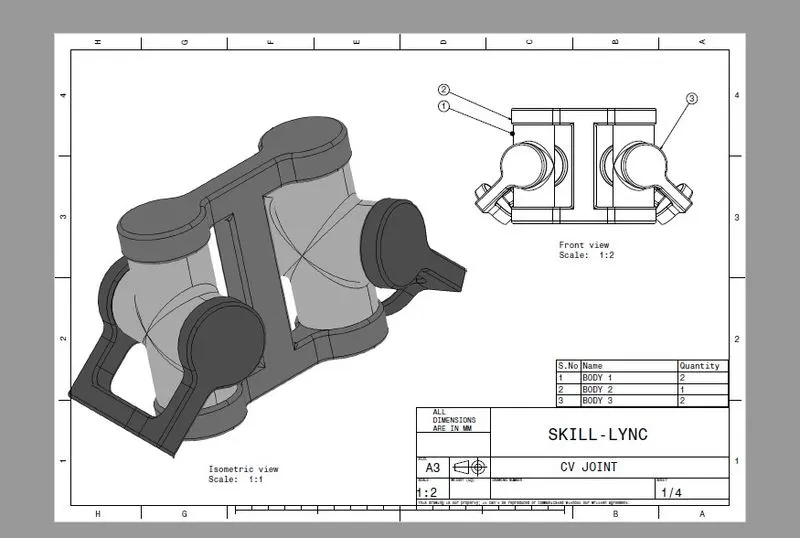
PROCEDURE
- First open product file in catia software
- rename the file as desired.
- select the rename filed name and go to tool box and choose 'existing component' command to import the parts that has been created already.
- do the same for every component.
- Make sure to give different colours for each parts it would be easy to differentiate.
- After it is done choose 'Part' command and a seperate file gets created and rename it accordingly.
- activate that particular file and expand the tree.
- here we have to double on the file after expanding and then it takes to part workbench.
- now go generative shape design and created a seperate geometric set and rename accordingly.
- create axis line using Axis command, and choose spherical or round surface on each parts accordingly.
- So for each part it has to be repeated and make sure the axis created on each part and its planes are published so that it will be easy for further process.
- now activate the assembly file by double click on it.
- now use fix the skeleton or parent axis which it has created by part command.
- use manupilation command to place the parts accordingly.
- use coincidence contrain respectively for assembling them.
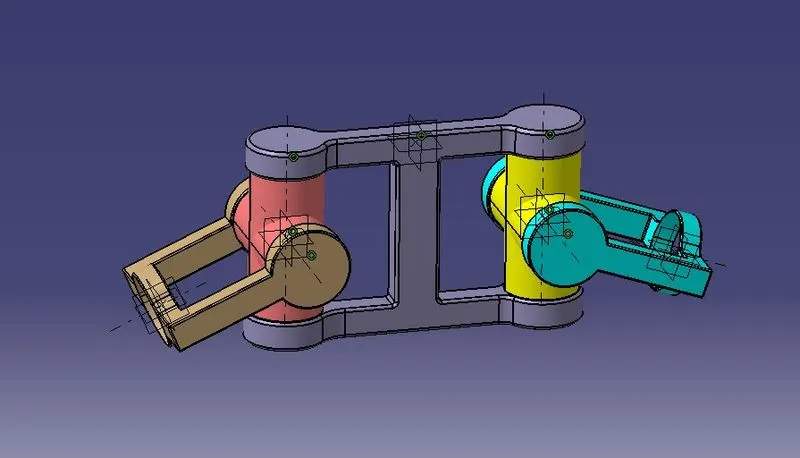
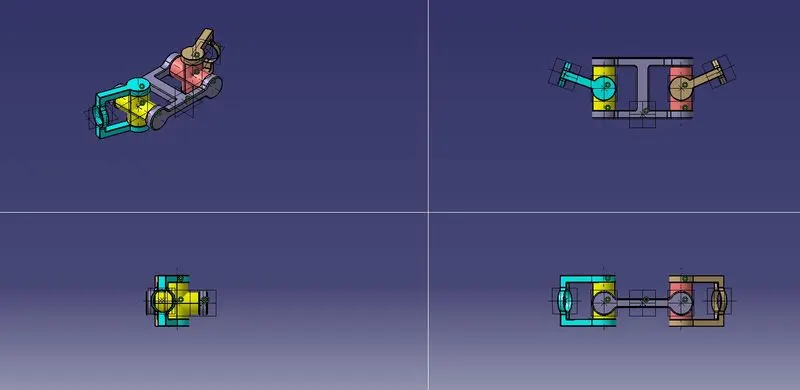
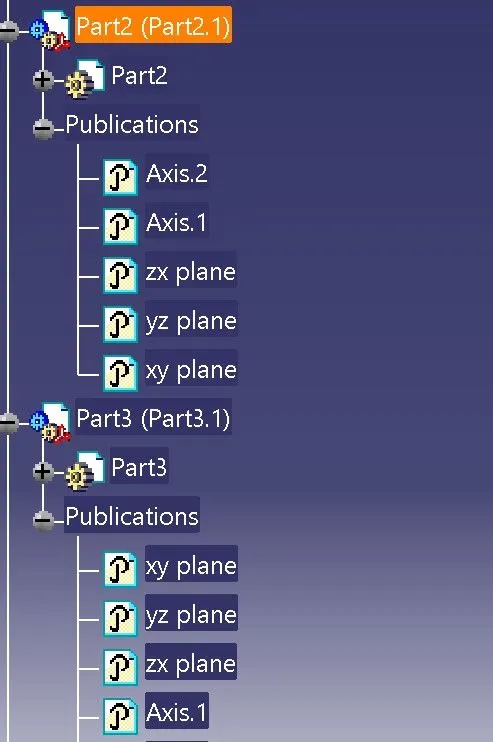
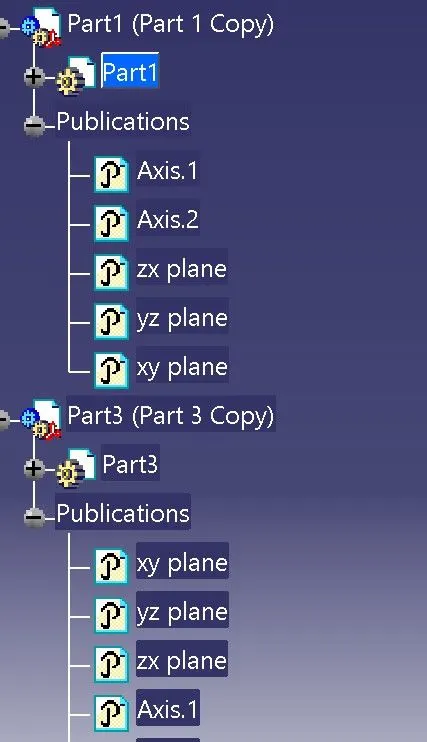
FEATURE TREE FOR ASSEMBLY DRAWING 2
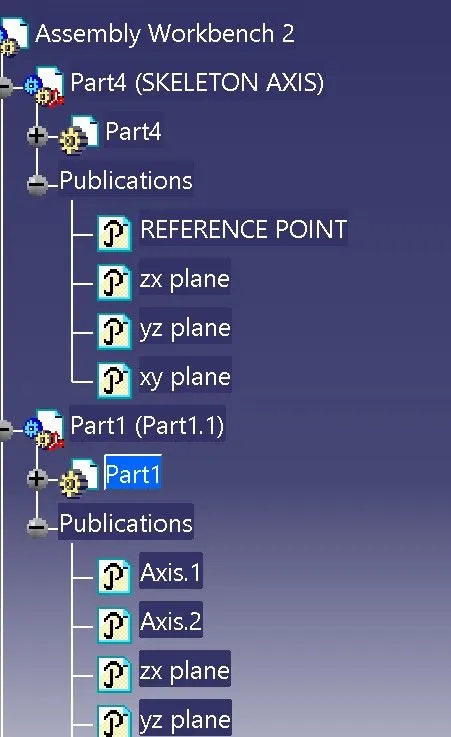
CONCLUSION
The Drawing 1 and Drawing 2 are assembled according to given master section with respective parts.