Week 10- Assembly Workbench
Aim: To Create a Cat Product and Drawings of given part bodies using an Assembly workbench in Catia V5.
CV Joint:
- Constant-velocity joints (also known as homokinetic or CV joints) are mechanical joints that allow a drive shaft to transmit power through a variable angle, at constant rotational speed, without an appreciable increase in friction or play. They are mainly used in front-wheel drive vehicles.
Quick Return Motion Mechanism:
- A quick return mechanism is an apparatus to produce a reciprocating motion in which the time taken for travel in the return stroke is less than in the forward stroke.
Assembly Design Workbench:
- This workbench is used to assemble the separate solid parts into a single part by following the constraints.
- Here we can shift between the Assembly design workbench, Generative shape design workbench, Part design workbench, and Sketcher workbench as well by double-clicking on the respective CAD file.
- In the Assembly workbench we can give constraints to the movement of the parts by using the Constraints command pallet.
Steps to create Assembled Part using Assembly Design Workbench:
- Create the CadPart from the given 2D sketches.
- Open the Assembly workbench and use the Existing component command to call all the CadPart into the Assembly workbench.
- Create the Skeleton Constraints to fix the part position.
- Apply Constraints according to the movement needed with the respective part.
Commands used in Assembly Workbench:
Product Structure Tools:
- Part
- Existing component
Constraints:
- Coincidence constraint
- Fix constraint
- Offset constraint
Move:
- Manipulate
- Explode
Screenshots of the Assembled Parts:
CV Joint:
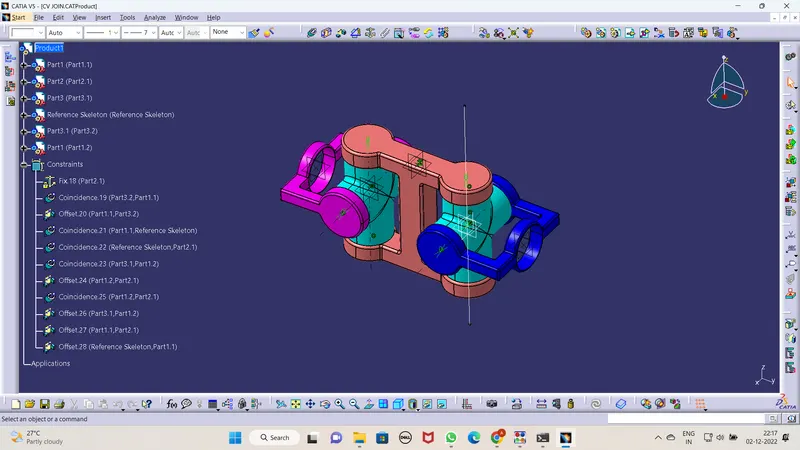
Quick Return Mechanism:
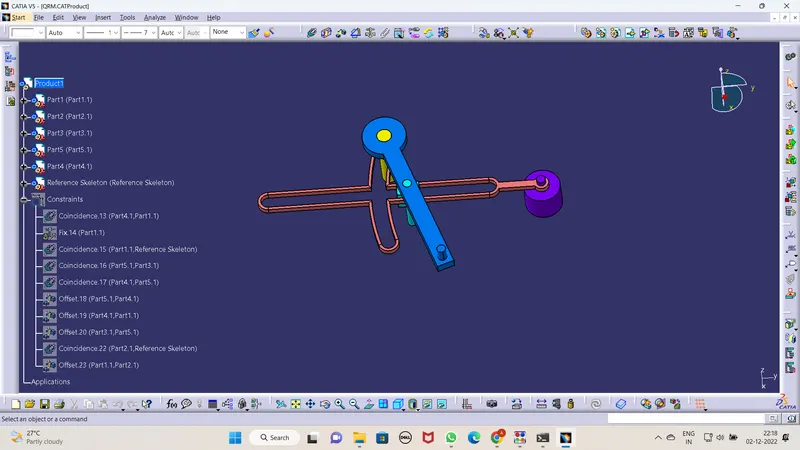
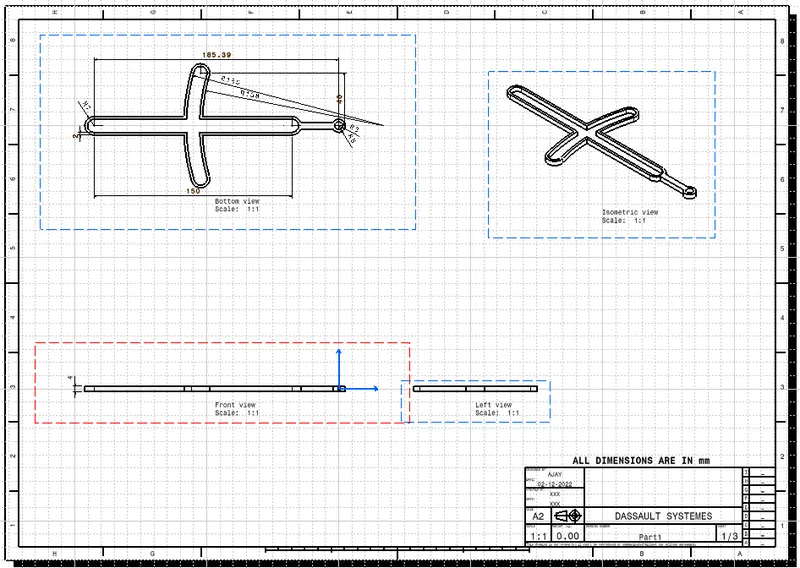
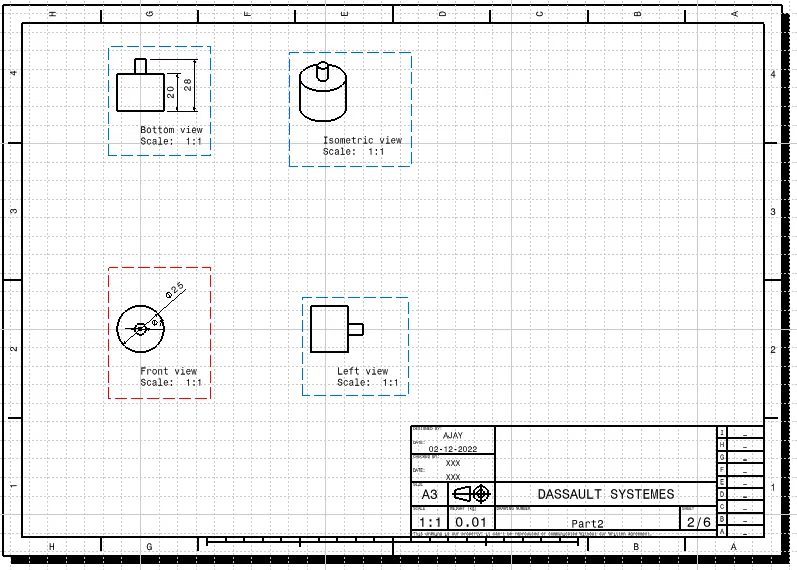
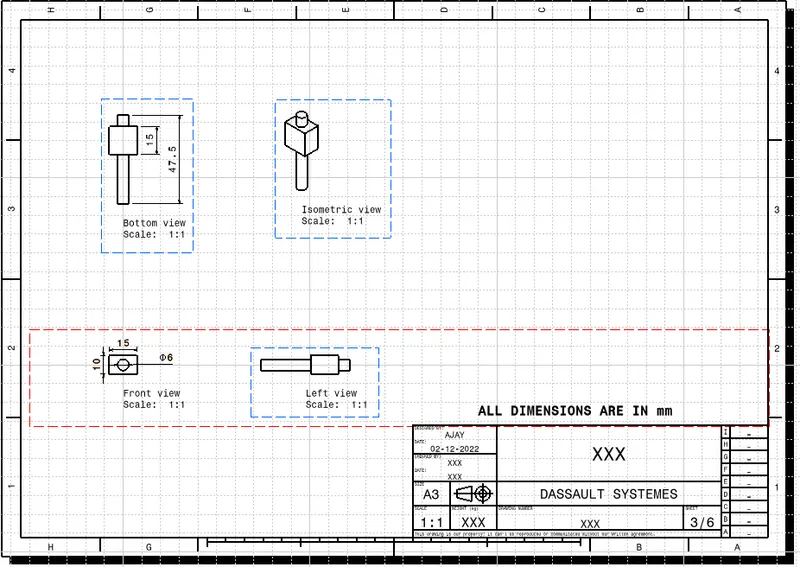
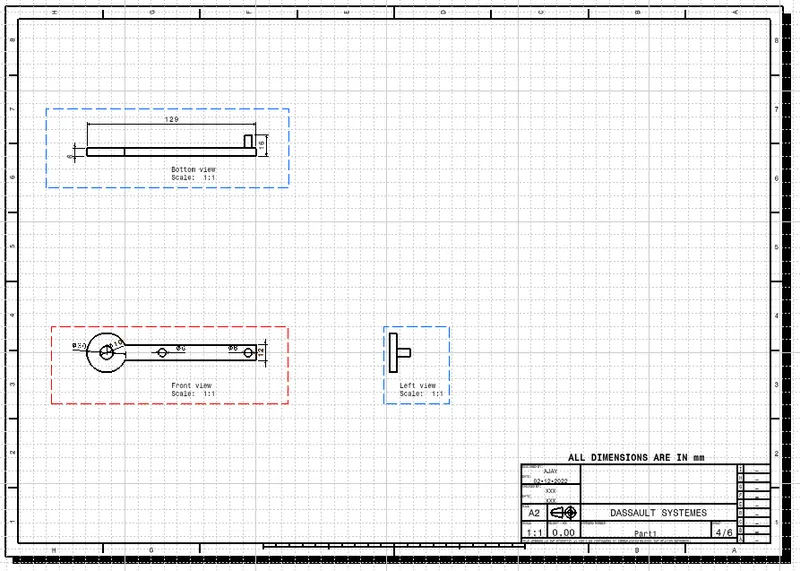
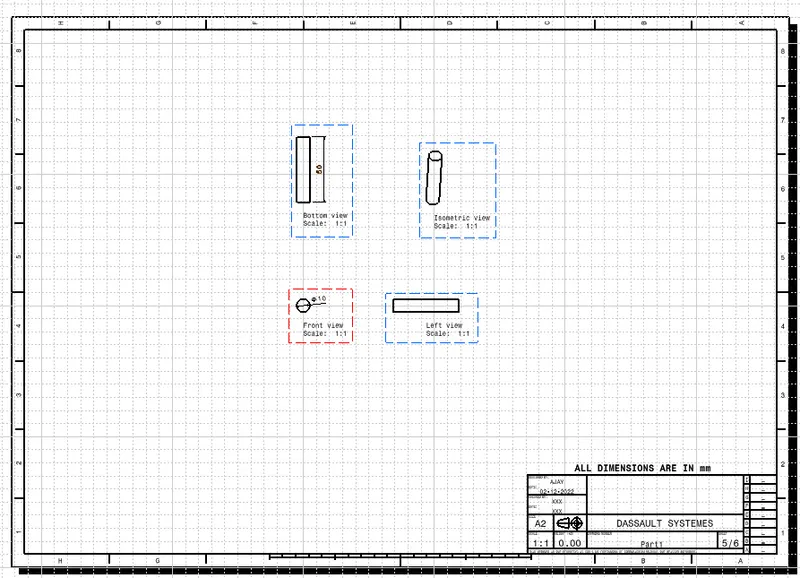
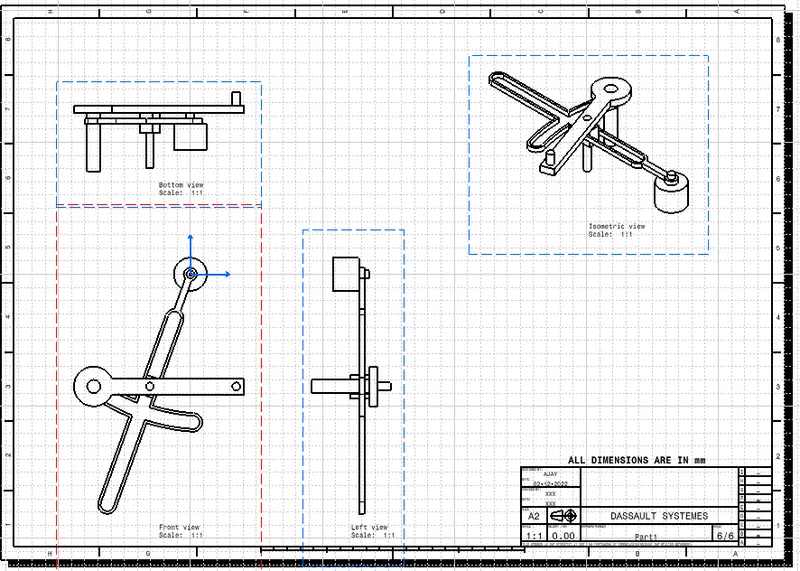
Screenshots of the Drafted Parts:
CV Joint:
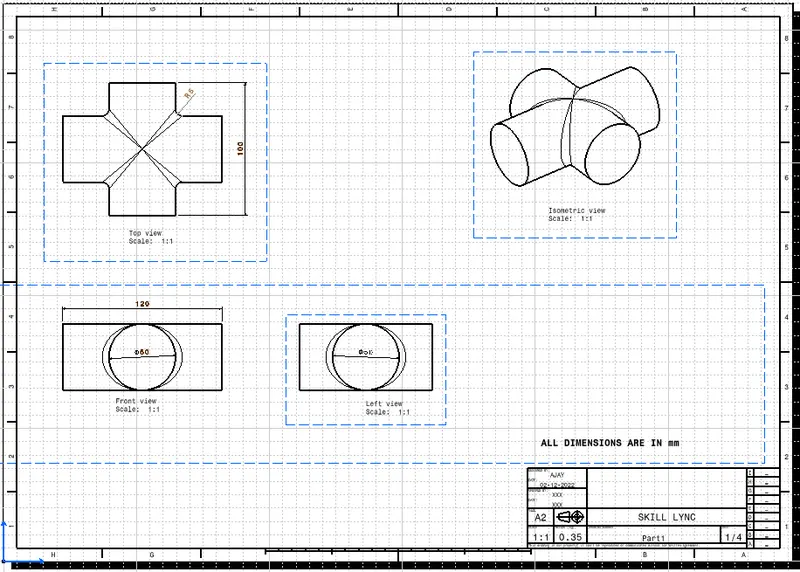
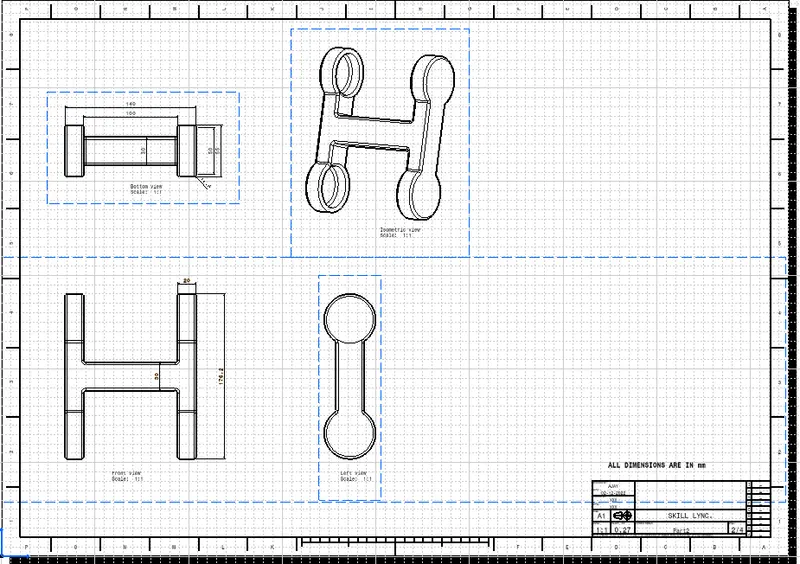
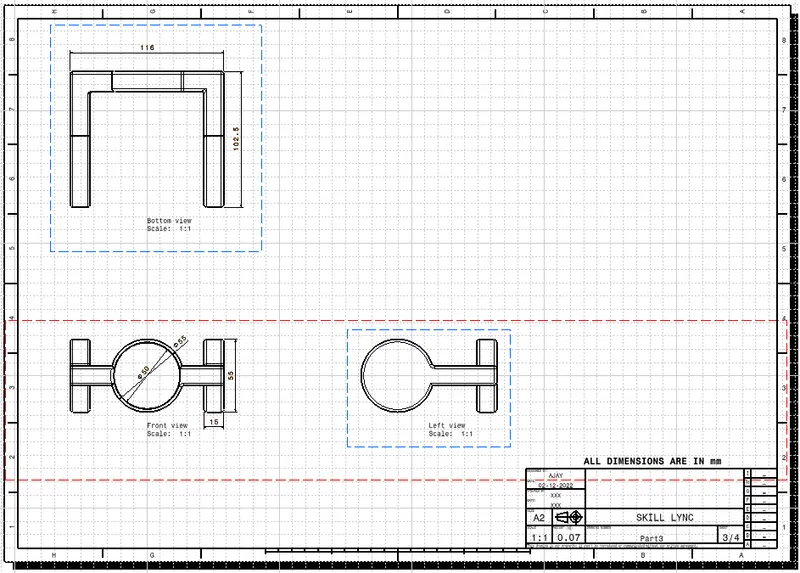
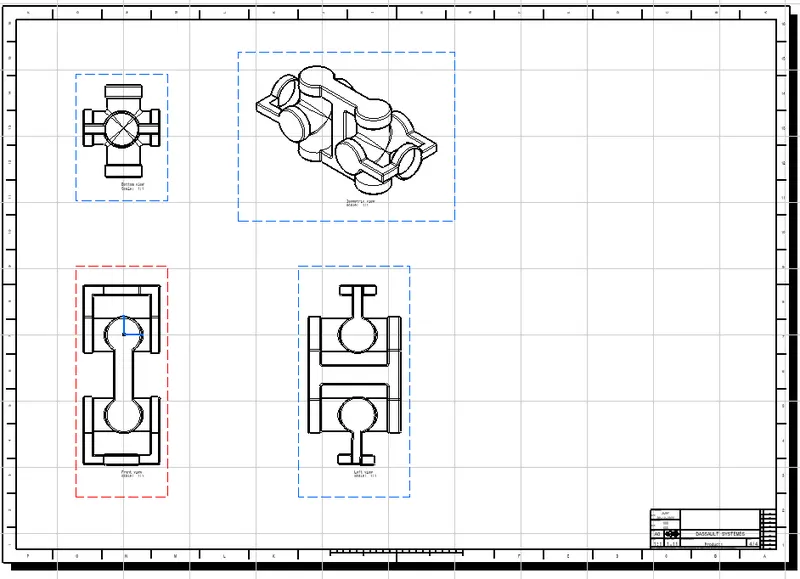
Quick Return Motion Mechanism:
Conclusion:
- Hence all the submission requirements are successfully done and the CATPart file is attached below using the Browse option.