Week 10- Assembly Workbench
ASSEMBLY
Firstly we should have to sketch the assembly parts in the part design according to the given dimensions ans we should have to save all the part files in the same folder
And open ASSEMBLY DESIGN in a CATIA workbench and to import all the design files to assembly workbench we should have to click on exsting component with positioning and all the files are imported that you want to assemble
And make sure all the part names should not be same
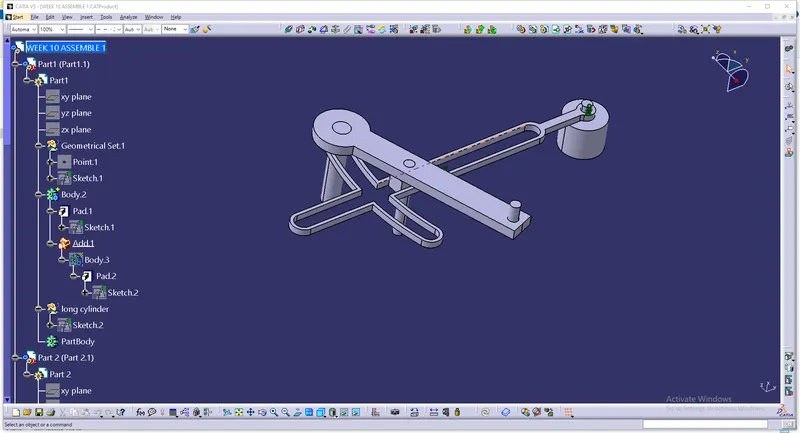
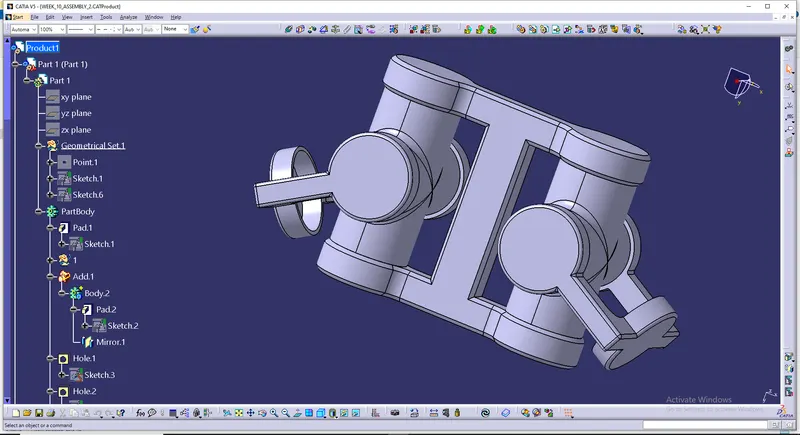
And now according to the given assemble picture we shoould have to assemble the all the parts with using smart moves and moves and manipulation and constraints
Fix Constraint
In this constraint type all the Degrees of freedom are constrained.Fixing a component means preventing the
component from moving from its parents during the update operation . When an assembly is started the right
approach would be to start with fixing a component.Fixing a part in Assembly works on two basic methods ,one is
with respect to absolute position and the other is relative Position.
Coincidence Constraint
A coincident constraint causes two points to coincide, or a point to lie anywhere on an object or the extension of
an object. It has infinite number of solution , so this is a primary level constraint .This constraint allows rotation
and translation along the axis through which the parts where made coincidence.
Contact Constraint
The name defines itself ,it creates a constraint that helps the components to be in contact with each other .
Contact-type constraints can be created between two planes or faces.In the below example we have selected the
faces in the same way you can try the contact constraints using the plane also.
Offset Constraint
The Offset Constraint is used to place selected elements at an offset distance from each other. It also makes the two
planar faces parallel to each other.
Angle Constraint
The Angle Constraint is used to position two geometric elements at a particular angle with respect to each other.
You can also use this tool to make two selected elements parallel or perpendicular to each other.
Fix Together
The Fix Together constraint is used to fix the position of the selected components with respect to each other. Once the
selected components are fixed together, they can be moved as a single component such that the position of one
component with respect to another component remains the same.
Quick Constraint
When you select the Quick constraint the CATIA applies the most appropriate constraint between the selected
components.The applied constraints depends on the priority of constraints in the Quick Constraints priority list.
This list can be seen by choosing Tools >Options from the menu bar. From the Options dialog box, choose
Assembly Design from the Mechanical Design on the left of the Options dialog box. The Quick Constraint priority
list will be displayed.