Week 1- Mixing Tee
AIM : To created two versions of the mixing tee. One of them is longer than the other.
and to set up steady-state simulations to compare the mixing effectiveness when hot inlet temperature is 360C & the Cold inlet is at 190C.
Using the k-epsilon and k-omega SST model for the first case and based on the judgment to use the more suitable model for further cases.
- Case 1
- Short mixing tee with a hot inlet velocity of 3m/s.
- Momentum ratio of 2, 4.
- Case 2
- Long mixing tee with a hot inlet velocity of 3m/s.
- Momentum ratio of 2, 4.
- Mixing tee is flow control device. It mixes the two different fluid streams into the combined fluid stream i.e, it has two inlets and one outlet. Mixing tees are widely used in the petrochemical industry.
1)Geometry: After clicking Fluid Flow(Fluent) in Ansys Workbench, open geometry to import mixing tee model. It will redirect to SpaceClaim.
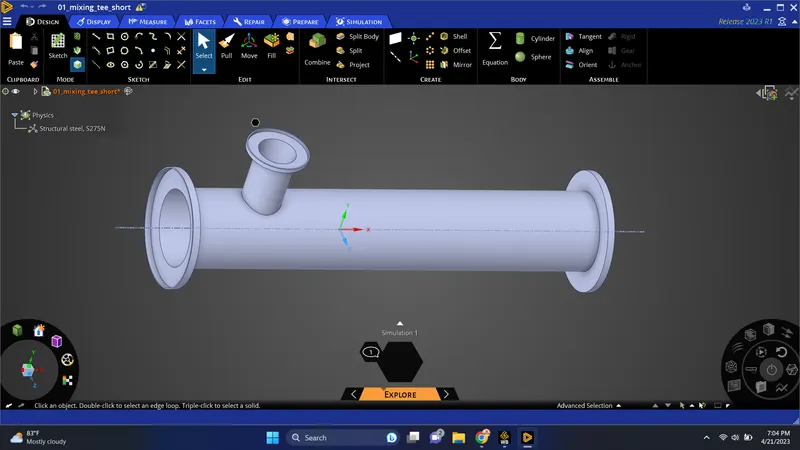
2)volume extraction: We are analyzing the mixing of two fluids, as there is the role of a specific part hence we need to extract the volume of a tee.
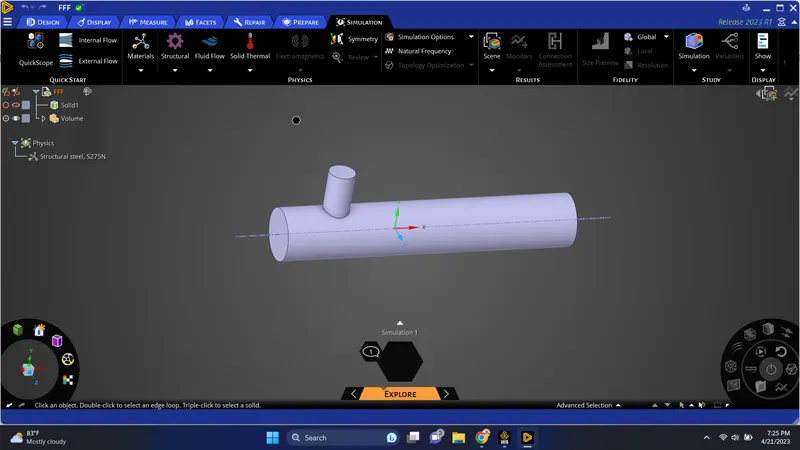
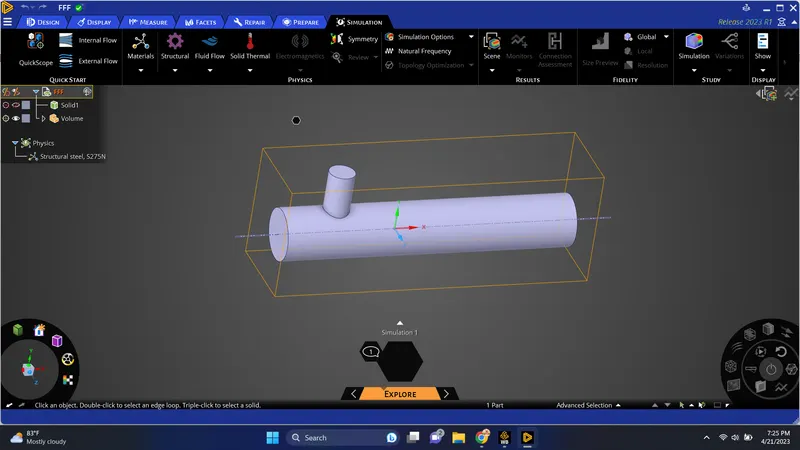
3)Suppress the actual model, as we do not have to make any conduction simulation in this project
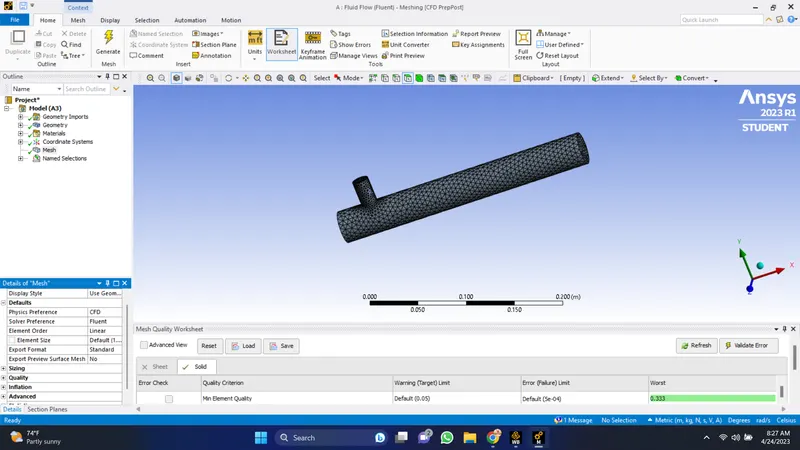
4)Mesh: After opening Ansys meshing we will name the surfaces of Geometry and then generate the mesh.
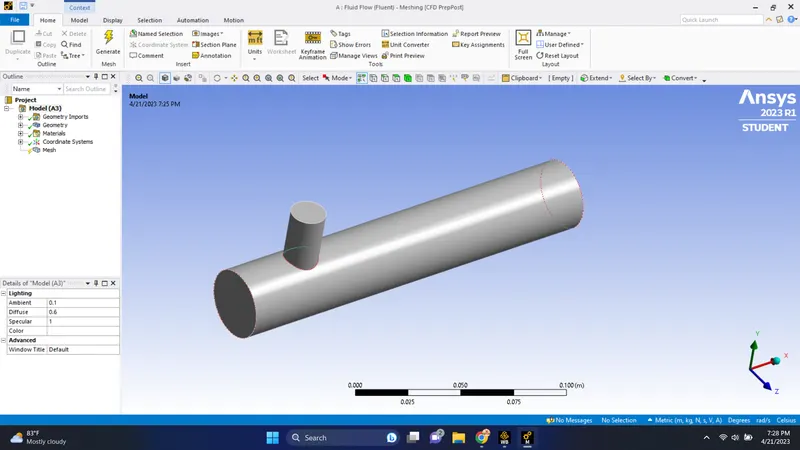
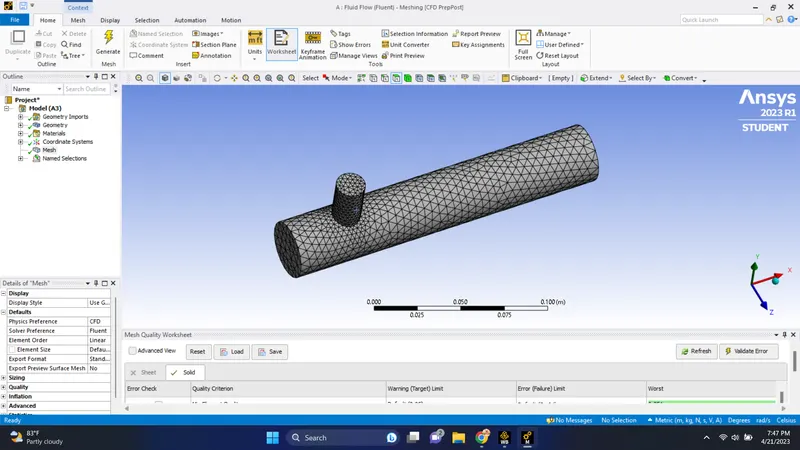
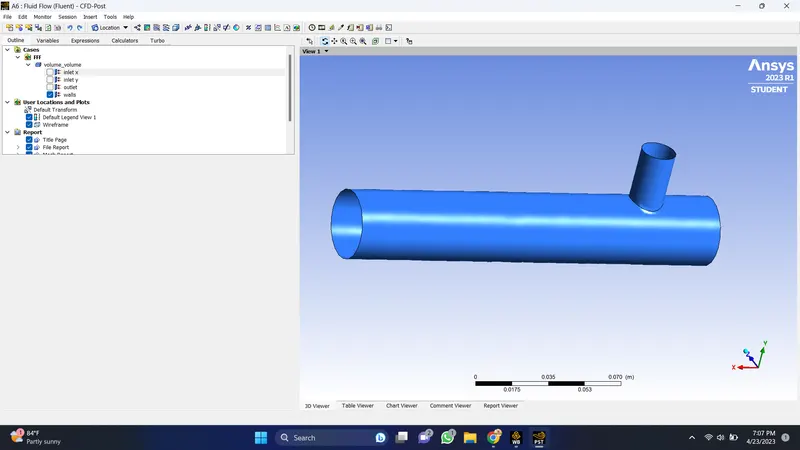
After the complete loading of domain geometry, it will represent in this graphic
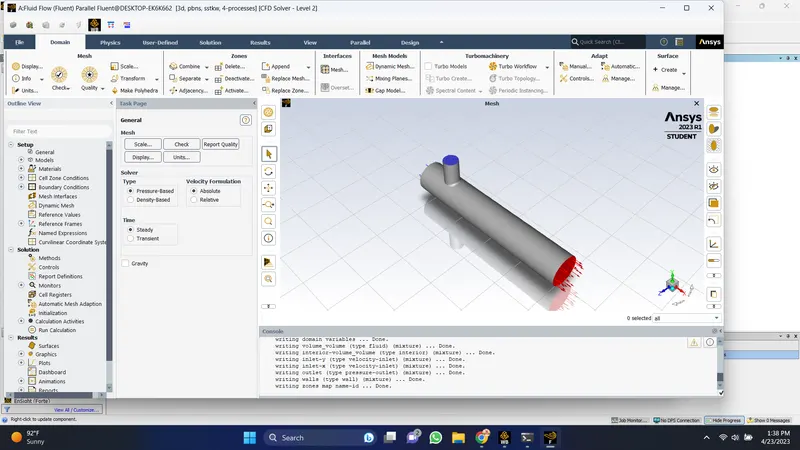
- In the domain panel by using the check button we check our analysis is preferable or not. After clicking the check mesh quality, it prints the information in the Console window.
- Then we will set the physics of the domain by keeping the general setting as it, i.e Solver type-Pressure based, Velocity formation- Absolute, Solver time- Steady.
- Next activate models and turn on the energy equations. Activating the energy equations allows the temperature-dependent problem to be solved.
- In the viscous model select 'K-epsilon' for our first simulation. Turbulence modeling is a complex area, the choice of model depends on the application. Accept the remaining default settings.
- In materials click 'FLUENT Database' to add new material. In this case, our working fluid is air sp we keep the default material. Then, in the cell zone define the material and type as Fluid.
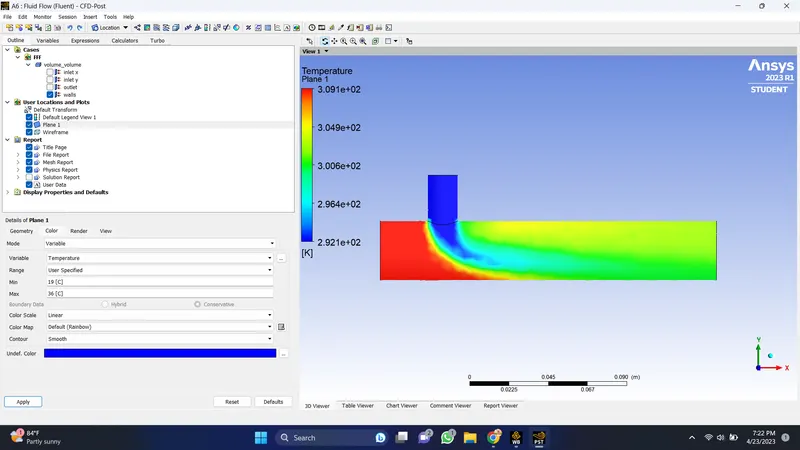
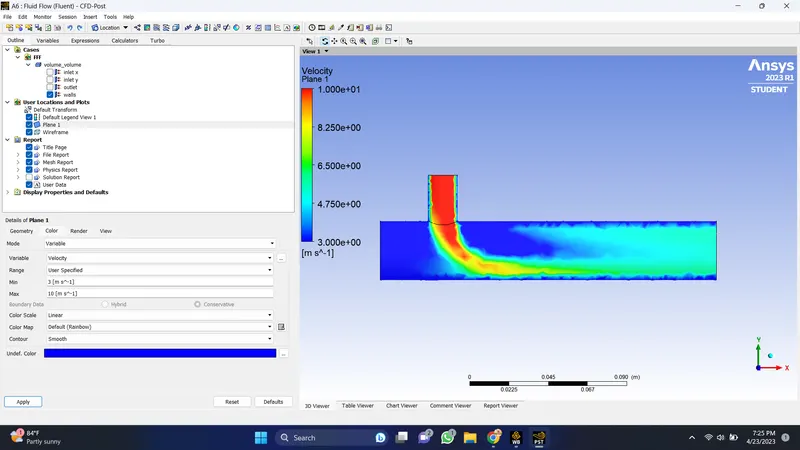
- In 'Boundary condition' click on inlet_x and set the parameter velocity as 3 m/s and temperature as 36°. For inlet_y velocity as 10 m/s and temperature as 19°.
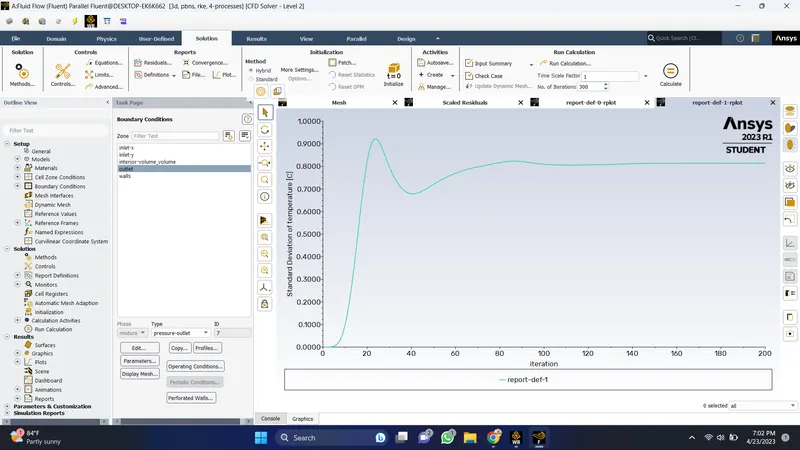
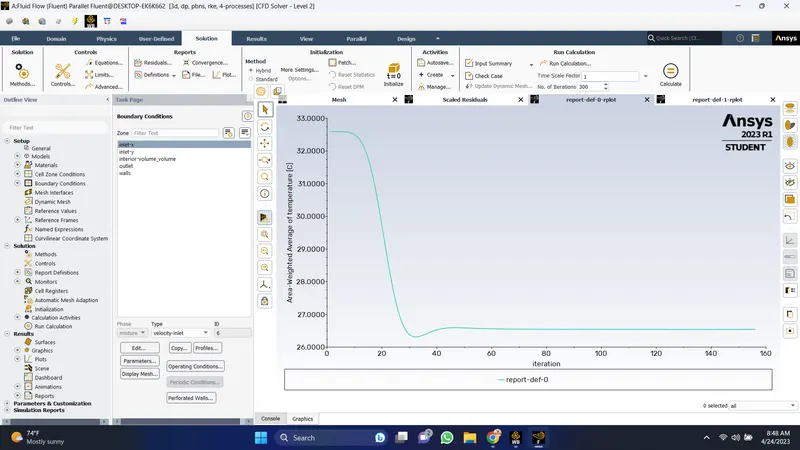
- In Reports, press 'New' for surface report monitoring. Select Area weighted average for temperature and then for velocity and enable "report file" and "report plot".
- The final step is to initialize, select Hybrid initialization and check the console window that says initialization done. Enter the no. of iteration and press 'Calculate. Then after the calculation is done we will get the required plots and information.
PLOTS:
1. K-epsilon:
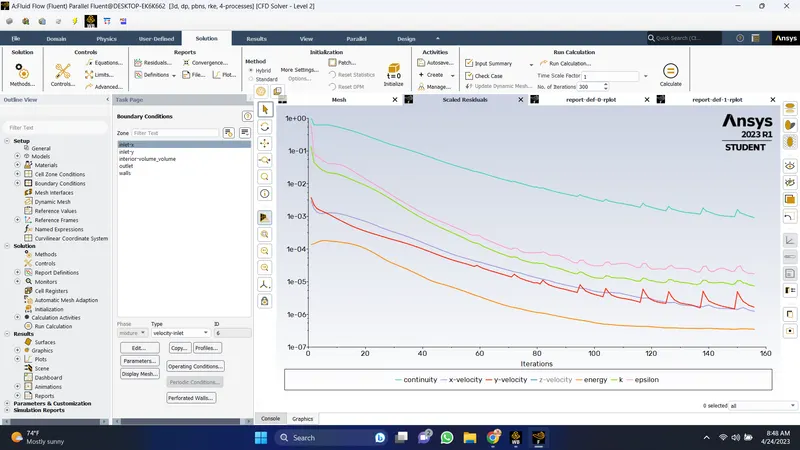
- Convergence Plot
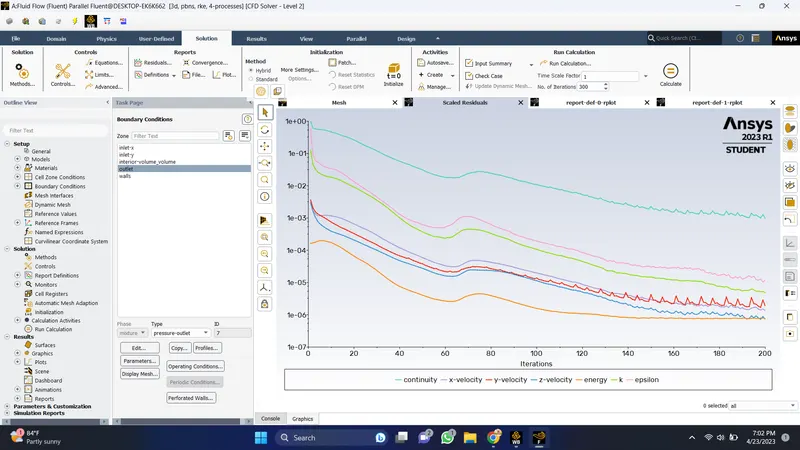
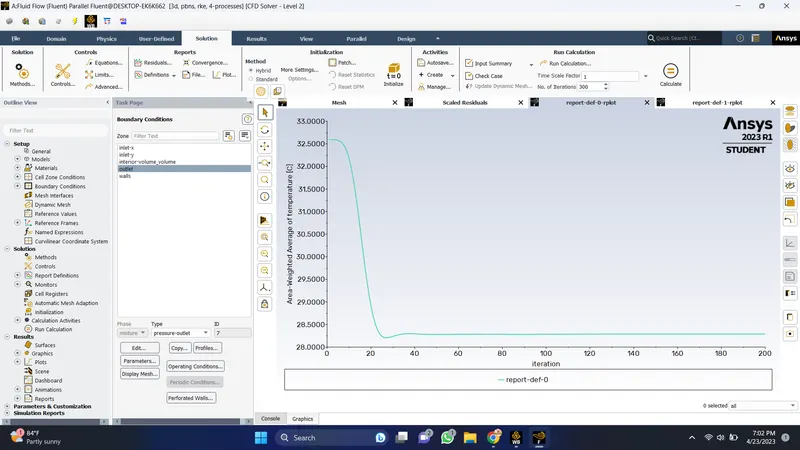
K-epsilon:
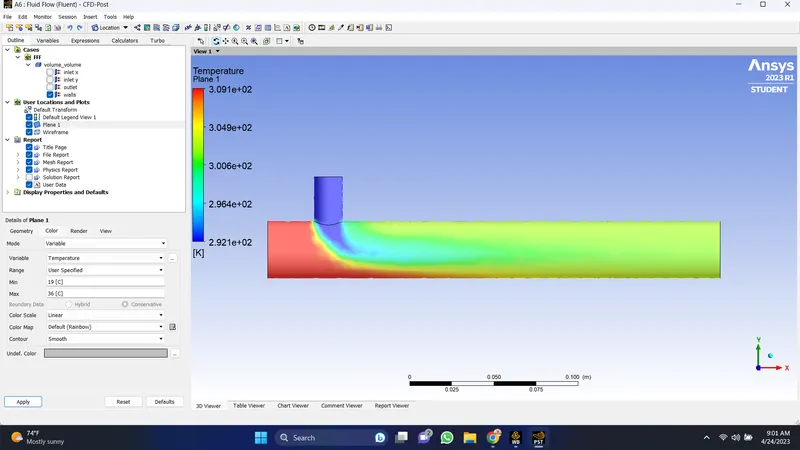
- Temperature Contour
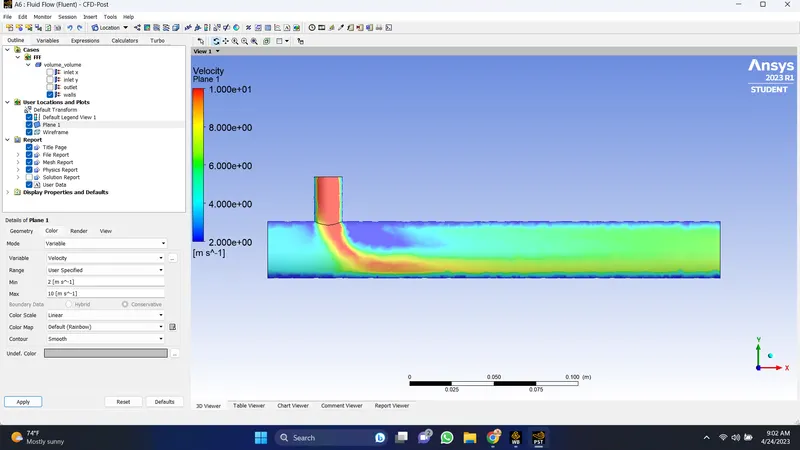
- Velocity Contour
K-omega SST:
- Convergence Plot
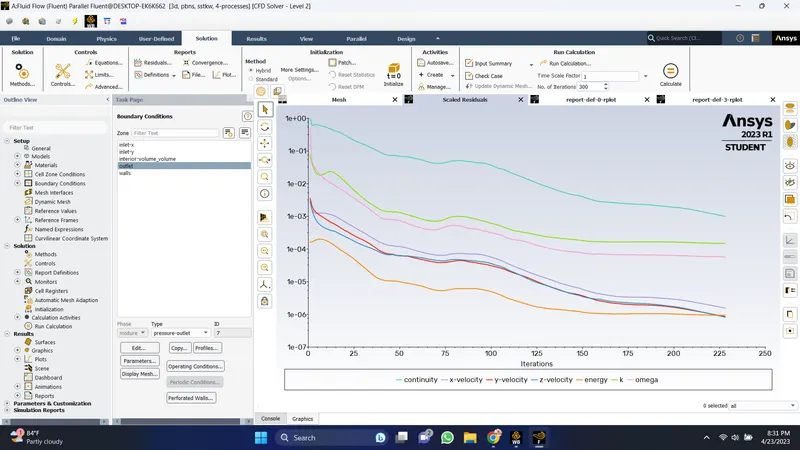
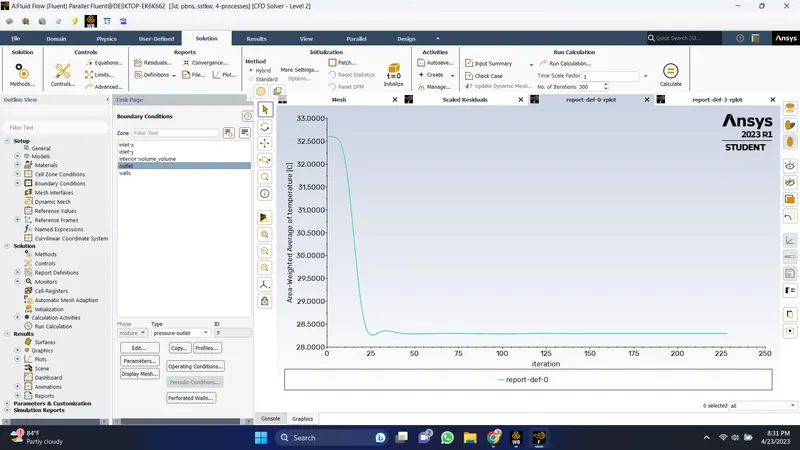
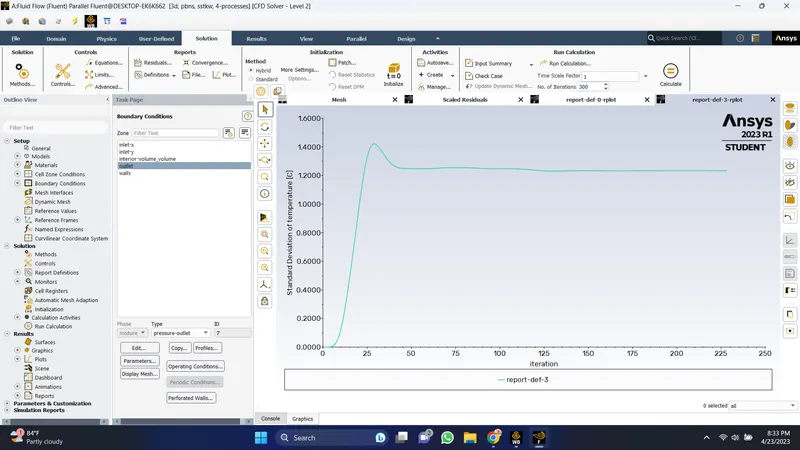
K-Omega SST:
- Temperature Contour
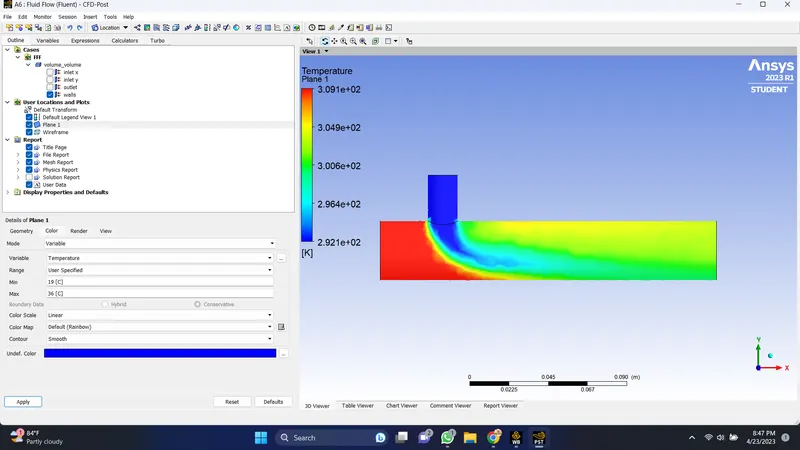
- Velocity Contour
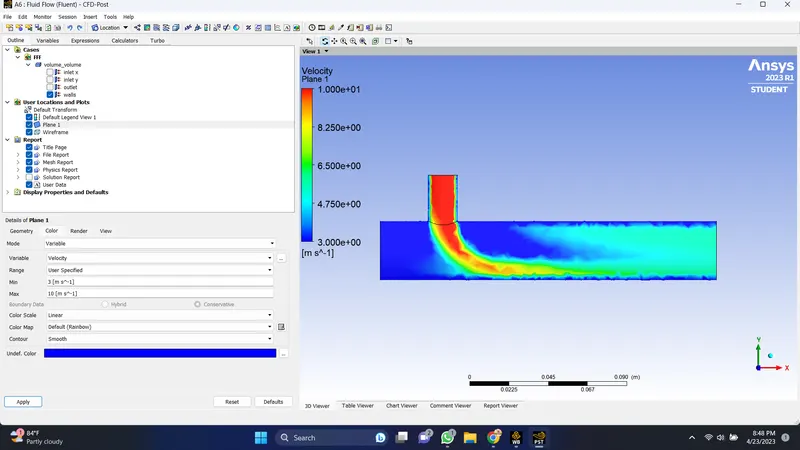
Long Mixing Tee:
Inlet velocity- 3m/s
Momentum ratio- 2
- Convergence Plot
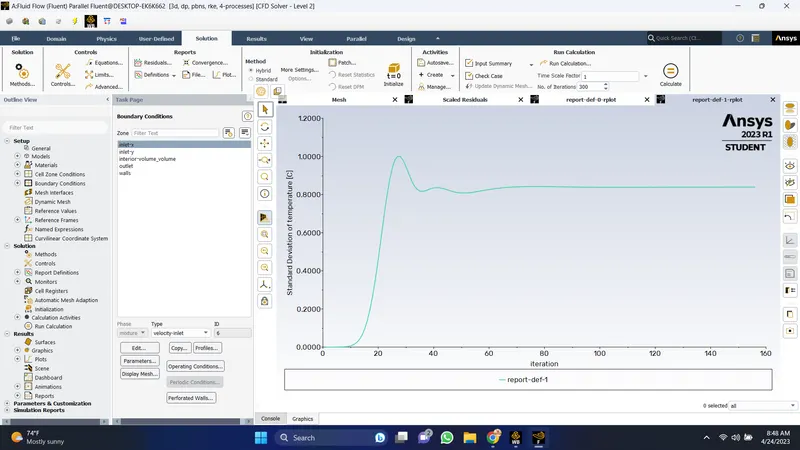
Inlet velocity- 3m/s
Momentum ratio- 4
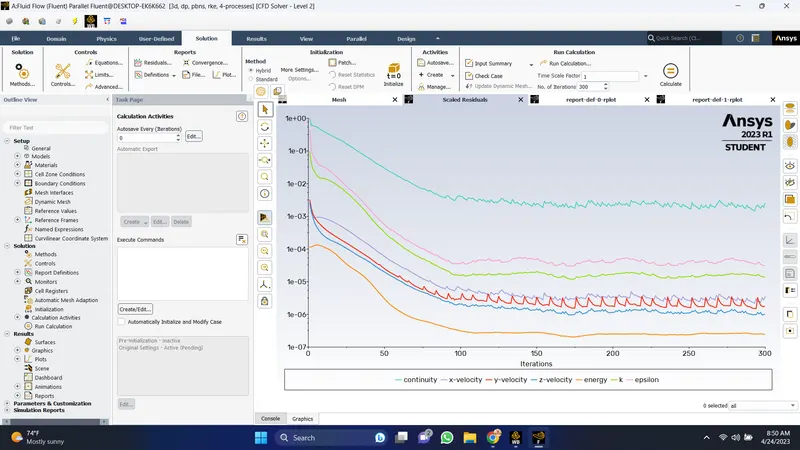
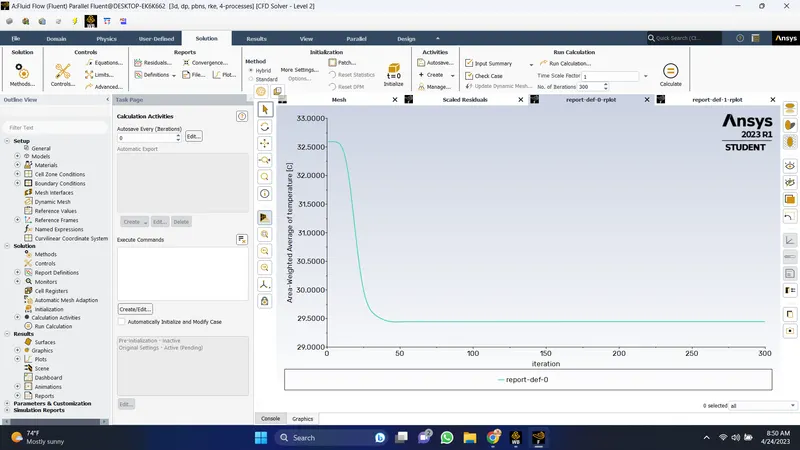
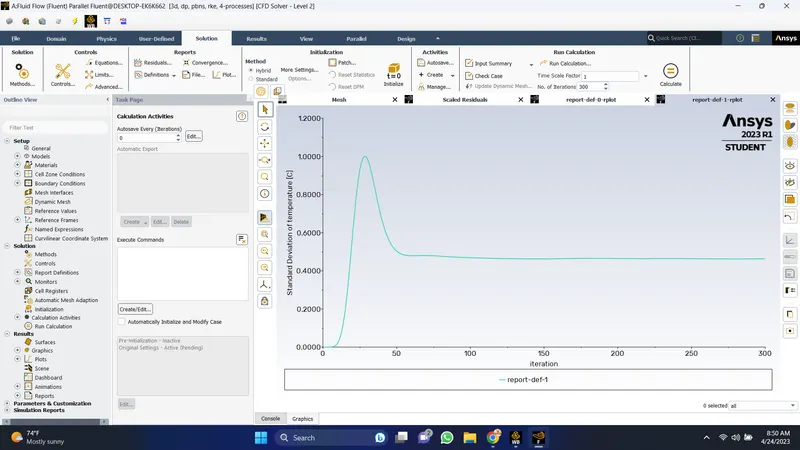
- Temperature Contour
Velocity Contour
Mesh Independence:
- Mesh independence(or Grid independence) study is something we can perform to determine the dependence of the results on the mesh density.
- Compare the results for various runs for different sizing of the meshing elements. In order to pass, mesh independence results should obtain with proper precision.
Conclusion:
- The k-epsilon model predicts flow virtually far from the boundaries and the k-omega model predicts near the walls. As for this case we needed a flow simulation turbulent model far from the walls we used k-epsilon.
- After conducting simulations, as element number increases the convergence time also increases.
- To get better mixing at outlet high velocity of flow is very effective. Therefore, a higher momentum ratio gives better mixing of hot and cold fluid streams at the outlet.