Week 1- Mixing Tee
AIM:-
- Sovling Mixing Tee Simulation Using Ansys.
OBJECTIVE:-
-
To set up steady-state simulations and compare the mixing effectiveness when hot inlet temperature is 360C & the Cold inlet is at 190C.
Use the k-epsilon and k-omega SST model for the first case and based on your judgment use the more suitable model for further cases.
- Case 1
- Short mixing tee with a hot inlet velocity of 3m/s.
- Momentum ratio of 2, 4.
- Case 2
- Long mixing tee with a hot inlet velocity of 3m/s.
- Momentum ratio of 2, 4.
Momentum ratio = velocity at cold inlet / velocity at hot inlet
- Case 1
- For momentum ratio 2, the cold inlet velocity is 6m/s.
- For momentum ratio 4, the cold inlet velocity is 12m/s.
PROCEDURE (MIXING TEE):-
INTRODUCTION.
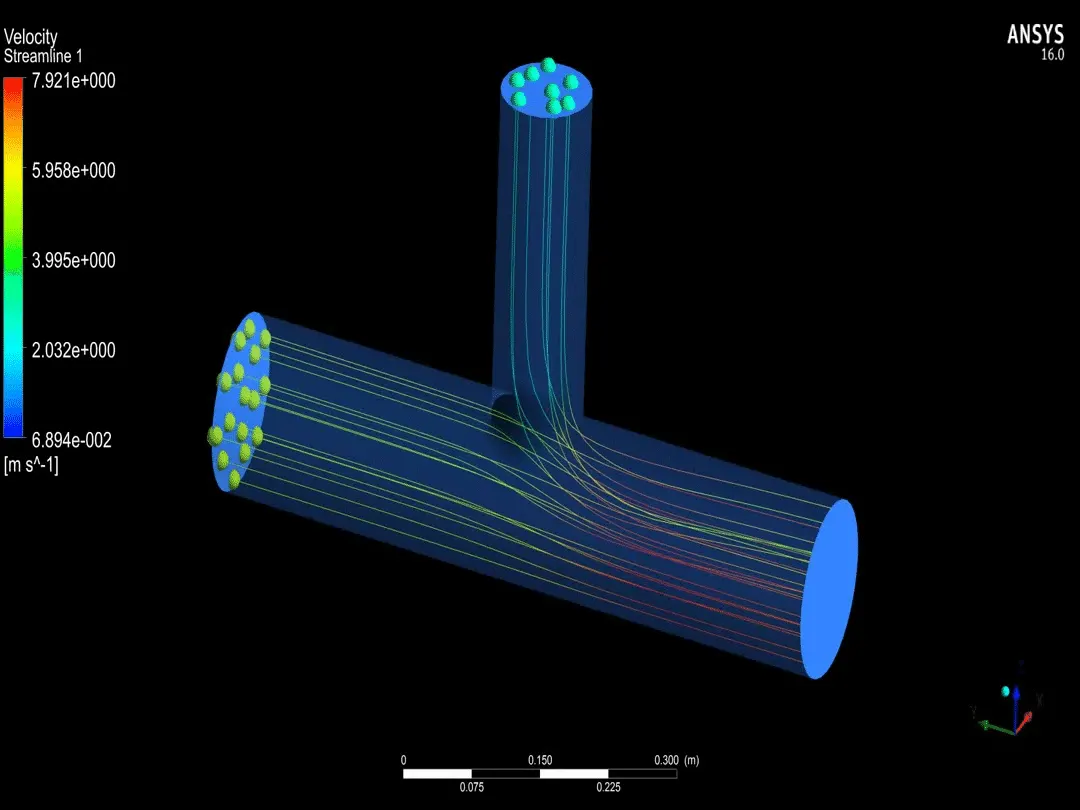
- A tee is formed by two pipe sections joined at a right angle to each other.
- The hot fluid (air) is flowing through the main pipe, while the cold fluid enters the main pipe through the branched pipe.
- There have been traditionally developed empirical design equation to solve the mixing problems but it does not take into account the complexity of turbulent flow.
- With due to respect to all the other industries, nuclear industry is the one where efficiency of the mixing of fluids in the mixing chambers is very critical. There have been much of research regarding the thermal stresses arising the T-joint due to the large temperature difference and also due to frequent changes.
- Mixing tee possess two inlets and one outlet. The momentum ratio for this type of tee is the ratio of velocity of cold fluid to velocity at mixed fluid at outlet.
- Turbulence model differs in how it is computed by augmenting the Navier-Stroke Equation with additional terms which consists of some parameters like local fluid velocity, wall distance, additional transport equations, eddy viscosity, turbulent kinetic energy, turbulent kinetic energy, turbulent intensity, etc.
- K – EPSILON Model.
- K – OMEGA Model.
MIXING TEE GIF.
DIFFERENCE BETWEEN K-OMEGA AND K-EPSILON:-
K -EPSILON.
- Its two equation models. All functions are used in this model.
- It relates the rate of kinematic to the turbulent viscosity.
- Suitable for high Reynolds number flow or free stream flow. Predicts well far from the boundaries for all.
K-OMEGA.
- K-omega also two equation model. It requires the y+ calculation near the wall.
- It is similar to the k-epsilon model but it solves for (omega) the specific rate of dissipation of the kinetic energy.
- Good for highly non-linear or drastic change in flow gradient.
- When deployed with SST-k-omega turbulence model, it can be switched between the low and high Reynolds number.
SETUP:-
- GEOMETRY.
- MESHING/SOLVING/RESULTS.
- POST-PROCESSING.
CASE 1 :- MIXING TEE SHORT
- Hot Inlet Velocity 3m/s.
- Hot Temperature 36'C.
- Momentum Ratio 2.
- Cold Inlet Velocity 6m/s.
- Cold Temperature 19'C.
- Number Of Iteration 150.
- CASE 1 (K-EPSILON MODEL).
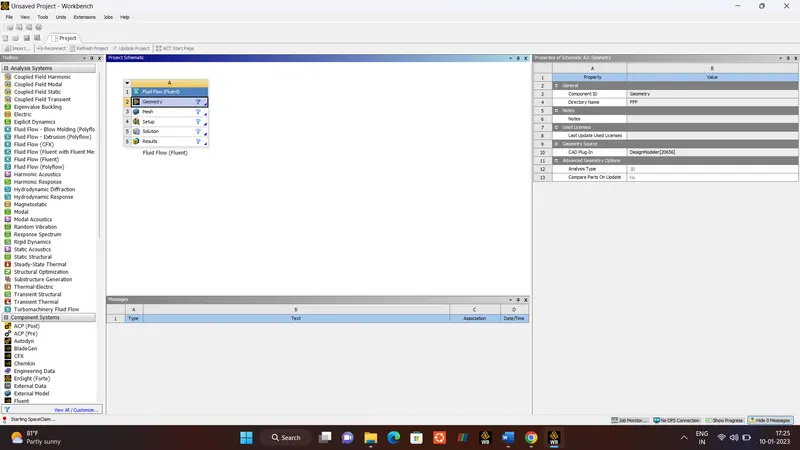
GEOMETRY.
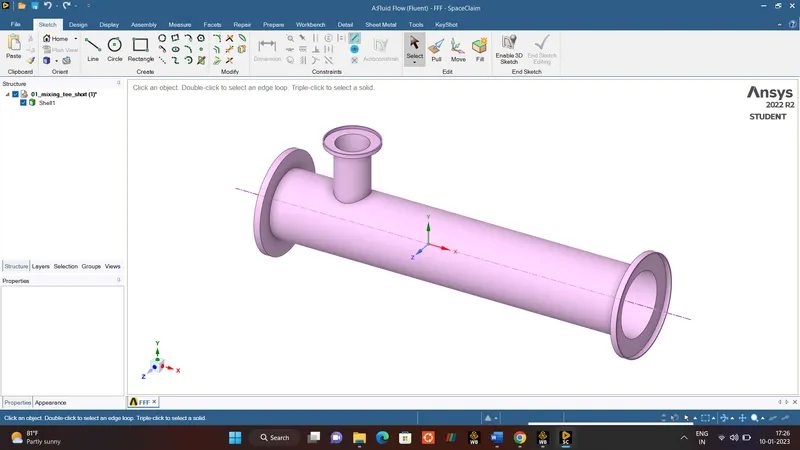
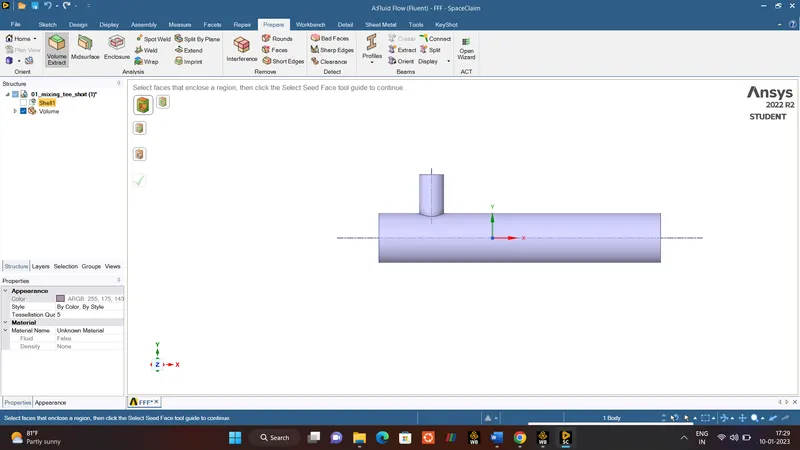
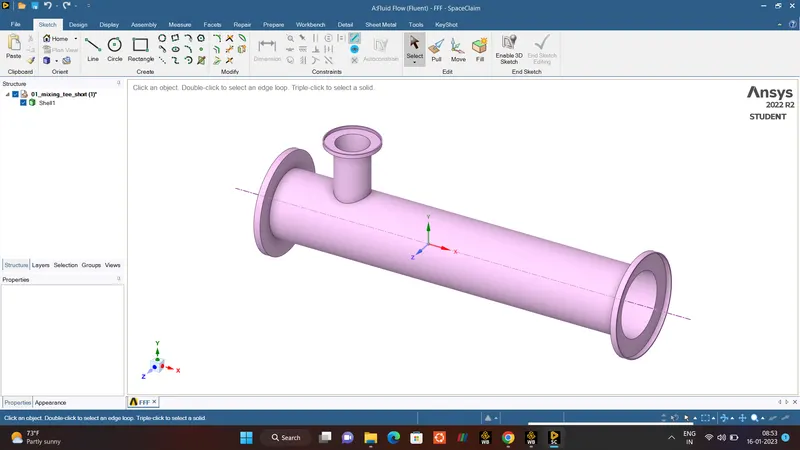
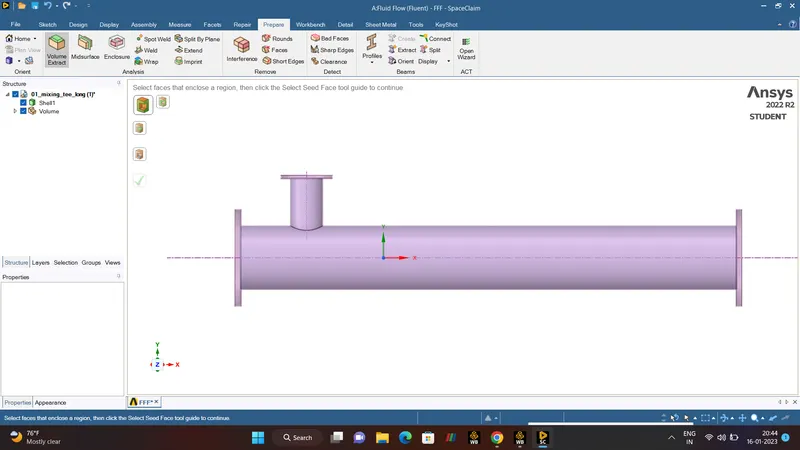
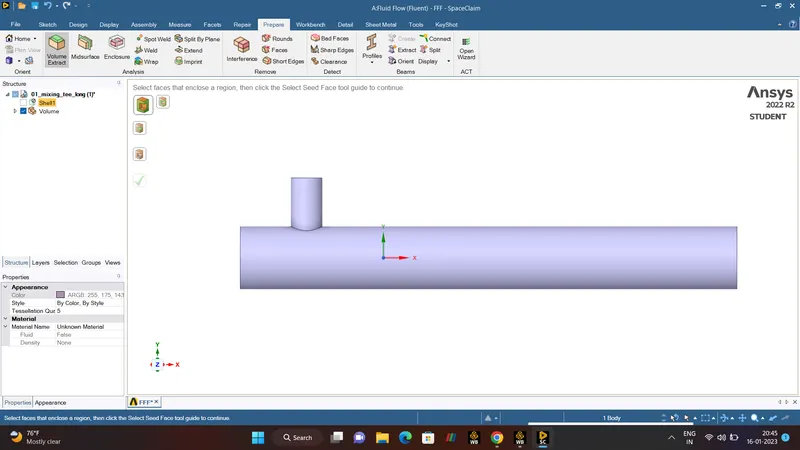
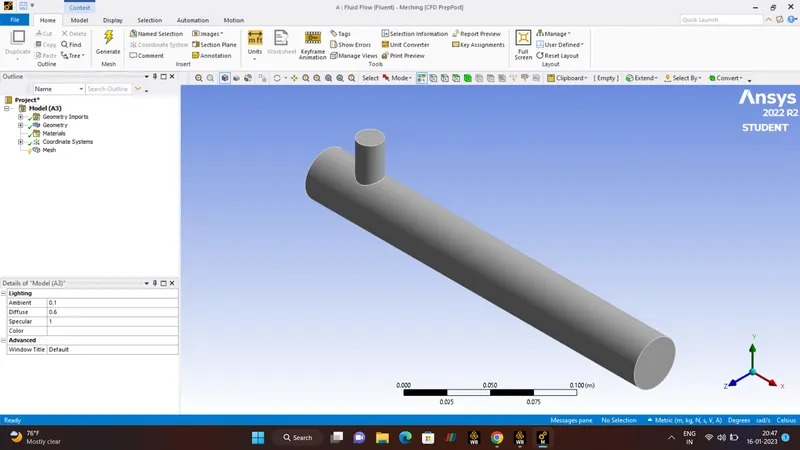
- Let us import the mixing tee geometry into the Ansys Spaceclaim.
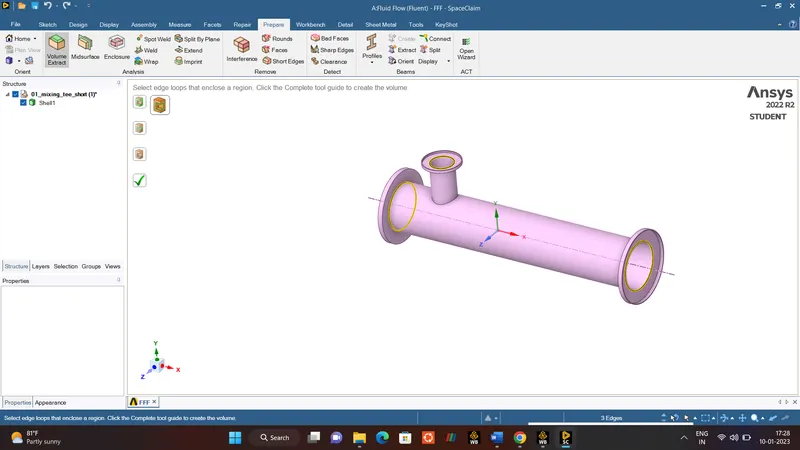
- With the help of SpaceClaim,followed by prepare option VOLUME EXTRACT is done with help of EDGE SELECTION option, Selecting the edges of the model.
- Once this was done we suppressed the outer geometry or shell by using the suppress for physics option in order to keep it away from interfering with the simulation.
MESHING.
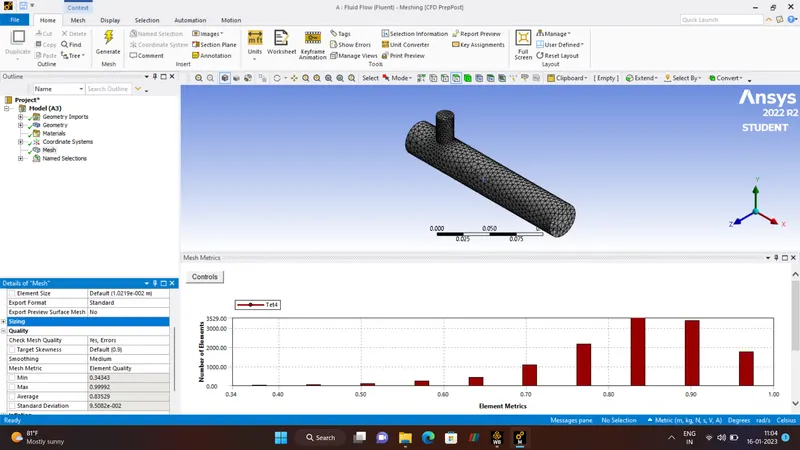
- After Geometry Section is finished,Close the ANSYS_SPACECLAIM by intializing the MESHING section.
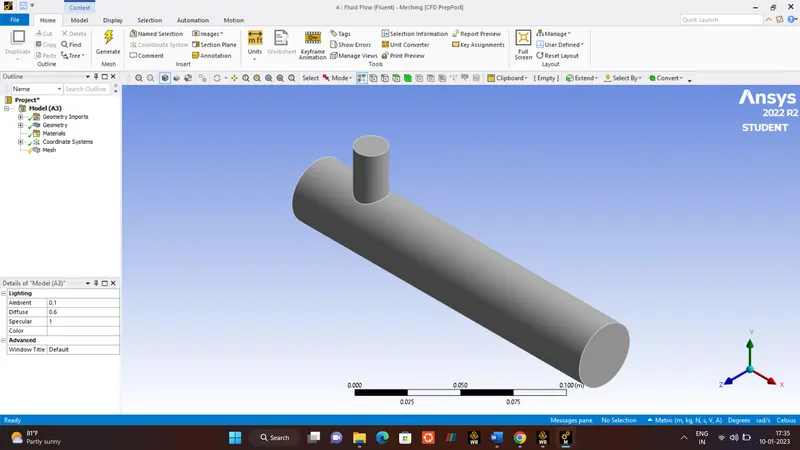
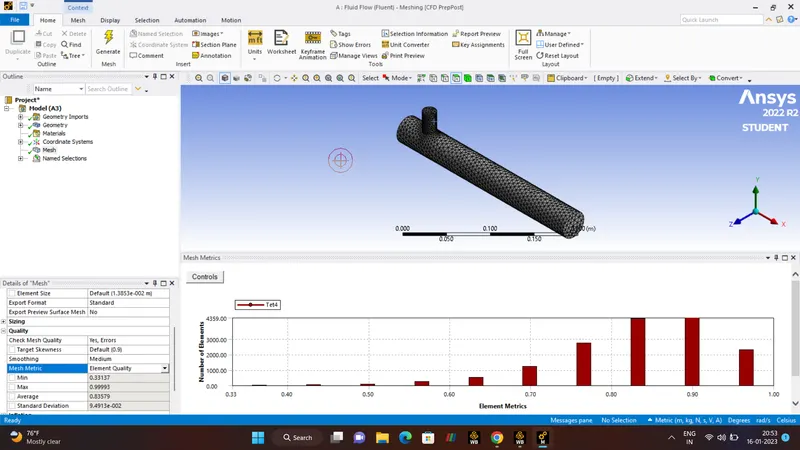
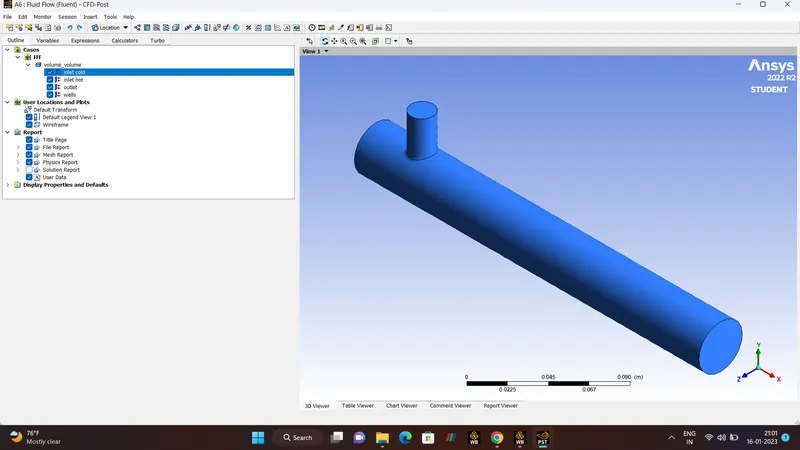
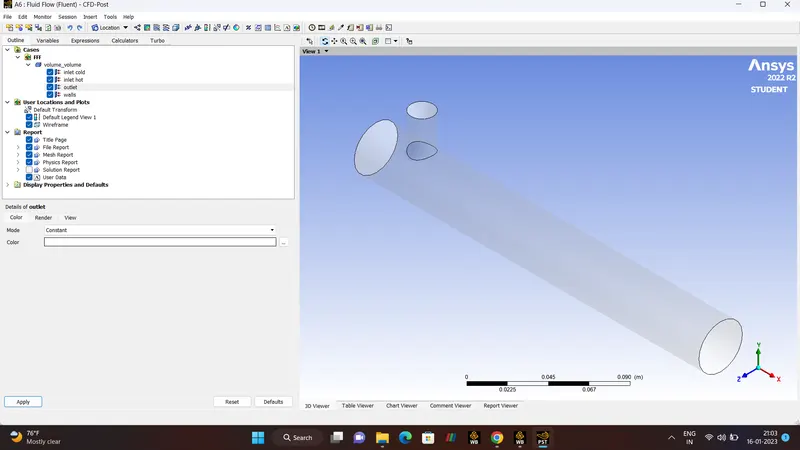
- In MESHING Section, FACE SELECTION TOOL (Ctrl+F) is used to select the faces of the model and boundary names is given respectively(INLET, OUTLET,WALLS).
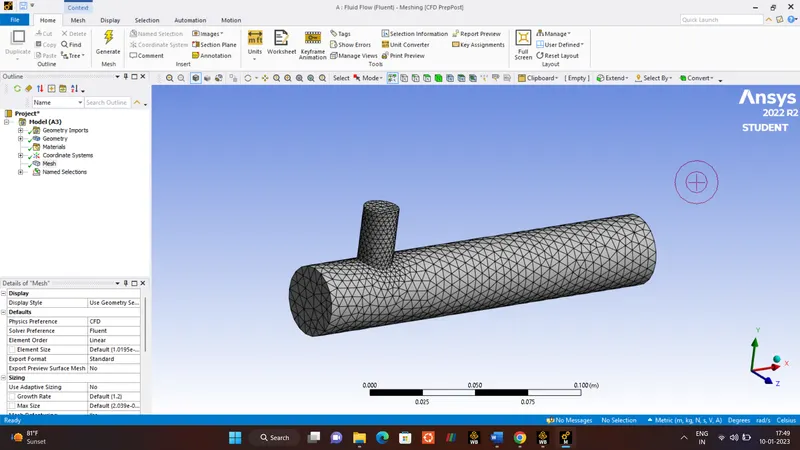
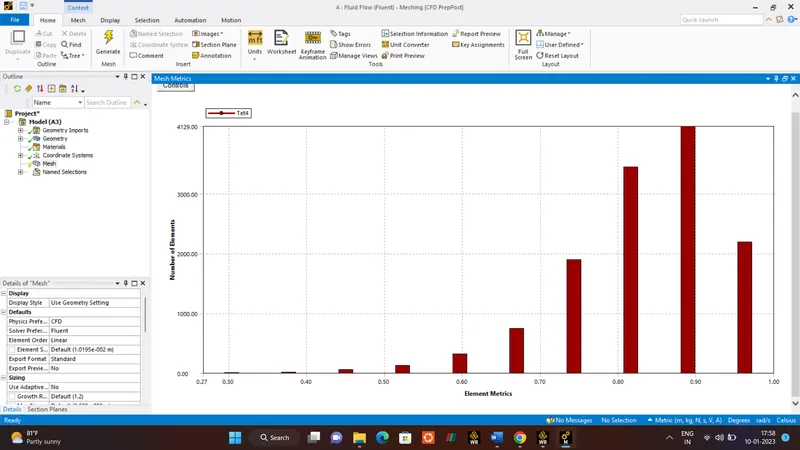
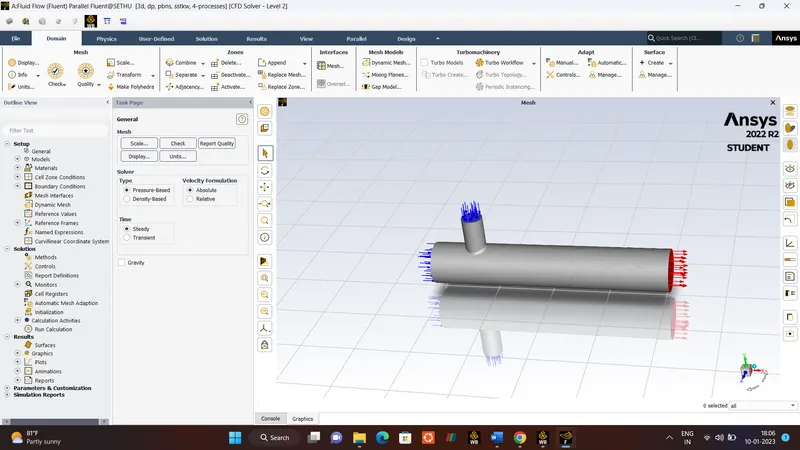
- After submitting names of the boundaries, in left hand side right click the MESH Option and Generate the mesh and finally update the MESH.
-
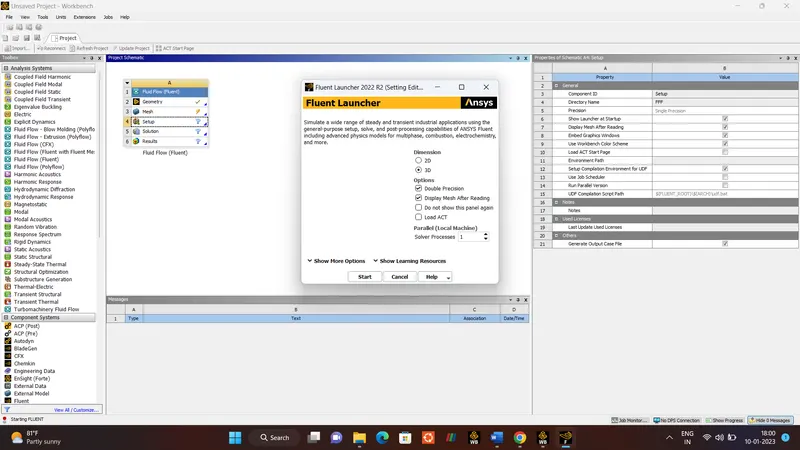
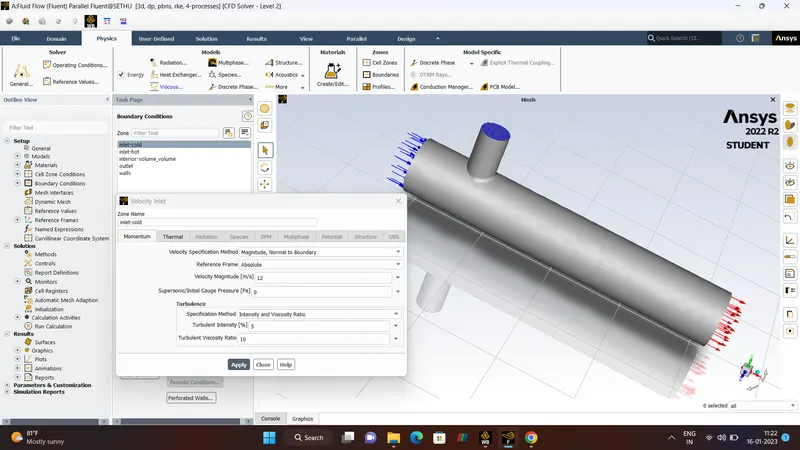
Once the MESH was done, Then we initiated Setup Option which uses Ansys fluent Launcher, select DOUBLE PRECISION followed by 4 processors.
-
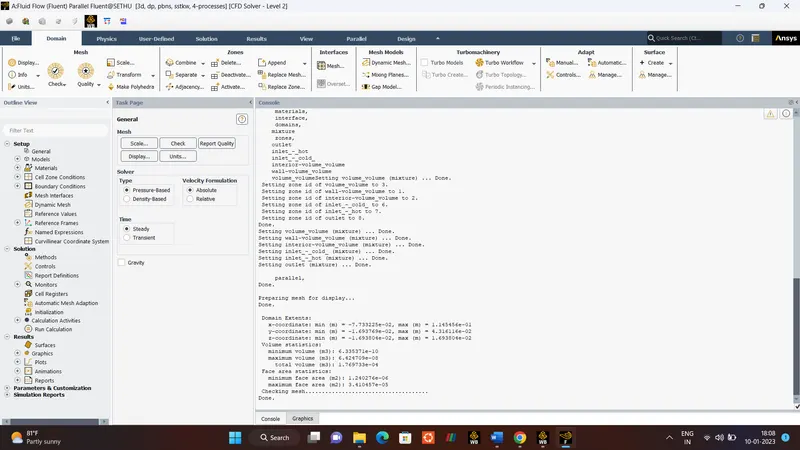
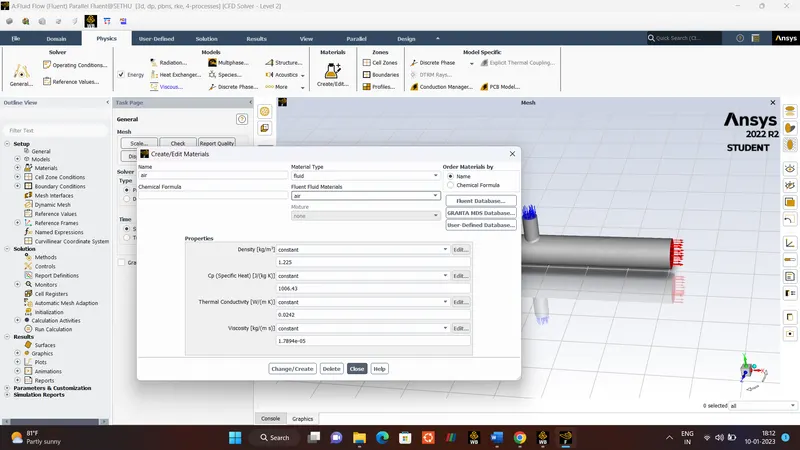
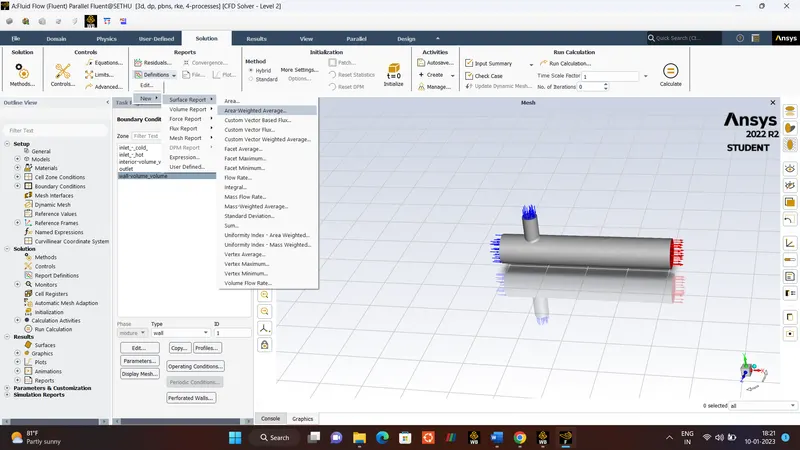
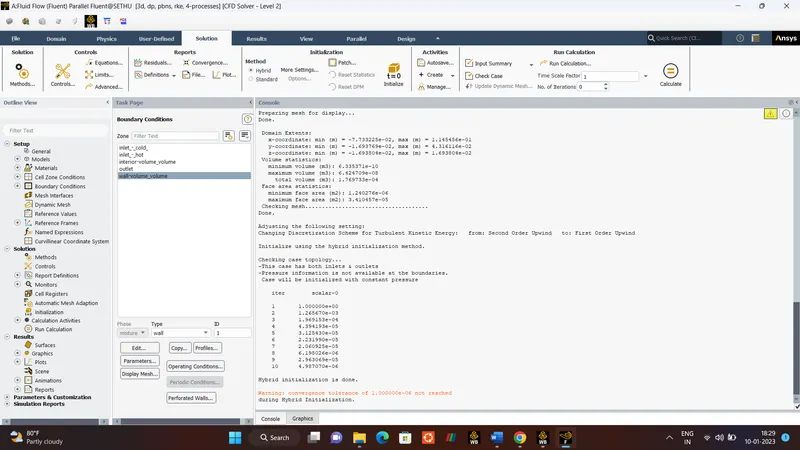
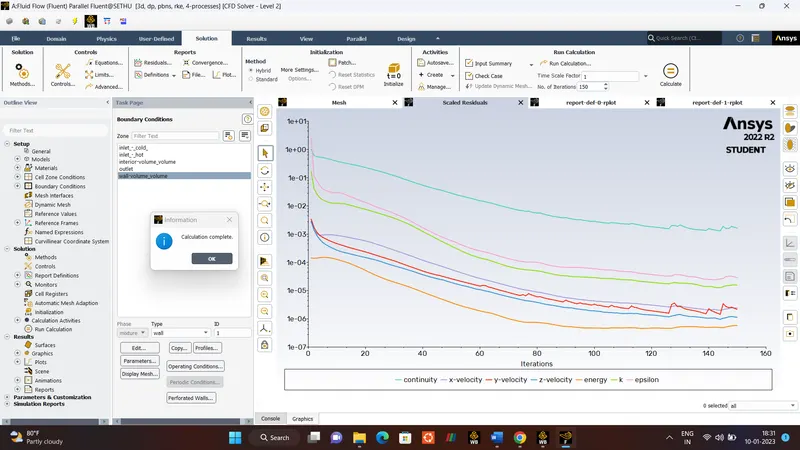
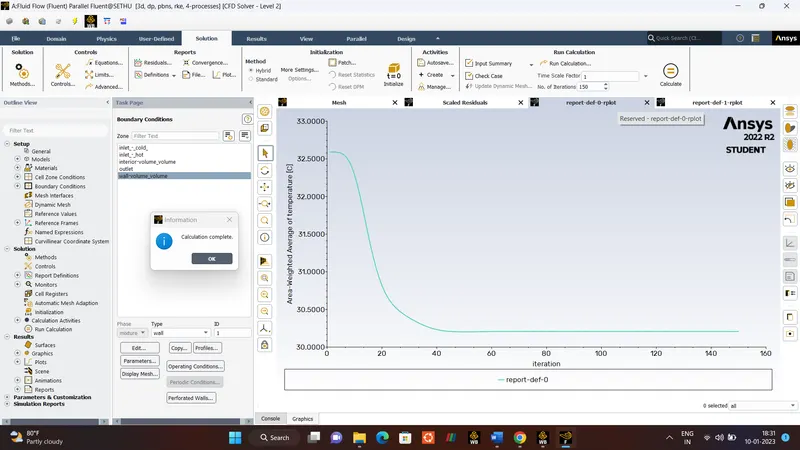
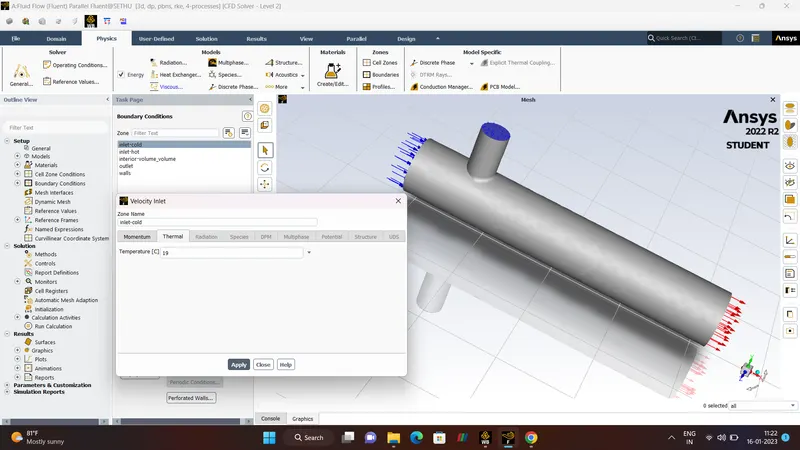
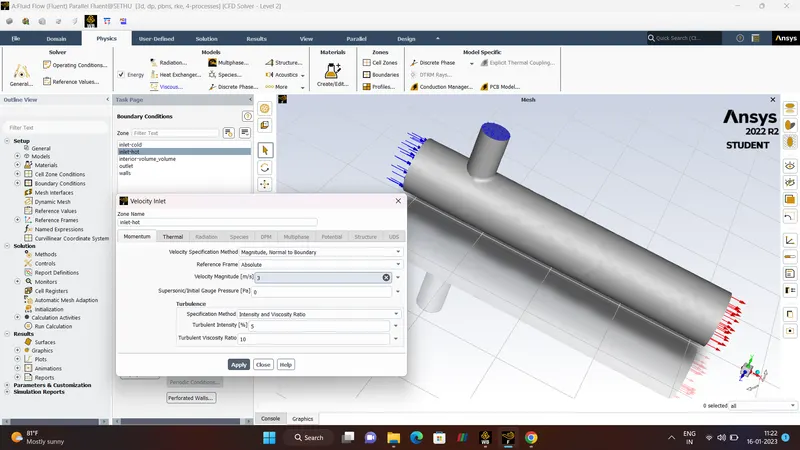
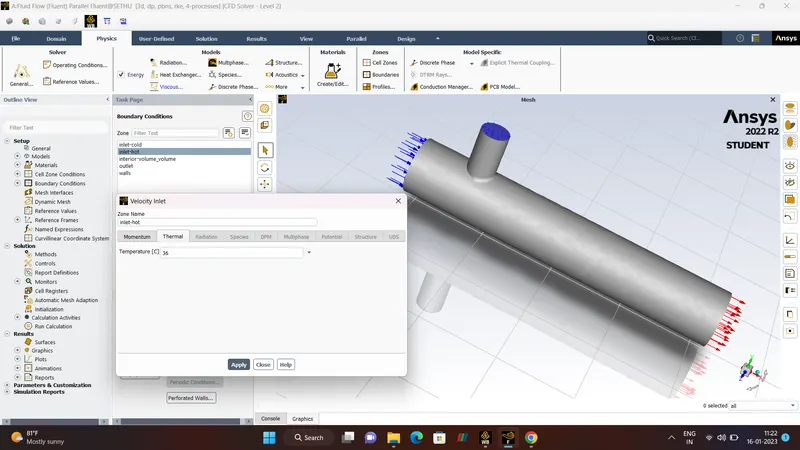
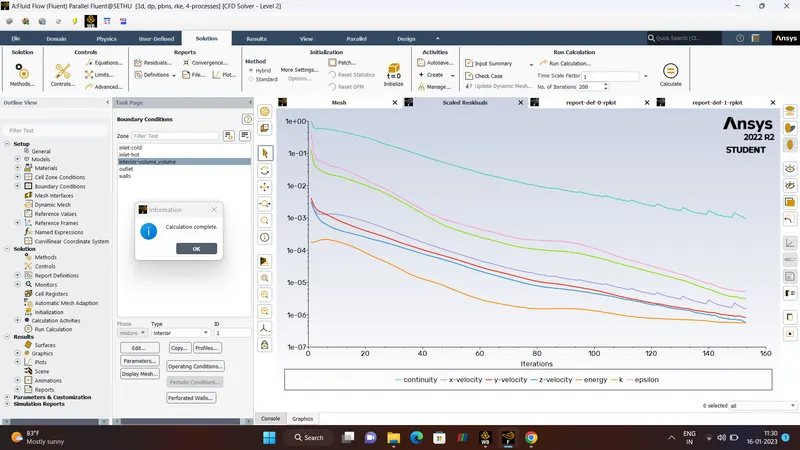
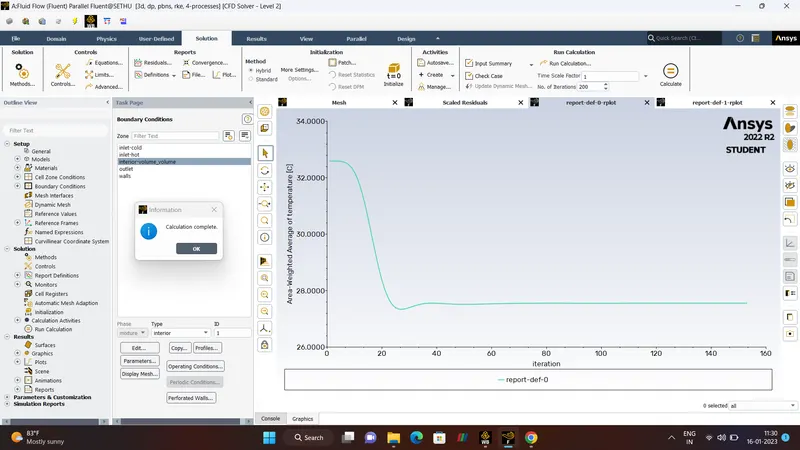
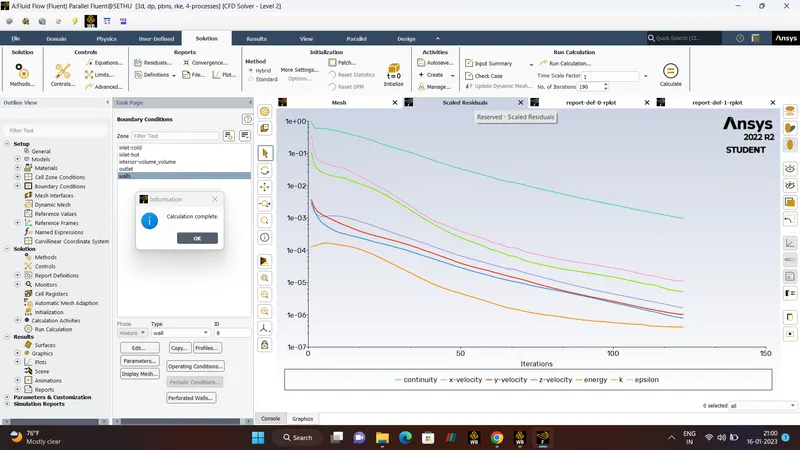
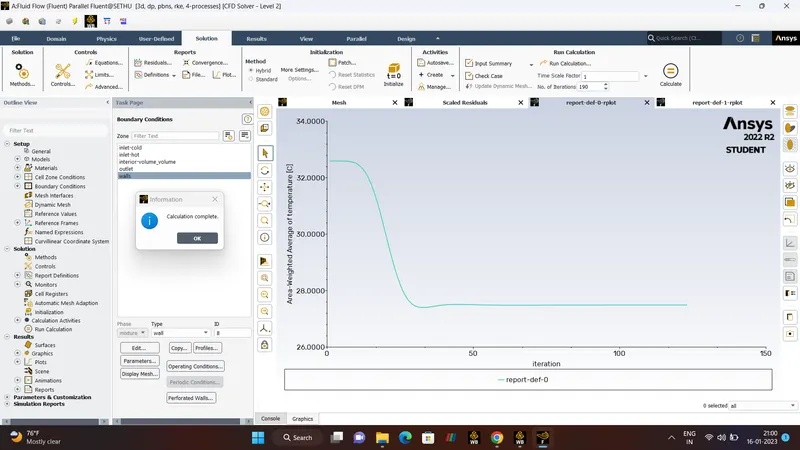
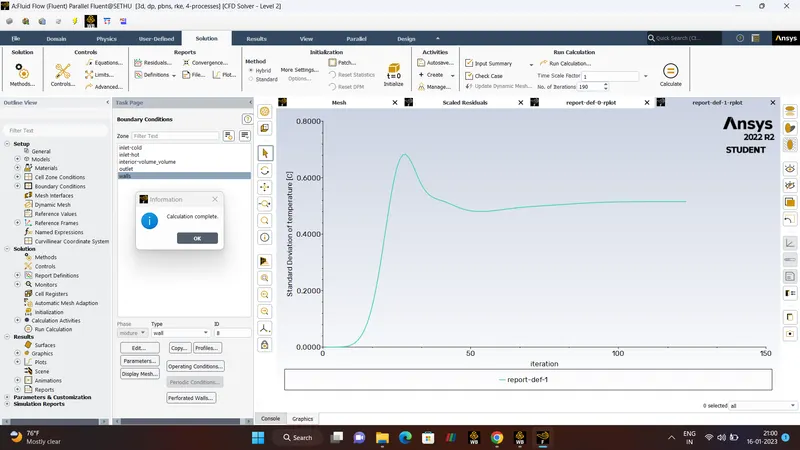
MESH CHECK is done in this launcher,After checKing the MESH in the console panel. we select Energy equation and in viscous we select the model type (K_EPSILON).Then UNITS (TEMPERATURE_C) CELL ZONES, BOUNDARIES Values is been initialized. After that we used the definition tool to specify the plot outputs we wanted from the simulation and then we initialised the solution for iterations and once it is done we calculated values for 150 iterations and then closed the Ansys fluent.
RESULTS.
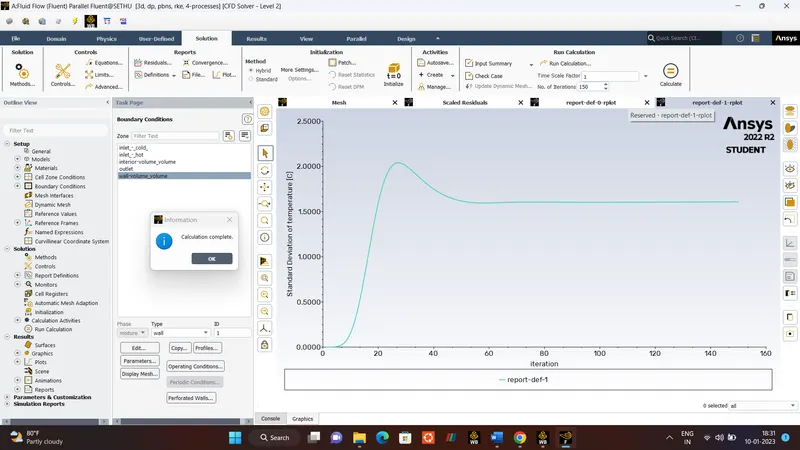
POST-PROCESSING.
- Now, Post-Processing is done.
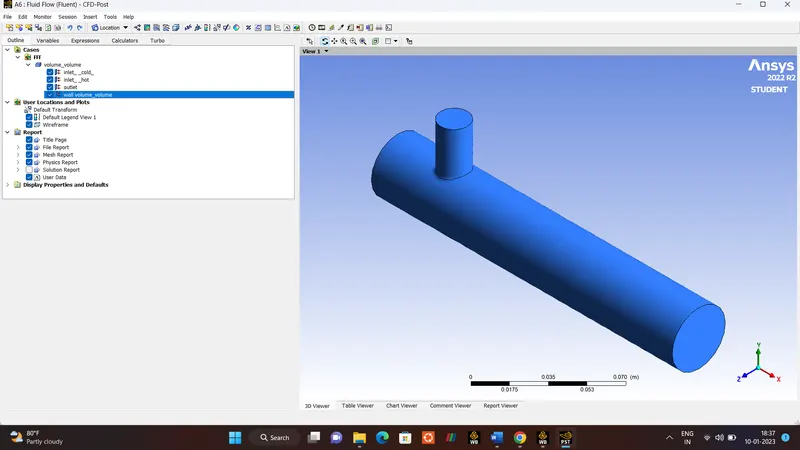
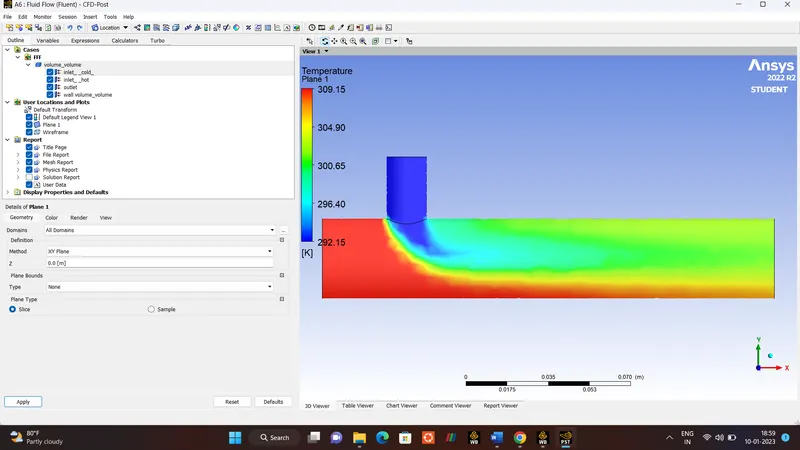
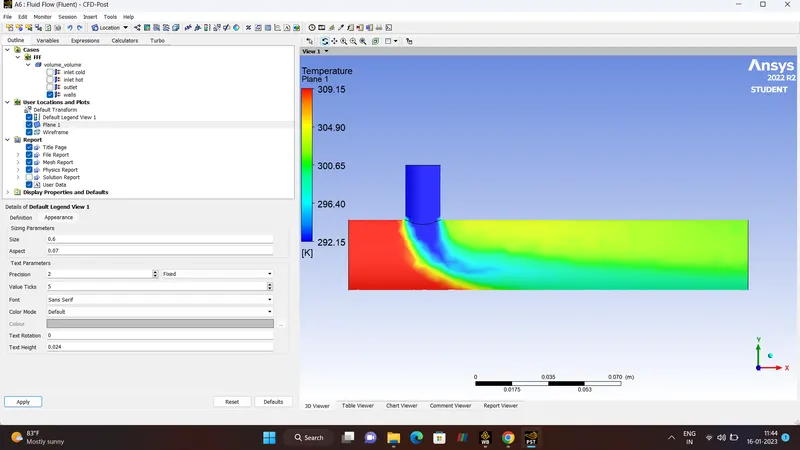
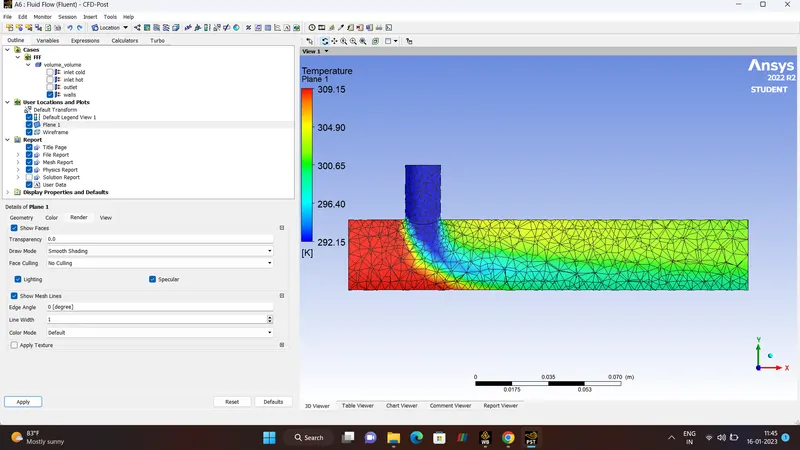
TEMPERATURE.
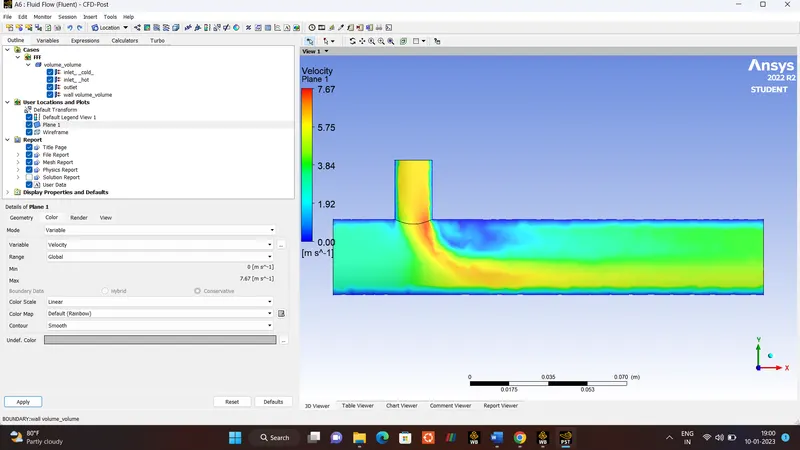
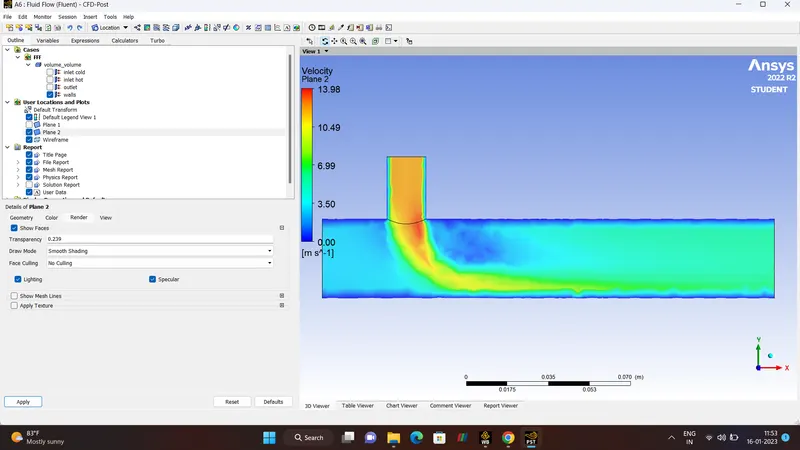
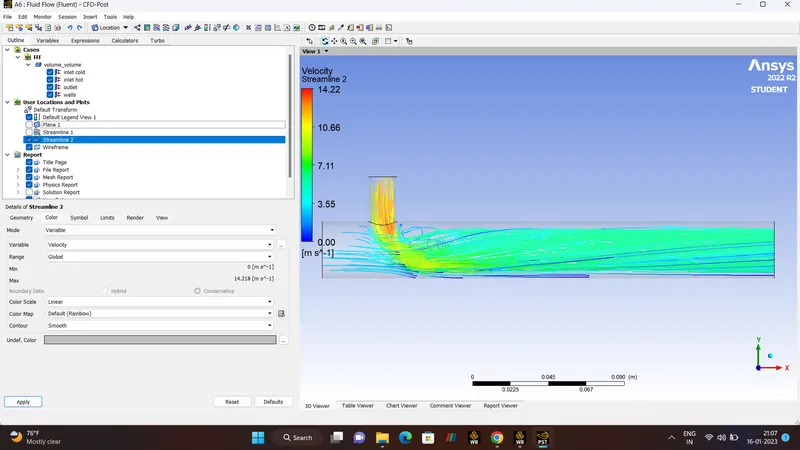
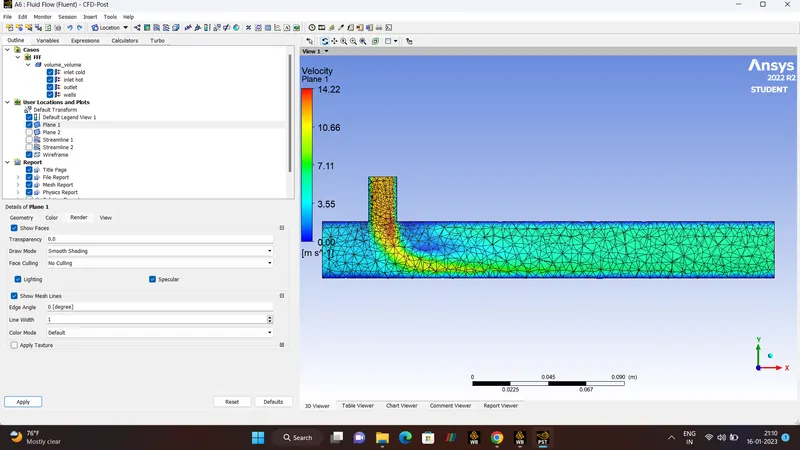
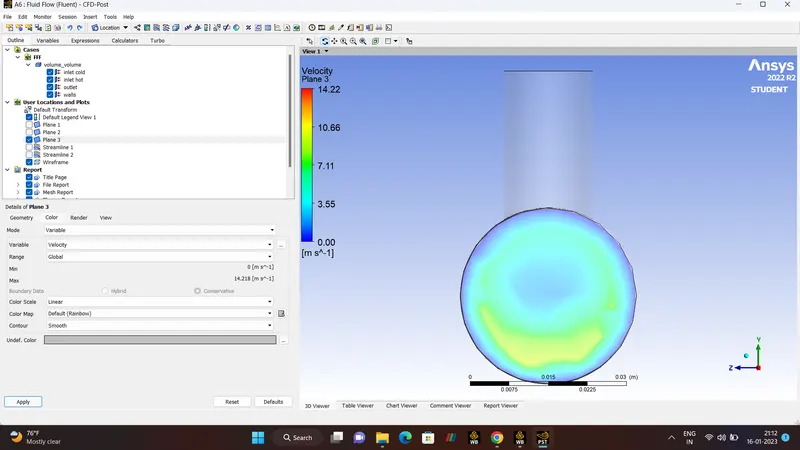
VELOCITY.
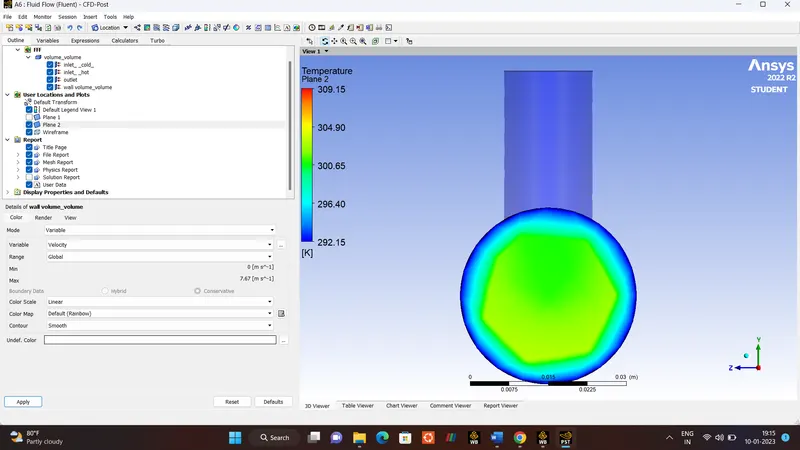
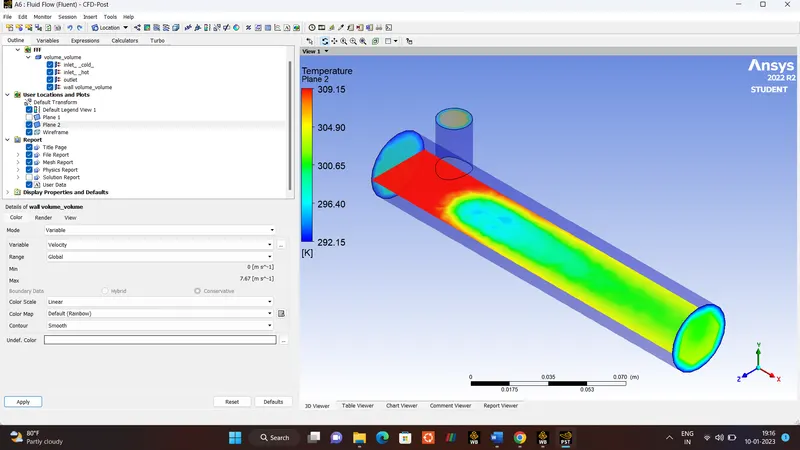
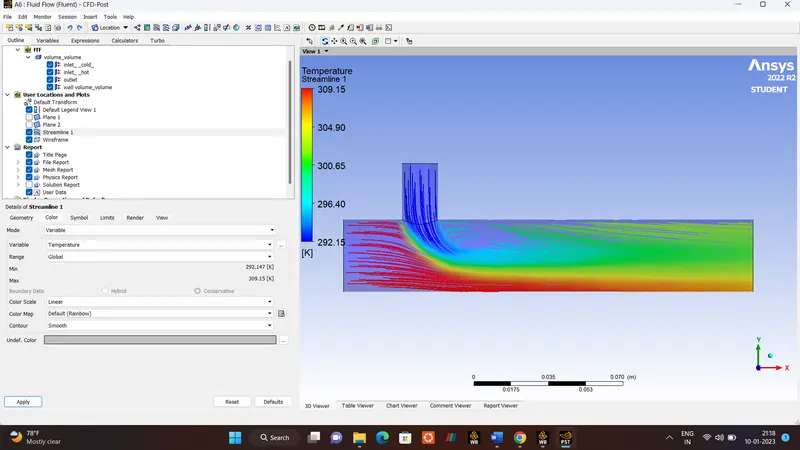
TEMPERATURE STREAMLINE.
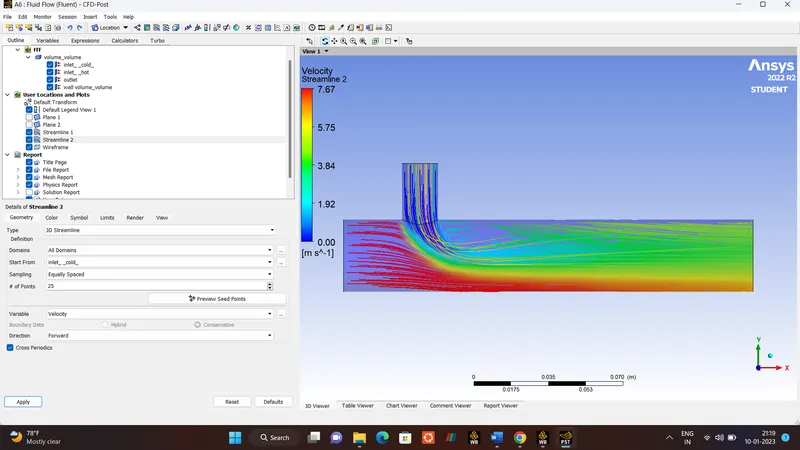
VELOCITY STREAMLINE.
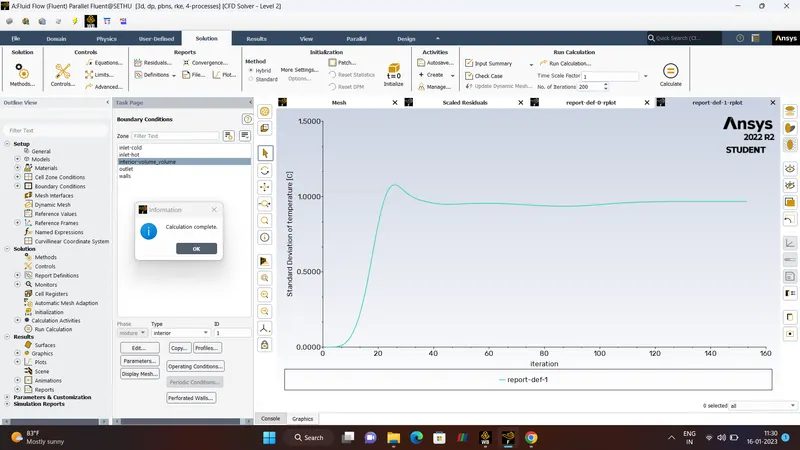
CASE 1 :- MIXING TEE SHORT
- Hot Inlet Velocity 3m/s.
- Hot Temperature 36'C.
- Momentum Ratio 4.
- Cold Inlet Velocity 12m/s.
- Cold Temperature 19'C.
- Number Of Iteration 200.
- CASE 1 (K-EPSILON MODEL).
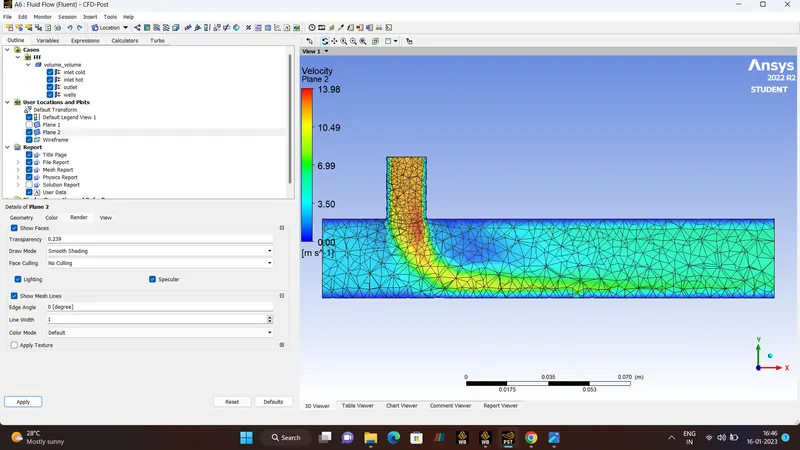
CASE 1 :- MIXING TEE SHORT
- Hot Inlet Velocity 3m/s.
- Hot Temperature 36'C.
- Momentum Ratio 4.
- Cold Inlet Velocity 12m/s.
- Cold Temperature 19'C.
- Number Of Iteration 220.
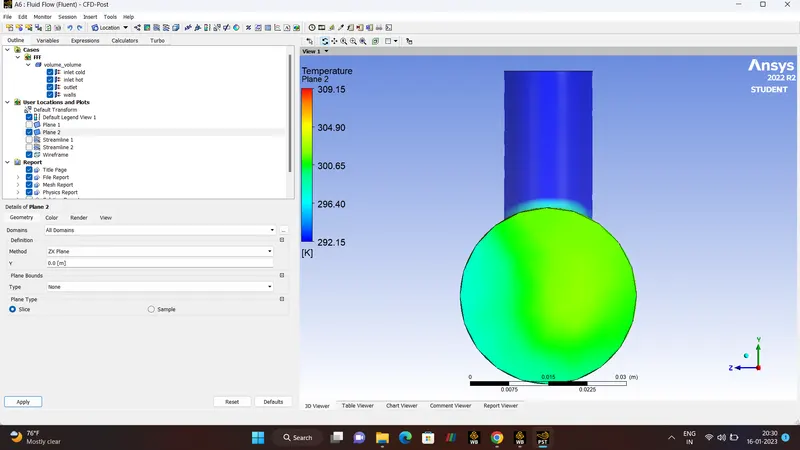
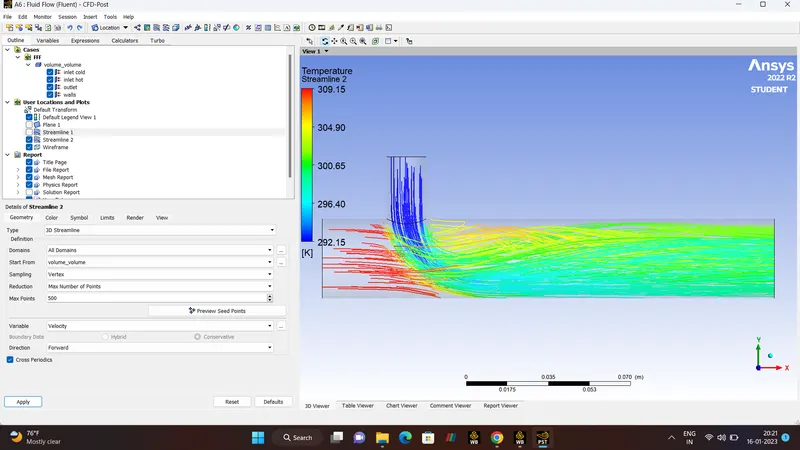
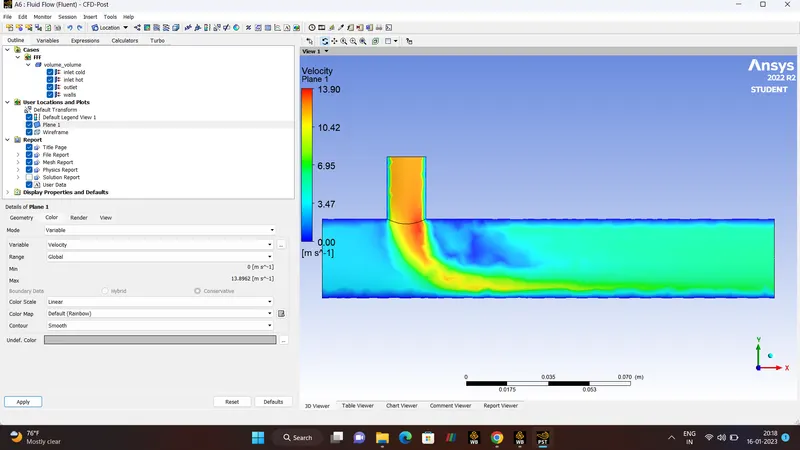
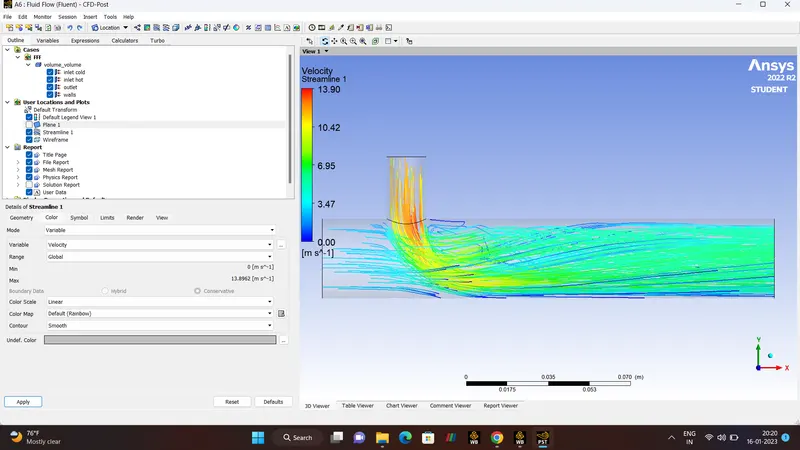
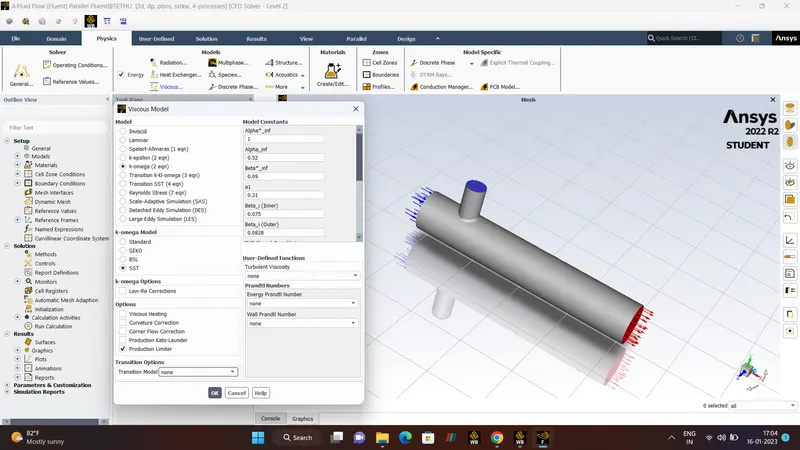
- CASE 1 (K-OMEGA MODEL).
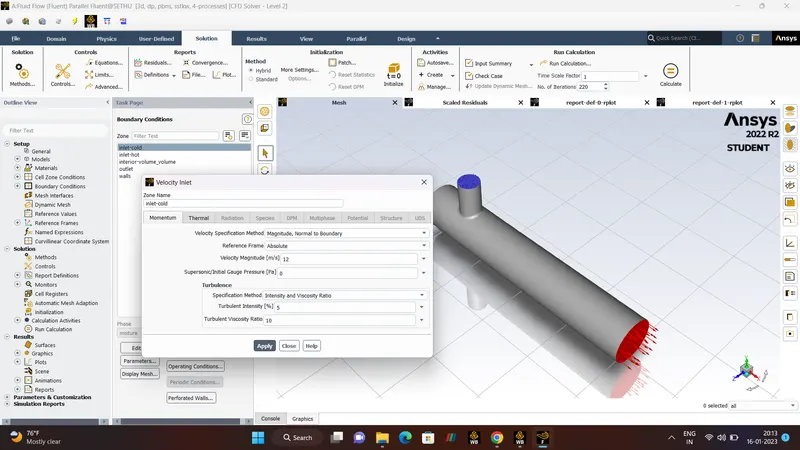
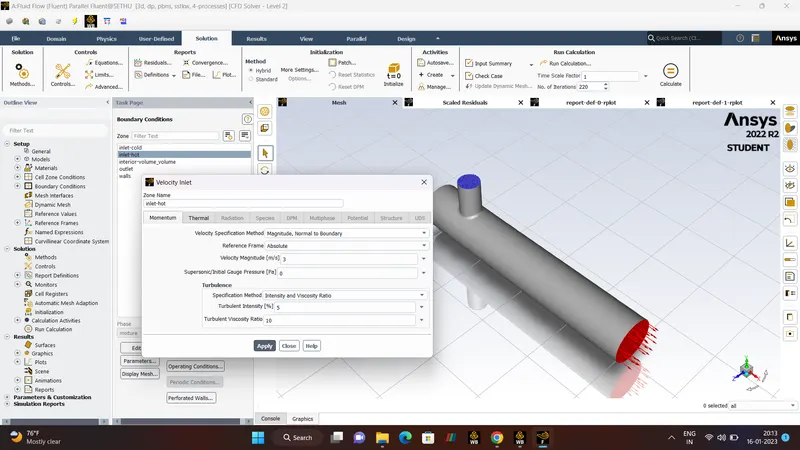
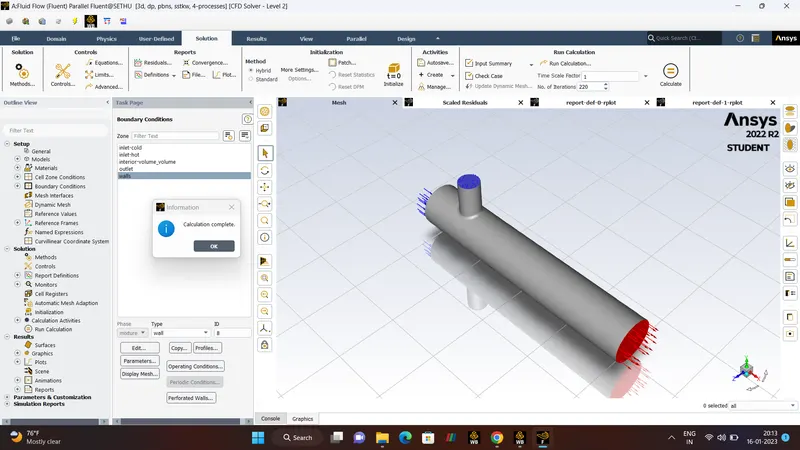
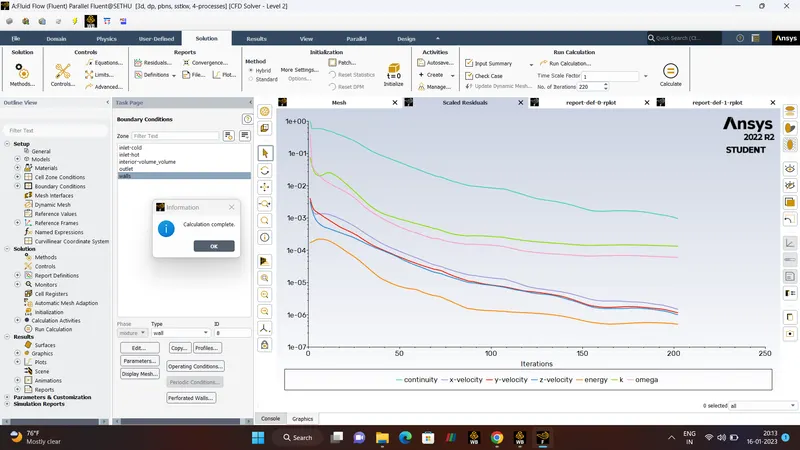
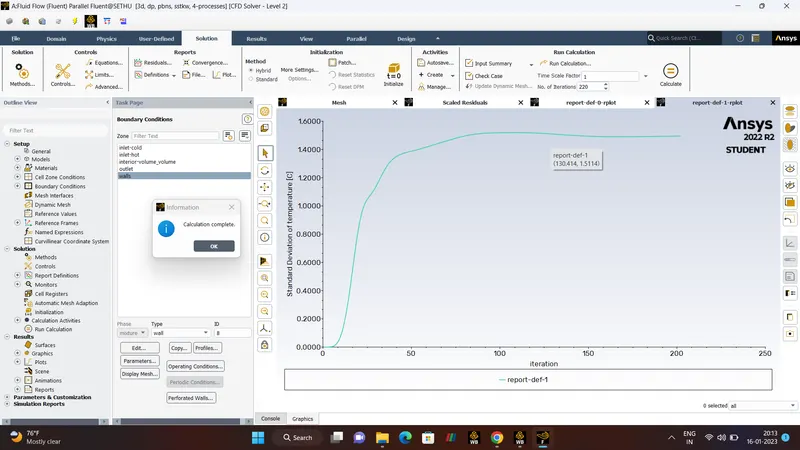
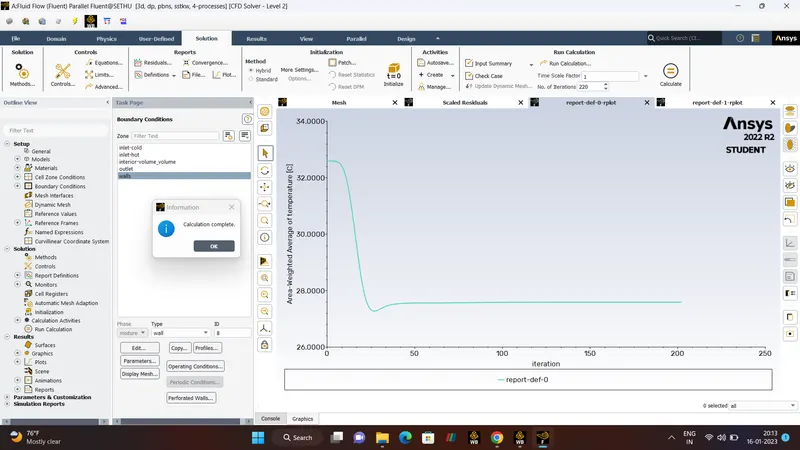
TEMPERATURE PLANE AND STREAMLINE.
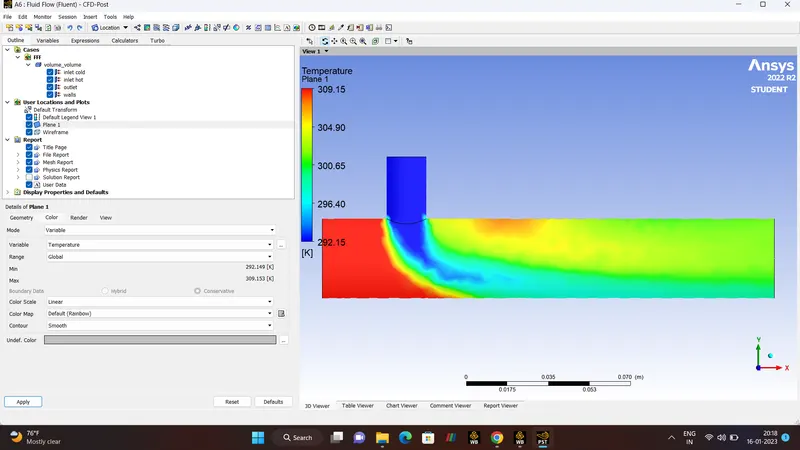
VELOCITY PLANE AND STREAMLINE.
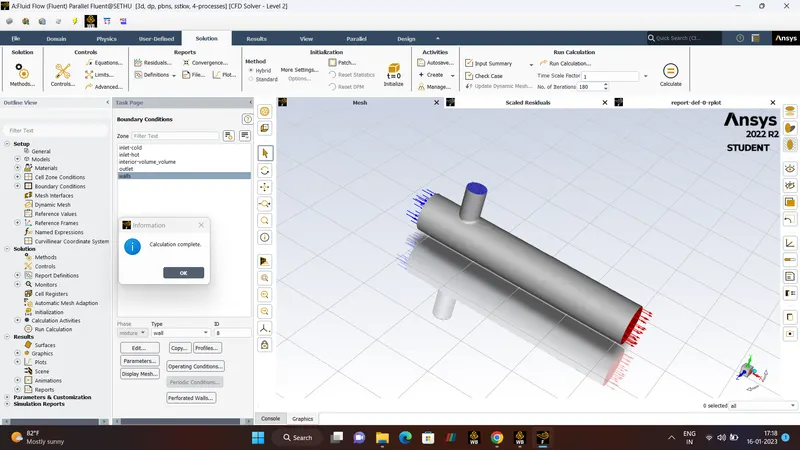
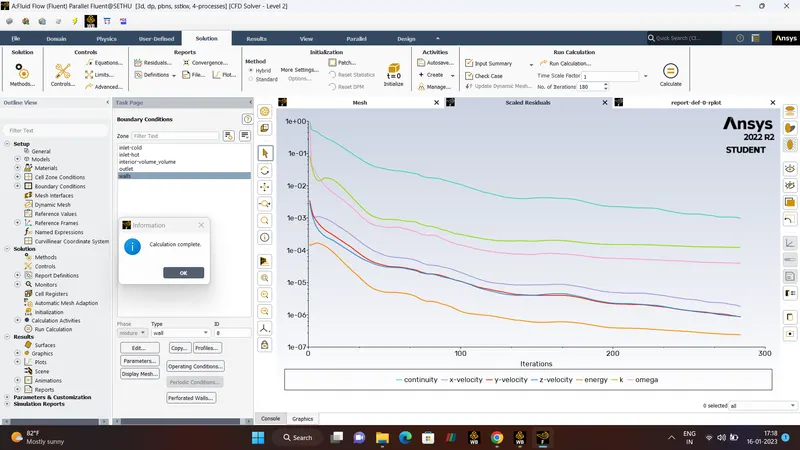
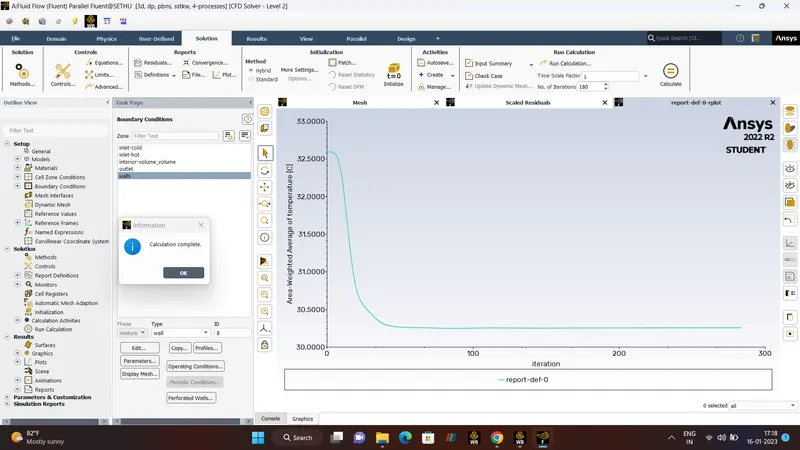
CASE 1 :- MIXING TEE SHORT
- Hot Inlet Velocity 3m/s.
- Hot Temperature 36'C.
- Momentum Ratio 2.
- Cold Inlet Velocity 6m/s.
- Cold Temperature 19'C.
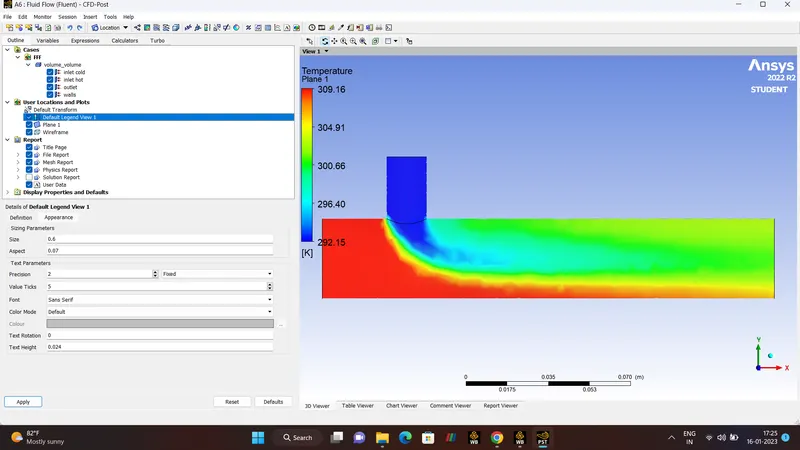
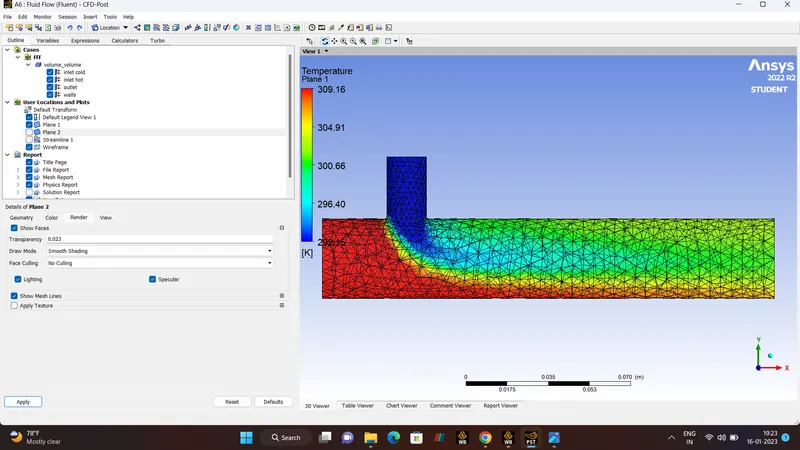
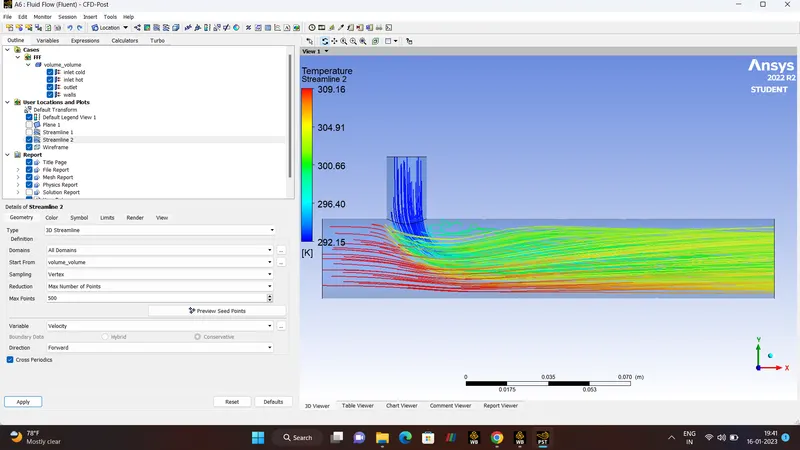
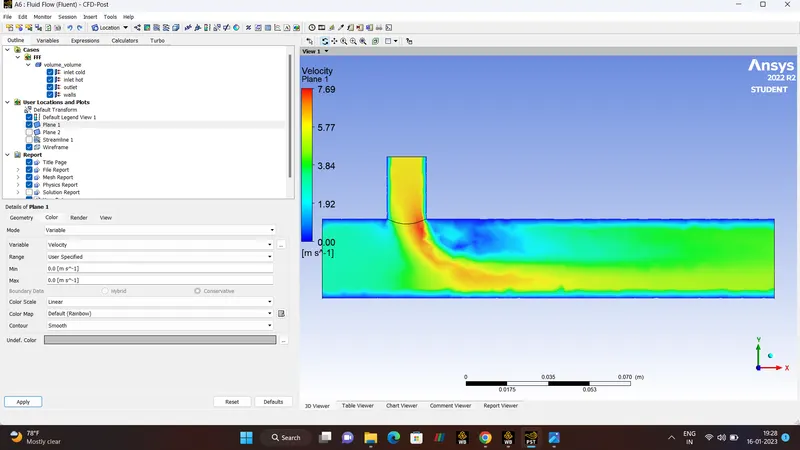
- Number Of Iteration 180.
- CASE 1 (K-OMEGA MODEL).
RESULTS.
TEMPERATURE PLANE AND STREAMLINE.
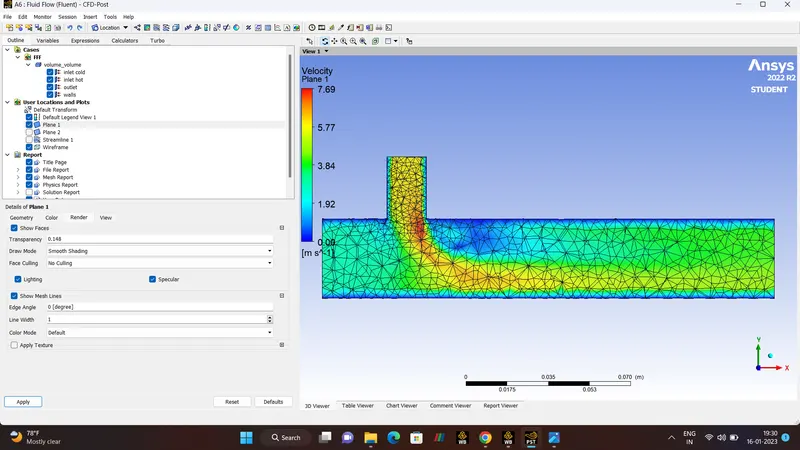
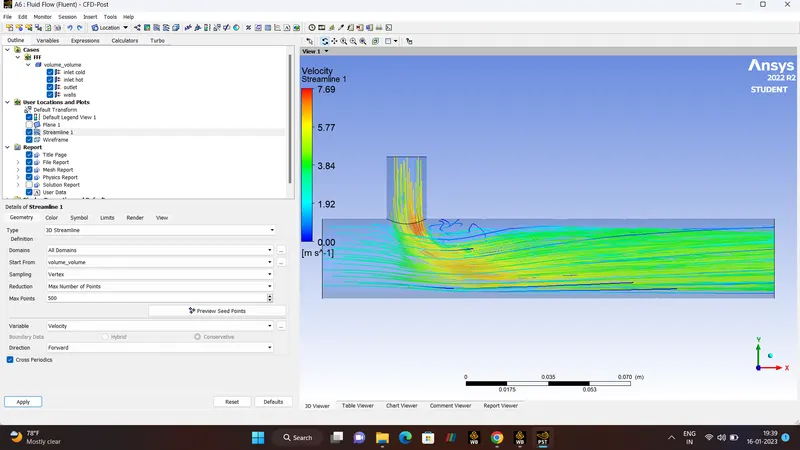
VELOCITY PLANE AND STREAMLINE.
CASE 2 :- MIXING TEE LONG
- Hot Inlet Velocity 3m/s.
- Hot Temperature 36'C.
- Momentum Ratio 4.
- Cold Inlet Velocity 12m/s.
- Cold Temperature 19'C.
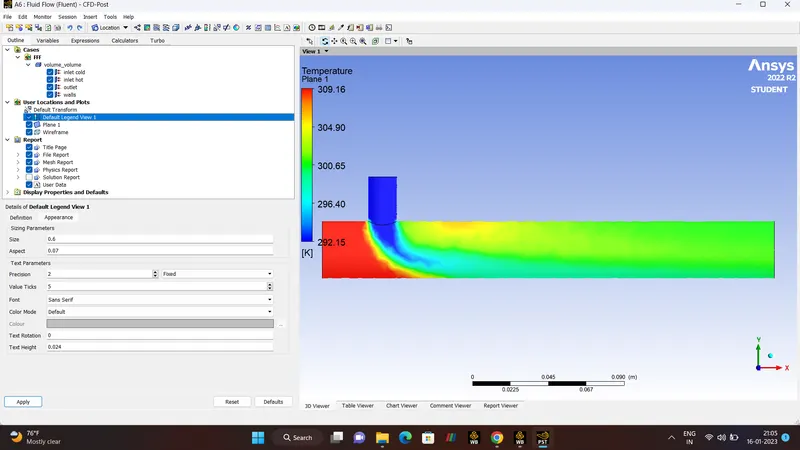
- Number Of Iteration 190.
- (K-EPSILON MODEL).
SPACECLAIM.
MESHING AND FACE SELECTION.
RESULTS.
POST-PROCESSING.
TEMPERATURE.
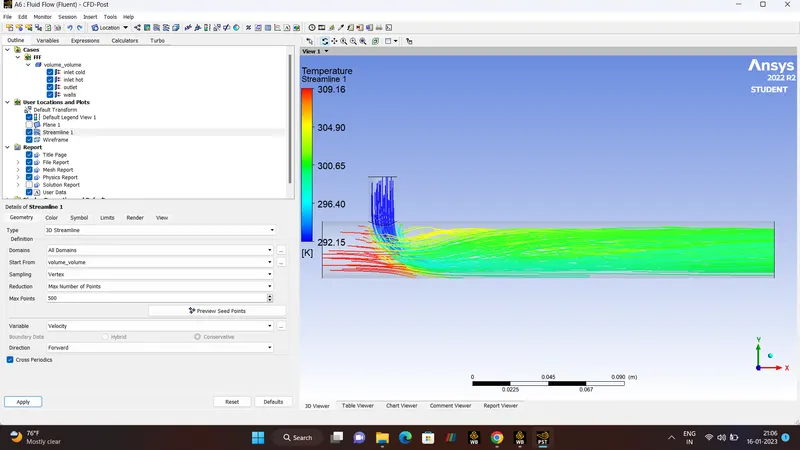
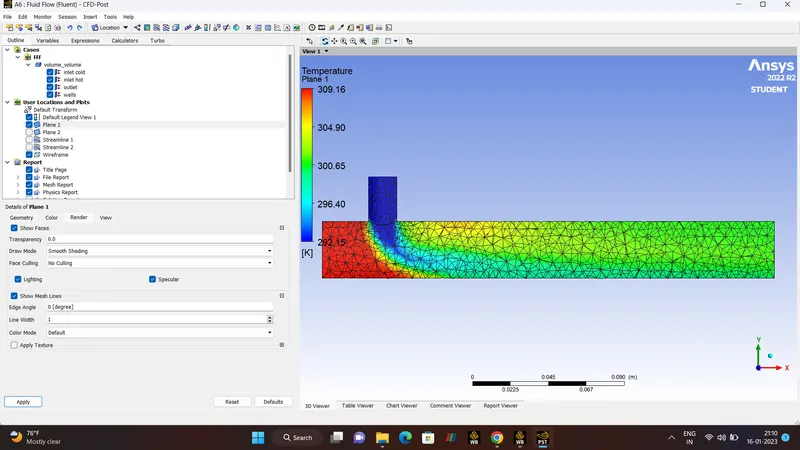
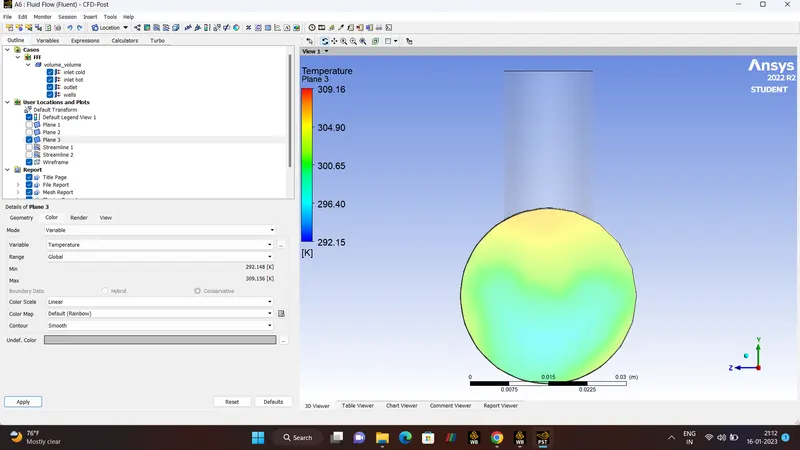
VELOCITY.
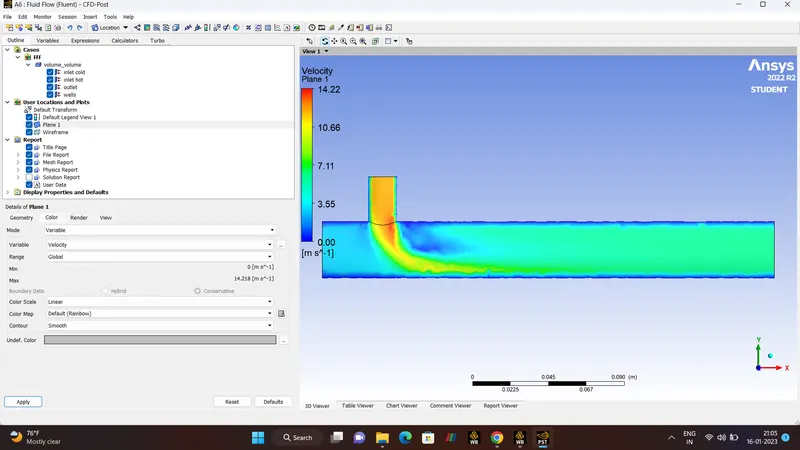
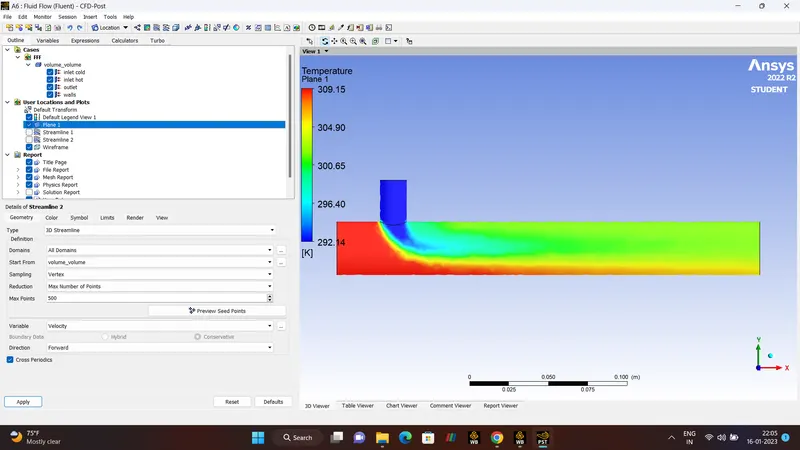
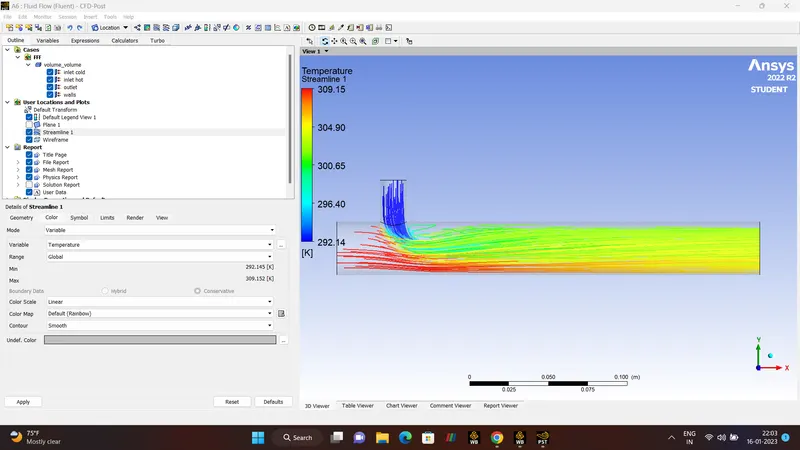
CASE 2 :- MIXING TEE LONG
- Hot Inlet Velocity 3m/s.
- Hot Temperature 36'C.
- Momentum Ratio 2.
- Cold Inlet Velocity 6m/s.
- Cold Temperature 19'C.
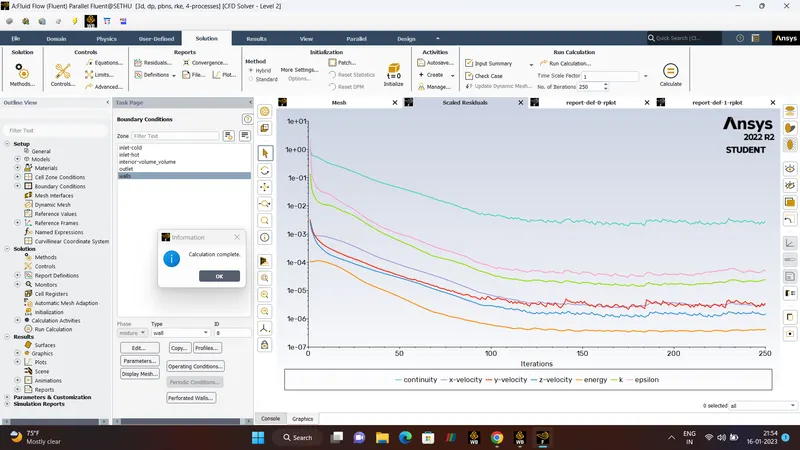
- Number Of Iteration 250.
- (K-EPSILON MODEL).
RESULTS.
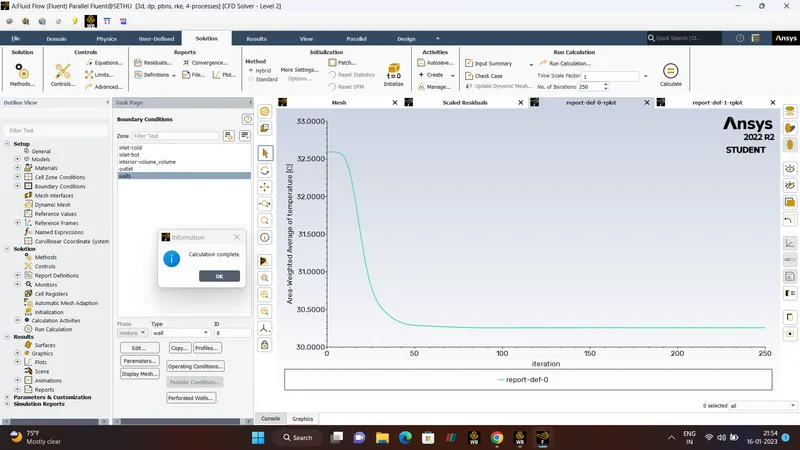
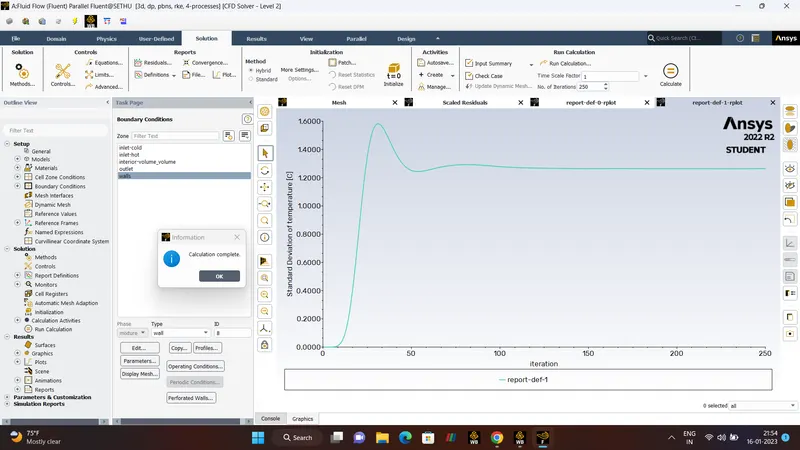
TEMPERATURE PLANE AND STREAMLINE.
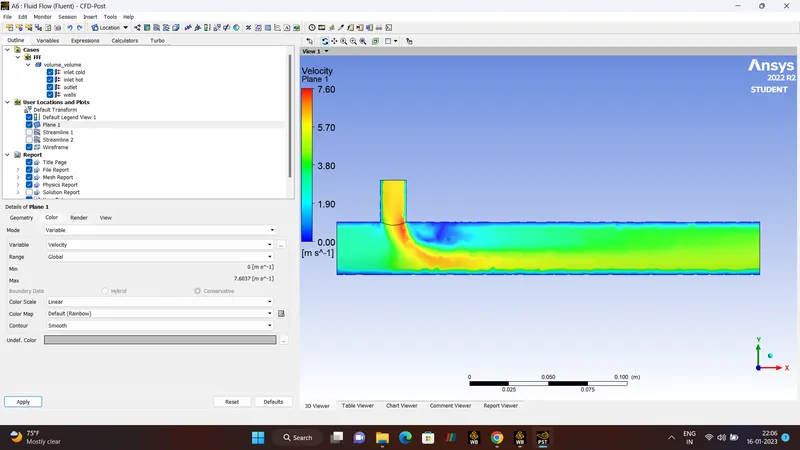
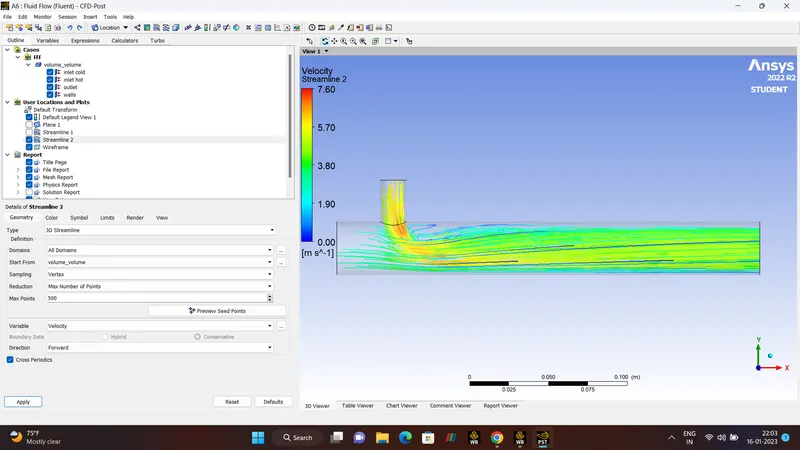
VELOCITY PLANE AND STREAMLINE.
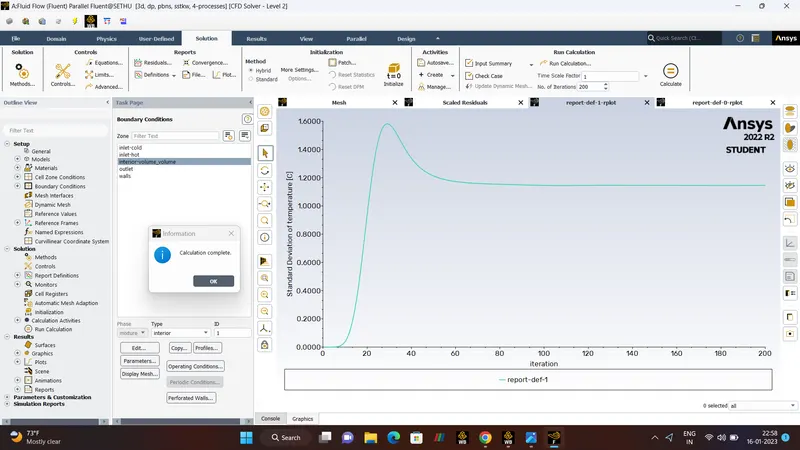
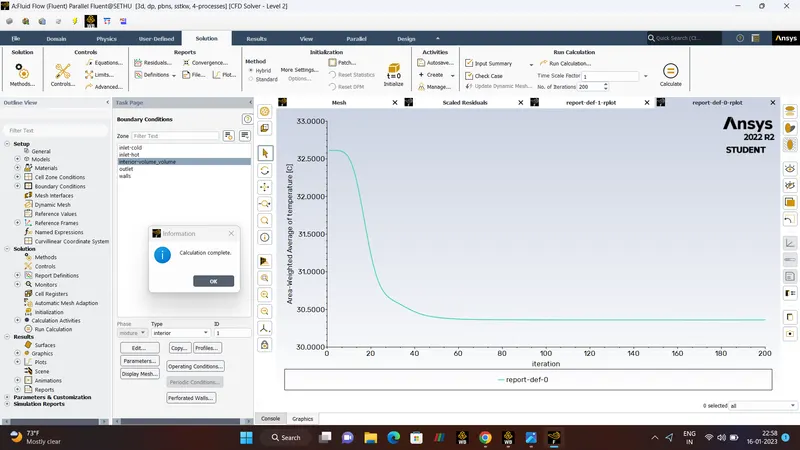
GRID INDEPENDENCE:-
Momentum ratio - 2.
Hot Inlet - 3, Temperature 36'C.
Cold Inlet - 6,Temperature 19'C.
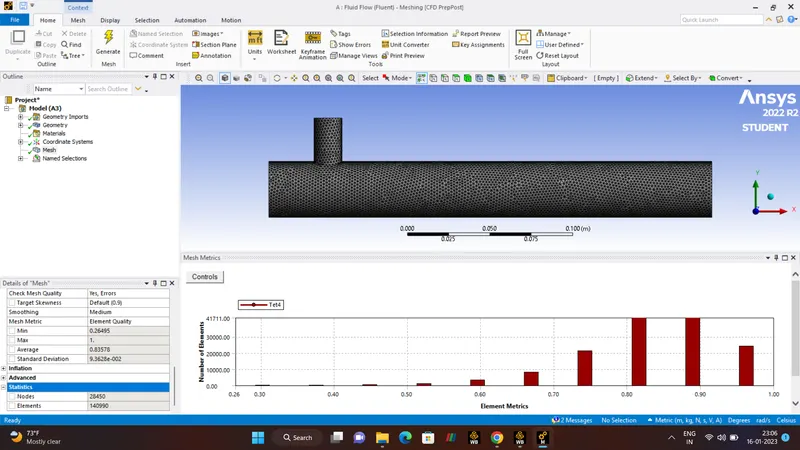
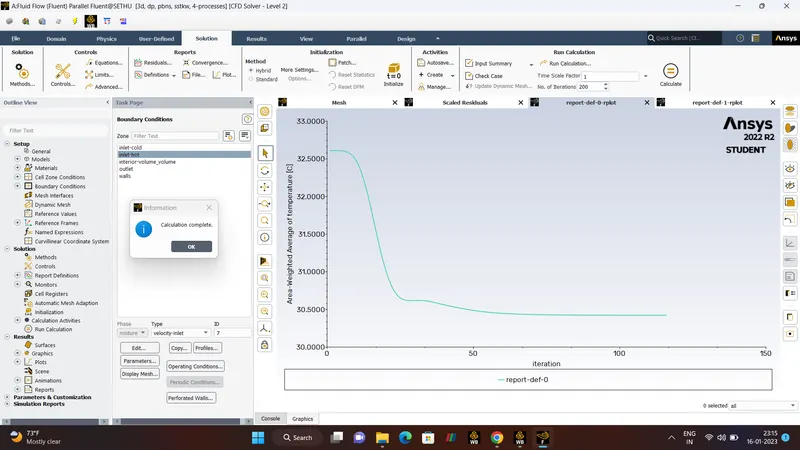
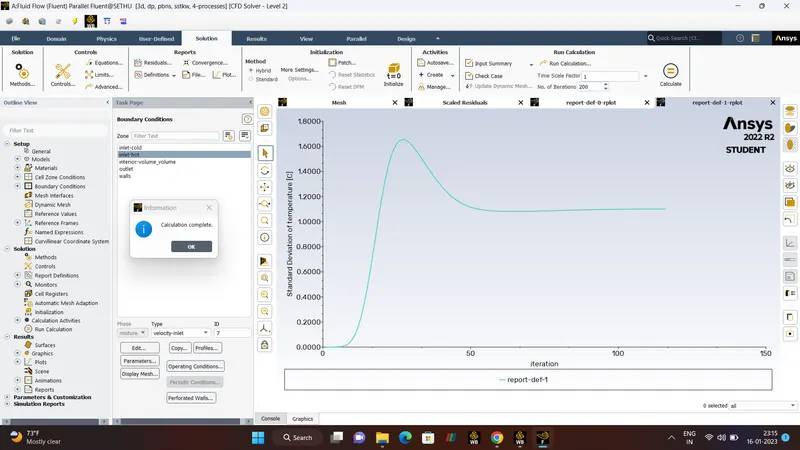
CASE1:
2e-3 .
NODES - 28450.
ELEMENT -140990.
FACES -291515.
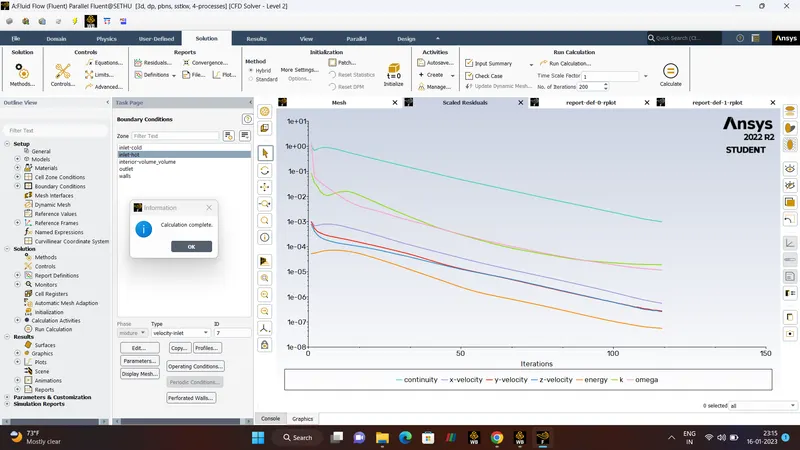
ITERATION-200.
CASE2:
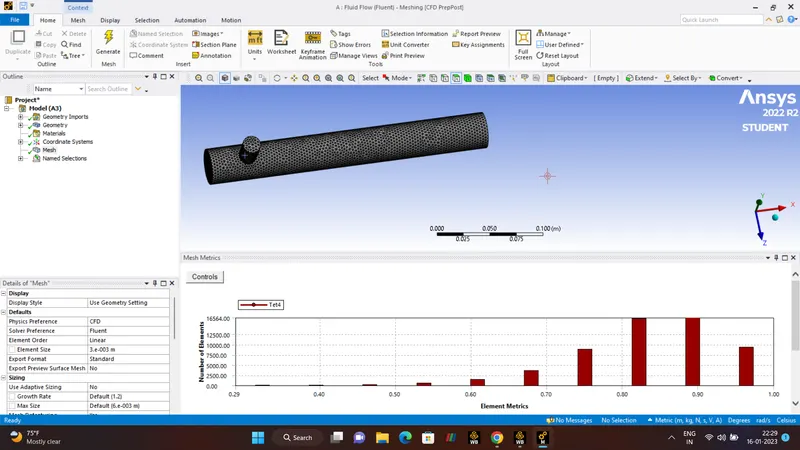
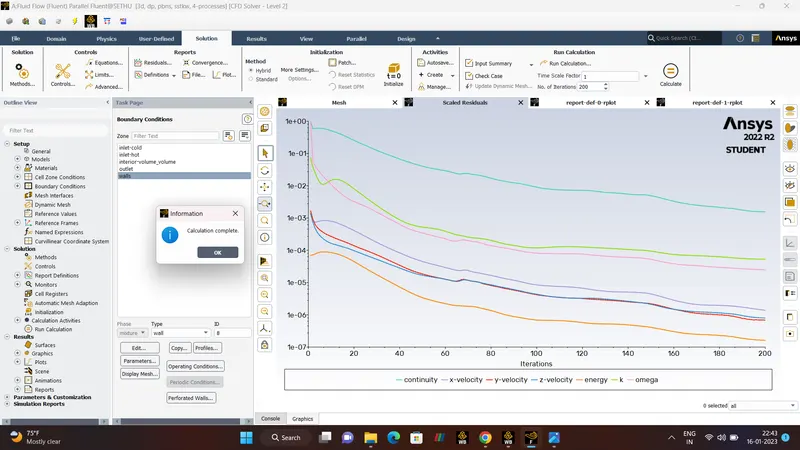
3e-3.
CELLS - 56670.
NODES -11732.
FACES - 117683.
ITERATION -200.
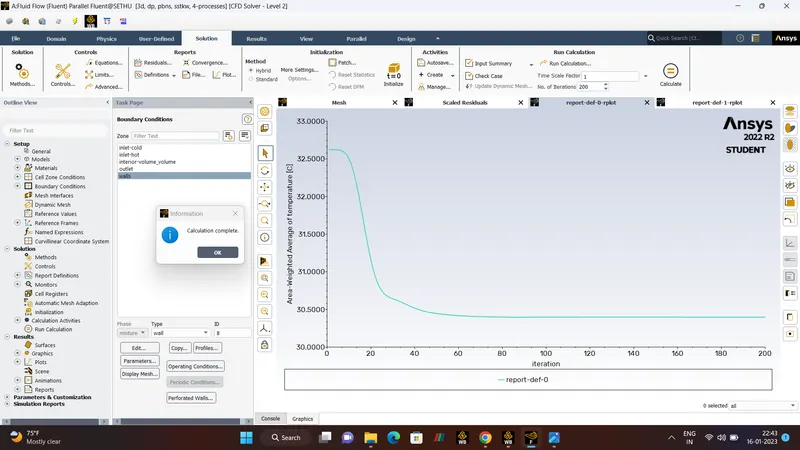
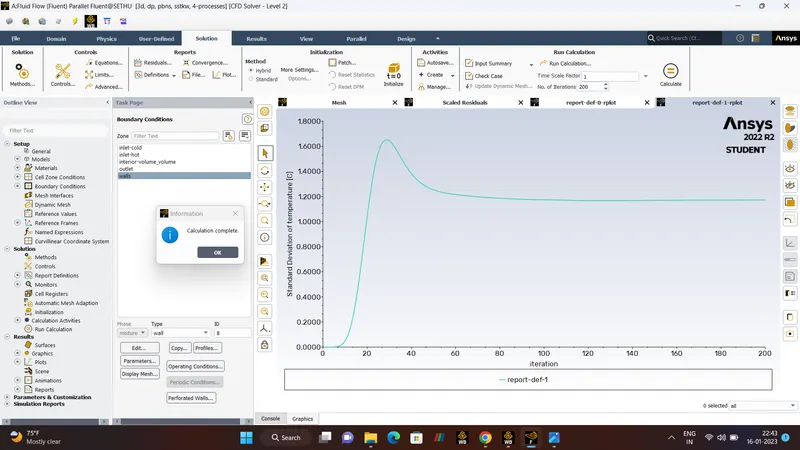
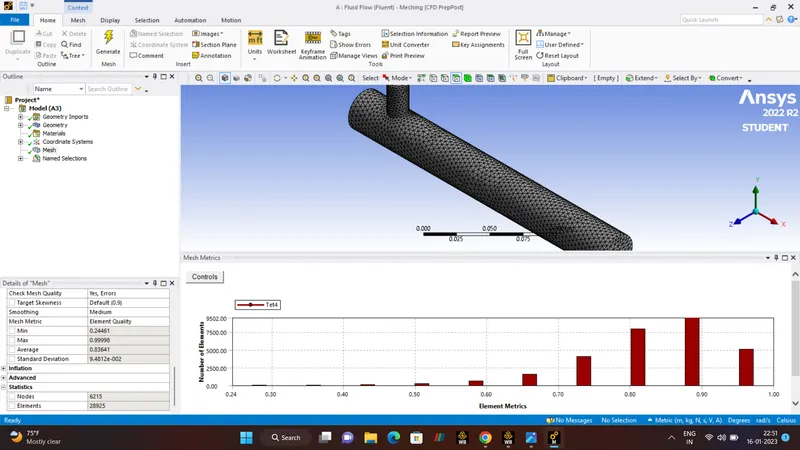
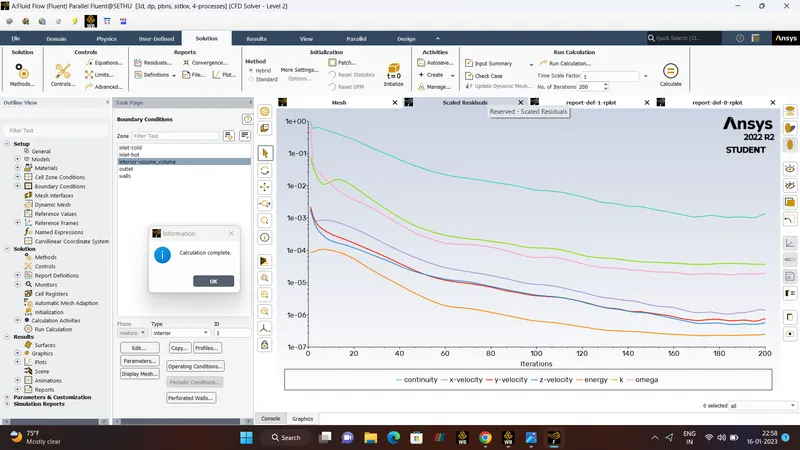
CASE3:
4e-3.
CELLS - 28925
NODES - 6215
FACES - 604621
ITERATION - 200.
CONCLUSION:-
- The Simulation of Mixing Tee is performed using Ansys Fluent.
- All the cases have been set up for the steady state simulations.
- Both the turbulence models K-epsilon and K-omega are compared for better results.
- All the neccessary plots have been attached and above observatios are explained in detail.