Week 1 : Exploring the GUI of GT-POWER
Exploring the GUI of GT-POWER
Aim: To explore the GUI of GT-Suite and understand different settings available to run a simulation.
Setup and simulate Charge air cooler (CAC)
Q Explore the GUI of GT SUITE and list down modules available with a brief description
Ans:- GT Suite is the CAE simulation tool with capabilities and libraries aimed at a wide range of applications and industries. It offers engineering functionalities ranging from fast concept design to detailed system or subsystem/component analysis, design optimization and root cause investigation.
Industries used GT-Suite
(1) On-highway Vehicle
(2) Off-Highway vehicle
(3) Marine and rail
(4) Industrial Machinery
(5) Aerospace
(6) Power Generation
Multi-Physics platform
The foundation of GT-SUITE is a versatile multi-physics platform for constructing models of general systems based on many underlying fundamental libraries:
(1) Flow library(Any fluid, gas or liquid or mixture)
(2) Acoustics library (Both linear and non-linear)
(3) Thermal library(all types of heat Transfer)
(4) Mechanical Library (Kinematics, Multi-body dynamics, Frequency domain)
(5) Electric and Electromagnetic library (Circuit, electromechanical devices)
(6) Chemistry Library (Chemical Kinetics)
(7)Controls library(Signal Processing)
(8) Built-in 3D CFD and 3D FE( thermal and Structural)
Modern Software and unique capabilities
(1) Fusion of 1D and 3D simulation in one tool
(2) Imports solid models from CAD to create 1D and 3D models
(3) Performs embedded 3D(CFD) and 3D FE thermal /structural modelling with all boundary conditions provided by the simulated surrounding complete system
GT Suite License
Tempelates in GT SuiteGT Power License
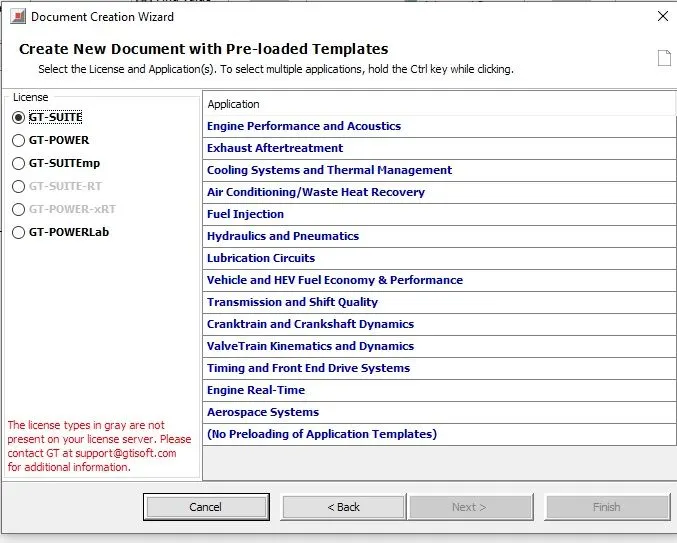
Templates in GT Power
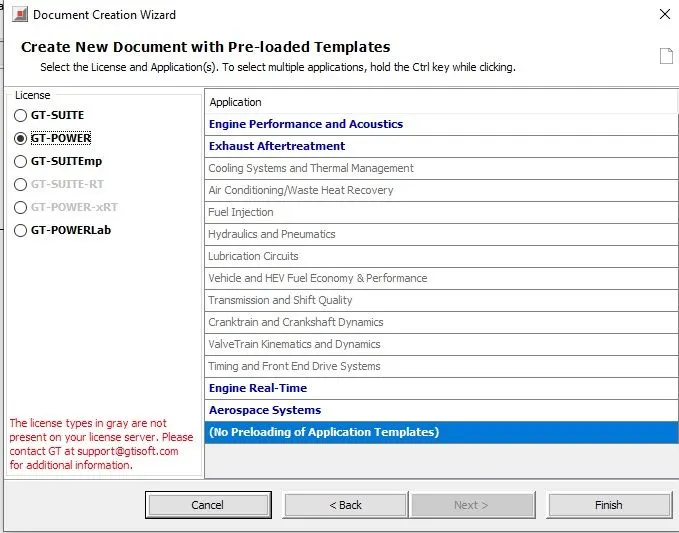
GT Power EMP
Templates in GT Emp
the above Templates are used by different companies according to their applications.
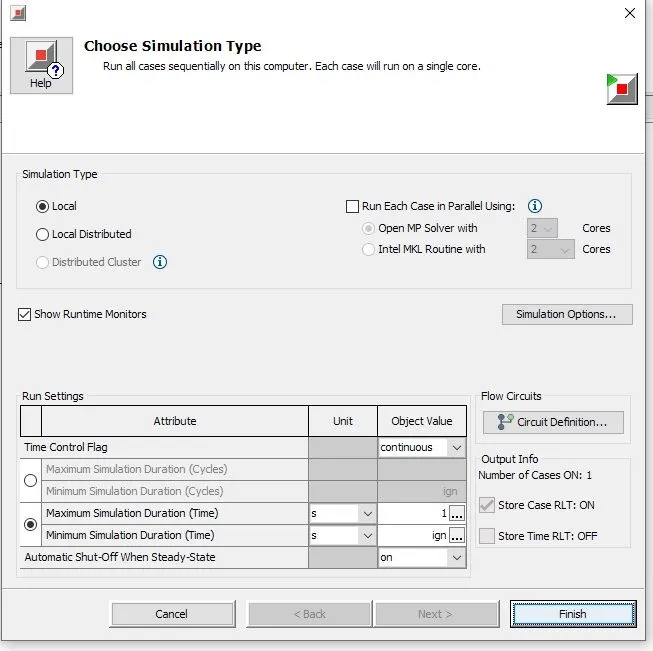
Time control flag
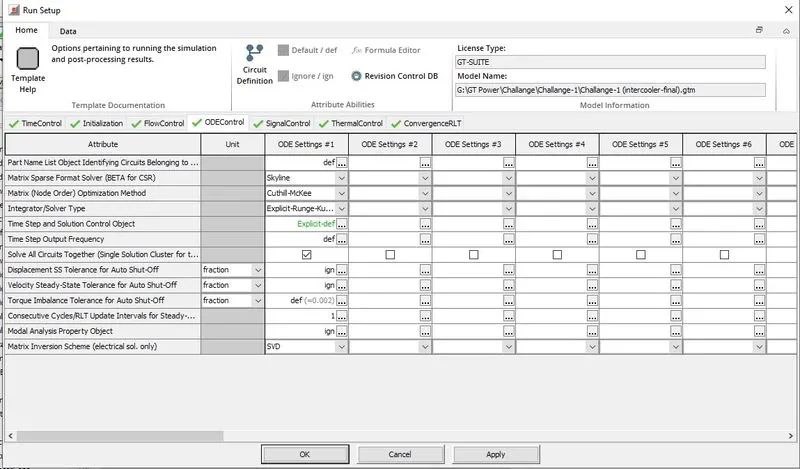
Time control flags are of two types continuous and periodic used according to case setup. For Engine applications, the Time control flag is periodic and for other applications continuous option. In max. simulation Duration we define the time for which setup will run to get a converged solution.
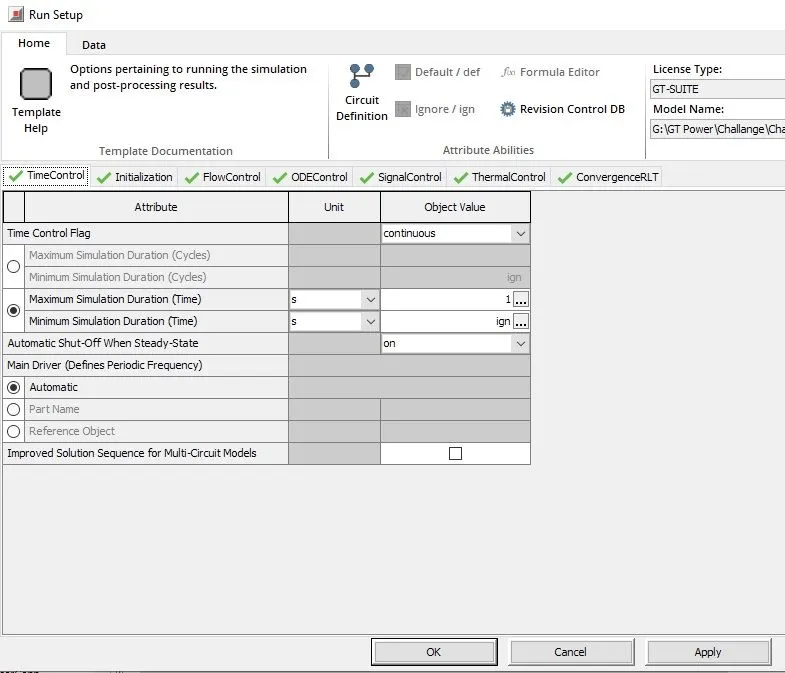
Time step and solution control
Time step defines the duration of simulation result to converge. we can control time step and solution with option automatic shut off when steady state. with one option when the solution converges it will automatically stop the run setup.
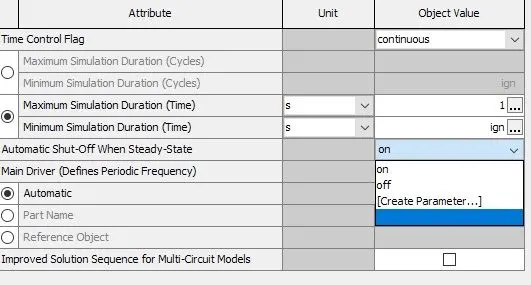
Integrator/Solver type
There is a lot of solver option like the Runga-Kutta method in the below-Run Setup option.
Explore intercooler tutorial
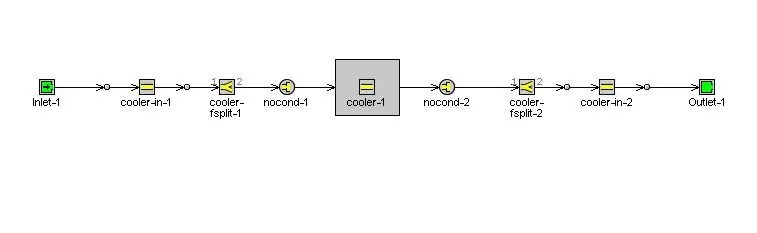
Open Intercooler tutorial as shown below and define all input parameters
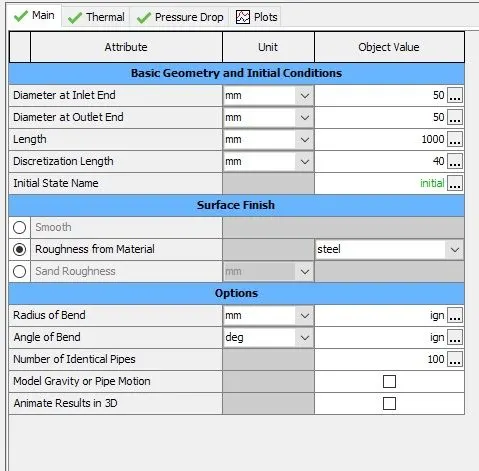
Define Inlet and outlet Diamter= 50mm and length =1000mm and Material is steel.
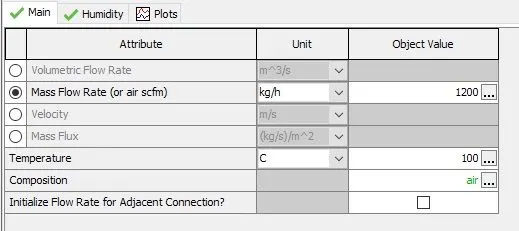
Define Mass flow rate in Intercooler is 1200 Kg/h
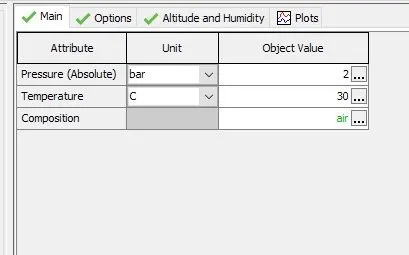
Define outlet parameter is at 2bar and temperature is 30 C
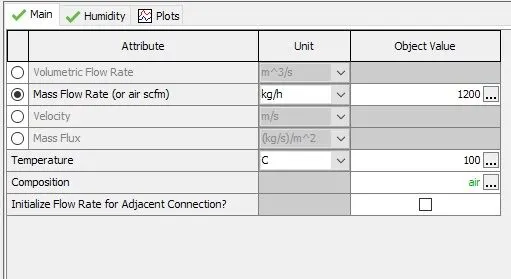
Define Inlet parameter mass flow rate 1200Kg/h and Temperature 100C and flow composition is air.
Run Setup
Run the case after inputting all parameters and open results with GT post Processor.
Results
Pressure Drop
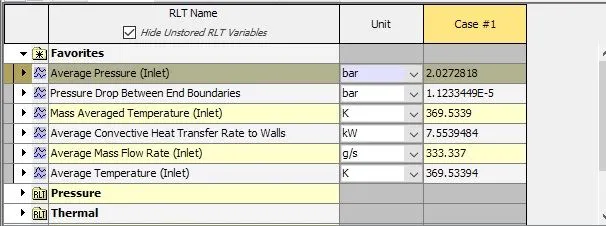
when open results with GT Post Processor and Pressure Drop between end boundaries is 1.1233 e-5 as shown below
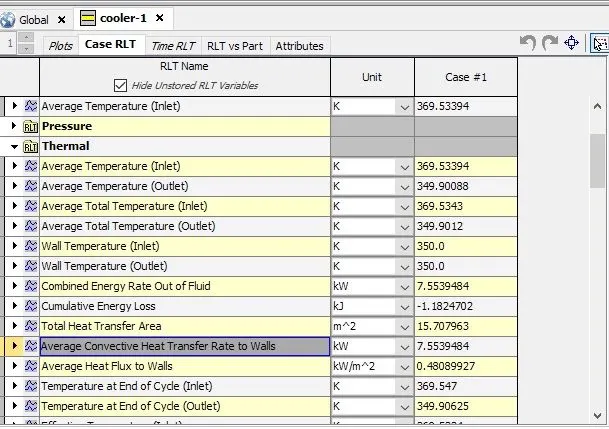
Heat Transfer Rate
The average Heat Transfer rate is 7.5539 kW as shown below
Conclusion:
This is the project, the GUI of the GT-Suite was explored and the different settings were studied. In the end, the tutorial case for the intercooler available in the GT-Suite library was simulated and the results were extracted.