Week 1 Challenge
Q1.
1. Write the steps involved to upload a .std file through web mail?
ANSWER:-
Steps involved to upload a .std file through web mails are as follows;
- Open the STAAD pro software and locate the share option available on the introduction screen.
- After clicking on the share button, select send mail option.
- Then, browse for the. Std file on your machine & send it.
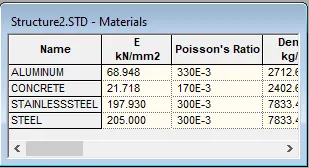
2. Name the different materials that can be designed using STAAD Pro.?
ANSWER:
- Concrete.
- Steel.
- Aluminium.
- Timber.
3. Is it possible to capture images in STAAD Pro? If yes how?
Answer:

4. Name the three ways by which you can create a model.
Answer:
Three ways by which you can create a model in as STAAD pro are as below;
- Analytical model.
- Physical model.
- Building planner model.
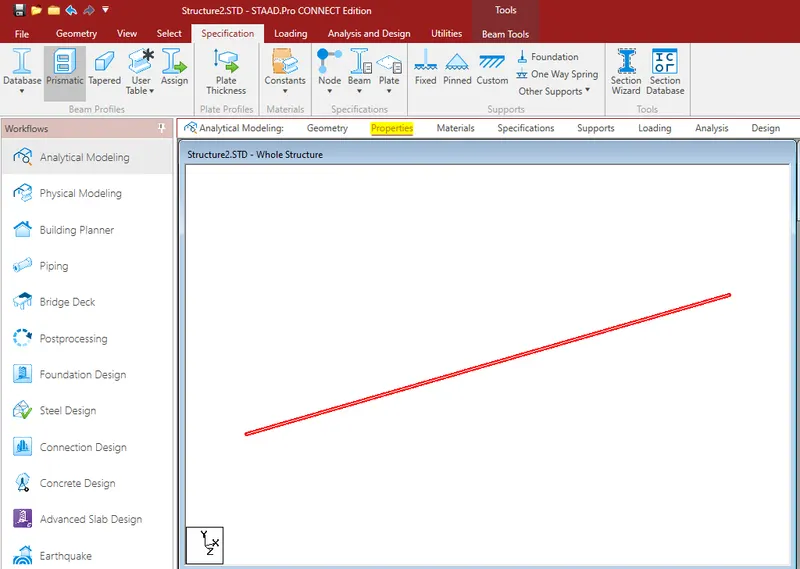
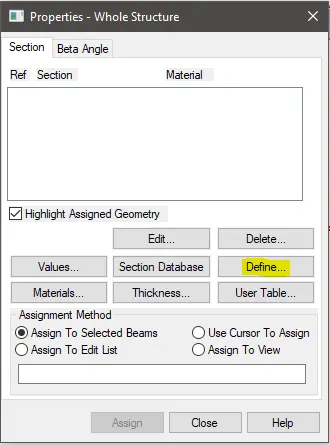
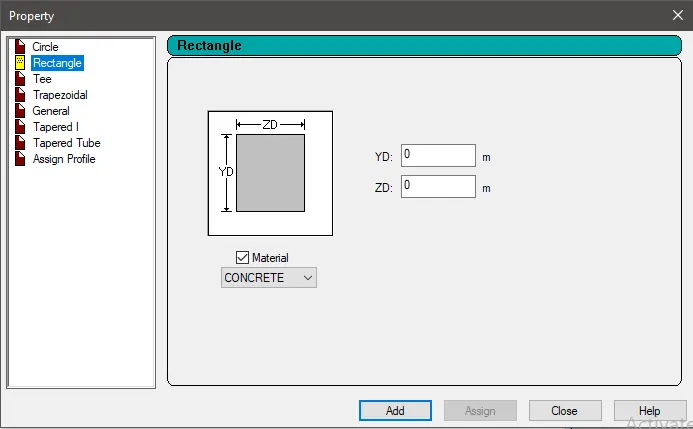
5. Write the steps followed to assign properties in a model
Answer:
Q2.
1. Name any six design parameter involved in RCC design.
Answer:
- Clear cover
- FC compressie strength of concrete
- End conrete design
- Code of practice
- Max main Dia of bar
- FY Tensile Strength of steel
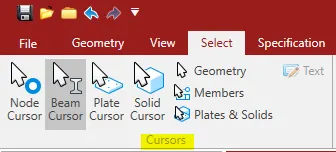
2. What are the different cursor types available in STAAD Pro?
Answer:
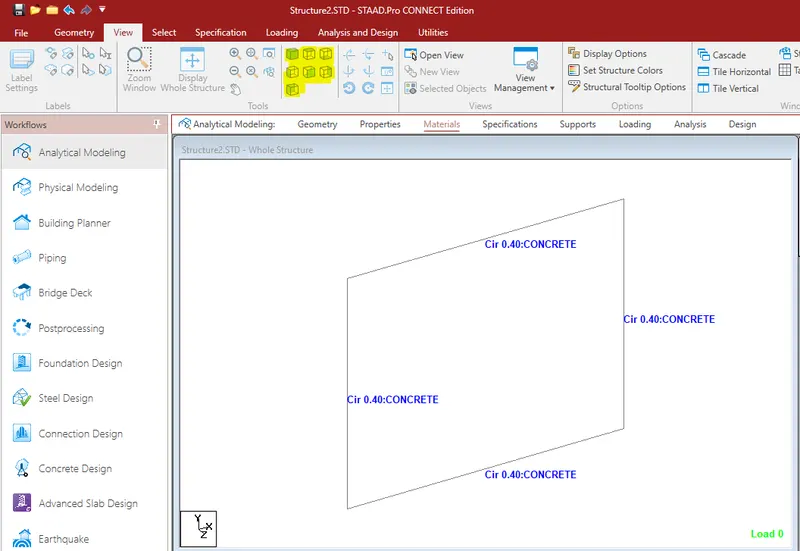
3. How will you generate different views for a model? State the steps involved.
Answer:
Top view
- Isometric view
- Front view
- Left view
- Right View
- Botttom view
- Back view
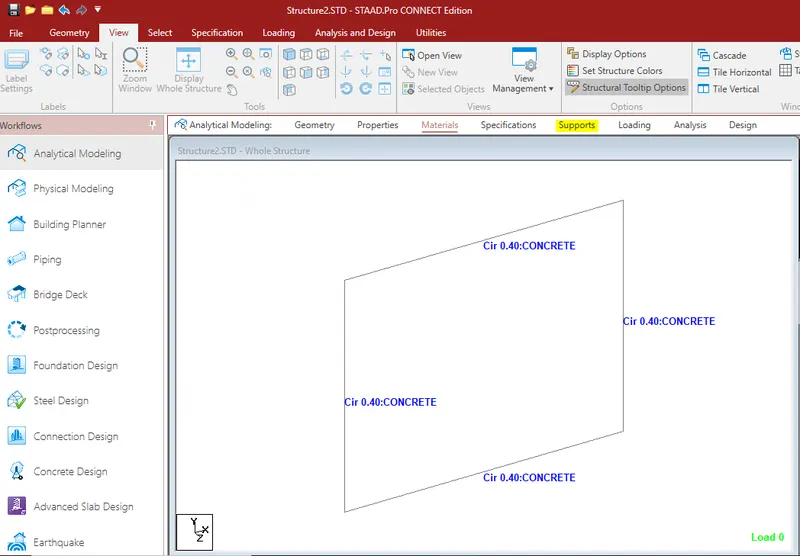
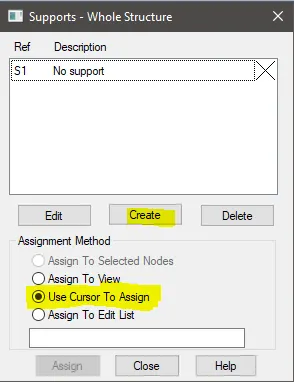
4. Explain the procedure to define a “Simply Supported” condition in STAAD Pro
Answer:
Go to the support command in the tool palet command
- Click on create support command
- There we can get option like fixed support , pin support , Fixed but
- Enforced but support
- Cable support
- Inclined support
5. Write the steps followed to assign properties in a model.
Let's first define DBR, shall we? DBR stands for Design Brief Report.Therefore, DBR is essentially a succinct summary of what, why, and where you want to produce. It is, in essence, a crucial component of our project. Following is a list of the five themes that will be included in establishing DBR:
- Both the project's name and its location are given.
- Layout of the Structure.
- a description of the construction process.
- Quality Control and Quality Assurance.
- Expenses for the project.
6. Describe the term “Multi material design” of STAAD Pro.
Answer:
The structure that is constructed using more than one structural material is known as a "multi-material design" in STAAD Pro.
Q3
1. What is the name of the structure system in STAAD Pro? Can you describe each system?
answer:
-
The structure system for STAAD Pro software is:
space frame. level frame.
truss.
explanation:
-
1. Space frame:
-
Basically, a space frame is a three-dimensional truss-like structure designed to carry longer span loads without intermediate supports. Spaceframe construction is inherently stiff, lightweight, and structurally efficient. Low shipping cost.
2. Aircraft frame:
-
Airframe is RCC or steel structure. It is a two-dimensional structure consisting of linear elements connected by rigid or articulated connections.
3. truss:
-
A truss is created by arranging structural elements in a triangular shape that can support both compressive and tensile loads.
2. Describe the coordinate system used by the STAAD Pro software.
answer:
-The coordinate system employed by STAAD Pro software is X, Y, Z coordinates.
So basically the coordinate system used in the STAAD Pro software is:
Global axis:
- Mainly global axes are fixed in the coordinate system. Local axis:
- Local axes are inherently variable. Local axes can be changed, but global axes cannot.
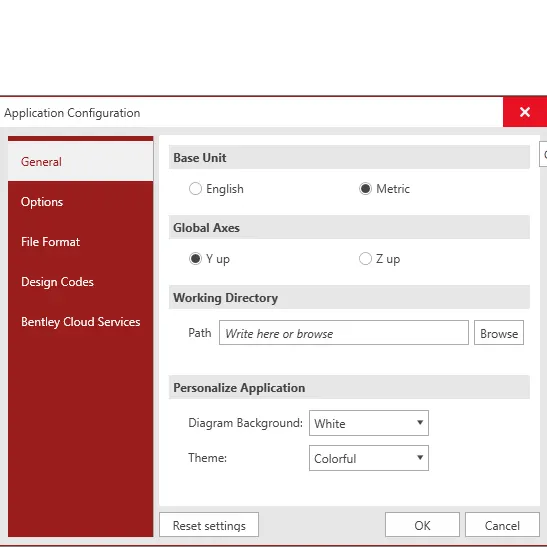
As STAAD Pro software. Basically the traditional Cartesian coordinate system is used. In this system, Y is the upward global axis. We can say that the building height is always parallel to the global Y axis, as shown in the image below.
3. Learn more about DBRs and their uses.
answer:
So a DBR (Design Brief Report) is basically a project management document that consists of various information related to the construction of a structure. This DBR is a detailed report containing the smallest details of ongoing construction work. This defines the final stage in the process of defining customer requirements for construction work. This report basically consists of all major and significant structural details related or related to the project, including any other issues related to construction.
4- Describes the different types of analysis options in STAAD pro.
answer:
Below are the different types of analysis options in the STAAD Pro software.
Linear elastic analysis.
P-delta analysis.
Buckling analysis.
pushover analysis.
5. Describe the difference between Fixed and Fixed But conditions.
answer:
Solid State:
A fixed condition in STAAD Pro Software is a condition in which all horizontal or vertical degrees of freedom or moments are fixed. In other words, we can say that these conditions are binding, but cannot be changed accordingly. These conditions can be called fixed conditions.
Fixed state:
And as for the fixed end condition, we can say that this condition can be adjusted accordingly. In this state, the exit condition can be changed, but not prohibited. You can free up some of the degrees of freedom you want.
------------------------------------------------------------------------------
Practical
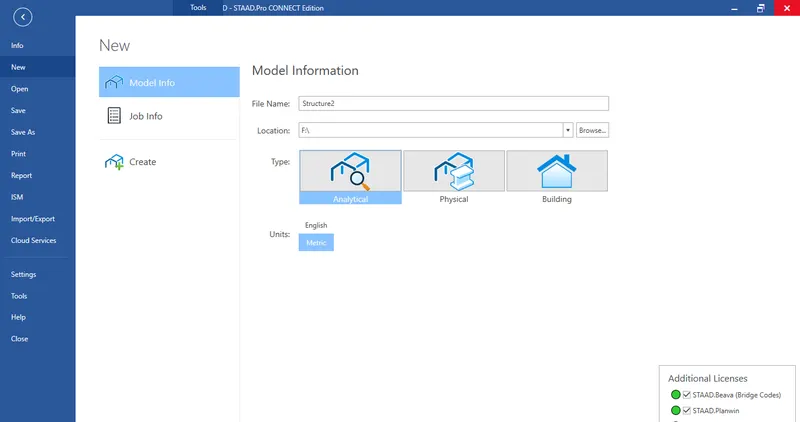
1. Create a STAAD Model with the following Specification
a. A beam of span 16m
b. Support : Fixed on one end and Roller support(Horizontal) on the other end
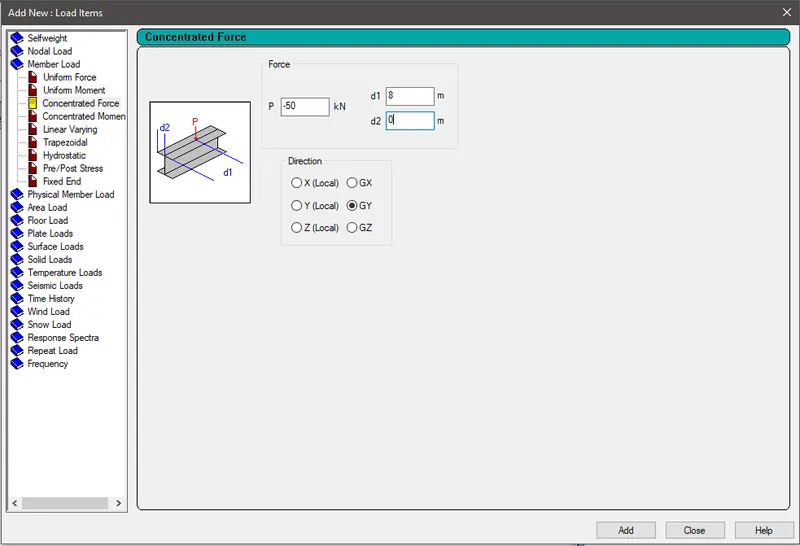
c. A point load of 50 kN at the mid-point
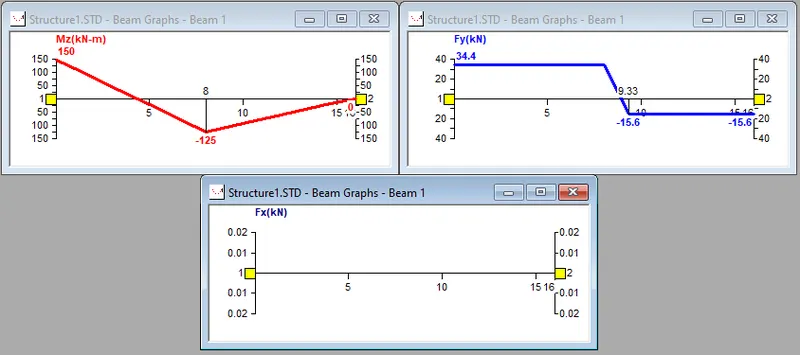
d. Draw SFD and BMD using software
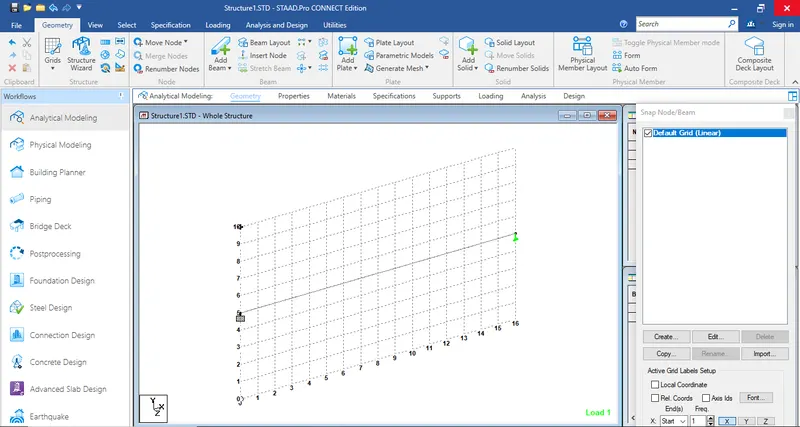
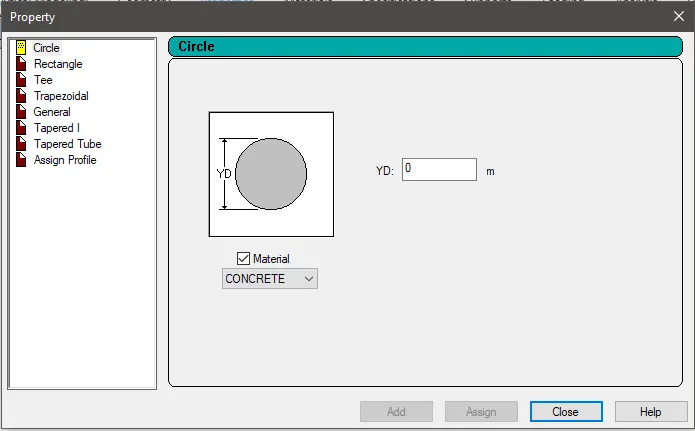
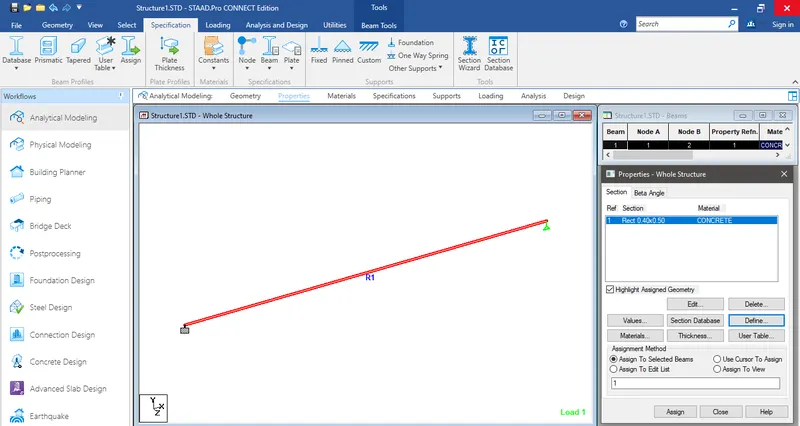
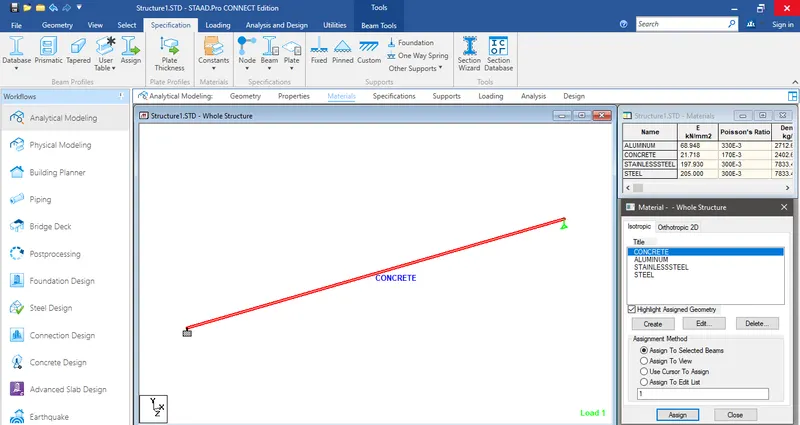
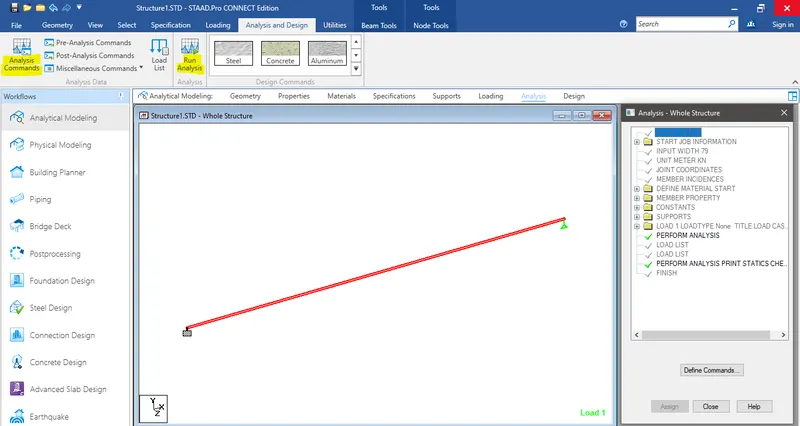
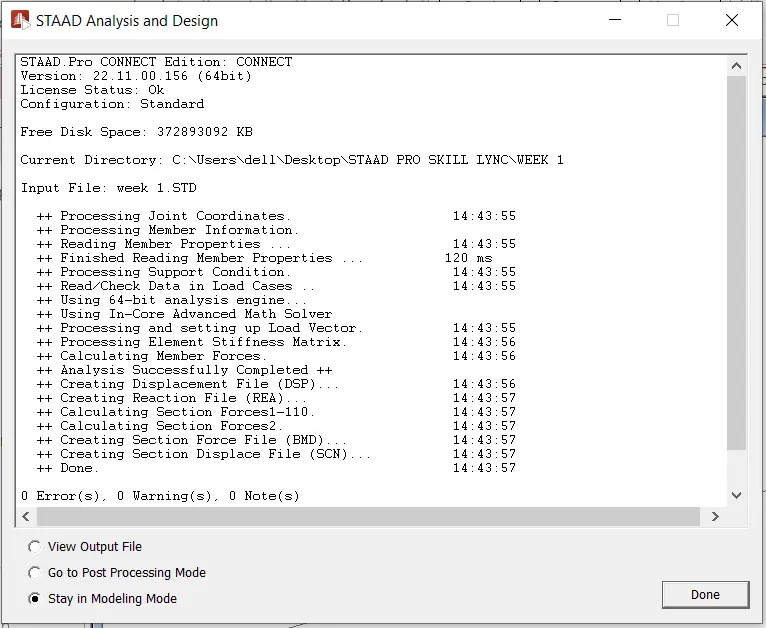
- Run the Analysis
- After this, select the analysis method that is perform analysis from the design and analysis panel.
- Once you are done with setting up the analysis method, go ahead and run the analysis from the analysis and design panel.
- Wait some time for the analysis to get complete and look for errors and warnings.
- If there are no errors or warning signs upon completion of the analysis, you're good to go.