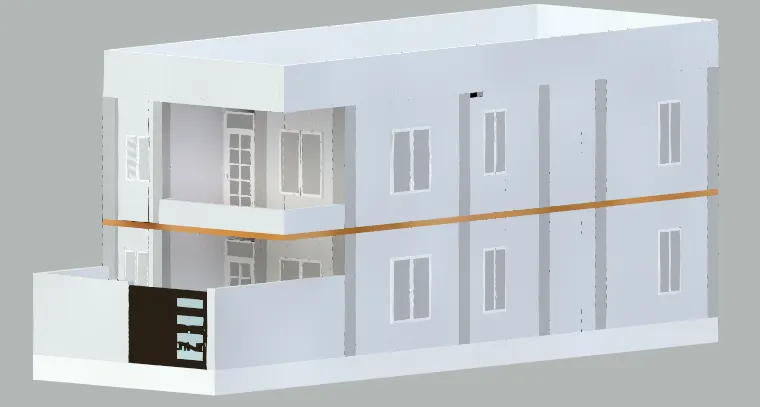
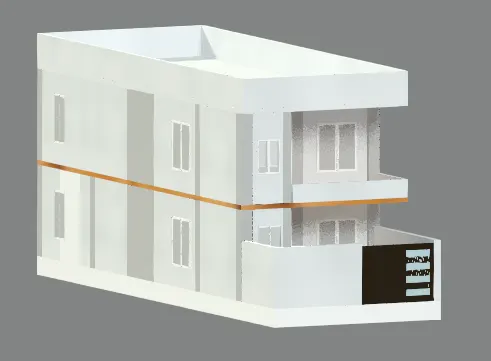
3 dimensional model of the residential building with a rendered view.
introduction
In today's world, architecture and engineering professionals require advanced tools to bring their designs to life. Creating 3D models using AutoCAD software is one such tool that provides designers and engineers the ability to visualize their creations and make more informed decisions. This project focuses on creating a 3D rendered model for a residential building using AutoCAD. The 3D model will include various elements such as doors, windows, walls, and roofs, providing a complete view of the building's structure. The final output will be a high-quality 3D model that can be used for presentations, simulations, and walkthroughs. By creating this 3D rendered model, designers and engineers can better understand the building's design and make any necessary changes before the construction process begins.
Aim of the project
The aim of this project is to create a detailed and accurate 3D rendered model of a residential building using AutoCAD software. The model will include all the necessary architectural elements, such as doors, windows, walls, and roofs, to provide a complete visualization of the building's design. The project aims to demonstrate the benefits of using 3D modeling in the design and construction process, including the ability to identify potential design issues and visualize the final product. Additionally, this project will showcase the use of AutoCAD software and its advanced tools to create a high-quality 3D rendered model that can be used for presentations, simulations, and walkthroughs. By achieving these goals, this project will provide valuable insights into the benefits of 3D modeling for residential building design and construction.
The features that had been used
layer manager , drawing tools , Align features , ......as attached file.
First, drawing the plan of the residential building must be clarified and all of its sections and side views also dimentions.
Layers have been used during drawing :
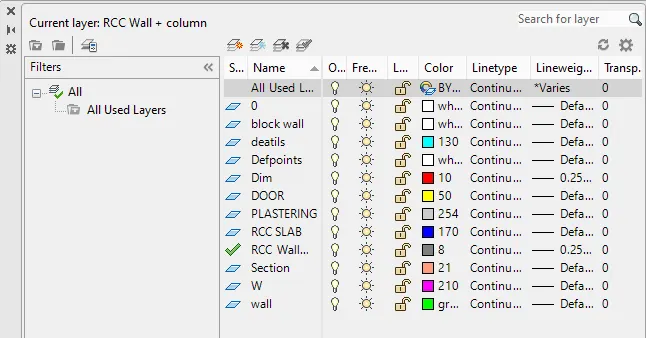
DIMENSIONS
COLUMN:
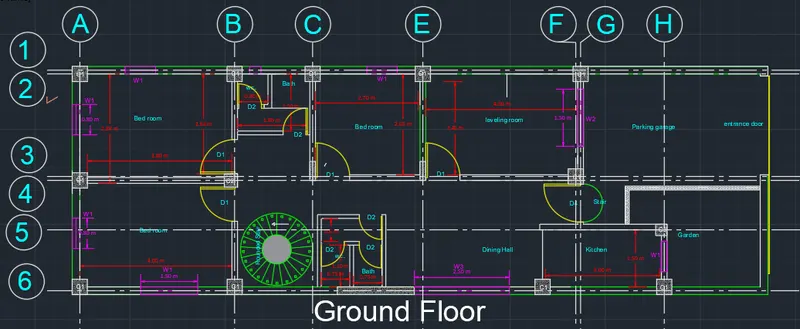
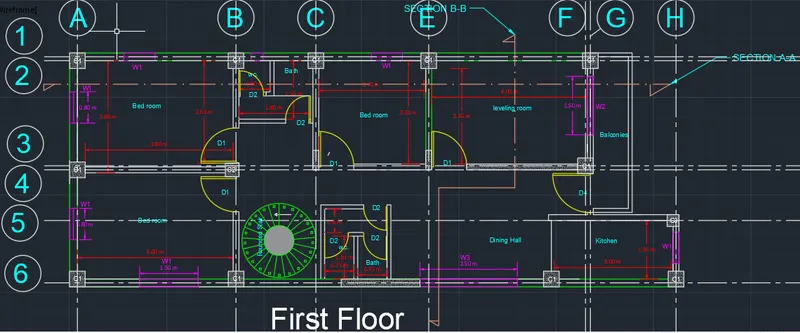
C1: 0.4 X0.4
C2: 0.35 X0.35
C3: 0.3 X 0.3
WINDOWS:
W1: 0.8 x 1.2
W2: 1.5 x 1.2
W3: 2.5 x 1.2
DOORS
D1: 0.9 x 2
D2: 0.6 x 2
D3: 0.9 x 2.2
Slab Design :
all of the slab will be flat slab with column under it with out pedistals. for getting desirable clear height.
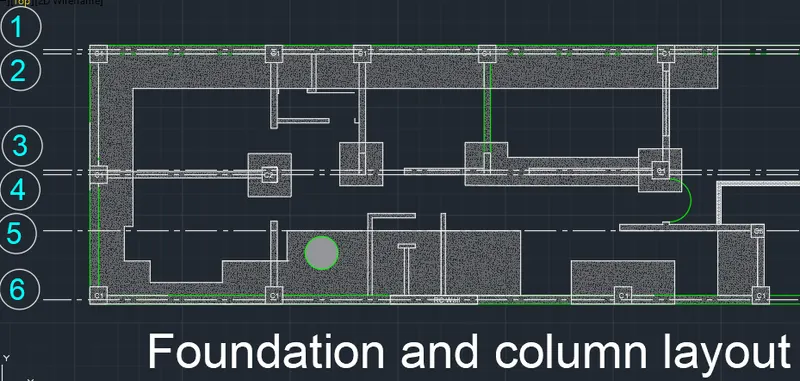
Founation plan
Strap Footing
Ground Floor Drawig.
First Floor plan Drawing
ELEVATION DRAWING
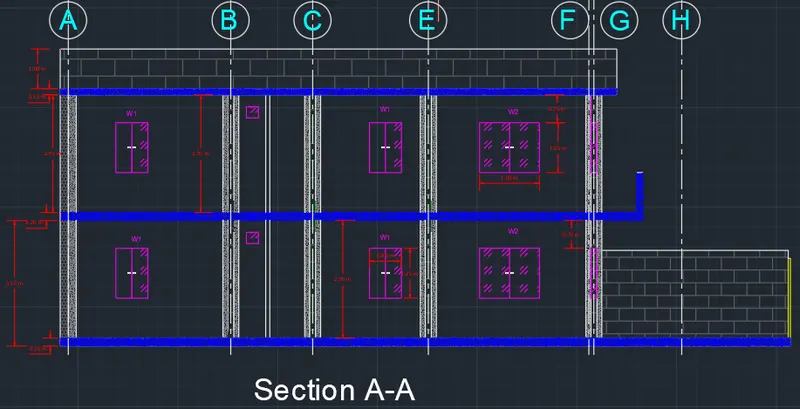
1-SECTION A-A
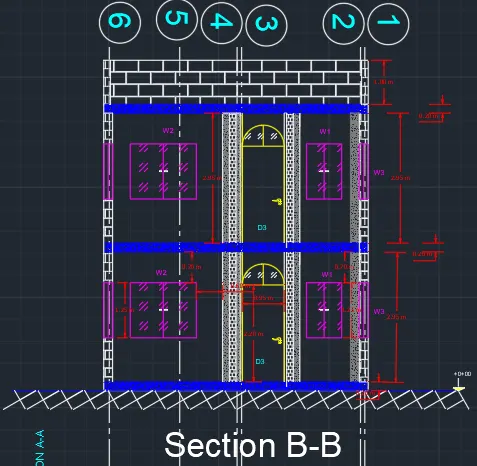
2-SECTION B-B
starting drawing 3D Models :-
steps are:- as written below
- Start by creating a floor plan using the "Line" and "Rectangle" commands to draw the walls and rooms of the building.
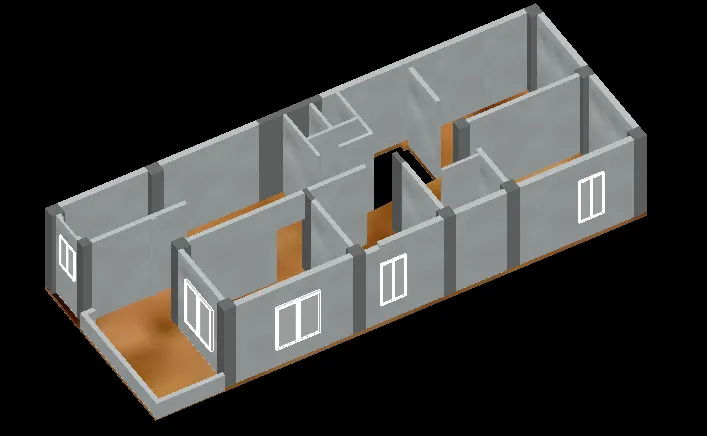
- Once you have your floor plan, use the "Extrude" command to give the walls height and turn them into 3D objects.
- Add doors and windows using the "Rectangle" and "Extrude" commands. You can also use the "Block" command to create reusable symbols for doors and windows.
- Use the "Stair" command to create stairs between floors.
- Use the "Roof" command to create a roof for the building.
- Add details to the exterior of the building, such as gutters, downspouts, and decorative elements.
- Use the "Render" command to create a photorealistic image of the building.
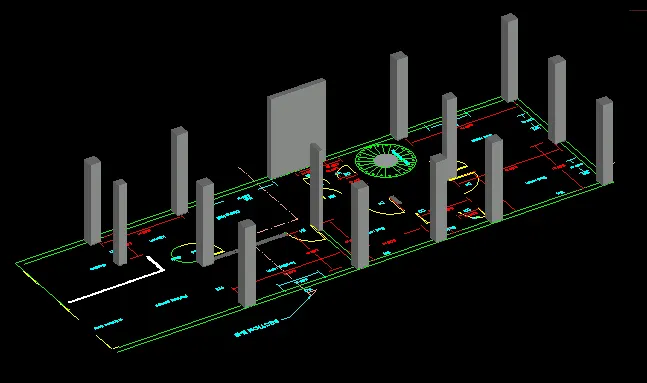
extruding walls and stairs :- Ground floor
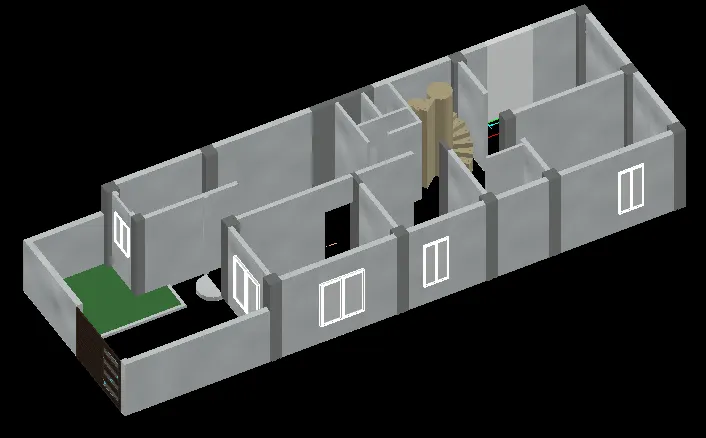
first floor :-
final result with rendering :-
with 10 minute rendering and lack of material
conclusion:-
Creating a 3D model of a residential building can provide a range of benefits, including the ability to visualize the building from different angles, identify potential design flaws or issues, and communicate the design to stakeholders more effectively.
To successfully complete this project, you will need to have a good understanding of AutoCAD and 3D modeling principles, as well as knowledge of building design and construction. You may also need to acquire additional software or plugins to enhance the capabilities of AutoCAD for this specific task.
Overall, creating a 3D rendered model for a residential building in AutoCAD is a challenging but rewarding project that can result in a highly detailed and accurate representation of the building. It is important to plan the project carefully, ensure that you have the necessary resources and skills, and communicate effectively with stakeholders to ensure that the final model meets their requirements.