Week 1 Challenge
Theory Challenge
1.1)To upload a .std file and to send via mail do comprise few steps.
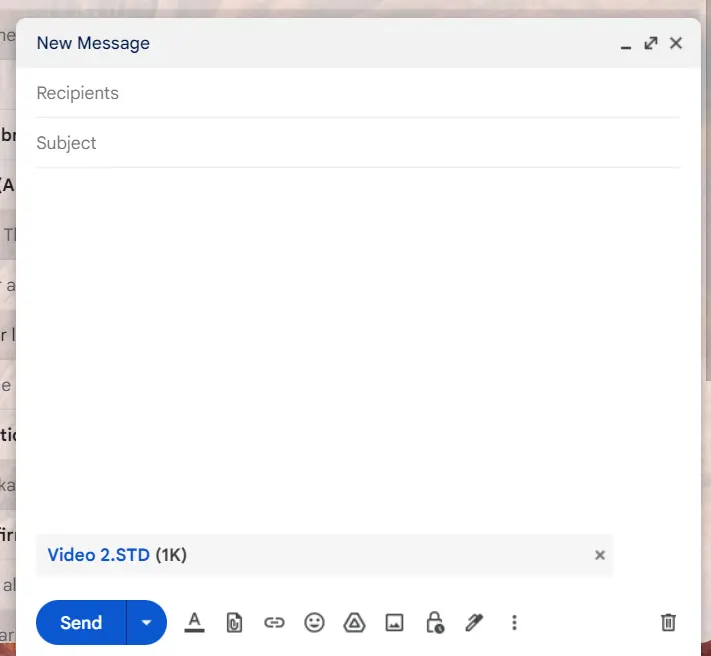
- Initially,we have to go to the Mail and to Compose section,where we enter the recipient mail address who requires the file.
- Next,we drag the file from the folder containing the .std files to Compose section or we upload it by the option of Attachments.
- Where we then send the file.
1.2)The different materials that can be designed using the STAAD.Pro software are:
- Concrete
- Steel
- Wood
- Aluminium
1.3)It is possible to capture the images in the STAAD.Pro software.Where we use the SNIP TOOL available in the system,where to access it easily we press PrtSc button where we get the different options such as Full Screen,Rectangular,etc.,where we select any one of those as per the requirement.
1.4)The 3 ways by which a model can be created in STAAD.Pro software are:
- Grid Sytem:Here,we use the gird system to build the model in the software.
- Prototype:Here,we have few inbuilt prototypes in the software,where we use these to create the models easily.
- Import File:Here,we import the a file from AutoCAD where using the file,we do insert the beams and columns at the required.
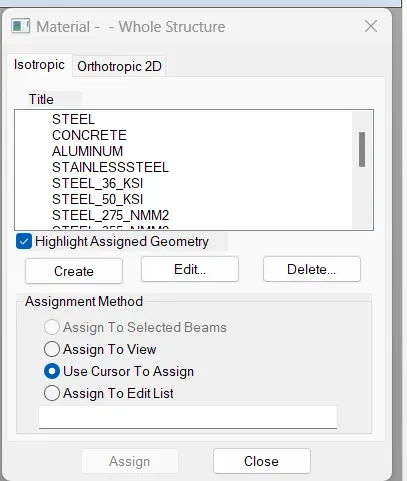
1.5)After the creation of the model,we go to Materials Tab.

Where in the resultant tab on right side bottom of the screen,we can select the required material and we can assign it to the created member using various assigning options present.
2.1)The six design parameters in the STAAD.Pro software are:
- LX:Effective length for the lateral torsional buckling
- LY:Length in local Y axis for slenderness value
- LZ:Length in local Z axis fr slenderness value
- FU:Ultimate tensile strength of steel
- CAN:Beam type
- DMIN:Minimum required depth
2.2)The different cursor types available in the STAAD.Pro software are:
- Node Cursor
- Beam Cursor
- Plate Cursor
- Solid Cursor
- Plates and Solids Cursor
- Load Cursor
- Members Cursor
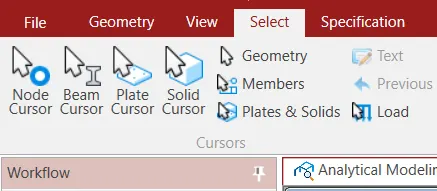
The above types of the curosr are available in the Select Tab.
2.3)The different views availble in the STAAD.Pro software are:
- 3D View
- Top View
- Bottom View
- Right View
- Left View
- Front View
- Back View
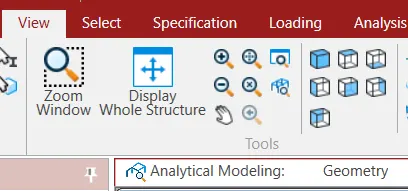
These different views can be found in the View Tab.
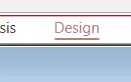
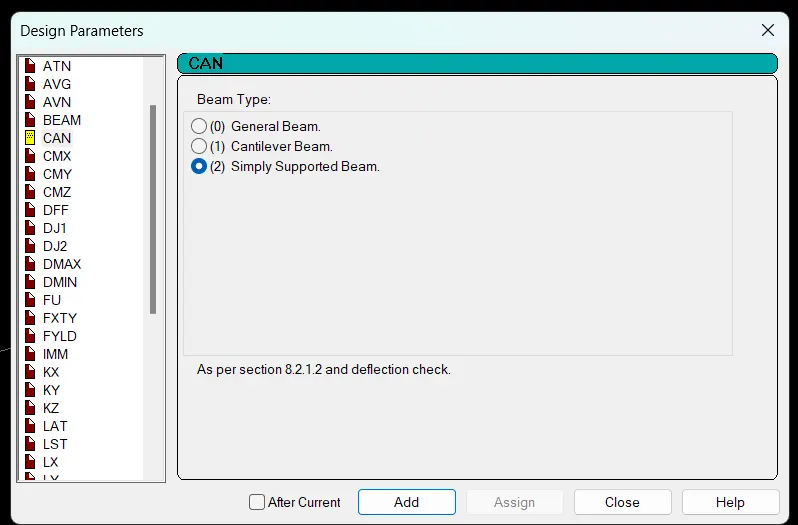
2.4)For us to use the Simply Supported Condition in STAAD.Pro,we go to Design Tab.
Where we then go to Define Parameters.
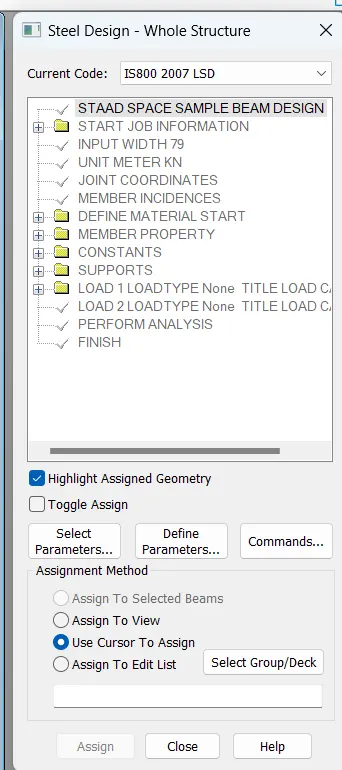
Where in the Design Parameters Tab,we go to CAN option and select Simply Supported Beam and continue with the further process of assigning it to required.
2.5)The topics to be mentioned in the Design Basis Report are:
- Loadings acting on the Building
- Materials to be used for the Building
- Frame Type to be used for the Building
- Reinforcement Detailings
- Drawings
- Project Schedule
2.6)The Multi-Material Design in the STAAD.Pro software means the designing of composite materials in the software.The STAAD.Pro software gives a chance of designing of composite materials for structures.
3.1)The different structure systems available in the STAAD.Pro software are:
- Space
- Plane
- Frame
- Truss
3.2)The coordinate system adopted in the STAAD.Pro software is Global Axis System.
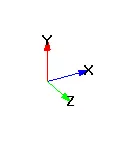
This system is fixed and not variable.
Other than this,we have the Local Axis System which is variable and depends on the member orientation but the longitudinal axis will always be X-Axis.
3.3)DBR is the Design Basis Report.It is an report which has an ultimate use when somewhen enters the project in middle such that they can understand the project better by having a look on the DBR.
It has the entire information related to project such as the materials to be used,drawings of all the elements included in the projects,reinforcement detailings such as the no. of bars used for the elements,diameter of each bar,stirrups,ties,spacing b/w the bars and stirrups and ties,etc.It even comprises the information such as the type of frame used,dimensions of the beams and columns,thickness of the slab,etc.
It even includes the information such as the location of the project as the zone factor depends on the location,importance factor,response reduction factor,etc.
The importance if DBR is:
- To specify and composite data required for the analysis ad design of structural elements of the project.
- It clearly says the assumptions and specifications that are being used to develop the construction documents for a project.
- It will also help avoid the scope screep that can derail the project schedule and lead to budget overruns.
3.4)The different types of the analysis options available in the STAAD.Pro software are:
- Perform Buckling Analysis
- Perform Pushover Analysis
- Perform Direct Analysis
- Generate Floor Spectrum Analysis
- Nonliner Analysis
- P Delta Analysis
- Perform Cable Analysis
- Perform Imperfection Analysis
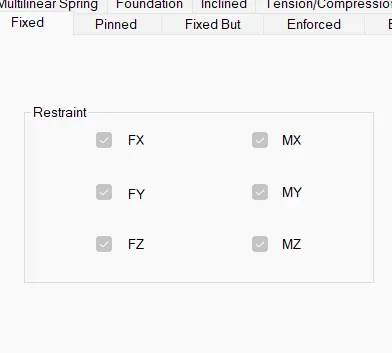
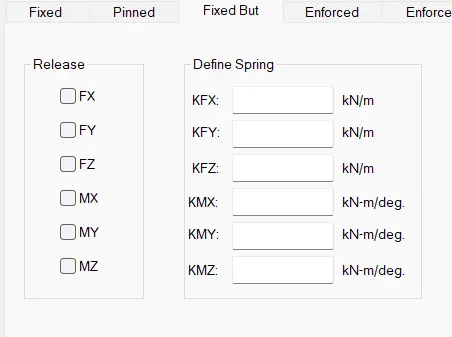
3.5)The Fixed and Fixed But condition in the STAAD.Pro do sound similar but have a minor change in them.
FIXED:As the name suggests,it has a fixed support which means it gets restrained in all the directions.So,it can move in any direction and forces and moments develop in all directions.
FIXED BUT:It is also similar to the Fixed condition but here we can modify the action of forces acting on the member in all directions.So,here the member is in the Fixed condition but due to usage of springs,it could have some displacement in the desired direction.
Software Challenge
Initially,we create a concrete beam of 16 m span using the Beam Grid option.
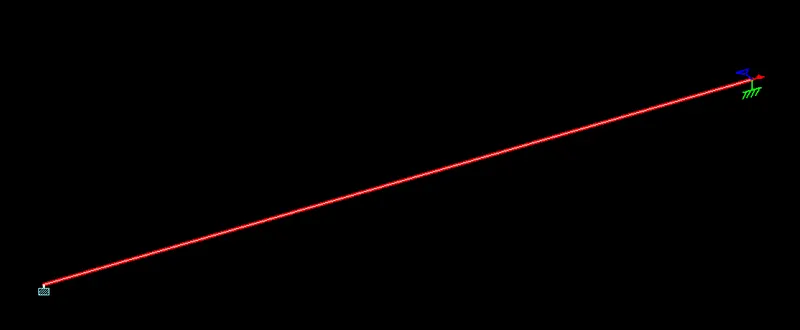
Where we then assign the material property using the Materials Tab and we even apply the point load of 50 KN at the midpoint using the Loadings Tab.
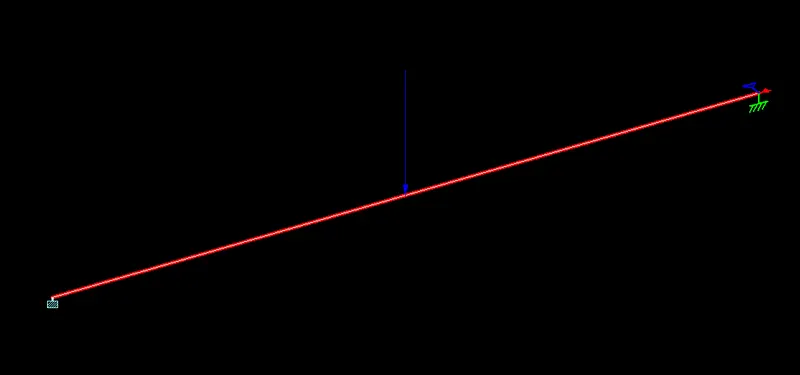
After the analysis,we go to check the BMD and SFD of the beam using the Post Processing Mode.

