Week 1 Challenge
1.AIM & INTRODUCTION - Calculation of Dead load of Box Girder Bridge of 12m Span and Perform the Loading by Staad Pro
2.PROCEDURE
I.Given Data-
1.Width-10.200M
2.Span -12.000M
II. Procedure-
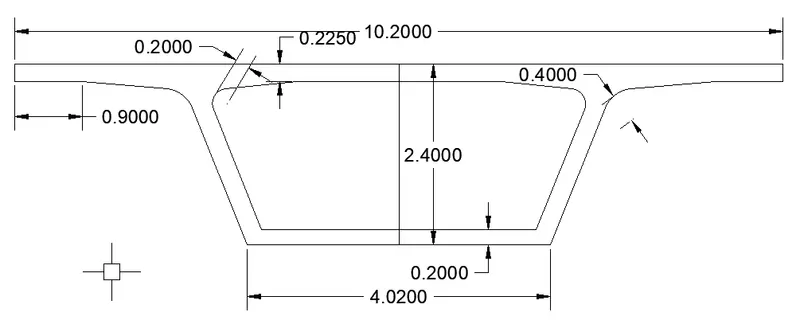
1.We Draw the Cross Section Area in Auto Cad for calculate the Dead Load of Box Girder Bridge Which one provided to us.
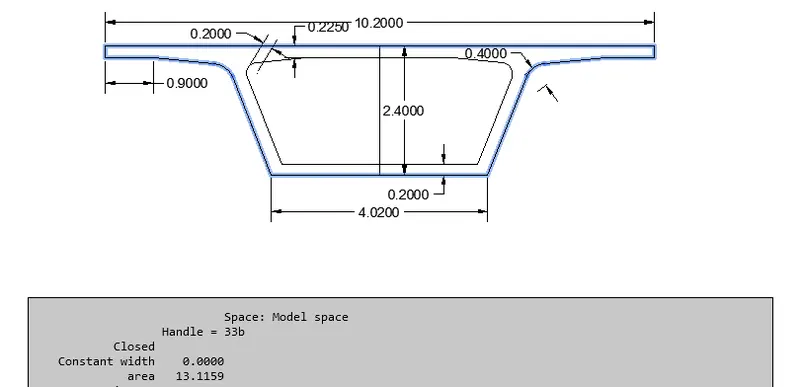
2.Now We Calculate the Total Cross Section Area covered by Box Girder from outer line.Which Value Are such as- "13.115m^2"
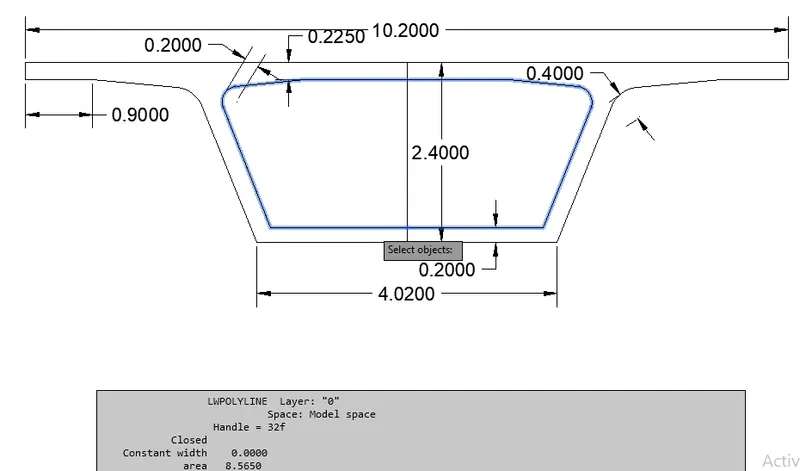
3. Inner Area of Section Actual Required Area which Are Such as :-"8.565 m2"
4.Total Area of Box Girder Cross Section (Note-fig 2 - fig 3)
=13.115-8.565
=4.550m^2
5. UDL=4.550*2.5Kn/M
=11.375KN/M
Note:- Now We Apply This Uniform Load In Staad Pro And Get Result
6.Open Staad Pro and Open New Project and Select The unit Matric.
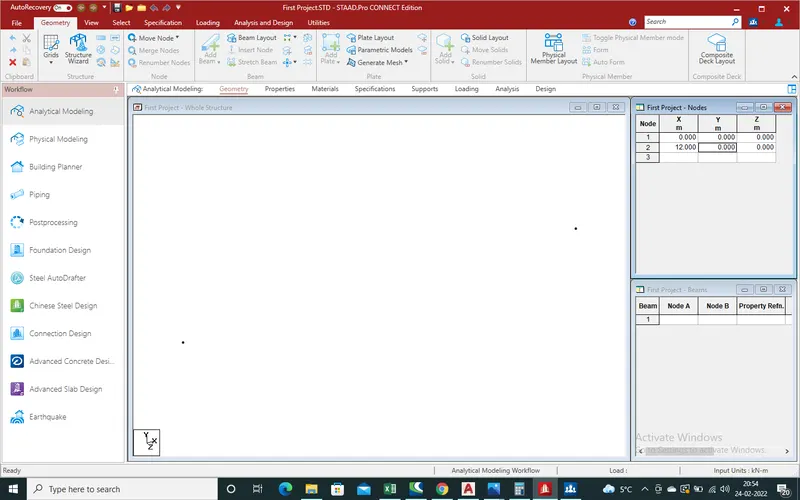
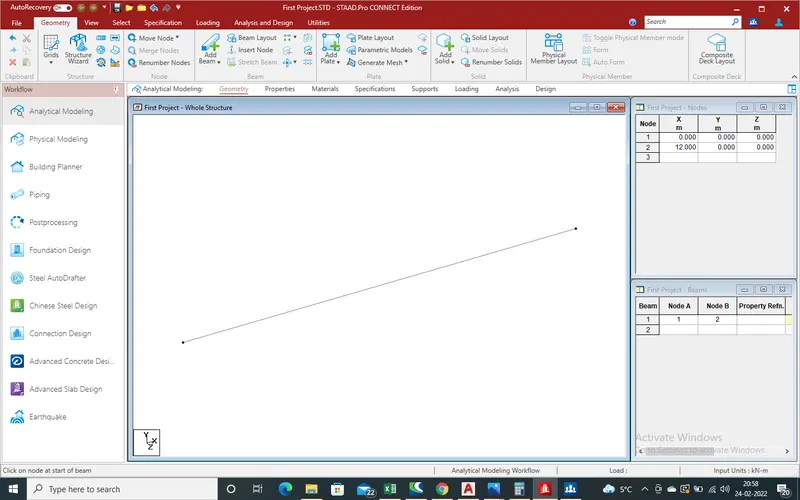
(I) Now in "Node" frame At Node 1 put values 0,0,0 and At node 2 Value 12,0,0 for span of 12mtr.Now in "Whole Structure" will open two node in x-direction.
(II). Now We need to Draw the Beam.Click on "Add Beam",Then Draw the Beam From node 1 to 2 And We get the Structure As shown in below given pic.
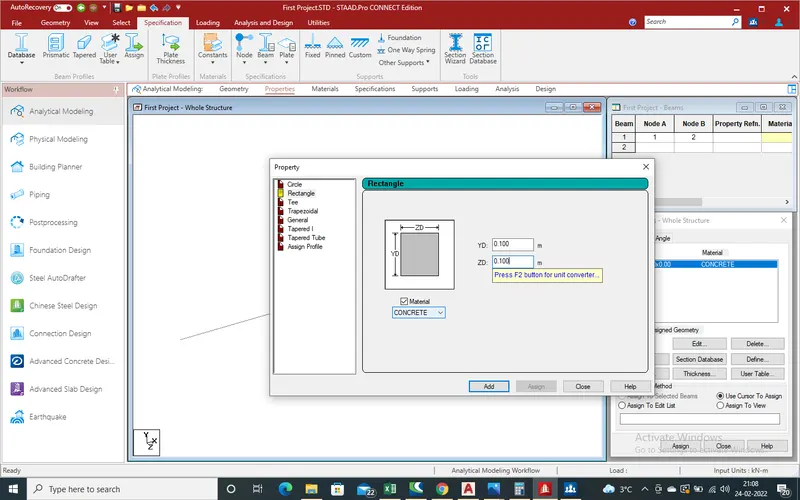
(III).Now Select The Properties of Beam.Select "Prismatic" Specification.A new Window open,We Select the Shape of Beam As We Select the Rectangular Shape.After that We Deside the Size of Beam,Which We Assume the YD=100mm,ZD=100mm And Material type -"Concrete" and Click on "Add".
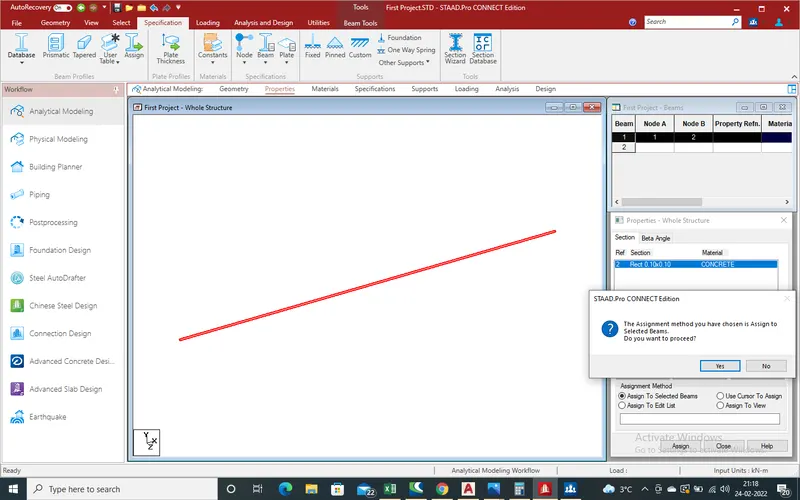
(IV).After Define the Properties Of Beam,in Side Window Beam Proprties Apear.Select the Proprties and Select draw beam, And Click on "Assign to Selected beam".Click on "Assign".Now Again Open An new Window for Assign Selected Beam.Click "Yes".
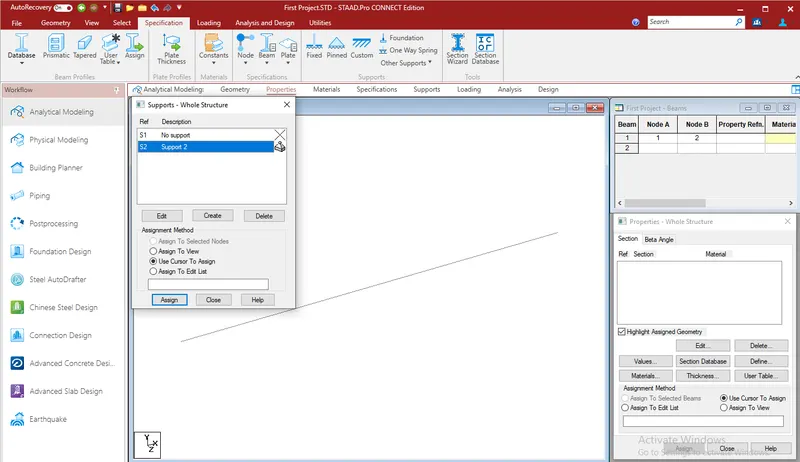
(V).Now We Will Apply Support at End.As We know that Bridge Slab are pinned Support So Apply "pinned Support".For Apply Pinned Support, Select Pinned Support will open new Window.Click on "Add".Again New Window open.Select on "Use Cursor To Assign",and apply Support at End.
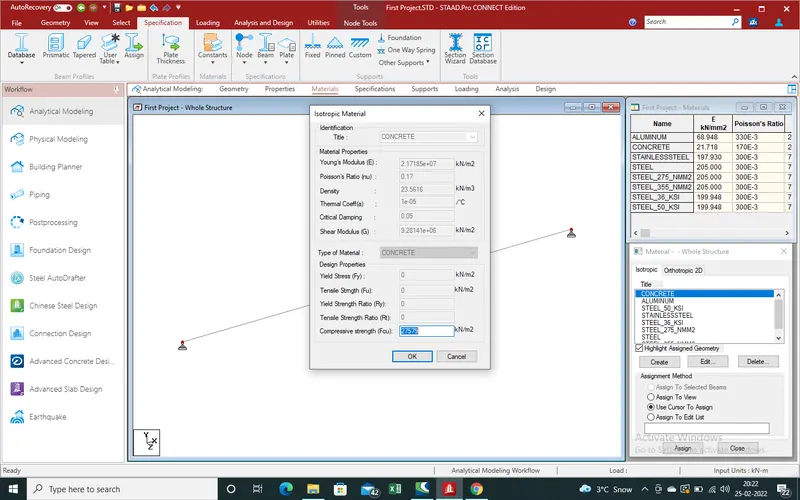
(VI)Now We Will Check the Properties of Selected Beam.Go to "Material" Section,At Side Window New window Open,Select the "Concrete" And Check Proprties Check By Click on Edit Option Then Ok.
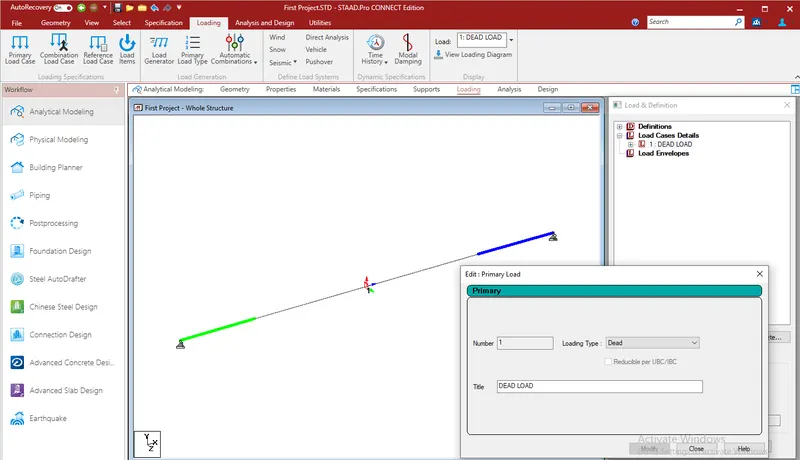
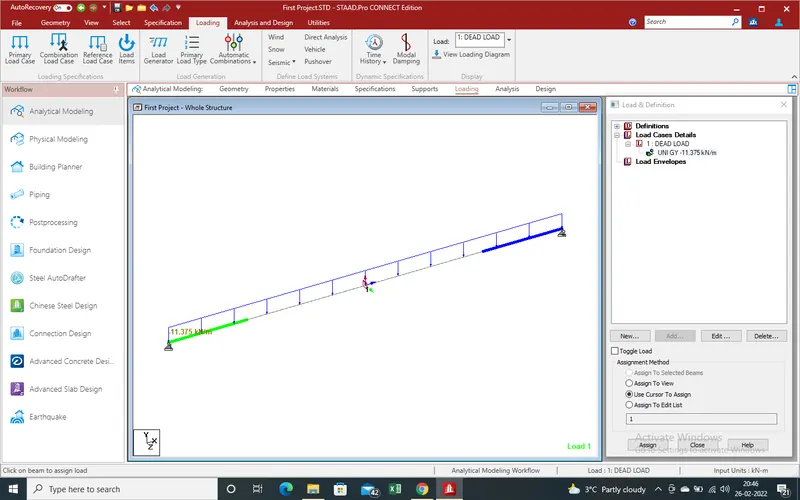
(VII).Now We Will Apply Load As "Dead Load" of Box Girder Bridge Slab on Selected Beam As UDL loading.Select Loading, New window open in Side Bar Slelect "Load Case Details".Select "Add",Again new Window Open Select loading Type As "Dead Load" And Title Edit As "Dead Load".Click on Ok and "Close" the Window,In Pervious Winow We See the New Title Under The "Load Case Details" + 1"DEAD LOAD".
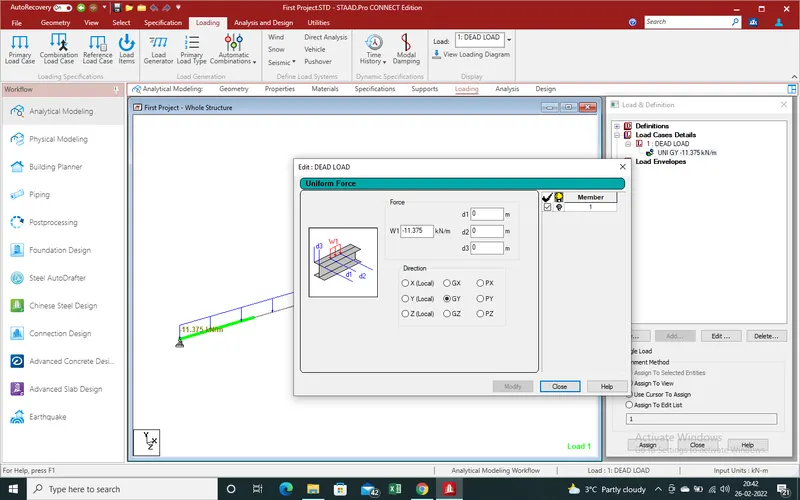
(VIII).Now Select "Dead Load" Select "add".A new window Open, Select load type As "Member Loading" Due to We Calculate the Dead Load As UDL Over The Selected Beam Which Will React A UDL For Over The UNIT Area Beam Which own Weight Is Negligible.For Uniform Load We Select "Uniform Force" In Member Load.The Load direction in downward direction so (-) sign Use and intensity of load is already Calculate as uper 5 no Point is "11.375 Kn/M".Now we put the Value of load in "GY" and Click On "Add". In Pervious Window under the "Dead Load" we See the load "-11.375KN/M".
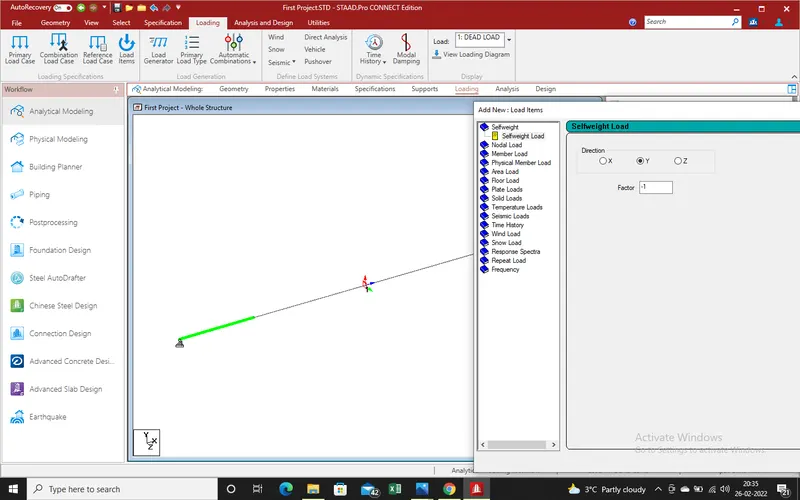
(XI).Select Load "UNI GY -11.375" then Select Beam on Which you want to Apply the Dead Load to Find out the Shear Force,Deflection And Bending Moment. Click On "Assign To Selected Beams" and Click On "Assign" and We See the Loading On Beam On Main Frame Which Are Such as Shown in Given Fig.
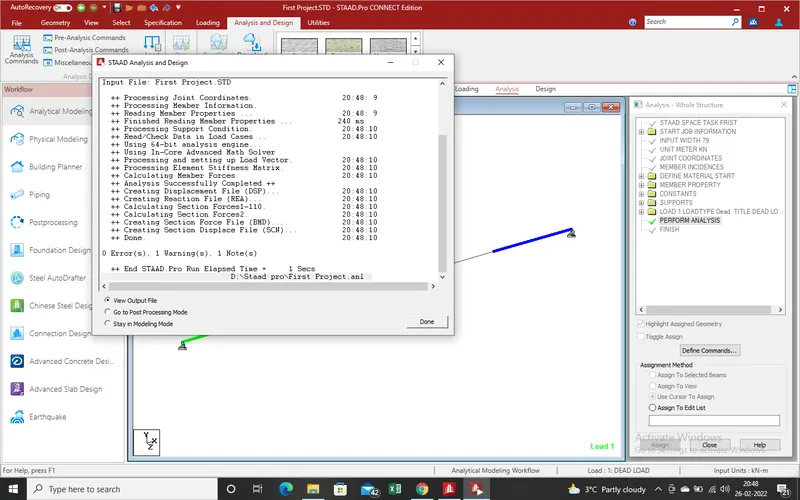
(X).Now We Will run Analysis.For Analysis Click on "Run Analysis".After Click On Run Analysis A New Window Open And Start Runing Proces.After We got 0 Error,mean All Are "ok".Now Click On "View Output File" and Save As Pdf and Attached Flie As "Result 2".After that We Go to "Post Processing" For Find Out the Result of Loading Which Are Such As-
3.Result
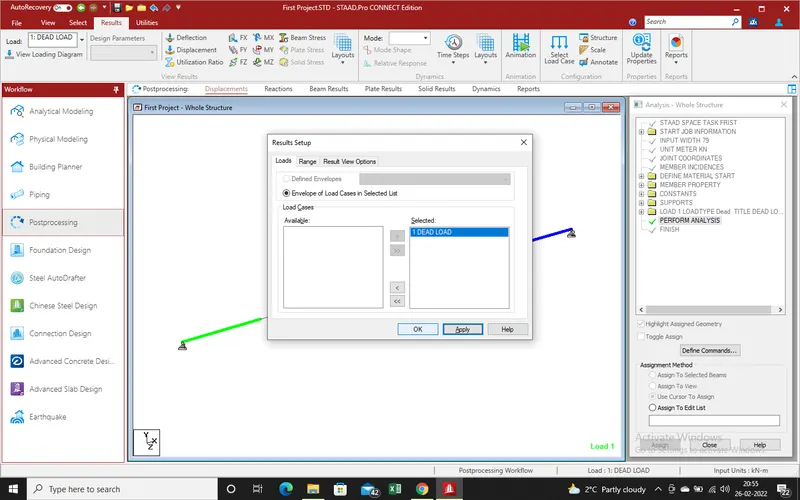
There is no Error,Now Save A Copy of Procces For Attachment and next Step "Go To Postprocessing" for results of loading.There is only Dead Load So We Select the Dead Load and "Apply".
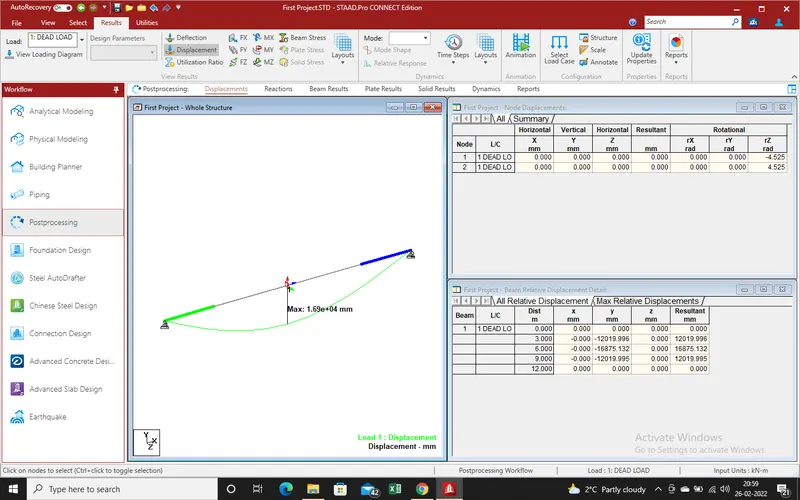
A.Displacement :-
All of First We Select the "Displacement" in Beam and Get the Results in Diagram And Tabular Formate both.the Max Displacement in Mid "16875 mm" in Downward Direction
B.Shear Force :-
Now We Find out the Shear Force Results,Select Shear Force And we will Get the Result in Diagramatic and Tabular Formate.Where Maximum Shear Force At End is "68.250KN and Zero At mid in Y-Direction.
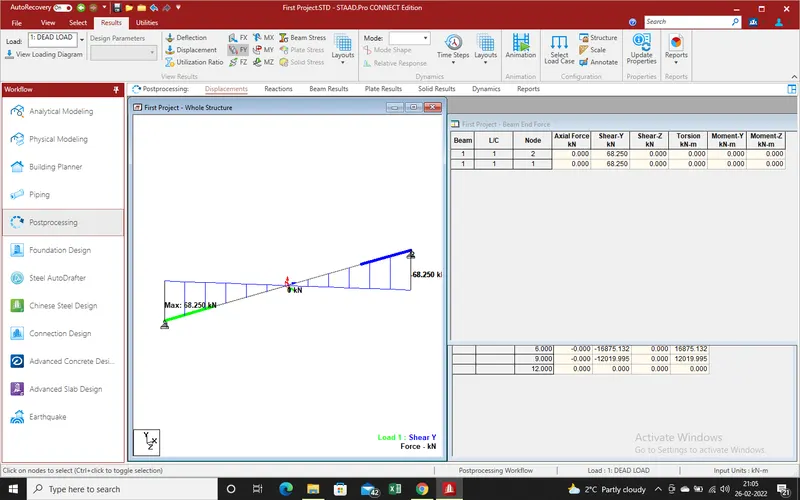
C.Bending Moment :- Moment About Z-Axis we get the Result that "Bending Moment" At Mid in Downward Direction Which Value "204.740 KN-M".
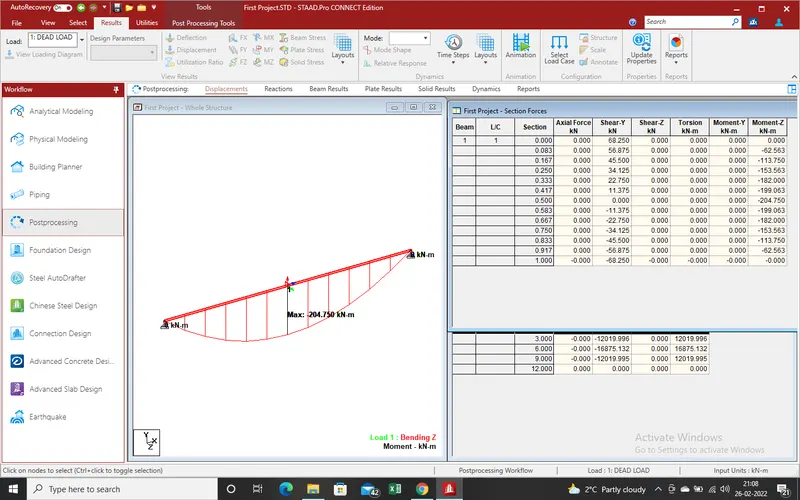
Note:-Result which Got from Staad Pro Attached in Sheet Also.
thanks with Best Regards
Radheshyam