Usage of Navigation tool , Timeliner and Clash Detection test using Naviswork
A) AIM: To use the architecture/structural project file developed from week 6-8, Export the Revit file to Navisworks cache file.
TOOLS/COMMANDS USED :
- Architectural file.
- file.
- Open
- Export.
- NWC.
- Navisworks.
- View.
- 3D view.
PROCEDURE :
1.the Revit file which is to be exported to the Navisworks file is to be opened with the help of the file icon.
2.Click on File and select export option and choose NWC, the exporting work gets finished, Now open Navisworks software and click on open tool from the file menu.
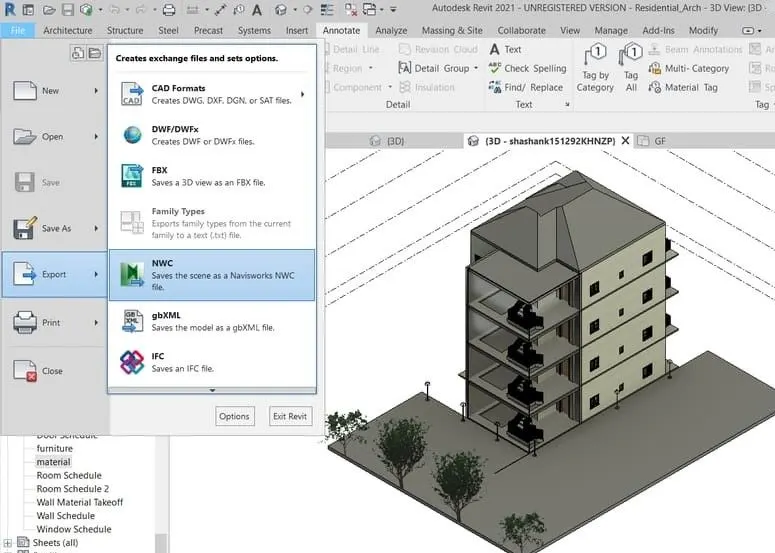
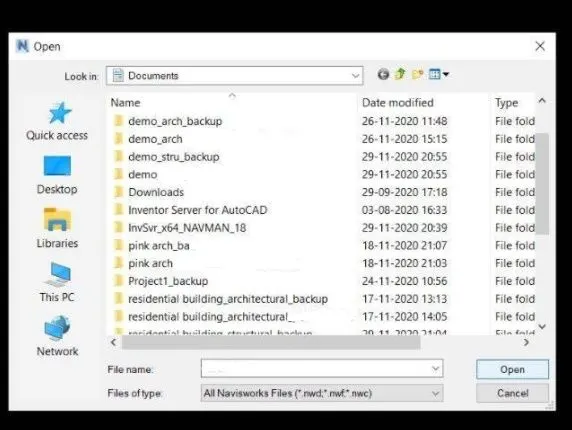
3.Open dialog box appears, select the file which we want to open in Navisworks and select the NWC extension and click on ok.
4.The Revit file gets opened in the Navisworks software, then we can manage the components in the Navisworks and perform necessary changes.
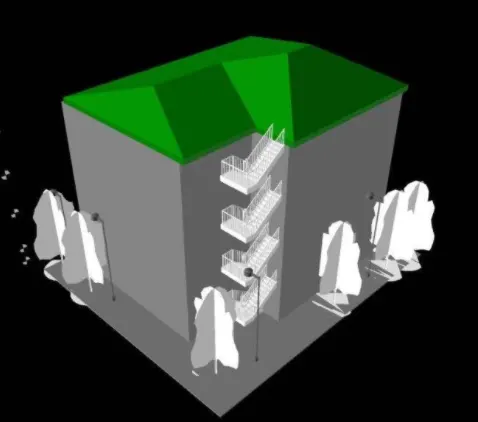
RESULT :
We have successfully exported Revit architectural and structural model to Navisworks cache file with the help of Navisworks software.
2) Use Navigate Tool to walk around the model and walk through the rooms created and record your moving as animation in your Navisworks file.
A) AIM: Use navigate tool to walk around the model and walk through the rooms cheated and record the moving as animation in the Navisworks file.
TOOLS USED :
- Architecture file.
- Navisworks.
- Viewpoint.
- save viewpoint.
- Walk.
- Record.
- Stop.
- Arrow keys for movement.
PROCEDURE :
- Open the architecture file which we want to export to Navisworks.
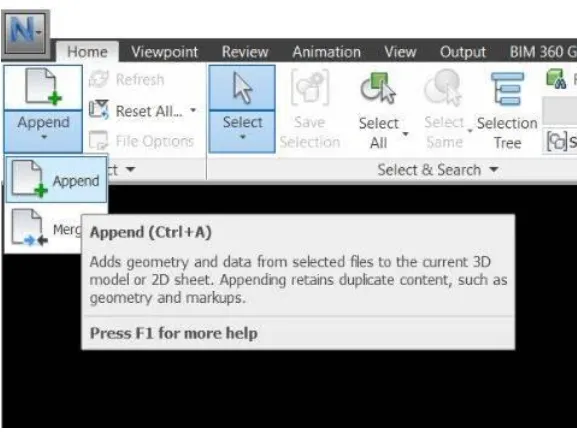
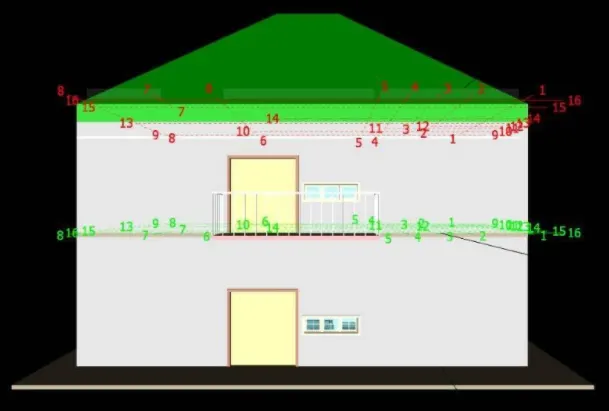
2.Then Click on the viewpoint tool and select save viewpoint option.
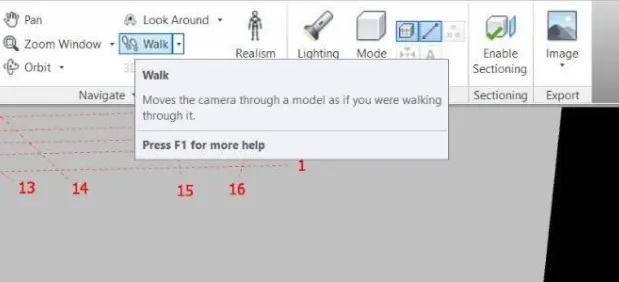
3.views are to be saved by giving appropriate names.
4.Now select walk option and use the cursor to select where we want to start the walk. with the help of arrow keys, the view in the project can be moved.
5.Now with the help of walk tool we can move to the desired position where we wish and change the design according to our wish.
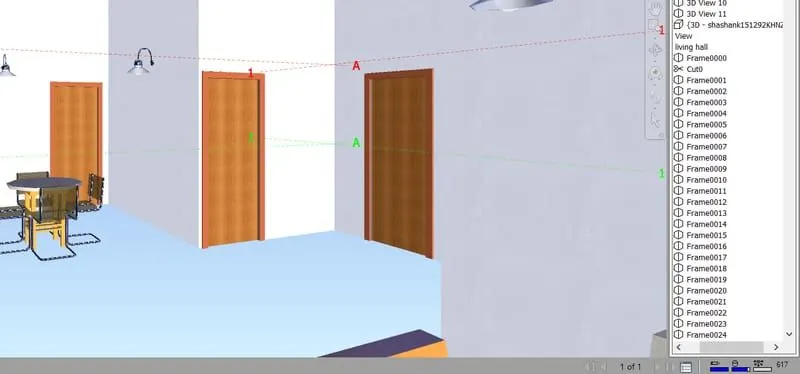
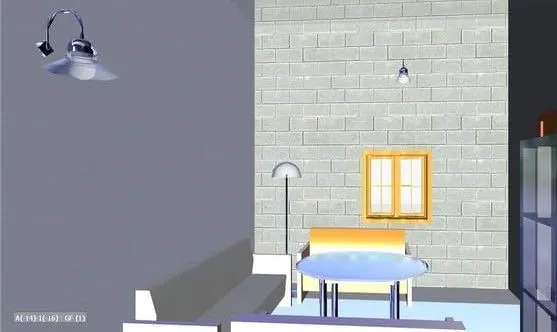
6.with the help of the record option, we could record the walk then The pictures will be saved as frames.
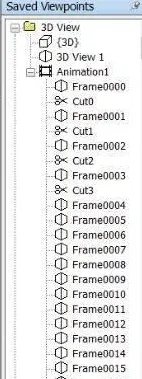
RESULT :
with the help of navigate tool we have created walk through to rooms and recorded moving as animation in Navisworks file.
3) Use Navigate tool to use Realism feature to walk through the model and record your moving as animation in Navisworks file.
A) AIM: To use navigate tool to use the realistic feature to walk through the model and record our movings as animation in navisworks file.
TOOLS USED :
- Navisworks.
- Viewpoint.
- Save view point.
- Walk.
- Record.
- Stop.
- Arrow keys for movement.
PROCEDURE :
- the architecture file which we want to export to the Navisworks is to be opened.
- Then click on viewpoint tool and followed by selecting save view point option.
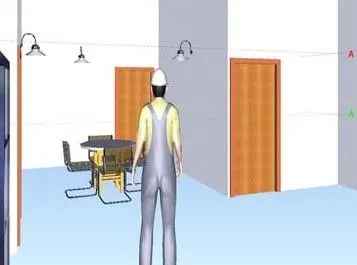
3.Save the view with appropriate name and click enter, click on the realistic option from the ribbon and select third-person option.
4.Now select walk option and use the curson to select where want to start the walk.
5.we can move the view in the project with the help of arrows.
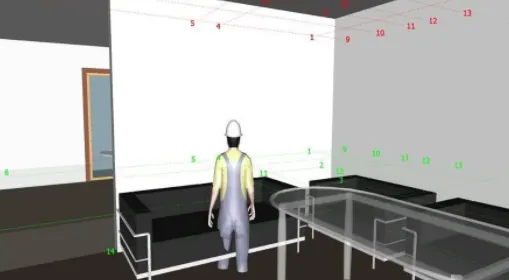
6. with the help of walk tool we can move to the desired position where we wish to change the design according to our wish.
7.Now we can use the record option and record the walk with the help of realistic third person, The pictures will be saved as frames.
RESULT :
with the help of Navigation tool, we have used realistic feature to walk through the model and recorded our movings as animation in Naviswork file.
4) Embed both architecture and structure *.nwc file to your Navisworks file. Create a clash detection test between the two models
- Run the Clash Detection Test
- Study the clashes between the two models
- List which of the clashes could be approved
- List which of the clashes could be neglected ( will be taken care later)
- List which of the clashes can be resolved
- Save the results after color coding the clashes to the Navisworks file
- In case of resolution annotate the clash and save the view to defined views in Navisworks.
A) AIM: To create a clash detection test between the architectural and structural model.
a. Run the Clash Detection Test
b. Study the clashes between the two models
c. List which of the clashes could be approved
d. List which of the clashes could be neglected ( will be taken care later)
e. List which of the clashes can be resolved
f. Save the results after color-coding the clashes to the Navisworks file
g. In case of resolution annotate the clash and save the view to defined views in Navisworks.
TOOLS USED :
- Open.
- architecture file
- home
- add test
- Append.
- Clash detection.
- clash detection dialog box
- Run test.
PROCEDURE :
a)
- Once load and open the structure and architecture files, we can start the clash test.
- Then Go to home menu and select clash detective, Clash detective dialog box appears.
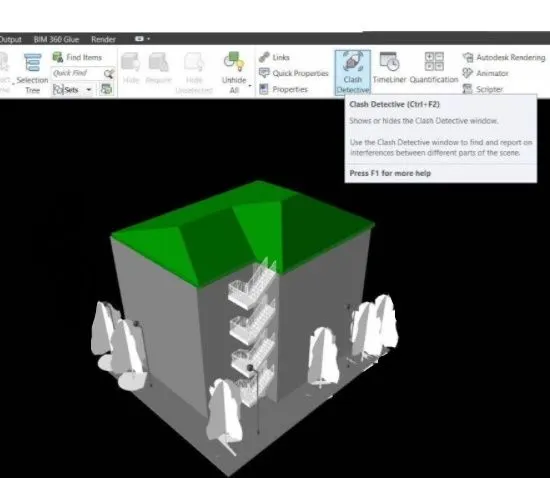
b)
- Click on add test option.
- Then select the files which we want to test then click on run test.
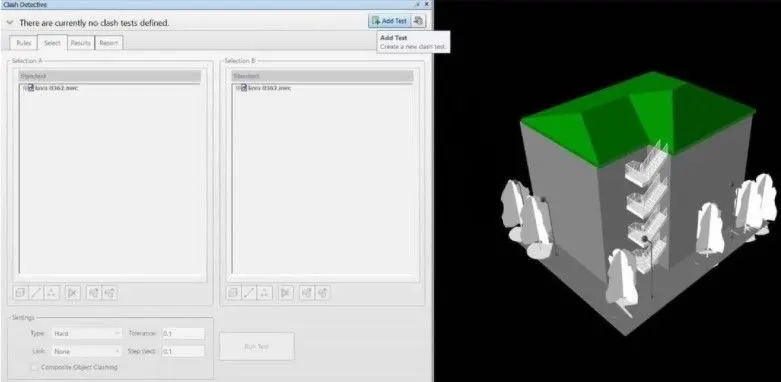
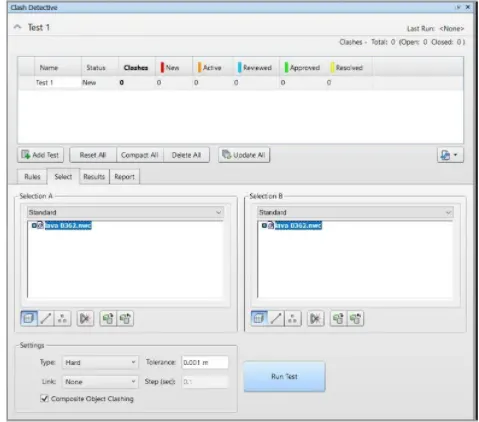
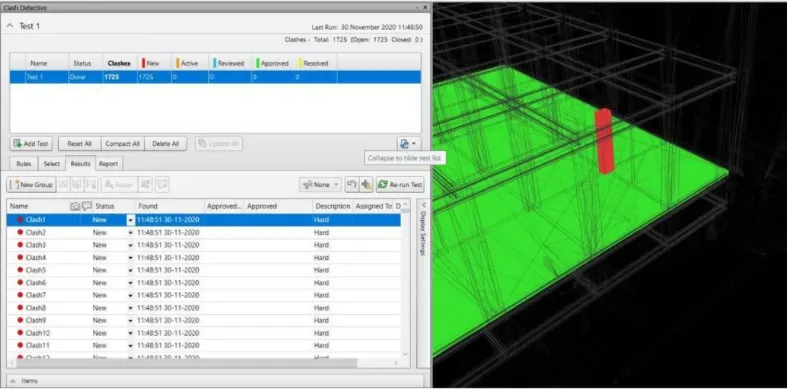
c)
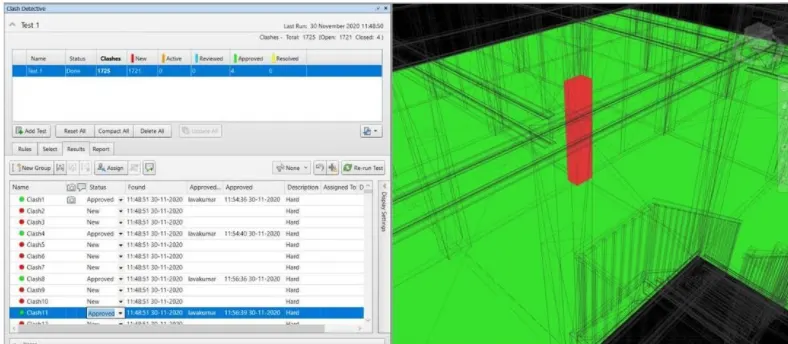
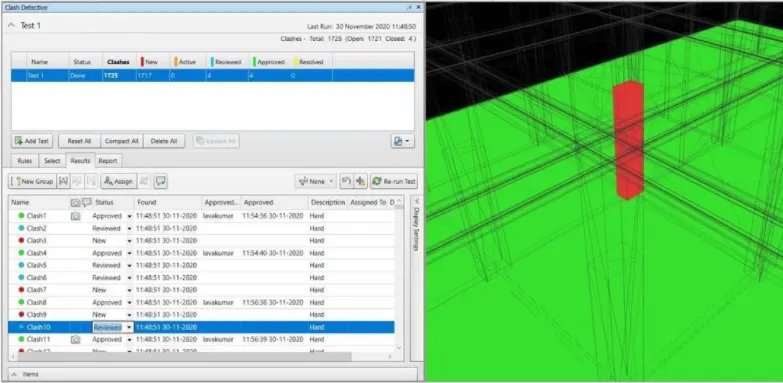
clashes can be approved as part of the construction, these clashes will not appear anymore. it turns into green colour once we click approve
d)
the clashes which will not cause any disturbance to the project can be neglected.
e)
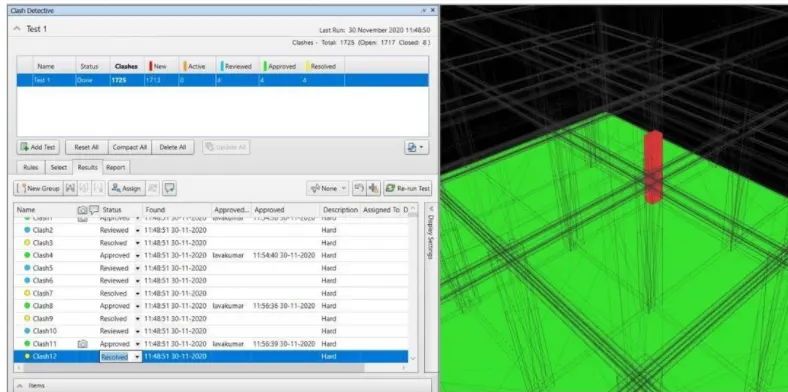
clashes can be resolved which can change model boundary conditions, these clashes can be excluded from the detective test.
f)
Once we change all the clashes we can save the Navisworks file. Now, this file is ready and can be sent for review.
g)
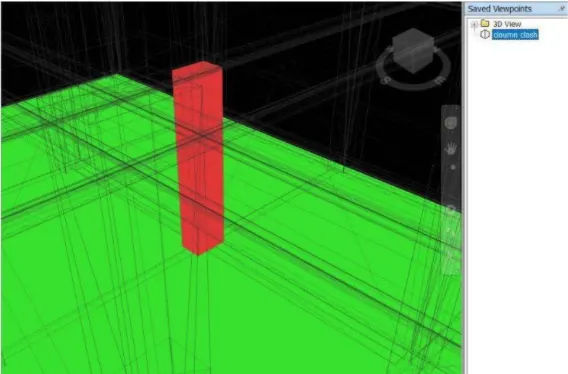
we can annotate and save the place where we can clash are visible and is viewed personally and will be rectified by the design engineer.
RESULT :
we have successfully performed the clash detection test where we can resolve the problems and send the file to the design engineer for corrections.
5) Using the Timeliner feature in Navisworks prepare a schedule for the project developed in week 6 to 8 by adding reasonable assumptions for task start date and end date and simulate the task completion as a visual simulation. Record it and save the timeline simulation to Navisworks file.
A) AIM: using the Timeliner feature in Navisworks we can prepare a schedule for the project by adding reasonable assumptions like taks start and end date and simulate the task.
TOOLS USED :
- Home.
- Navisworks
- Timeliner dialog box
- simulate
- Timeliner.
- Add task.
- Selection tree.
PROCEDURE :
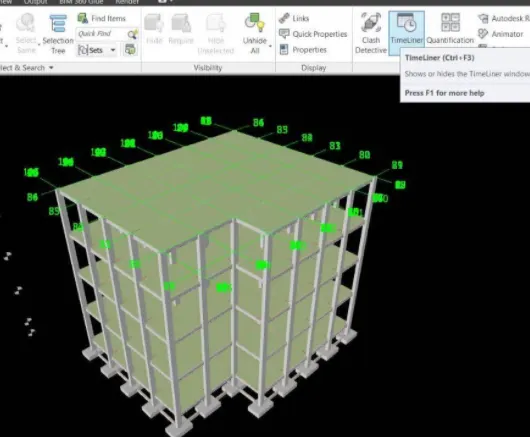
- open the Navisworks file and click on timeliner tool from the home menu, Now timeliner dialog box appears.
2.select the components by Clicking on the Selection tree and add them to the timeliner.
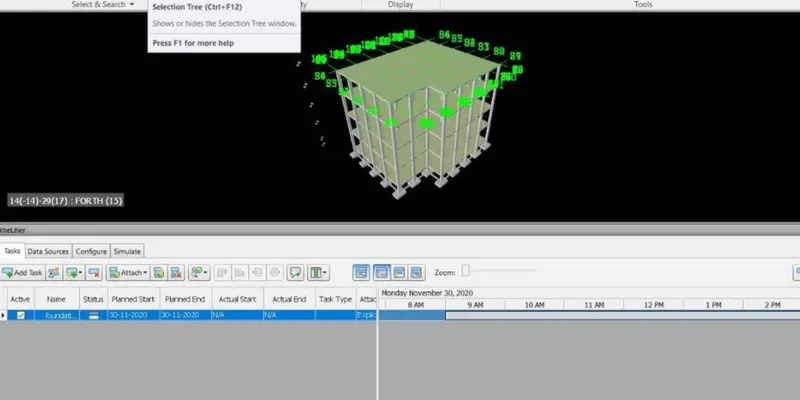
3.Then click on add task to add the first work in the project, We can add the actual and planned start and end dates, We can select the task type for construction.
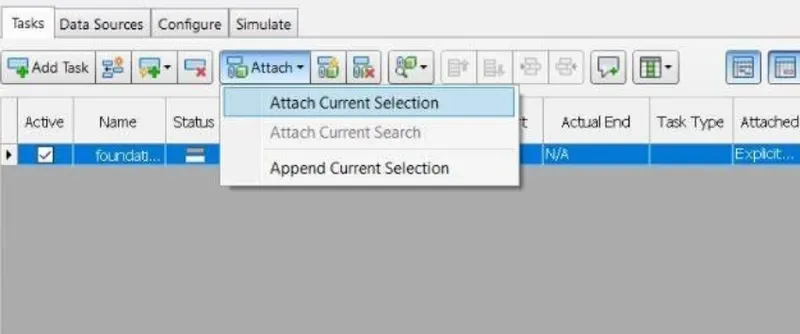
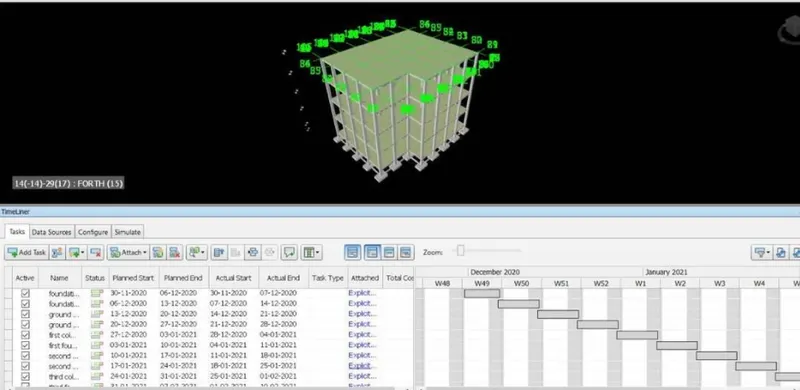
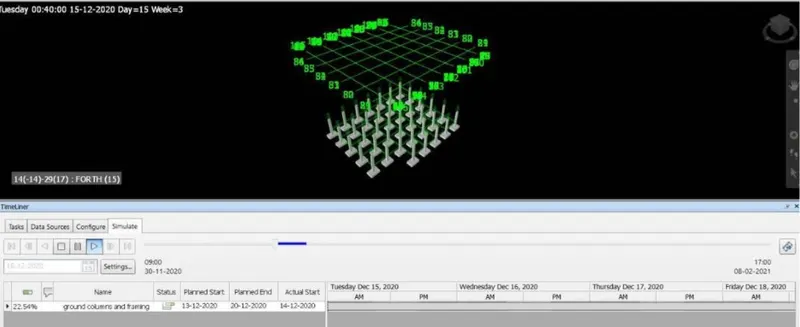
4.Once we fill all the details in the timeliner dialog box we can click simulate option.
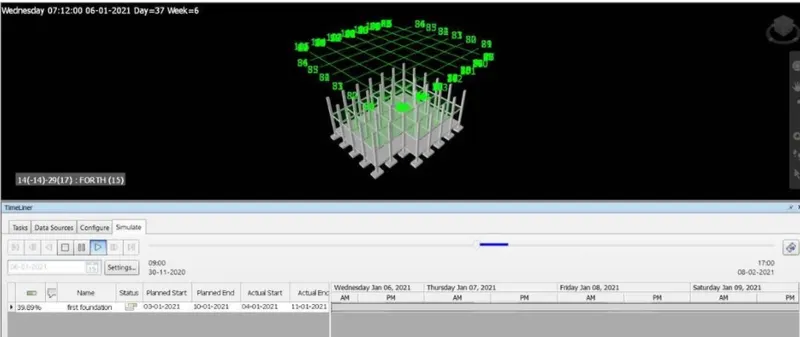
5.The simulation begins and we can see the construction from the starting date to ending date in the form of video.
RESULT :
we have used timeliner feature in navisworks to prepare a schedule for the project developed in previous weeks and added some reasonable assumptions for the task like start date and end date and simulated the task completion as a visual simulation and saved the timeliner simulation to Navisworks file