Intake Manifold Modelling using Tetra Mesh in ANSA v19.1.5
INTAKE MANIFOLD MODELING USING TETRA MESH IN ANSA v19.1.5
AIM :
To model an Intake Manifold using unstructuted solid mesh in ANSA v19.1.5 according to the required quality parameters.
Time Taken (meshing) : 4hrs
FILE : Intake_Manifold
QUALITY PARAMETER :
| S.No | Quality Criteria | Value |
| 1 | Target/Avg. Length | 3 |
| 2 | Minimum Length | 1 |
| 3 | Maximum Length | 5 |
| 4 | Tetcolapse | 0.2 |
PROCEDURE :
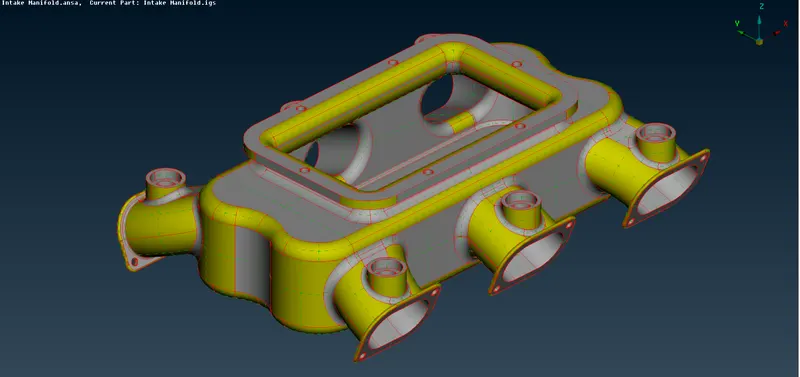
- The model in opened in ANSA 19.1.5 using file>open. Then in the mesh>length>perimeter the value is given as 1mm to make the model more refined, showing all the features. Do topo operation on the whole geometry to join the nearby edges.
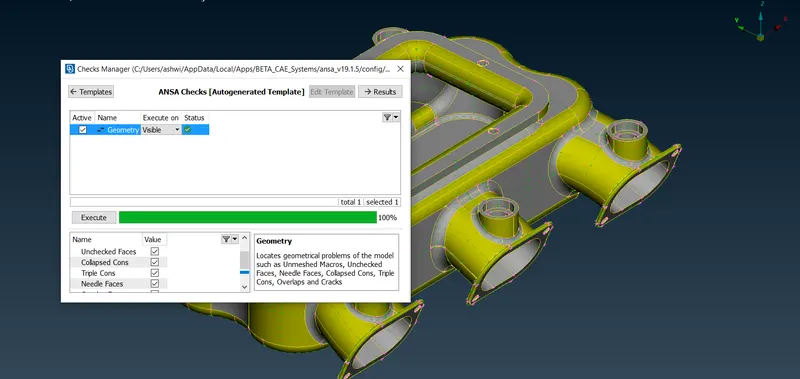
- Then a geometry check up is done to find any errors or single cons. After clearing all the geometry errors, confirm by running the check again, then move on the meshing step.
- Before meshing, we will assign the required mesh parameters and the quality criteria.
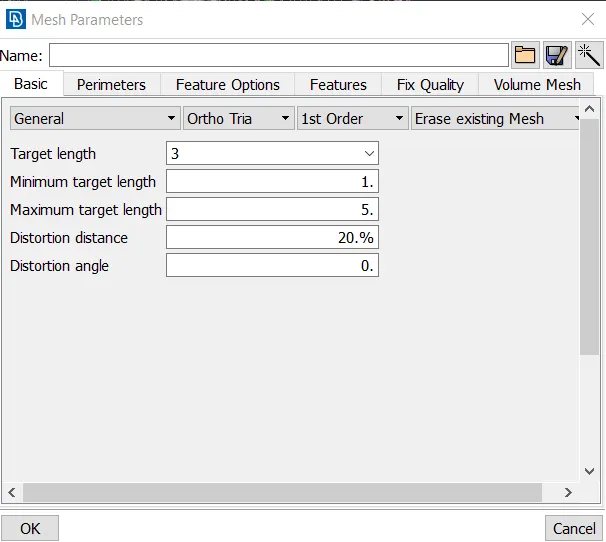
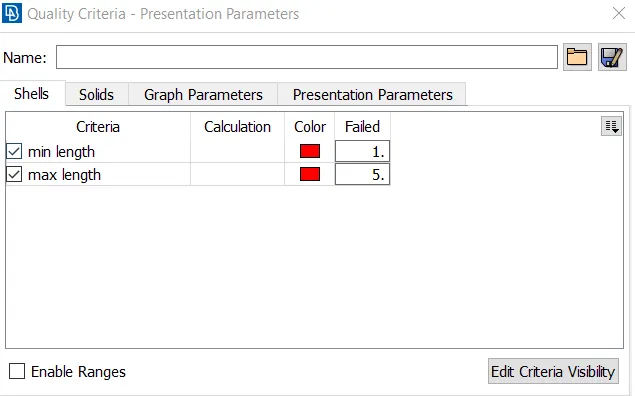
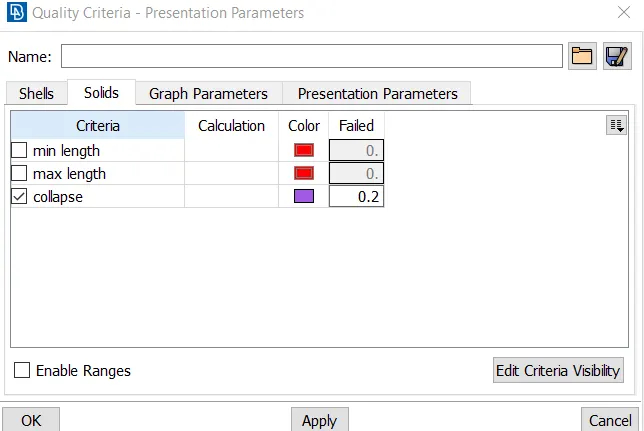
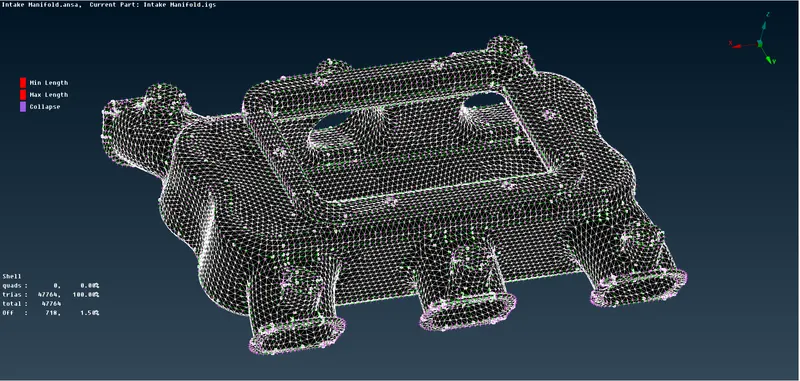
- First the meshing is done and maximum errors are removed. The meshing is done using tia and ortho elements. Ortho trias will be used to capture curved surfaces properly and normal trias will be used for capturing flat surfaces.
- Then the volume mesh is generated. The volume is defined using the define>volume option in the volume mesh module.
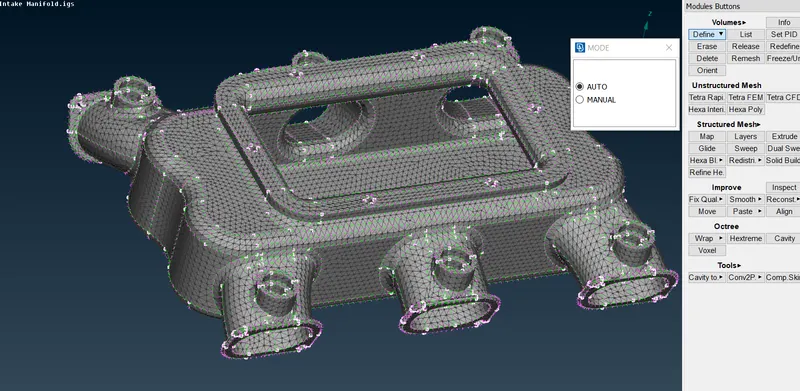
- After defining the volume, the list option will show the defined volumes. Now under Unstructured Mesh you can use Tetra rapid or Tetra FEM method for volume meshing. Here am using Tetra Rapid.
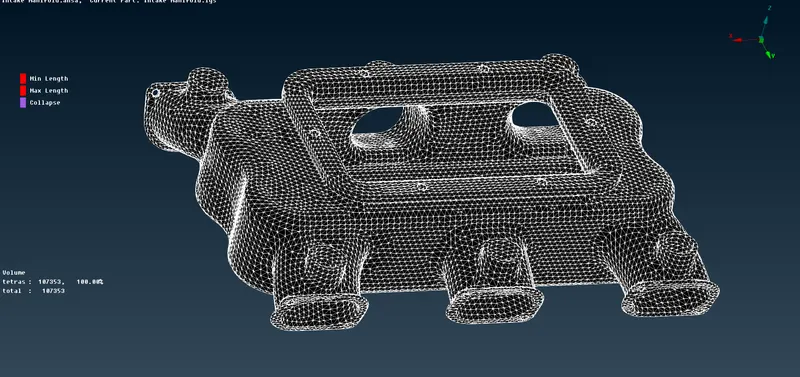
- Check for the quality of the elements in the hidden mode. Finally, look for kinds or dips on the surface and remove it.
 :
:
RESULT :
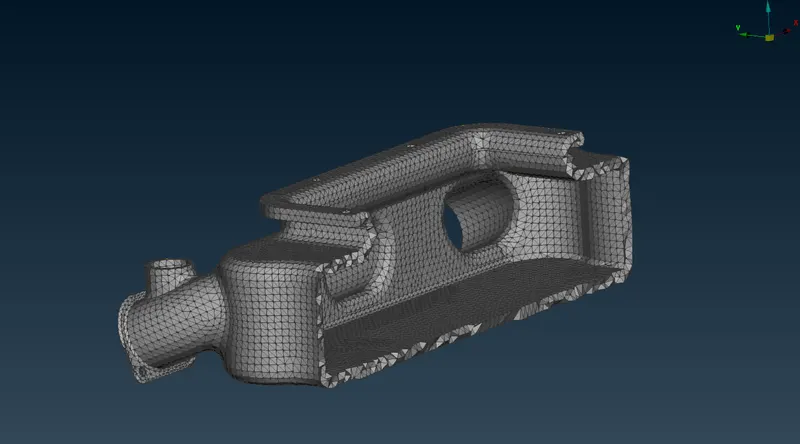
- The voume meshing is done using the Tetra Rapid, the below figure is the cut out part of the model.
Learning Outcome :
- Volume meshing using different methods Tetra FEM or Tetra Rapid
- Defining volume manually
- Concept of meshing solid parts.