To Design RC column and beam for RC residential structure using TSD
Aim:- To analysis the structure and design reinforced concrete beam and column
Procedure -
Step 1)
i) Open the previous file of week 9 challenge.
ii) Click on Analyze - 1st order analysis
iii) At the right side bottom corner - Click on Result View.
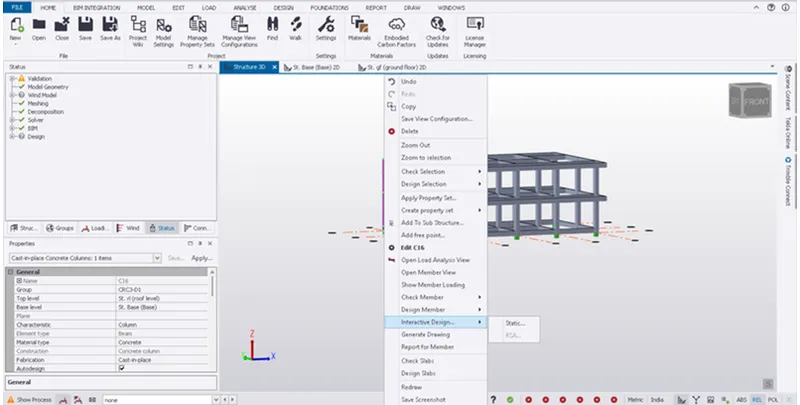
iv) Select any of the column member and right click on it
v) Then select the interactive design - Check the Design Member
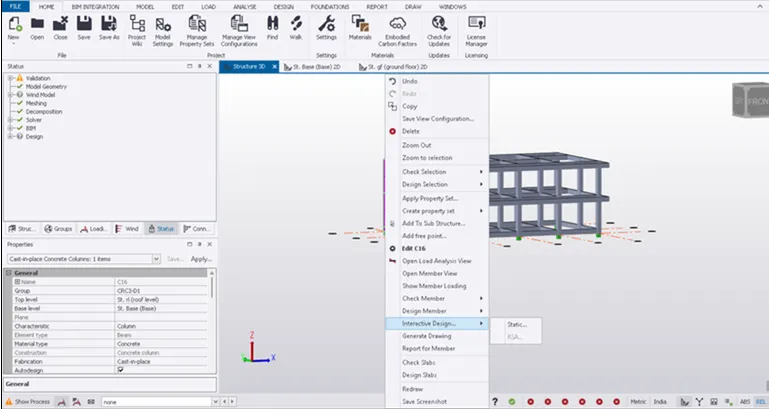
1) Column No - 12
i) Right Click on Column - Interactive Design - Check the desgin
ii) Check the member passed or failed
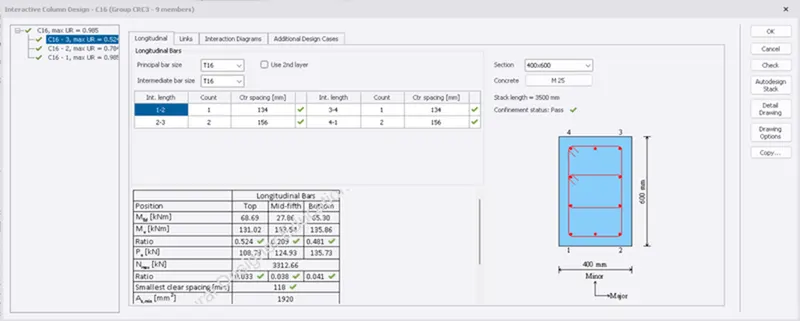
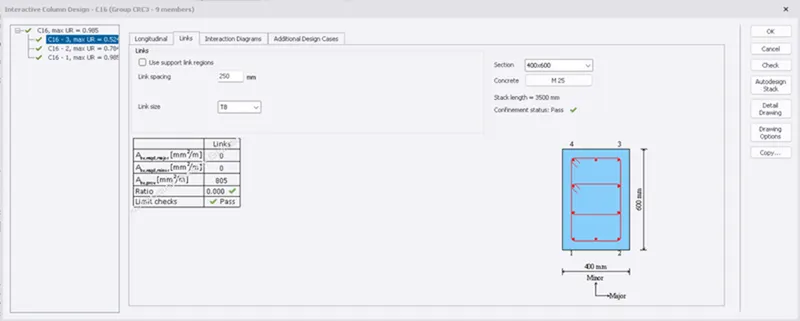
iii) As the member is passed . No need to change the property of column.
2) Column - 15
i) Similarly Check the Column No 15
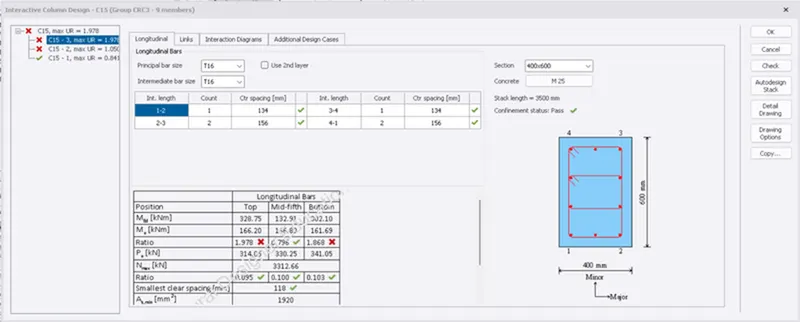
ii) Here we can see that Ratio is greater than 1 at Bottom and Top
iii) Either change the dia of Reinforcement or we can increase the No of Bars
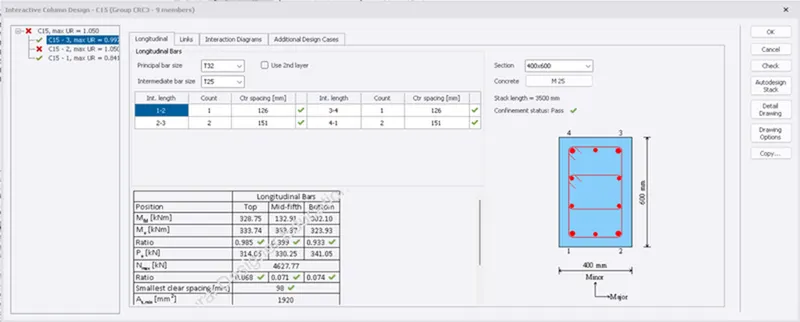
Similary Change the diameter of Column No 15 at 1st Floor
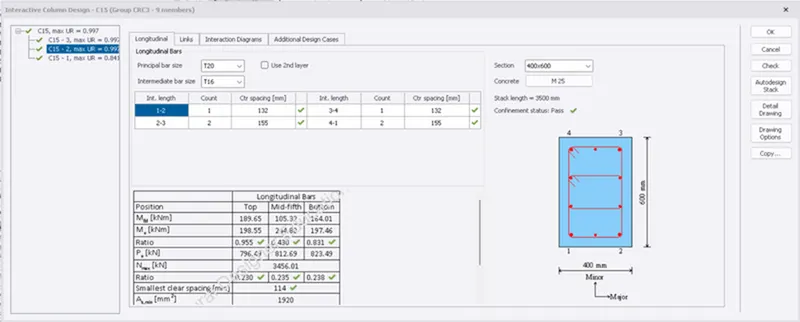
iv) Similarly followed the same procedure for remaining columns.
2) Design of Beam -
Step 3)
i) Follow the same procedure of column to design beam
ii) Select the beam - Right click on Beam - Interactive Design - and Check the Design
1) Beam 15 -
i) As the Beam 15 is safe for all the checks
ii) Therefore no need to change the property details.
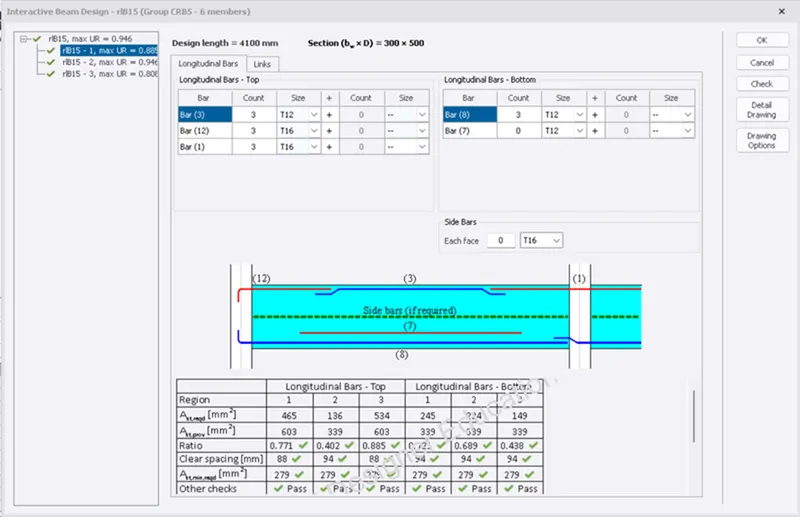
2) Beam 11
i) Similarly Check the Beam no 11
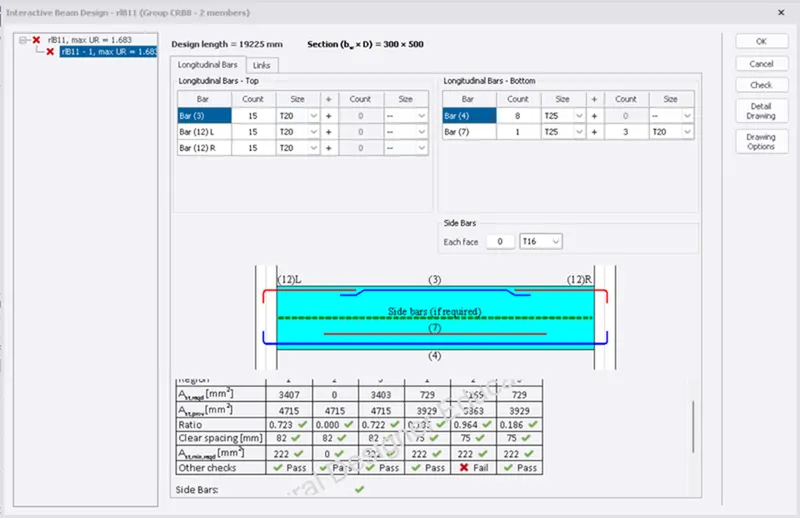
ii) As we can see that Beam 11 is failied in Other Check i.e Deflection Checks
iii) Increase the Size of the beam to minimise the deflection.
Results -
i) The design of the RCC columns and RCC beam is done and verified with the design checks.