To calculate wind load for industrial steel structures and to apply it by using TSD
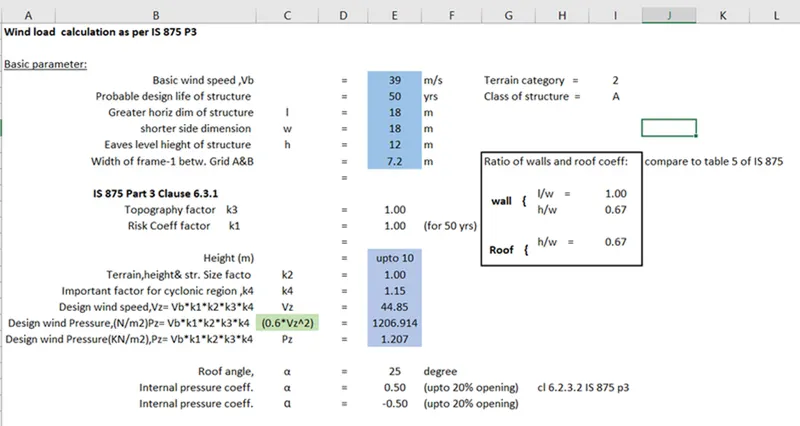
- Generate manual wind loading in the design report based IS code as per the following input
- Basic wind speed = 39m/s
- Terrain category 2
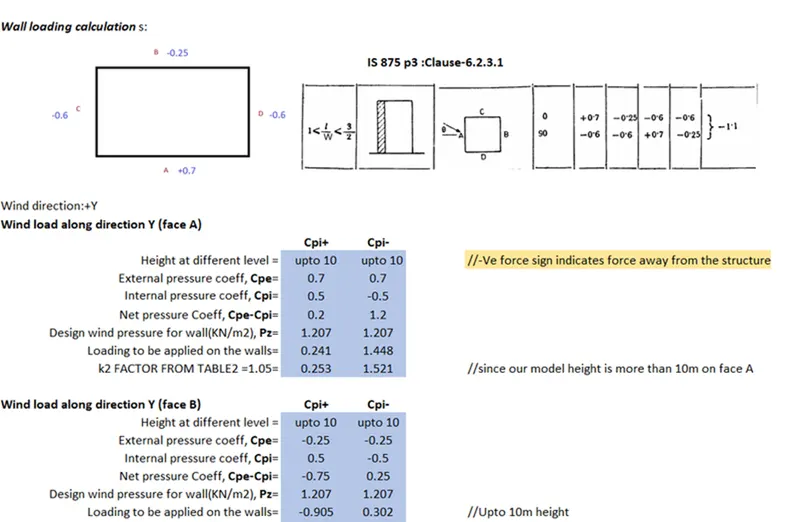
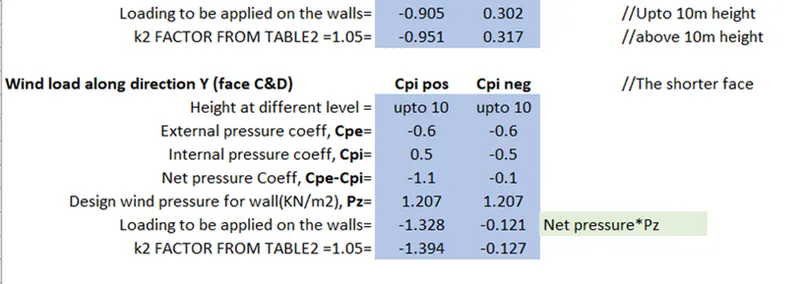
- First we Calculate the load cominh on the structure and make the report
- 
- 
- 
- Based on the above calculation apply the loadings on the model
- Add wind loadcases in Tekla
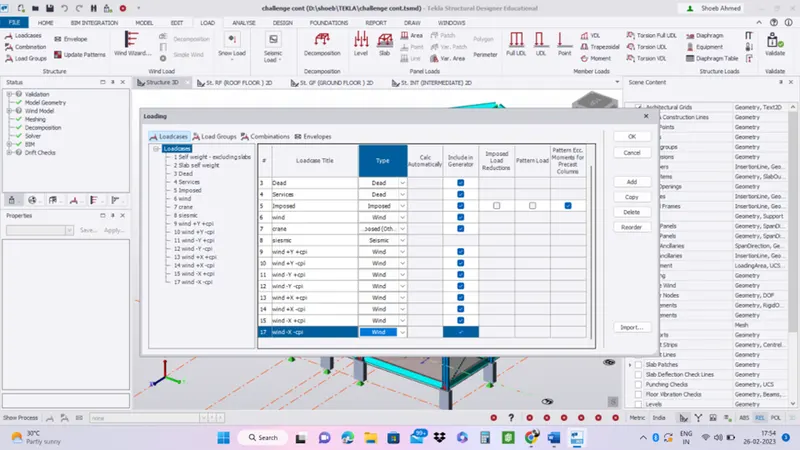
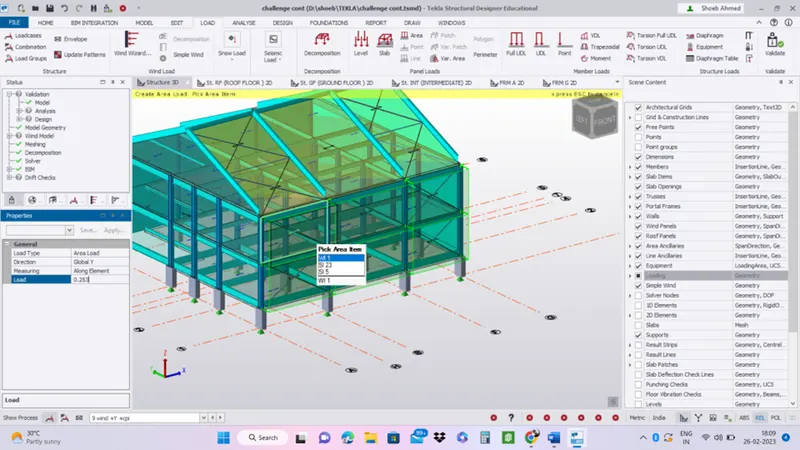
- Now as per the values in the sheet,apply the laod .
- 253kN/m2 acting on y direction
- -0.951KN/m2 acting on
- Frame 6 Wind+y+CPi
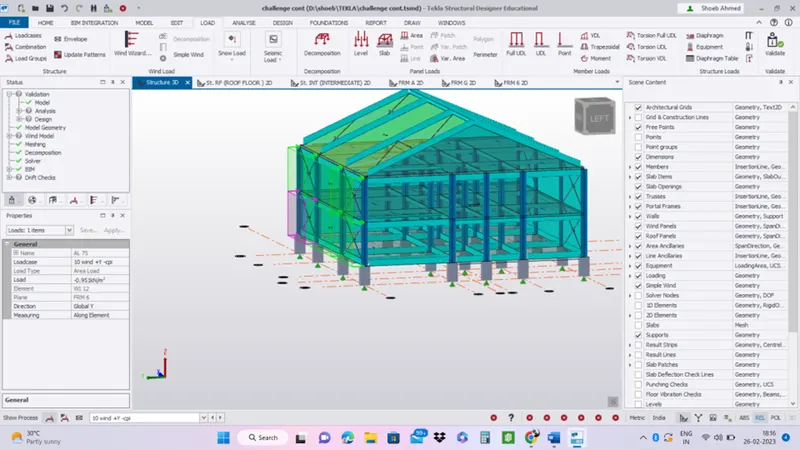
- Apply all the loads accordingly in y direction for + and – direction.
- Apply the loads in x direction
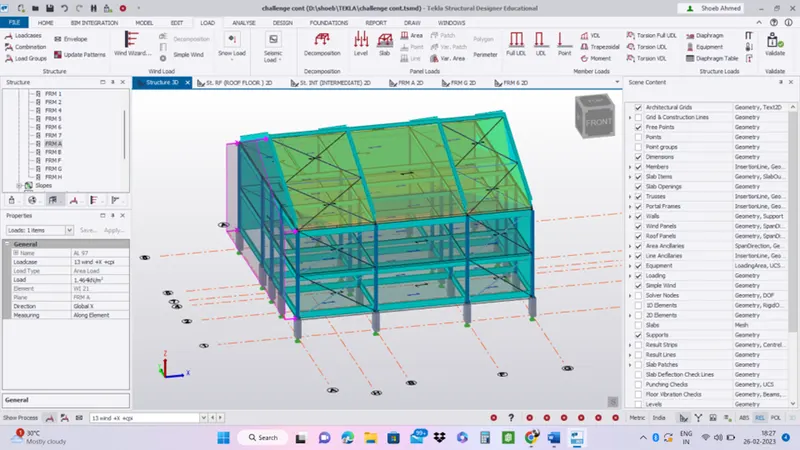
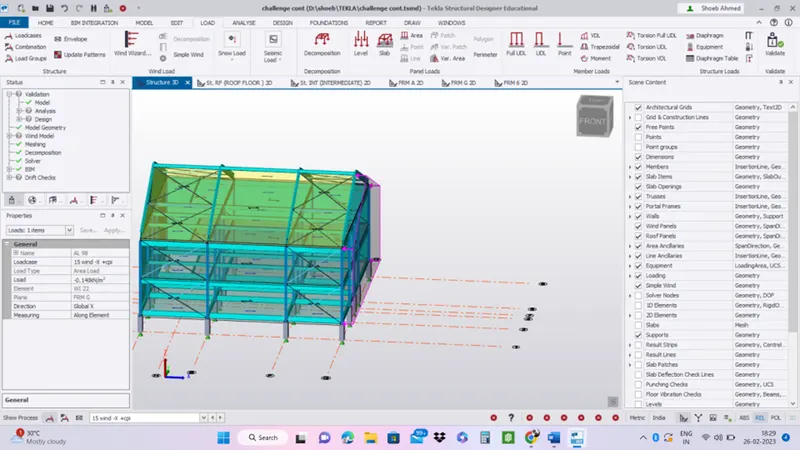
- Apply wind loads on the roof
- On a separate model generate wind loading using wind wizard
- Go to WinWizard
- Select the option Worst Case Data
- Option: CONSIDER tOPHPGRAPHY
- Consider Cylonic Effect
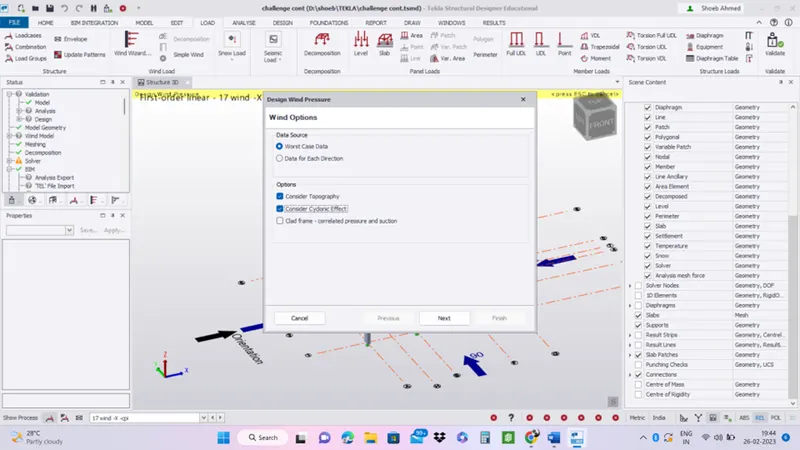
- Press Next
- Once we click next Design Wind pressure tab will be Appear on display
- Here Building Height 12m ( Override calculated)
- Building type: All general buildings
- Structure type - post cyclonic importance : Intusdrial structure
- Then Basic wind speed, Vb : 39
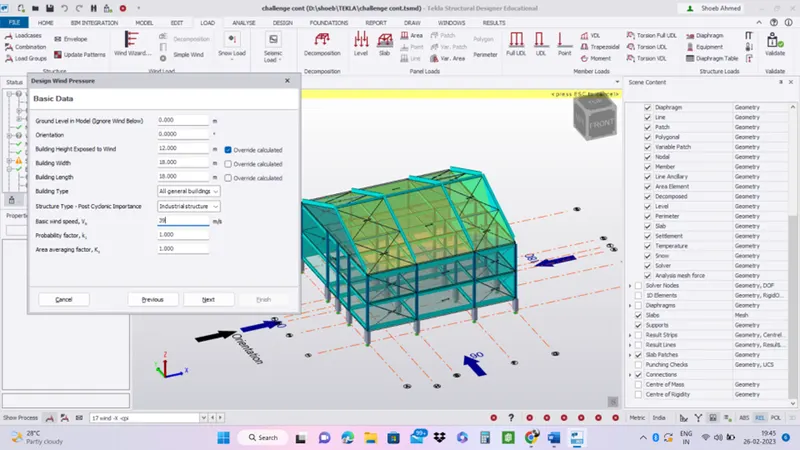
- Press Next
- Then select Terrain Category : 2) Open terrain scattered obstrudions
- Fetch a distance: 7
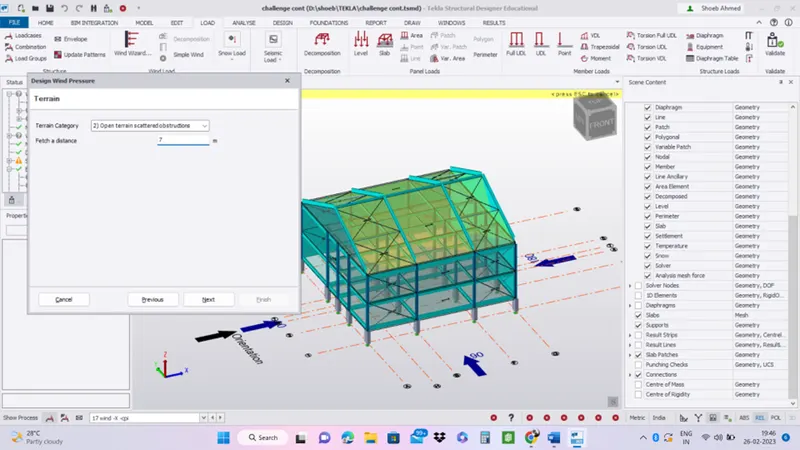
- Press Next
- Topography tab appear on display
- Here we haven't change anything
- Press Next
- Result will be default as software
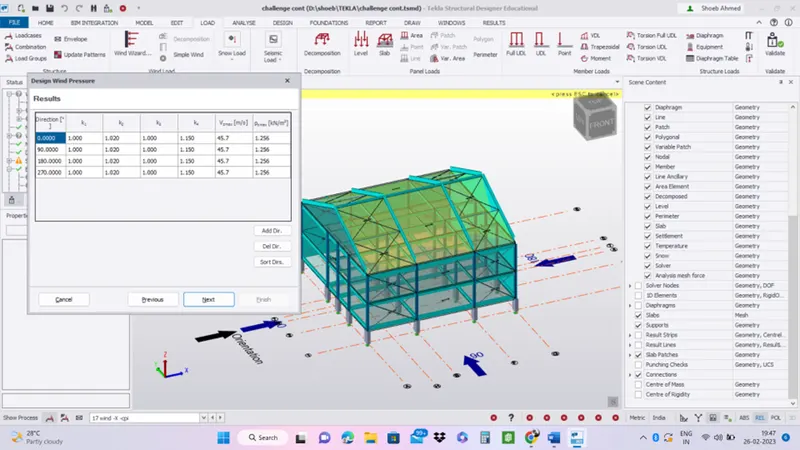
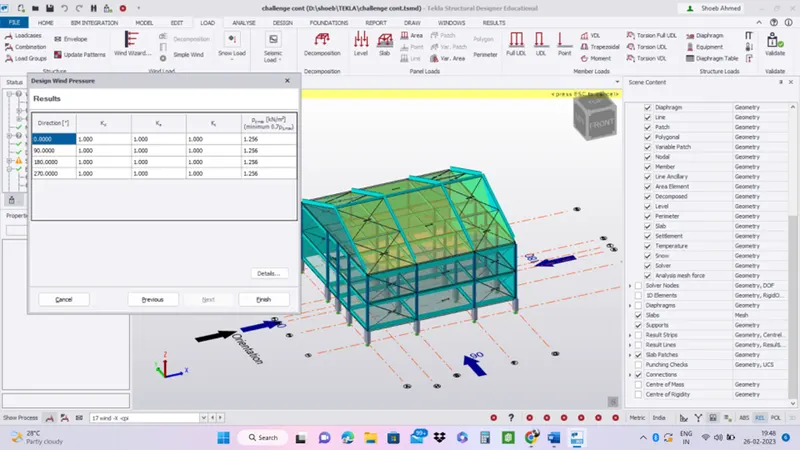
- Finish
- Then Go to Wind load case
- Here the Cpi Value wil change Direction:0 ,Cpi : 0.500
- Direction:0 ,Cpi : -0.500
- Direction:90 ,Cpi : 0.500
- Direction:90 ,Cpi : -0.500
- Direction:180 ,Cpi : 0.500
- Direction:180 ,Cpi : -0.500
- Direction:270 ,Cpi : 0.500
- Direction:270,Cpi : -0.500
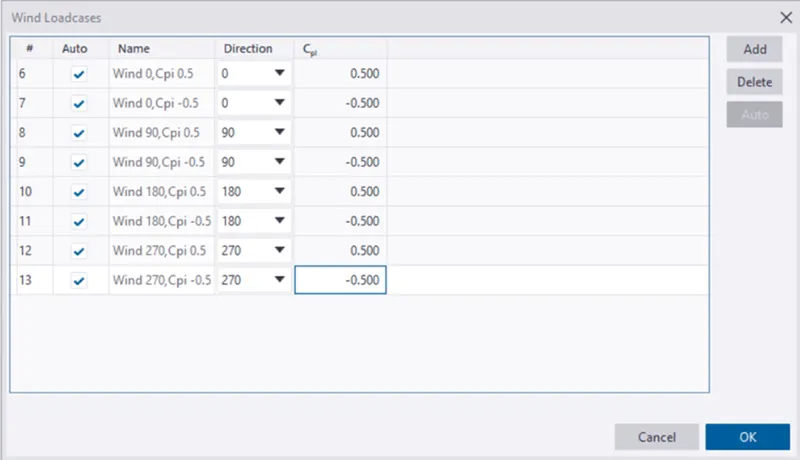
- Press Ok