To calculate dead and live load for industrial steel structures and to apply them using TSD
Q1:) Calculate dead load in design report based on IS code and apply dead load on the model
Aim: To give the Dead load in the industrial building
Procedure:
Step:1)
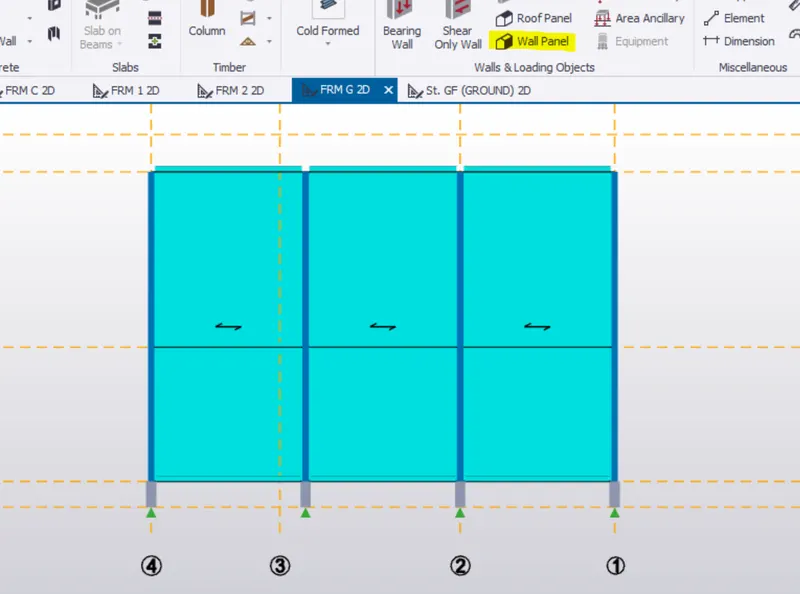
Create the wall panel
Model > Wall & loading object >Wall panel
Step:2)
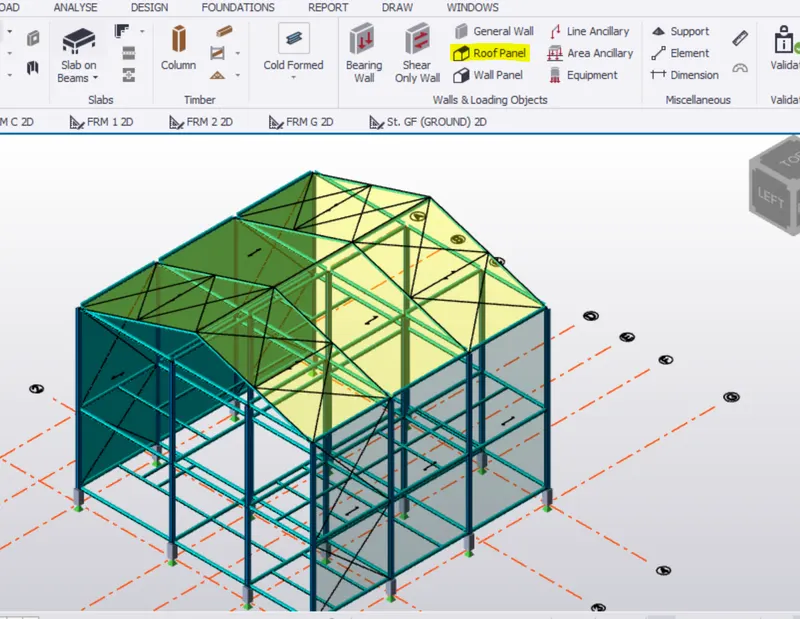
Create the wall panel
Model > Wall & loading object >Roof panel
Step:3)
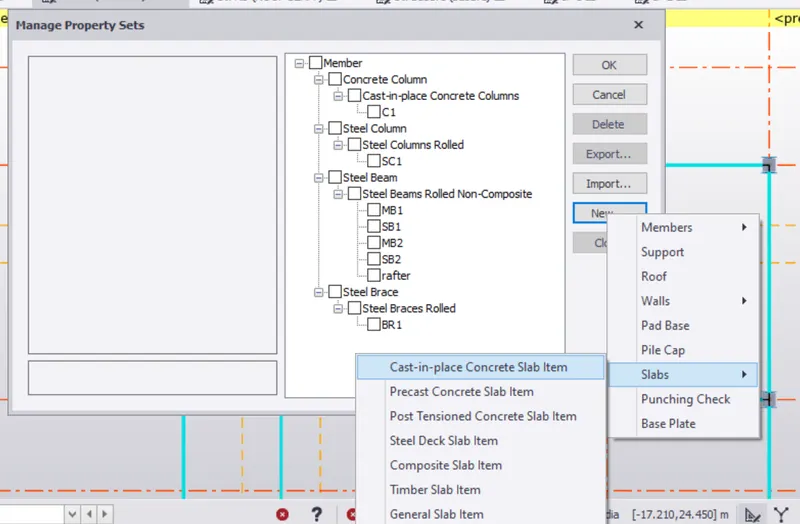
Create the RCC slab
Home > Manage property sets > New > slab > slab on beam
Step:4)
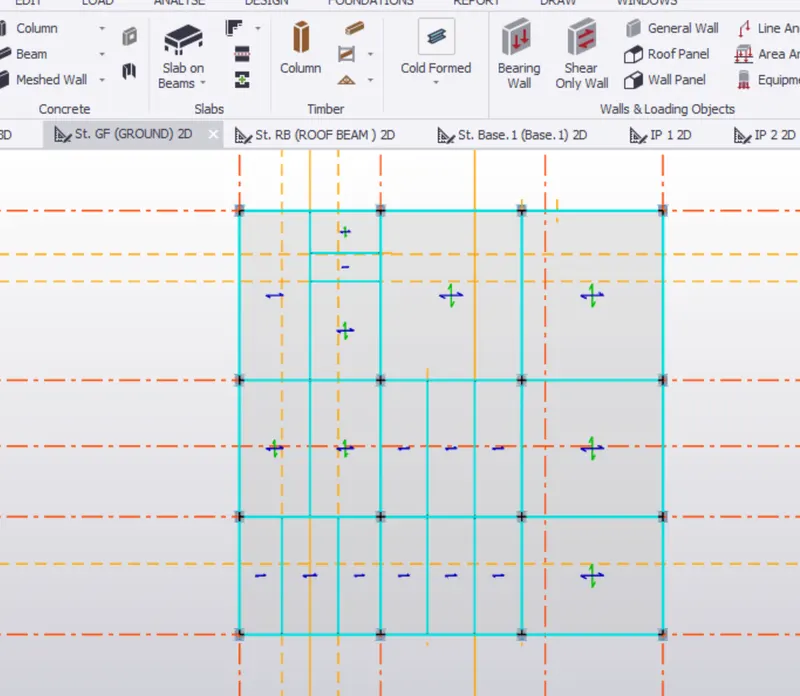
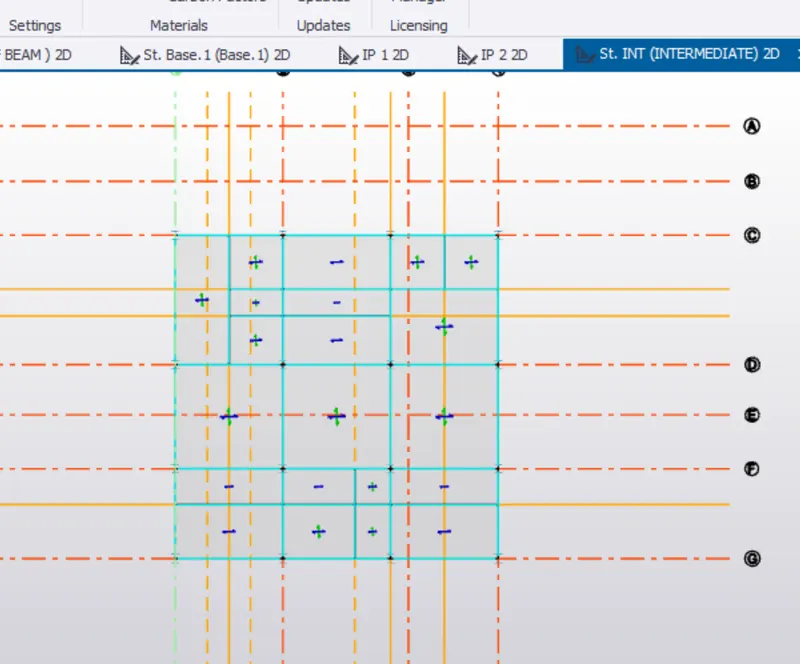
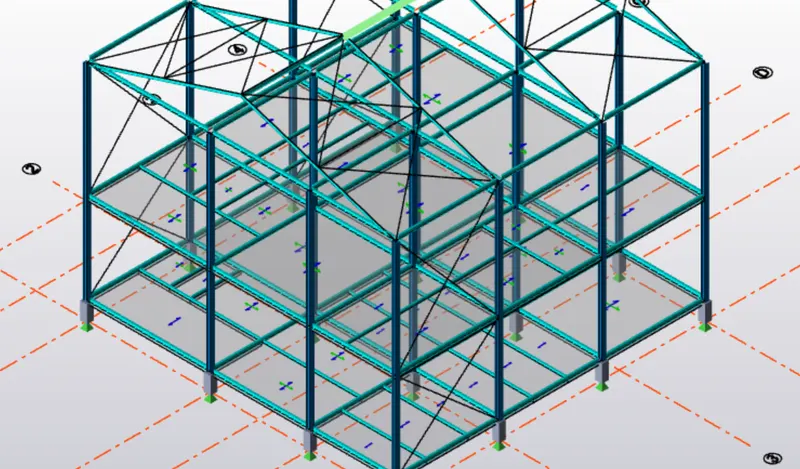
Place the slab on Ground & Intermediate floor
Model >Slab on beams
Step:5)
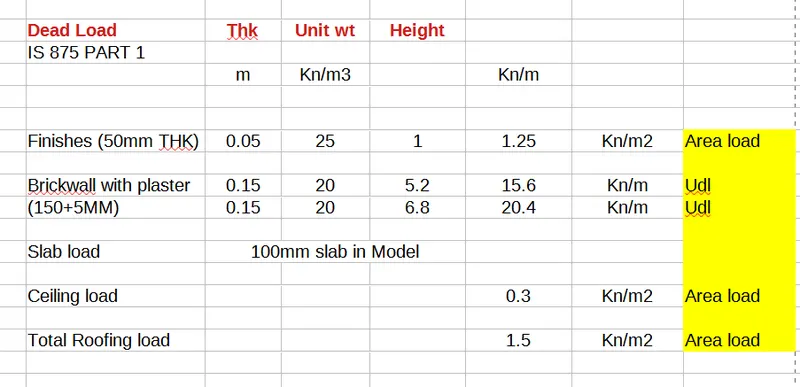
Calculate the Dead load acting on the structure
Step:6)
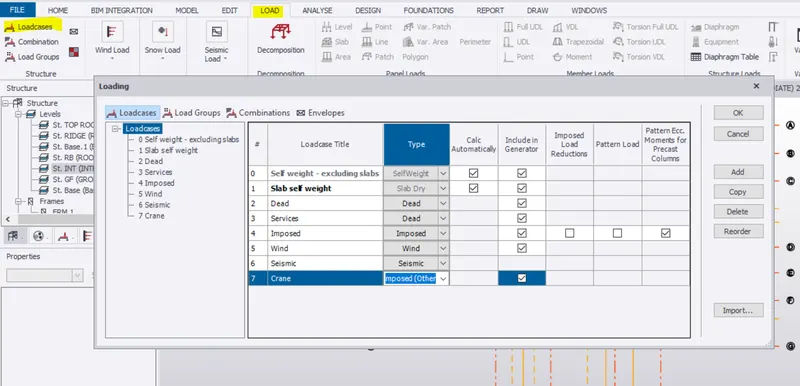
Create load cases for the structure
Step:7)
Select DL from bottom left bar
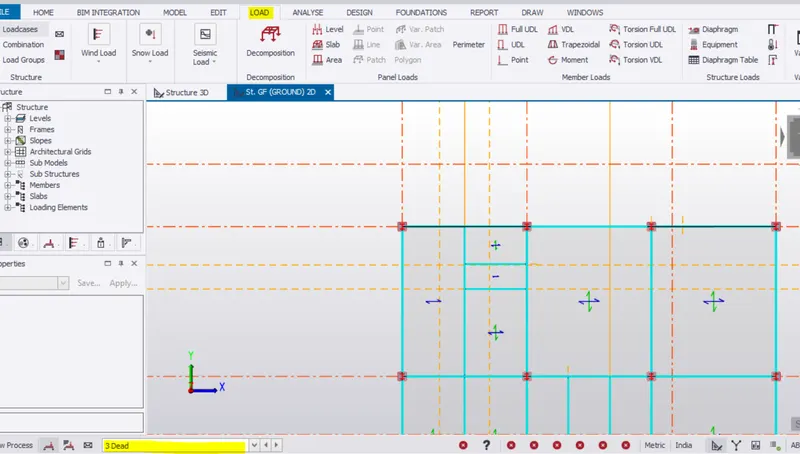
Step:8)
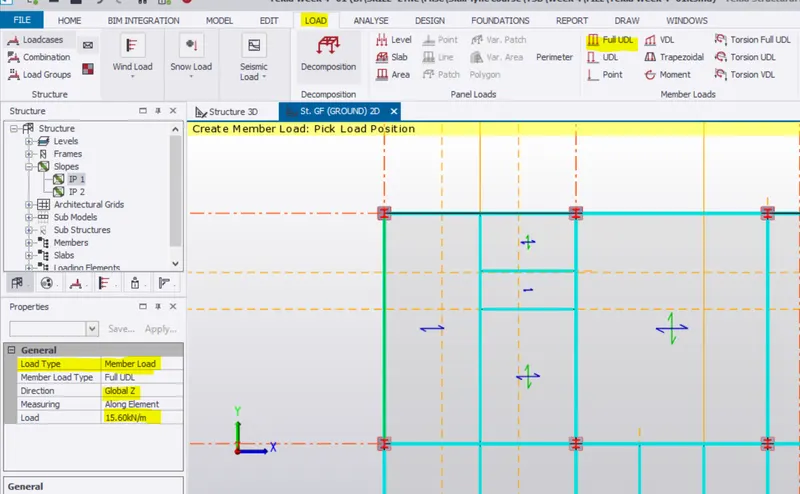
DL on beam for wall load
For Ground floor the load is 15.6Kn/m (UDL on beam)
Step:9)
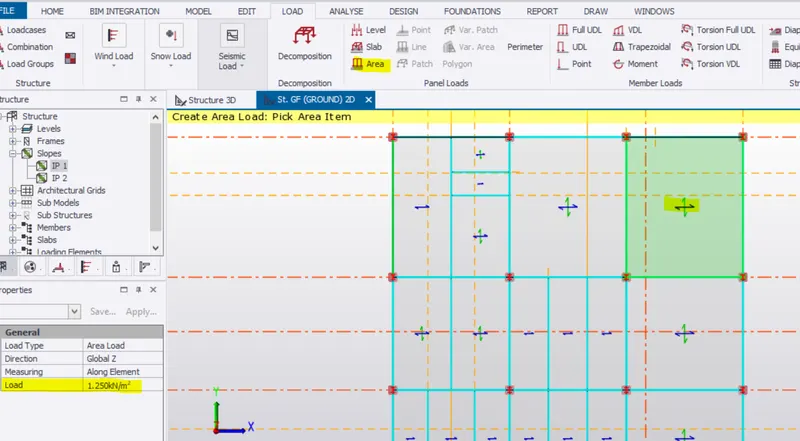
DL on slab
Finishes load for slab 1.25kN/m2 (Area load on slab)
Step:9)
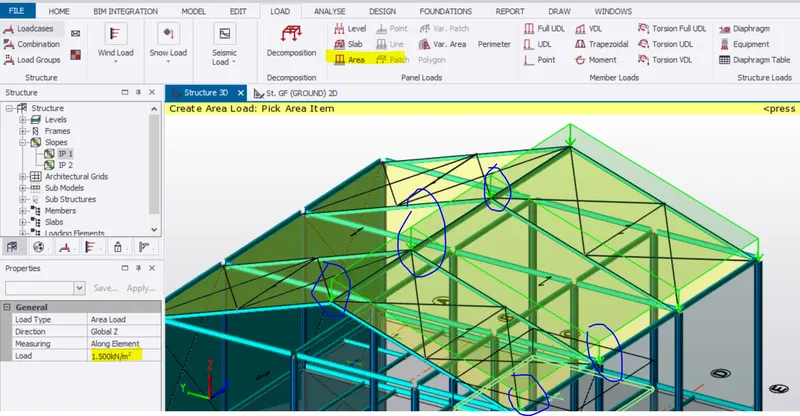
DL on Roof panel
Area load of 1.5kn/m2
Result:
Dead loads are assigne din the building
Q2:) Calculate live load in design report based on IS code and apply live load on the model
Aim:
To provide Live load on floor and roof according to IS 875 part 2
Procdeure
Step:1)
Check IS 875 part 2 for live loads on various room and Roof
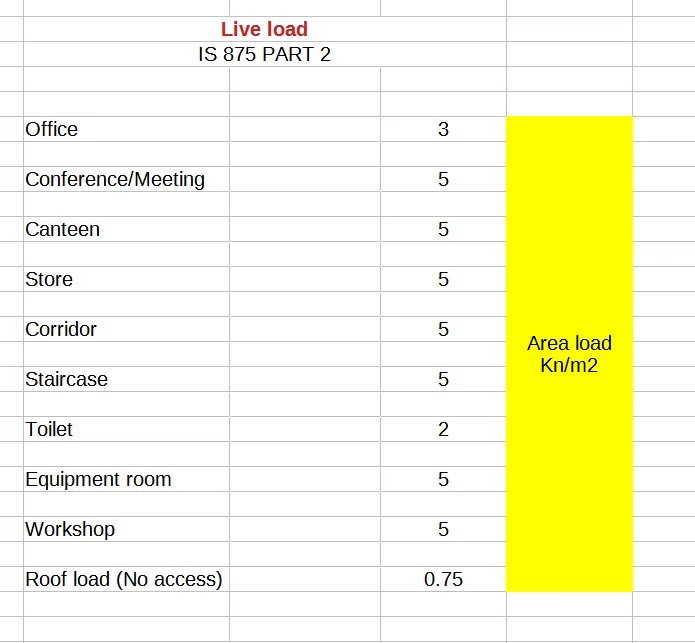
Step:2)
Check IS 875 part 2 for live loads on room (Given 5kn/m2 for canteen in GF)
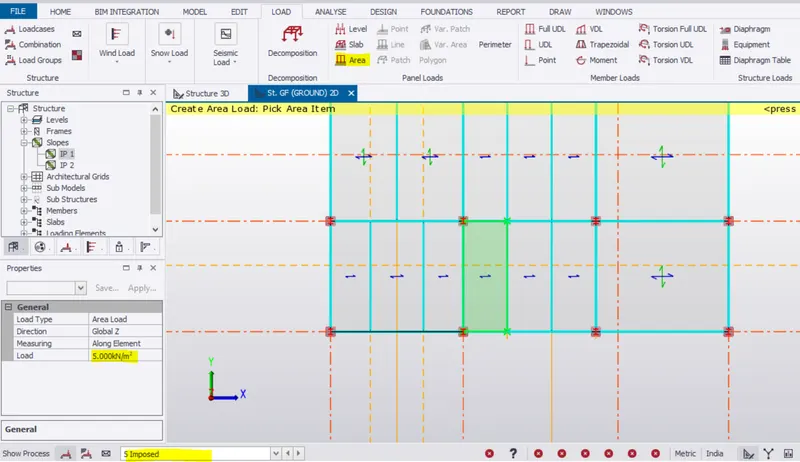
Step:3)
Check IS 875 part 2 for live loads on roof panel (Give 0.75Kn/m2 for inaccesible roof)
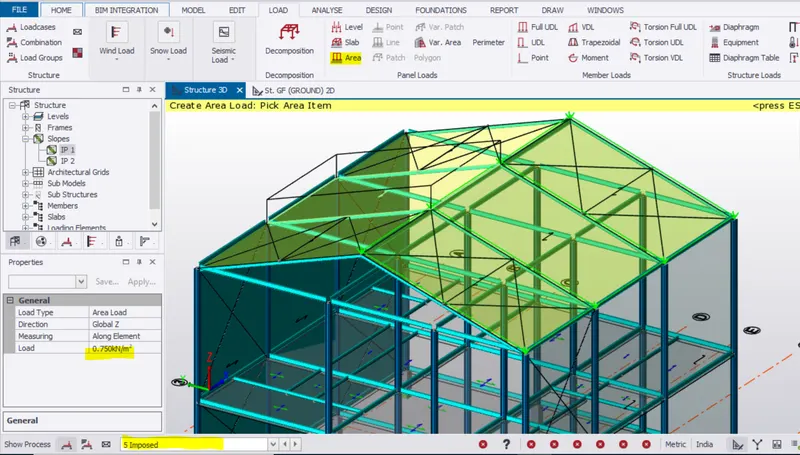
Resut : Live loads are provided in the model
Q3:) Generate a calculation for 5T crane loading based on following inputs
Aim: To calculate the crane load for 5T crane
Procedure :)
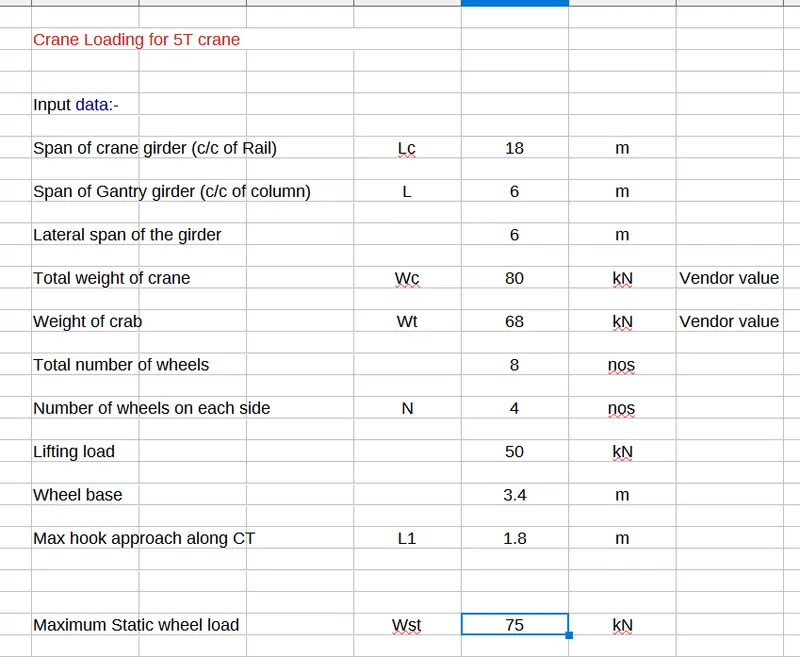
Result: Maximum static wheel load is calculated