Section Modulus calculation and optimization
Def :-
Section Modulus:-Section Modulus is Ratio of Area moment of Inertia about nutral axis to the distrance of outermost fiber from the neutral axis.
Formlae:
| Z = I / Y |
Section modulus is a geometric property for a given cross-section used in the design of beams or flexural members
calculation of secton modulus:-
In Hood assembly :take a datum plane select on curve option then select curve which is used for trimming sheet into two half or can go to surface-wave geometry linker-extract that one mid seperation line and select it .
select arc length as 50% so will come in center .
then go to curce and choose intersection from this select face as hood and cutting plane as datum plane.Will intersect body in middle can take any one face 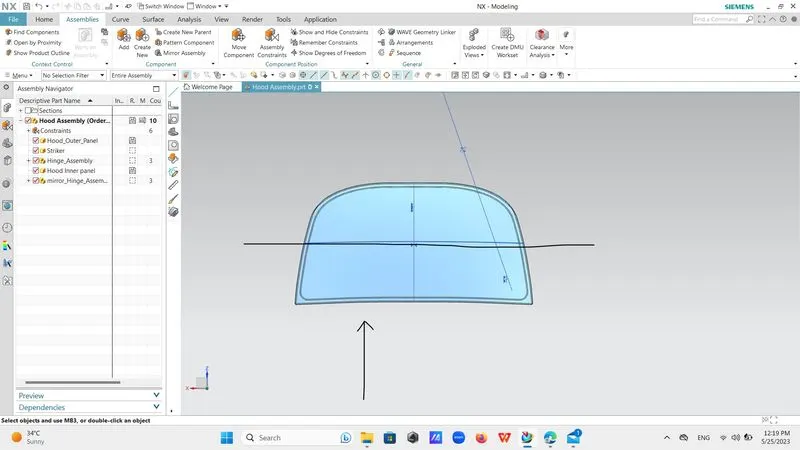
if viewer locking from this side then he is checking that sustainability of part from this side by changing its thickness by altering its sketch .
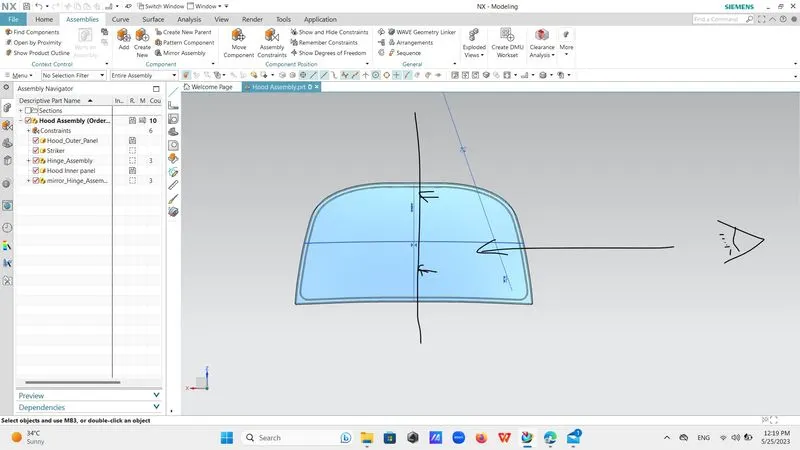
if viewer locking from side angle then he is chicking sustainabilit of part from that side .
mostly impact of crush is from front angle when vehicle strike with any movable or stationary part then all the impact of force will be avsorbed by frontal hood and wiil divert it in side way so will force less impact of force to words inner passenger,so we calculate strenth of hood by checking its section modulus by checking its moment of inertia.
step 1:-go to assembly wave geometry linker and extract middle partation line then take datum plane select on curce option tick off offset for this time and select partation line as and face as hood face.select arc length give it value as 50% thats why plane will come in middle of hood.
Step 2:-go to curve -go to intersection select plane as intersection and then face as hood face wii intersect hood assembly .
Step 3:-Go to sketch select datum plane as plane and invese the directions if needed then go to project curce option and project curve in sketch then go to line and joint upper and lower curve then go to trim trimmed off excess portions .
Step 4:-Go to find command option then type inertia analysis and then change to existing section and then select sketch and checked its moement of innertia we have to consider MOI (min) value for calculaiton.
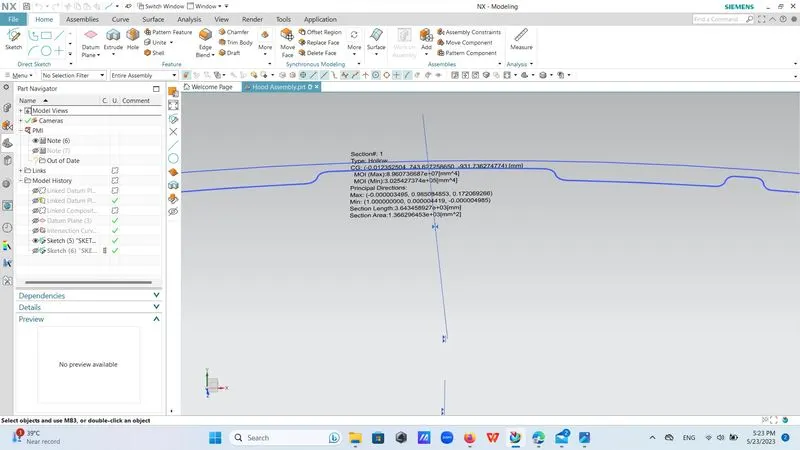
Step 5:-Now we have to alter its sketch or thickness by editing same sketch agein and then select offsect from ribbon bar and then offseted lower curve by distance of 5mm and then finish sketch.
Step 6:- Take new sketch from ribbon bar and there is option of project cuve use it and project newly offseted curve and then old one curve on new sketch join them properly by timming of corner selection finish sketch.
Step 7:-Go to section inertia analysis and checked its MOI(mim) its greater than previous one that is having more strength than previous one moddel.
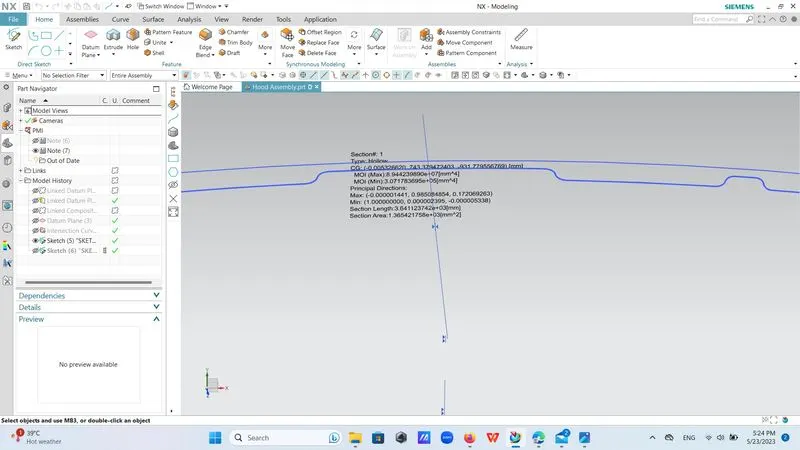
| sr | MOI (min) | distance of extreme outermost fiber to nutral axis | section modulus |
| 1 | 3.025427374*10^5 | 3.025427374*10^5/217.1068 | 1,393.5203199531290590621758507794 |
| 2 | 3.071783695*10^5 | 3.071783695*10^5/217.1068 | 1,414.8721712079032070851765122051 |
I2 >I1
1414.87>1393.52
here secton modulus of second is more than section modulus of first so improved structure hace more strength.becouse moment of inertia is directly proportional to strength .
M=I/Y*σ