Reinforcement detailing of Columns from ETABS output
CHALLENGE 8:
Reinforcement detailing of Columns from ETABS output
AIM:
Reinforcement detailing of Columns from ETABS output
INTRODUCTION:
ETABS is a structural analysis program that deals with multi-storey buildings analysis and design. The software has a friendly graphic user interface. It helps in 3D modeling and analyzing building structures, saving significant time and effort. Basic or advanced systems under static or dynamic conditions may be evaluated using ETABS. It is easy to create Reinforcing details of columns from ETABS output.
QUESTION:
Reinforcement detailing of columns in Etabs 2023.
The ETABS file for a G+4 building is provided. Run the analysis and design the RCC Moment Resisting Frame. The following challenge deals specifically with two columns at the following grid intersections.
- 3A
- 3B
- Provide details of longitudinal reinforcement for the two columns, from foundation to terrace level. Sketch the column cross-sectional & elevation details or draft it using AutoCAD software.
- Show shear reinforcement & lapping details as per the special confining reinforcement provision of clause 8.1 of IS 13920 - 2016.
PROCEDURE:
Detailing rule of any reinforced concrete member:
- Minimum reinforcement for shrinkage & temperature
- Ultimate limit state design rebar requirement
- Ductility rebar requirement
Above Four points whichever is greater should be drawn in RC Column detailing.
- Minimum longitudinal reinforcement as per IS-456-2000 clause 26.5.3.1 As=2340 mm2
- Minimum shear (or) transverse reinforcement as per IS-13920-2016 clause 7.4.2- Assuming 300mm spacing @8mm Diameter
- Development length as per IS-456-2000 clause 26.2.1 Ld=41 x diameter of bar.
ETABS Designing:
1. Open the ETABS model.
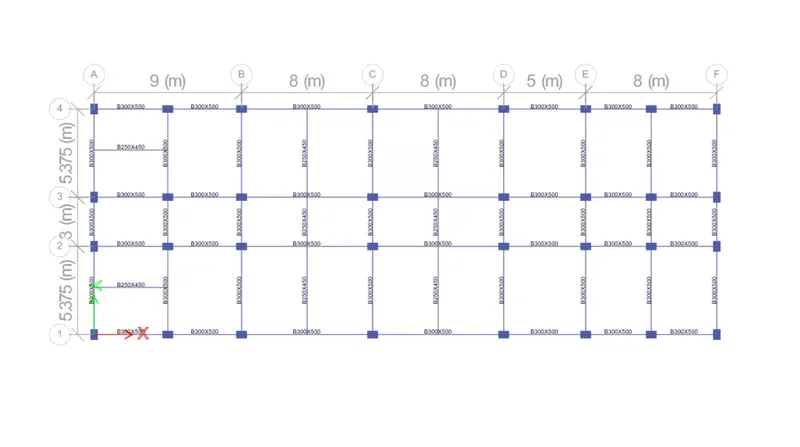
2. Now locate the column with respect to already given the intersection, In this challenge to design the 3A and 3B respectively.
3. Now selected intersections 3A and 3B, to set the all stories option, To go right click and show the selected objects, and go to 3D view and analyzed.
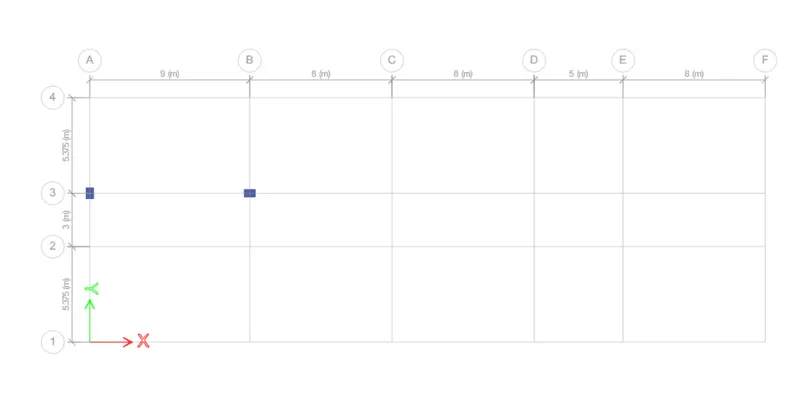
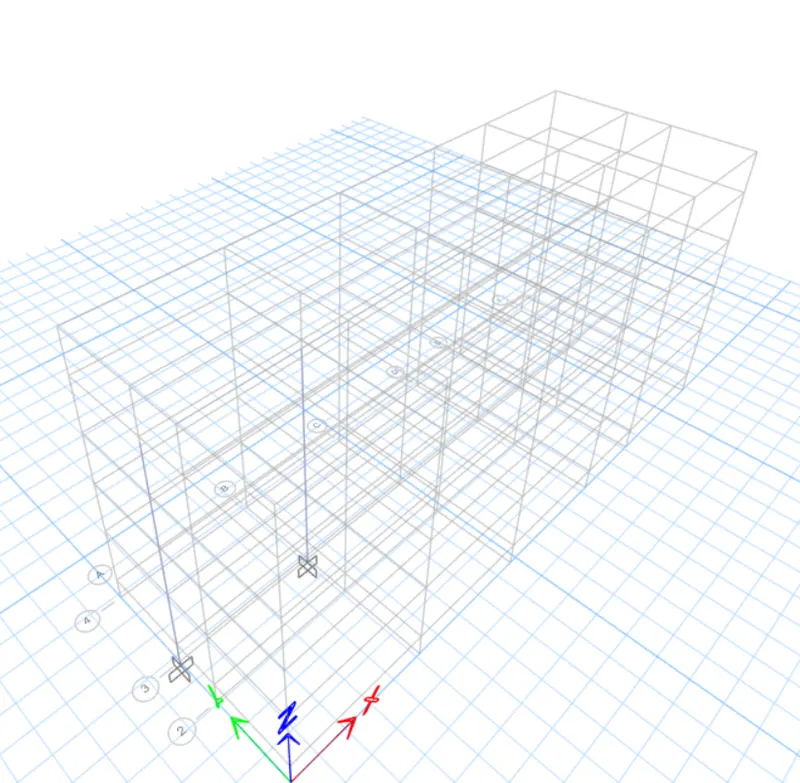

4. After that click the concrete frame design button and give the longitudinal reinforcement results.
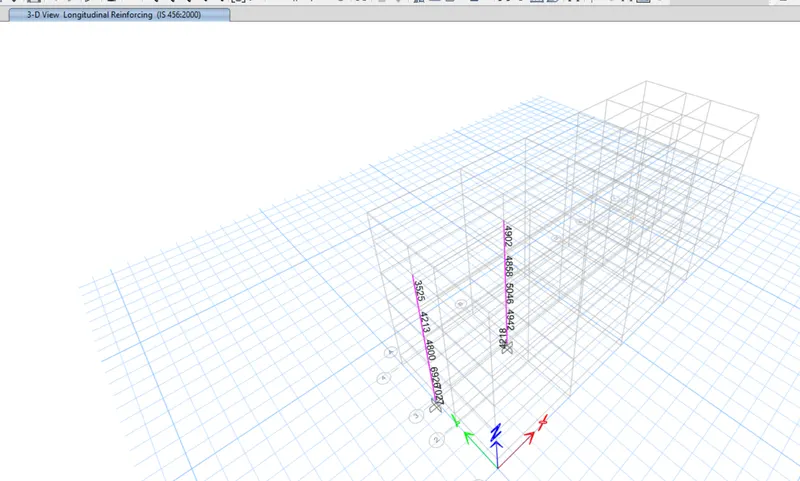
5. Now moving to Grid 3 Elevation to give both the column results.
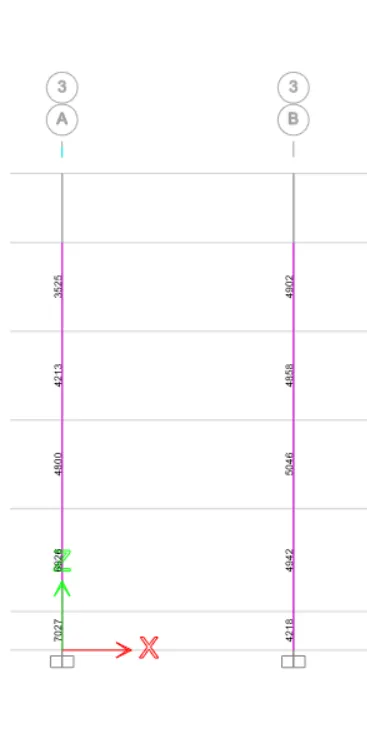
6. After that I also view the shear reinforcement by clicking the drop-down button in the concrete frame design tool.
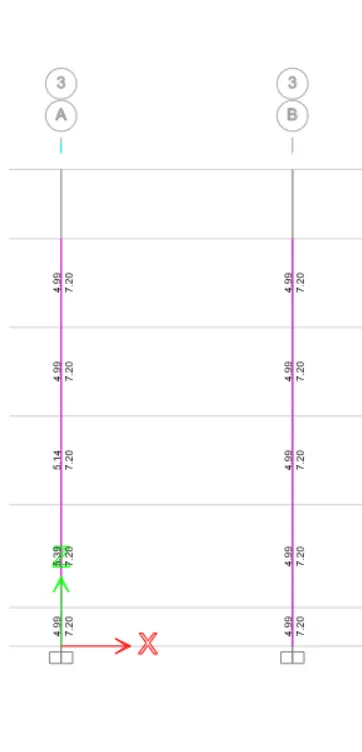
7. Now view the storey assignment for elevation columns.
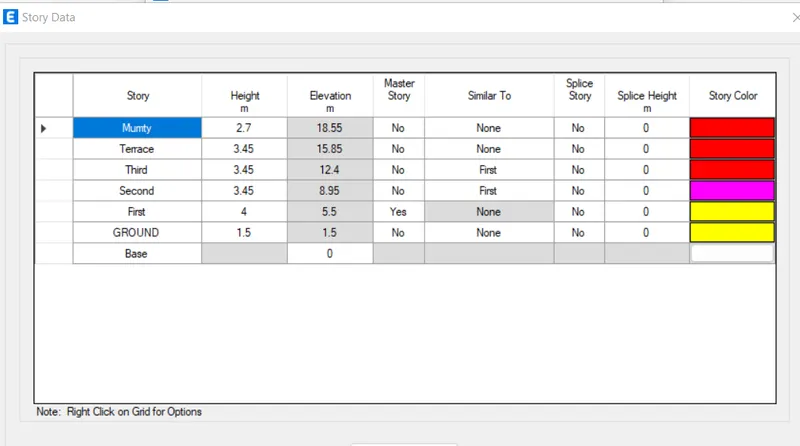
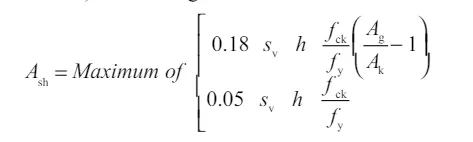
8. Special confining reinforcement from IS 13920:2016 clause no 8.1
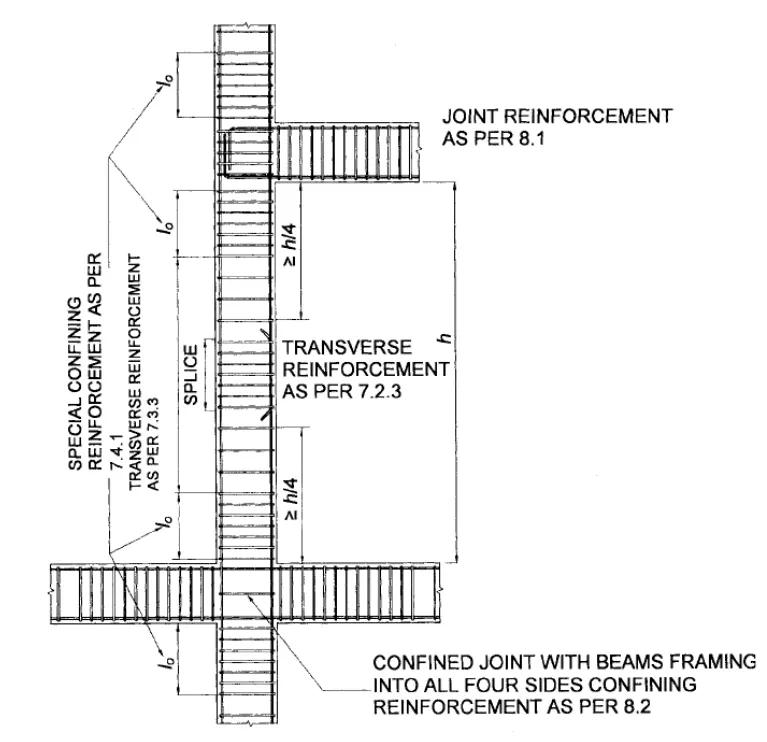
| Io not less than | |
| a) Larger column dimension | 650 mm |
| b) 1/6 of clear span of column | |
| c) 450 mm | |
| confinement spacing not more than | |
|
a) 1/4 of the smaller column dimension b) 6 times of Dia of column main bar c) 100mm |
100 mm |
|
The amount of confinement rebar
|
169 mm2 |
AutoCAD Detailing:
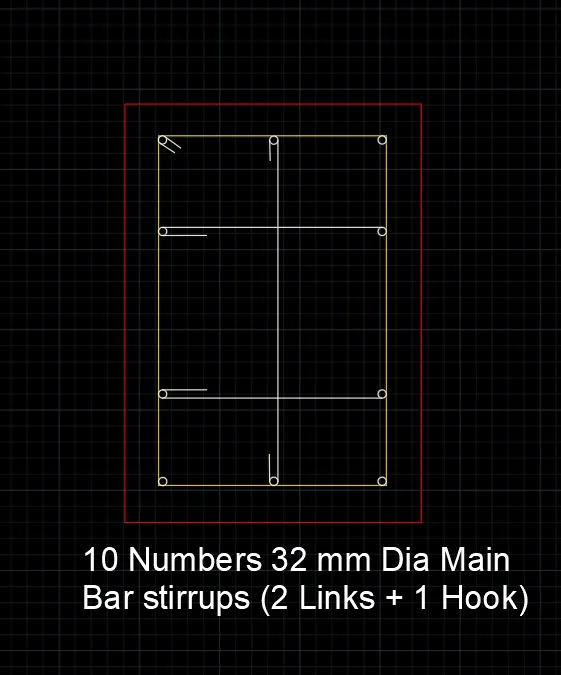
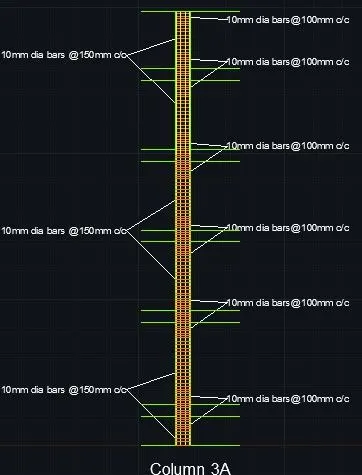
COLUMN 3A:
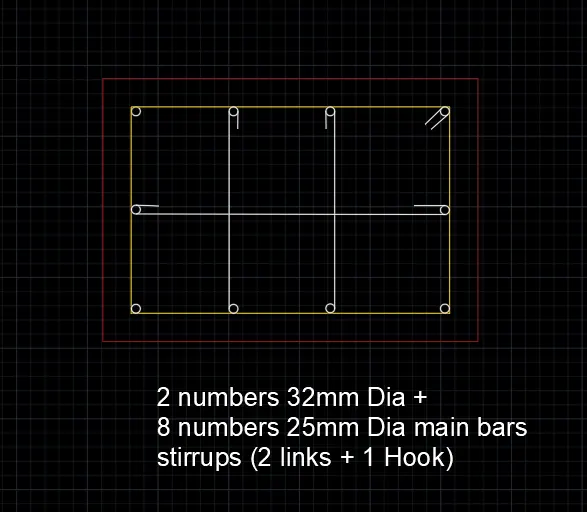
COLUMN 3B:
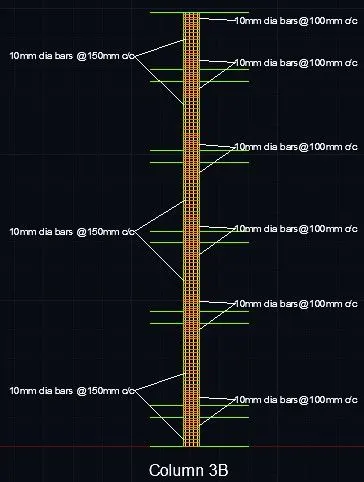
RESULTS:
Longitudinal Reinforcement and Shear Reinforcement:
COLUMN 3A:
COLUMN 3B:
..................................................................THE END.............................................................................................