Radar Mast & Final Assembly of Yacht
MODELING AND RENDERING OF YACHT USING SOLiDWORKS
OBJECTIVE:-
- The main objective is to create solid modeling of different parts in YACHT.
- How to assemble different parts of the YACHT.
- Creating a rendered image using Photo View 360.
SOLIDWORKS:- version used for creating YACHT:-
- Solid works 2019
- Photo view 360
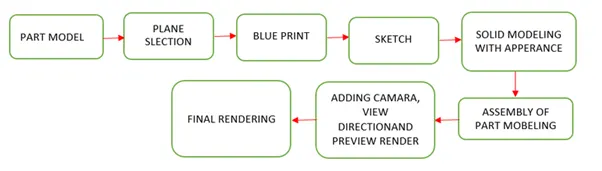
FLOW CHART: -
TOOLS AND FEATURES:-
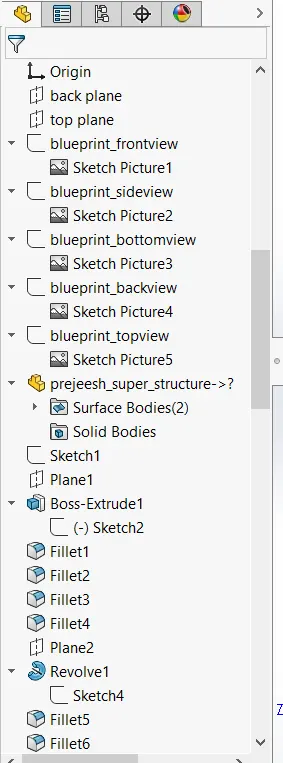
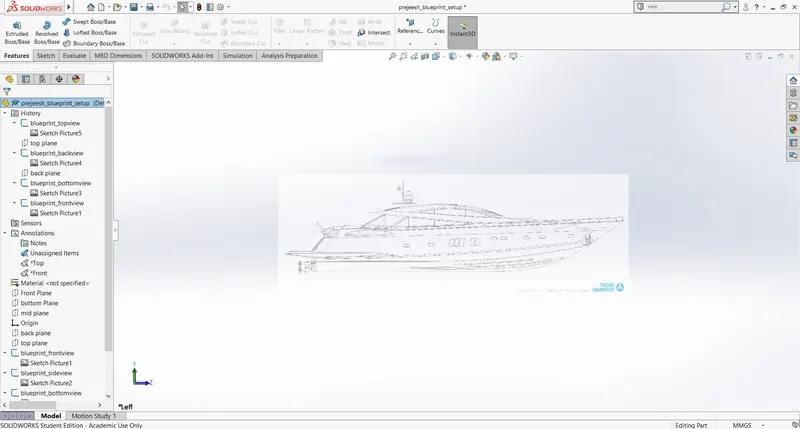
BLUEPRINT SETUP:
SKETCH
Sketch is a two-dimensional representation for converting 2D sketch to 3D modeling. In solid works, there are different sketch options to create a sketch and these are known as sketch entities:-Line, Circle, Spline, Rectangle and Arc.
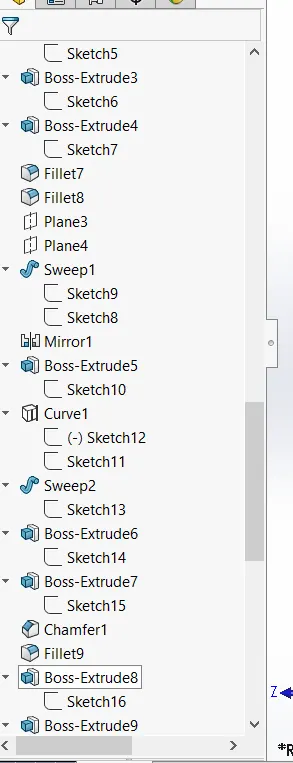
EXTRUDE BOSS/BASS
This feature is to convert 2D into a solid modeling only when the 2D sketch is completely closed. It also allows to extrude the surface in both directions and also offset it to require distance.
FILLETS
This is to create a curve surface on the profile edges on solid model by selecting the required lines or the face. This fillet also has a feature to select multiple lines which reduce time consumption.
EXTRUDE CUT
It is used to remove materials from a solid model in desired patterns and also it can be extruded with both directions.
SPLIT TOOL
This tool is very handy, when two or more solid body intersect in between or intersect each other then split tool allows to delete unwanted solid body formation and gives a clean look.
TRIM ENTITIES
There are two entities:
- Extend entities: - which allows the broken lines to intersect each other and this can be done only in 2D sketch.
- Trim entities: - this helps to remove unwanted extended line with are intersecting.
SWEPT SURFACE
Surface generated from section curve positioned along the path.
CHAMFER
It is similar to the fillet feature but in chamfer, it cuts the solid model intersection area into recurred length and angle.
DYNAMIC MIRROR
To make the solid body identical to each other this feature is used.
COMBINE
Combine feature is used to combine two or more bodies when intersecting to each other and make it a single body.
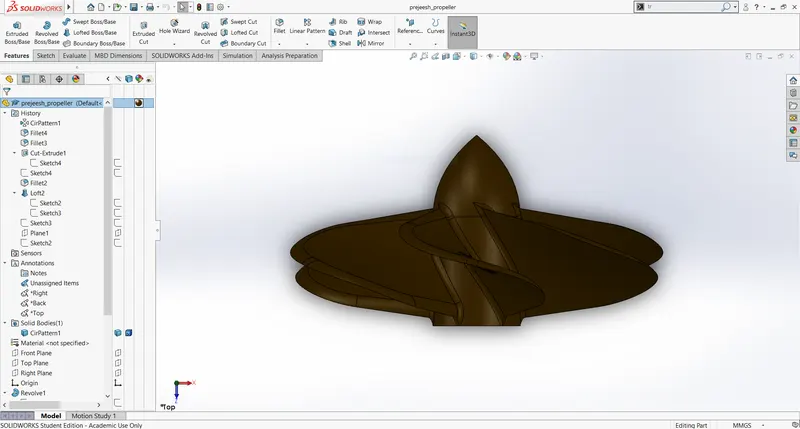
PROPELLER :
SKETCH
Sketch is a two dimensional representation for converting 2D sketch to 3D modelling. In solid works there are different sketch option to create a sketch and these are known as sketch entities:-Line, Circle, Spline, Rectangle and Arc.
FILLETS
This is to create a curve surface on the profile edges on solid model by selecting the required lines or the face. This fillet also has a feature to select multiple lines which reduce time consumption.
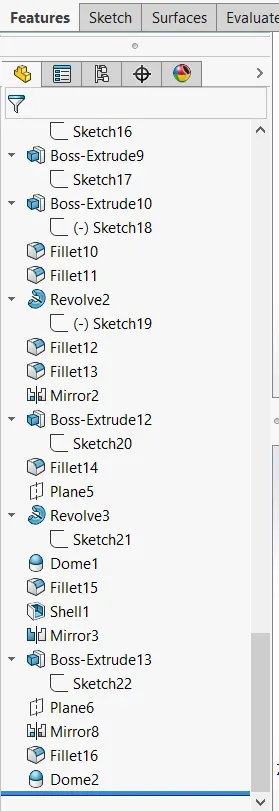
REVOLVED BOSS/ EXTRUDED
Create a sketch with a centre line, a plane or a axis for revolve.
EXTRUDE CUT
It is used to remove materials from a solid model in desired patterns and also it can be extruded with both directions.
COMBINE
Combine feature is used to combine two or more bodies when intersecting to each other and make it as single body.
CHAMFER
It is similar to the fillet feature but in chamfer, it cuts the solid model intersection area into recurred length and angle.
SWEPT SURFACE
Surface generated from section curve positioned along the path.
COMPOSITIVE CURVE
When the two curve profile are broken this composite curve helps to join and make it a complete smooth single curve.
SPLIT TOOL
This tool is very handy, when two or more solid bodies intersect in between or intersect each other than split tool allows to delete unwanted solid body formation and gives a clean look.
CIRCULAR PATTERN
Feature is used to create a different number of patterns required to create the circular pattern.
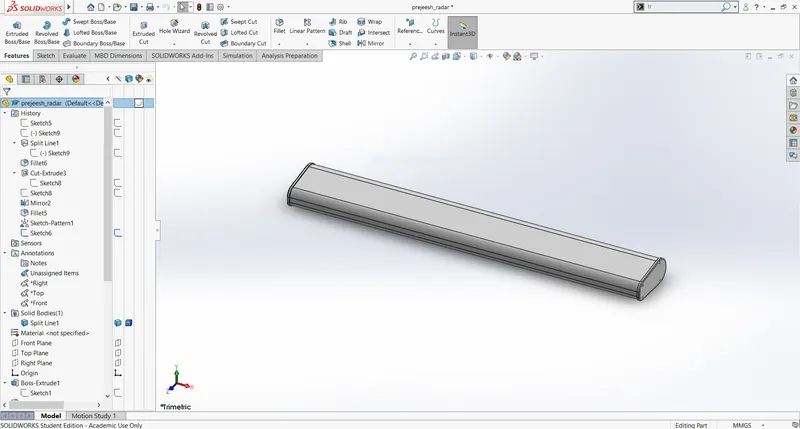
RADAR:
EXTRUDE BOSS/BASS
This feature is to convert 2D into a solid modeling only when the 2D sketch is completely closed. It also allows to extrude the surface in both directions and also offset it to require distance.
FILTTER
This is to create a curved surface on the profile edges on the solid model by selecting the required lines or the face. This fillet also has a feature to select multiple lines which reduces time consumption.
CHAMFER
It is similar to the fillet feature but in chamfer, it cuts the solid model intersection area into recurred length and angle.
REVOLVED BOSS/ EXTRUDED
Create a sketch with a center line, a plane or an axis for revolve.
DOME
This tool provides a smooth curve on the face of the profile.
LINEAR PATTERN
Feature is used to create a different number of patterns required to create the linear pattern.
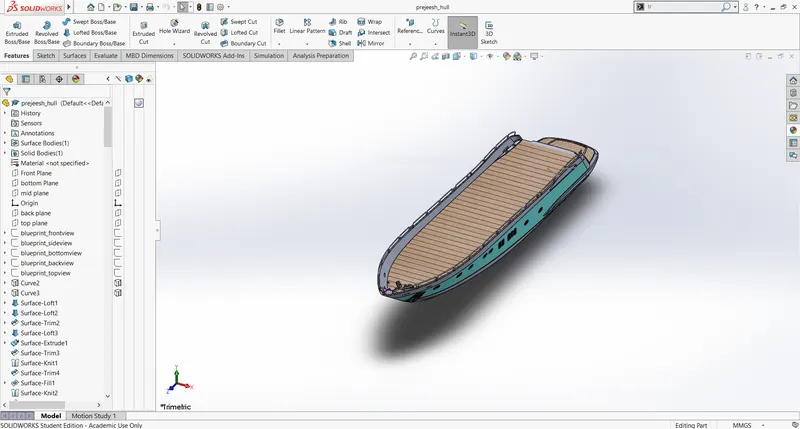
HULL:
EXTRUDE BOSS/BASS
This feature is to convert 2D into a solid modeling only when the 2D sketch is completely closed. It also allows to extrude the surface in both directions and also offset it to require distance.
FILLETS
This is to create a curved surface on the profile edges on the solid model by selecting the required lines or the face. This fillet also has a feature to select multiple lines which reduces time consumption.
SPLIT TOOL
This tool is very handy, when two or more solid body intersect in between or intersect each other then split tool allows to delete unwanted solid body formation and gives a clean look.
GARAGE DOOR:
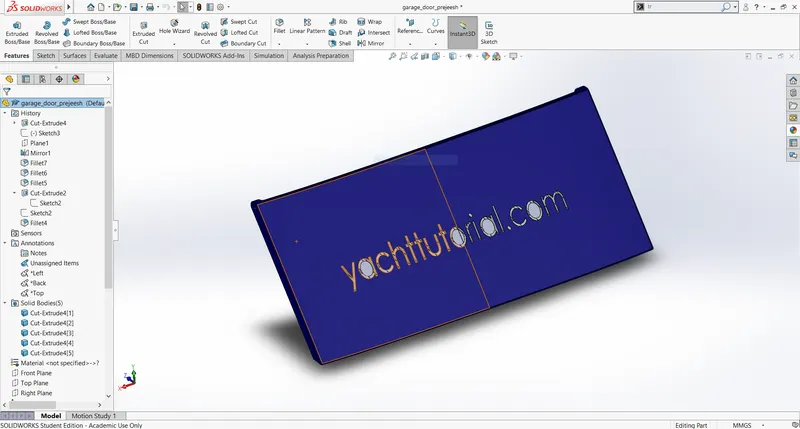
REVOLVED BOSS/ EXTRUDED
Create a sketch with a centerline, a plane, or an axis for revolve.
EXTRUDE BOSS/BASS
This feature is to convert 2D into a solid modeling only when the 2D sketch is completely closed. It also allows to extrude the surface in both directions and also offset it to require distance.
EXTRUDE CUT
It is used to remove materials from a solid model in desired patterns and also it can be extruded in both directions.
CIRCULAR PATTERN
Feature is used to create a different number of patterns required to create the circular pattern.
COMBINE
Combine feature is used to combine two or more bodies when intersecting to each other and make it a single body.
FILLETS
This is to create a curve surface on the profile edges on the solid model by selecting the required lines or the face. This fillet also has a feature to select multiple lines which reduces time consumption.
CHAMFER
It is similar to the fillet feature but in chamfer, it cuts the solid model intersection area into recurred length and angle.
FRONT SEAT:
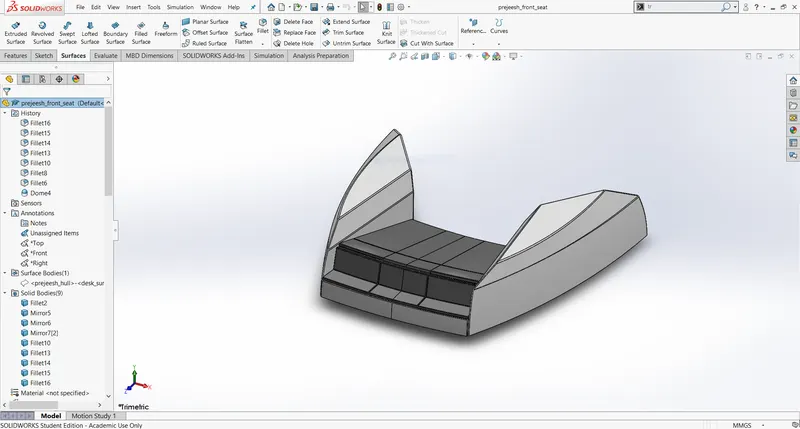
REVOLVED BOSS/ EXTRUDED
Create a sketch with a centerline, a plane, or an axis for revolve.
SPLIT TOOL
This tool is very handy, when two or more solid body intersect in between or intersect each other than split tool allows to delete unwanted solid body formation and gives a clean look.
FILLETS
This is to create a curved surface on the profile edges on the solid model by selecting the required lines or the face. This fillet also has a feature to select multiple lines which reduces time consumption.
MIDDLE SEAT:
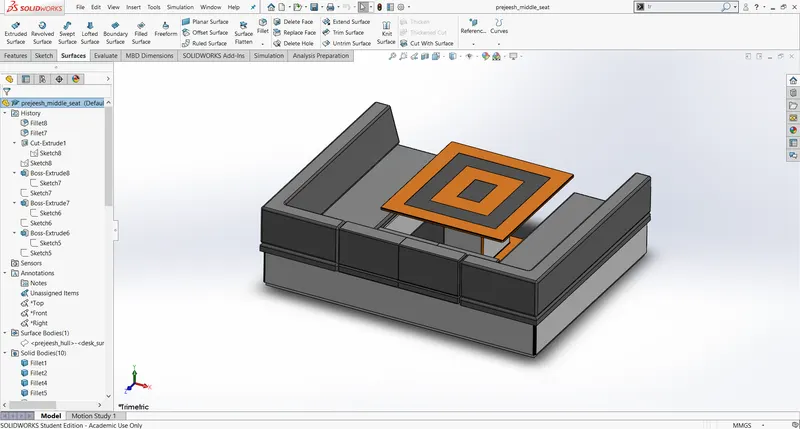
REVOLVED BOSS/ EXTRUDED
Create a sketch with a center line, a plane, or an axis for revolve.
EXTRUDE BOSS/BASS
This feature is to convert 2D into a solid modeling only when the 2D sketch is completely closed. It also allows to extrude the surface in both directions and also offset it to require distance.
EXTRUDE CUT
It is used to remove materials from a solid model in desired patterns and also it can be extruded in both directions.
CIRCULAR PATTERN
Feature is used to create a different number of patterns required to create the circular pattern.
COMBINE
Combine feature is used to combine two or more bodies when intersecting to each other and make it a single body.
FILLET
This is to create a curved surface on the profile edges on the solid model by selecting the required lines or the face. This fillet also has a feature to select multiple lines which reduces time consumption.
CHAMFER
It is similar to the fillet feature but in chamfer, it cuts the solid model intersection area into recurred length and angle.
REAR SEAT:
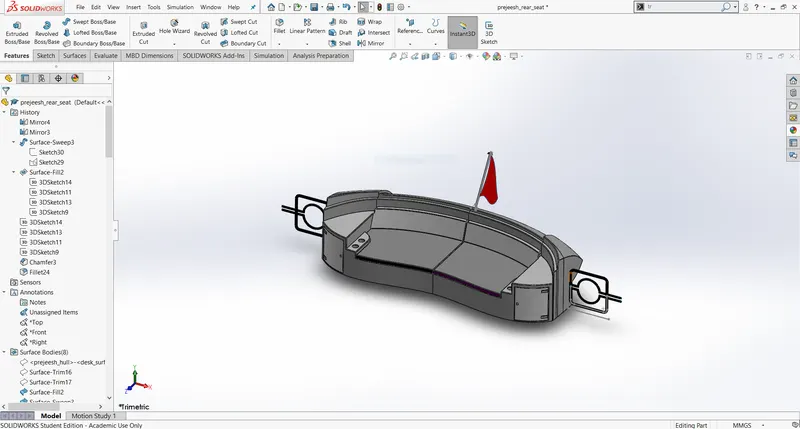
REVOLVED BOSS/ EXTRUDED
Create a sketch with a centerline, a plane, or an axis for revolve.
EXTRUDE BOSS/BASS
This feature is to convert 2D into a solid modeling only when the 2D sketch is completely closed. It also allows to extrude the surface in both directions and also offset it to require distance.
FILLET
This is to create a curved surface on the profile edges on the solid model by selecting the required lines or the face. This fillet also has a feature to select multiple lines which reduces time consumption.
LINEAR PATTERN
Feature is used to create a different number of patterns required to create the linear pattern.
EXTRUDE CUT
It is used to remove materials from a solid model in desired patterns and also it can be extruded in both directions.
DOME
This tool provides a smooth curve on the face of the profile.
SWEPT SURFACE
Surface generated from section curve positioned along the path.
COMPOSITIVE CURVE
When the two curve profile are broken this composite curve helps to join and make it a complete smooth single curve.
DYNAMIC MIRROR
To make the solid body identical to each other this feature is used.
COMBINE
Combine feature is used to combine two or more bodies when intersecting to each other and make it a single body.
superstructure:
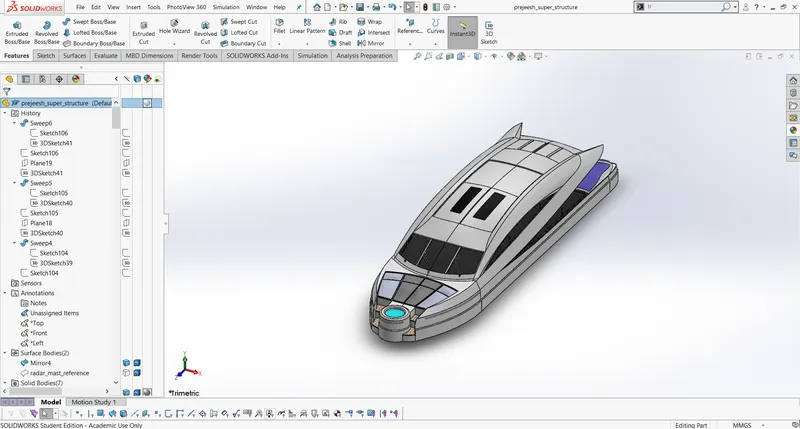
LOFTED SURFACE
Surface generated by existing edges creating a smooth tangent between the selected curves.
DOME
This tool provides a smooth curve on the face of the profile.
EXTRUDE CUT
It is used to remove materials from a solid model in desired patterns and also it can be extruded in both directions.
SPLIT TOOL
This tool is very handy, when two or more solid bodies intersect in between or intersect each other than split tool allows to delete unwanted solid body formation and gives a clean look.
EXTRUDE BOSS/BASS
This feature is to convert 2D into a solid modeling only when the 2D sketch is completely closed. It also allows to extrude the surface in both directions and also offset it to require distance.
FILLET
This is to create a curved surface on the profile edges of the solid model by selecting the required lines or the face. This fillet also has a feature to select multiple lines which reduces time consumption.
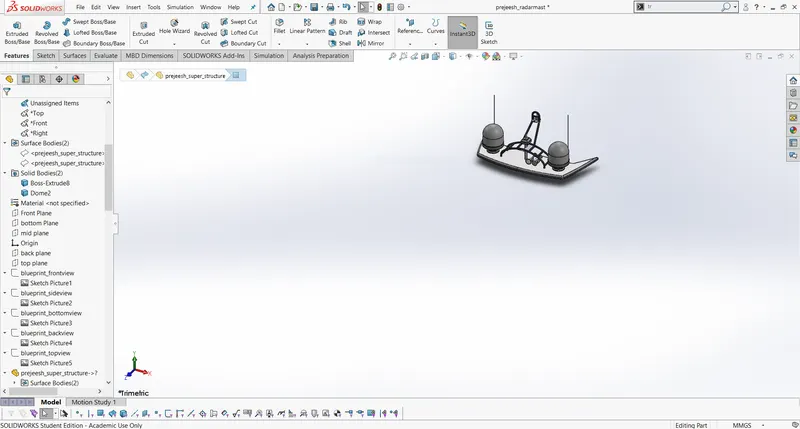
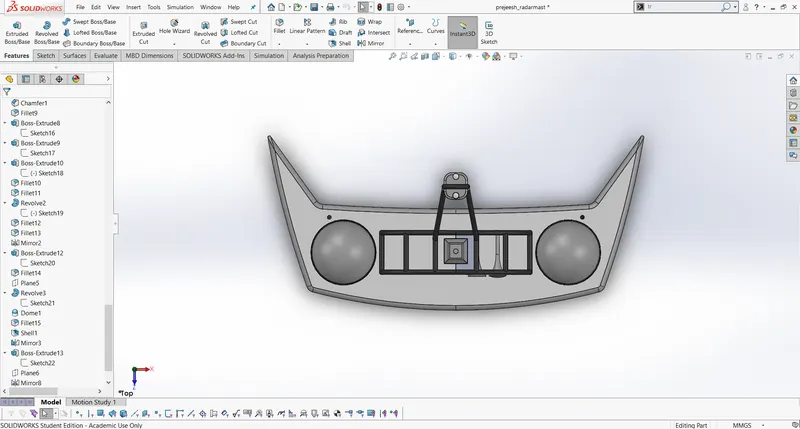
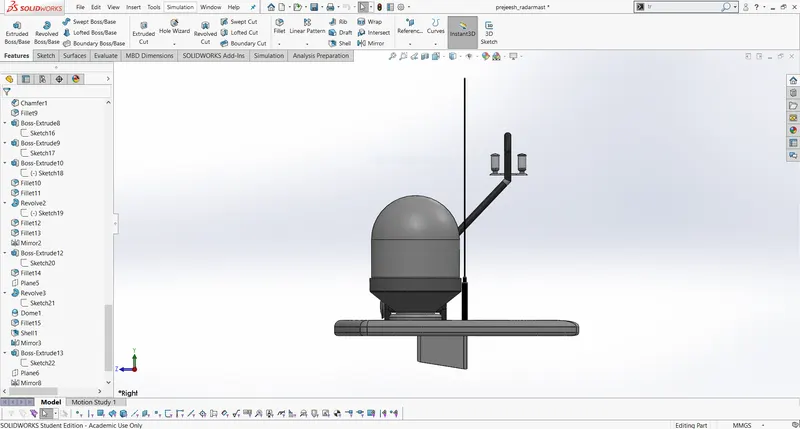
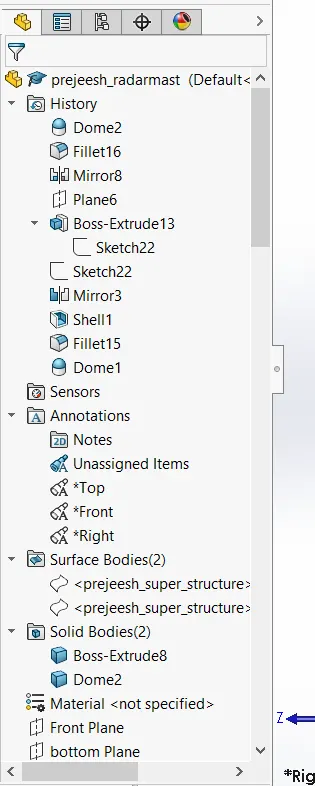
Radarmast:
EXTRUDE BOSS/BASS
This feature is to convert 2D into a solid modeling only when the 2D sketch is completely closed. It also allows to extrude the surface in both directions and also offset it to require distance.
COMBINE
Combine feature is used to combine two or more bodies when intersecting to each other and make it a single body.
FILLET
This is to create a curved surface on the profile edges on the solid model by selecting the required lines or the face. This fillet also has a feature to select multiple lines which reduces time consumption.
SHELL
It is used to create thickness of the profile.
SWEEP SURFACE
These sweeps are generated from a selection of curves that are positioned along the path.
SURFACE KNIT
Which create one single solid surface body from multiple solid surface body.
COMPOSITIVE CURVE
When the two curve profile are broken this composite curve helps to join and make it a complete smooth single curve.
SURFACE LOFT
This feature is used to fill the gap between the two curved surfaces.
DYNAMIC MIRROR
To make the solid body identical to each other this feature is used.
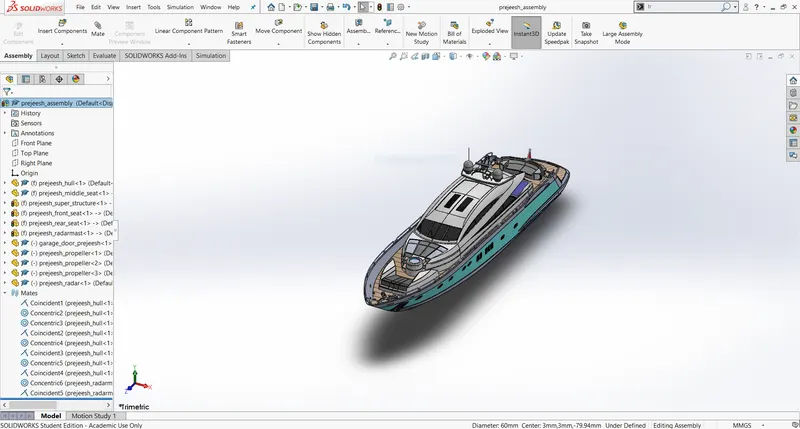
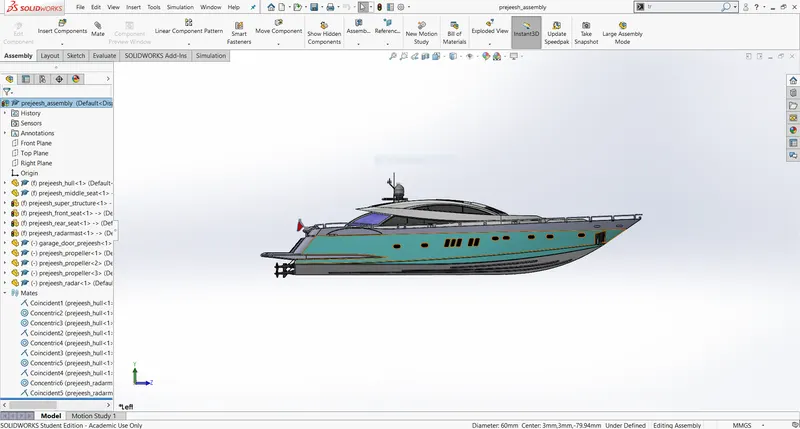
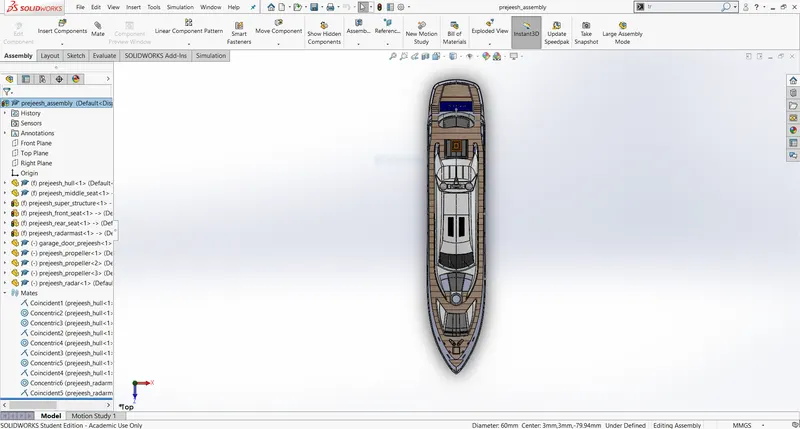
SCREEN SHORTS OF ASSEMBLED MODEL: -
TRIMETRIC VIEW:
RIGHT VIEW:
TOPVIEW:
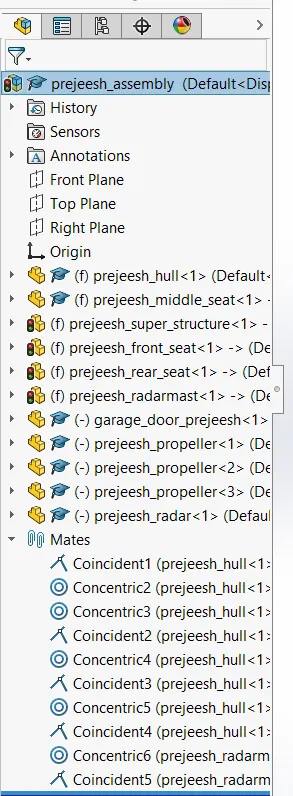
RENDERING IMAGE.1
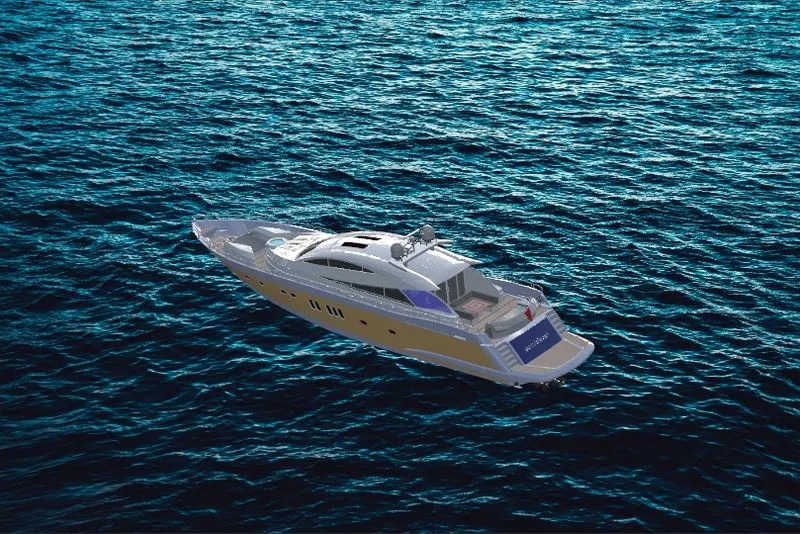
RENDERING IMAGE.2

RENDERING IMAGE.3

CONCLUSION:
- knowledge about converting a sketch into solid modeling.
- good knowledge of assembling of parts.
- learn how to render an image by adding different types of materials, camera views, and background images.