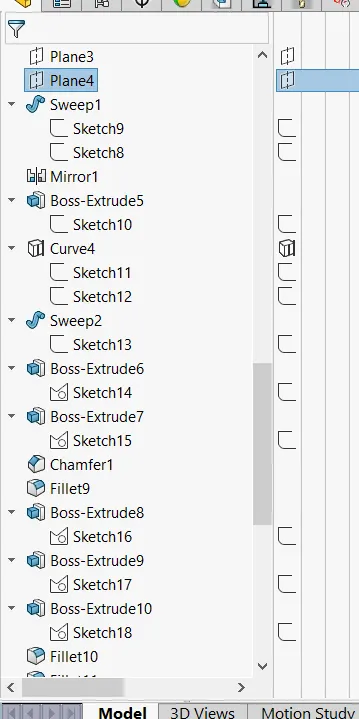
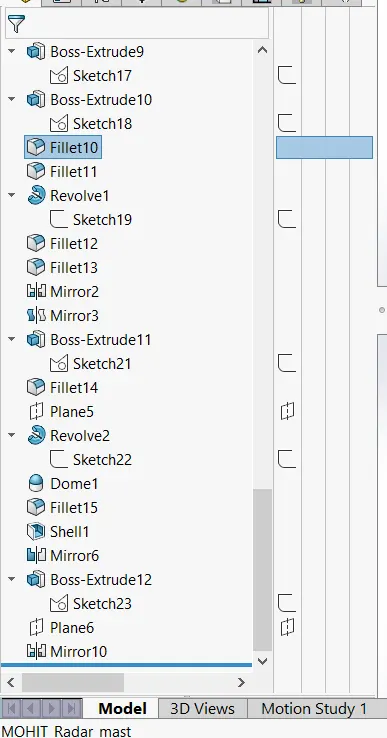
Radar Mast & Final Assembly of Yacht
MODELING AND ASSEMBLY OF AN AMERICAN PREDATOR YATCH
OBJECTIVE:-
- The main objective of this project is to create an entire American predator yacht using Solidworks.
- assemble different types of yacht parts into an assembly workbench using appropriate mates.
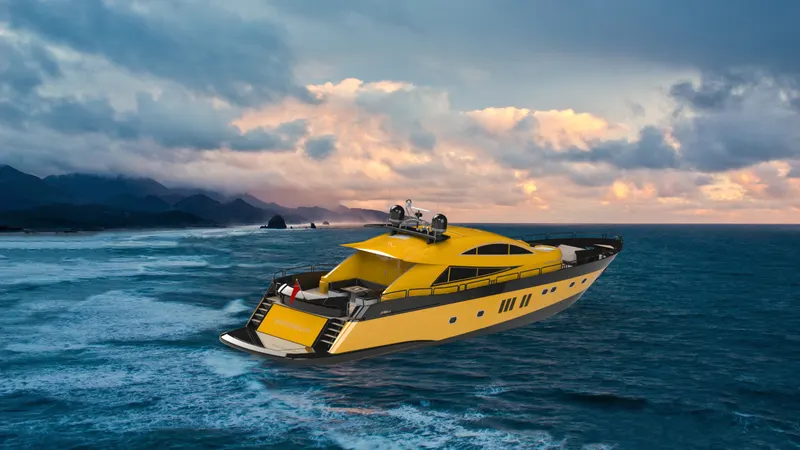
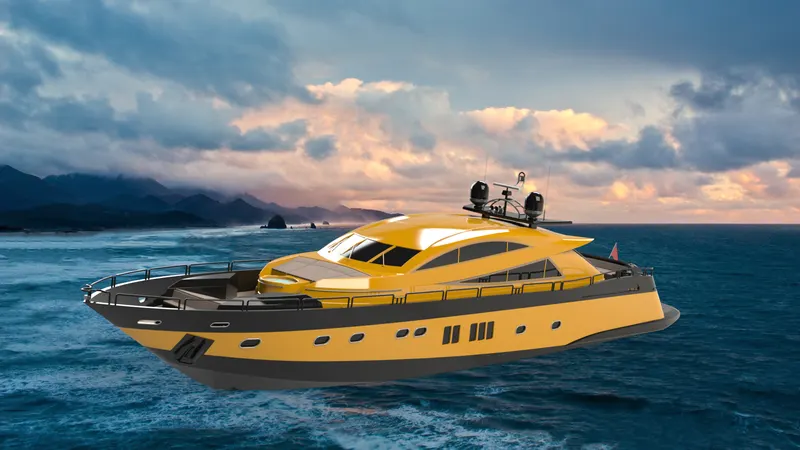
- to create 3d rendered images of the yacht using photo view 360 and Solidworks visualize.
INTRODUCTION:-
- SOLIDWORKS:- IN this project we will use Solidworks for building an American predator yatch mainly we will use surfaces for this project and learn different surface creation tools and techniques such as boundary surfaces, lofted surfaces, filled surfaces, extend surfaces, and so on. we can create complex curves using Solidworks surfacing tools, making Solidworks an extremely useful software for 3d modeling.
- AMERICAN PREDATOR YATCH:- yatches are used for pleasure activities by some rich people and it is now a symbol of luxury. American predator yatches are built by Royal De Vries Aalsmeer.
DESIGN METHODOLOGY:-
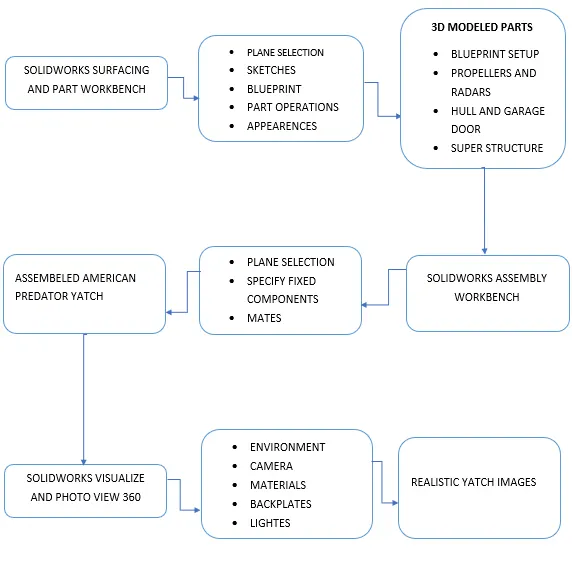
DESCRIPTION:-
1. PROPELLER:-
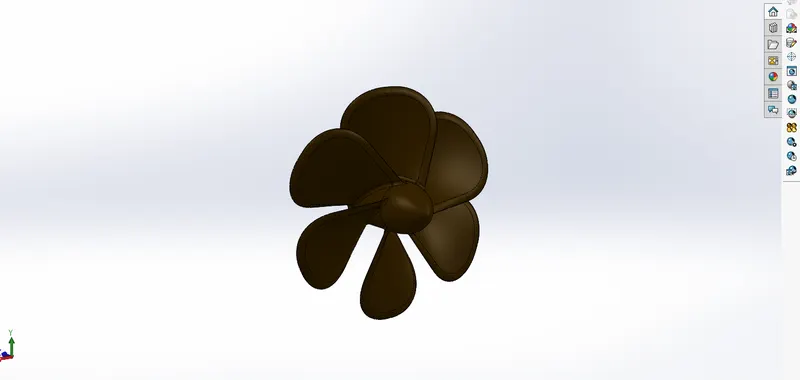
Tools and feature used to create propeller:-
- Revolved Boss/base:- this feature revolves around a full sketch or selected sketched contours around a selected axis to create a solid part.
- lofted boss/base:- this feature adds material between two or more sketched profiles to create a solid part with or without the help of a guide curve.
- Fillets:- fillet feature used to create a smooth edge.
- Cut extrude:- this feature is used to remove unnecessary materials from a solid body with the help of sketched profiles.
- circular pattern:- circular pattern feature helps us to create multiples of an existing feature on a circular reference.
2. Radar:-
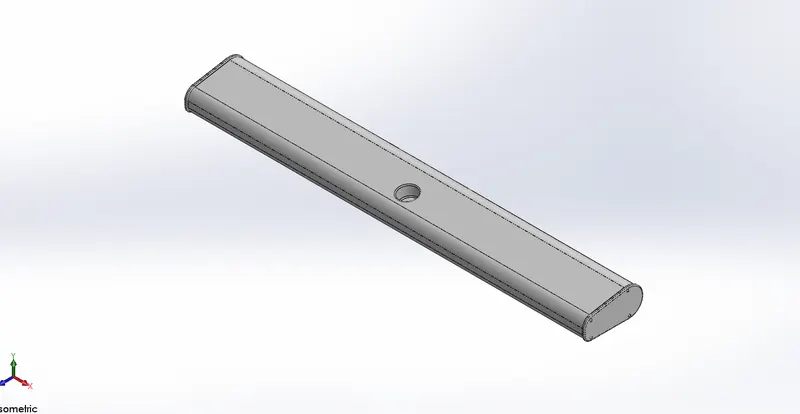
Tools and feature used to create radar:-
- Extruded boss/base:- this feature is used to create a solid body with the help of a closed sketched profile.
- Fillets:- fillet feature used to create a smooth edge.
- Cut extrude:- this feature is used to remove unnecessary materials from a solid body with the help of sketched profiles.
- sketch pattern:- this feature is used to create several existing features with the help of a reference sketch.
- Mirror:-mirror feature allows us to create identical parts with the help of a reference surface or plane.
- Split line:- split line feature is used to cuts an existing face into two or more faces with the help of a sketched line.
3.Hull:-
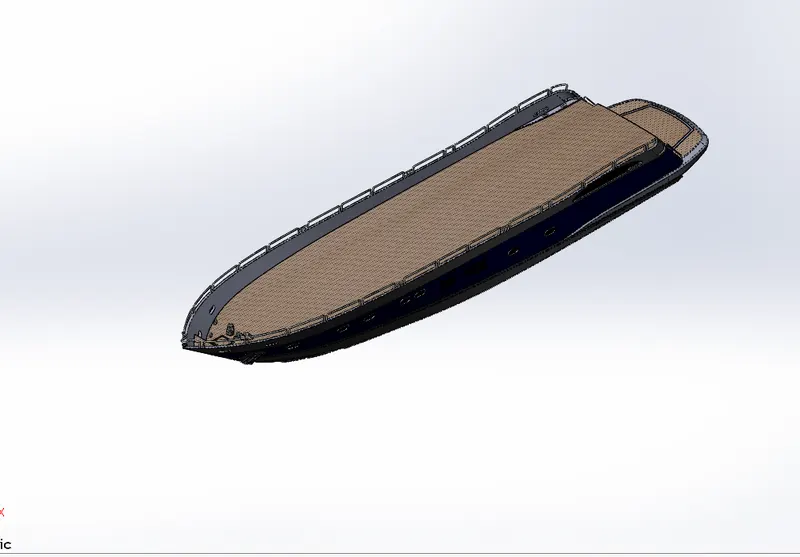
Tools and feature used to create hull:-
- Projected curve:- this is a 3d curve that is made up of two different two-dimensional sketches.
- Lofted surface:- this feature is used to create a surface with the help of two or more sketched profiles and guide curves.
- surface trim:- this surface-based trim tool is used to trim a surface with the help of either a sketched profile or any other surface that works as a trim tool.
- Extend surface:-this surface-based tool is used to extend a surface to a certain distance in a specified direction.
- Surface extrude:-surface extrude tool is used to create a surface with the help of a sketched profile in one or two directions.
- Surface knit:- surface knit tool is used to combine two or more surfaces into one surface.
- fill surface:-this tool is used to create a surface enclosed by another surface or curves.
- shell:- this feature hollows out a part with the help of a selected face and we can give desired value of thickness.
- Sweep:- this feature is used to create a part with the help of a profile and guide curve. this feature is used mainly for creating a pipe-like structure along a path.
- Dome:- dome tool is used to give spherical shape to any surface.
- Chamfer:- chamfer feature is used to cut out an edge at a degree or a specified distance to make that edge Sharpless.
- Extruded boss/base:- this feature is used to create a solid body with the help of a closed sketched profile.
- Helix/spirals:-spirals and helix are created to make spring-like parts and we can give the desired pitch and revolves to the spiral.
- Linear pattern:- the linear pattern is used to create copies of an existing part in a specified direction.
- split:- split tool is used to create bodies from an existing part with the help of trim tools and this feature allows us to save those resulting bodies.
4.Garage door:-
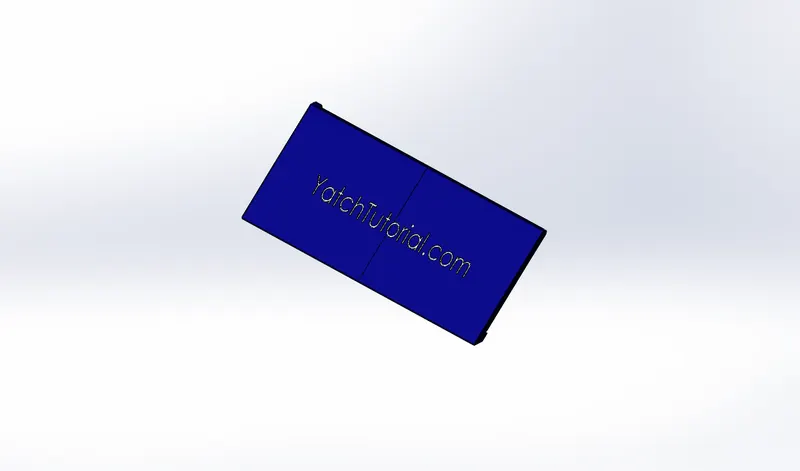
Tools and feature used to create garage door:-
- Cut extrude:- this feature is used to remove unnecessary materials from a solid body with the help of sketched profiles.
- shell:- this feature hollows out a part with the help of a selected face and we can give desired value of thickness.
- Fillets:- fillet feature used to create a smooth edge.
- Split line:- split line feature is used to cuts an existing face into two or more faces with the help of a sketched line.
5.Front seat:-
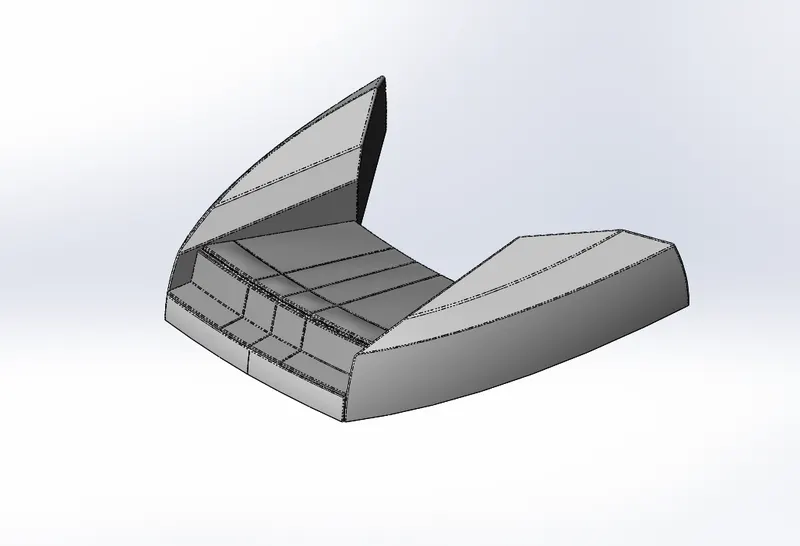
Tools and feature used to create front seat:-
- Surface sweep:-this feature is used to create a part with the help of a profile and guide curve. this feature is used mainly for creating a pipe-like structure along a path.
- Surface extrude:-surface extrude tool is used to create a surface with the help of a sketched profile in one or two directions.
- surface trim:- this surface-based trim tool is used to trim a surface with the help of either a sketched profile or any other surface that works as a trim tool.
- fill surface:-this tool is used to create a surface enclosed by another surface or curves.
- Lofted surface:- this feature is used to create a surface with the help of two or more sketched profiles and guide curves.
- Surface knit:- surface knit tool is used to combine two or more surfaces into one surface.
- Revolved Boss/base:- this feature revolves around a full sketch or selected sketched contours around a selected axis to create a solid part.
- Chamfer:- chamfer feature is used to cut out an edge at a degree or a specified distance to make that edge Sharpless.
- Dome:- dome tool is used to give spherical shape to any surface.
- Cut extrude:- this feature is used to remove unnecessary materials from a solid body with the help of sketched profiles.
- Mirror:-mirror feature allows us to create identical parts with the help of a reference surface or plane.
- Fillets:- fillet feature used to create a smooth edge.
6.middle seat:-
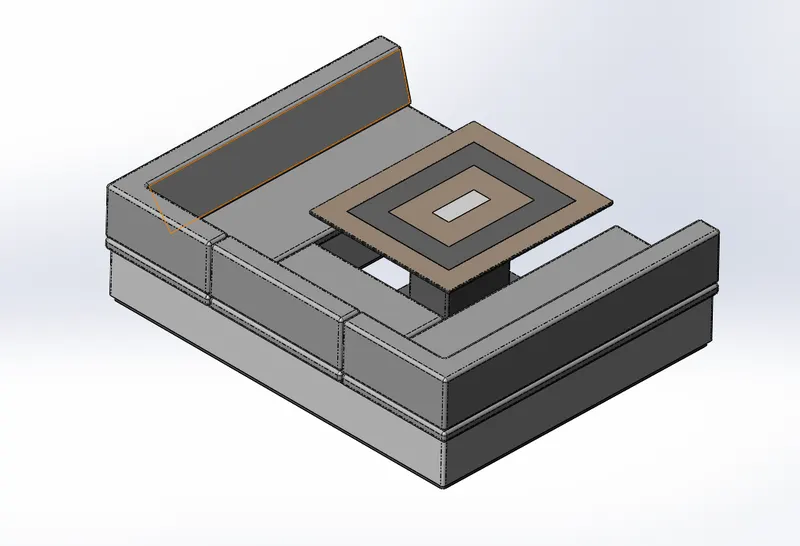
Tools and feature used to create middle seat:-
- Extruded boss/base:- this feature is used to create a solid body with the help of a closed sketched profile.
- Fillets:- fillet feature used to create a smooth edge.
- Cut extrude:- this feature is used to remove unnecessary materials from a solid body with the help of sketched profiles.
- Chamfer:- chamfer feature is used to cut out an edge at a degree or a specified distance to make that edge Sharpless.
- Mirror:-mirror feature allows us to create identical parts with the help of a reference surface or plane.
6.Rear seat:-
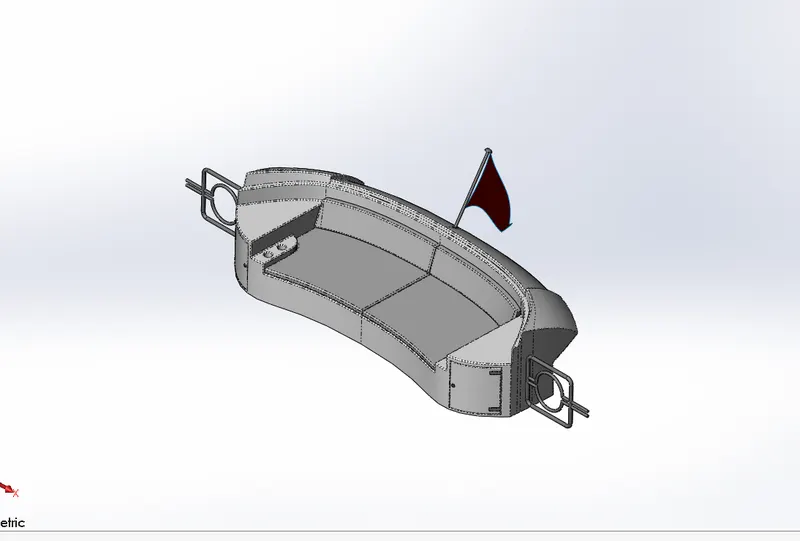
Tools and feature used to create rear seat:-
- Ruled surface:-ruled surface tool is used to create a surface in a specified direction from an existing surface this feature also allows us to knit and trim options.
- Surface sweep:-this feature is used to create a part with the help of a profile and guide curve. this feature is used mainly for creating a pipe-like structure along a path.
- Surface offset:- this tool allows us to create a surface from an existing surface at a specified distance.
- surface trim:- this surface-based trim tool is used to trim a surface with the help of either a sketched profile or any other surface that works as a trim tool.
- Surface knit:- surface knit tool is used to combine two or more surfaces into one surface.
- Extend surface:-this surface-based tool is used to extend a surface to a certain distance in a specified direction.
- Lofted surface:- this feature is used to create a surface with the help of two or more sketched profiles and guide curves.
- Chamfer:- chamfer feature is used to cut out an edge at a degree or a specified distance to make that edge Sharpless.
- Mirror:-mirror feature allows us to create identical parts with the help of a reference surface or plane.
- Fillets:- fillet feature used to create a smooth edge.
- Revolved Boss/base:- this feature revolves around a full sketch or selected sketched contours around a selected axis to create a solid part.
7.Superstructure:-
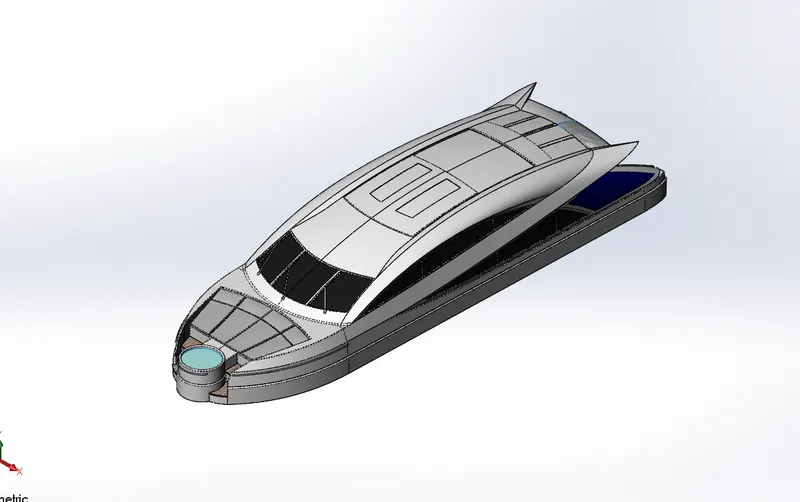
Tools and feature used to create superstructure:-
- Surface extrude:-surface extrude tool is used to create a surface with the help of a sketched profile in one or two directions.
- Surface sweep:-this feature is used to create a part with the help of a profile and guide curve. this feature is used mainly for creating a pipe-like structure along a path.
- Surface knit:- surface knit tool is used to combine two or more surfaces into one surface.
- Fillets:- fillet feature used to create a smooth edge.
- Ruled surface:-ruled surface tool is used to create a surface in a specified direction from an existing surface this feature also allows us to knit and trim options.
- surface trim:- this surface-based trim tool is used to trim a surface with the help of either a sketched profile or any other surface that works as a trim tool.
- Projected curve:- this is a 3d curve that is made up of two different two-dimensional sketches.
- Lofted surface:- this feature is used to create a surface with the help of two or more sketched profiles and guide curves.
- fill surface:-this tool is used to create a surface enclosed by another surface or curves.
- 3D sketch:-3d sketch allows us to create different sketch entities that belong from different planer surfaces.
- Delete face:- this feature is very handy this can remove unwanted faces from our part.
- Extruded boss/base:- this feature is used to create a solid body with the help of a closed sketched profile.
- Chamfer:- chamfer feature is used to cut out an edge at a degree or a specified distance to make that edge Sharpless.
- Mirror:-mirror feature allows us to create identical parts with the help of a reference surface or plane.
- Cut extrude:- this feature is used to remove unnecessary materials from a solid body with the help of sketched profiles.
- Fillets:- fillet feature used to create a smooth edge.
- Split line:- split line feature is used to cuts an existing face into two or more faces with the help of a sketched line.
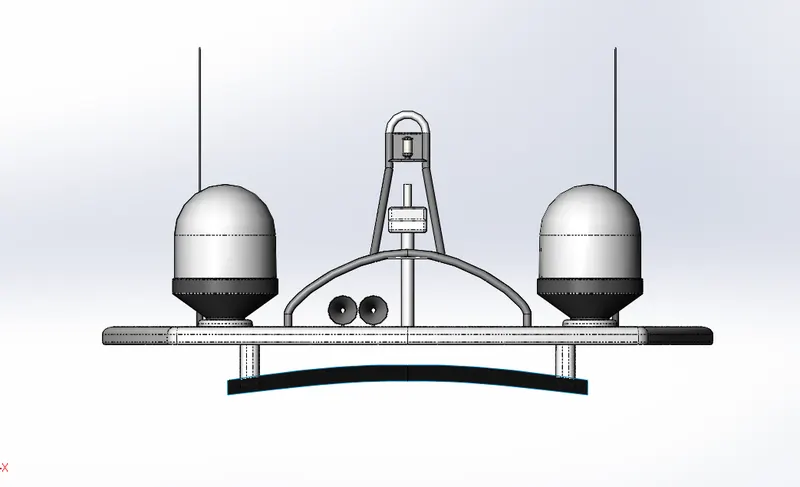
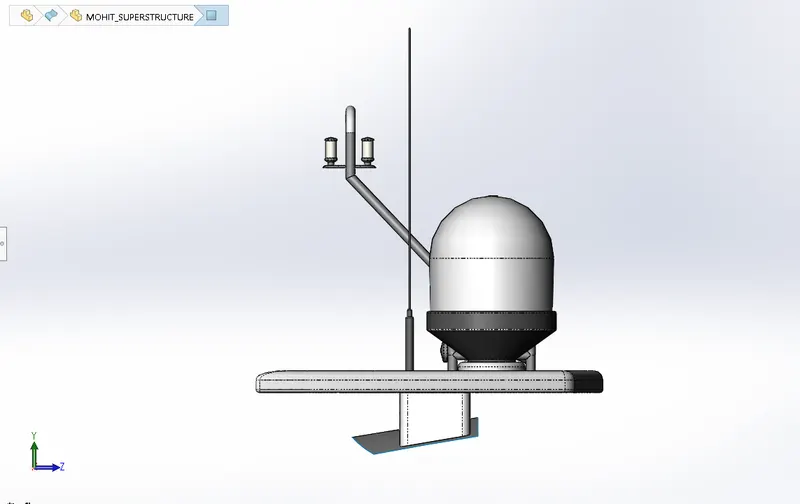
8.Radar mast:-
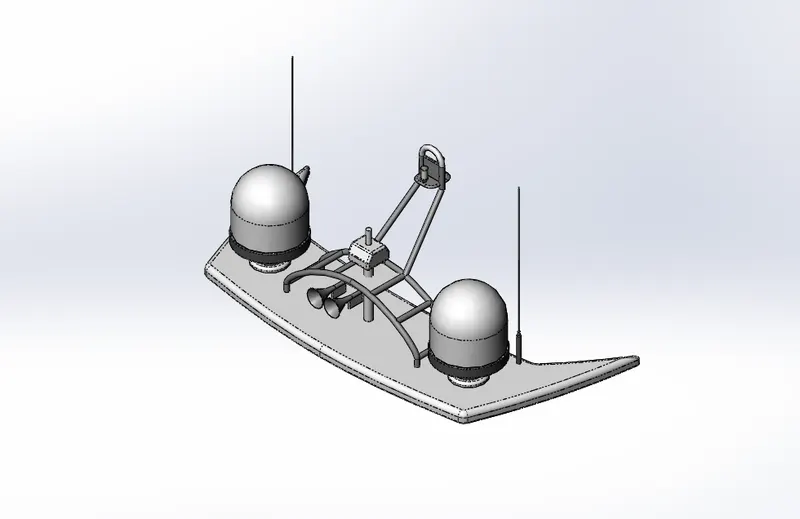
Tools and feature used to create superstructure:-
- Extruded boss/base:- this feature is used to create a solid body with the help of a closed sketched profile.
- Fillets:- fillet feature used to create a smooth edge.
- Revolved Boss/base:- this feature revolves around a full sketch or selected sketched contours around a selected axis to create a solid part.
- Fillets:- fillet feature used to create a smooth edge.
- Sweep:- this feature is used to create a part with the help of a profile and guide curve. this feature is used mainly for creating a pipe-like structure along a path.
- Mirror:-mirror feature allows us to create identical parts with the help of a reference surface or plane.
- Projected curve:- this is a 3d curve that is made up of two different two-dimensional sketches.
- Dome:- dome tool is used to give spherical shape to any surface.
- shell:- this feature hollows out a part with the help of a selected face and we can give desired value of thickness.
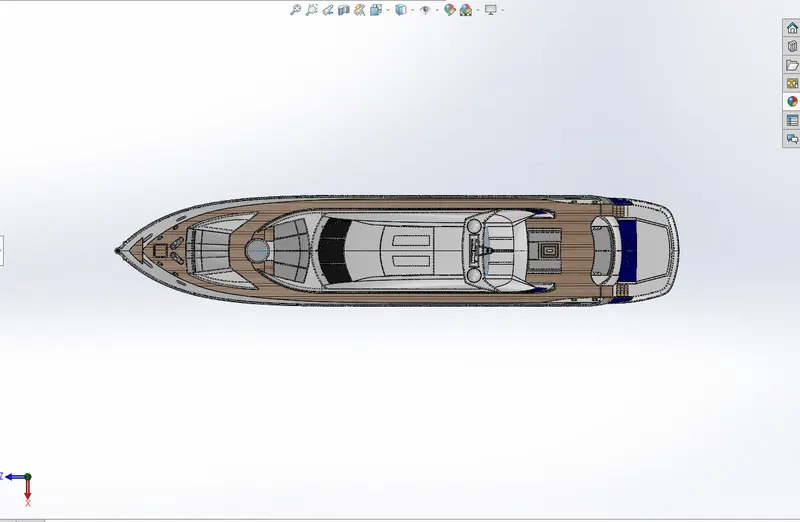
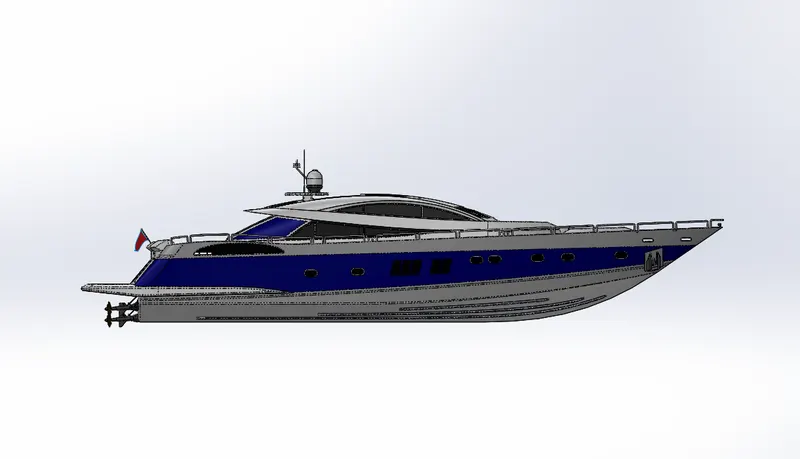
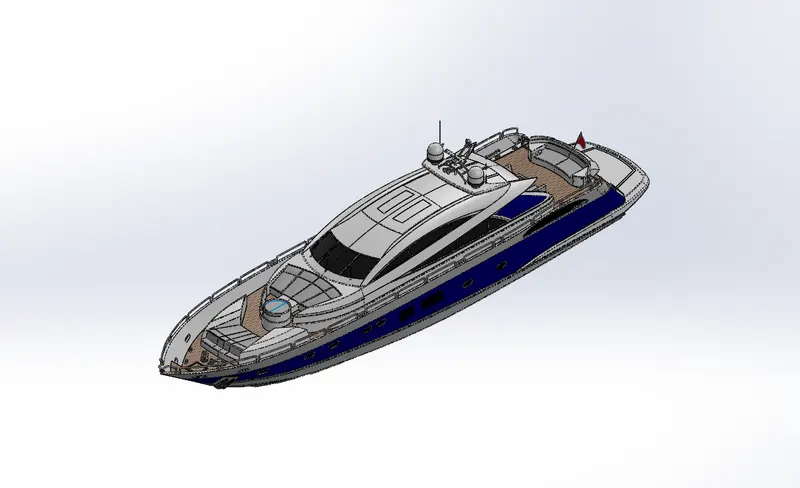
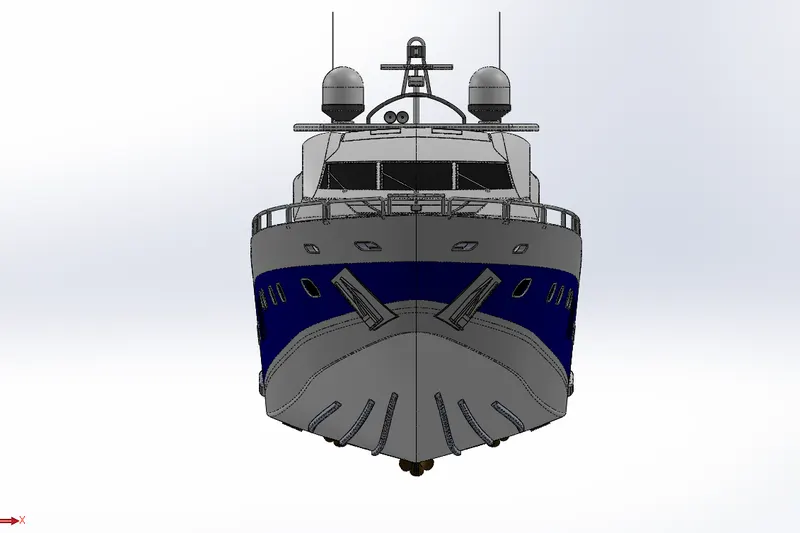
SCREENSHOT OF ASSEMBLED YATCH:-
- TOP VIEW
- SIDE VIEW
- ISOMETRIC VIEW:-
- FRONT VIEW
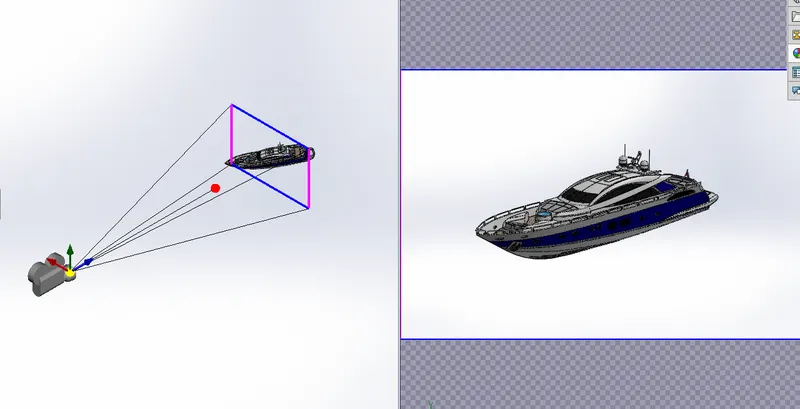
- CAMERA VIEW
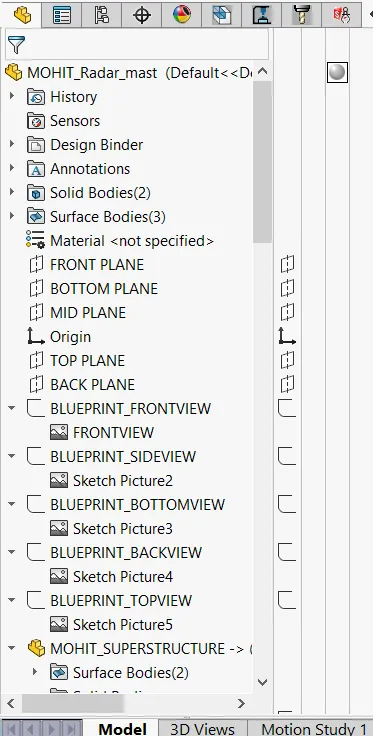
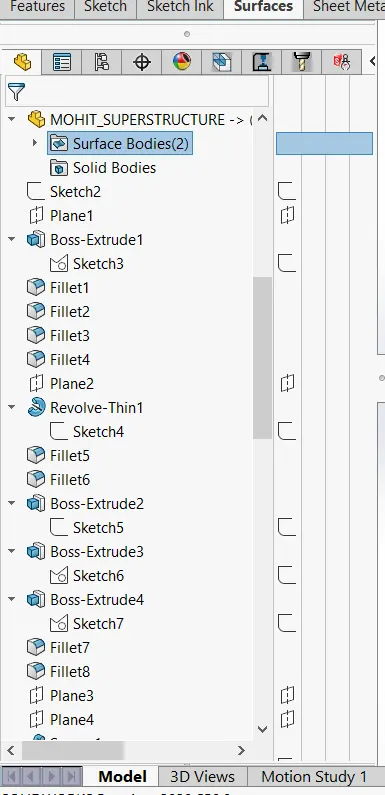
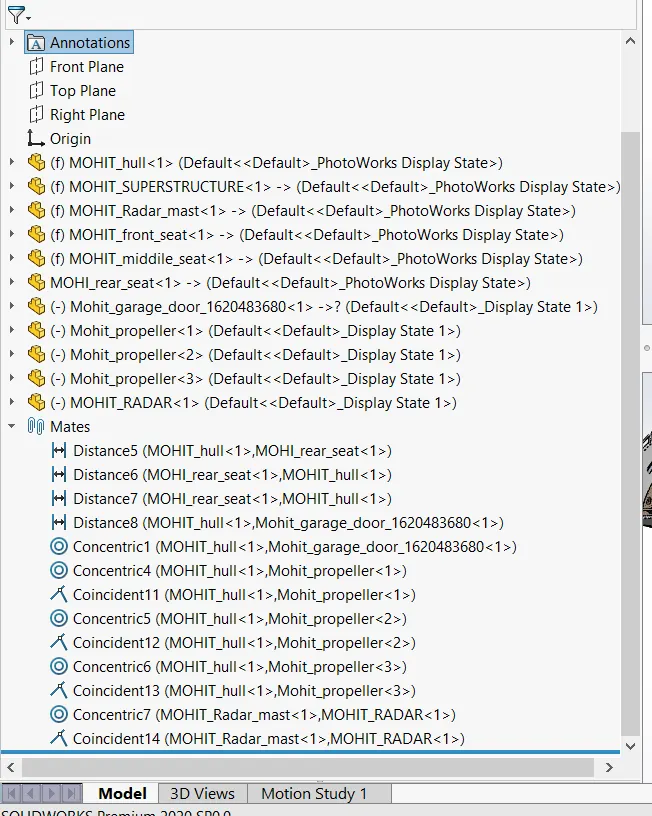
FEATURE TREE IMAGES OF YATCH ASSEMBLY:-
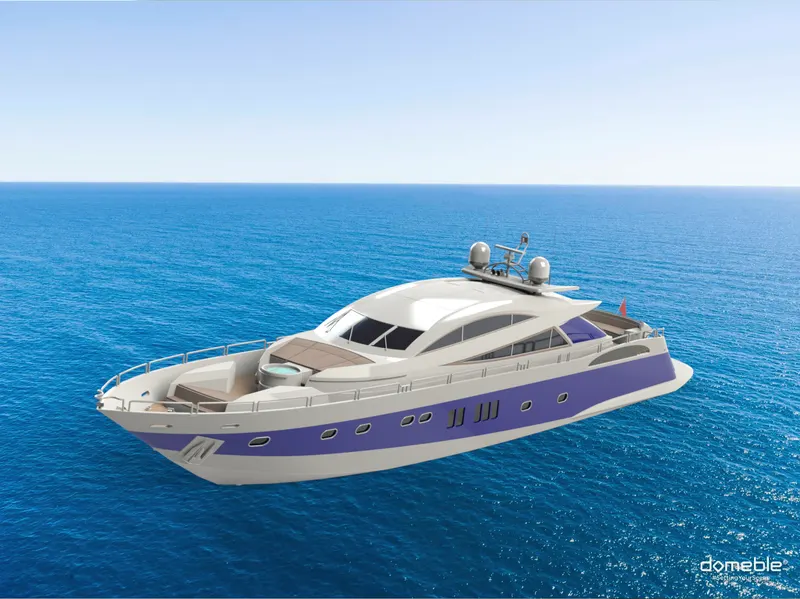
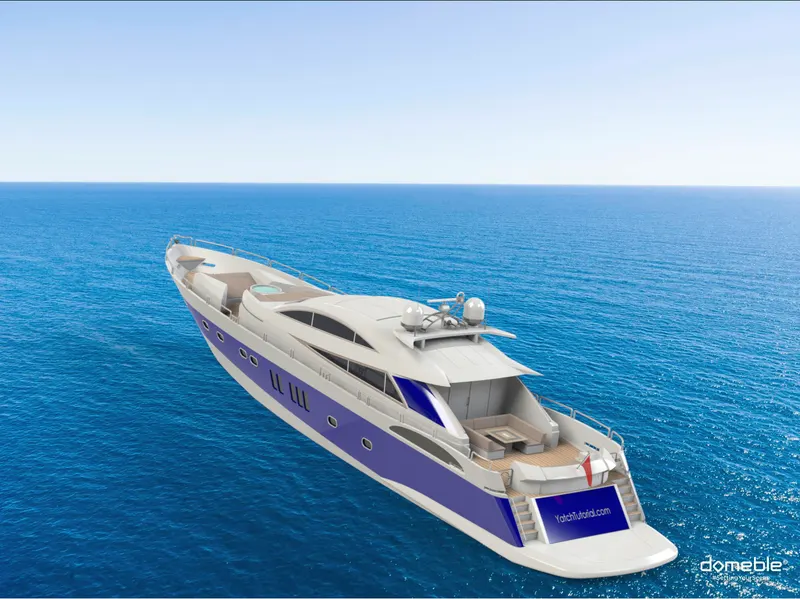
RENDERED IMAGES OF YATCH:-
RADAR MAST:-