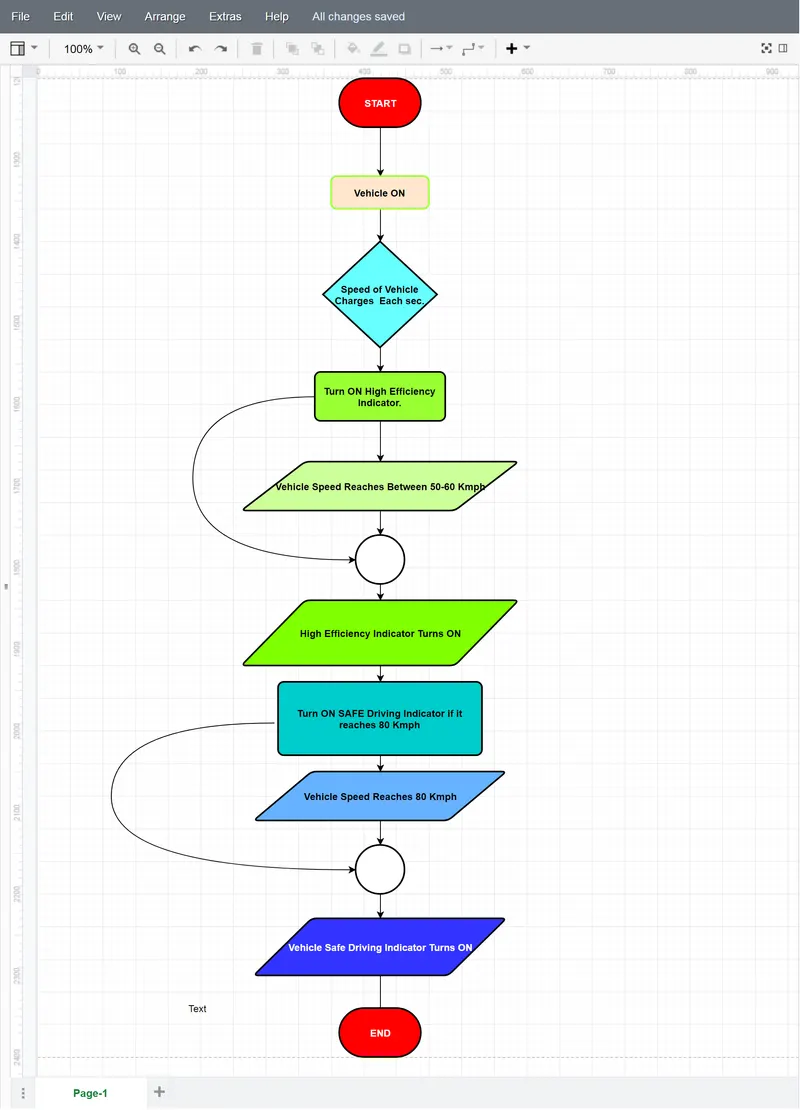
Pseudo code for displaying speed on the digital dashboard as per given conditions.
1 Write a pseudo code for displaying speed on the digital dashboard as per below conditions.
Update displayed speed every second, Turn on high efficiency indicator between 50 to 60 kmph, Turn on safe drive indicator above 80 kmph.
Pseudocode is an informal way of programming description that does not require any strict programming language syntax or underlying technology considerations. It is used for creating an outline or a rough draft of a program and summarizes a program's flow.
A program flowchart is the simplest way to figure out the bugs in a program before carrying out, saving a lot of time, labor, and money.
A flowchart is a graphical representation of various logical steps of a program. These expressions use several shapes, including the geometric ones, to show the step-by-step process with arrows while establishing a data flow. There are 21 different types of flowcharts, and a programming flowchart is one of them.
The program flowchart is a data flow that shows the data flow while writing a program or algorithm. It allows the user to explain the process quickly as they collaborate with others. These programming flowcharts also analyze the logic behind the program to process the code of the programming. The programming flowcharts can serve in different ways. For example, they can analyze the codes, visualize and work on them. They can also help figure out the application's structure to realize how a user navigates in a tool.
The programming flowcharts improve the condition and efficiency of work. The tool has four basic symbols that have code written on them for programming. They give commands like START, PROCESS, DECISION, and END, and these symbols are the crucial part of the programming flowcharts. They help in forming a relationship between various elements to describe the data flow.
Flowchart Symbols:
For creating a programming flowchart, the user needs programming flowchart examples. The flowcharts use diagrams to express an algorithm, and hence flow charts are very helpful in creating and analyzing the details of a program. The flow charts use some symbols that can explain the logic of programming connected with the flowchart elements. Here are some widely-used programming flowchart symbols.
- Flow Line: This symbol works as a connector in a programming flowchart. This line shows the logical flow and relationship among the various steps or elements of the programming flowchart. The flow lines run between each step starting from the two terminals to denote the flow of logic.
- Terminal (Start/ Stop): The terminal symbols present in every programming flowchart as the process starts with a "start" command, and a "stop" command shows the end of the whole process on the flowchart. The example also has both the start and end symbols represented by a rectangular sign with curved edges to signify the beginning and end of a programming flowchart procedure.
- Input/ Output: The commands of Input and Output in operation are most crucial. To get a logical flow to go through the processing, the user needs to give input. The system reads the inputs to give an output. The symbols for inputs and outputs are parallelograms.
- Processing: For a process to complete successfully, the method must include the function of processing. The processing part occurs between the input and the output. The rectangle shapes represent the processing work.
- On-page connector: When there is a need to connect different flowlines, on-page connectors are present at the junction.
- Off-page connector: The off-page connectors connect different flowlines when they are present on separate pages.
- Decision: When there is a need to decide between true or false, this function gets used. The diamond-shaped symbols are useful when the function is taking a series of decisions to get the result.
- Predefined process/ function: When a group of some statements performs a predefined work, its representation occurs with this symbol.
| SYMBOL | PURPOSE | DESCRIPTION |
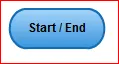 |
Terminal (START / STOP) | The terminal symbols present in every programming flowchart as the process starts with a "START" command, and a "STOP" command shows the end of the whole process on the flowchart. the example also has both the START and END symbols represented by a rectangular sign with curved edges to signify the beginning and end of a programming flowchart procedure. |
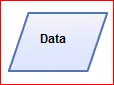 |
Input / Output | Input/Output: The commands of Input and Output are more crucial. To get the Logical flow to go through the processing, the user needs to give Inputs. The System Reads the Input to give an output. The Symbol for input and output are Parallelograms. |
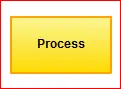 |
Processing | For a Process to complete successfully. the method must include the function of processing. The processing part occurs between Input and Output. The Rectangle shapes represent the processing work. |
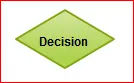 |
Decision | When there is need to decide between True or False this function get used. The Diamond-Shaped symbols are useful when the function is taking a series of decision to get the results |
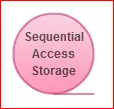 |
On-Page Connector | When there is a need to connect different flowlines, On-page connectors are present at the junction. |
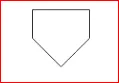 |
Off-Page Connector | The Off-Page Connectors connect different flowlines when they are present on separate pages. |
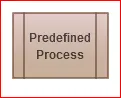 |
Predefined Process/Function | When a group of some statements performs a predefined work, Its representation occurs with this symbol. |
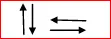 |
Flow line | It Indicate the direction of flow of Instruction. |
- Write a pseudo code for displaying speed on the digital dashboard as per below conditions.
Update displayed speed every second, Turn on high efficiency indicator between 50 to 60 kmph, Turn on safe drive indicator above 80 kmph.
Application link: https://www.diagrameditor.com/webapp/?splash=0&ui=atlas&tr=0&gh=0&gl=0&gapi=0&od=0&db=0&lang=en