Projefct 1_Comparative study of different storey buildings for Seismic forces
1)Effect of stiffness on T
Aim: To compare the effect of stiffness on natural period of buildings E & F and G & H
Building E:
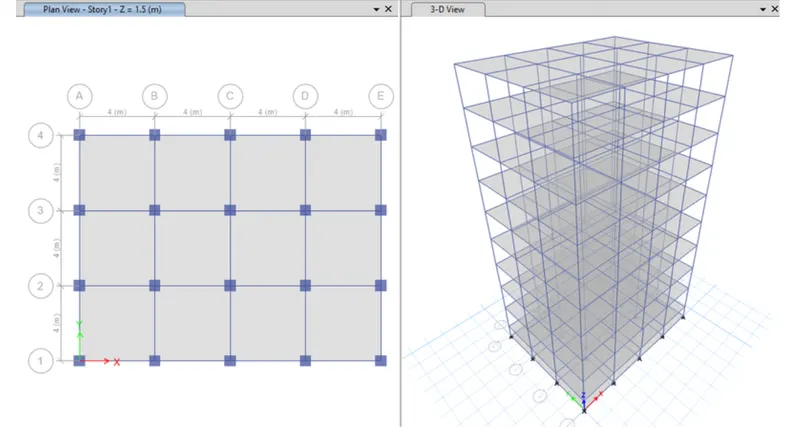
1) Open New model and set number of stories as 10 and number of bays in X direction as 4 and in Y direction as 3
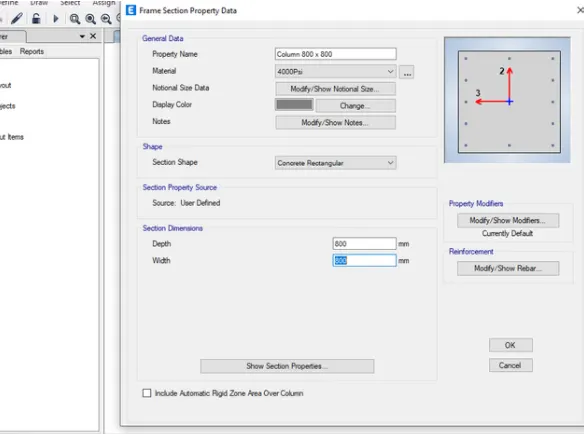
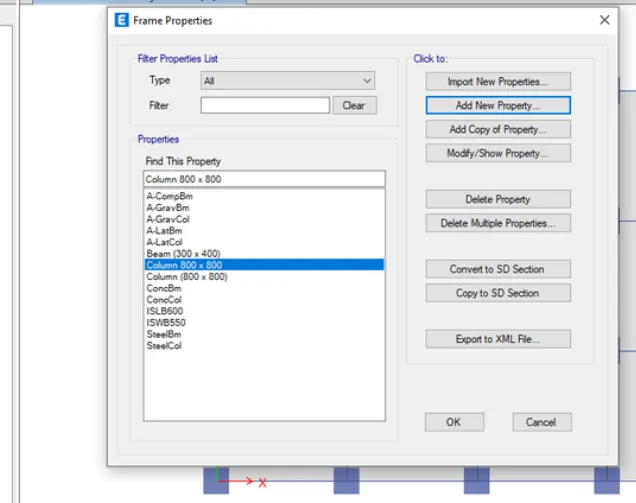
2) Define the section property of column as 400X400mm for upper 5 storeys,Bottom 5 storeys as 600X600mm and beam as 300mmX400mm
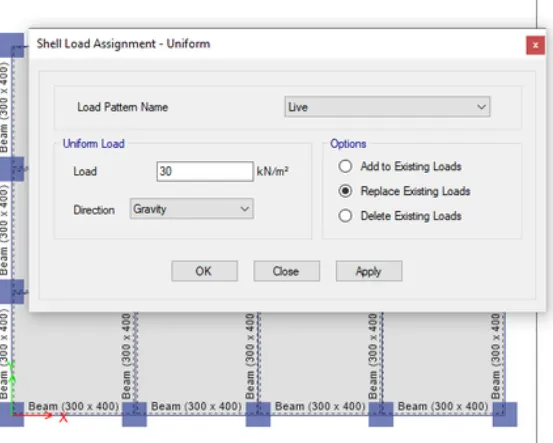
3). And also defining the other section properties of Beam and slab and click assign load choose shell load select uniform load and Assigning the Live load as 3kN/m2 and brickwall load as 10kN/m2.
4).now draw the beams ,coloumns and slab and assign load and select the load combination and add diaphram and finally add mass source.
5).now Run the analysis
6)now open Display tab select the show table option
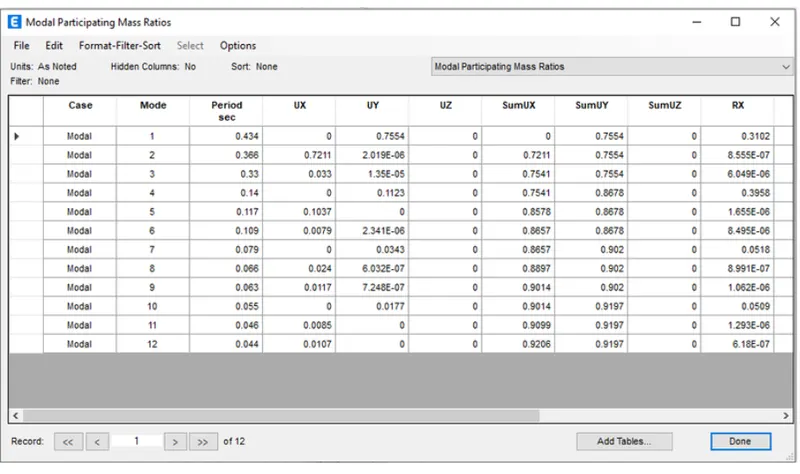
7) select the modal participating ratio it displays table
Building f:
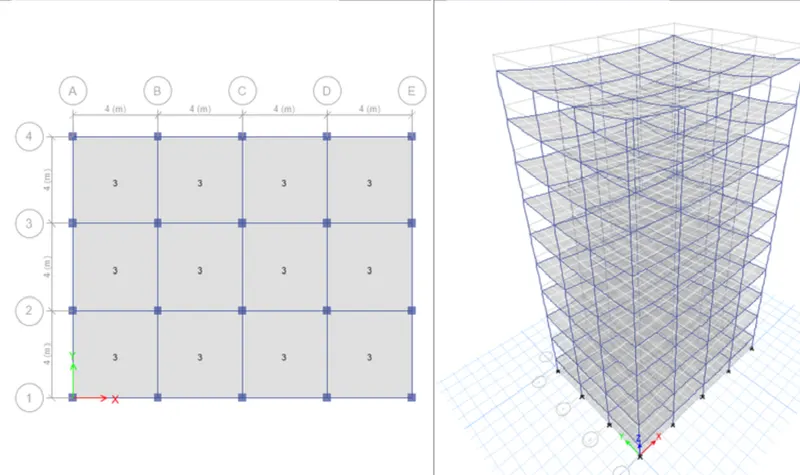
1) Open New model andset number of stories as 10 and number of bays in X direction as 4 and in Y direction as 3
2) Define the section property of column as 600X600mm and beam as 300mmX400mm
3). And also defining the other section properties of Beam and slab and click assign load choose shell load select uniform load and Assigning the Live load as 3kN/m2 and brickwall load as 10kN/m2..
4).now draw the beams ,coloumns and slab and assign load and select the load combination and add diaphram and finally add mass source.
5).now Run the analysis
6)now open Display tab select the show table option
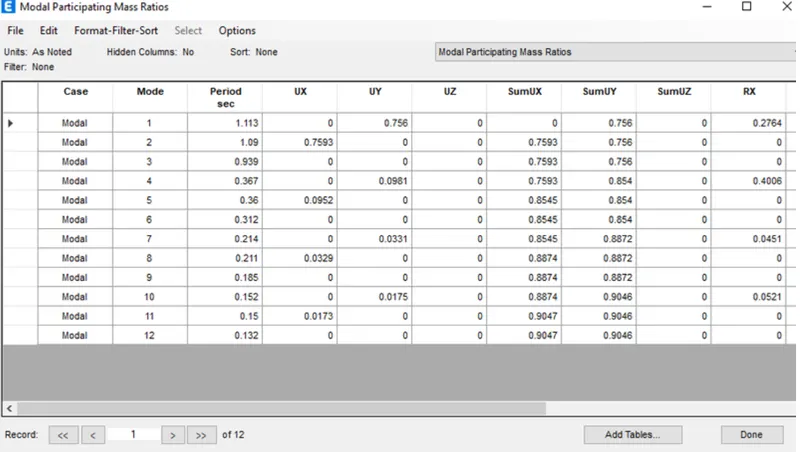
7) select the modal participating ratio it displays table
Building g:
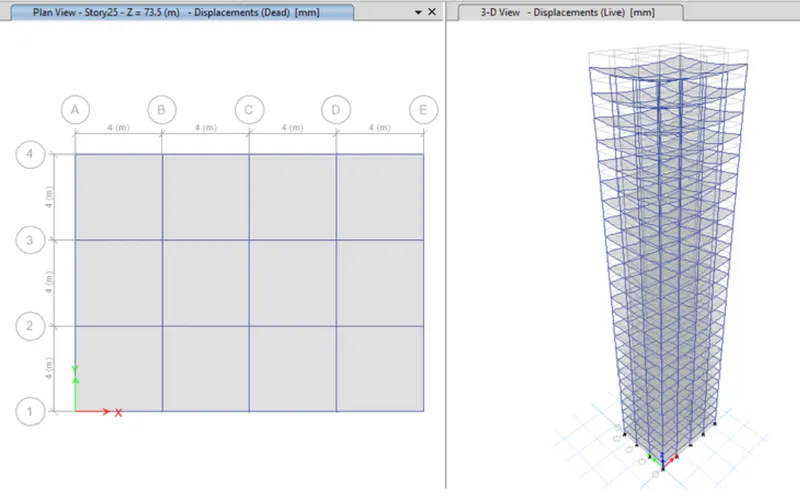
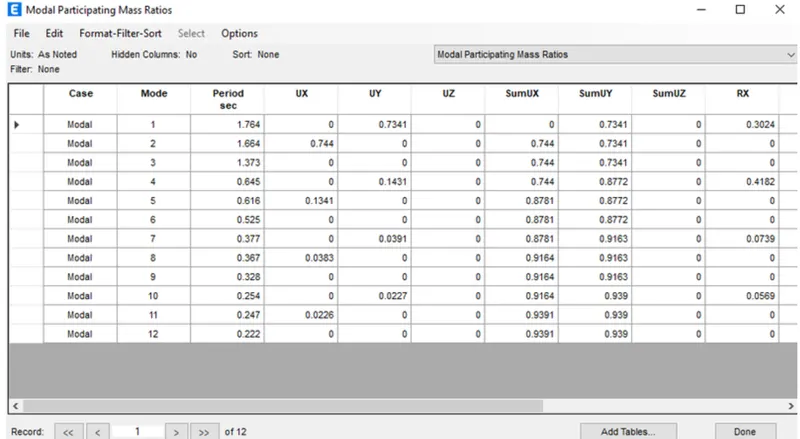
1) Open New model and set number of stories as 25 and number of bays in X direction as 4 and in Y direction as 3
2) Defining the section property of column as 400X400mm for upper 5 storeys,Middle 10 storeys as 600X600mm and Bottom 10 storey as 800X800mm and beam as 300mmX400mm
3). And also defining the other section properties of Beam and slab and click assign load choose shell load select uniform load and Assigning the Live load as 3kN/m2 and brickwall load as 10kN/m2..
4).now draw the beams ,coloumns and slab and assign load and select the load combination and add diaphram and finally add mass source.
5).now Run the analysis
6)now open Display tab select the show table option
7) select the modal participating ratio it displays table
Building h:
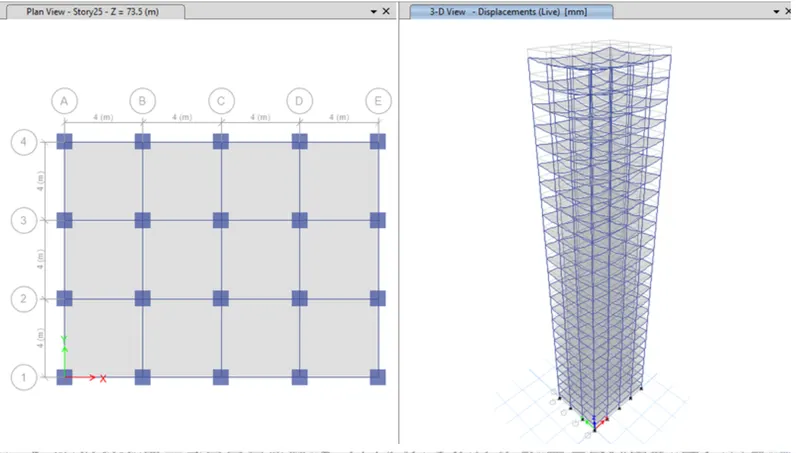
1) Open New model and set number of stories as 25 and number of bays in X direction as 4 and in Y direction as 3
2) Defining the section property of column storey as 800X800mm and beam as 300mmX400mm
3). And also defining the other section properties of Beam and slab and click assign load choose shell load select uniform load and Assigning the Live load as 3kN/m2 and brickwall load as 10kN/m2.
4).now draw the beams ,coloumns and slab and assign load and select the load combination and add diaphram and finally add mass source.
5).now Run the analysis
6)now open Display tab select the show table option
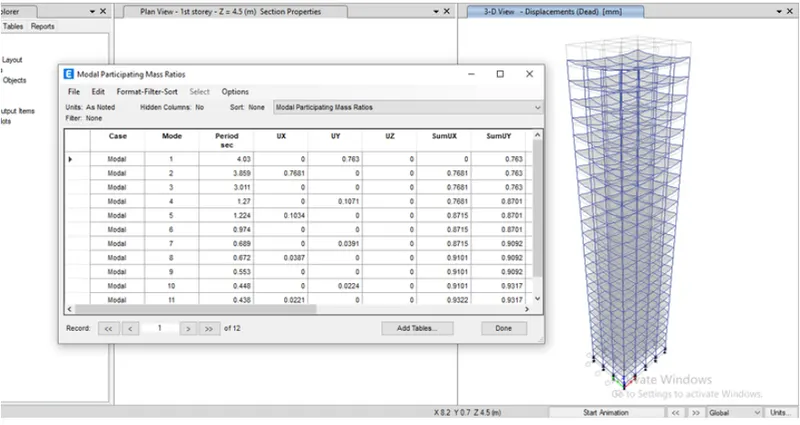
7) select the modal participating ratio it displays table
Conclusion:
Time period of E=0.36
Time period of F=1.113
Time period of G=1.764
Time period of H=3.811
we can conclude that as height and dimensions changes it reflects change in time period
Comparision 2
Aim: To compare the effect of mass on natural period of buildings H.J and K using ETABS
Building H:
1) Open New model and set number of stories as 25 and number of bays in X direction as 4 and in Y direction as 3
2) Defining the section property of column storey as 800X800mm and beam as 300mmX400mm
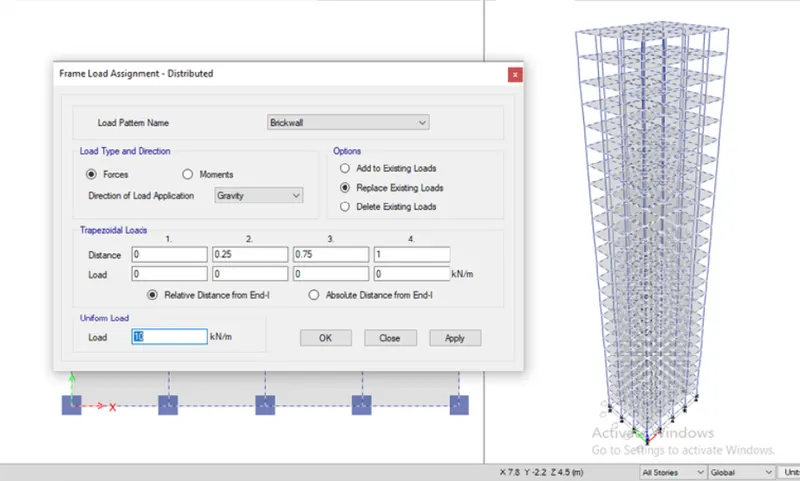
3). And also defining the other section properties of Beam and slab and click assign load choose shell load select uniform load and Assigning the Live load as 3kN/m2 and brickwall load as 10kN/m2.
4).now draw the beams ,coloumns and slab and assign load and select the load combination and add diaphram and finally add mass source.
5).now Run the analysis
6)now open Display tab select the show table option
7) select the modal participating ratio it displays table
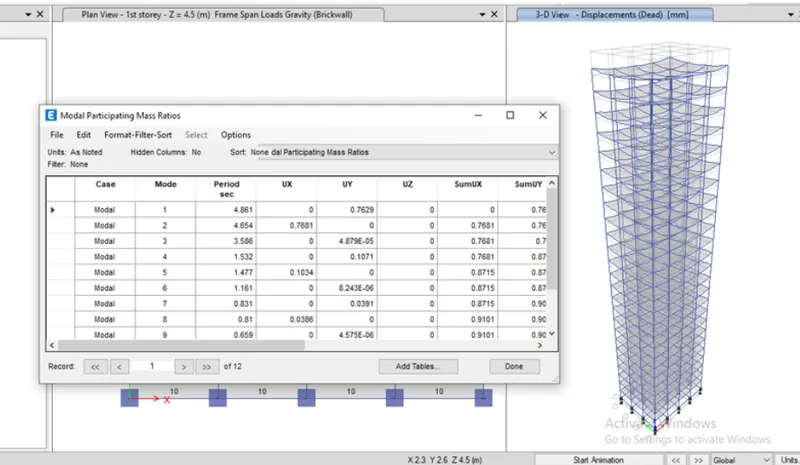
Building j:
1) Open New model and set number of stories as storey as 25 and number of bays in X direction as 4 and in Y direction as 3
2) Defining the section property of column storey as 800X800mm and beam as 300mmX400mm
3). And also defining the other section properties of Beam and slab and click assign load choose shell load select uniform load and Assigning the Live load as 3.3kN/m2 and brickwall load as 10kN/m2.
4).now draw the beams ,coloumns and slab and assign load and select the load combination and add diaphram and finally add mass source.
5).now Run the analysis
6)now open Display tab select the show table option
7) select the modal participating ratio it displays table
Building k:
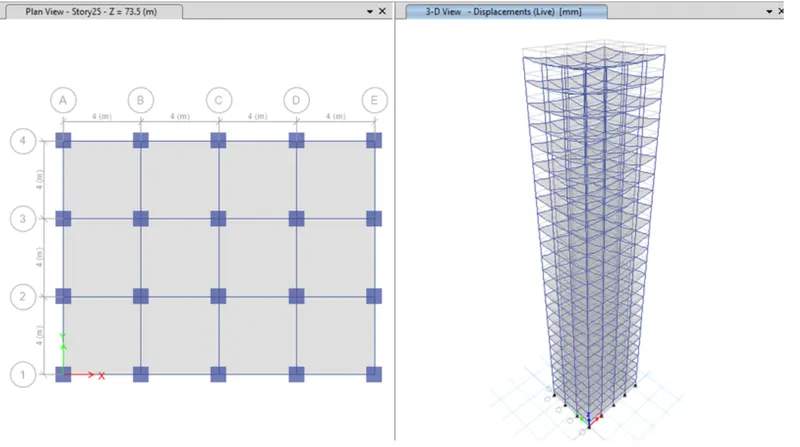
1) Open New model and set number of stories as storey as 25 and number of bays in X direction as 4 and in Y direction as 3
2) Defining the section property of column storey as 800X800mm and beam as 300mmX400mm
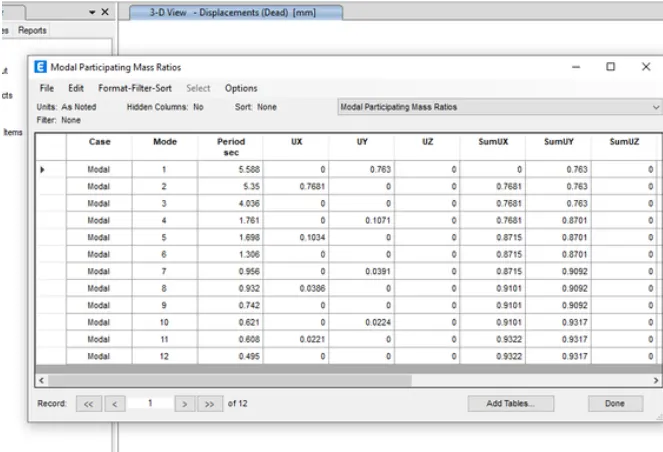
3). And also defining the other section properties of Beam and slab and click assign load choose shell load select uniform load and Assigning the Live load as 3.6kN/m2 and brickwall load as 10kN/m2.
4).now draw the beams ,coloumns and slab and assign load and select the load combination and add diaphram and finally add mass source.
5).now Run the analysis
6)now open Display tab select the show table option
7) select the modal participating ratio it displays table
Conclusion:
Time period of H-3.811
Time period of J-4.411
Time period of K-5.588
we can conlude that mass of the building is increased load by 10% and 20% the natural period also increases.so it becomes more flexible due to increase in weight.
Comparision 3
Aim: To compare the effect of height on natural periodof buildings A,B,F,H
Building A:
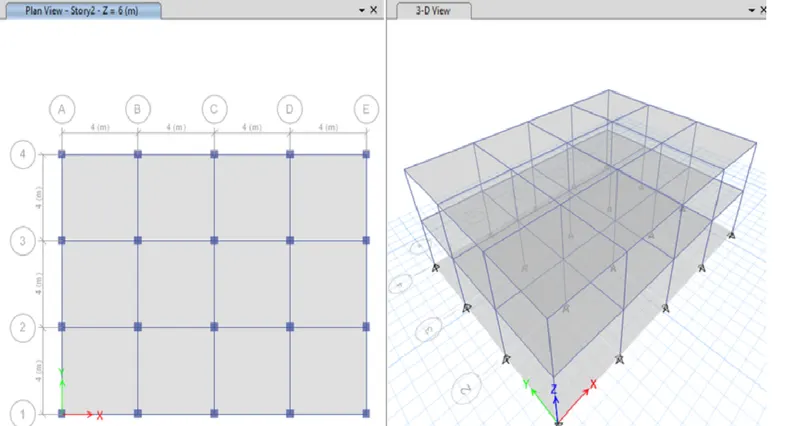
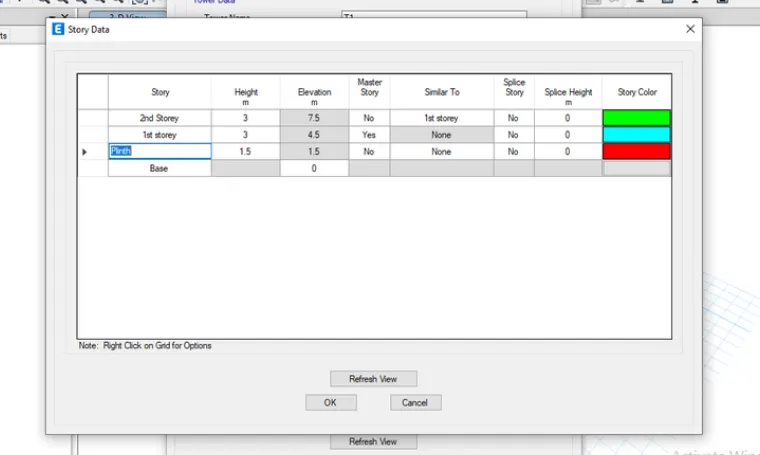
1) Open New model and set number of stories as 2 and number of bays in X direction as 4 and in Y direction as 3
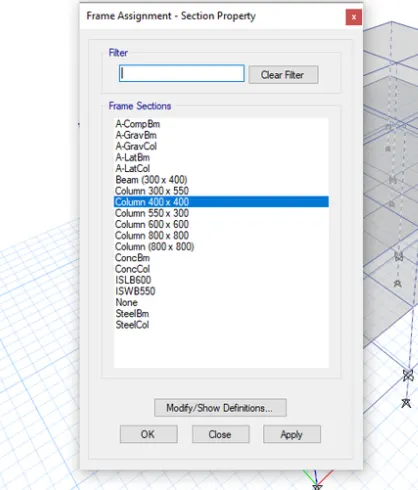
2) Defining the section property of column storey as 400X400mm and beam as 300mmX400mm
3). And also defining the other section properties of Beam and slab and click assign load choose shell load select uniform load and Assigning the Live load as 3kN/m2 and brickwall load as 10kN/m2.
4).now draw the beams ,coloumns and slab and assign load and select the load combination and add diaphram and finally add mass source.
5).now Run the analysis
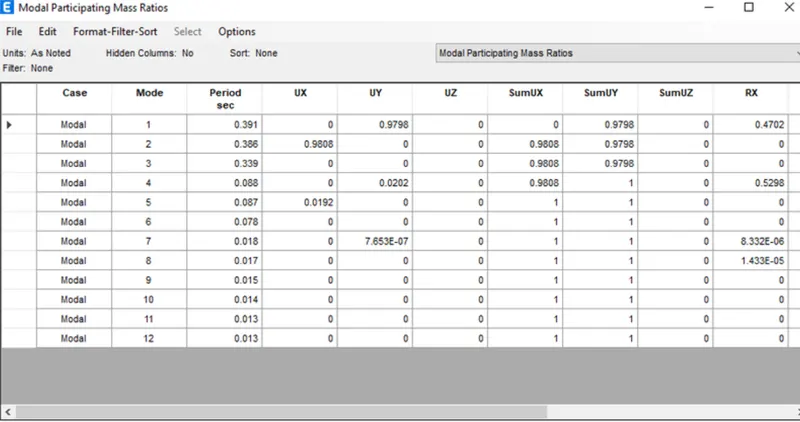
6)now open Display tab select the show table option
7) select the modal participating ratio it displays table
Building B:
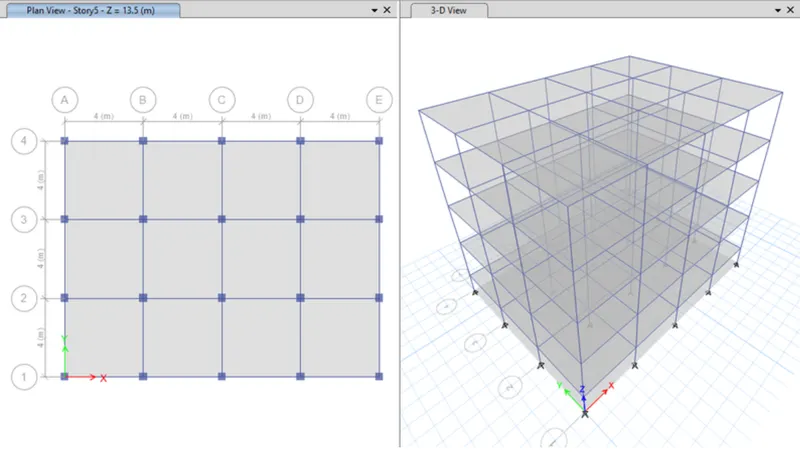
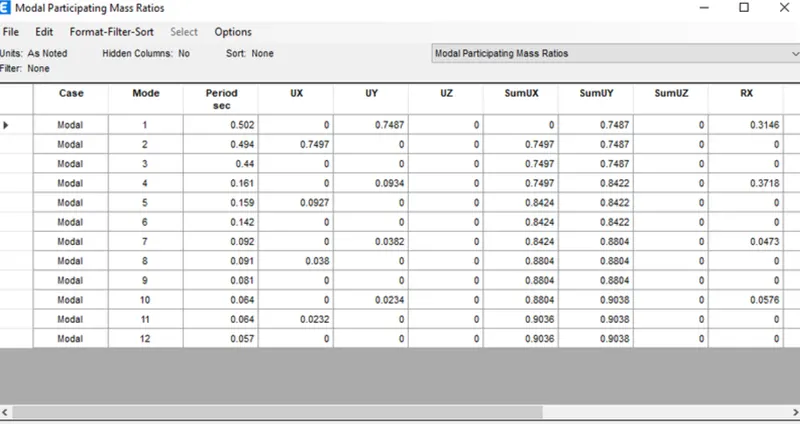
1) Open New model and set number of stories as 5 and number of bays in X direction as 4 and in Y direction as 3
2) Defining the section property of column storey as 400X400mm and beam as 300mmX400mm
3). And also defining the other section properties of Beam and slab and click assign load choose shell load select uniform load and Assigning the Live load as 3kN/m2 and brickwall load as 10kN/m2.
4).now draw the beams ,coloumns and slab and assign load and select the load combination and add diaphram and finally add mass source.
5).now Run the analysis
6)now open Display tab select the show table option
7) select the modal participating ratio it displays table
Building f:
1) Open New model andset number of stories as 10 and number of bays in X direction as 4 and in Y direction as 3
2) Define the section property of column as 600X600mm and beam as 300mmX400mm
3). And also defining the other section properties of Beam and slab and click assign load choose shell load select uniform load and Assigning the Live load as 3kN/m2 and brickwall load as 10kN/m2..
4).now draw the beams ,coloumns and slab and assign load and select the load combination and add diaphram and finally add mass source.
5).now Run the analysis
6)now open Display tab select the show table option
7) select the modal participating ratio it displays table
Building h:
1) Open New model and set number of stories as 25 and number of bays in X direction as 4 and in Y direction as 3
2) Defining the section property of column storey as 800X800mm and beam as 300mmX400mm
3). And also defining the other section properties of Beam and slab and click assign load choose shell load select uniform load and Assigning the Live load as 3kN/m2 and brickwall load as 10kN/m2.
4).now draw the beams ,coloumns and slab and assign load and select the load combination and add diaphram and finally add mass source.
5).now Run the analysis
6)now open Display tab select the show table option
7) select the modal participating ratio it displays table
CONCLUSION:
Time period of A-0.309
Time period of B-0.502
Time period of F-1.113
Time period of H-3.811
we can conclude that as height of building increases time period aslo increases graduvally.
Comparision 4
Aim: To compare the effect of height on natural periodof buildings B,C and D
Building B:
1) Open New model and set number of stories as 5 and number of bays in X direction as 4 and in Y direction as 3
2) Defining the section property of column storey as 400X400mm and beam as 300mmX400mm
3). And also defining the other section properties of Beam and slab and click assign load choose shell load select uniform load and Assigning the Live load as 3kN/m2 and brickwall load as 10kN/m2.
4).now draw the beams ,coloumns and slab and assign load and select the load combination and add diaphram and finally add mass source.
5).now Run the analysis
6)now open Display tab select the show table option
7) select the modal participating ratio it displays table
Building C:
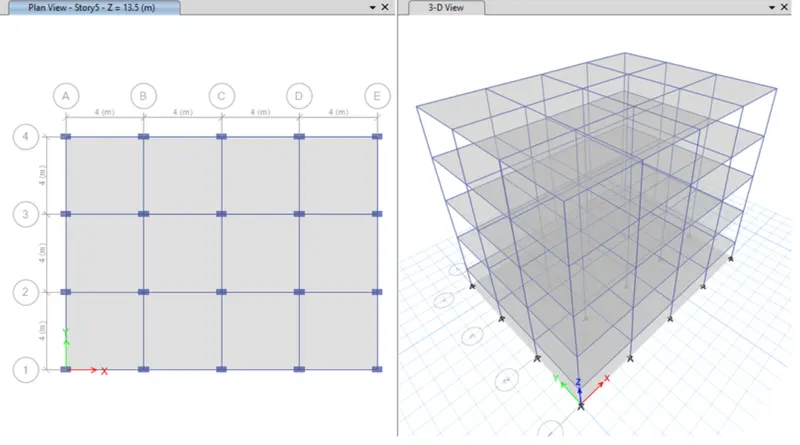
1) Open New model and set number of stories as 5 and number of bays in X direction as 4 and in Y direction as 3
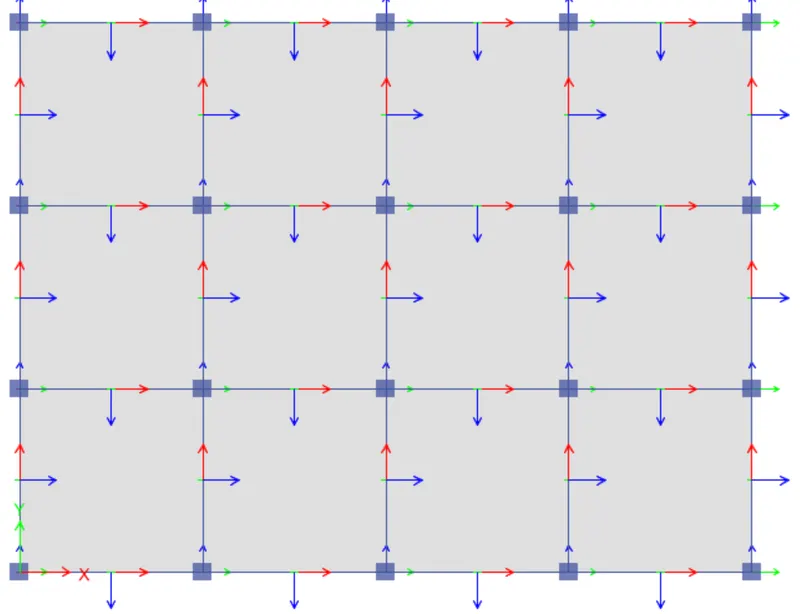
2) Defining the section property of column storey as 550X300mm and beam as 300mmX400mm
3). And also defining the other section properties of Beam and slab and click assign load choose shell load select uniform load and Assigning the Live load as 3kN/m2 and brickwall load as 10kN/m2.
4).now draw the beams ,coloumns and slab and assign load and select the load combination and add diaphram and finally add mass source.
5)Now select the coloumn and open assign tab.
6)select frame section and open local axes and enter the rotation angle 180degrees.
7).now Run the analysis
8)now open Display tab select the show table option
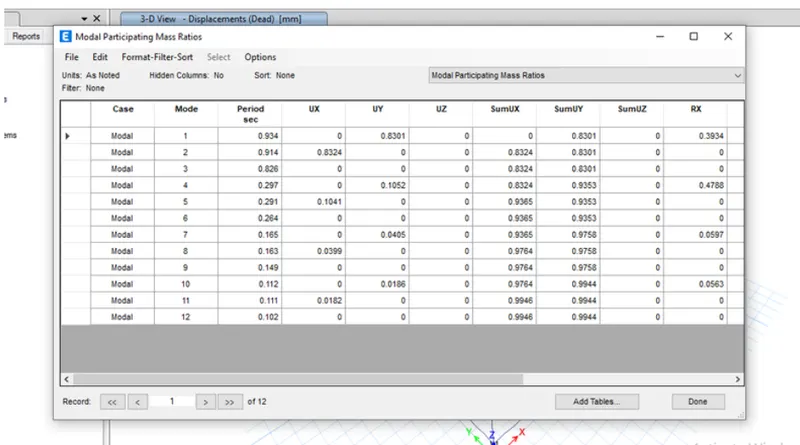
9) select the modal participating ratio it displays table
Building D:
1) Open New model and set number of stories as 5 and number of bays in X direction as 4 and in Y direction as 3
2) Defining the section property of column storey as 300X550mm and beam as 300mmX400mm
3). And also defining the other section properties of Beam and slab and click assign load choose shell load select uniform load and Assigning the Live load as 3kN/m2 and brickwall load as 10kN/m2.
4).now draw the beams ,coloumns and slab and assign load and select the load combination and add diaphram and finally add mass source.
5)Now select the coloumn and open assign tab.
6)select frame section and open local axes and enter the rotation angle 90degrees.
7).now Run the analysis
8)now open Display tab select the show table option
9) select the modal participating ratio it displays table
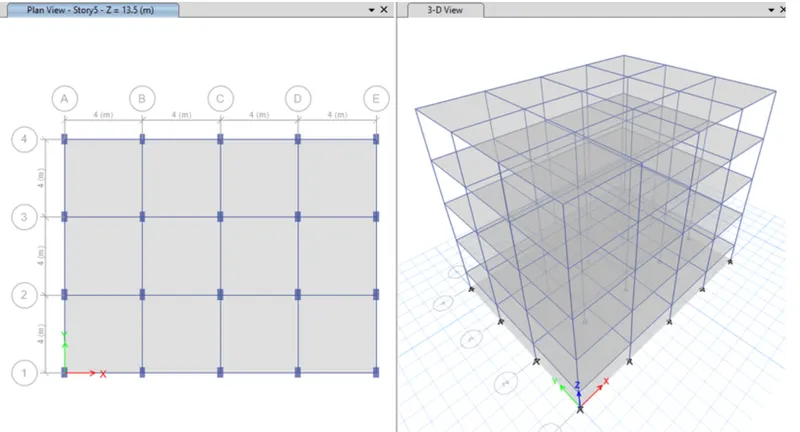
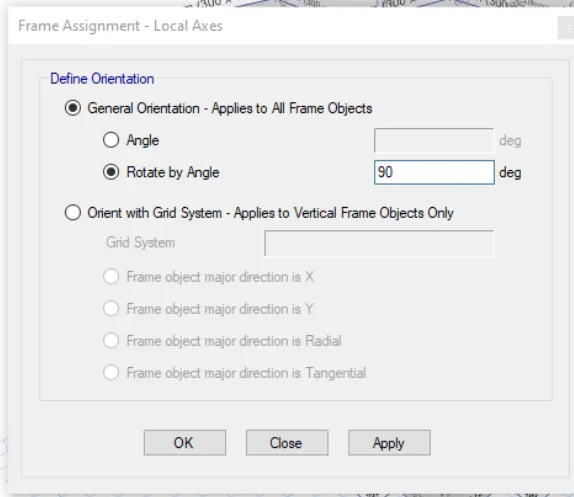
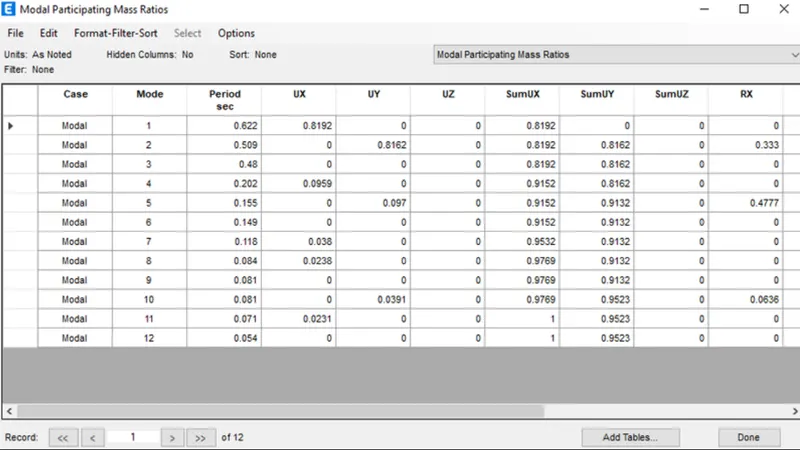
Conclusion:we can conclude that as orientation of building changes time period also changes accordingly
Time period of B-0.502
Time period of C-0.911
Time period of D-0.622